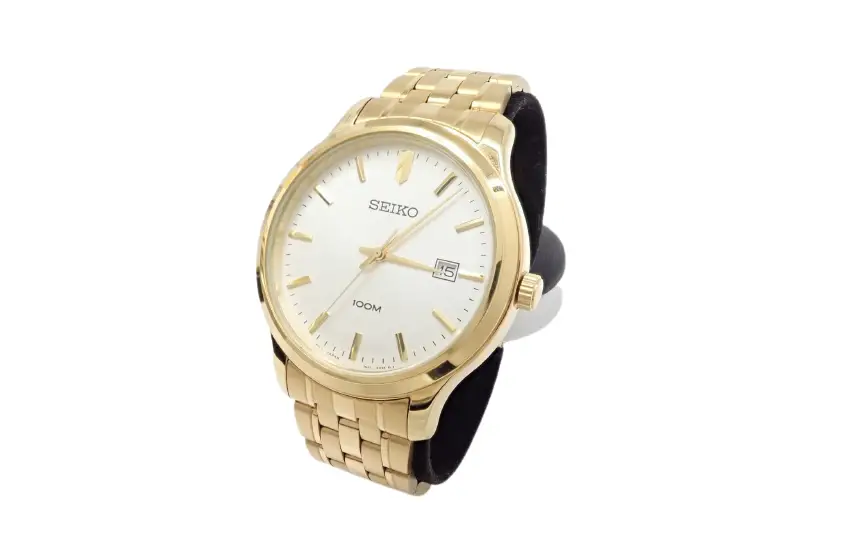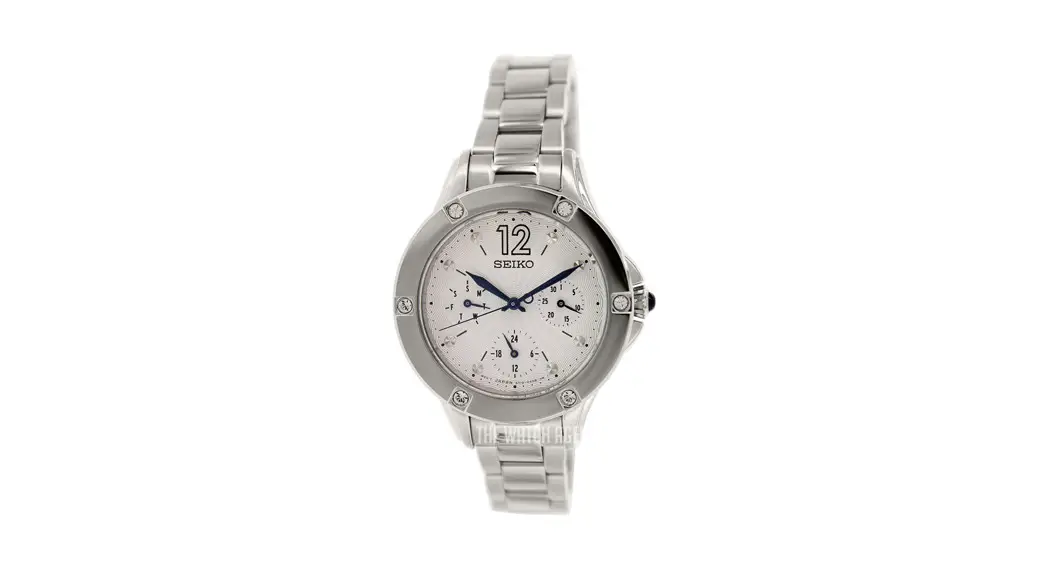
 Cal. 5Y19
INSTRUCTIONS
You are now the proud owner of a SEIKO Analogue Quartz Watch Cal. 5Y19. For best results, please read the instructions in this booklet carefully before using your SEIKO Analogue Quartz Watch. Please keep this manual handy for ready reference.
For the care of your watch, see “TO PRESERVE THE QUALITY OF YOUR WATCH” in the attached Worldwide Guarantee and Instruction Booklet.
DAY AND TIME SETTING
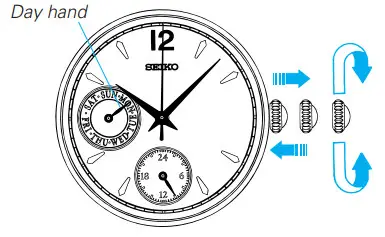
CROWN
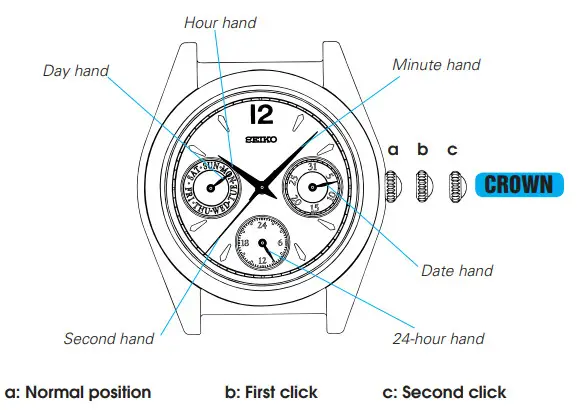
Pull out to the second click when the Second hand is at the 12 o’clock position.
Turn clockwise to advance Hour and Minute hands until Day hand is set to thedesired day of the week.
Turn to set the time.
Push back completely in accordance with a time signal.
DATE SETTING
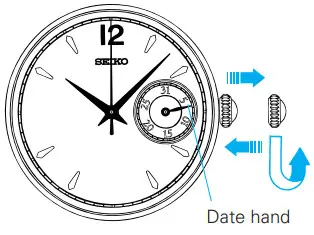 CROWN
CROWN
Pull out to first click.
Turn counterclockwise to set Date hand to the desired date.
Push in.
NOTES ON USING THE WATCH
DAY AND TIME SETTING
- To advance the day hand quickly, turn back the hour and minute hands 4 to 5 hours beyond the point the day normally changes, and then advance them again until the day hand is set to the next.
* The day hand will not move back by turning the crown counterclockwise. - When adjusting the day hand, turn the crown slowly.
- The 24-hour hand moves correspondingly with the hour hand.
- When setting the hour hand, check that the 24-hour hand is correctly set.
- When setting the minute hand, advance it 4 to 5 minutes ahead of the desired time and then turn it back to the exact time.
DATE SETTING
- Do not set the date hand between 9:00 p.m. and 1:00 a.m. Otherwise, it may not turn properly.
- While setting the date hand, check that it moves properly in one-day increments.
- It is necessary to adjust the date to the end of February and the 30-day month.
BATTERY CHANGE
 The miniature battery which powers your watch should last approximately 3 years. However, because the battery is inserted at the factory to check the function and performance of the watch, its actual life once in your possession may be less than the specified period. When the battery expires, be sure to replace it as soon as possible to prevent any malfunction. For battery replacement meant, we recommend that you contact an AUTHORIZED SEIKO DEALER and request SEIKO SR920SW battery.
 WARNING
- Do not remove the battery from the watch.
- If it is necessary to take out the battery, keep it out of the reach of children.
If a child swallows it, consult a doctor immediately.
CAUTION
- Never short-circuit, heat or otherwise tamper with the battery, and never expose it to fire. The battery may burst, become very hot or catch fire.
- The battery is not rechargeable. Never attempt to recharge it, as this may cause battery leakage or damage to the battery.
SPECIFICATIONS
- Frequency of crystal oscillator ……………………… 32,768 Hz (Hz = Hertz … Cycles per second)
- Loss/gain (Monthly rate) ……………………………… Less than 20 seconds at a normal temperature range
(5° C ~ 35° C) (41° F ~ 95° F) - Operational temperature range …………………….. –5° C ~ +50° C (23° F ~ 122° F)
- Driving system ……………………………………………. Step motor
- Display system
Time ……………………………………………………… 24-hour, hour, minute, and second hands
Day……………………………………………………….. Indicated by day hand
Date ……………………………………………………… Indicated by date hand - Battery ………………………………………………………. SEIKO SR920SW, 1 piece
- IC (Integrated Circuit) ………………………………….. C-MOS-IC, 1 piece
* The specifications are subject to change without prior notice for product improvement.