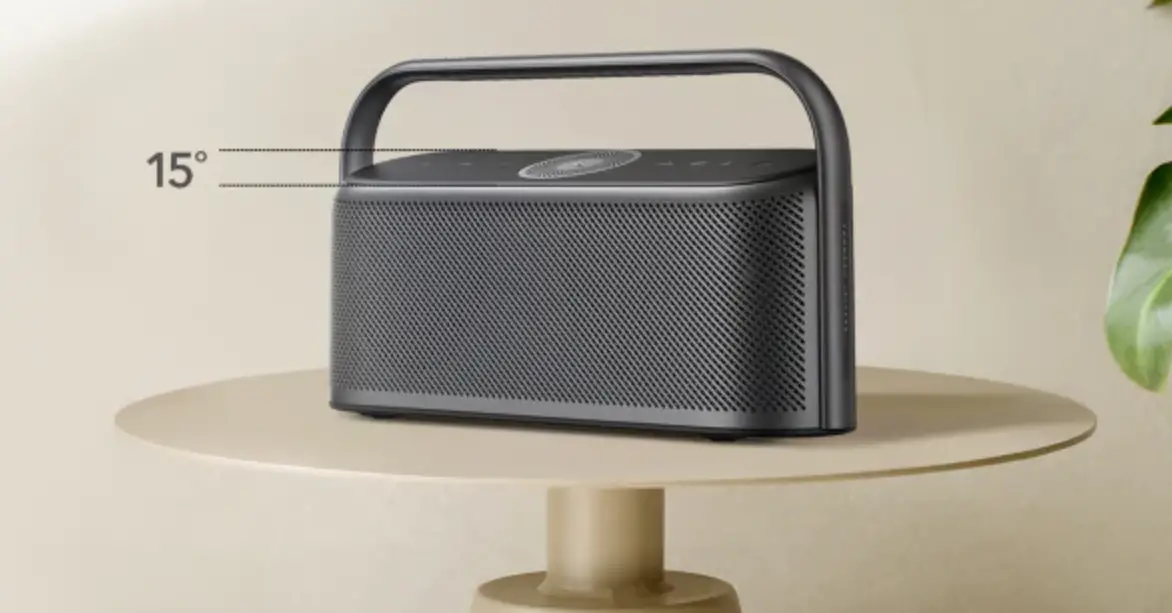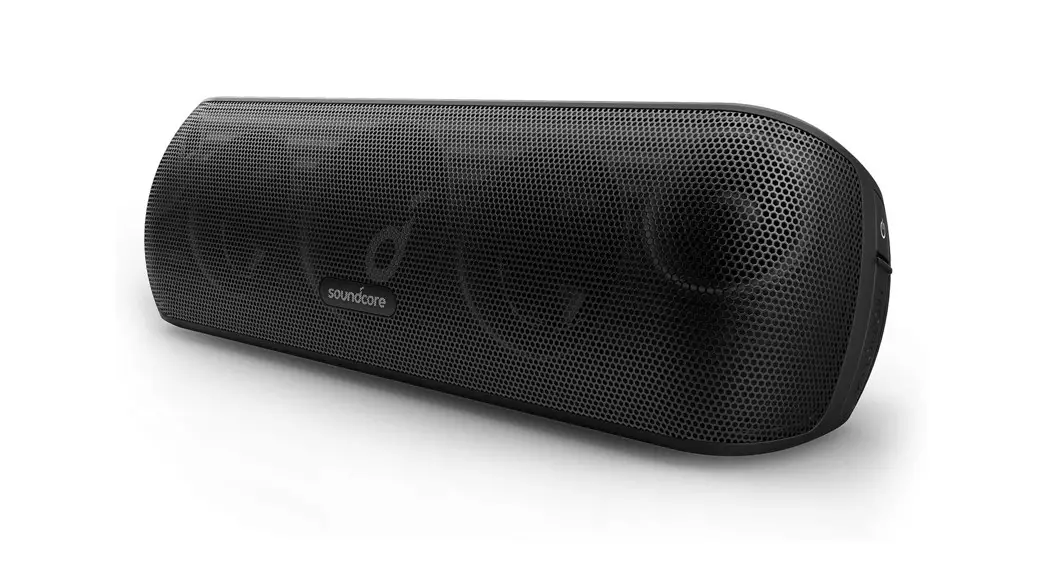
soundcore X600 Motion Wireless Speaker User Manual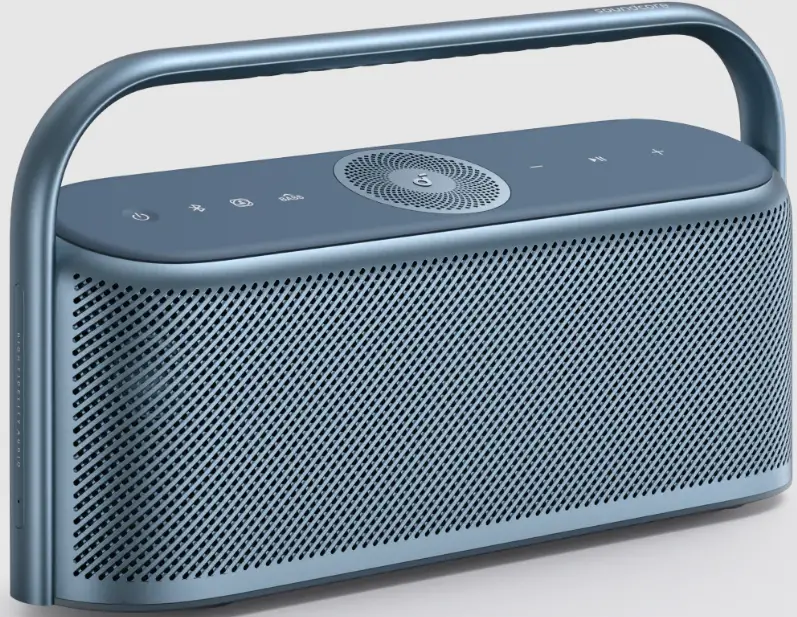
At a Glance
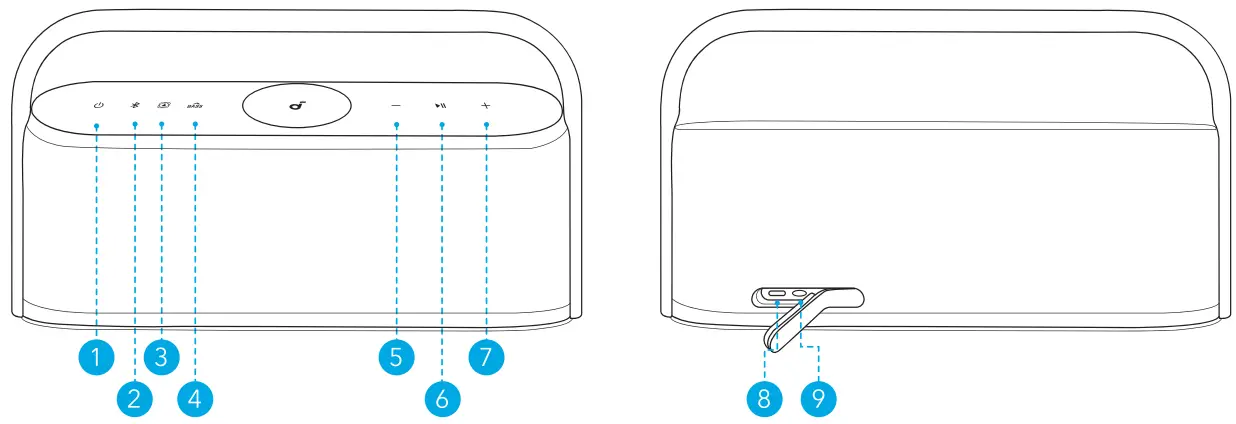
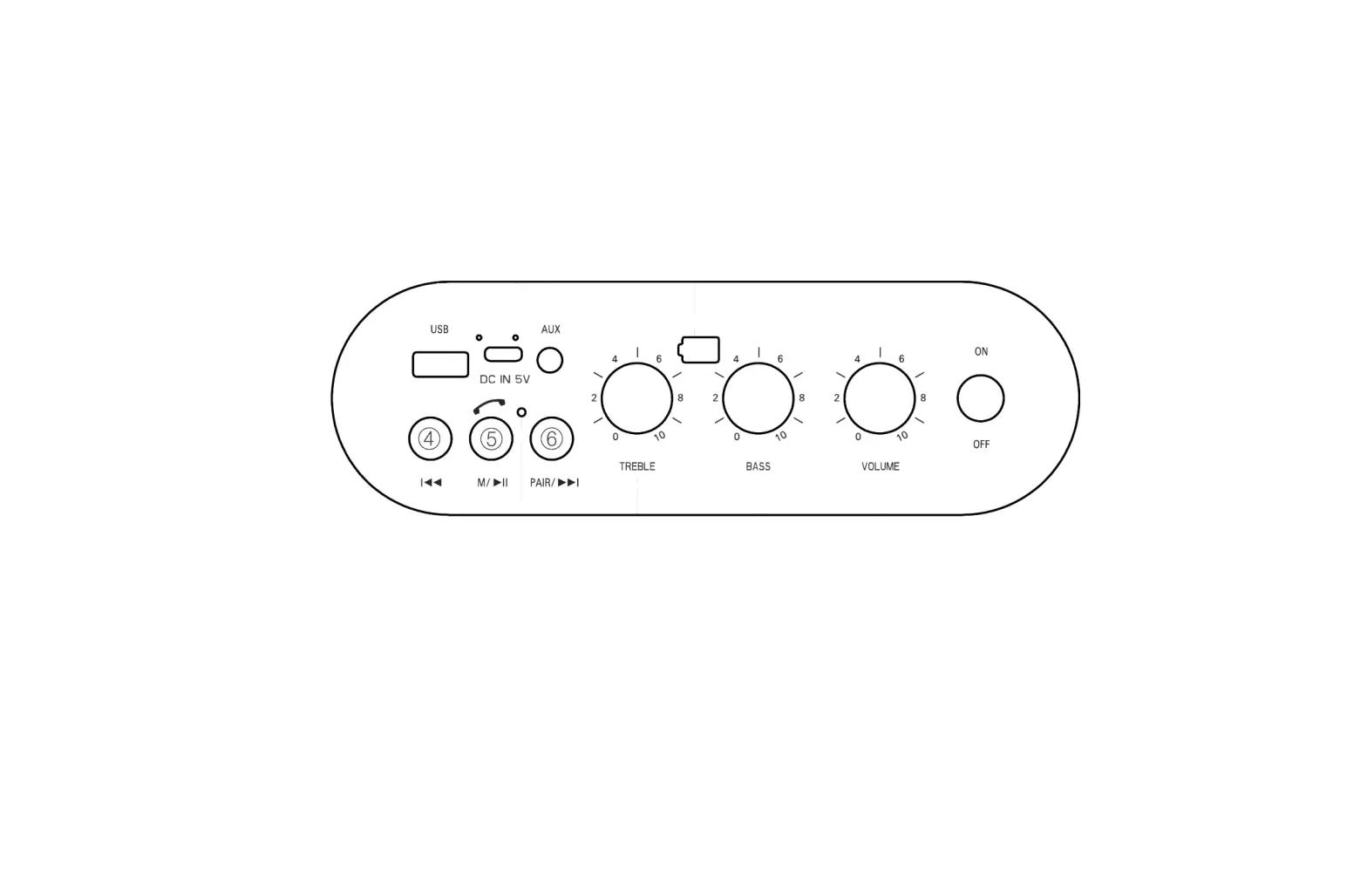
- Power
- Bluetooth
- Spatial Sound
- Bass Up
- Volume Down
- Play / Pause
- Volume Up
- USB-C Charging Input
- AUX IN
Charging
Use a certified USB-C cable and charger to prevent any damage. Fully charge this speaker before the first use to prolong the lifespan of the built-in battery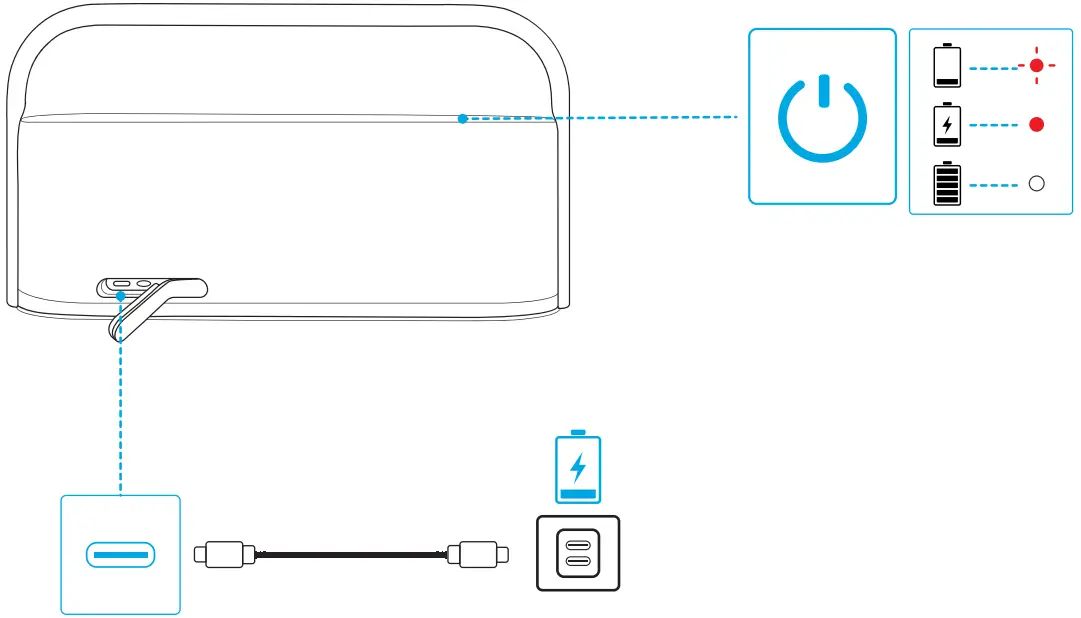
 | Flashing red | Low battery |
 | Steady red | Charging |
 | Steady white | Fully charged |
Powering On / Off
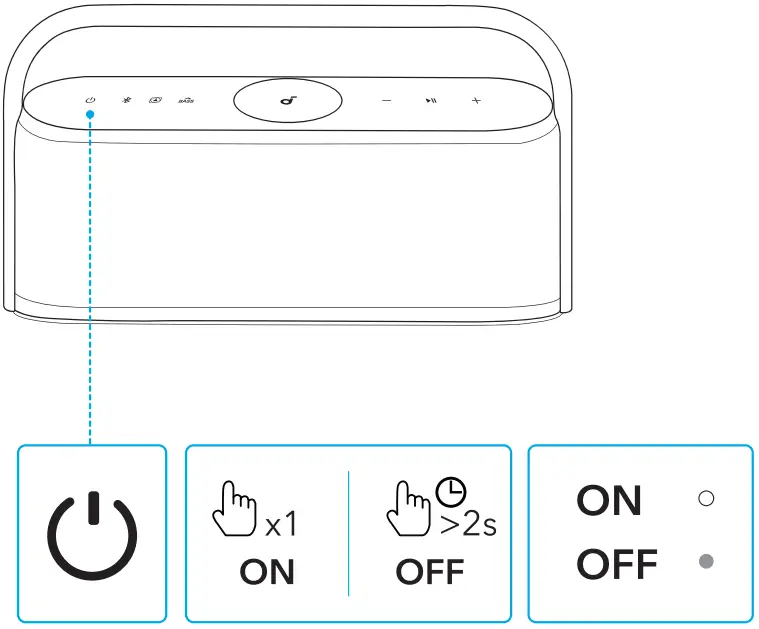
 | Press once | Power on |
 | Steady white | |
| Press and hold for at least 2 seconds | Power off |
 | Light off |

This speaker will power off automatically after 20 minutes if no device is connected.
Using Your Speaker
Bluetooth Mode
With this speaker, you can enjoy music through your Bluetooth-enabled devices.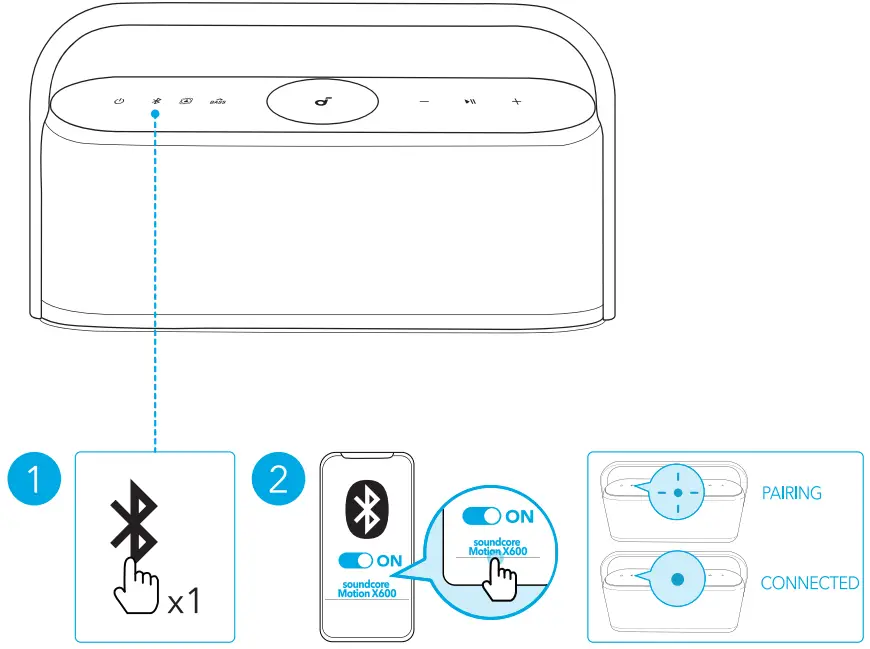
 | Press once | Enter Bluetooth pairing mode |
 | Flashing blue | Bluetooth pairing |
| Steady blue | Bluetooth connected |
- To re-enter Bluetooth pairing mode, press the Bluetooth button once.
- This speaker can only play music on one mobile device at a time. To play from another connected device, pause the device that’s currently active first.
- Each time you power on your speaker, it will automatically connect to your
last connected device if available within the Bluetooth range. If not, press the Bluetooth button to enter Bluetooth pairing mode.
TWS (True Wireless Stereo) Mode
Two identical Motion X600 speakers can pair with each other for stereo sound.
Both speakers can play the same audio (one as the left channel and the other as the right channel).
- Connect either speaker with your Bluetooth device.

- On both speakers, press and hold the Bluetooth button for at least 2 seconds to enter TWS pairing mode.

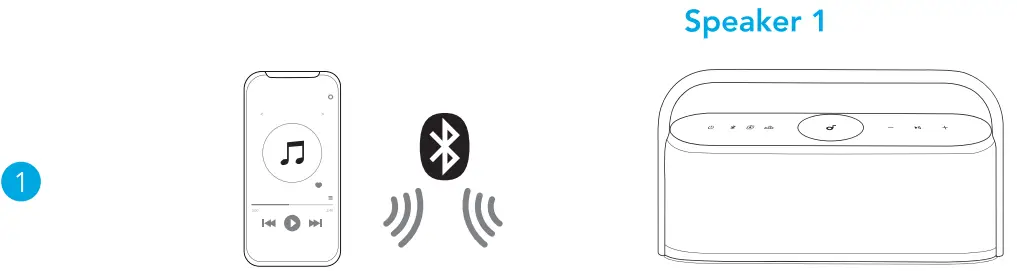
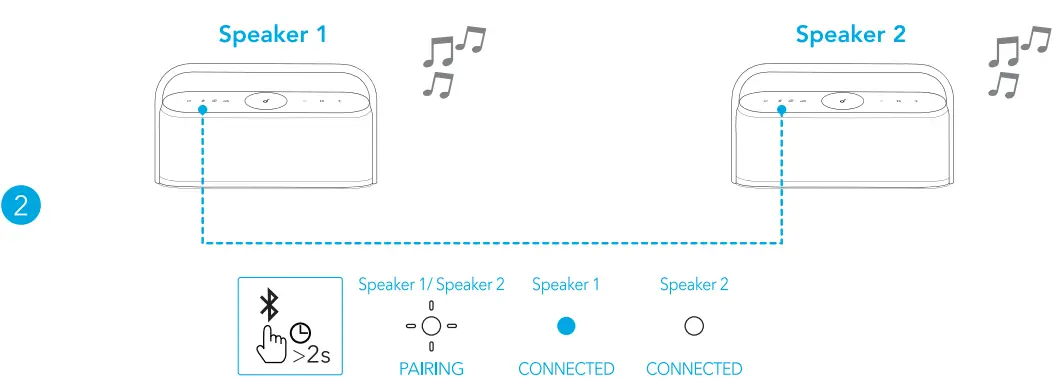
To exit TWS mode, press and hold the Bluetooth button for at least 2 seconds.
Spatial Sound
Spatial sound places sound all around you to create an immersive listening experience.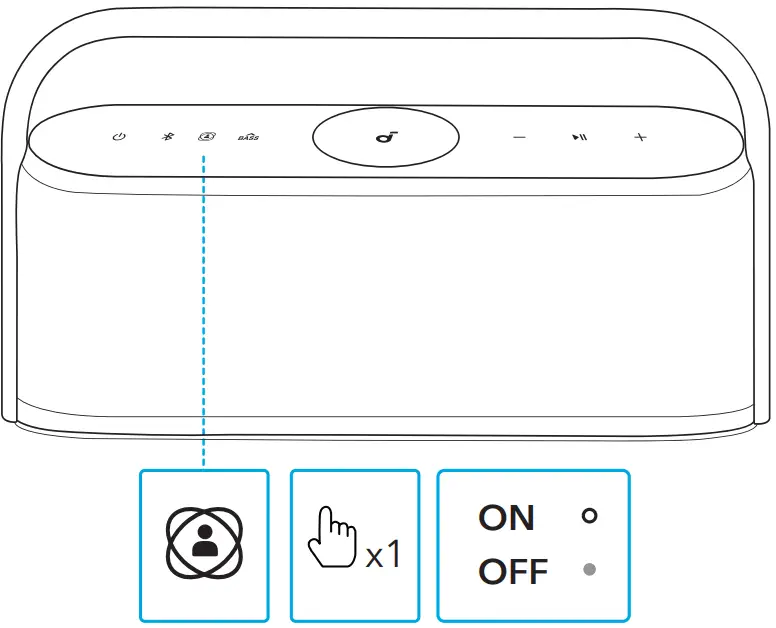
 | Press once | Turn spatial sound on / off |
| Steady white | Spatial sound on |
| Light off | Spatial sound off |
LDAC
Use devices powered by Android 8.0 or later to experience LDAC quality sound.
- Open the soundcore app.
- Go to the Settings icon on the home page.
- Click on “Sound Mode.”
- Select “Preferred audio quality” to switch to LDAC codec.

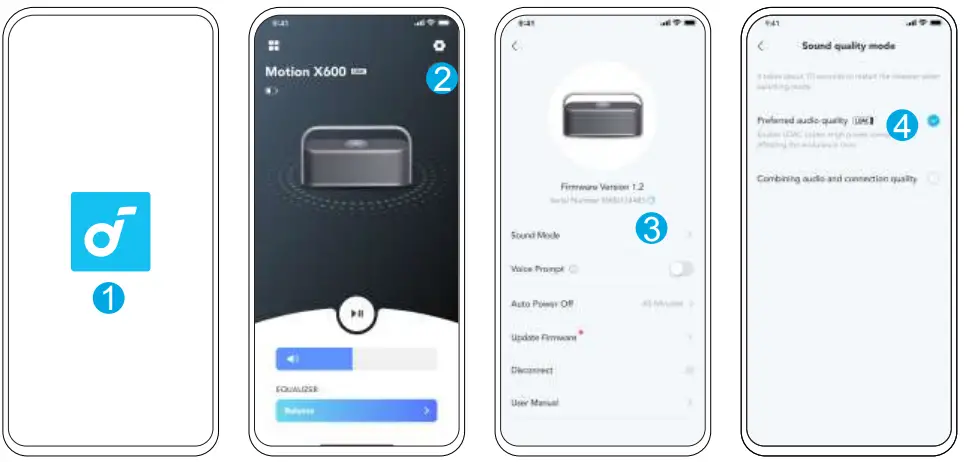
- It takes about 10 seconds to switch audio codecs. You may be requested to update the speaker’s firmware if available.
- LDAC provides higher quality sound, increases power consumption, and reduces playtime.
- Enable LDAC in a low-interference environment to ensure a stable Bluetooth connection.
AUX Mode
Insert a 3.5mm AUX cable (not included) to play audio on an external device.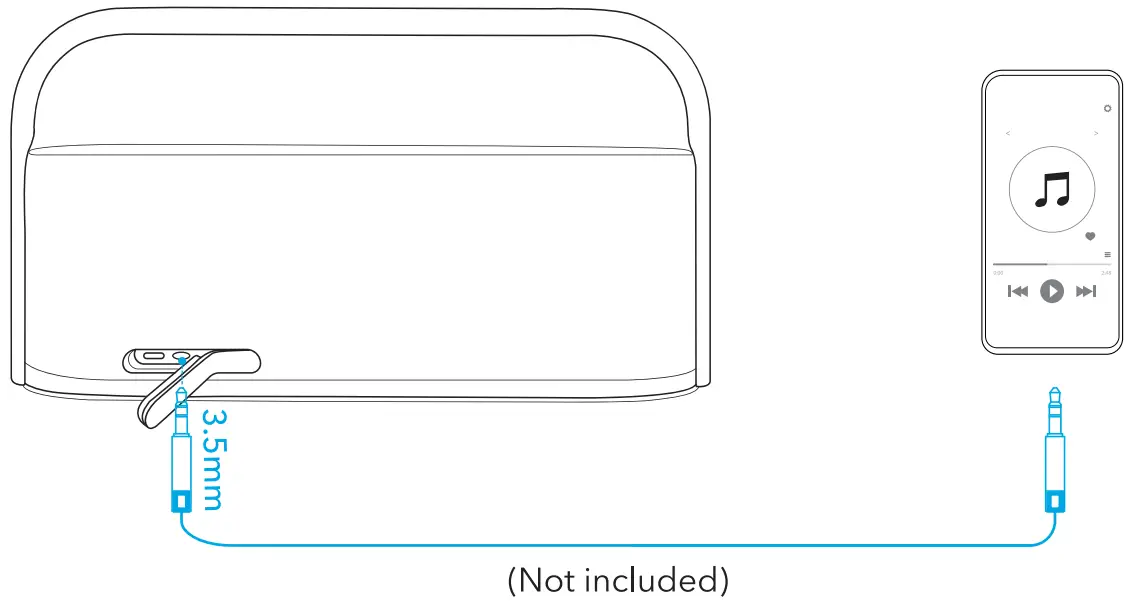
When using AUX mode, control audio playback via the connected device.
| Press once | Power on |
| Press and hold for at least 2 seconds | Power of | |
| Press once | Enter Bluetooth pairing mode |
| Press and hold for at least 2 seconds | Enter / exit TWS pairing mode | |
| Press once | Turn spatial sound on / off |
 | Press once | Turn BassUp on / off |
 | Press | Volume up / down |
 | Press once | Play / pause |
| Press twice | Next track | |
| Press three times | Previous track | |
| Press once | Answer / end a call | |
| Press and hold for at least 2 seconds | Reject a call | |
| Press and hold for at least 2 seconds | Activate voice assistant software |
Reset
Press and hold the Bluetooth button and volume up button simultaneously for at least 4 seconds to reset the speaker.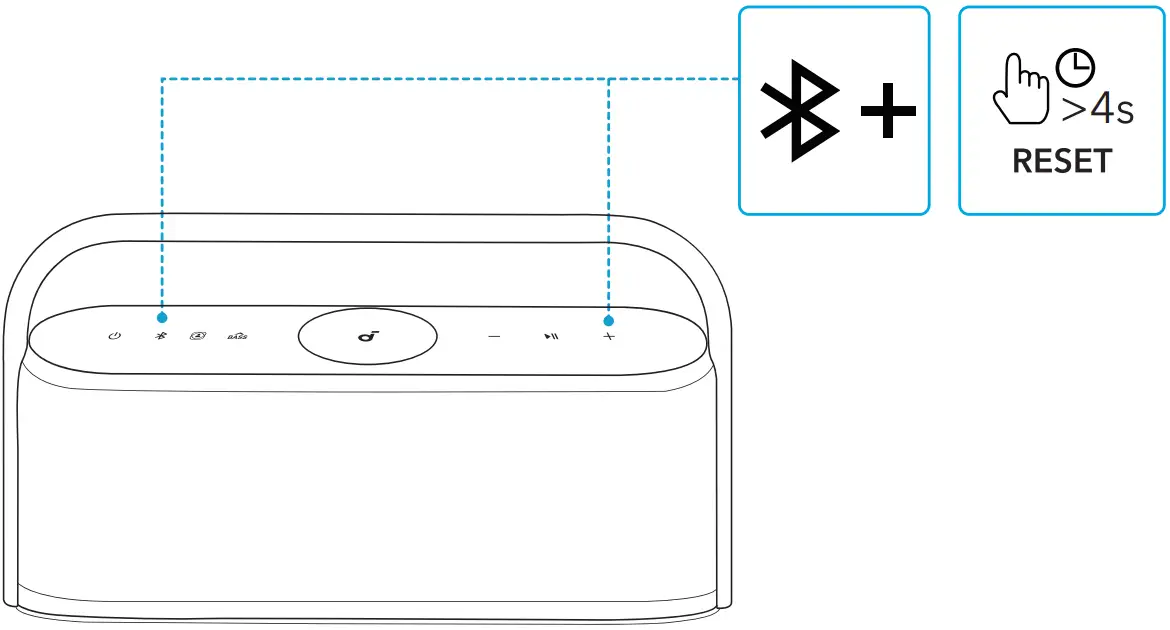
App
Download the soundcore app to enhance your experience.
Product information: Check the product name and software version, or read the
user manual.
Firmware update: You will be informed once a new version of firmware is detected when you connect the speaker with the app.
Battery status: Indicates the remaining battery level of your speaker.
Volume control: Adjust the volume level via the app without pressing the buttons
on the speaker.
EQ settings: There are 6 EQ settings you can choose from in the app to optimize your experience while enjoying different music genres.• soundcore Signature: Standard EQ mode optimized for well-balanced sound.
- Voice: Voices stand out more clearly from other ambient sounds.
- Treble Boost: High frequencies are enhanced.
- Balance: No enhancement for high-frequency and low-frequency sounds.
- Custom: Customize the EQ setting to suit you in the app.
- BassUp: Turn on BassUp to enhance the low-frequency sound.






Specifications
Specifications are subject to change without notice.
| DC power input | 5V 3A |
| Battery capacity | 6400mAh / 7.2V |
| Audio output power | 50W |
| Charging time | 6 hours |
| Playtime (varies by volume level and music content) | 12 hours |
| Waterproof level | IPX7 |
| Bluetooth version | 5.3 |
| Bluetooth range | 100m / 328ft |