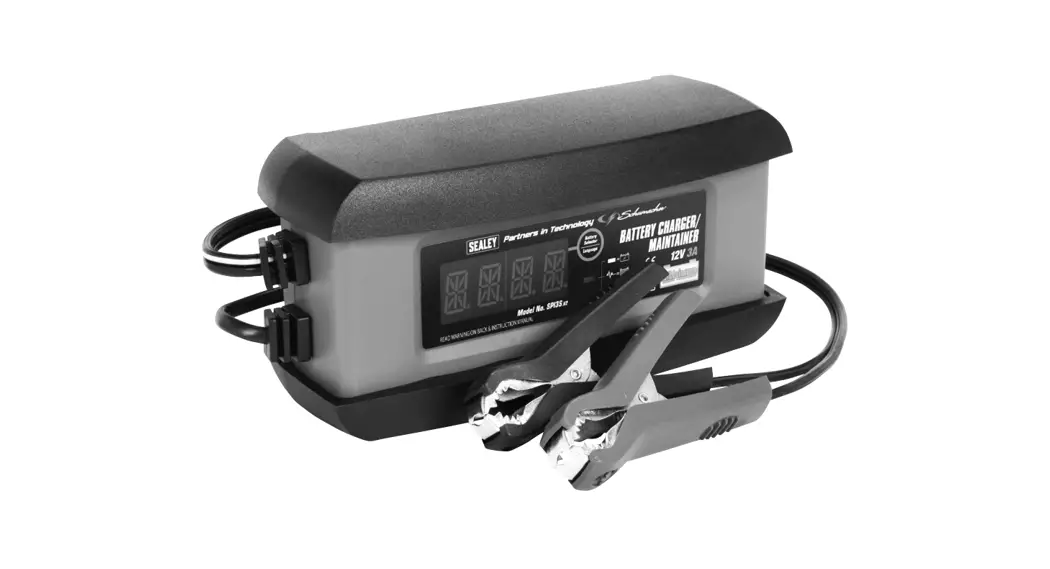
BSCU25.V3 Battery Support Unit and Charger
Product Information
Product Name: Automatic Smart Battery Support Unit & Charger
25A 12V/24V
Model Number: BSCU25.V3
Thank you for purchasing a Sealey product. This product is
manufactured to a high standard and, if used according to the
instructions provided and properly maintained, it will give you
years of trouble-free performance.
IMPORTANT: Please read these instructions
carefully and take note of the safe operational requirements,
warnings, and cautions. It is crucial to use the product correctly
and with care for the purpose for which it is intended. Failure to
do so may cause damage and/or personal injury and will invalidate
the warranty. Keep these instructions safe for future use.
Product Usage Instructions
- SAFETY
- Wear eye protection
- Wear protective gloves
- Electrical shock hazard
- Warning corrosive substance
- Warning: explosive material
- Keep away from sources of ignition
- Use in well-ventilated areas
- Keep away from rain
- ELECTRICAL SAFETY
It is the user’s responsibility to check the following:
- Check all electrical equipment and appliances to ensure they
are safe before using. - Inspect power supply leads, plugs, and all electrical
connections for wear and damage. - Sealey recommends using an RCD (Residual Current Device) with
all electrical products. - If the charger is used for business purposes, it must be
maintained in a safe condition and routinely PAT (Portable
Appliance Test) tested.
Electrical safety information:
- Ensure that the insulation on all cables and on the appliance
is safe before connecting it to the power supply. - Regularly inspect power supply cables and plugs for wear or
damage, and check all connections to ensure they are secure. - Ensure that the voltage rating on the appliance matches the
power supply to be used, and the plug is fitted with the correct
fuse (refer to fuse rating in the instructions). - DO NOT pull or carry the appliance by the power cable.
- DO NOT pull the plug from the socket by the cable. Remove the
plug from the socket by maintaining a firm grip on the plug. - DO NOT use worn or damaged cables, plugs, or connectors. Any
faulty item should be repaired or replaced immediately by a
qualified electrician. - This product is fitted with a BS1363/A 3-pin plug.
- If the cable or plug is damaged during use, switch off the
electricity supply and discontinue use. Replace a damaged plug with
a BS1363/A 3-pin plug. If unsure, contact a qualified
electrician. - Class II products are wired with live (brown) and neutral
(blue) wires only. They are marked with the Class II symbol.
- Connect the BROWN live wire to the live terminal ‘L’.
- Connect the BLUE neutral wire to the neutral terminal ‘N’.
- After wiring, check that there are no bare wires and ensure all
wires have been correctly connected.
restraint and that the restraint is tight.
electrician.
Recommended fuse:
DANGER! BE AWARE, LEAD-ACID BATTERIES GENERATE
EXPLOSIVE GASES DURING NORMAL USE.
AUTOMATIC SMART BATTERY SUPPORT UNIT & CHARGER 25A 12V/24V MODEL NO: BSCU25.V3
Thank you for purchasing a Sealey product. Manufactured to a high standard, this product will, if used according to these instructions, and properly maintained, give you years of trouble free performance.
IMPORTANT: PLEASE READ THESE INSTRUCTIONS CAREFULLY. NOTE THE SAFE OPERATIONAL REQUIREMENTS, WARNINGS & CAUTIONS. USE THE PRODUCT CORRECTLY AND WITH CARE FOR THE PURPOSE FOR WHICH IT IS INTENDED. FAILURE TO DO SO MAY CAUSE DAMAGE AND/OR PERSONAL INJURY AND WILL INVALIDATE THE WARRANTY. KEEP THESE INSTRUCTIONS SAFE FOR FUTURE USE.
Refer to instructions
Wear eye protection
Wear protective gloves
Electrical shock hazard
Warning corrosive substance
Warning: explosive material
Keep away
Use in well
from sources of ventilated areas
ignition
Keep away from rain
1. SAFETY
1.1.
1.1.1. 1.1.2.
8 8 8 1.1.3. 1.1.4. 1.1.5. 1.1.6.
1.1.7. 8
1.1.8.
1.2. 9 9 9 9
ELECTRICAL SAFETY
WARNING! It is the user’s responsibility to check the following:
Check all electrical equipment and appliances to ensure that they are safe before using. Inspect power supply leads, plugs and
all electrical connections for wear and damage. Sealey recommend that an RCD (Residual Current Device) is used with all electrical
products.
If the charger is used in the course of business duties, it must be maintained in a safe condition and routinely PAT (Portable
Appliance Test) tested.
Electrical safety information, it is important that the following information is read and understood.
Ensure that the insulation on all cables and on the appliance is safe before connecting it to the power supply.
Inspect power supply cables and plugs regularly for wear or damage and check all connections to ensure that they are secure.
Ensure that the voltage rating on the appliance suits the power supply to be used and that the plug is fitted with the correct fuse – see
fuse rating in these instructions.
DO NOT pull or carry the appliance by the power cable.
DO NOT pull the plug from the socket by the cable. Remove the plug from the socket by maintaining a firm grip on the plug.
DO NOT use worn or damaged cables, plugs or connectors. Ensure that any faulty item is repaired or replaced immediately by a
qualified electrician.
This product is fitted with a BS1363/A 3 pin plug.
If the cable or plug is damaged during use, switch the electricity supply off and remove from use.
Replace a damaged plug with a BS1363/A 3 pin plug. If in doubt contact a qualified electrician.
Class II products are wired with live (brown) and neutral (blue) only and are marked with the Class II symbol:
A) Connect the BROWN live wire to the live terminal `L’.
B) Connect the BLUE neutral wire to the neutral terminal `N’.
C) After wiring, check that there are no bare wires and ensure that all wires have been correctly
connected.
Ensure that the cable outer sheath extends inside the cable restraint and that the restraint is tight.
DO NOT connect either wire to the earth terminal.
Sealey recommend that repairs are carried out by a qualified electrician.
Recommended fuse
DANGER! BE AWARE, LEAD-ACID BATTERIES GENERATE EXPLOSIVE GASES DURING NORMAL
rating: 13Amp
BATTERY OPERATION. FOR THIS REASON, IT VERY IMPORTANT TO READ AND FOLLOW THESE
INSTRUCTIONS CAREFULLY, EACH TIME YOU USE THE CHARGING EQUIPMENT.
Follow these instructions and those published by the battery and vehicle manufacturers, and the maker of any equipment you intend to
use in the vicinity of the battery. Review warning marks on all products and on engines.
WARNING! Modern vehicles contain extensive electronic systems.
Check with the vehicle Manufacturer for any specific instructions regarding the use of this type of equipment on each vehicle.
No liability will be accepted for damage / injury, where this product is not used in accordance with all instructions.
PERSONAL PRECAUTIONS
Ensure there is another person within hearing range of your voice and close enough to come to your aid, should a problem arise when working near a lead-acid battery.
Wear safety eye protection and protective clothing. Avoid touching eyes while working near battery. Have fresh water and soap nearby in case battery acid contacts skin, clothing or eyes.
Wash immediately with soap and water if battery acid contacts skin or clothing. If acid enters eye, flush eye immediately with cool, clean running water for at least 15 minutes and seek immediate medical attention.
© Jack Sealey Limited
Original Language Version
BSCU25.V3 Issue 2 (H, 3) 31/03/23
9
Remove personal metallic items such as rings, bracelets, necklaces and watches. A lead-acid battery can produce a short-circuit
current which is high enough to weld a ring or the like to metal, which would cause severe burns.
9
Ensure hands, clothing (especially belts) are clear of fan blades and other moving or hot parts of engine, remove ties and contain long hair.
8
DO NOT smoke or allow a spark or flame in the vicinity of battery or engine.
1.3.
GENERAL SAFETY INSTRUCTIONS
9
Familiarise yourself with the application and limitations of the charger as well as the potential hazards. Also refer to the vehicle
manufacturer’s hand book. IF IN ANY DOUBT CONSULT A QUALIFIED ELECTRICIAN.
9
Ensure the charger is in good order and condition before use. If in any doubt do not use the unit, contact your Sealey stockist.
9
Ensure the charger is disconnected from the mains supply before attaching/detaching the power clamps to/from the battery.
9
Keep tools and other items away from the engine and ensure you can see the battery and working parts of engine clearly.
9
Ensure the output of the charger is the same voltage as the battery.
9
Ensure that during charging, the charger is placed in a location where there is sufficient ventilation to prevent the build up of explosive
gases from a lead acid battery.
9
If battery has caps to access the battery fluid, remove the caps and check the fluid level before connecting the power clamps. If
necessary top-up the battery with distilled water by referring to the battery manufacturer’s instructions (Apply the personal
safety precautions described in part 1.2).
9
If the charger receives a sharp knock or blow the unit must be checked by a qualified service agent before using.
9
If the battery terminals are corroded or dirty, clean them before attaching the power clamps.
9
Keep children and unauthorised persons away from the working area.
8
DO NOT dismantle the charger for any reason. The charger must only be checked by qualified service personnel.
8
DO NOT try to charge a non-rechargeable battery.
8
DO NOT try to start engine when charger is connected to battery.
8
DO NOT try to charge battery if battery fluid is frozen.
WARNING! To prevent the risk of sparking, short circuit and possible explosion DO NOT drop metal tools in the battery area, or allow
them to touch the battery terminals.
8
DO NOT allow power clamps to touch each other or to make contact with any metallic part of the vehicle.
8
DO NOT cross connect power leads from charger to battery. Ensure positive (+/RED) is to positive and negative (-/BLACK) is to
negative.
8
DO NOT pull the cables or clamps from the battery terminals.
8
DO NOT use the charger outdoors, or in damp, or wet locations and DO NOT operate within the vicinity of flammable liquids or gases.
8
DO NOT use charger inside vehicle or inside engine compartment.
8
DO NOT use the charger for a task for which it is not designed.
WARNING! DO NOT simultaneously charge batteries of different capacities or discharge levels.
WARNING! If a fuse blows, ensure it is replaced with an identical fuse type and rating. Use only Sealey genuine parts.
9
When not in use, store the charger carefully in a safe, dry, childproof location.
NOTE: This appliance can be used by children aged from 8 years and above and persons with reduced physical,
sensory or mental capabilities or lack of experience and knowledge if they have been given supervision or instruction
concerning use of the appliance in a safe way and understand the hazards involved. Children shall not play with the
appliance. Cleaning and user maintenance shall not be made by children without supervision.
2. INTRODUCTION
High frequency inverter type unit designed to both charge a battery and provide support for the battery during prolonged electronic diagnostic
checks. Charge cycle has nine profiles designed to optimise the condition of the battery and the speed of the charge. Designed for use with vehicle batteries including Calcium, Wet, Gel, AGM and VRLA types on 12V and 24V systems. Temperature sensor allows accurate charging of battery, even when cold. Safety circuitry prevents sparks or polarity reversal. Once fully charged, battery may be left connected to be automatically conditioned and maintained.
3. SPECIFICATION
Model No:…………………………………………………..BSCU25.V3 Type: …………………………………………….. 9-Cycle with Support Output: …………………………………………………………… 12V/24V Output charge: ………………………………….. 12-25A, 24V-12.5A Battery support mode:…………………………………..20A 13.5V Battery range: ……………….. 12V – 75-500Ah, 24V – 45-250Ah Power Supply Cable Length:…………………………………… 1.8m
fig.1
4. OPERATION
4.1.
4.1.1.
4.1.2.
4.2. 4.2.1. 4.2.2. 4.2.3. 4.2.4. 4.2.5. 4.2.6.
PREPARATION IMPORTANT! It is important to prepare for charging correctly ensuring you follow Section 1 safety regulations carefully. Check that the capacity of the battery is compatible with the charger output. Follow any vehicle manufacturer’s instructions for charging the battery. Especially instructions for charging batteries which should not ordinarily be removed from the vehicle for this process. If the battery is removed, place in an appropriate safe area, according to Section 1, ready for charging. IMPORTANT! a boat battery must be removed and charged on shore. CONNECTING THE CHARGER TO A BATTERY INSTALLED ON THE VEHICLE. Ensure the charger black and red crocodile clips are not short circuited at any time. Identify the polarity of the battery terminals and check that they are free of corrosion deposits. Clean if required. Identify the polarity of the battery terminal connected to the vehicle chassis (earth), normally the negative terminal. Identify the system voltage of the vehicle, 12V or 24V. Remove the battery electrolyte cover or caps, when applicable, to allow the gases produced by charging to escape. If not a sealed battery, check electrolyte levels. Add distilled water in each cell according to manufacturer’s instructions or 5-10 mm above the plates if information not available. For sealed batteries refer to manufacturer’s recharging instructions.
© Jack Sealey Limited
Original Language Version
BSCU25.V3 Issue 2 (H, 3) 31/03/23
4.2.7.
4.2.8.
4.3. 4.3.1. 4.3.2. 4.3.3. 4.3.4.
4.4.
4.4.1.
Connect the charger POSITIVE (Red or +) lead to the POSITIVE (+) terminal of the battery and the NEGATIVE (Black or -) lead to the
NEGATIVE (-) terminal of the battery. Lay the temperature probe in close proximity to the battery (fig.1).
Plug the charger into the electrical supply and switch on. The LED will flash “000”; the `standby status’ in table (Section 6). Select either
12V or 24V on the selector switch, a green LED will be illuminated against the selected voltage.
CONNECTING THE CHARGER TO A BATTERY NOT INSTALLED OR TO BE REMOVED FROM THE VEHICLE.
Check the battery to ensure the NEGATIVE & POSITIVE terminals are clearly identifiable before removing the battery from the vehicle.
Disconnect and remove the battery from the vehicle and place in an appropriate safe well ventilated area ready for charging.
Follow instructions 4.2.6 to 4.2.8.
The charging status of a battery will be displayed digitally in the LED window of the charger, it can also be determined by use of a
hydrometer which measures the specific gravity of the electrolyte. The following information indicates kg/l at 20°C:
1.28 = Fully charged 1.21 = Half charged 1.14 = Fully discharged battery.
WARNING! Take care as the electrolyte is highly corrosive.
CHARGING THE BATTERY – Referring to the graphs (fig.6 and fig.7), the projected voltage is represented by the lower line and the
projected current is represented by the upper incremental line. Stages and time are represented by the numbers 1 – 9 (fig.6) for lead
acid batteries and 1 – 10 (fig.7) for lead calcium acid batteries.
Select the required charging mode (fig.3) by pressing the “MODE” button (fig.4). The `vehicle’ icon indicates normal charging, the
`snowflake’ icon indicates low temperature environment charging, the `Cal’ indicates calcium type battery charging and is also a repair
mode for sulphated batteries. The `battery clips’ icon indicate battery support mode, this mode provides power for the battery during
prolonged electronic diagnostic checks. If either the `Cal’ icon or the `battery clip” icon mode is required; from the initial
flashing “000” standby mode, press the mode button in quick succession (*before the “R E P” appears in the LED window)
and follow the illuminated icon indicators to the required mode. Press three times for “Cal”, four times for `battery clips’, five
times for back to standby status. For further explanation of charging modes see table fig.6. *If a charging mode selection is made,
after a few seconds “R E P” appears in the LED window; this extinguishes after 5 flashes to read the selected `voltage/current/
charging %’ from fig.4. Selection of `Cal’ (amber) and `battery clip icon’ (red) are now inhibited and cannot be selected.
green
red
amber
red
fig.2
4.4.2.
Cal
Select the required 3 figure digital display by pressing the “display” button (fig.3) for `voltage’, press again for `current’ and again for `charging %’. The exclamation mark indicates a fault condition. Inboard short circuit protection and overload protection instantly shuts the charger down in a fault condition. For further explanation of displayed LED readings see table fig.5.
green green green
red
fig.3
display
! Voltage Current Charging %
4.4.3. 4.4.4. 4.4.5. 4.4.6. 4.4.7.
Check the current delivery to the battery by pressing the “display” button (fig.3). Initially, there will be a high rate of charge which will decrease slowly according to the capacity and condition of the battery. Press again for `current’ and again for `charging %’ values. When fully charged the ammeter reading `current’ should be “0.00” or close to “0.00” and the electrolyte in the battery should begin to gas (not visible on vented sealed for life modern batteries). Press the “display” button to check the `charging %’, if the LED reads “F U L” the battery is fully charged. If the LED reads “C H E” (stage 9 in graphs), wait whilst the charger checks the battery. If the battery is charged fully the LED will normally change to “F U L” within 60 seconds. Unless battery support mode is required, isolate mains power and unplug charger from the mains. On completion of all tasks disconnect the power clamps, the earthed clamp first, clean the charger and store in a safe, dry area.
Replace the battery electrolyte cover or caps when applicable. Wipe up any splashes or spillage. Return the battery to the vehicle, if required, secure according the manufacturer’s instructions and re-connect the power leads. Check to ensure all tools are removed before closing the bonnet.
fig.4
© Jack Sealey Limited
Original Language Version
BSCU25.V3 Issue 2 (H, 3) 31/03/23
12V 24V
MODE
4.5. 4.6.
Cal
fig.5
Select the required voltage. A single press of the button will change voltage illuminating a green indicator.
Digital LED display to show Voltage, Current, and Charging %. It will also display status, functions and
fault conditions. See section on Trouble Shooting.
To select charging mode or re-set during charging. A single press of the button moves to next mode.
display
Press display button once to illuminate Voltage, press again to illuminate Current, press again to illuminate Charging %. Read values in the LED window.
Mode : 14.4V 25.0A or 28.8V 12.5A. This mode is normally used for all types of batteries. On selection the charger cooling fan starts.
Voltage
Mode : 14.7V 25A or 29.4V 12.5A. This setting is recommended at temperatures below 5°C. Not recommended when temperatures exceed 5°C.
Current
Mode : Calcium select for all calcium batteries. Also
batteries with voltages below 10.5V without
capacity to absorb charging current. The charger Charging %
will automatically pulse charge up to 16V to recover
battery. If the battery cannot be recovered after 2
hours a fault (!) icon will illuminate. New battery required.
!
Mode : DC supply (13.5V 20A) Provides support for
the battery during prolonged electronic diagnostic
checks.
Read values in the LED window.
Read values in the LED window.
Read values in the LED window.
When the exclamation mark indicator illuminates, it is accompanied by a high pitched audible alarm. A fault condition has been detected and will be identified in the LED window as F 0 1, F 0 2, F 0 3, F 0 4 and F 0 5, see section 6 “TROUBLE SHOOTING”.
i (A)
12 3
4
5
6
fig.6
Charging stages (9 steps)
1 – Qualification
2 – Battery recovery
3 – Soft start
4 – Pulse mode
5 – Recondition
6 – Bulk
7 – Absorption
7
8
9
t
8 – Equalisation 9 – Check
u(V)
Lead acid battery charge graphical representation i(A)
12 3
4
5
6
u(V)
7
8
t
fig.7
9 10 t
Charging stages
(9 steps)
1 – Qualification 2 – Battery recovery 3 – Soft start 4 – Pulse mode 5 – Recondition 6 – Bulk 7 – Absorption 8 – Equalisation 9 – Check 10- Maintenance
Lead Calcium acid battery charge graphical representation
© Jack Sealey Limited
Original Language Version
t BSCU25.V3 Issue 2 (H, 3) 31/03/23
5. .MAINTENANCE
5.1.
After each use clean the charger clamps, removing corrosive battery fluids.
5.2.
Clean the charger casing and charger leads with a soft cloth and mild detergent solution.
5.3.
Keep the charger leads loosely coiled during storage without snagging or crushing.
8
DO NOT attempt to repair damaged leads, these must be replaced by your Sealey service agent or a qualified person.
8
DO NOT attempt to repair charger electronics, this must be done by your Sealey service agent or a qualified person.
6. TROUBLESHOOTING
CODES
DESCRIPTION
Standby status.
TROUBLESHOOTING
Check battery status before charging.
Battery already fully charged.
Charger is repairing battery.
1) No connection to battery. 2) Short circuit. 3) Reversed polarity connection. Clip loosened during charging. The charger stops, an audible alarm will sound in 25 secs. Battery voltage too high.
Temporary indication of start. Repair mode for sulphated batteries. 1) Reconnect terminal. 2) Check all connections. 3) Reverse connections. Check connections and start charging process again.
Battery voltage not as voltage setting.
Current leakage inside battery.
Start charging again, if fault condition re-occurs, replace battery.
Charger internal temperature too high.
Cooling fan not working. Ambient temperature too high, (40°C).
Battery fully charged. Voltage held until power restored.
WEEE REGULATIONS Dispose of this product at the end of its working life in compliance with the EU Directive on Waste Electrical and Electronic Equipment (WEEE). When the product is no longer required, it must be disposed of in an environmentally protective way. Contact your local solid waste authority for recycling information.
ENVIRONMENT PROTECTION Recycle unwanted materials instead of disposing of them as waste. All tools, accessories and packaging should be sorted, taken to a recycling centre and disposed of in a manner which is compatible with the environment. When the product becomes completely unserviceable and requires disposal, drain any fluids (if applicable) into approved containers and dispose of the product and fluids according to local regulations.
REGISTER YOUR PURCHASE HERE
Note: It is our policy to continually improve products and as such we reserve the right to alter data, specifications and component parts without prior
notice. Please note that other versions of this product are available. If you require documentation for alternative versions, please email or call our technical team on [email protected] or 01284 757505. Important: No Liability is accepted for incorrect use of this product. Warranty: Guarantee is 12 months from purchase date, proof of which is required for any claim.
Sealey Group, Kempson Way, Suffolk Business Park, Bury St Edmunds, Suffolk. IP32 7AR
01284 757500
www.sealey.co.uk
© Jack Sealey Limited
Original Language Version
BSCU25.V3 Issue 2 (H, 3) 31/03/23
 Sealey - Leading Professional Tool & Workshop Equipment Supplier