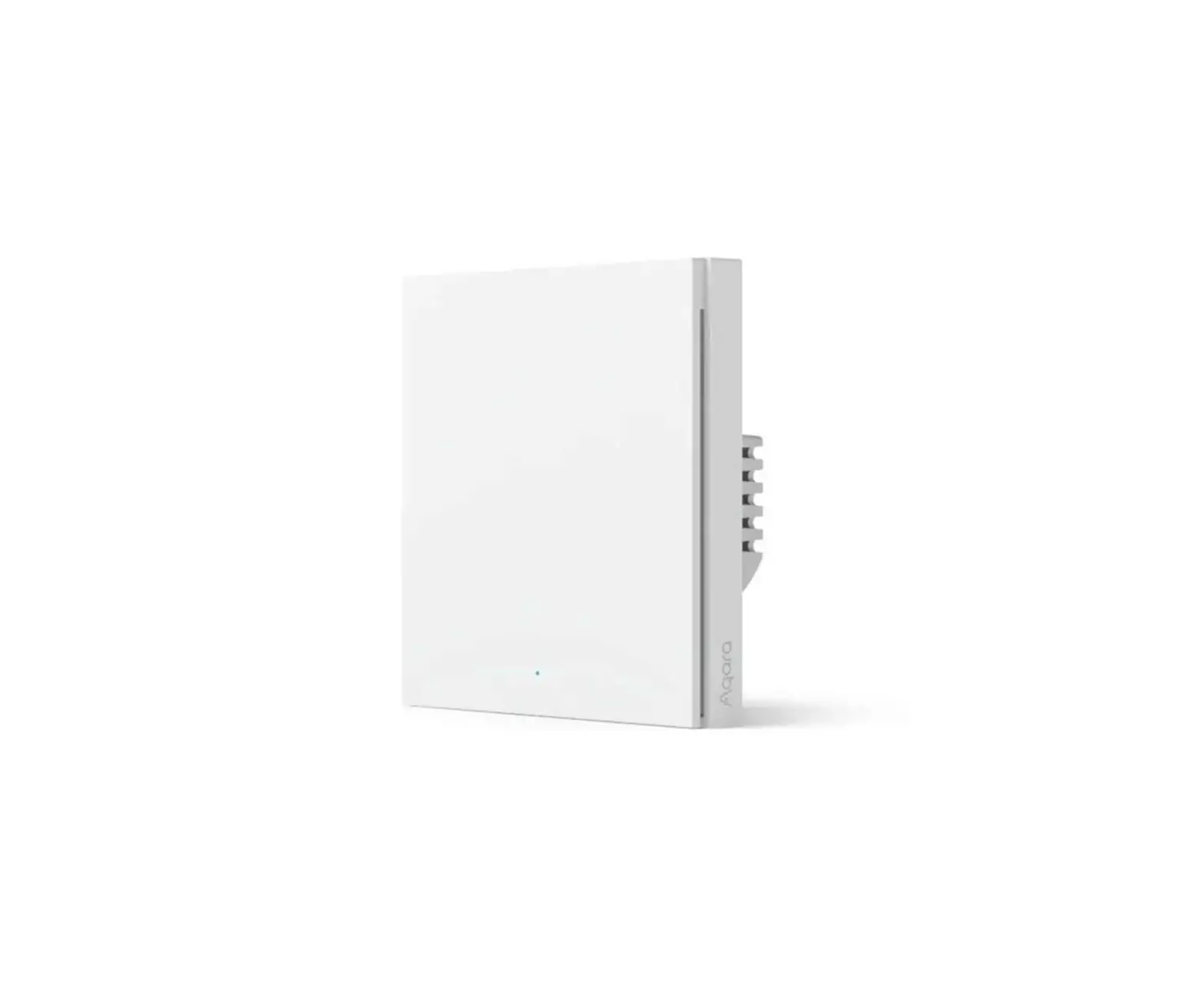
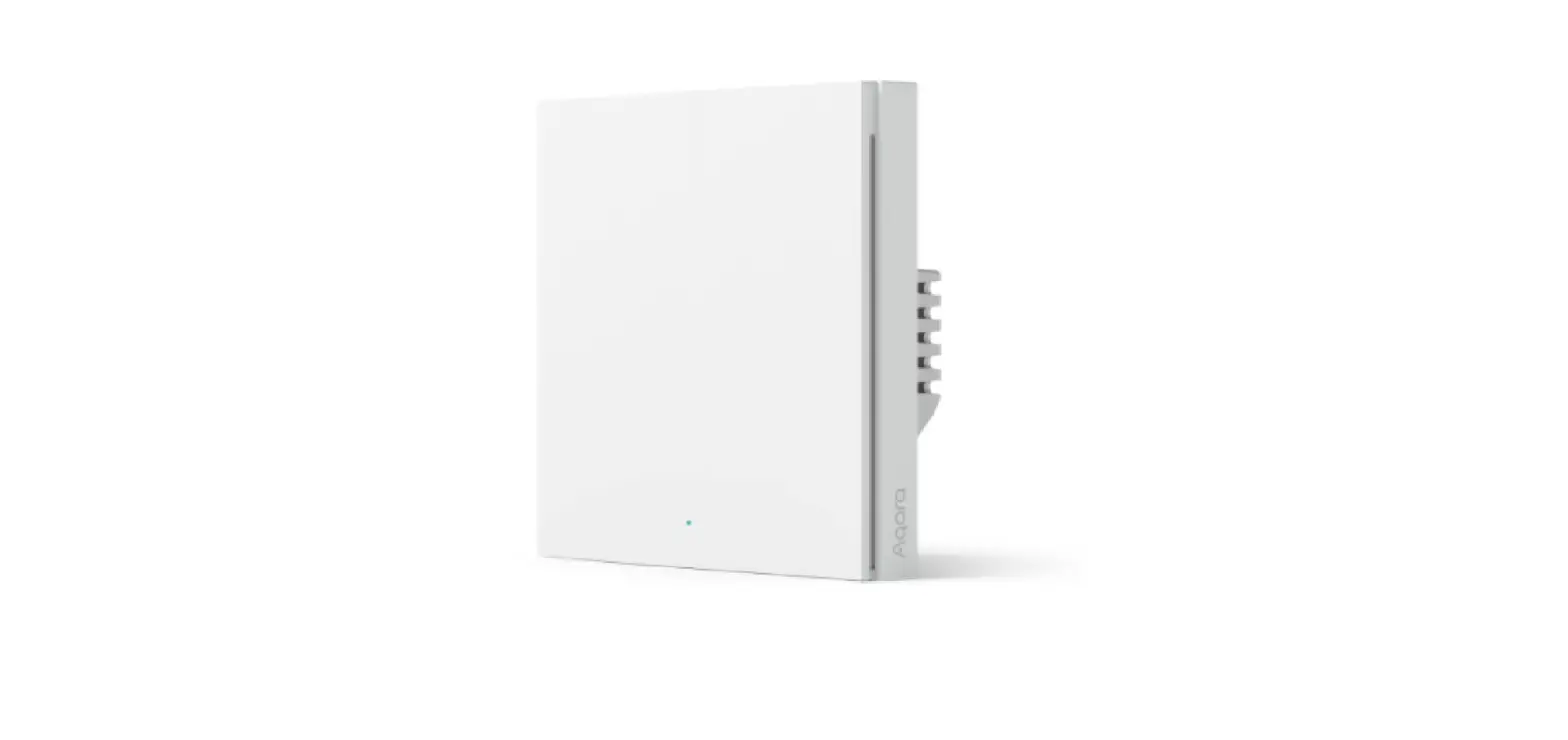
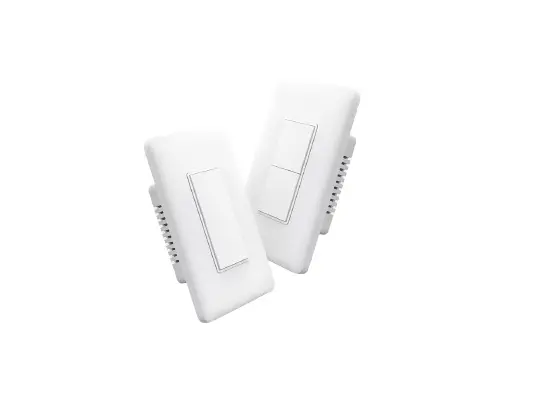
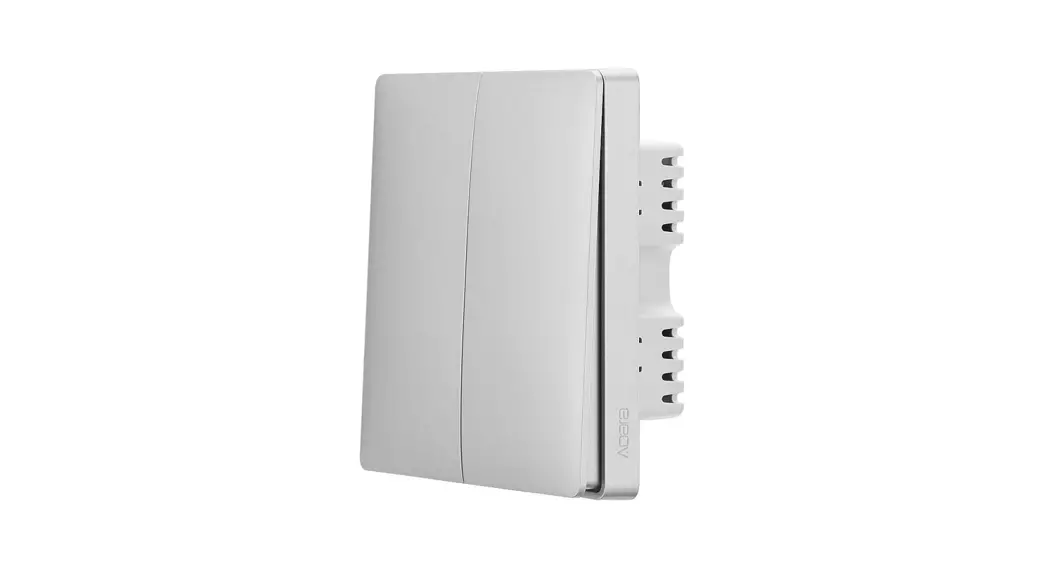
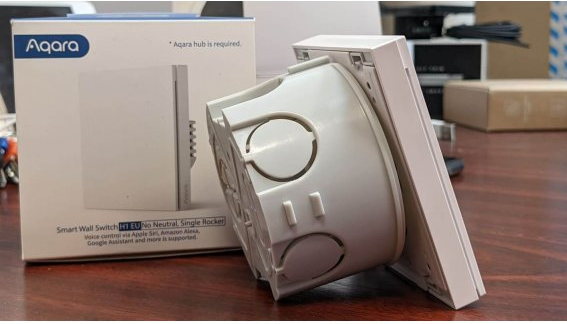
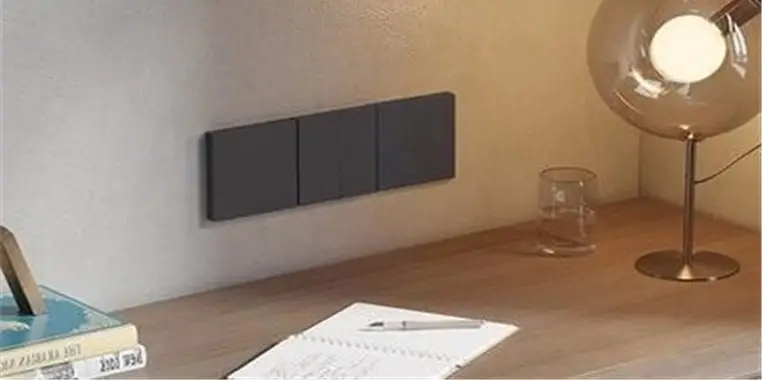
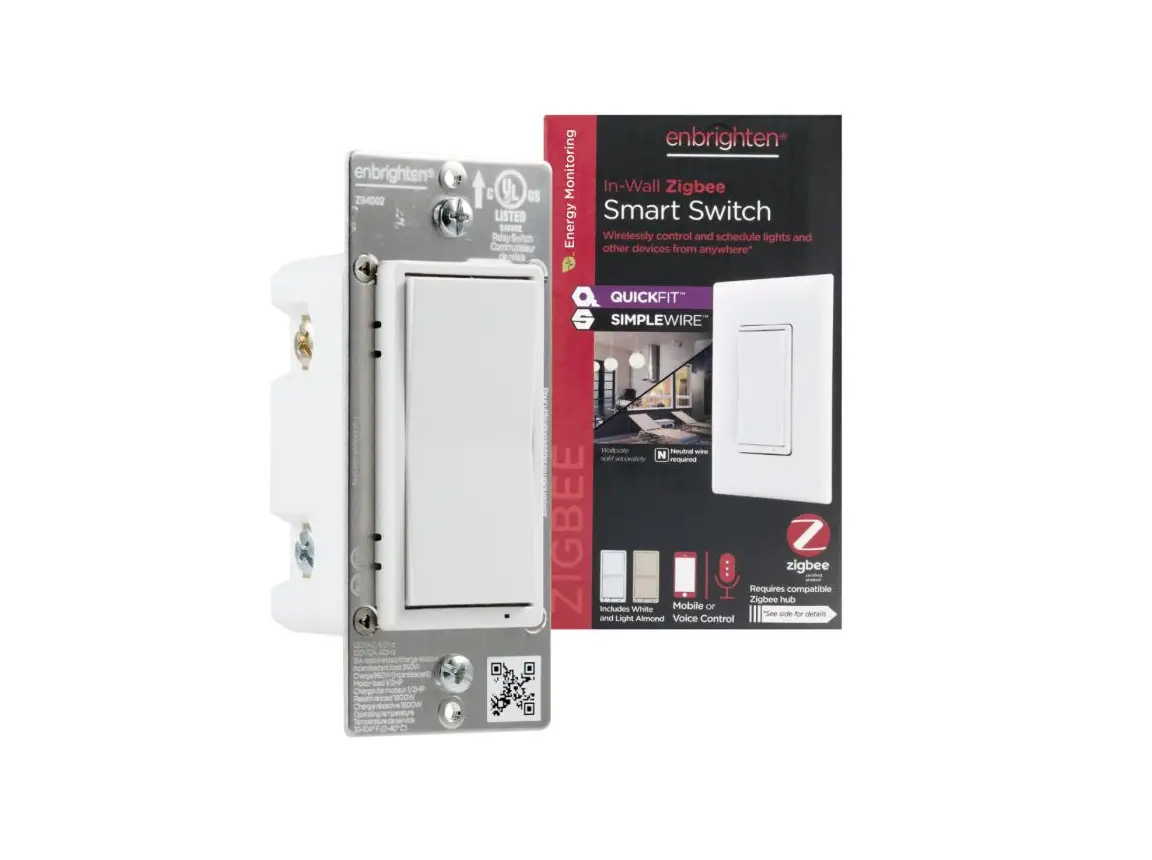
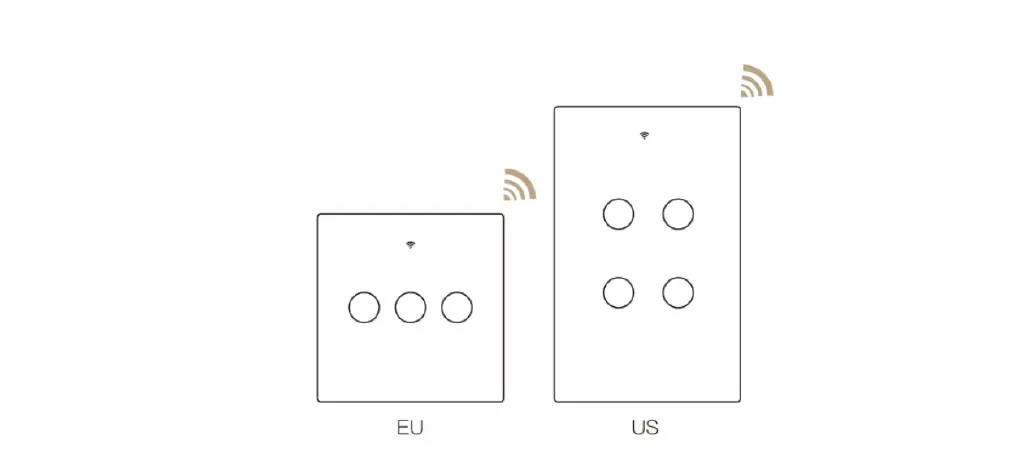
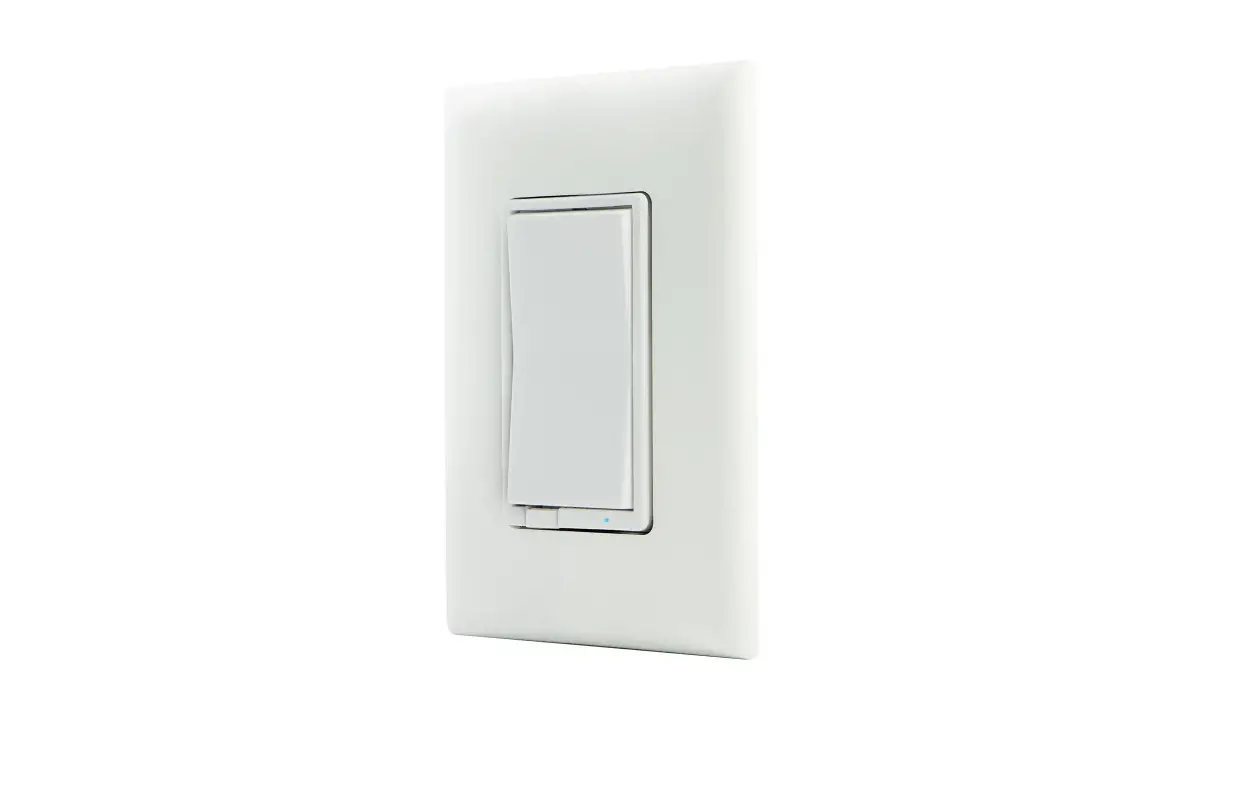
WS-EUK03 Smart Wall Switch
Product Information
The Aqara Smart Wall Switch H1 EU (With Neutral) is a smart
switch that utilizes the Zigbee 3.0 wireless communication
protocol. It is designed to control the power of lights and other
connected devices. This product can be paired with an Aqara hub to
enable remote control via the Aqara Home app, timed control, power
detection, power statistics, and other functions. It is also
compatible with other smart devices for home automation. Please
note that this product requires a compatible Zigbee 3.0 hub, and
certain features may require a specific hub.
Product Model: H1 EU
Product Profile: Smart Wall Switch
Product Usage Instructions
Short Press Once: Turn on/off
Long Press for 5s: Reset the device/Enable network
connection
Quick Press 3 Times: Effective Range Test
Warnings
- This product is not a toy. Keep children away from it.
- Designed for indoor use only.
- Avoid using in humid environments or outdoors.
- Avoid exposure to moisture or liquids.
- Keep away from heat sources and ensure proper ventilation.
- Do not attempt to repair the product yourself. Seek
professional assistance for repairs. - Failure to follow the product use instructions may result in
risks and property losses for which the manufacturer will not be
liable.
Installation Method
Note: The following instructions are based on the Double
Rocker version as an example.
- Ensure the power at the circuit breaker or fuse box is turned
off before wiring. - Open the switch panel using a flat-blade screwdriver.
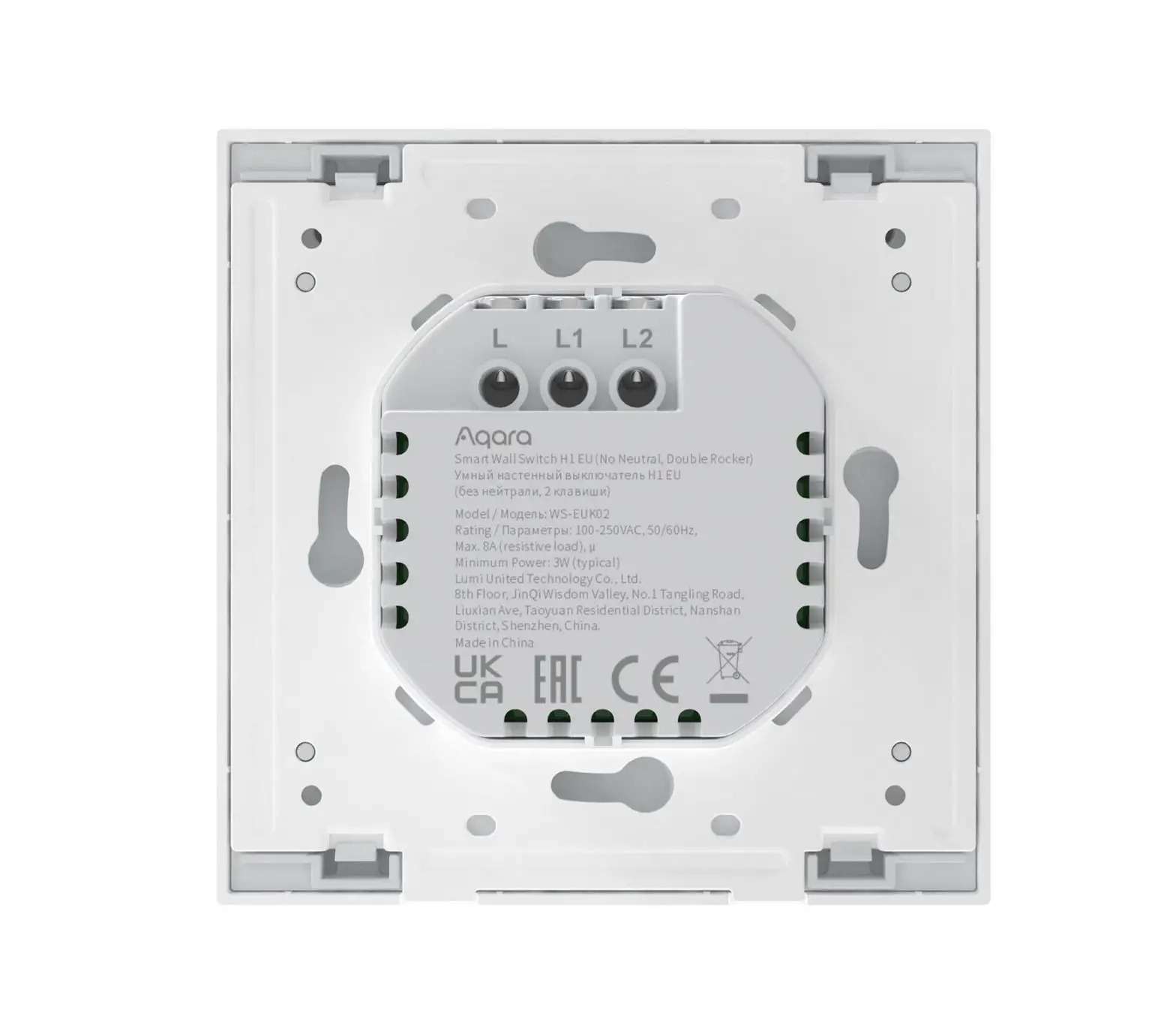
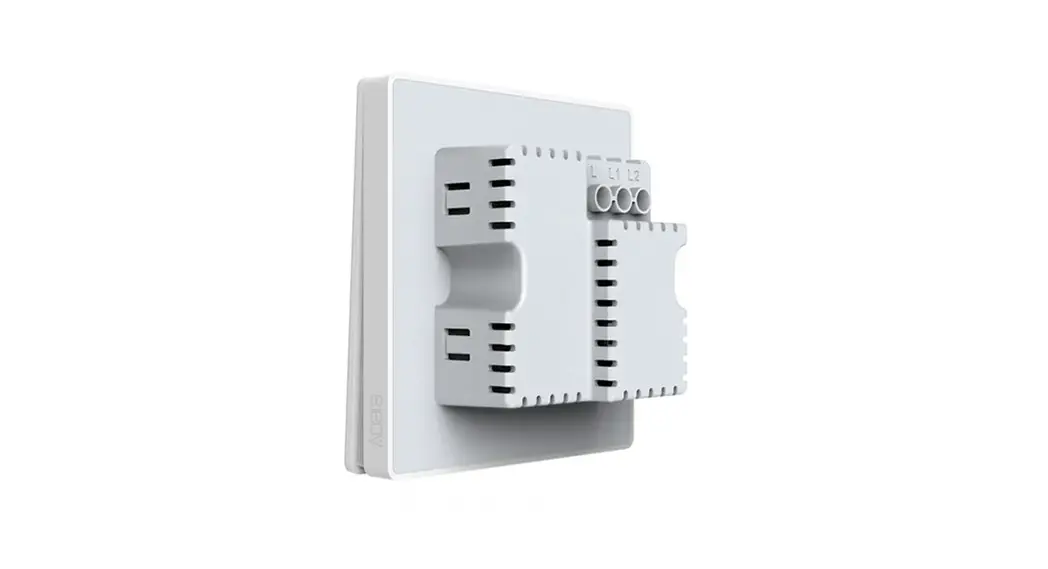
- Loosen the terminal screw on the back of the switch and connect
the live wire to the hole marked L, the neutral wire to the hole
marked N, and the load (light) wire to the holes marked L1 and L2
(corresponding to the left and right buttons respectively). Tighten
the terminal screws after confirming correct wiring. - Mount the switch to the wall junction box using the provided
screws, and attach the switch plate. - Turn on the main power at the circuit breaker and test the
switch by pressing the button. If the light can be controlled
normally, the switch is working properly.
Quick Setup
- Add the hub to the Aqara Home app following the Hub Quick Start
Guide. - Open the Aqara Home app and tap the “+” symbol in the top right
corner to enter the “Add Device (Accessory)” page. - Tap the code-scanning icon in the upper right corner and scan
the QR code on the package box, user manual, or the back of the
switch. Alternatively, find and select “Smart Wall Switch H1 EU
(With Neutral, Single Rocker/Double Rocker)” and add it according
to the provided instructions.
Smart Wall Switch H1 EU (With Neutral)
·01
User Manual
Smarter Lichtschalter H1 EU (mit Neutralleiter) ·12 Gebrauchsanleitung
Interruptor Inteligente de Pared H1 EU
·23
(Con Neutro) Manual de Usuario
Interrupteur Mural Intelligent H1 EU
·34
(Avec Neutre) Manuel d’instructions
Interruttore da muro intelligente HE EU
·46
(Con neutro) Guida Utente
H1 EU
·57
( )
H1 EU
·67
Product Profile
Based on the Zigbee 3.0 wireless communication protocol, the Aqara Smart Wall Switch H1 EU (With Neutral) is a smart switch that turns on and off the power of lights and other connected devices. A er binding with an Aqara hub, it can implement remote control via the Aqara Home app, timed control, power detection, power statistics and other functions, and can work with other smart devices in smart home automations.
* This product requires a compatible Zigbee 3.0 hub. Some features require a specific hub. For a detailed list, please visit: www.aqara.com/support
WS-EUK03
Push Button Short Press Once: Turn on/off Long Press for 5s: Reset the device/Enable network connection Quick Press 3 Times: Effective Range Test Indicator Light
01
Push Button Short Press Once: Turn on/off Long Press for 5s: Reset the device/Enable network connection Quick Press 3 Times: Effective Range Test
Indicator Light
WS-EUK04
Warnings
1. This product is not a toy. Please keep children away from this product.
2. This product is designed for indoor use only. 3. Do not use in humid environments or outdoors. 4. Beware of moisture. Do not spill water or other liquids onto the
product. 5. Do not place this product near a heat source. Do not place it in
an enclosure unless there is normal ventilation. Do not attempt to repair this product by yourself. All repairs should be performed by an authorized professional.
02
6. This product is suitable for improving the quality of your home life and reminding you about the device status. If a user violates the product use instructions, the manufacturer will not be liable for any risks and property losses.
Installation Method (The picture shows the Double Rocker
version as an example) Please make sure that the power at circuit breaker or fuse box is turned off before wiring!
1. Open the switch panel with a flat-blade screwdriver.
03
2. Loosen the terminal screw on the back of the switch with the screwdriver, connect the live wire to the hole L, the neutral wire to the hole N, and the load (light) wire to the hole L1 and L2 (corresponding to the le and right buttons respectively), and tighten the terminal screws a er confirming that the wiring is correct.
N L L1 L2
only the Double Rocker Version has hole L2
3. Mount the switch to the wall junction box with the attached screws and mount the switch plate.
04
1
2
3
4. Turn on main power at the circuit breaker, and test the switch by pressing the button. If the light can be controlled normally, the switch is working properly!
05
Quick Setup
1. Please add the hub to the Aqara Home app according to the Hub Quick Start Guide.
2. Please open the Aqara Home app, and then tap “+” in the top right corner to enter “Add Device (Accessory)” page. Tap the code-scanning icon on the upper right corner, and scan the QR code on the package box, user manual or the back of the switch, or find and select “Smart Wall Switch H1 EU (With Neutral, Single Rocker/Double Rocker)”, and add it according to instructions.
* If the connection fails, please move the hub closer to the switch, connect to power and try again.
Effective Range Test: Quick press the button on the device 3 times. If the Hub makes voice prompts, it indicates that the device can communicate effectively with the Hub.
06
Indicator Light Description
Indicator Light Status Blue light flashes once Blue light flashes quickly Blue light is steady on
Red light flashes quickly Red light flashes slowly Red light is steady on
Description
Device is powered on
Zigbee network is connecting
Zigbee network works properly and the switch is turned on
Overload and high temperature alarm
Zigbee network is not connected
The switch panel does not match the in-wall power supply module
07
Specifications
Model: WS-EUK03 / WS-EUK04 Dimensions: 85.8×86×37.55mm Wireless Protocol: Zigbee 3.0 Electrical Rating: 100-250VAC, 50/60Hz, Max. 8A (resistive load), Operating Temperature: 0¥j40¥ (32°Fj104°F) Operating Humidity: 0%~95% RH, Non-condensing Zigbee Operation Frequency: 2405-2480MHz Zigbee Maximum Output Power 13dBm What’s in the Box: Smart Wall Switch x 1, Quick Start Guide x 1, Screw x 2
08
Online Customer Service: www.aqara.com/support Manufacturer: Lumi United Technology Co., Ltd. Address: 8th Floor, JinQi Wisdom Valley, No.1 Tangling Road, Liuxian Ave, Taoyuan Residential District, Nanshan District, Shenzhen, China.
Under normal use of condition, this equipment should be kept a separation distance of at least 20cm between the antenna and the body of the user.
EU Declaration of Conformity Hereby, [Lumi United Technology Co., Ltd] declares that the radio equipment type [Smart Wall Switch H1 EU (With Neutral, Single Rocker), WS-EUK03/Smart Wall Switch H1 EU (With Neutral, Double Rocker), WS-EUK04] is in compliance with Directive 2014/53/EU. The full text of the EU declaration of conformity is available at the following internet address: http://www.aqara.com/DoC/
09
WEEE Disposal and Recycling Information All products bearing this symbol are waste electrical and electronic equipment (WEEE as in directive 2012/19/EU) which should not be mixed with unsorted household waste. Instead, you should protect human health and the environment by handing over your waste equipment to a designated collection point for the recycling of waste electrical and electronic equipment, appointed by the government or local authorities. Correct disposal and recycling will help prevent potential negative consequences to the environment and human health. Please contact the installer or local authorities for more information about the location as well as terms and conditions of such collection points.
10
UK Declaration of Conformity Hereby, [Lumi United Technology Co., Ltd] declares that the radio equipment type [Smart Wall Switch (With Neutral, Single Rocker), WS-EUK03/Smart Wall Switch (With Neutral, Double Rocker), WS-EUK04] is in compliance with Directive 2017 (SI 2017 No. 1206, as amended by SI 2019 No. 696). The full text of the UK declaration of conformity is available at the following internet address: http://www.aqara.com/DoC/
Scan to get the Zigbee 3.0 Install Code *Please read this manual carefully and keep it in a safe place. *If necessary, the contents of this manual will be modified or adjusted without special notice.
11
Produktprofil
Der Aqara Smarter Lichtschalter H1 EU (mit Neutralleitere) basiert auf dem drahtlosen Zigbee 3.0-Kommunikationsprotokoll und ist ein intelligenter Schalter zum Ein- und Ausschalten von Lampen und anderen angeschlossenen Geräten. Nach der Verbindung mit einem Aqara-Hub kann er Fernsteuerung über die Aqara Home App, zeitgesteuerte Steuerung, Stromerkennung, Stromstatistiken und andere Funktionen implementieren und mit anderen intelligenten Geräten in Smart Home-Home-Automatisierungen zusammenarbeiten.
* Dieses Produkt erfordert einen kompatiblen Zigbee 3.0-Hub. Einige Funktionen erfordern einen bestimmten Hub. Für eine detaillierte Liste besuchen Sie bitte: www.aqara.com/support
Drucktaste
Einmal kurz drücken: Einschalten/Ausschalten Langes Drücken für 5s: Gerät zurücksetzen/Netzwerkverbindung aktivieren 3 Mal kurz drücken: Effektiver Reichweitentest
Anzeigelicht
WS-EUK03
12
Drucktaste Einmal kurz drücken: Einschalten/Ausschalten Langes Drücken für 5s: Gerät zurücksetzen/Netzwerkverbindung aktivieren 3 Mal kurz drücken: Effektiver Reichweitentest
Anzeigelicht
WS-EUK04
Warnhinweise
1. Dieses Produkt ist KEIN Spielzeug. Bewahren Sie das Produkt bitte außerhalb der Reichweite von Kindern auf.
2. Dieses Produkt ist ausschließlich für die Anwendung in Innenräumen bestimmt. Verwenden Sie es NICHT in feuchten Umgebungen oder im Freien.
3. Das Gerät darf nicht feucht werden, wasser oder andere Flüssigkeiten dürfen KEINEN Kontakt mit dem Produkt haben.
4. Stellen Sie dieses Produkt NICHT nahe einer Heizquelle auf. Platzieren Sie das Gerät ausschließlich dann in einem Gehäuse, wenn für AUSREICHENDE Belü ung gesorgt wurde.
13
5. Versuchen Sie NIEMALS dieses Produkt selbst zu reparieren. Reparaturen müssen qualifiziertem Fachpersonal vorbehalten sein.
6. Dieses Produkt eignet sich lediglich für die Verbesserung von Unterhaltungsgeräten, es dient der Bequemlichkeit und verfügt über eine Erinnerungsfunktion für die Geräte im Heim. Bei Zuwiderhandlung gegen die Bedienungslei-tung für das Produkt schließt der Hersteller jegliche Ha ung für Risiken sowie für Eigentumsverluste aus.
Installationsmethode (Das Bild zeigt als Beispiel die Version
mit Doppelwippe) Bitte stellen Sie sicher, dass der Strom am Schutzschalter oder Sicherungskasten vor der Verdrahtung ausgeschaltet ist!
14
1. Öffnen Sie die Schalttafel mit einem Schlitzschraubendreher.
2. Lösen Sie die Klemmschraube auf der Rückseite des Schalters mit dem Schraubendreher, schließen Sie den stromführenden Draht an das Loch L, den Neutralleiter an das Loch N und den Lastdraht (Licht) an die Löcher L1 und L2 (entsprechend der linken bzw. rechten Taste) an und ziehen Sie die Klemmschrauben fest, nachdem Sie die korrekte Verdrahtung bestätigt haben. 15
N L L1 L2
Nur die Version mit Doppelwippe hat die Bohrung L2.
3. Befestigen Sie den Schalter mit den beiliegenden Schrauben an der Wandanschlussdose und montieren Sie die Schalterplatte.
16
1
2
3
4. Schalten Sie den Hauptstrom am Schutzschalter ein, und testen Sie den Schalter durch Drücken der Taste. Wenn sich das Licht normal schalten lässt, funktioniert der Schalter einwandfrei!
Schnelleinstellung
1. Bitte fügen Sie den Hub gemäß der Hub-Schnellstartanleitung zur Aqara Home App hinzu.
2. Bitte öffnen Sie die Aqara Home App und tippen Sie dann auf “+” in der oberen rechten Ecke, um die Seite “Gerät hinzufügen
17
(Zubehör)” zu öffnen. Tippen Sie auf das Code-ScanningSymbol in der oberen rechten Ecke und scannen Sie den QR-Code auf der Verpackung, der Bedienungsanleitung oder der Rückseite des Schalters, oder suchen und wählen Sie “Smarter Lichtschalter H1 EU (mit Neutralleiter, Einzelwippe/ Doppelwippe)” und fügen Sie ihn gemäß den Anweisungen hinzu. * Wenn die Verbindung fehlschlägt, bewegen Sie den Hub bitte näher an den
Switch, schließen Sie ihn an die Stromversorgung an und versuchen Sie es erneut. Effektiver Reichweitentest: Drücken Sie 3 Mal kurz die Taste am Gerät. Wenn der Hub Sprachansagen macht, zeigt dies an, dass das Gerät effektiv mit dem Hub kommunizieren kann.
18
Anzeigelampe Beschreibung
Anzeigeleuchte Status
Beschreibung
Blaues Licht blinkt einmal Gerät ist eingeschaltet
Blaues Licht blinkt schnell Zigbee-Netzwerk wird verbunden
Blaues Licht leuchtet konstant
Zigbee-Netzwerk funktioniert ordnungsgemäß und der Schalter ist eingeschaltet
Rotes Licht blinkt schnell Überlast- und Hochtemperaturalarm
Zigbee-Netzwerk ist nicht Rotes Licht blinkt langsam
angeschlossen
Rotes Licht leuchtet konstant
Die Schalttafel stimmt nicht mit dem Unterputz-Netzteilmodul überein
19
Spezifikationen
Modell: WS-EUK03 / WS-EUK04 Abmessungen: 85.8×86×37.55mm Drahtloses Protokoll: Zigbee 3.0 Elektrische Leistung: 100-250VAC, 50/60Hz, Max. 8A (ohmsche Last), Betriebstemperatur: 0¥j40¥ (32°Fj104°F) Betriebslu feuchtigkeit: 0%~95% RH, nicht kondensierend Zigbee-Betriebsfrequenz: 2405-2480MHz Zigbee Maximale Ausgangsleistung 13dBm Im Lieferumfang enthalten: Smart Wall Switch x 1, Schnellstartanleitung x 1, Schraube x 2
20
Online-Kundendienst: www.aqara.com/support Hersteller: Lumi United Technology Co. Ltd. Adresse: 8th Floor, JinQi Wisdom Valley, No.1 Tangling Road, Liuxian Ave, Taoyuan Residential District, Nanshan District, Shenzhen, China.
Unter normalen Einsatzbedingungen muss dieses Gerät einen Abstand von mindestens 20 cm zwischen der Antenne und dem Körper des Benutzers einhalten.
EU-Konformitätserklärung Hiermit bestätigt [Lumi United Technology Co., Ltd], dass das Funkgerät des Typs [Smarter Lichtschalter H1 EU (mit Neutralleiter, Einzelwippe), WS-EUK03/Smarter Lichtschalter H1 EU (mit Neutralleiter, Doppelwippe) , WS-EUK04] mit der Verordnung 2014/53/EU in Einklang steht. Der vollständige Wortlaut der EU-Konformitätserklärung ist unter der folgenden Internetadresse abrufbar: http://www.aqara.com/DoC/
21
WEEE-Informationen zur Entsorgung und zum Recycling Alle mit diesem Symbol gekennzeichneten Produkte sind Elektroschrott und Elektrogeräte (WEEE entsprechend EU-Richtlinie 2012/19/EU) und dürfen nicht mit unsortiertem Haushaltsmüll vermischt werden. Schützen Sie stattdessen Ihre Mitmenschen und die Umwelt, indem Sie Ihre zu entsorgenden Geräte an eine dafür vorgesehene, von der Regierung oder einer lokalen Behörde eingerichtete Sammelstelle zum Recycling von Elektroschrott und Elektrogeräten bringen. Eine ordnungsgemäße Entsorgung und Recycling helfen, negative Auswirkungen auf die Gesundheit von Umwelt und Menschen zu vermeiden. Wenden Sie sich bitte an den Installateur oder lokale Behörden, um Informationen zum Standort und den allgemeinen Geschä sbedingungen solcher Sammelstellen zu erhalten.
Scannen, um den Zigbee 3.0-Installationscode zu erhalten *Bitte lesen Sie dieses Handbuch sorgfältig durch und bewahren Sie es an einem sicheren Ort auf. *Wenn nötig, wird der Inhalt dieses Handbuchs ohne besondere Ankündigung geändert oder angepasst.
22
Perfil del Producto
Basado en el protocolo de comunicación inalámbrico Zigbee 3.0, el Interruptor Inteligente de Pared H1 EU (Con Neutro) de Aqara es un interruptor inteligente que enciende y apaga luces y otros dispositivos electrónicos. Al vincularlo con el hub de Aqara puede controlarlo remotamente a través de la aplicación Aqara Home, así como aprovecharse del control temporizado, la detección de corriente, las estadísticas de energía y demás funciones, y es compatible con otros dispositivos para procesos automatizados en hogares inteligentes.
* Este producto requiere de un hub Zigbee 3.0 compatible. Algunas de sus características precisan de un hub específico. Para obtener un listado completo, por favor, visite: www.aqara.com/support
Pulsador Pulsar una vez: Encender/apagar Mantener pulsado 5s: Reiniciar el dispositivo/Habilitar la conexión de red Pulsar 3 veces rápidamente: Test de Rango Efectivo
WS-EUK03
Luz Indicadora
23
WS-EUK04
Pulsador Pulsar una vez: Encender/apagar Mantener pulsado 5s: Reiniciar el dispositivo/Habilitar la conexión de red Pulsar 3 veces rápidamente: Test de Rango Efectivo
Luz Indicadora
Advertencias
1. Este producto NO es un juguete. Mantenga este producto fuera del alcance de los niños.
2. Este producto ha sido diseñado únicamente para uso en interiores NO lo utilice en el exterior ni en entornos húmedos.
3. Evite la humedad y NO vierta agua ni otro líquidos sobre el producto.
4. NO instale el producto cerca de una fuente de calor. NO lo instale en lugares confinados, a menos que haya ventilación suficiente.
24
5. NO intente reparar este producto usted mismo. Las reparaciones deben ser realizadas por un profesional autorizado.
6. Este producto ha sido diseñado para mejorar la vida en el hogar. Si el usuario no sigue las instrucciones del producto, el fabricante NO se hace responsable de los daños o pérdidas que puedan originarse en consecuencia.
Instrucciones de Instalación(La imagen muestra la
versión de Pulsador Doble como ejemplo) Por favor, ¡asegúrese de que la corriente principal o los fusibles están desconectados antes de empezar a trabajar en el cableado!
25
1. Abra el cuadro del interruptor con un destornillador plano.
2. Afloje el tornillo en la parte posterior del interruptor con el destornillador, conecte el cable bajo tensión al orificio L, el cable neutro con el orificio N y el cable de carga (luz) al orificio L1 y L2 (que se corresponden a los botones izquierdo y derecho respectivamente), y apriete los tornillos una vez que confirme que el cableado se ha instalado adecuadamente. 26
N L L1 L2
solamente la versión de Doble Pulsador tiene un agujero L2
3. Acabe de acoplar el interruptor a la caja de pared con los tornillos adjuntos y monte la placa del interruptor.
27
1
2
3
4. Active la corriente principal y pruebe el interruptor presionando el botón. Si la luz se controla con normalidad, ¡el interruptor funciona correctamente!
Configuración Rápida
1. Por favor, añada el Hub a la aplicación de Aqara Home de acuerdo con la Guía de Inicio Rápido del Hub.
2. Por favor, abra la aplicación de Aqara Hom, y pulse en el “+” de la esquina superior derecha para acceder en la página “Agregar dispositivo (accesorio)”. Toque el icono de escaneo de código
28
en la esquina superior derecha y escanee el código QR que encontrará en la caja del paquete, el manual de usuario o la parte posterior del interruptor, o busque y seleccione “Interruptor Inteligente de Pared H1 EU (Con neutro, Pulsador Simple / Pulsador Doble)” y agréguelo siguiendo las instrucciones. * Si la conexión fallara, acerque el Hub al interruptor, conéctelo a la corriente
y vuelva a probarlo. Test de Rango Efectivo: Presione rápidamente el botón del dispositivo 3 veces. Si el Hub emite indicaciones de voz, el dispositivo puede comunicarse de manera efectiva con el Hub.
29
Descripción de Indicador de Luz
Estado Indicador de Luz
Descripción
Luz azul parpadea una vez El dispositivo está encendido
Luz azul parpadea rápidamente
La red Zigbee está conectándose
Luz azul fija
La red de Zigbee funciona correctamente y el interruptor está encendido
Luz roja parpadea rápidamente Luz roja parpadea lentamente
Luz roja fija
Alarma de sobrecarga y exceso de temperatur
La red de Zigbee no está conectada
El panel del interruptor no coincide con la fuente de alimentación de la pared
30
Especificaciones
Modelo: WS-EUK03 / WS-EUK04 Dimensiones: 85.8×86×37.55mm Protocolo Inalámbrico: Zigbee 3.0 Valores Eléctricos: 100-250VAC, 50/60Hz, Max. 8A (carga resistente), Temperatura de funcionamiento: 0¥j40¥ (32°Fj104°F) Humedad de funcionamiento: 0%~95% HR, Sin-condensar Frecuencia de Actividad de Zigbee: 2405-2480MHz Salida Máxima de Energía de Zigbee 13dBm Qué viene en el paquete: Interruptor Inteligente de Pared x 1, Guía de Inicio Rápido x 1, Tornillos x 2
31
Atención al Cliente en línea: www.aqara.com/support Fabricante: Lumi United Technology Co., Ltd. Dirección: 8th Floor, JinQi Wisdom Valley, No.1 Tangling Road, Liuxian Ave, Taoyuan Residential District, Nanshan District, Shenzhen, China.
En condiciones normales de uso, este equipo debe mantenerse a una distancia de, al menos, 20 cm entre la antena y el cuerpo del usuario.
Declaración de conformidad de la UE Por la presente, [Lumi United Technology Co., Ltd] declara que el tipo de equipo radioeléctrico [Interruptor Inteligente de Pared H1 EU (Con neutro, Pulsador simple), WS-EUK03/Interruptor Inteligente de Pared H1 EU (Con neutro, Pulsador doble), WS-EUK04] cumple con la Directiva 2014/53/UE. Encontrará el texto completo de la declaración de conformidad de la UE en esta dirección de Internet: http://www.aqara.com/DoC/
32
Directiva RAEE de información de eliminación y reciclaje Todos los productos que llevan este símbolo son residuos de aparatos eléctricos y electrónicos (RAEE según la directiva 2012/19/UE) que no deben mezclarse con residuos domésticos sin clasificar. En su lugar, debe proteger la salud humana y el medio ambiente entregando sus equipos de desecho a un punto de recogida para el reciclaje de residuos de equipos eléctricos y electrónicos, designado por el gobierno o las autoridades locales. La eliminación y el reciclado correctos ayudarán a evitar posibles consecuencias negativas para el medio ambiente y la salud humana. Póngase en contacto con el instalador o con las autoridades locales para obtener más información sobre la ubicación y las condiciones de dichos puntos de recogida.
Escanear para conseguir el código de instalación de Zigbee 3.0 *Por favor, lea detenidamente este manual y guárdelo en un lugar seguro. *Si fuera necesario, los contendidos de este manual pueden ser modificados o actualizados sin aviso previo.
33
Profil du Produit
Basé sur le protocole de communication sans fil Zigbee 3.0, l’Interrupteur mural intelligent H1 EU (Avec neutre) Aqara est un interrupteur intelligent qui allume et éteint l’alimentation des lumières et autres appareils connectés. Après la liaison avec un hub Aqara, il peut implémenter le contrôle à distance via l’application Aqara Home, le contrôle minuté, la détection de puissance, les statistiques de puissance et d’autres fonctions, et peut fonctionner avec d’autres appareils intelligents dans les automatisations de la maison intelligente.
* Ce produit nécessite un concentrateur Zigbee 3.0 compatible. Certaines fonctionnalités nécessitent un hub spécifique. Pour une liste détaillée, veuillez visiter : www.aqara.com/support
Bouton Poussoir Appui court une fois: Allumer / Eteindre Appui long pendant 5s: Réinitialiser l’appareil / Activer la connexion réseau Presse Rapide 3 fois: Test de Portée Efficace
Voyant
WS-EUK03
34
Bouton Poussoir Appui court une fois: Allumer / Eteindre Appui long pendant 5s: Réinitialiser l’appareil / Activer la connexion réseau Presse Rapide 3 fois: Test de Portée Efficace
Voyant
WS-EUK04
Avertissements
1. Ce produit N’EST PAS un jouet Maintenez-le hors de portée des enfants.
2. Cet appareil ne doit être utilisé qu’à l’intérieur. Ne l’utilisez PAS à l’extérieur ou dans des environnements humides.
3. Méfiez-vous de l’humidité, et n’éclaboussez pas l’appareil d’eau ni d’autres liquides.
4. Ne placez PAS ce produit près d’une source de chaleur. Ne le mettez PAS dans un lieu clos, à moins qu’il ne soit suffffisamment ventilé.
35
5. N’essayez PAS de réparer vous-même cet appareil. Toute réparation doit être effffectuée par un professionnel agréé.
6. Ce produit n’est destiné qu’à un usage domestique de divertissement, de praticité ou d’aide-mémoire. Si un utilisateur enfreint les instructions d’utilisation du produit, le fabricant ne sera responsable d’AUCUN risque ni perte de biens.
Méthode d’Installation(L’image montre la version Double
Boutons à titre d’exemple) Veuillez vous assurer que l’alimentation au disjoncteur ou à la boîte à fusibles est coupée avant le câblage!
1. Ouvrez le panneau d’interrupteur à l’aide d’un tournevis à lame plate.
36
2. Desserrez la vis de borne à l’arrière de l’interrupteur avec le tournevis, connectez le fil sous tension au trou L, le fil neutre au trou N et le fil de charge (lumière) aux trous L1 et L2 (correspondant aux boutons gauche et droit respectivement) et serrez les vis terminales après avoir vérifié que le câblage est correct.
37
N L L1 L2
Seule la Version Double Boutons a le trou L2
3. Montez le commutateur sur la boîte de jonction murale à l’aide des vis fournies et montez la plaque de commutateur.
38
1
2
3
4. Allumez l’alimentation principale au niveau du disjoncteur et testez l’interrupteur en appuyant sur le bouton. Si la lumière peut être contrôlée normalement, cela signifie que l’interrupteur fonctionne correctement!
Installation Rapide
1. Veuillez ajouter le Hub à l’application Aqara Home comme indiqué dans le Guide de démarrage rapide du Hub.
2. Veuillez ouvrir l’application Aqara Home, puis appuyez sur «+» dans le coin supérieur droit pour accéder à la page «Ajouter un
39
appareil (accessoire)». Appuyez sur l’icône de scannage de code dans le coin supérieur droit et scannez le code QR sur la boîte d’emballage, le manuel d’utilisation ou à l’arrière du commutateur, ou recherchez et sélectionnez “Interrupteur mural intelligent H1 EU (Avec Neutre, un seul Bouton/Double Boutons) “Et ajoutez-le conformément aux instructions. * Si la connexion échoue, rapprochez le hub du commutateur, connectez-le à
l’alimentation et réessayez. Test de portée efficace: appuyez rapidement sur le bouton de l’appareil 3 fois. Si le concentrateur émet des invites vocales, cela indique que l’appareil peut communiquer efficacement avec le hub.
40
Description du Voyant
Etat du voyant
Description
Bleu clignotant une fois L’appareil est sous tension
Bleu clignotant rapidement
Le réseau Zigbee se connecte
Bleue fixe
Le réseau Zigbee fonctionne correctement et le commutateur est activé
Rouge clignotant rapidement Rouge clignotant lentement
Rouge fixe
Surcharge et alarme haute température
Le réseau Zigbee n’est pas connecté
Le panneau de commutateur ne correspond pas au module d’alimentation mural
41
Spécifications
Modèle: WS-EUK03 / WS-EUK04 Dimensions: 85.8×86×37.55mm Protocole Sans Fil: Zigbee 3.0 Evaluation Electrique: 100-250VAC, 50/60Hz, Max. 8A (charge résistive), Température de Fonctionnement: 0°C~40°C (32°F~104°F) Humidité de Fonctionnement: 0%~95% RH, Non-condensating Fréquence de l’Opération Zigbee: 2405-2480MHz Puissance de Sortie Maximale Zigbee 13dBm Contenu de la Boîte: Interrupteur Mural Intelligent x 1, Guide de Démarrage Rapide x 1, Vis x 2
42
Service Clientèle en Ligne: www.aqara.com/support Fabricant: Lumi United Technology Co., Ltd. Adresse: 8th Floor, JinQi Wisdom Valley, No.1 Tangling Road, Liuxian Ave, Taoyuan Residential District, Nanshan District, Shenzhen, China
Dans des conditions normales d’utilisation, cet équipement doit être maintenu à une distance d’au moins 20 cm entre l’antenne et le corps de l’utilisateur.
Déclaration de conformité pour l’Union européenne Par la présente, [Lumi United Technology Co., Ltd] déclare que cet équipement radio de type [Interrupteur mural intelligent H1 EU (Un seul bouton, Avec Neutre), WS-EUK03/Interrupteur mural intelligent H1 EU (Double boutons, Avec Neutre), WS-EUK04] est conforme à la Directive européenne 2014/53/UE. L’intégralité de la déclaration de conformité pour l’UE est disponible à l’adresse suivante : http://www.aqara.com/DoC/
43
Informations sur la réglementation DEEE sur la mise au rebut et le recyclage Tous les produits portant ce symbole deviennent des déchets d’équipements électriques et électroniques (DEEE dans la Directive européenne 2012/19/UE) qui ne doivent pas être mélangés aux déchets ménagers non triés. Vous devez contribuer à la protection de l’environnement et de la santé humaine en apportant l’équipement usagé à un point de collecte dédié au recyclage des équipements électriques et électroniques, agréé par le gouvernement ou les autorités locales. Le recyclage et la destruction appropriés permettront d’éviter tout impact potentiellement négatif sur l’environnement et la santé humaine. Contactez l’installateur ou les autorités locales pour obtenir plus d’informations concernant l’emplacement ainsi que les conditions d’utilisation de ce type de point de collecte.destruction appropriés permettront d’éviter tout impact potentiellement négatif sur l’environnement et la santé humaine. Contactez
44
l’installateur ou les autorités locales pour obtenir plus d’informations concernant l’emplacement ainsi que les conditions d’utilisation de ce type de point de collecte. Scannez pour obtenir le code d’Installation Zigbee 3.0 *Veuillez lire attentivement ce manuel et le garder dans un endroit sûr. *Si nécessaire, le contenu de ce manuel sera modifié ou ajusté sans préavis spécial.
45
Profilo del prodotto
Basato sul protocollo di comunicazione wireless Zigbee 3.0, l’Interruttore da muro intelligente H1 EU (Con neutro) è un interruttore intelligente che accende e spegne l’alimentazione di luci e altri dispositivi elettrici. Dopo l’associazione con un hub Aqara, è in grado di implementare il controllo remoto tramite l’app Aqara Home, il controllo a tempo e altre funzioni e può lavorare con altri dispositivi intelligenti nelle automazioni domestiche intelligenti.
* Questo prodotto richiede un hub Zigbee 3.0 compatibile. Alcune funzionalità richiedono un hub specifico. Per un elenco dettagliato, si prega di visitare: www.aqara.com/support
WS-EUK03
Pulsante Premere brevemente una volta: Accensione/Spegnimento Premere a lungo per 5s: Reset del dispositivo/Abilita connessione di rete Premere rapidamente per 3 volte: Test del range effettivo
Spia luminosa
46
WS-EUK04
Pulsante Premere brevemente una volta: Accensione/Spegnimento Premere a lungo per 5s: Reset del dispositivo/Abilita connessione di rete Premere rapidamente per 3 volte: Test del range effettivo
Spia luminosa
Avvertenze!
1. Questo prodotto NON è un giocattolo. Tenere i bambini lontani da questo prodotto.
2. Questo prodotto è stato pensato unicamente per essere usato all’interno. NON usare in ambienti umidi o all’aperto.
3. Attenzione all’umidità: non versare acqua o altri liquidi sul prodotto.
4. Non mettere il prodotto vicino a una sorgente di calore. Non mettere in aree chiuse a meno che non vi sia un livello di ventilazione normale.
47
5. Non cercare di riparare il prodotto autonomamente. Tutti gli interventi di riparazione dovrebbero essere eseguiti da professionisti autorizzati.
6. Questo prodotto è adatto solo per migliorare l’intrattenimento, la comodità della vita in casa oltre che per comunicarvi lo stato del dispositivo. Qualora un utente violi le istruzioni d’uso del prodotto, il produttore NON sarà responsabile di eventuali rischi e perdite di proprietà.
Metodo di installazione(la figura mostra la versione con
Rocker doppio come esempio) Assicurarsi che l’alimentazione all’interruttore automatico o alla scatola dei fusibili sia spenta prima di eseguire il cablaggio!
1. Aprire il pannello dell’interruttore con un cacciavite a punta piatta.
48
2. Allentare la vite del terminale sul retro dell’interruttore con il cacciavite, collegare il cavo sotto tensione al foro L, il cavo neutro al foro N e il cavo di carico (luce) al foro L1 e L2 (corrispondente rispettivamente ai pulsanti sinistro e destro) e stringere le viti dei terminali dopo aver verificato che il cablaggio sia corretto.
49
N L L1 L2
Solo la versione con Rocker doppio ha il foro L2
3. Montare l’interruttore sulla scatola di giunzione a muro con le viti in dotazione e montare la piastra dell’interruttore.
50
1
2
3
4. Accendere l’alimentazione principale con l’interruttore automatico e testare l’interruttore premendo il pulsante. Se la luce può essere controllata automaticamente, l’interruttore funziona correttamente.
Configurazione rapida
1. Aggiungere l’Hub all’app Aqara Home in base alla Guida di Avvio Rapido dell’Hub.
2. Aprire l’app Aqara Home, quindi toccare “+” nell’angolo in alto a destra per accedere alla pagina “Aggiungi dispositivo (Accesso-
51
rio)”. Toccare l’icona di scansione del codice nell’angolo in alto a destra e scansiona il codice QR sulla confezione, sul manuale dell’utente o sul retro dell’interruttore, oppure trovare e selezionare “Interruttore intelligente da muro H1 EU (Con neutro, Rocker singolo/Rocker doppio)”, e aggiungerlo secondo le istruzioni. * Se la connessione fallisce, spostare l’hub più vicino all’interruttore,
collegare all’alimentazione e riprovare. Test del range effettivo: premere rapidamente il pulsante sul dispositivo per 3 volte. Se l’hub emette messaggi vocali, indica che il dispositivo riesce a comunicazione in maniera efficace con l’hub.
52
Descrizione spie luminose
Stato spia luminosa
La luce blu lampeggia una volta
La luce blu lampeggia rapidamente
Descrizione Il dispositivo è acceso La rete Zigbee si sia connettendo
La luce blu è fissa
La rete Zigbee funziona correttamente e l’interruttore è acceso
La luce rossa lampeggia rapidamente
La luce rossa lampeggia lentamente
Allarme di sovraccarico e alta temperatura
La rete Zigbee non è connessa
La luce rossa è fissa
Il pannello dell’interruttore non corrisponde al modulo di alimentazione da incasso nel muro
53
Specifiche
Modello: WS-EUK03 / WS-EUK04 Dimensioni: 85,8×86×37,55mm Protocollo Wireless: Zigbee 3.0 Valutazione elettrica: 100-250VAC, 50/60Hz, Massimo 8A (carico resistivo), Temperatura di funzionamento: 0¥j40¥ (32°Fj104°F) Umidità di funzionamento: 0%~95% RH, Senza condensa Frequenza operativa di Zigbee: 2405-2480MHz Potenza di uscita massima di Zigbee 13dBm Contenuto della confezione: Interruttore da muro intelligente x 1, Guida all’Avvio Rapido x 1, Vite x 2
54
Servizio Clienti Online: www.aqara.com/support Produttore: Lumi United Technology Co., Ltd. Indirizzo: 8th Floor, JinQi Wisdom Valley, No.1 Tangling Road, Liuxian Ave, Taoyuan Residential District, Nanshan District, Shenzhen, China.
In condizioni d’uso normali, questa apparecchiatura deve essere tenuta a una distanza minima di 20 cm tra l’antenna e il corpo dell’utente.
Dichiarazione di conformità europea Con la presente, [Lumi United Technology Co., Ltd] dichiara che l’apparecchiatura radio di tipo [Interruttore da muro intelligente H1 EU (Con neutro, Rocker singolo), WS-EUK03/Interruttore da muro intelligente H1 EU (Con neutro, Rocker doppio), WS-EUK04] è conforme alla Direttiva 2014/53/UE. Il testo completo della dichiarazione di conformità UE è disponibile al seguente indirizzo Internet: http://www.aqara.com/DoC/
55
Informazioni sullo smaltimento e sul riciclaggio dei RAEE Tutti i prodotti contrassegnati da questo simbolo sono rifiuti di apparecchiature elettriche ed elettroniche (RAEE in base alla direttiva 2012/19/UE) che non devono essere smaltiti assieme a rifiuti domestici non differenziati. Al contrario, è necessario proteggere l’ambiente e la salute umana consegnando i rifiuti a un punto di raccolta autorizzato al riciclaggio di rifiuti di apparecchiature elettriche ed elettroniche, predisposto dalla pubblica amministrazione o dalle autorità locali. Lo smaltimento e il riciclaggio corretti aiutano a prevenire conseguenze potenzialmente negative all’ambiente e alla salute umana. Contattare l’installatore o le autorità locali per ulteriori informazioni sulla sede e per i termini e le condizioni di tali punti di raccolta.
Eseguire la scansione per ottenere il codice di installazione di Zigbee 3.0
*Si prega di leggere con attenzione questo manuale e di conservarlo in un
luogo sicuro.
*Se necessario, il contenuto di questo manuale verrà modificato o adattato
senza preavviso.
56
Aqara H1 EU ( ) Zigbee 3.0 . Aqara Aqara Home, , , . , .
* , Zigbee 3.0. . : www.aqara.com/support
57
WS-EUK03
: / 5 .: / 3 :
WS-EUK04
: / 5 .: / 3 :
!
1. . , .
2. .
58
. 3. ,
. 4. .
, . 5. . . 6. , . , .
59
(
) , !
1. , ;
60
2. , , L, () L1 L2 ( ). , ;
N L L1 L2
L2
3. ;
61
1
2
3
4. . , !
62
1. ;
2. Aqara Home, «+» « ()». QR- , , « H1 EU ( , 1 / 2 )» , .
* , .
: 3 . , , .
63
Zigbee
Zigbee ,
Zigbee
: WS-EUK03 / WS-EUK04 : 85,8×86×37,55
64
: Zigbee 3.0 : 100-250 , 50/60 , . 8 ( ), : 0-40 (32°F-104°F) : 0%-95% RH, Zigbee: 2405-2480 Zigbee 13 : x1, x1, x2
– : www.aqara.com/support : Lumi United Technology Co., Ltd. : 8th Floor, JinQi Wisdom Valley, No.1 Tangling Road, Liuxian Ave, Taoyuan Residential District, Nanshan District, Shenzhen, China.
65
20 . : 1. ; 2.
*
Zigbee 3.0 *
. *
.
66
AqaraH1 EUZigbee 3.0 Aqara Aqara Home app
* Zigbee3.0 www.aqara.com/support
WS-EUK03
T
67
T
WS-EUK04
1 2 3 4 5
6
68
1
2L NL1L2 69
N L L1 L2
– –
3
70
1
2
3
4
1Aqara Home app 2Aqara Home app”+””
” ” “/ *
71
3
Zigbee Zigbee Zigbee
72
WS-EUK03 / WS-EUK04 85.8×86×37.55mm Zigbee 3.0 100-250VAC, 50/60Hz, Max. 8A (Resisitive Load), 50/60Hz, 040 (32°F104°F) 0%~95% RH, Non-condensing x1, x1, x 2
www.aqara.com/support 18
73
Zigbee 3.0 Install Code
Zigbee 3.0 Install Code * *
74
 Aqara Smart Device Product Support