BOOST User Guide
1. Take everything out of the box
We’ll tell you when to plug things in – you’ll be setting up the BOOST fi rst.
2. Get the Sonos app
Open the app and we’ll walk you through setup.
Already have Sonos?
Open the app and choose More > Settings > Add a BRIDGE or BOOST.

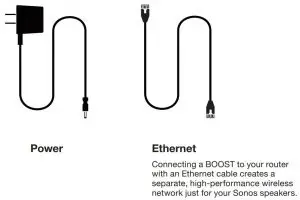
Cables
We’ll tell you when to plug them in.
Need help?
We’re here for you.
Sonos App: Help & Tips
Website: sonos.com/support
Twitter: @SonosSupport
Email: [email protected]
Product User Guides: sonos.com/guides
Telephone


© 2018 Sonos Inc. All rights reserved. Sonos, BOOST and all other Sonos product names and slogans are trademarks or registered trademarks of Sonos, Inc. Sonos Reg. U.S. Pat & TM Off .
Read More About This Manual & Download PDF:
 Sonos | Wireless Speakers and Home Sound Systems