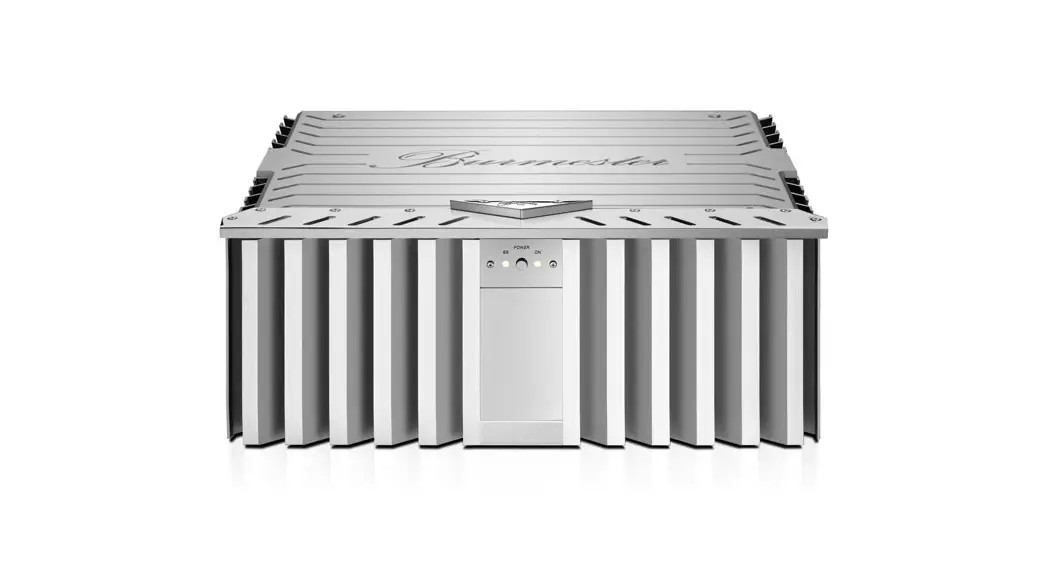
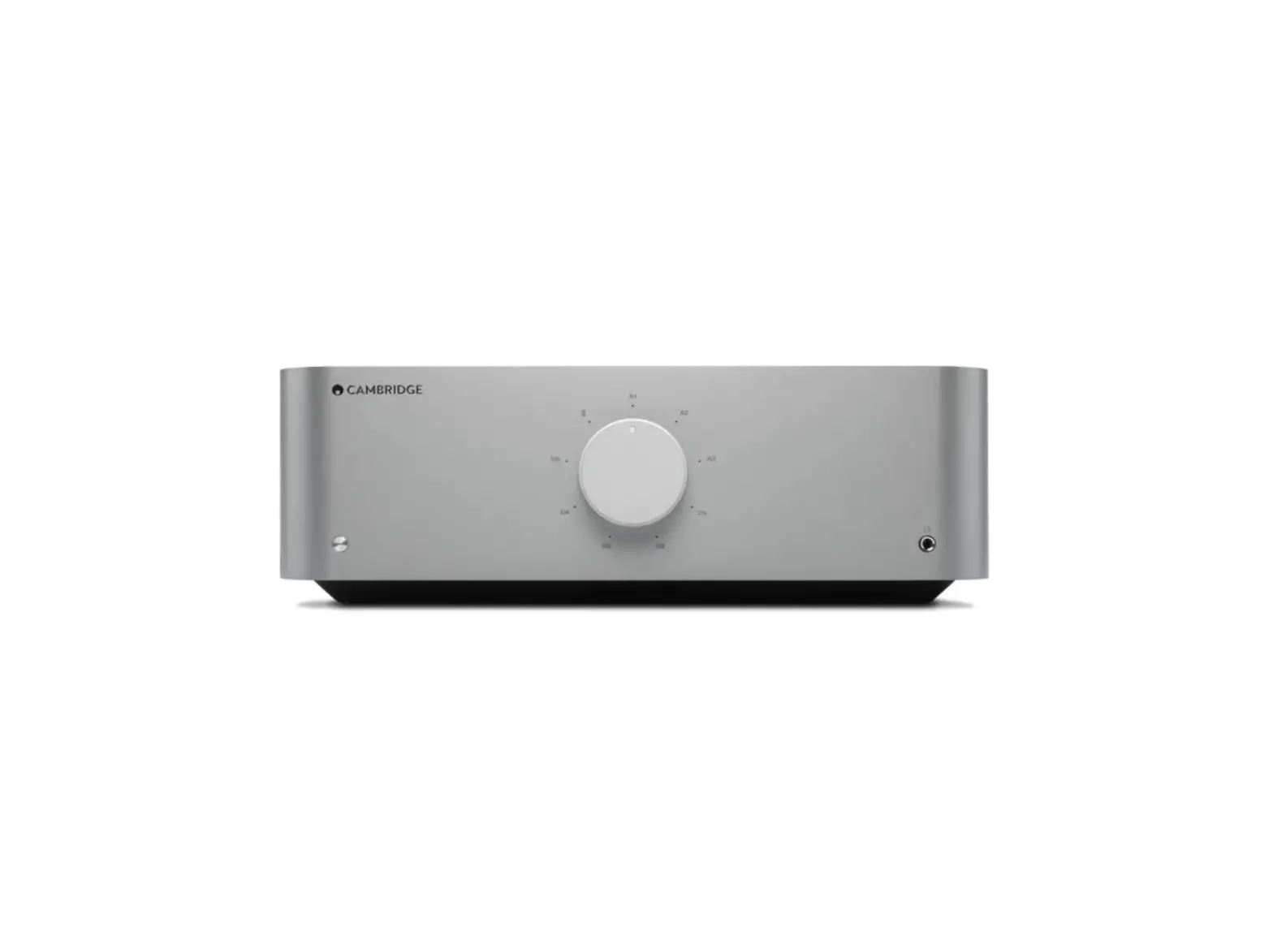
032 Integrated Amplifier
Product Information
The Burmester 032 Integrated Amplifier is a high-end audio
component that delivers exceptional musical fidelity. It combines
uncompromising manufacturing quality with technical innovation and
offers a high degree of operating flexibility. This amplifier is
designed to meet the demands of audiophiles who seek the best audio
experience.
Product Usage Instructions
Unpacking and Setting Up
CAUTION: The integrated amplifier 032 is heavy,
so it should only be handled by individuals accustomed to handling
such weights to avoid injury during unpacking and setup.
To unpack the amplifier:
- Use caution and avoid using pointed or sharp tools to open the
box to prevent damage to the housing. - Check that all the contents of the box are complete. If
anything is missing or if you notice any damage, do not connect the
unit and contact your authorized dealer.
Note: It is recommended to keep the original
packaging in case the unit needs to be shipped in the future.
To set up the amplifier:
- Carefully remove the unit from its packaging.
- Choose an appropriate location for the amplifier that allows
sufficient air circulation to prevent overheating. - Avoid placing the unit in direct sunlight, dusty areas, or
highly humid environments like bathrooms. - Ensure that ventilation ducts and openings in the housing are
not obstructed by objects like magazines, tablecloths, or
curtains. - If operating in an extremely warm environment, additional
ventilation may be necessary.
Functional Overview – Front Panel
- (1) IR receiver: Receives signals from the
remote control. - (2) Stand-by LED: Indicates the stand-by
mode. - (3) Display: Shows relevant information.
- (4) TONE LED: Illuminates when tone control is
activated. - (5) INPUT button: Selects the SURROUND
input. - (6) MONITOR button: Enables tape
monitoring. - (7) INPUT selector buttons: Select the desired
input source. - (8) VOLUME knob: Adjusts the volume
level. - (9) POWER button: Turns the unit on or
off. - (10) TONE button: Activates/deactivates tone
control or the tone control setup. - (11) SETUP button: Configures the 032
amplifier.
Functional Overview – Rear Panel
- (12) SURROUND input balanced: Balanced input
for surround sound. - (13) PREAMP output balanced: Balanced output
for preamplifier connection. - (14) PREAMP output unbalanced: Unbalanced
output for preamplifier connection. - (15) TAPE output unbalanced: Unbalanced output
for tape connection.
Please refer to the user manual for detailed operating controls,
remote control usage, setup menu configuration, error protection,
BURLINK functionality, general instructions, and technical
specifications.
OWNER’S MANUAL
032 INTEGRATED AMPLIFIER
–
–
–;;,.—
=
9 1
“:!}····
0
1
1
(‘, Q
Q
0
CLASSIC LINE
Dear Audiophile,
Thank you for choosing this Burmester audio component. We sincerely appreciate your trust in us.
You have purchased a unit which excels in musical fidelity and combines uncompromising manufacturing quality with technical innovation and the highest degree of operating flexibility.
We recommend reading this user manual at least once in its entirety before initial operation. This will enable you to make full use of all capabilities of this outstanding audiophile instrument. Should you have any further questions, please contact your dealer or us directly.
You decide if we meet the demands of producing high-end components. We offer an additional service which also demonstrates high-end quality.
Talk to us about your special requests, even if they seem out of the ordinary. We happily accept technically reasonable challenges.
Enjoy your enhanced listening pleasure.
Your Burmester Team
C O N T E N T
UNPACKING AND SETTING UP
1
FUNCTIONAL OVERWIEW OF FRONT AND REAR PANEL
2
CONNECTIONS
3-4
OPERATING CONTROLS
5-6
REMOTE CONTROL
6
THE SETUP MENU
7
ERROR PROTECTION
8
BURLINK
9
GENERAL INSTRUCTIONS
10
TECHNICAL SPECIFICATIONS
11
UNPACKING AND SETTING UP
CAUTION: The integrated amplifier 032 is very heavy. To avoid injury during unpacking and set-up, this should only be done by persons who are accustomed to handling such weights. The integrated amplifier 032 is shipped inside a plastic protective cover. Make sure that children do not play with it to avoid the danger of suffocation.
Unpacking
To avoid damaging the housing, please do not use pointed or sharp tools to open the box.
Please make sure that the content of the box is complete. If something is missing or you notice any damage while unpacking, do not hook up the unit. Instead, contact your authorized dealer.
Content of box
The box should contain the following: · 1 Integrated amplifier 032 · 1 AC power cord · 1 remote control 067 · 1 owner’s manual
Packaging
We recommend keeping the original packing in case the unit needs to be shipped in the future.
Setting up
Carefully remove the unit from its packaging and set it up in an appropriate location. To protect the 032 from overheating make sure that the location offers sufficient air circulation around the unit. Also, avoid excessive exposure to sun, dust and humidity. Ventilation ducts and openings in the housing serve to keep the unit cool. They must not be covered up with magazines, table cloth, curtains etc. If the 032 has to be operated in an extremely warm environment it may be necessary
to supply additional ventilation. Avoid operating the unit in an excessively humid
environment like bath rooms etc.
1
FUNCTIONAL OVERVIEW FRONT PANEL
(1) IR receiver
(2) Stand-by LED shows stand-by mode (3) Display
(4) TONE LED illuminates when tone control is activated (5) INPUT button for SURROUND input (6) MONITOR button for tape monitoring
(7) INPUT selector buttons
(8) VOLUME knob
(9) POWER button for turning the unit on or off (10) TONE button for activating/deactivating the
tone control or the tone control setup (11) SETUP button for configuring the 032
REAR PANEL
(12) SURROUND input balanced (13) PREAMP output balanced (14) PREAMP output unbalanced (15) TAPE output unbalanced,
for analog recording device (16) TAPE input unbalanced (17) AUX2 input unbalanced (18) AUX1 input balanced (19) TUNER input balanced (20) CD input balanced
(21) Loudspeaker terminal right, positive (22) Loudspeaker terminal right, negative (23) AC mains switch (24) AC mains terminal (25) REMOTE output (26) BURLINK interface RS-232 with check LEDs (27) REMOTE input (28) Headphones jack (29) BURLINK interface USB with check LEDs (30) Loudspeaker terminal left, negative (31) Loudspeaker terminal left, positive
2
CONNECTIONS
All terminals for hook up are located on the rear panel. While connecting the amplifier all components of the music system must be turned off. CAUTION: Before connecting the unit please check if the input voltage of the 032 is equal to the local voltage of your wall outlet. Make sure the ground lead in your power outlet is working correctly. A missing or faulty ground is extremely dangerous! In case of doubt contact a licensed electrician.
AC mains terminal
Make sure the AC mains switch (23) is set to OFF. Connect the appliance connector of the power cord to the AC mains terminal (24). Then plug the power cord into the wall outlet.
Inputs
To connect source components like CD-Player, FM-Tuner, Tape deck etc. the amplifier provides three balanced inputs (XLR) named CD (20), TUNER (19) and AUX1 (18) and two unbalanced inputs (RCA) named AUX2 (17) and TAPE (16). For the best sound we recommend using the balanced inputs whenever possible. The pinning of the balanced inputs is: PIN1=GND, PIN2=NEG, PIN3=POS. NOTICE: If necessary, the balanced inputs can be converted to unbalanced mode by using XLR-RCA adapter plugs. These adapter plugs are available on request at your local dealer.
SURROUND input
This input allows the easy integration of surround sound components into an existing twochannel hifi system. To do this, the two front channels (right front / left front) of a surround sound processor or decoder must be connected to the input SURROUND – IN (12). In this configuration the signal is sent directly to the power amp stages of the 032, bypassing tone control and volume control. Volume and other signal settings are controlled by the connected surround sound processor or decoder. CAUTION: Connect only components with their own volume control to the
SURROUND input!
The pinning of the SURROUND input is: PIN1=GND, PIN2=NEG, PIN3=POS. NOTICE: If necessary, the balanced SURROUND input can be converted to unbalanced mode by using XLR-RCA adapter plugs. These adapter plugs are available on request at your local dealer.
Loudspeaker Terminals
The speaker cables are connected to the binding posts of the loudspeaker terminals (21), (22) and (30), (31). The loudspeaker terminal R POS (21) must be connected to the positive binding post of the right loudspeaker (commonly marked in red), the loudspeaker terminal R NEG (22) must be connected to the negative binding post of the right loudspeaker (commonly marked in black or blue). Correspondingly, the left loudspeaker must be hooked up to the terminals L POS (31) and L NEG (30).
To ensure optimal signal flow we recommend terminating the speaker cables with copper spade lugs.
CAUTION: Under full load an integrated amplifier like the 032 can produce voltages at the speaker terminals that are high enough to be dangerous. Therefore, never touch the terminals while operating the unit.
Headphones jack
The headphones jack PHONES (28) requires headphones with a 6,3mm stereo plug and
an impedance of 100 and more. When headphones are connected, the speakers are switched off automatically and the volume level is reduced. When pulling the phones plug from the jack the speakers are being switched back on and the volume level is also lowered.
3
TAPE output
The output terminal OUTPUT TAPE (15) must be connected to the recording input of the
taping device that has been hooked up with its outputs to the INPUT TAPE (16). The tape out terminal provides the signal of the selected input CD, TUNER, AUX1 or AUX2 but not the signals from the inputs TAPE and SURROUND. Volume and tone control have no influence to the TAPE OUT signal.
PREAMP outputs
For additional connection of power amps or active loudspeakers the 051 provides two pairs
of output jacks: OUTPUT BALANCED (30) and OUTPUT UNBAL(anced) (31). These outputs provides the signal of the selected input CD, TUNER, AUX1, AUX2 or TAPE but not the signals of the input SURROUND. The pinning of the balanced output is: PIN1=GND, PIN2=NEG, PIN3=POS. Volume and tone control have no influence to the TAPE OUT signal.
REMOTE
Connecting DC OUT (25) to the corresponding DC IN-jack of another BURMESTER-unit offers to switch on or off this other unit simultaneous by the 032. In this case, 032 has the master function.
Connecting DC IN (27) to the corresponding DC OUT-jack of another BURMESTER-unit offers to switch on or off the 032 simultaneous by the other unit. In this case, 032 has the slave function.
BURLINK
To the BURmester-LINK interface plugs (26), (29) a computer system like PC, CRESTRON®, Nevo e.g. can be connected to the integrated amplifier 032. The computer system allows a comfortable control of your hifi system using an individual programmable
touch panel for example. With the LEDs beside the plugs named T and R (Transmit and
Receive) you can check whether data exchange is working.
4
OPERATING CONTROLS
With the exception of the AC mains switch all operating controls are located on the front panel. To operate the unit it must be connected to the AC supply.
AC mains switch
The AC mains switch (19) which turns AC power to the unit on and off is located on the rear panel above the AC mains terminal. By switching to the ON position the transformer is powered up and the unit is in stand-by mode. The stand-by mode is shown by the lightning of the Stand-by LED (2).
POWER button
The POWER button (9) turns the unit on and off provided the AC mains switch is in the ON position. When the amp is ready for operation the alphanumeric display (3) will light up.
In stand-by mode only the stand-by LED (2) lights up. After switching on the 032, the safety monitoring system takes a few seconds to check all functions. The speaker terminals and preamp outputs are enabled only, if no errors are detected. CAUTION: Always use the POWER button (9) first to switch the unit off, before setting the AC mains switch (23) to OFF.
VOLUME knob
The VOLUME knob (8) controls the volume level in 61 steps from 00 (off) to 60 (full
volume). If the VOLUME knob is turned slowly, the volume changes step by step. If rotated quickly, the volume changes in larger increments. The display indicates the selected volume level. The VOLUME knob also controls the functions in the SETUP menu.
INPUT select
Inputs are selected by pressing the respective one of the input select buttons (7). The display (3) indicates the selection.
SURROUND input
Pressing the button SURR(ound) (5) activates the input SURROUND IN (12). The signal from the SURROUND input is routed directly to the power amp stages, bypassing tone control and volume control.
MONITOR function
Pressing the button labeled MONITOR (15) blocks the direct signal path during recording and switches to replaying the just recorded signal. When the monitor function is activated, the display will add a M to the selected source name. The inputs TAPE and SURROUND have no monitor function.
5
Adjusting the tone control
The tone control allows increasing or decreasing bass and treble output in 2dB steps from plus to minus 14dB and an adjustment of the stereo balance in 1dB steps up to 60dB.
Pressing and holding the button labeled TONE (10) switches into the tone control mode. The menu items treble, bass and balance can be called up sequentially by briefly pressing the TONE button.
TREBLE ADJUSTMENT: The display shows TRBL …. Use the VOLUME knob (8) to adjust the treble between +14dB and 14dB.
BASS ADJUSTMENT:
The display shows BASS …. Use the VOLUME knob (8) to adjust the bass between +14dB and 14dB.
BALANCE ADJUSTMENT: The display shows BAL ….
Use the VOLUME knob (8) to adjust the stereo balance. The BALANCE function lowers the volume in the left or right channel in 60 steps up to 60dB. An arrow in the display indicates, if the volume level of the left or the right channel is being changed.
The tone control mode is automatically terminated after 10 seconds without any adjustment. The selected settings are retained when leaving the tone control mode.
Activating the Tone control
In normal operation the signal path by-passes the tone control completely. To switch the tone control into the signal path, press the button TONE (10) briefly. The TONE LED (4) illuminates, when the tone control is activated. To switch the tone control off, press the button TONE (10) briefly again and the TONE LED (4) will go out.
REMOTE CONTROL
Equipped as standard is the 067 remote control. By definition the buttons POWER, TUNER, TAPE, SURR, AUX, have the same functions as the corresponding control buttons on the front panel of the amplifier 032. By repeatedly pressing the AUX key you can change between the inputs AUX1 and AUX2. With the button DISC the corresponding CD input may be selected. The SETUP may be entered by pressing the MENU button. Pushing the DIM key on the new remote control, varies the brightness of the display in four steps between “max. brightness” to “off”. If brightness is selected to “off”, the display will light up only when any controls are used to change settings. After a few seconds it automatically switches off again.
The buttons VOLUME + and VOLUME adjust the volume control normally. When the setup menu is activated, you can change the settings of the selected menu item with the VOLUME buttons.
All other keys on the remote control have no functions with respect to the 032.
6
THE SETUP MENU
The setup menu allows the easy programming of certain basic settings of the integrated amplifier 032.
Activating setup Select menu item Change settings
Deactivating setup
Press the button SETUP (11) on the front panel or press the MENU button on the remote control.
The different items of the setup menu are selected in the sequence specified below by repeatedly pressing the SETUP or MENU button. The activated menu item is indicated on the left side of the display (3).
To change the setting of an activated menu item, rotate the VOLUME knob (8) to the left to lower the set value or to the right to increase it. To change the settings you can also use the VOLUME buttons on the remote control. The selected value of the menu item is indicated on the right side of the display (3).
The setup menu is closed automatically after 10 seconds, when no adjustment has been made.
Menu items
The following table lists all items that can be adjusted using the setup menu. The factory default settings have been underlined.
MENU ITEM
Input level CD Input level TUNER Input level TAPE Input level AUX1 Input level AUX2 Volume Output amplification
DESCRIPTION
Input level adjustment for input CD Input level adjustment for input TUNER Input level adjustment for input TAPE Input level adjustment for input AUX1 Input level adjustment for input AUX2 Selecting initial volume (L=Last volume) Power amplification high (HI) or low (LO)
DISPLAY
L-CD L-TU L-TP L-A1 L-A2 VOL PA
VALUE
-9 bis 0 bis +9 -9 bis 0 bis +9 -9 bis 0 bis +9 -9 bis 0 bis +9 -9 bis 0 bis +9 0 bis 5, 10, 15, 20, L
HI / LO
Input level
The input level adjustment feature serves to avoid big jumps in volume, when switching between signal sources with different output levels.
Volume
This menu item allows you to preset the volume level, when the 032 is switched on. The
setting L represents LAST, which means that when you switch on the 032, it starts at the same volume level it was last playing before it was switched off. The maximum value is limited to 30.
Output amplification
To achieve the best match with your loudspeakers, the output level of the amplification
stages may be adjusted. HI stands for high amplification, LO accordingly for low amplification. When switching between these settings, the speaker relays are briefly switched off to avoid malfunctioning.
7
ERROR PROTECTION
The integrated amplifier 032 offers a sophisticated error mounting system, which protects the unit as well as the connected loudspeakers from damage, should certain errors occur.
If any of the following errors occurs, the loudspeaker relays are automatically switched off and the type of error is indicated in the display (3). After the cause for the error has ceased, the loudspeakers will automatically come back on.
Overheating
If the 032 under full power exceeds the maximum allowable operating temperature, the protection system acts as follows: · The amplifier is muted and the speaker outputs are switched off · The display shows TEMP · The volume is automatically reduced by four steps
If the 032 returns to below the maximum allowable temperature within three minutes, the speaker outputs are automatically switched back on.
If the 032 does not cool down to below the maximum allowable temperature within three minutes, the unit switches automatically into stand-by mode. The display continues to indicate TEMP and the stand-by LED also illuminates. Please leave the 032 turned off for a while, allowing it to cool down.
Overload/DC offset
If high currents overload the power transistors or DC current is detected at the outputs, the protection system of the 032 acts as follow: · The amplifier is muted and the speaker outputs are switched off · The display shows OF/CU · Automatic lowering of volume level until the problem is resolved
If lowering the volume resolves the problem, the speaker outputs are automatically switched back on.
If the volume is lowered all the way to 0, the 032 switches automatically into stand-by mode. The display continues to show OF/CU but the stand-by LED also illuminates. In this case, use the AC mains switch (24) to switch the unit off and check all connections. If you cannot detect an external problem, please contact your dealer.
8
BURLINK
CONNECTIONS
Connecting to the BURLINK interface can be done either with the 9 pin D-SUB connector (RS-232) or with the USB 2.0 connector. RS-232 configuration: 9600Baud, 8bit, parity: none, 1 stop bit, no hardware handshake A USB device driver needs to be installed when using the USB 2.0 connector. System requirements for using the USB software are either WINDOWS 2000 or WINDOWS XP operating system.
COMMANDS
Following are listed the possible commands to control the integrated amplifier 032. All commands needs to be sent in capital letters finished with a “carriage return” r .
POWONr POWOFFr
switches the unit on switches the unit to standby mode
CDr TUNERr AUXr AUX1r AUX2r TAPEr SURRr
activates the CD input activates the TUNER input changes between inputs AUX1 and AUX2 activates the AUX1 input activates the AUX2 input activates the TAPE input activates the SURROUND input
VOLUPr VOLDNr
increases the volume for one step decreases the volume for one step
MONITORr MONITORONr MONITOROFFr
switches the monitor loop on or off switches the monitor loop on switches the monitor loop off
TONEr TONEONr TONEOFFr BASSUPr BASSDNr TREBLEUPr TREBLEDNr BALANCELr BALANCERr
switches the tone control on or off switches the tone control on switches the tone control off increases the bass volume for one step (2dB) decreases the bass volume for one step (2dB) increases the treble volume for one step (2dB) decreases the treble volume for one step (2dB) lowers the volume of the right channel for one step (1dB) lowers the volume of the left channel for one step (1dB)
DIM0r DIM1r DIM2r DIM3r DIMr
switches the display brightness to maximum switches the display brightness to middle switches the display brightness to low switches the display to off mode switches the brightness step by step (0,1,2,3,0,1,2….)
TYPEr VERSIONr
shows the type of the unit shows the software version of the unit
9
GENERAL INSTRUCTIONS
Operating temperature An operating temperature that is too high or too low may cause malfunctioning. We therefore recommend letting the 032 sit for a while after unpacking and before connecting and operating it.
Terminals
The pins of the connecting terminals on the back panel should not be touched by fingers under any circumstances. Static discharges may damage the electronic circuitry inside the unit.
IR receiver
The IR receiver (1) receives signals from the BURMESTER remote control and must not be covered up by objects.
Heat development Be careful when touching the housing it may get quite warm during operation.
Reset
If the unit does not react when pressing the control keys on the front it may be reset to normal operation by switching it off and back on using the AC mains switch in the back.
Lightening strikes
During the summer months, malfunctions often occur due to voltage spikes in the power lines after lightning strikes. Completely unplugging the power cord offers the only effective protection. Merely switching the 032 off does not suffice since voltage spikes are able to arc over separated contacts.
Interconnects
We supply custom-made balanced as well as unbalanced interconnect cables and speaker cables of any length to ensure highest-quality signal paths for our components. The impedance of our cables is ideally matched to all BURMESTER components. For the cleanest power supply we recommend our triple-shielded power cord BURMESTERPOWER.
Fuses
The fuses are located inside the unit and should be changed only by a qualified technician.
Voltage
Check before operating the 032 to see if the voltage setting shown on the back panel below the AC mains input conforms to voltage of your household power supply. Any change should only be done by an expert.
Warranty
We provide a three-year warranty on your Burmester device. In order for the warranty to be valid, the device must have been connected and operated properly, the mechanical integrity of the device must not have been compromised, and the device must have been registered. The warranty will expire if the device is tampered with in any way or if parts of the housing are dismantled.
Please register your product with the serial number in the warranty certificate at www.burmester.services/warranty and activate your warranty extension.
Care
Never clean the housing with a wet cloth or chemical cleaning agent. Always make sure that no liquid gets into the housing.
CAUTION
Before opening the housing or changing the fuses always unplug the unit from the wall outlet. DANGER OF ELECTRIC SHOCK!
10
Dimensions Weight Mains voltage and fuses Power consumption
TECHNICAL SPECIFICATIONS
Width x Height x Depth
for 200V to 240V 50/60Hz for 100V to 127V 50/60Hz ON STBY (Mains switch ON)
482 x 191 x 482 mm (19.0 x 7.5 x 19.0 inches)
approx. 28 kg (approx. 61,7 lbs) 2 x slow 250mA E, 2 x slow 3,15A E 2 x slow 500mA E, 2 x slow 6,3A E
max. 609 W approx. 3 W
PLEASE NOTE: The dimensions do not include the length of binding posts and the space needed for plugs of interconnect cables.
The technical data and design of this product are subject to change without notice.
11
Burmester HomeAudio GmbH Wilhelm-Kabus Straße47 · ro829 Berlin, Germany
www.burmester.de
Version 2-4_2210
 Burmester -