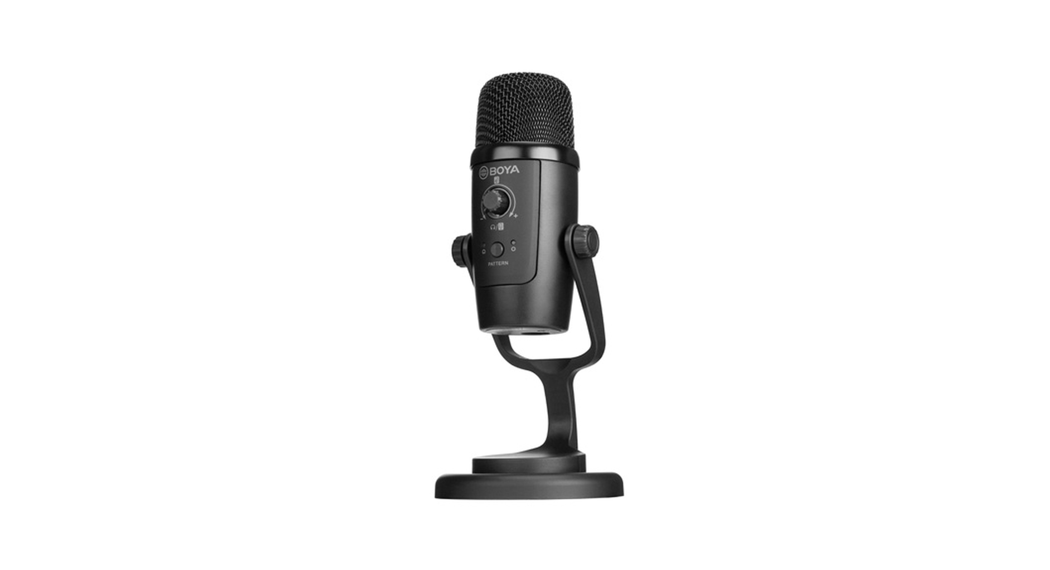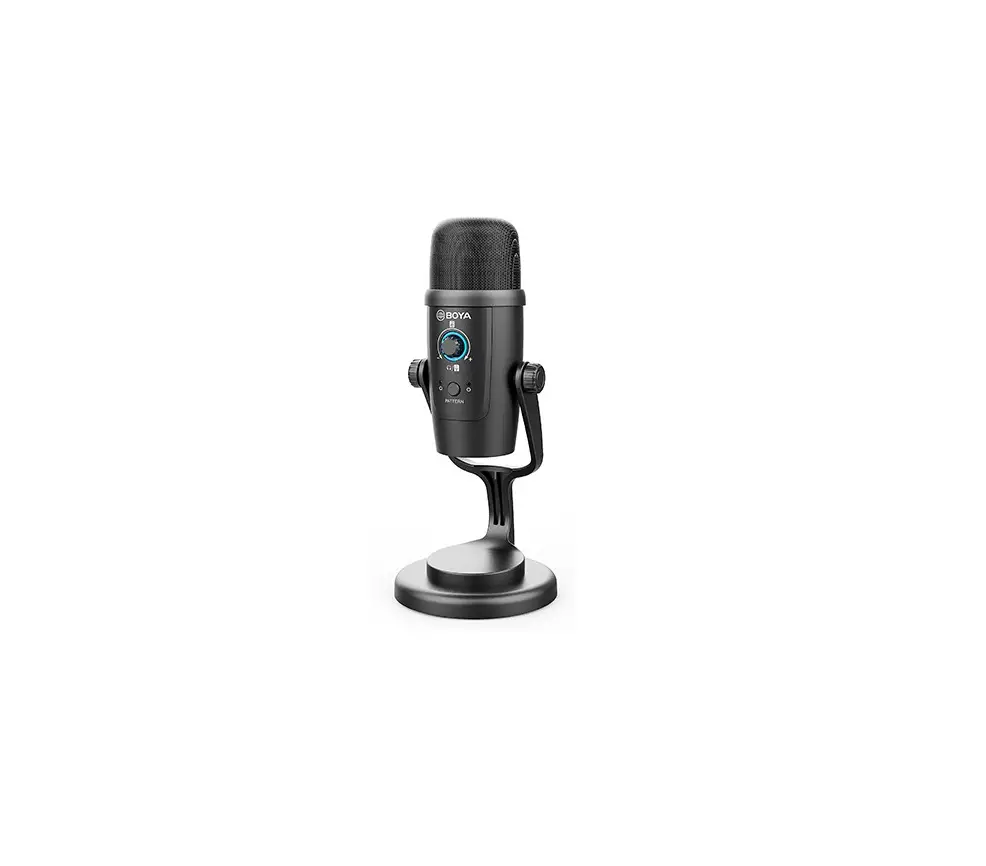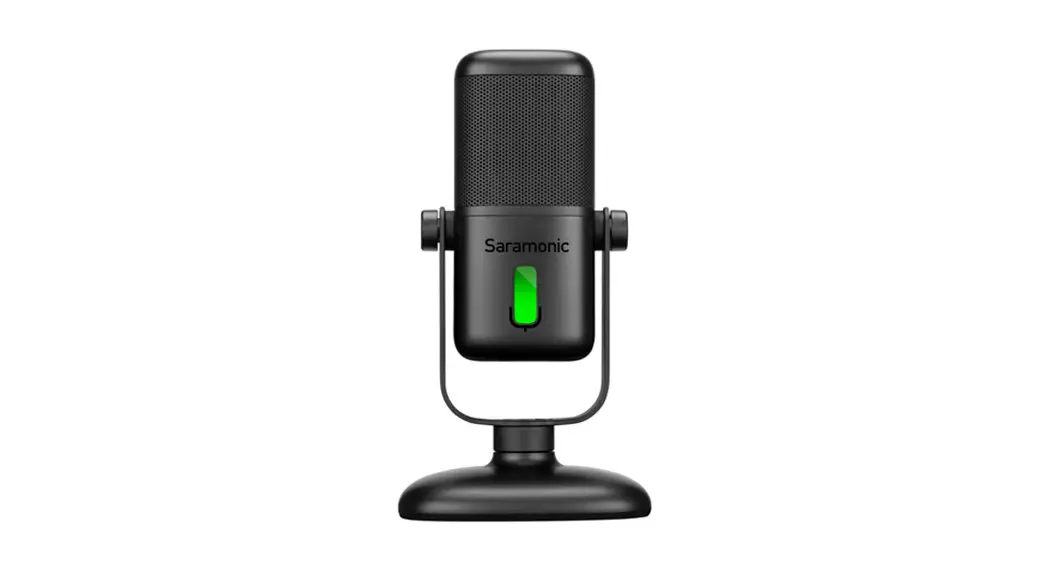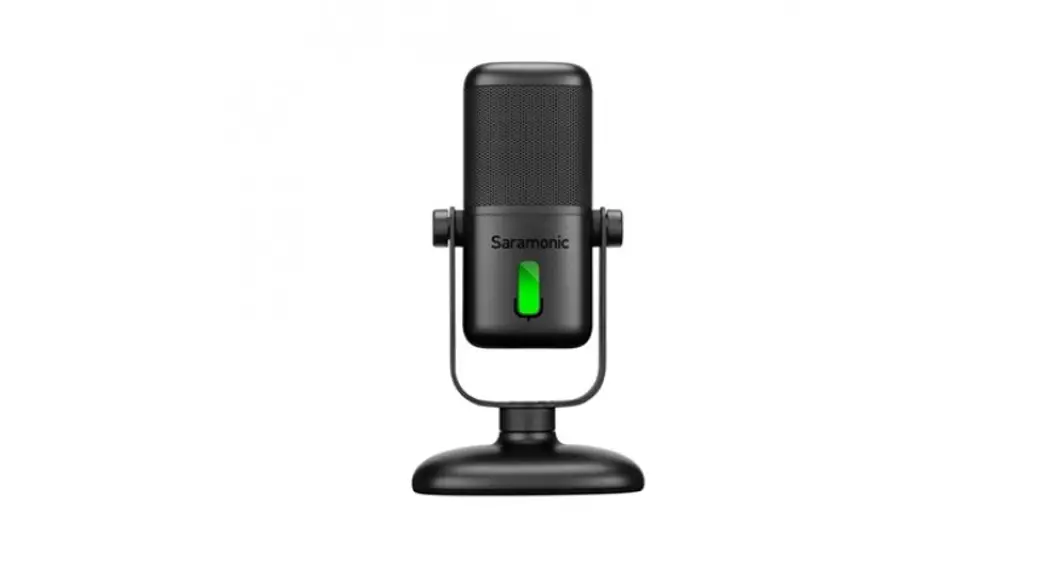

Wired/Wireless Dual-Function Microphone
SR-MV2000W
User Manual
Product Structure
TX
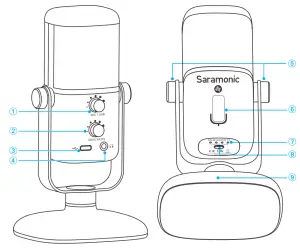
| ① Headphone volume control ② Gain/mute control ③ Type-C port ④ 3.5mm headphone jack | ⑤ Locking knob ⑥ Smart LED indicator ⑦ Battery level indicator ⑧ Power/pair button ⑨ Mic stand |
Accessories
 Functions
 Functions
1. Magnetic Base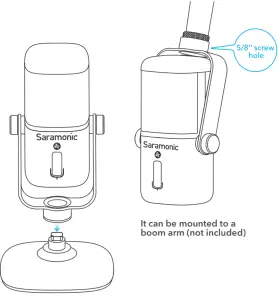
It can be mounted to a boom arm (not included)
Angle Adjustment Battery Charging
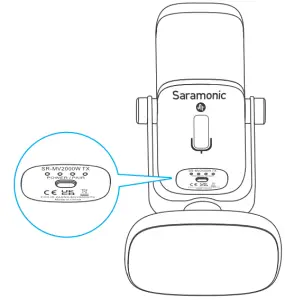
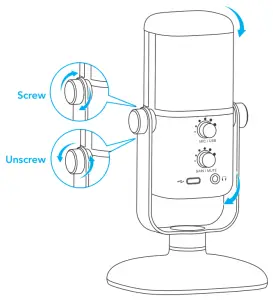 Battery Charging
| Indicator | Status |
 | Charging (breathing white light) |
 | Full charged |
 | Current battery level (75% power) |
| Low battery (25% power) |
Operation Guide
A – Wired Operation
1. Connect the microphone to your smartphone/computer
| Devices | Smartphone | Computer |
| Connection | Type-C to Type-C cable; Type-C to Lightning cable (not included) | USB-A to Type-C cable |
| System Requirements | Andriod/iOS devices |  Windows 7/10 Windows 7/10 Mac OS 10.12 or later Mac OS 10.12 or later |
Note:
1. SR-MV2000W is also compatible with iOS devices. The Type-C to Lightning adapter cable is not included. Please purchase it separately if needed.
2. For optimum sound, please press and hold the volume control and gain control knobs simultaneously to restore the factory setting. The indicator will turn red and blink three times.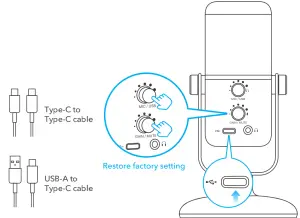
2. Adjust the knobs according to your needs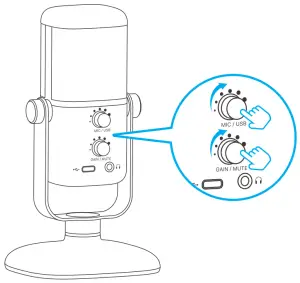
| Direct/Playback Monitoring | Gain/Mute Control | |
| Control Button | 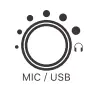 |  |
| Smart LED Indicator Color | 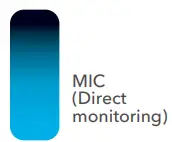 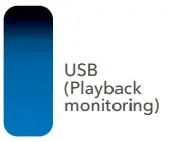 |  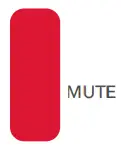 |
| Operating | Press the button to switch between direct and playback monitoring; Turn the knob to adjust the headphone volume. | Press the button to mute/unmute the microphone; Turn the knob to adjust gains for microphone input level. |
B – Wireless Operation
1. Turn on the transmitter
Note: When using the wired function, short press the power button to enable the wireless function simultaneously.
Press and hold the power button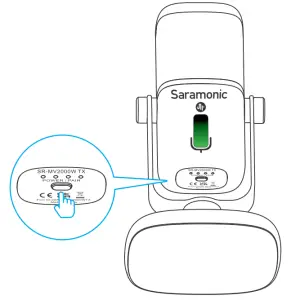
3. TX & RX Pairing TX
| Status | Indicator light color |
| Unpaired | green light flashes in cycle |
| Pairing | green light flashes rapidly |
| Paired Successfully | solid green light |
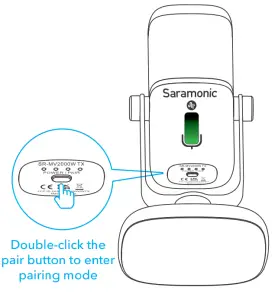 2. Connect the receiver to an external device
①. Connect to a Type-C device
②. Connect to a USB-A device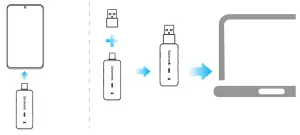
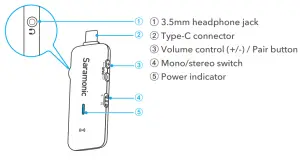
RX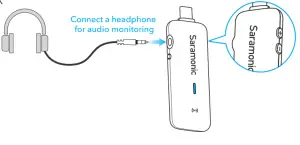
Press + and – buttons simultaneously to enter pairing mode, TX and RX will be successfully paired within 10s.
| Status | Indicator light color |
| Unpaired | green light flashes in cycle |
| Pairing | green light flashes rapidly |
| Paired Successfully | solid green light |
Specifications
Wired Operation
| Mic Capsule | 14mm Electret Condenser Capsule |
| Polar Pattern | Cardioid |
| Frequency Response | 20Hz-20kHz |
| Sensitivity | -36dB (0dB=1V/Pa, 1kHz1Pa) |
| Signal-to-Noise Ratio | 80dB |
| Maximum SPL | 120dB |
| Sampling Rate | 48kHz |
| Bit Rate | 16bit/24bit |
| Mic Gain | 0~54dB |
| Working Voltage | 5V110mA |
| Audio Output Connector | 3.5mm Headphone Jack, Type-C Port |
| Operating Temperature | 0°Cto50°C |
| Storage Temperature | –20°Cto+55°C |
Wireless Operation
| Mic Capsule | 14mm Electret Condenser Capsule |
| Polar Pattern | Cardioid |
| Frequency Response | 35Hz-18kHz |
| Sensitivity | -36dB (0dB=1V/Pa, 1kHz1Pa) |
| Signal-to-Noise Ratio | 80dB |
| Maximum SPL | 120dB |
| Transmission Type | 2.4GHz |
| Modulation | GFSK |
| Antenna | Dipole Antenna |
| Operating Range | 60m (Outdoors without obstacles) |
| Distortion | <0.05% |
| Battery Life | 6 hours |
| Charging Time | 1.5 hours |
| Battery Capacity | 850mAh |
| Dimensions | TX: 165×78.6×90mm RX: 71.6×27.1×10.55mm |
| Weight | TX: 359g RX: 12.5g |
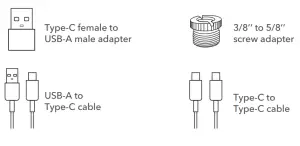
Packing List
- SR-MV2000W Microphone×1
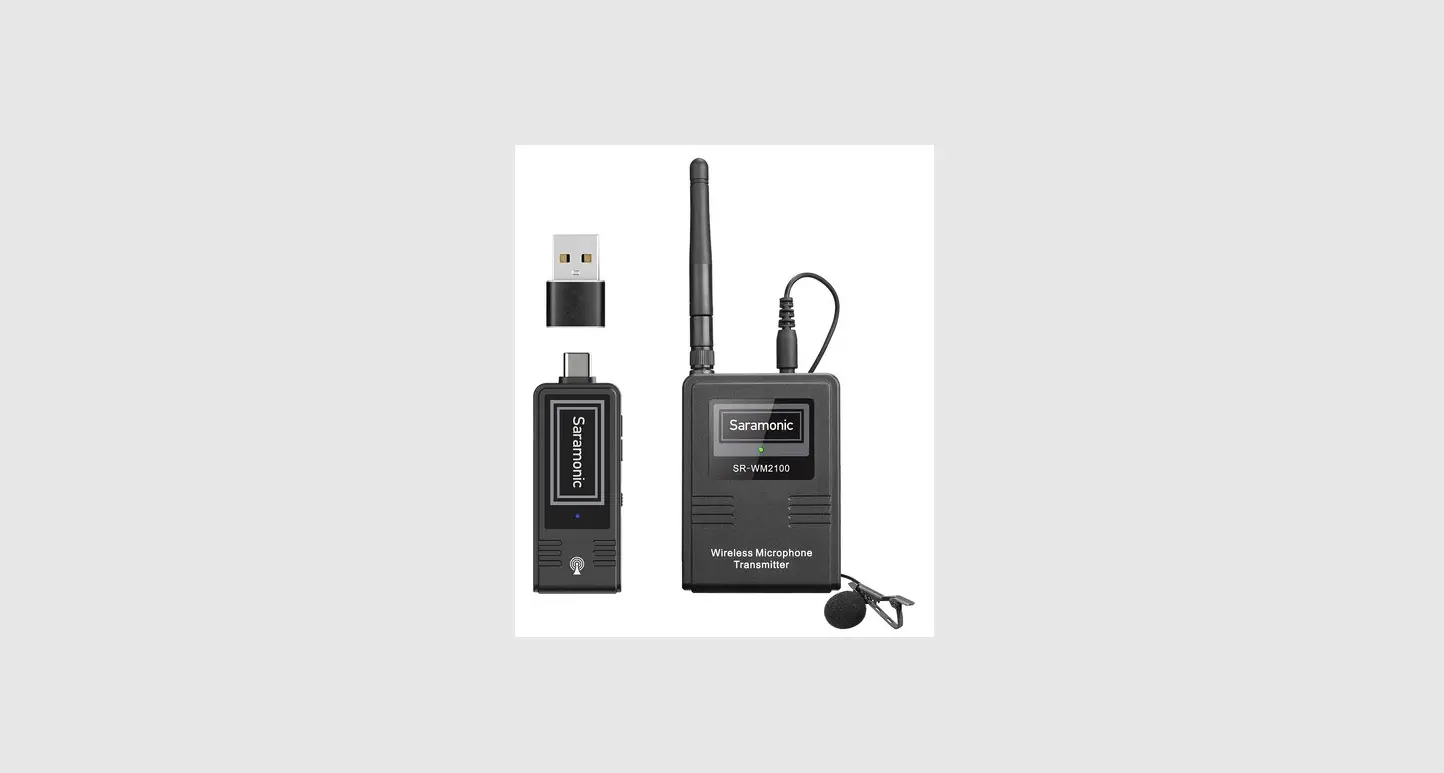
- Wireless Receiver×1
- Type-C Female to USB-A Male Adapter×1
- 3/8’’ to 5/8’’ Screw Adapter×1
- 6.6’(2m) USB-A to Type-C Cable×1
- 6.6’(2m) Type-C to Type-C Cable×1
Polar Pattern Frequency Response
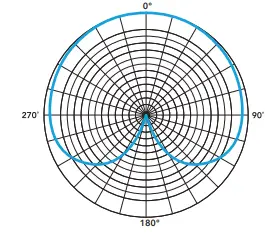 Frequency Response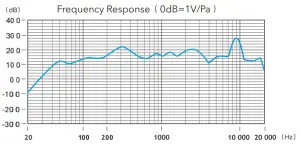
For a better recording experience, the application SmartRecorder is recommended.
Scan the QR code and follow us!
Shenzhen Jiayz Photo Industrial., Ltd
A16 Building, Intelligent Terminal Industrial Park of Silicon Valley
Power, Guanlan, Longhua District, Shenzhen, China
400-613-1096
www.saramonic.com
[email protected]
FCC Caution:
Any changes or modifications not expressly approved by the party responsible for compliance could void the user’s authority to operate the equipment.
This device complies with part 15 of the FCC Rules. Operation is subject to the following two conditions:
(1) This device may not cause harmful interference, and (2) this device must accept any interference received, including interference that may cause undesired operation.
IMPORTANT NOTE:
Note: This equipment has been tested and found to comply with the limits for a Class B digital device, pursuant to part 15 of the FCC Rules. These limits are designed to provide reasonable protection against harmful interference in a residential installation. This equipment generates, uses and can radiate radio frequency energy and, if not installed and used in accordance with the instructions, may cause harmful interference to radio communications. However, there is no guarantee that interference will not occur in a particular installation. If this equipment does cause harmful interference to radio or television reception, which can be determined by turning the equipment off and on, the user is encouraged to try to correct the interference by one or more of the following measures:
—Reorient or relocate the receiving antenna.
—Increase the separation between the equipment and receiver.
—Connect the equipment into an outlet on a circuit different from that to which the receiver is connected.
—Consult the dealer or an experienced radio/TV technician for help.
FCC Radiation Exposure Statement:
This equipment complies with FCC radiation exposure limits set forth for an uncontrolled environment.