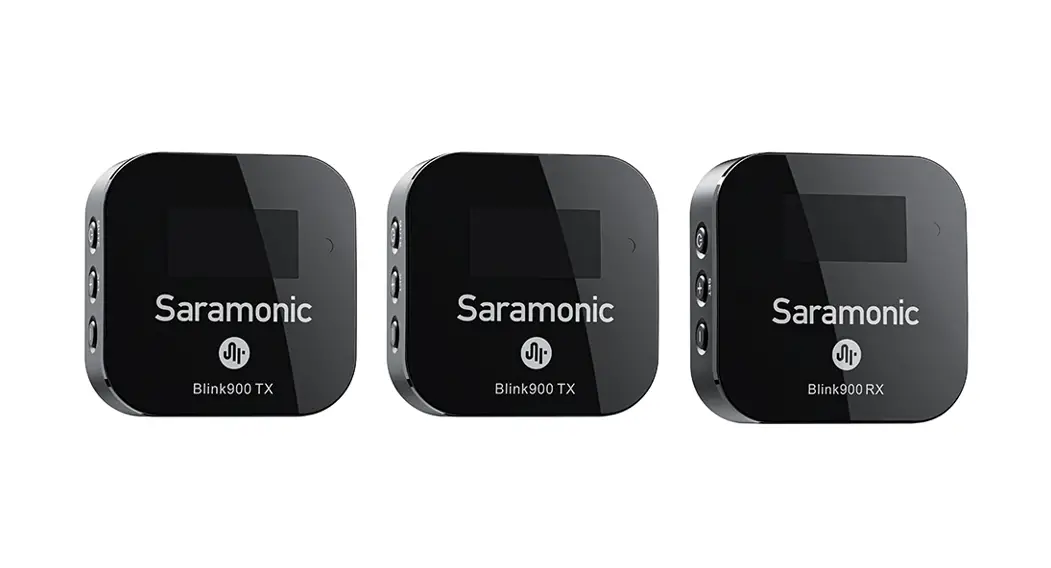
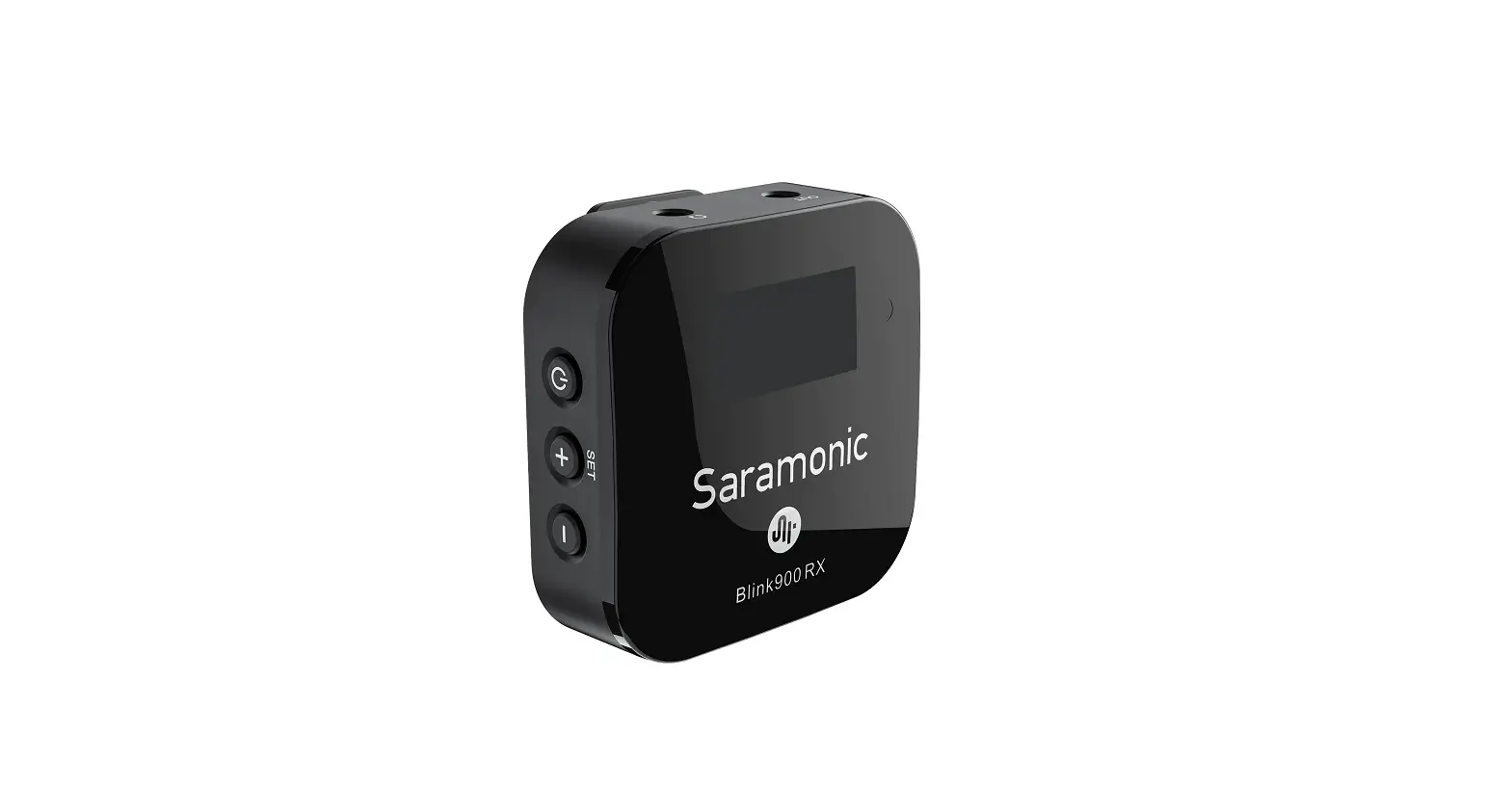
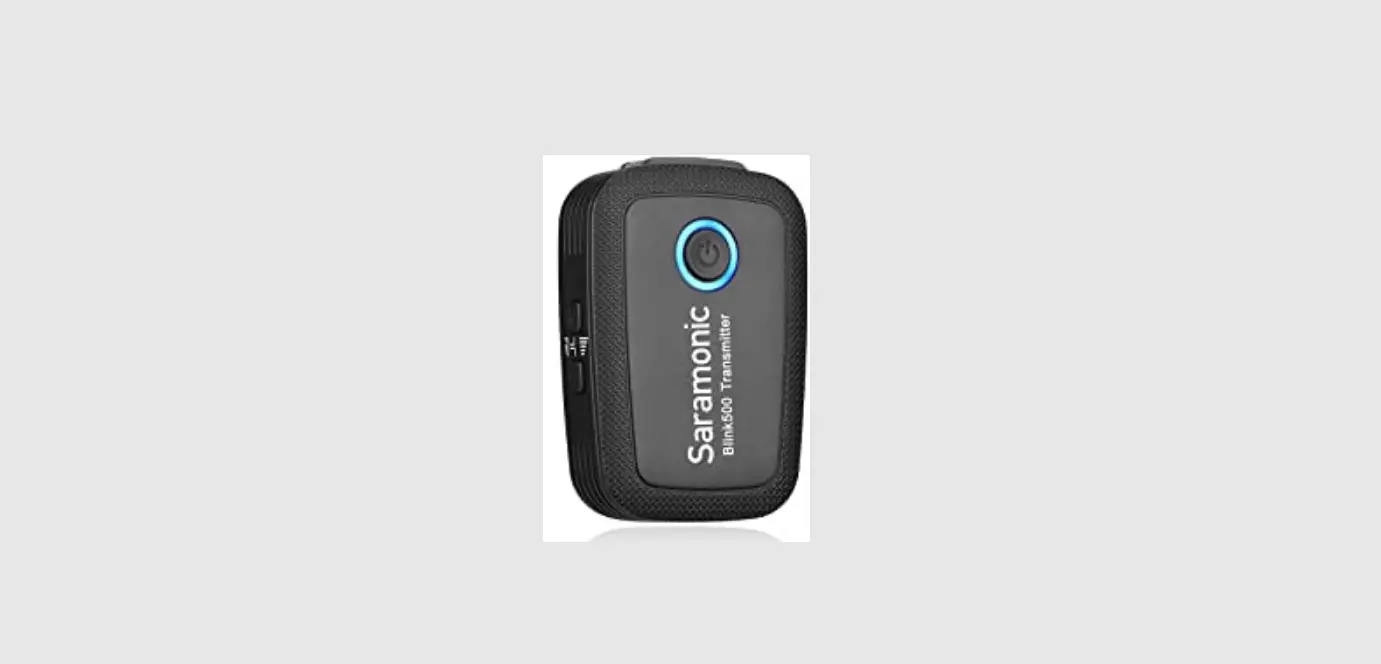
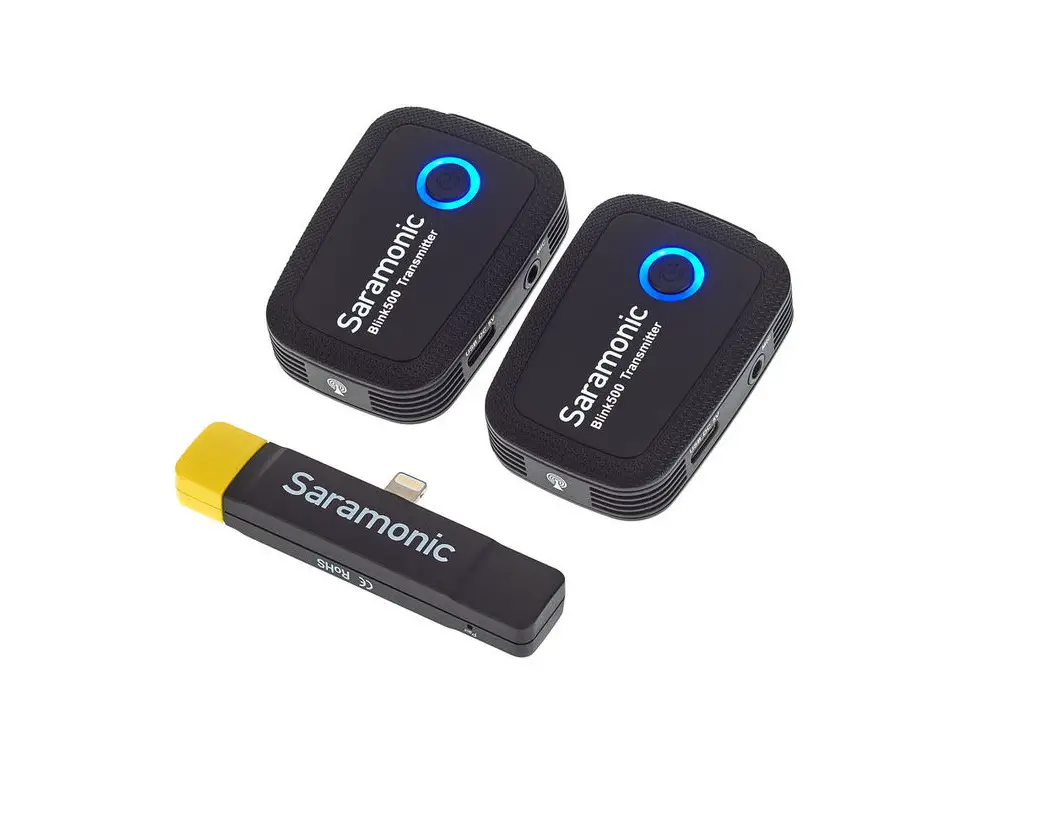
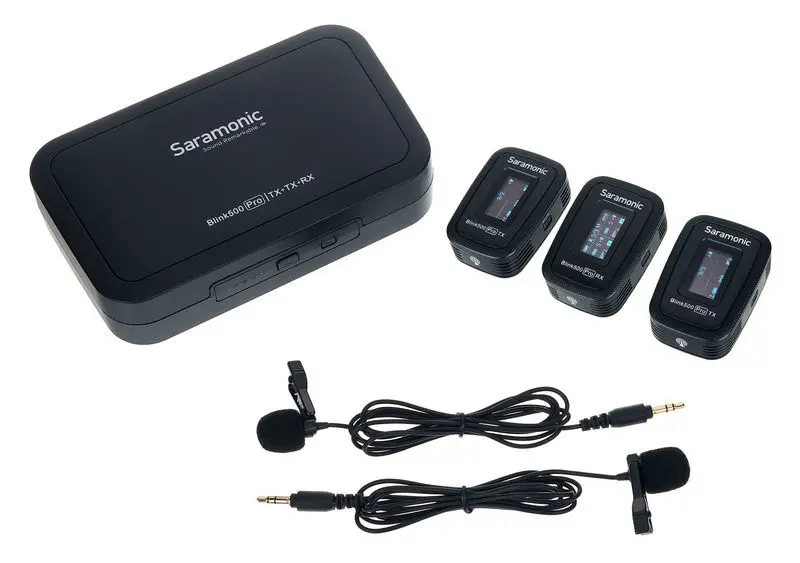
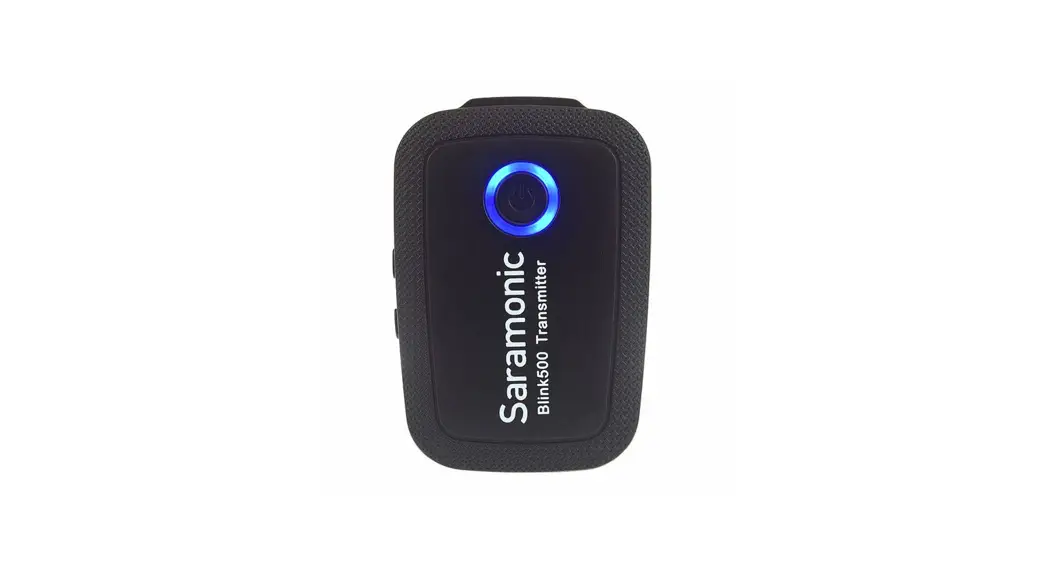
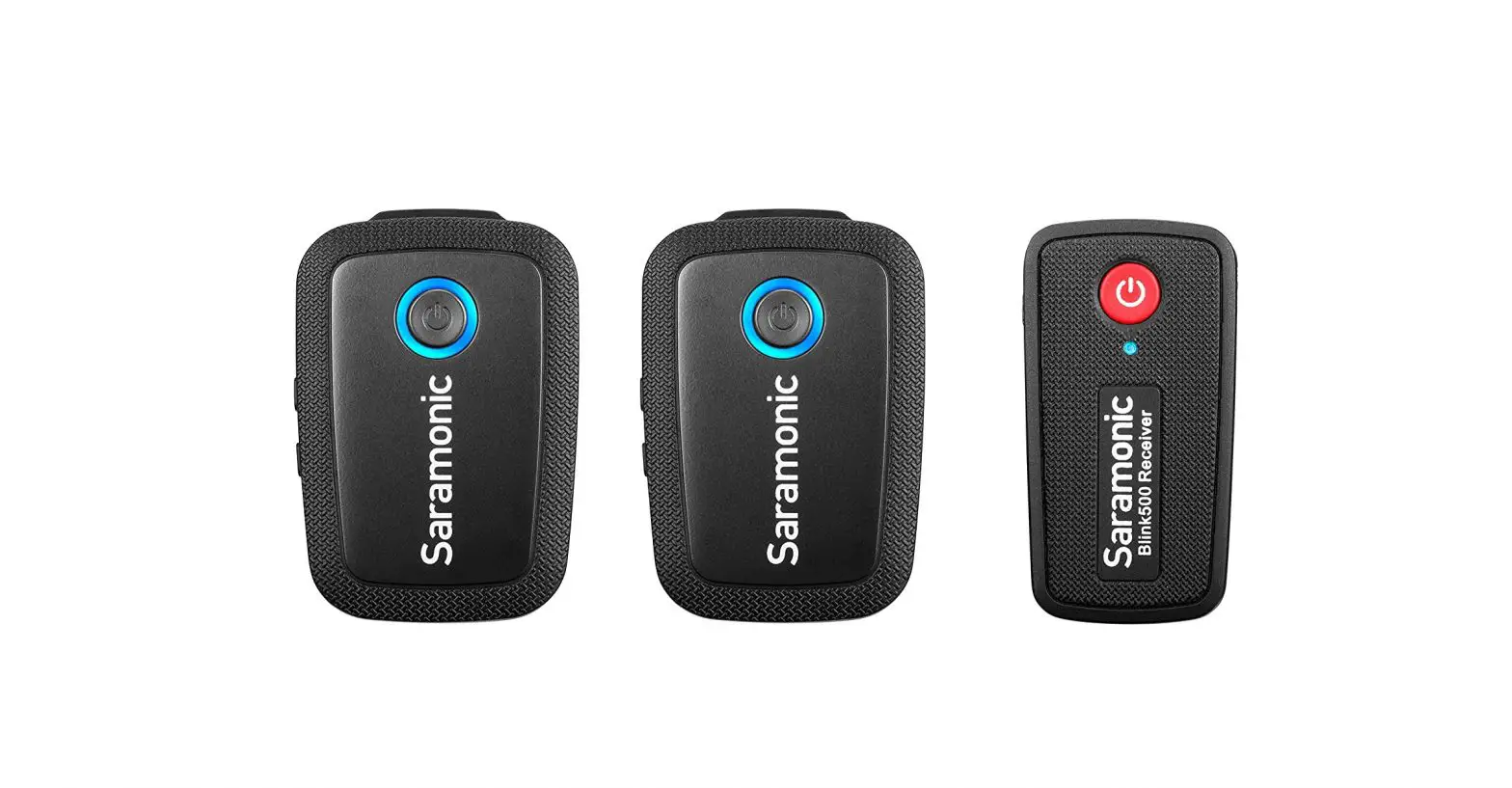
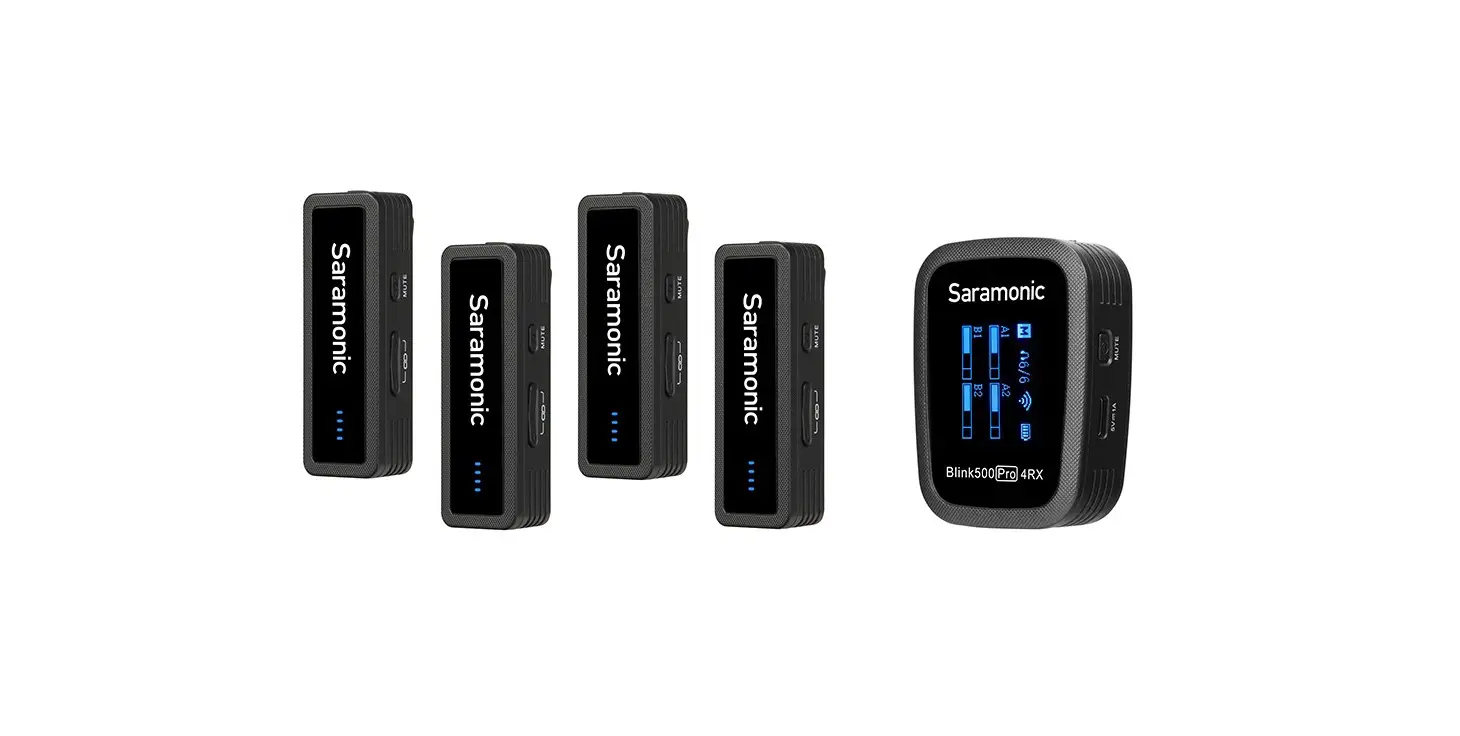
Saramonic Blink500 Pro Ultracompact 2.4 GHz Dual-Channel Wireless Microphone
General Introduction
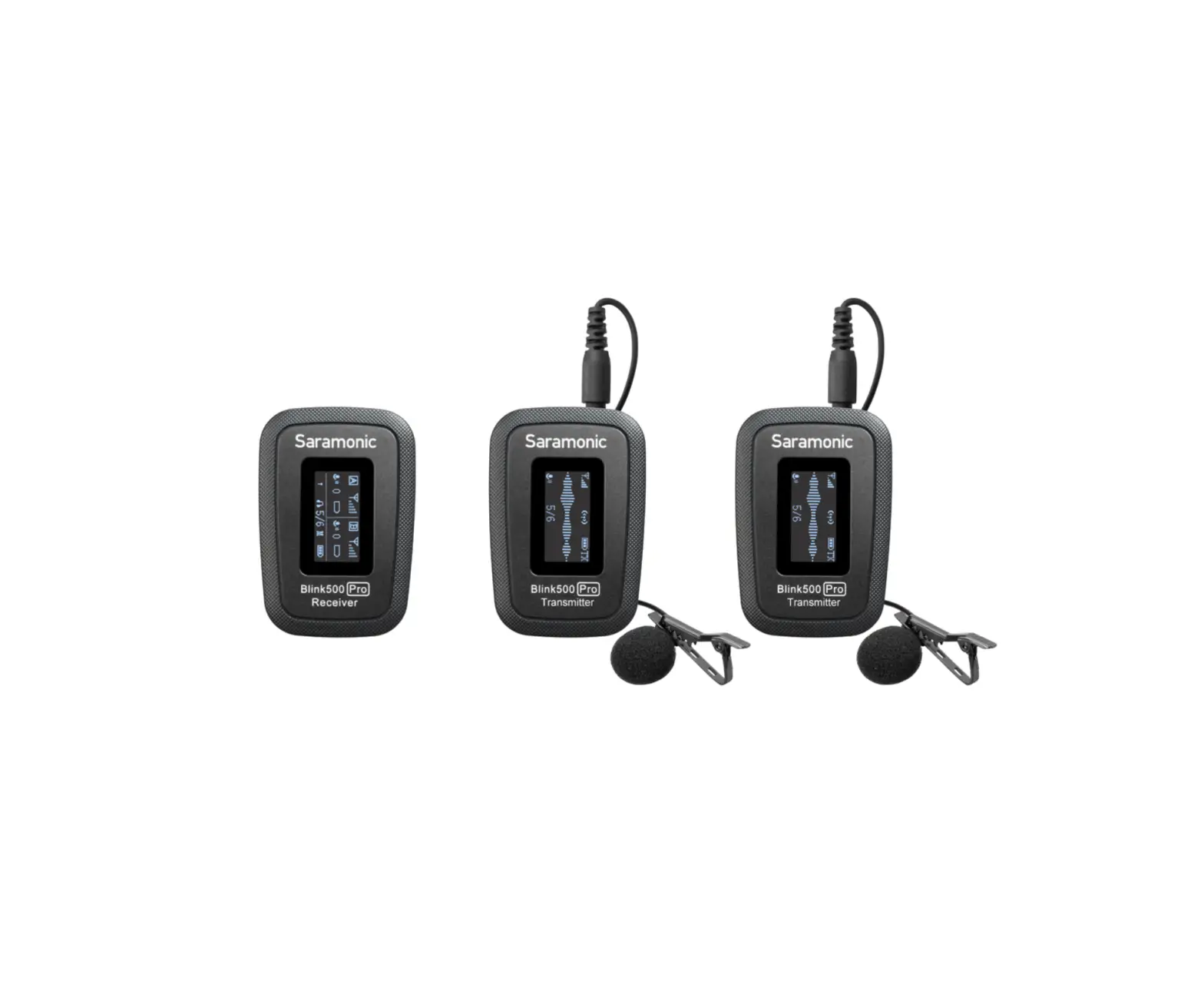
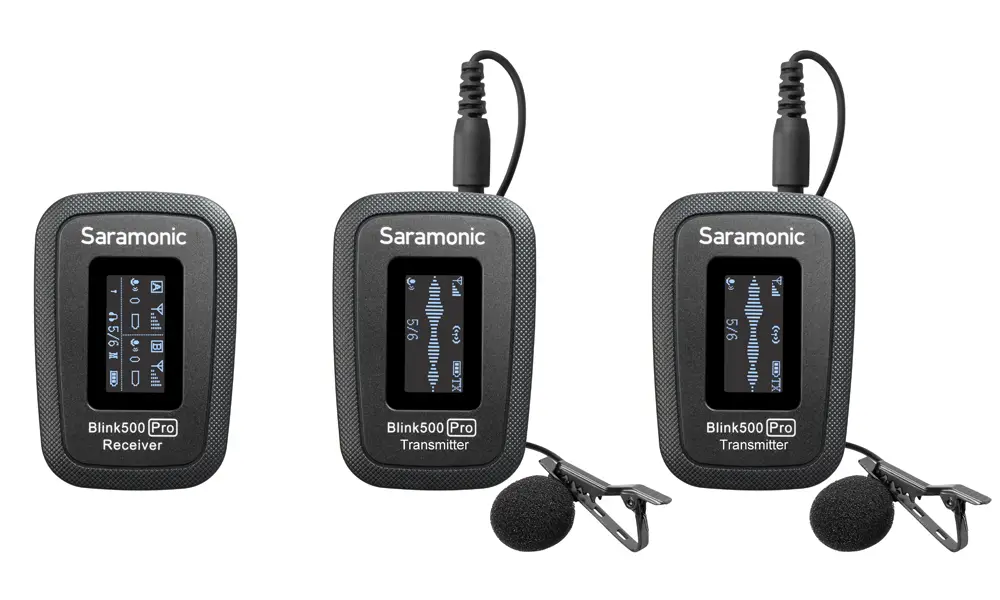
The Saramonic BlinkS00 Pro is an incredibly lightweight, ultracompact and easy-to-use 2-person wireless microphone system, and delivers an exceptional, broadcast-quality sound for DSLR, Mirrorless and Video cameras, mobile devices, and much more.
The supplied charging case allows you to charge devices anywhere needed. They deliver 8 hours of recording time on a single charge, the case can be recharged via Type-C DC Sv port.
3.5mm headphone output, selectable M/S switch, quick-charging, OLEO display features make the BlinkS00 Pro meets various recording demands.
The system series is comprised of three different receivers. The RX receiver has a 3.5mm output and includes TRS and TRRS output cables, allowing it to work with any device with a 3.5mm audio input. The RXDi receiver has a MFi Certified Lightning output and is designed for Apple iOS devices. And the RXUC receiver has a USB-C output and is designed for devices with a USB-C port, including Android smartphones and tablets.
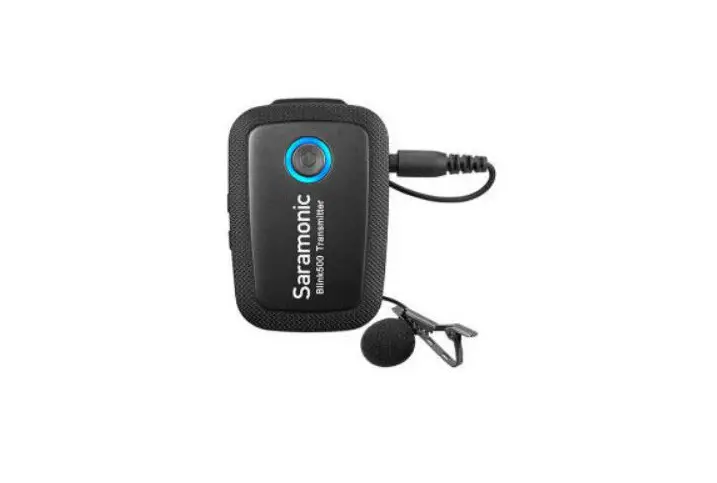
The clip-on transmitter has a great sounding built-in mic and it is small and light enough to clip to shirts and clothing, or you can use it as a traditional beltpack transmitter with the included SR-M 1 professional lavalier microphone.
No technical knowledge of audio is required to operate. The BlinkS00 Pro system operates on the interference-free 2.4GHz spectrum and automatically hops to free channels to avoid static noise and audio dropouts.
Available Series:
| Model | In the box |
| Blink500 Pro 81(TX+RX) | 1xBlink500 Pro RX 1xBlink500 Pro TX |
| Blink500 Pro 81W(TX+RX) | 1xBlink500 Pro RXW 1xBlink500 Pro TXW |
| Blink500 Pro 82(TX+TX+RX) | 1xBlink500 Pro RX 2x81ink500 Pro TX |
| Blink500 Pro 82W(TX+TX+RX) | 1xBlink500 Pro RXW 2xBlink500 Pro TXW |
| Blink500 Pro B3(TX+RXDi) | 1xBlink500 Pro RXDi 1x Blink500 Pro TX |
| Blink500 Pro 84(TX+TX+RXDi) | 1xBlink500 Pro RXDi 2x Blink500 Pro TX |
| Blink500 Pro BS(TX+RXUC) | 1xBlink500 Pro RXUC 1xBlink500 Pro TX |
| Blink500 Pro 86(TX+TX+RXUC) | 1xBlink500 Pro RXUC 2xBlink500 Pro TX |
Note: If using an Android phone, please set the “OTG Connection” to “ON.” The OTG connection menu is usually in the “Additional Settings” in your phone setting menu.
Product Structure
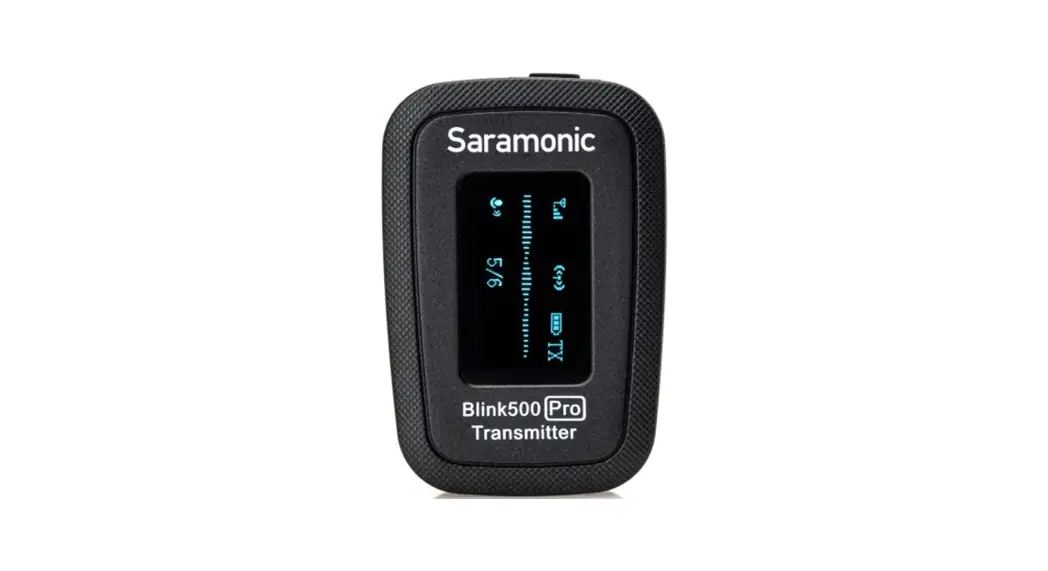
Blink500 Pro TX: Body-pack Transmitter with OLED Display and Microphone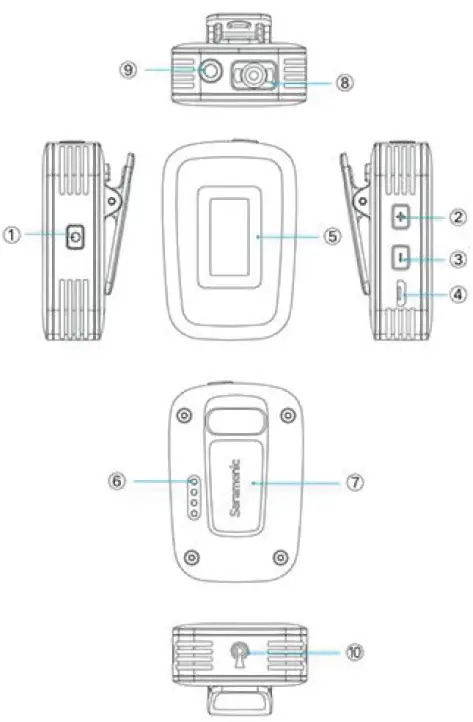
| Function | Operation |
| Power ON | Press button for 3 second or longer |
| Power OFF | Press button until it turns off |
| Mute ON Mute Off | Short press button |
| Function | Operation |
| + | Short pressthe SET button to select functions or values shown on the display. |
| SET | Long press the SET button to enter the displayed menu. Then, long press the SET button again to confirm your option. |
- – Button
Short press the button to select functions or values shown on the display. - Micro USB Charging Port (DC SV}
- OLED Display
Display menus, please refer to “OLEO Display Operation Guide” for more details. ® Charging & Pairing Contacts - Belt Clip
- Built-in Microphone
- MIC/LINE IN Jack
It can be connected to the 3.5mm lava lier microphone or line-in devices. - Antenna
Blink500 Pro RX: Clip-On and Shoe Mountable Receiver
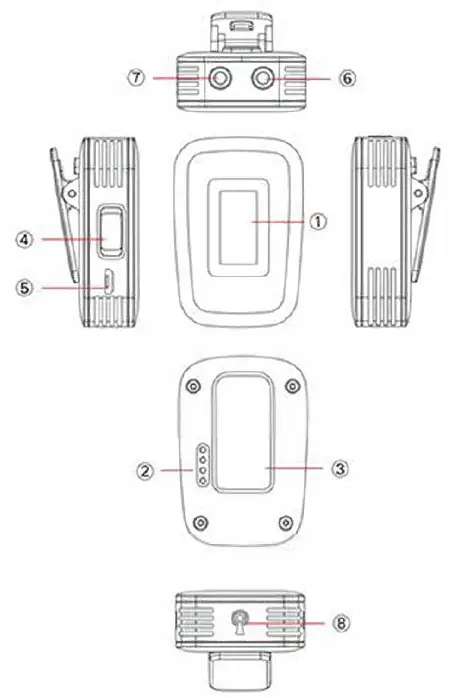
- OLED Display
Display menus, please refer to “OLED Display Operation Guide” for more details. - Charging & Pairing Contacts
- Belt Clip with a Standard Cold Shoe Mount
- MIS Switch
The output mode can be set to mono or stereo. When the output mode is in mono, the audio from the left and right channel will be mixed. When in stereo, transmitters’ audio output will be separated to the left and right of the stereo output. - Micro USB Charging Port (DC SV}
- LINE OUT Jack
Connect the BlinkS00 Pro RX to a DLSR camera, smartphone with a 3.5mm headphone jack, mixer or amplifier with the supplied output cable. - 3.5mm Headphone Output
Connect a headphone to monitor the audio output. - Antenna
Blink500 Pro RXUC: USB-C Receiver
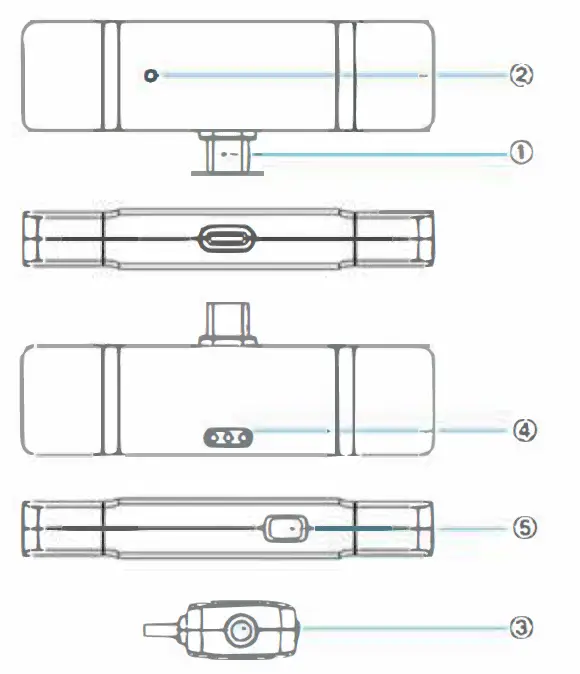
- USB-C Connector
- Pairing Indicator
Note: Please make sure the receiver has fully plugged into your smartphone, if you want to check indicator status.
Mode Indicator Status
Unpaired Flashing Blue Light
Paired Successfully Solid Blue Light - 3.5mm Headphone Output
Connect a headphone to monitor the audio output. - Pairing Contacts
- M/S Switch
The output mode can be set to mono or stereo. When the output mode is in mono, the audio from the left and right channel will be mixed. When in stereo, transmitters’ audio output will be separated to the left and right of the stereo output.
Blink500 Pro RXDi: Lightning Receiver
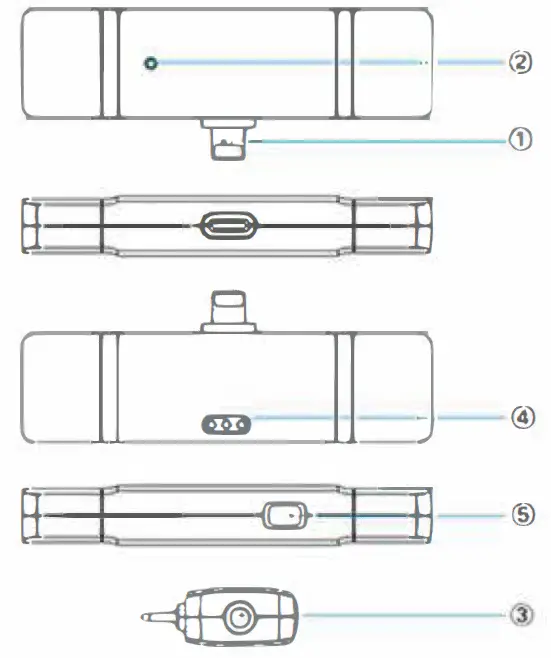
- MFi Certified Apple Lightning Connector
- Pairing Indicator
Note: Please make sure the receiver has fully plugged into your smartphone, if you want to check indicator status.Mode Indicator Status Unpaired Flashing Blue Light Paired Successfully Solid Blue Light - 3.5mm Headphone Output
Connect a headphone to monitor the audio output. - Pairing Contacts
- MIS Switch
The output mode can be set to mono or stereo. When the output mode is in mono, the audio from the left and right channel will be mixed. When in stereo, transmitters’ audio output will be separated to the left and right of the stereo output.
Charging Box
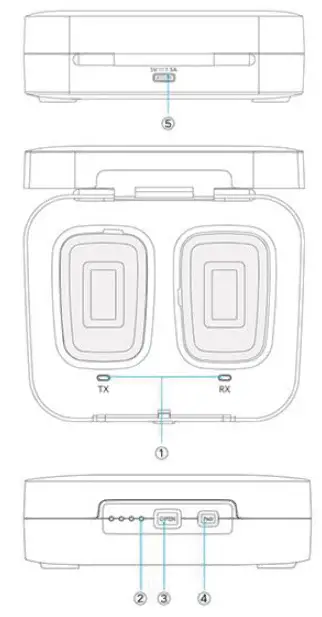
- TX & RX Charging Indicator
Charging = Solid Red
Fully Charged=Lights Off - Power Capacity Indicator
- OPEN Button
- Pair Button
Long press the Pair button for 3 seconds to enter pairing mode. For details on setting the level, please see “Operational Guide”. - USB-C Charging Port {DC SV)
Blink500 Pro HM
Handheld Microphone Holder for Blink500 Pro
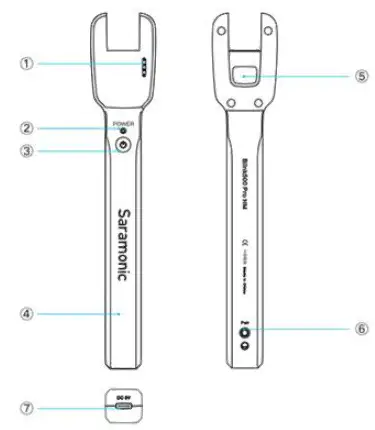
OLED Display Operation Guide
OLED Display Introduction (Transmitter)
Home screen
If no operation is performed for 20 seconds on the other screens, the display will automatically return to the home screen.
Operation Guide
For the BlinkS00 Pro B1 /B2 kit
- Turn on the transmitter TX by long pressing the power key.
- Turn on the receiver RX by long pressing the power key.
Before leaving factory, the device have been paired successfully. If they are disconnected or unpaired, please follow below steps:
- Press hard the pairing button of charging box.
- The kit will be paired when the pair indicator of OLED display of TX should be indicate RX battery level, and the pairing indicator should be shown
- Connect the receiver RX to the mic jack of a camera, camcorder, recorder or mixer with the supplied 3.5mm TRS audio cable. Or connect the RX to a smartphone or tablet with the supplied 3.5mm TRS to TRRS audio cable.
- You are ready to record.
Note: The output of receiver RX is line out.
You can connect it to speaker system. To avoid noise during connection, before connecting the receiver to a speaker system, please mute the speaker system and do not use the headphones.
For the BlinkS00 Pro B3/B4/BS/B6 kit
Turn on the transmitter by long pressing the power key.
Before leaving factory, the device have been paired successfully. If they are disconnected or unpaired, please follow below steps:
- Press hard the pairing button of charging box.
- The kit will be paired when the pair indicator of OLED display of TX should be indicate RX battery level, and the pairing indicator should be shown
- Plug the RXDi into an iOS device or the RXUC into an USB Type-C device. Please make sure the antenna (yellow side) is oriented on the top of the device, when in landscape mode, to get the best signal.
- You are ready to record.
Specification
BlinkSOO Pro RXUC
| Transmission Type | 2.4GHz Digital Frequency |
| Modulation | GFSK |
| Operating Range | Up to 328′(100m) |
| Audio Output Connector | USB-C Connector |
| Power Requirements | Supplied by USB-C Devices |
| Otherfunctions | 3.Smmheadphone ja,ck M/ Sswitch |
| Antenna | PIFA Antenna |
| Weight | Approx. 10.5g(0.37oz) |
| Dimensions | 31x82x12mm |
| Operating Temperature | 0’CtoSO’ C |
| Storage Temperature | – 20′ C to +SS’ C |
Blink500 Pro RXDi
| Transmission Type | 2.4GHz Digital Frequency |
| Modulation | GFSK |
| Oper ating Range | Up to 328′(100m) |
| Audio Output Connector | MFi Certifified Lightning connector |
| Power Requirements | Supplied by iOSDevices |
| Other functions | 3.5mm headphone jack, M/ S switch |
| Antenna | PIFAAntenna |
| Weight | Approx. 10.Sg (0.37oz) |
| Dimensions | 31x82x12mm |
| Operating Temperature | o•c to so•c |
| Storage Temperature | -20°C to +SS’ C |
Blink500 Pro RX/RXW
| TransmisiosnType | 2.4GHz DigitalFrequency |
| Modulation | GFSK |
| Operating Range | Up to 328′ (100m) |
| Audio Output Connector | 3.5 mm Jack |
| Audio Output level | -60d8V to -20d8V |
| Power Requirements | Built-in Li-ion Battery or Micro USS DC 5V or Charging Contact |
| Other functions | 3.5mm headphone jack. M/ S switch, mute function |
| Built – In Battery Life | Approx.8 hours |
| Antenna | PIFAAntenna |
| Weight | Approx.32g (1.13oz) |
| Dimensions | 56• 38• 29.4mm |
| Operating Temperature | 0°Cto 50°C |
| Storage Temperature | -20°C to +55°C |
Blink500 Pro BOX Charging Case
| Power Requirements | Powered by USB-C port (SV/1.SA) |
| Power Capac ity | 2000mAh (B2/B2W/84/86) 1200mAh (Bl/BlW/83/85) |
| Box’sChargingr;me | 81/81W/83/BS: 3 hours 82/82W/84/86: 4 hours |
| Weight | B1/81W/83/85:200g(7.05oz) 82/B2W/84/B6:268g(9.45Ol:) |
| Dimensions | 81/BlW/83/85: 123x102x39.7mm 82/82W/84/86: 165.8• 102.9×39.7mm |
| Operating Temperature | 0°Cto so·c |
| Storage Temperature | – 2o•c to +55°C |
Blink500 Pro TX/TXW
| Transmisison Type | 2.4GHz Digital Frequency |
| Modulation | GFSK |
| Operating Range | Up to 328′ (100m) |
| RF Output Power | l0mW |
| Polar Pattern | Omnidirectional |
| Frequency Response | 50Hz-18KHz |
| MaximumSPL | Bui-lt In Microphone:120d8 SPL Lavalier Microphone: 110dB SPL |
| Sens itivity | Bu;lt-lnMicrophone: -39d8 Lavalier Microphone: -39d8 |
| SNR | > 78dB |
| Reference aud io input level | -30– 42d8vMIC input,O dB attenuation) |
| Power Requirements | Built-in Li-ion Battery or Micro USS DC SV or Charging Contact |
| Other Functions | 3.5mm headphone jack, mute function High-contrast OLEDDisplay |
| Built-In Battery Life | Approx. 8 hours |
| Antenna | PIFAAntenna |
| Audio Inputs | 3.5mm TRS Lavalier Mic/ li ne- i n Input or Built–in Microphone |
| Weight | Approx.32g (1.13oz) |
| Dimensions | 56.Sx38x26. 1mm |
| Operat ing Temperature | o·c to so•c |
| Storage Temperature | -20°C to +55°C |
Blink500 Pro HM
| Power Requirements | Powered by USB-C port(5V) |
| Power Capacity | Bui-lt in Li-ion Battery 1100mAh |
| Box‘s Charging Time | Approx. 3 hours |
| Weight | 68.Sg(2.4 oz) |
| Dimensions | 206.7×38.1×25.2mm |
Packing List
Blink500 Pro 81(1 x8link500 Pro RX+1 x8link500 Pro TX)
- 1 x Blink500 Pro RX Receiver with Built-In Clip and Camera Shoe-Mount (Integrated with OLED Display)
- 1 x Blink500 Pro TX Transmitter with OLED Display and Built-In Microphone
- 1 x Blink500 Pro B 1 BOX Charging Case
- 1 x Zipper Bag
- 1 x 1′ (30.5 cm) Gold-Plated 3.5mm TRS to TRS Output Cable for Cameras
- 1 x 1′ (30.5 cm) Gold-Plated 3.5mm TRS to TRRS Output Cable for Smart phones and Tablets
- 1 x 1′ (30.5 cm) Gold-Plated USB-C to USB-A Charging Cable
- 1 x 1′ (30.5 cm) Gold-Plated Micro USB to USB-A Charging Cable
- 1 x SR-M1 Omnidirectional Lavalier Microphone
- 1 x Alligator-Style Lavalier Microphone Clip
- 1 x Foam Lavalier Windscreen
- 1 x Warranty Card
- 1 x User Manual
Blink500 Pro 82(1 x8link500 Pro RX+2x81ink500 Pro TX)
- 1 x Blink500 Pro RX Receiver with Built-In Clip and Camera Shoe-Mount
- 2 x BlinkS00 Pro TX Transmitter with OLED Display and Built-In Microphone
- 1 x Blink500 Pro B2 BOX Charging Case
- 1 x Zipper Bag
- 1 x 1′ (30.5 cm) Gold-Plated 3.5mm TRS to TRS Output Cable for Cameras
- 1 x 1′ (30.5 cm) Gold-Plated 3.5mm TRS to TRRS Output Cable for Smart phones and Tablets
- 1 x 1′ (30.5 cm) Gold-Plated USB-C to USB-A Charging Cable
- 1 x 1′ (30.5 cm) Gold-Plated Micro USB to USB-A Charging Cable
- 2x SR-M1 Omnidirectional Lavalier Microphone
- 2 x Alligator-Style Lavalier Microphone Clip
- 2 x Foam Lavalier Windscreen
- 1 x Warranty Card
- 1 x User Manual
Blink500 Pro 83(1 x81ink500 Pro RX Di
- 1 xBlinkS00 Pro TX)
- 1 x Blink500 Pro RX Di Receiver with MFi Certified Apple Lightning Connector
- 1 x Blink500 Pro TX Transmitter with OLED Display and Built-In Microphone
- 1 x Blink500 Pro 83 BOX Charging Case
- 1 x Zipper Bag
- 1 x 1′ (30.5 cm) Gold-Plated USB-C to USB-A Charging Cable
- 1 x 1′ (30.5 cm) Gold-Plated Micro USB to USB-A Charging Cable
- 1 x SR-M1 Omnidirectional Lavalier Microphone
- 1 x Alligator-Style Lavalier Microphone Clip
- 1 x Foam Lavalier Windscreen
- 1 x Warranty Card
- 1 x User Manual
Blink500 Pro B4(1 xBlinkSOO Pro RX Di +2x8link500 Pro TX)
- 1 x Blink500 Pro RX Di Receiver with MFi Certified Apple Lightning Connector
- 2 x Blink500 Pro TX Transmitter with OLED Display and Built-In Microphone
- 1 x Blink500 Pro B4 BOX Charging Case
- 1 x Zipper Bag
- 1 x 1′ (30.5 cm) Gold-Plated USB-C to USB-A Charging Cable
- 1 x 1′ (30.5 cm) Gold-Plated Micro USB to USB-A Charging Cable
- 2 x SR-M 1 Omnidirectional Lavalier Microphone
- 2x Alligator-Style Lavalier Microphone Clip
- 2x Foam Lavalier Windscreen
- 1 x Warranty Card
- 1 x User Manual
Blink500 Pro B5(1 xBlinkSOO Pro RXUC+ 1 xBlinkSOO Pro TX)
- 1 x Blink500 Pro RXUC Receiver with USB-C Connector
- 1 x Blink500 Pro TX Transmitter with OLED Display and Built-In Microphone
- 1 x Blink500 Pro BS BOX Charging Case
- 1 x Zipper Bag
- 1 x 1′ (30.S cm) Gold-Plated USB-C to USB-A Charging Cable
- 1 x 1′ (30.S cm) Gold-Plated Micro USB to USB-A Charging Cable
- 1 x SR-M1 Omnidirectional Lavalier Microphone
- 1 x Alligator-Style Lavalier Microphone Clip
- 1 x Foam Lavalier Windscreen
- 1 x Warranty Card
- 1 x User Manual
BlinkS00 Pro B6(1 xBlinkS00 Pro RXUC+ 2xBlink500 Pro TX)
- 2 x Blink500 Pro RXUC Receiver with USB-C Connector
- 1 x Blink500 Pro TX Transmitter with OLEO Display and Built-In Microphone
- 1 x Blink500 Pro B6 BOX Charging Case
- 1 x Zipper Bag
- 1 x 1′ (30.5 cm) Gold-Plated USB-C to USB-A Charging Cable
- 1 x 1′ (30.S cm) Gold-Plated Micro USB to USB-A Charging Cable
- 2 x SR-M1 Omnidirectional Lavalier Microphone
- 2 x Alligator-Style Lavalier Microphone Clip
- 2 x Foam Lavalier Windscreen
- 1 x Warranty Card
BlinkS00 Pro B1 W(1 xBlinkS00 Pro RXW+1 xBlinkS00 Pro TXW)
- 1 x BlinkS00 Pro RXW Receiver with Built-In Clip and Camera Shoe-Mount
- 1 x Blink500 Pro TXW Transmitter with OLEO Display and Built-In Microphone
- 1 x 8Iink500 Pro B 1 W BOX Charging Case
- 1 x Zipper Bag
- 1 x 1′ (30.S cm) Gold-Plated 3.5mm TRS to TRS Output Cable for Cameras
- 1 x 1′ (30.S cm) Gold-Plated 3.5mm TRS to TRRS Output Cable for Smart phones and Tablets
- 1 x 1′ (30.S cm) Gold-Plated USB-C to USB-A Charging Cable
- 1 x 1′ (30.5 cm) Gold-Plated Micro USB to USB-A Charging Cable
- 1 x SR-M1W Omnidirectional Lavalier Microphone
- 1 x Alligator-Style Lavalier Microphone Clip
- 1 x Foam Lavalier Windscreen
- 1 x Warranty Card
- 1 x User Manual
- 1 x User ManuaIBlink500 Pro
Blink500 Pro HM
- 1 x Handheld Microphone Holder
- 1 x USB-C Charging Cable
- 1 x Foam Windscreen