
Ultracompact 2.4GHz Dual-Channel
Wireless Microphone System
2.4GHz
BlinkSOO
User Manual
General Introduction
The Saramonic Blink500 is an incredibly lightweight, ultracompact and easy-to-use 2-person wireless microphone system for DSLR, Mirrorless and Video cameras, or mobile
devices that delivers detailed, broadcast-quality sound. The system series is comprised of three different receivers. The RX receiver has a 3.5mm output and includes TRS and
TRRS output cables, allowing it to work with any device with a 3.5mm audio input. The RXDi receiver has a MFi Certified Lightning output and is designed for Apple iOS devices. And the RXUC receiver has a USB-C output and is designed for devices with a USB-C pont, including Android smartphones and tablets.
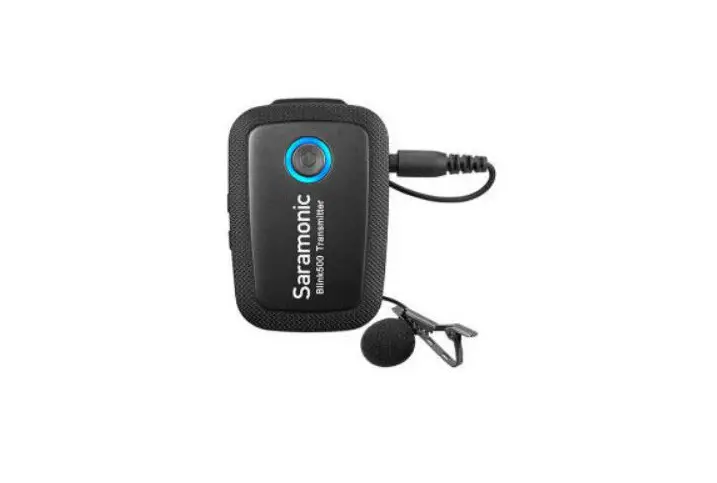
The clip-on transmitter has a great sounding built-in mic and it is small and light enough to clip to shirts and clothing, or you can use it as a traditional beltpack transmitter with the included SR-M11 professional lavalier microphone. No technical knowledge of audio is required to operate. The Blink500 system operates on the interference-free
2.4GHz spectrum and automatically hops to free channels to avoid static noise and audio dropouts.
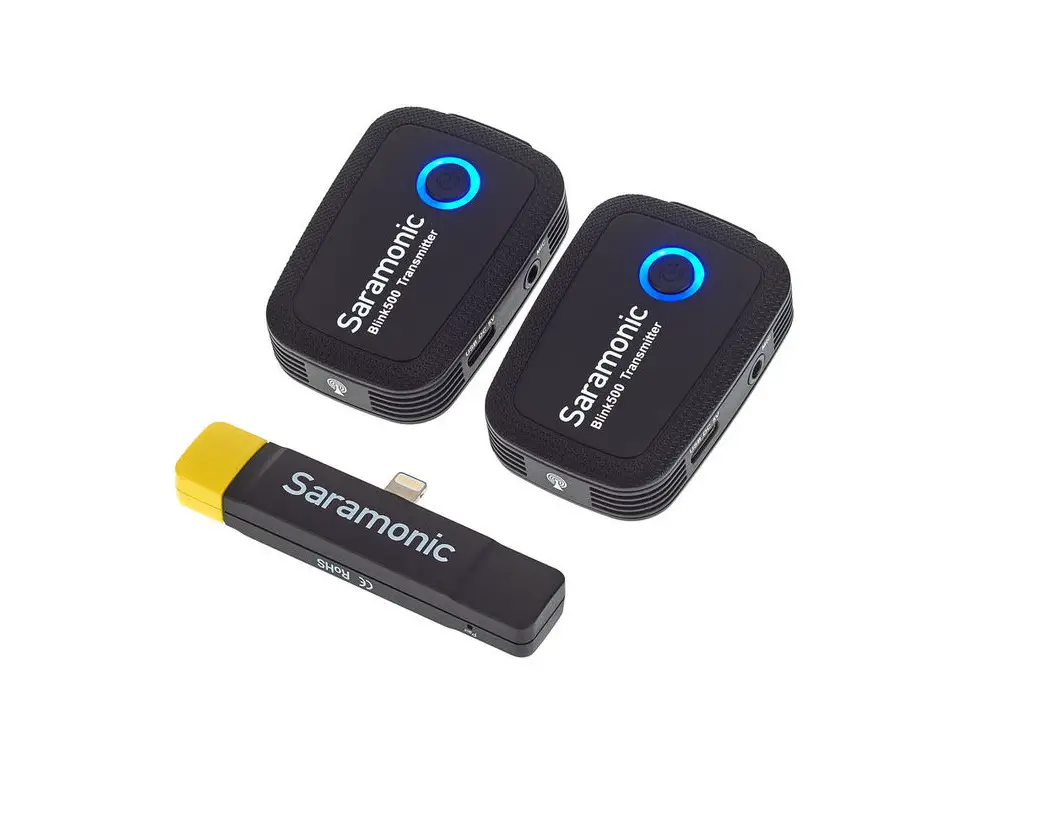
BlinkS00 series available:
| Model | In the box |
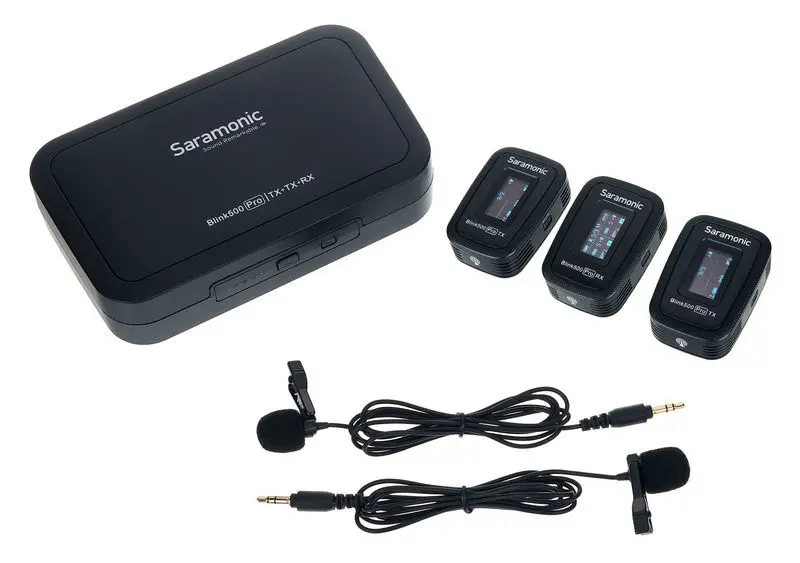
| Blink500 131 (TX+RX) | 1 xBlink500 RX 1 xBlink500 TX |
| Blink500 B1W(TXW+RXW) | 1 xBlink500 RXW 1 xBlink500 TXW |
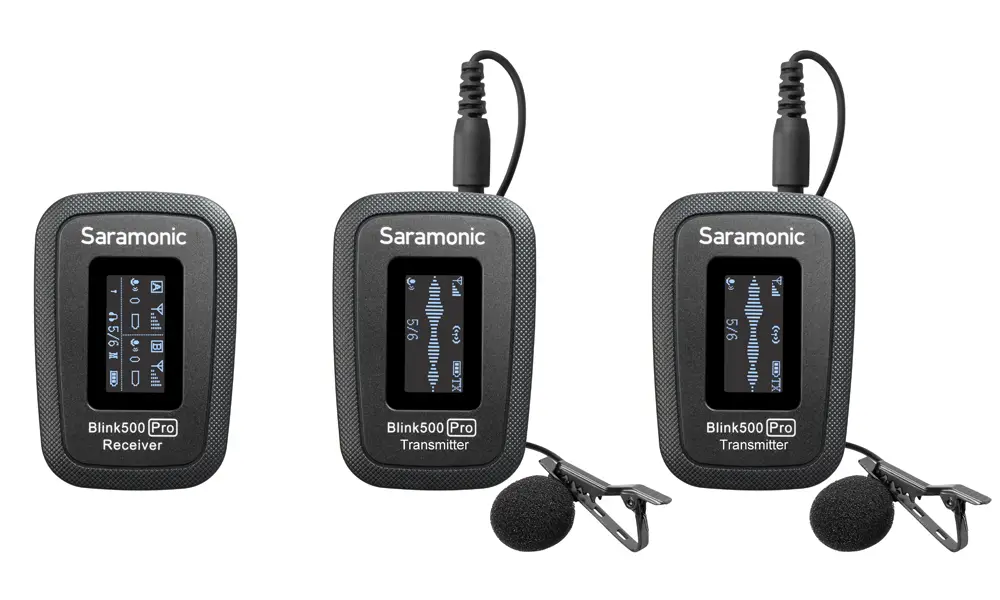
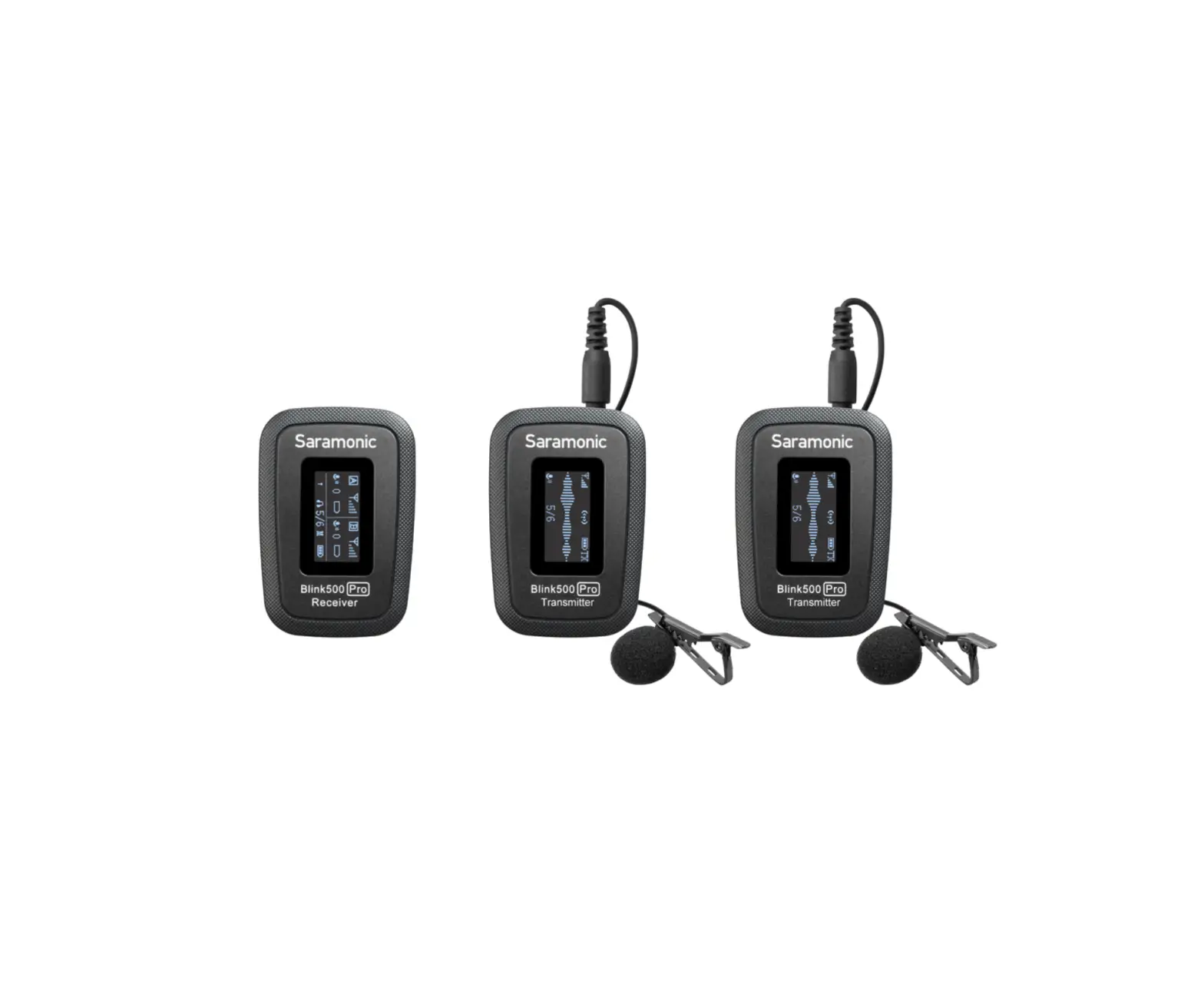
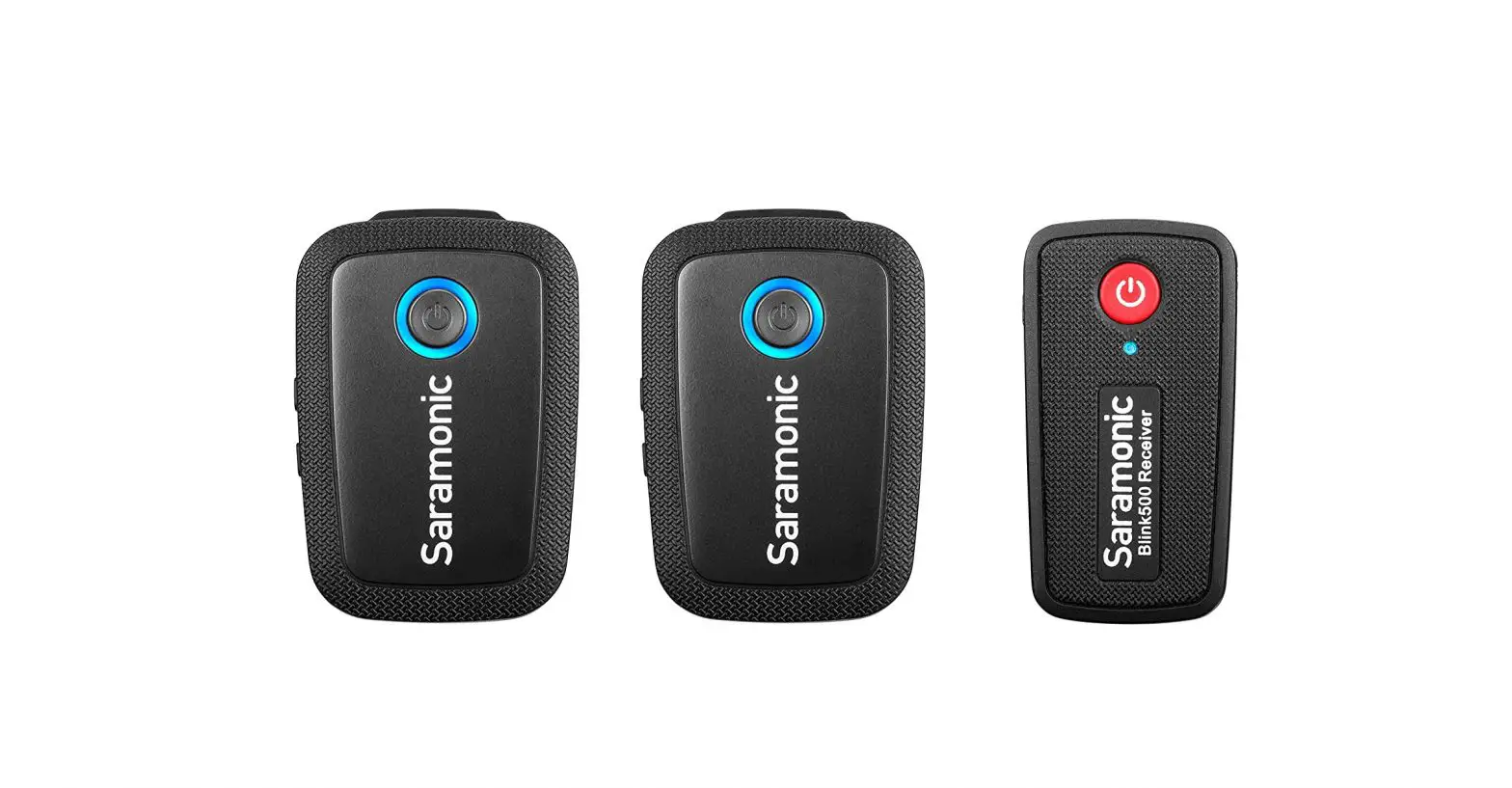
| Blink500 B2(TX+TX+RX) | 1 xBlink500 RX 2x Blink500 TX |
| Blink500 B2W(TXW+TXW+RXW) | 1 xBlink500 RXW 2xBlink500 TXW |
| Blink500 B3(TX+RXDi) | 1 xBlink500 RXDi 1 xBlink500 TX |
| Blink500 B4(TX+TX+RXDi) | 1 xBlink500 RXDi 2xBlink500 TX |
| Blink500 B5(TX+RXUC) | 1 xBlink500 RXUC 1 xBlink500 TX |
| Blink500 B6(TX+TX+RXUC) | 1 xBlink500 RXUC 2xBlink500 TX |
Note: If using an Android phone, please set the “OTG Connection” to “ON.” The OTG connection menu is usually in the “Additional Settings” in your phone setting menu.
Product Structure
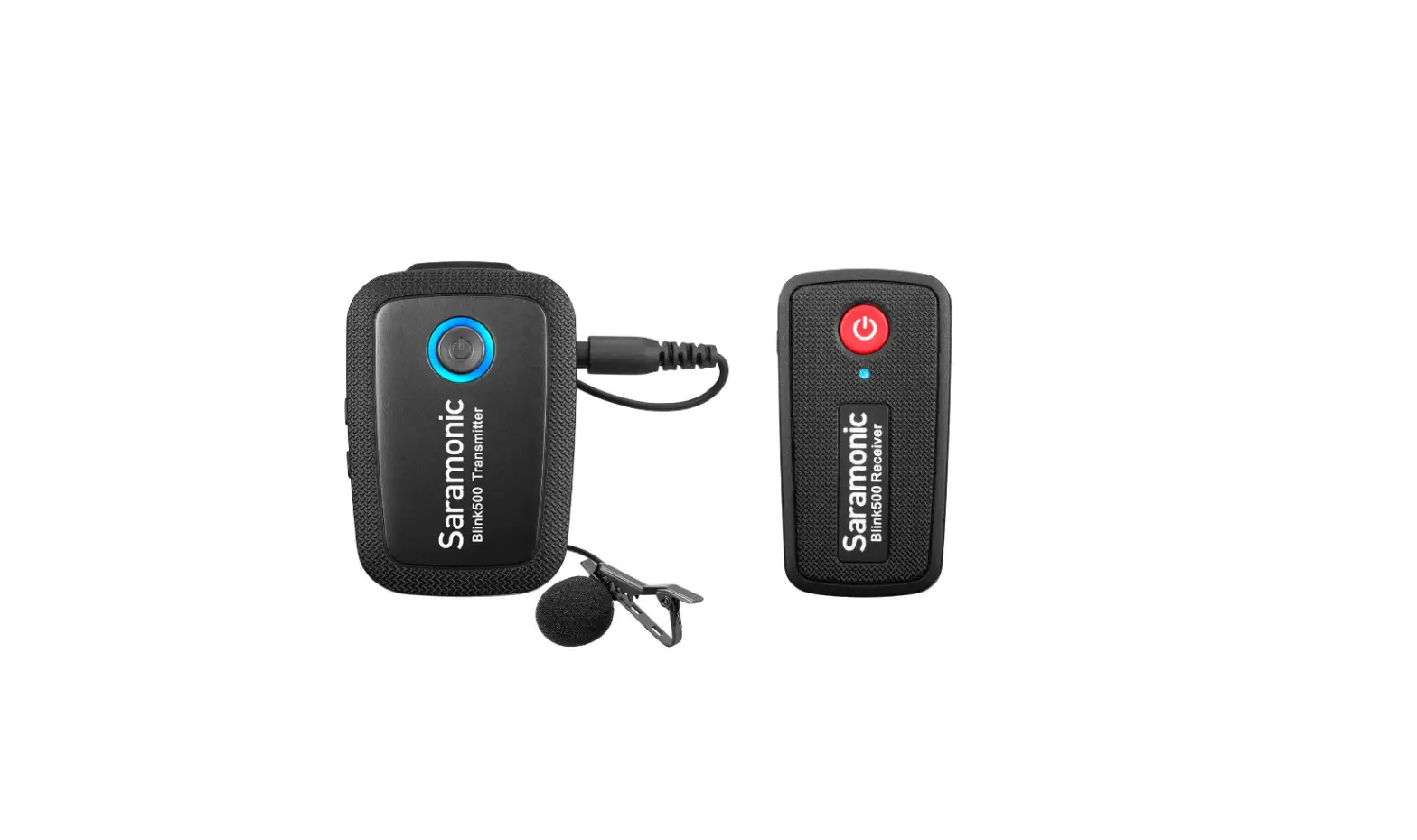
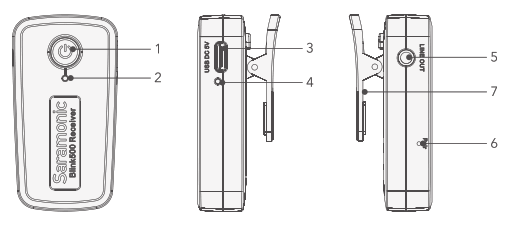
- BlinkS00 RX: Clip-On and Shoe-Mountable Receiver
 Power Key
Long press to turn on or off the receiver. - Power and Pairing Indicator
Power Functions: Solid Red Light = Low Battery Flashing Red Light = Battery Nearly Run Out
Pairing Functions: Flashing Blue Light (every one second) = Unpaired Quick Flashing Blue Light (every 0.5 second) = Waiting for Pairing Solid Blue Light = Paired Successfully Once the receiver and transmitter are paired, they will be connected with each other automatically, even when powered off and on. - USB Type-C Charging Port
- Charge Indicator
Solid Green Light = Charging Battery Light turns off when fully charged - Lne Out Connect the rece ver to a DSLR or Mrrorless camera camcorder smartphone. tablet, mixer or amplifier with the supplied output cable
- Pairing Pin-Hole
- Belt Clip and Standard Cold Shoe Mount
 Power Key
2. BlinkS00 RXDi: Lightning Receiver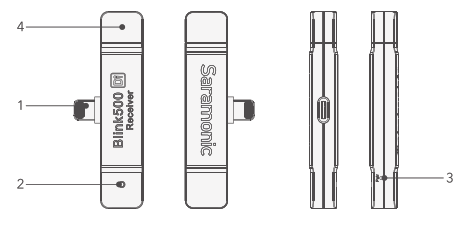
- Lightning Connector
- Pairing Indicator
Flashing Blue Light (every one second) = Unpaired Quick Flashing Blue Light (every 0.5 second) = Waiting for Paring Solid Blue L ight Paired Successfully
Once the receiver and transmitter are paired they will be connected with each other automatically even when powered off and on . - Pairing Pin-Hole
- Antenna
In order to have better transmit signal, when connecting the receiver to your smartphone, make sure to antenna (the yellow part) is on the upside.
3.BlinkS00 RXUC: USB-C Receiver 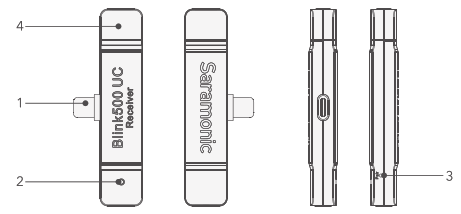
- USB Type-C Connector
- Pairing Indicator
Flashing Blue Light (every one second) = Unpaired
Quick Flashing Blue Light (every 0.5 second) = Waiting for Pairing
Solid Blue Light = Paired Successfully
Once the receiver and transmitter are paired, they will be connected with each other automatically, even when powered off and on. - Pairing Pin-Hole
- Antenna
Once the receiver and transmitter are paired, they will be connected with each other automatically, even when powered off and on.
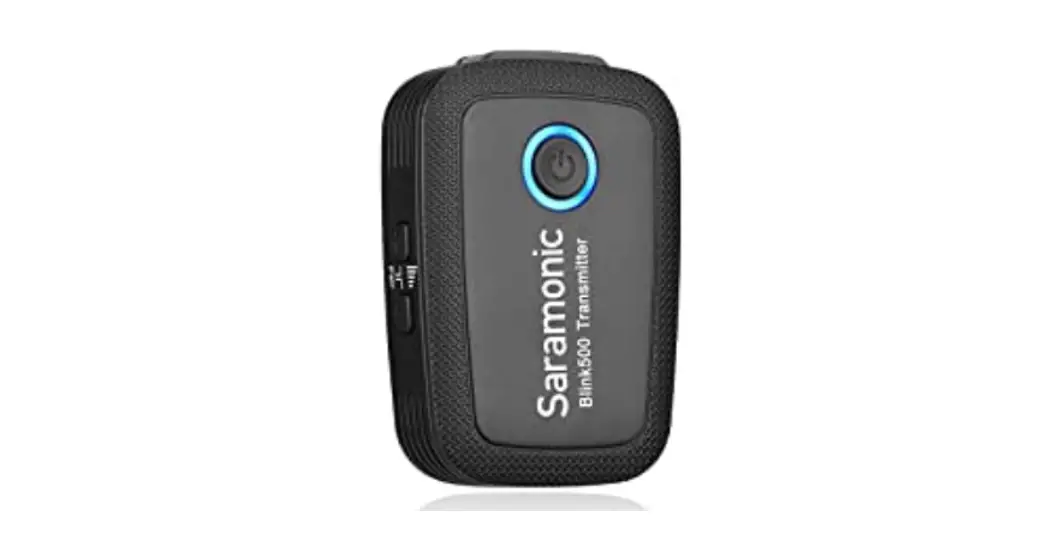
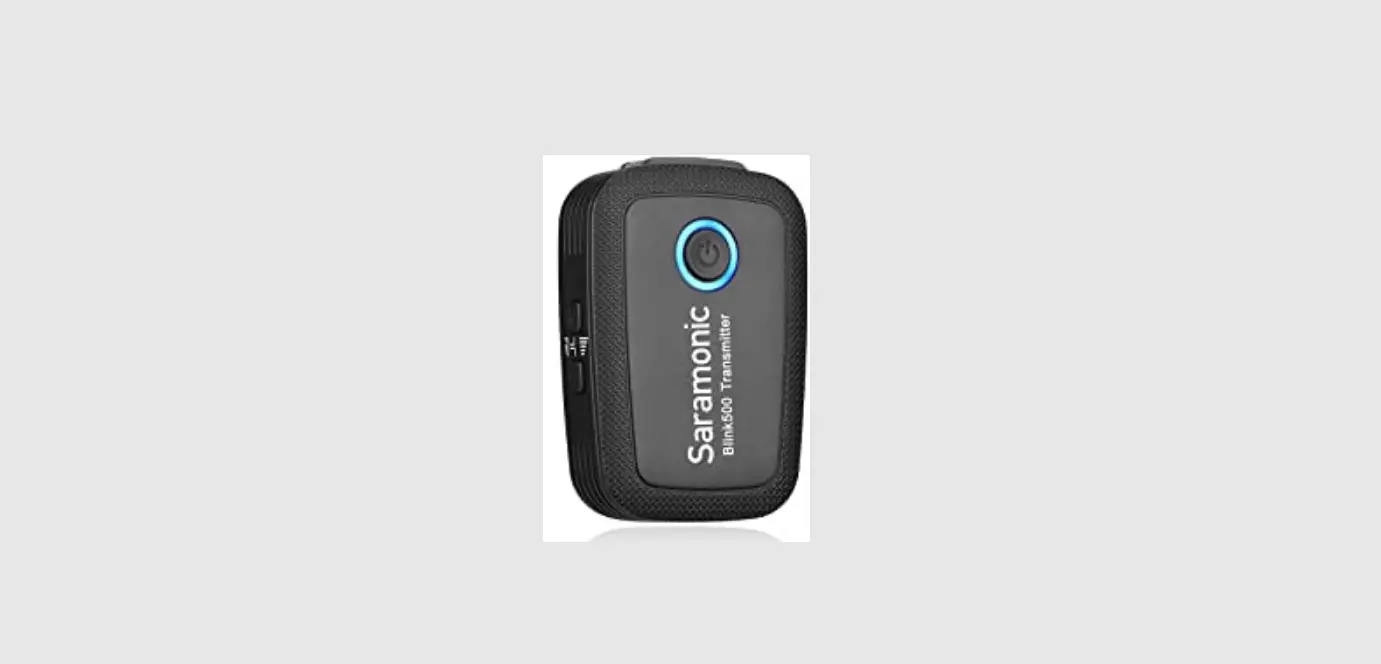
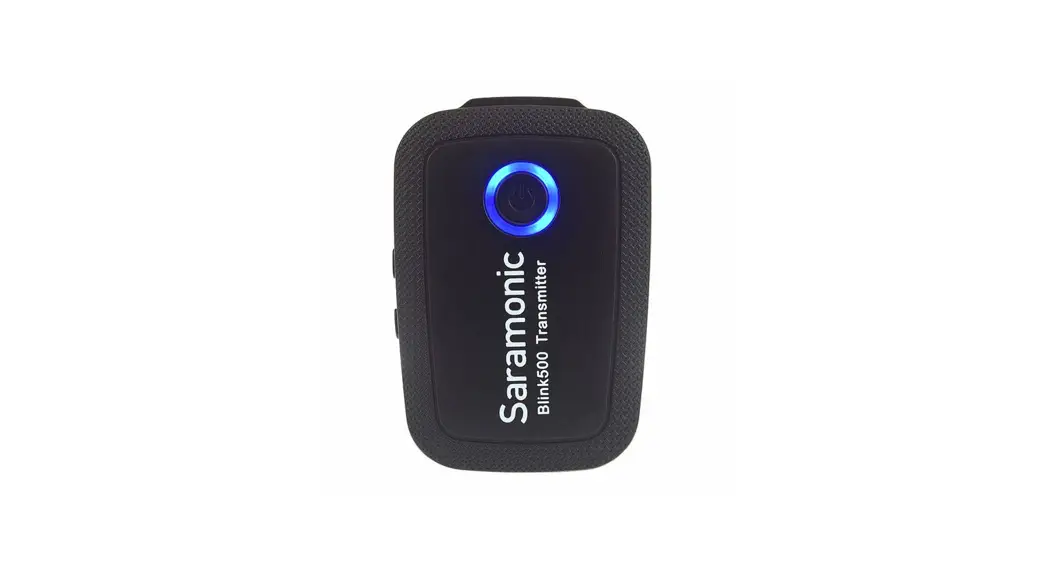
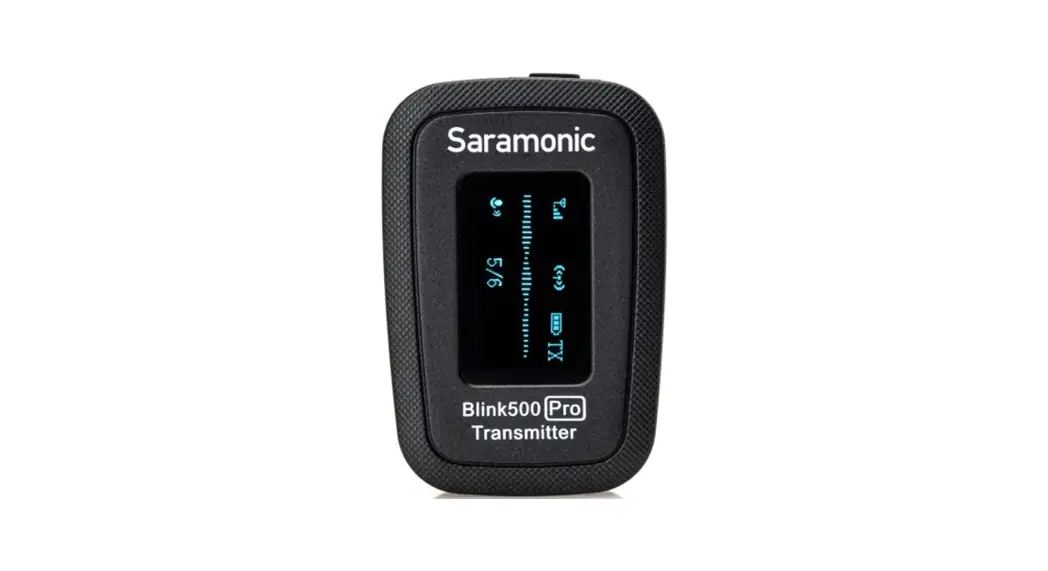
4. BlinkS00 TX: Body-pack Transmitter with Microphone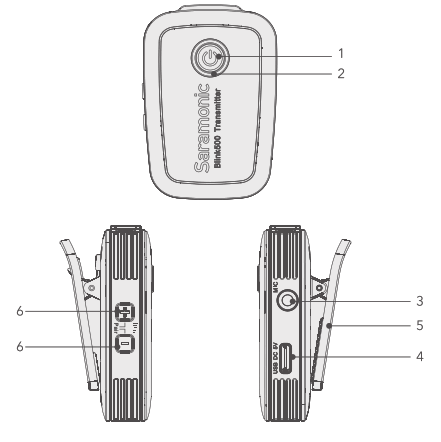
- Power Key
Long press to turn on or off the transmitter. - Power Indicator, Volume Indicator and Pairing Indicator
Power Functions: Solid Red Light = Low Battery Flashing Red Light = Battery Nearly Run Out
When charging: Solid Green Light = Charging Battery Light turns off when fully charged.
Volume Functions: Indicates the volume setting in six stages (5dB/stage).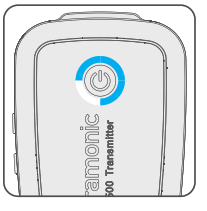
Adjust the audio level by the “+” and”-” buttons.
Default is in the third stage. The transmitter mic will be muted if you turn down the volume till all the lights are turned off.
Pairing Functions: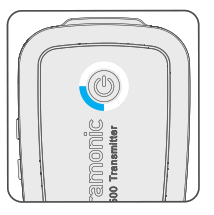
Flashing Blue Light (every one second) = Unpaired
Slow Flashing Blue Light (every three seconds) = Paired Successfully
3.5mm Audio Input
Connect to the supplied lavalier microphone.
@ USB Typc-C Charging Port
9 Belt Clip and Standard Cold Shoe Mount
@ Volume Control Buttons & Pair Buttons
Operation Guide
For the BlinkS00 B1 /B2 kit
- Turn on the transmitter TX by long pressing the power key.
- Turn on the receiver RX by long pressing the power key.
- Insert the pairing pin into the pairing pin-hole of RX, press hard and the pair indicator should be quick flashing at every 0.5s. Press both the “+” and”-” button of transmitter TX simultaneously within 10 seconds.
- The kit will be paired when the RX pair indicator is solid blue and the TX pair indicator is flashing slowly.
Note: To pair the second transmitter TX, just repeat the step 3 and 4. - Connect the receiver RX to the mic jack of a camera, camcorder, recorder or mixer with the supplied 3.5mm TRS audio cable. Or connect the RX to a smartphone or tablet with the supplied 3.5mm TRS to TRRS audio cable.
- You are ready to record.
Note: The output of receiver RX is line out. You can connect it to speaker system. To avoid noise during connection, before connecting the receiver to a speaker system, please mute the speaker system and do not use the headphones.
For the BlinkS00 B3/B4/B5/B6 kit
- Turn on the transmitter by long pressing the power key.
- Plug the RXDi into an i0OS device or the RXUC into an USB Type-C device. Please make sure the antenna (yellow side) is oriented on the top of the device, when in
landscape mode, to get the best signal. - Insert the pairing pin into the pairing pin-hole of RXDi or RXUC, press hard and the pair indicator should be quick flashing at every 0.5s. Press both the “+”and “-” button of transmitter TX simultaneously within 10 seconds.
- The kit will be paired when the RX pair indicator is solid blue and the TX pair indicator is flash slowly.
Note: To pair the second transmitter TX, just repeat the step 3 and 4. - You are ready to record.
Specification
Blink500 RXUC
| Transmission Type | 2.4GHz Digital Frequency |
| Modulation | GFSK |
| Operating Range | Up to 164′ (50m) |
| Audio Output Connector | USB-C Connector |
| Power Requirements | Supplied by USB-C Devices |
| Antenna | PIFA Antenna |
| Weight | Approx. 10.5g (0.37oz) |
| Dimensions | 76×16.5x11mm |
| Operating Temperature | 0°C to 50°C |
| Storage Temperature | -20°C to +55°C |
| Transmission Type . | 2.4GHz Digital Frequency |
| Modulation . | GFSK |
| Operating Range . | Up to 164′ (50m) |
| Audio Output Connector | MFi Certified Lightning Connector |
| Power Requirement | Supplied by iOS Device |
| Antenna | PIFA Antenna |
| Weight | Approx. 11 g (0.38oz) |
| Dimensions | 76×16.5x11mrn |
| Operating Temperature | 0°C to 50°C |
| Storage Temperature | -20°C to +55°C |
| Blink500 RX/Blink500 RXW | |
| Transmission Type | 2.4GHz Digital Frequency |
| Modulation | GFSK |
| Operating Range | Up to 164′ (50m) |
| Audio Output Connector | 3.5 mm Jack |
| Audio Output level | -60dBV to -20dBV |
| Power Requirements | Built-in Li-ion Battery or USB-C DC 5V |
| Built-In Battery Life | Approx. 6 hours |
| Antenna | PIFA Antenna |
| Weight | Approx. 26.5g (0.93oz) |
| Dimensions | 62x33x15.5mm |
| Operating Temperature | 0°C to 50°C |
| Storage Temperature | -20°C to +55°C |
| Transmission Type | 2.4GHz Digital Frequency |
| Modulation | GFSK |
| Operating Range | Up to 164 (50m) |
| RE Output Power | 10mW |
| Polar Pattern | ‘ Omnidirectional |
| Frequency Response | 50Hz-18KHz |
| aximum M SPL | Built-in Microphone:120dB SPL Lavalier Microphone: 110dB SPL |
| Sensitivity | Built-in Microphone: -42dB Lavalier Microphone: -30dB |
| SNR | ‘ > 78dB |
| Power Requirements | ‘ Built-in Li-ion Battery or USB-C DC 5V |
| Built-in Battery Life | ‘Approx. 6 hours |
| Antenna | ‘ PIFA Antenna |
| Audio Inputs | 3.5mm TRS Lavalier Microphone Input or Built-in Microphone |
| Weight | Approx. 34g (1.2oz) |
| Dimensions | 63 x43 x 16.5m to |
| Operating Temperature | 0°C to 50°C |
| Storage Temperature | -20°C to +55°C |
Packing List
BlinkSOO RX
1x Blink50O RX Receiver with Built-In Clip and Camera Shoe-Mount
1×1 (305 cm) Gold-Plated 3 5mm TRS to TRS Output Cable for Cameras
1×1 (305cm)Gold-Plated 3.5mm TRS to TRRS Output Cable for Smartphones and Tablets
11(30.5 cm) Gold-Plated USB-C to USB-A Charging Cables
1x Pairing Pin
1x Warranty Card
1x User Manual
BlinkS00 RXW
1x Blink500 RXW Receiver with Built-In Clip and Camera Shoe-Mount
11 130.5cm) Gold-Plated 3.5mm TRS to TRS Output Cable for Cameras
11 (305 cm) Gola-Plated 3.5mm TRS to TRRS Output Cable for Smartohones and Tablets
11(30.5 cm) Gold-Plated USB-C to USB-A Charging Cables
1x Paring Pin
1x Warranty Card
1x User Manual
BlinkS00 TX
1 Blink500 TX Transmitter with Built-In Microphone and Clip
1x SR-M1 Omnidirectional Lavalier Microphone
1 Alligator-Style Lavalier Microphone Clip
1x Foam Lavalier Windscreen
1(30.5 cm) Gold-Plated USB-C to USB-A Charging Cable
1x Paring Pin
1x Warranty Card
1x User Manual
BlinkS00 TXW
1x Blink500 TXW Transmitter with Built-In Microphone and Clip
1x SR-M1W Omnidirectional Lavalier Microphone
1x Alligator-Style Lavalier Microphone Clip
1x Foam
Lavalier Windscreen
11′(30.5 cm) Gold-Plated USB-C to USB-A Charging Cable
1x Pairing Pin
1x Warranty Card
1x User Manual
BlinkS00 RXDi
1 Blink SO0 RXDi Receiver with MFi Certified Apple
Lightning Connector
1x Pairing Pin
1x Warranty Card
1x User Manual
BlinkS00 RXUC
1 Blink 500 RXUC Receiver with USB-C Connector
1x Pairing Pin
1x Warranty Card
1x User Manual
BlinkSOO B1(TX+RX)
1x Blink500 RX Receiver with Built-In Clip and Camera Shoe-Mount
1x Blink50O TX Transmitter with Built-In Microphone and Clip
1x 1′(30.5 cm) Gold-Plated 3.5mm TRS to TRS Output Cable for Cameras
11′(30.5 cm) Gold-Plated 3.5mm TRS to TRRS Output Cable for Smartphones and Tablets
2 1′(30.5 cm) Gold-Plated USB-C to USB-A Charging Cables
1x SR-M1 Omnidirectional Lavalier Microphone
1x Alligator-Style Lavalier Microphone Clip
1x Foam Lavalier Windscreen
1x Pairing Pin
1x Warranty Card
1x User Manual
BlinkSOO B1W(TX+RX)
1 Blink500 RXW Receiver with Built-In Clip and Camera Shoe-Mount
1x Blink50O TXW Transmitter with Built-In Microphone and Clip
1x 1′(30.5 cm) Gold-Plated 3.5mm TRS to TRS Output Cable for Cameras
11′(30.5 cm) Gold-Plated 3.5mm TRS to TRRS Output Cable for Smartphones and Tablets
2 1′(30.5 cm) Gold-Plated USB-C to USB-A Charging Cables
1x SR-M1W Omnidirectional Lavalier Microphone
1x Alligator-Style Lavalier Microphone Clip
1x Foam Lavaler Windscreen
1x Pairing Pin
1x Warranty Card
1x User Manual
BlinkSOO B2(TX+TX+RX)
1 Blink50O RX Receiver with Built-In Clip and Camera Shoe-Mount
2 x Blink50 TX Transmitters with Built-In Microphone and Clip
1×1′(30.5 cm) Gold-Plated 3.5mm TRS to TRS Output Cable for Cameras
11′(30.5 cm) Gold-Plated 3.5mm TRS to TRRS Output Cable for Smartphones and Tablets
3×1′(30.5 cm) Gold-Plated USB-C to USB-A Charging Cables
2 SR-M1 Omnidirectional Lavalier Microphones
2x Alligator-Style Lavalier Microphone Clips
2x Foam Lavalier Windscreens
1 Pairing Pin
1x Warranty Card
1x User Manual
BlinkSOO B2W(TX+ TX+RX)
1 Blink500 RXW Receiver with Built-In Clip and Camera Shoe-Mount
2 x Blink500 TXW Transmitters with Built-In Microphone and Clip
1×1′(30.5 cm) Gold-Plated 3.5mm TRS to TRS Output Cable for Cameras
11′(30.5 cm) Gold-Plated 3.5mm TRS to TRRS Output
Cable for Smartphones and Tablets 3
1′(30 5 cm) Gold-Plated USB-C to USB-A Charging Cables
2 SR-M1W Omnidirectional Lavalier Microphones
2x Alligator-Style Lavalier Microphone Clips
2x Foam Lavalier Windscreens
1 Pairing Pin
1x Warranty Card
1x User Manual
BlinkS00 B3(TX+RXDi)
1x Blink5OO RXDi Receiver with MFi Certified Apple Lightning Connector
1x Blink50O TX Transmitter with Built-In Microphone and Clip
1x SR-M1 Omnidirectional Lavalier Microphone
1x Alligator-Style Lavalier Microphone Clip
1x Foam Lavalier Windscreen
1×1′(30.5 cm) Gold-Plated USB-C to USB-A Charging Cable
1x Pairing Pin
1x Warranty Card
1x User Manual
BlinkS00 B4(TX+ TX+RXDi)
1 Blink50O RXDi Receiver with MFi Certified Apple
Lightning Connector
2x Blink500 TX Transmitters with Built-In Microphone and Clip
2x SR-M1 Omnidirectional Lavalier Microphones
2x Alligator-Style Lavalier Microphone Clips
2x Foam Lavalier Windscreens
2x 1′(30.5 cm) Gold-Plated USB-C to USB-A Charging Cables
1x Pairing Pin
1 x Warranty Card
1 x User Manual
BlinkS00 BS(TX+RXUC)
1 BInk5OO RXUC Receiver with USB-C Connector
1x Blink500 TX Transmitter with Built-In Microphone and Clip
1 SR-M1 Omnidirectional Lavalier Microphones
1x Alligator-Style Lavalier Microphone Clip
1 x Foam Lava lier Windscreen
11′(30.5 cm) Gold-Plated USB-C to USB-A Charging Cable
1x Pairing Pin
1 x Warranty Card
1x User Manual
BlinkS00 B6(TX+ TX+RXUC)
1 Blink5OO RXUC Receiver with USB-C Connector
2x Blink50O TX Transmitters with Built-In Microphone and Clip
2 SR-M1 Omnidirectional Lavalier Microphones
2x Alligator-Style Lavalier Microphone Clips
2x Foam Lavalier Windscreens
2 1′(30.5 cm) Gold-Plated USB-C to USB-A Charging Cables
1x Pairing Pin
1 x Warranty Card
1x User Manual
Common Technical Issues and Solutions
If you encounter problems when using the Blink500 system, please refer to the follow checklist before contacting technical support. If the problem cannot be solved, please contact the dealer’s after-sales service department.
| Problems | Causes | Solutions |
| The RX/TX cannot be turned on | The battery is very low. | Charge the RX/TX with the supplied charging cable. |
| The battery become drained quickly | The device is being used under cold or hot conditions. | Recharge or move to less cold or hot enviornment. |
| There is no sound | The transmitter TX is muted. | Adjust the sound by the “+” and “-” buttons. |
| The transmitter and receiver is not paired. | Pair the system. Refer to the “Operation Guide.” | |
| The audio cable is not fully plugged in. | Re-plug the audio cable. | |
| The sound is weak | The transmitter volume setting is too low. | Adjust the volume, the goal is to transmit the highest level in the entire signal path without distortion to get the highest signal to noise ratio. |
| The sound is distorted | Transmitter/receiver volume setting is not suitable. | Adjust the volume, the goal is to transmit the highest level in the entire signal path without distortion to get the highest signal to noise ratio. |
| Using a mono plug headphone. | Please use the headphone with stereo plug |
| There is too each ambient noise is picked up | The Blink500 TX built-in microphone is omnidirectional. The microphone may pick up more ambient sounds. | Please make sure the microphone is as close as possible to the subject being shot. |
| Tnhteerr7o;sotl°,1nmodr noise | Signal is interfered. | 1. Adjust the angel of transmitter/receiver. 2. There is more radio frequency interference outdoors. Try to move the recording indoors. 3. Be away from conductive objects such as metal and water. 4. Overhead telephone lines, fluorescent lights, and metal fences may interfere with wireless microphones. 5. Turn off all nearby computers and phones. |
| The RF signal is weak. | 1. Make sure that the line of sight between the transmitter and receiver antennas is unobstructed. 2. Your body, clothes, and .age set may be a hindrance. 3. If there are obstacles, you need to shorten the distance between the transmitter and the receiver. | |
| The input level of the camera, recorder or mixer is too high. | The input level of the camera, recorder or mixer is too high. | |
| Lower the volume to the second stage. |

For better recording experience the app-hication
SmartRecorder ts recommended
Smart~Recorder,

EU Declaration of Conformity
RoHS Directive (2011/65/EU)
Hereby, Shenzhen Jiayz Photo Industrial.,ltd declares that the radio equipment model B) k500 system is in compliance with Directive 2014/53/EU.
The full text of the EU declaration of conformity could be downloaded via below link:
www.saramonic.com/product/blink500-bltxrx/
Please follow our WeChat account for more details. iSaramonici
www.saramonic.com scacr:rapny’inL7 fl,;alcr_g2airks22..s:iecr)eNdi7r7,‘”,”Ne;!TIVi’A’e,”(z.::ebnrac,”,sdc’oliI,,nsvcIsi\ITe'” c°- Zr,:`„11.):;),96,s,ihnean;;;;28,,a’ru-41,d4;3rixg:a’:`,1tentc..1c”.:rn,,”ang D’stnct
400-613-1096 Made in China