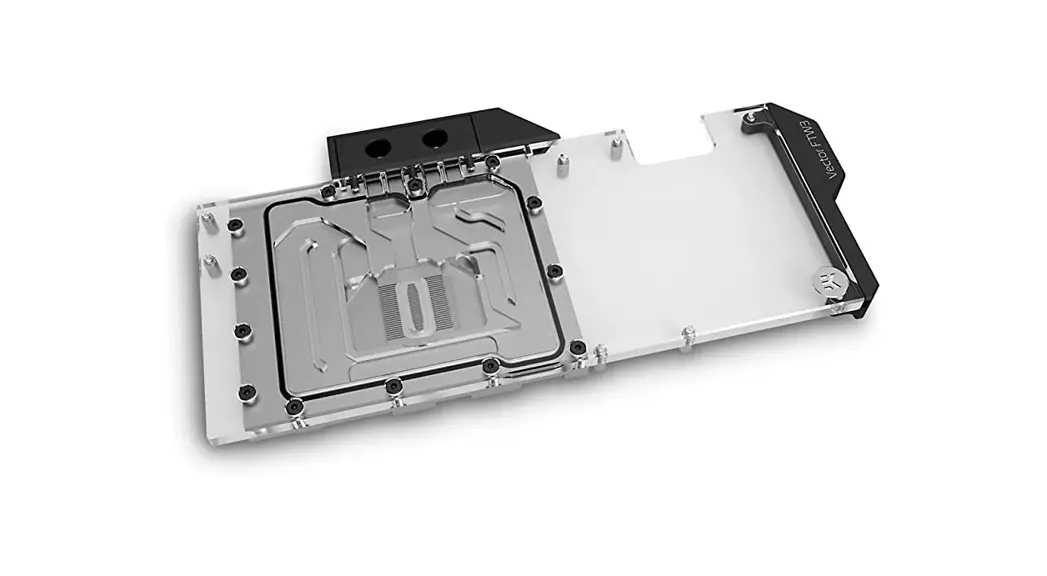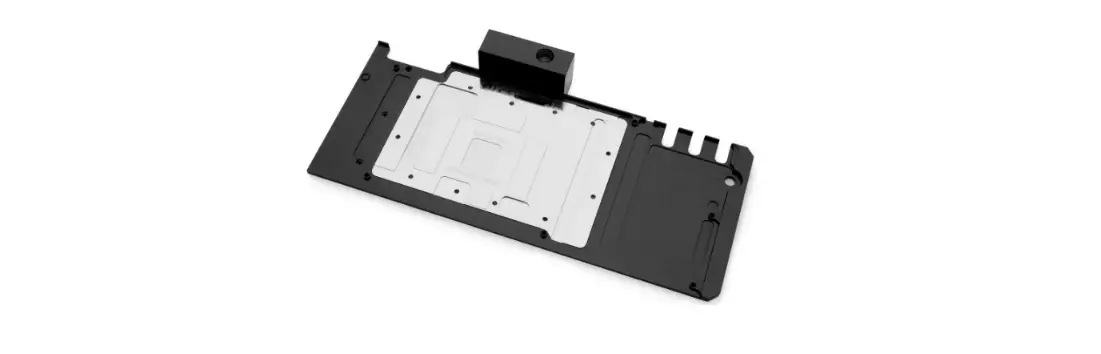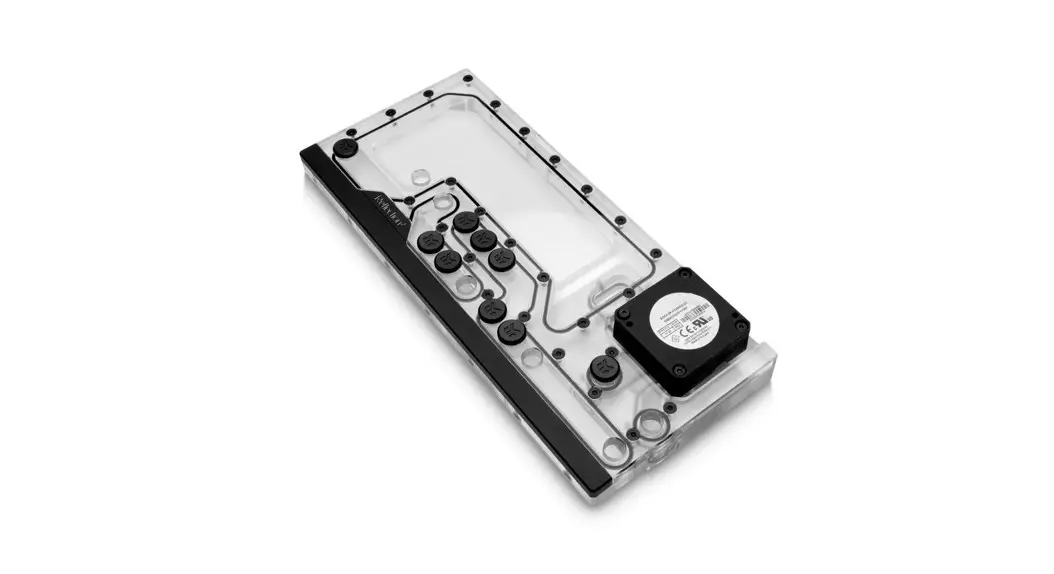

ekwb Z690 EK-Quantum Momentum VRM Bridge ROG Maximus
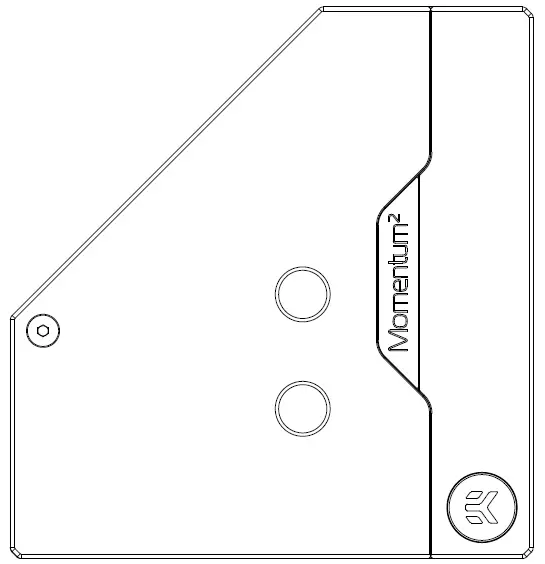
This product is intended for installation only by expert users. Please consult with a qualified technician for installation. Improper installation may result in damage to your equipment. EK Water Blocks assumes no liability whatsoever, expressed or implied, for the use of these products, nor their installation. The following instructions are subject to change without notice. Please visit our website at www. ekwb.com for updates.
Before installation of this product please read the important notice, disclosure, and warranty conditions printed on the back of the box.
Before you start using this product, please follow these basic guidelines:
Please carefully read the manual before beginning the installation process!
The EK Fittings require only a small amount of force to screw them firmly in place since the liquid seal is ensured by the rubber O-ring gaskets.
The use of corrosion-inhibiting coolants is always recommended for liquid cooling systems and mandatory for nickel-plated water blocks!
Do not use pure distilled water! For best results, EK recommends the use of EK-CryoFuel coolants!
Make sure to thoroughly bleed air out of your water block, or you will not achieve optimal performance!
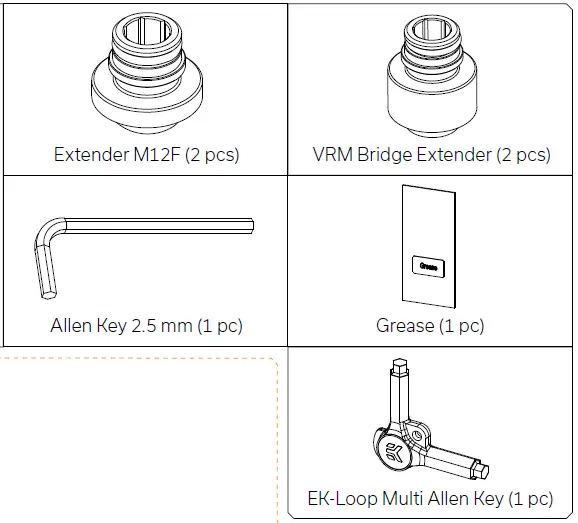
BOX CONTENTS
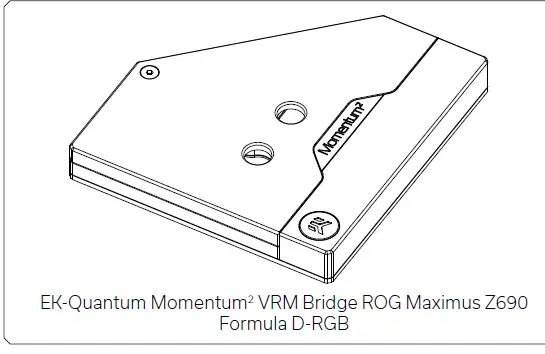
Mounting Mechanism
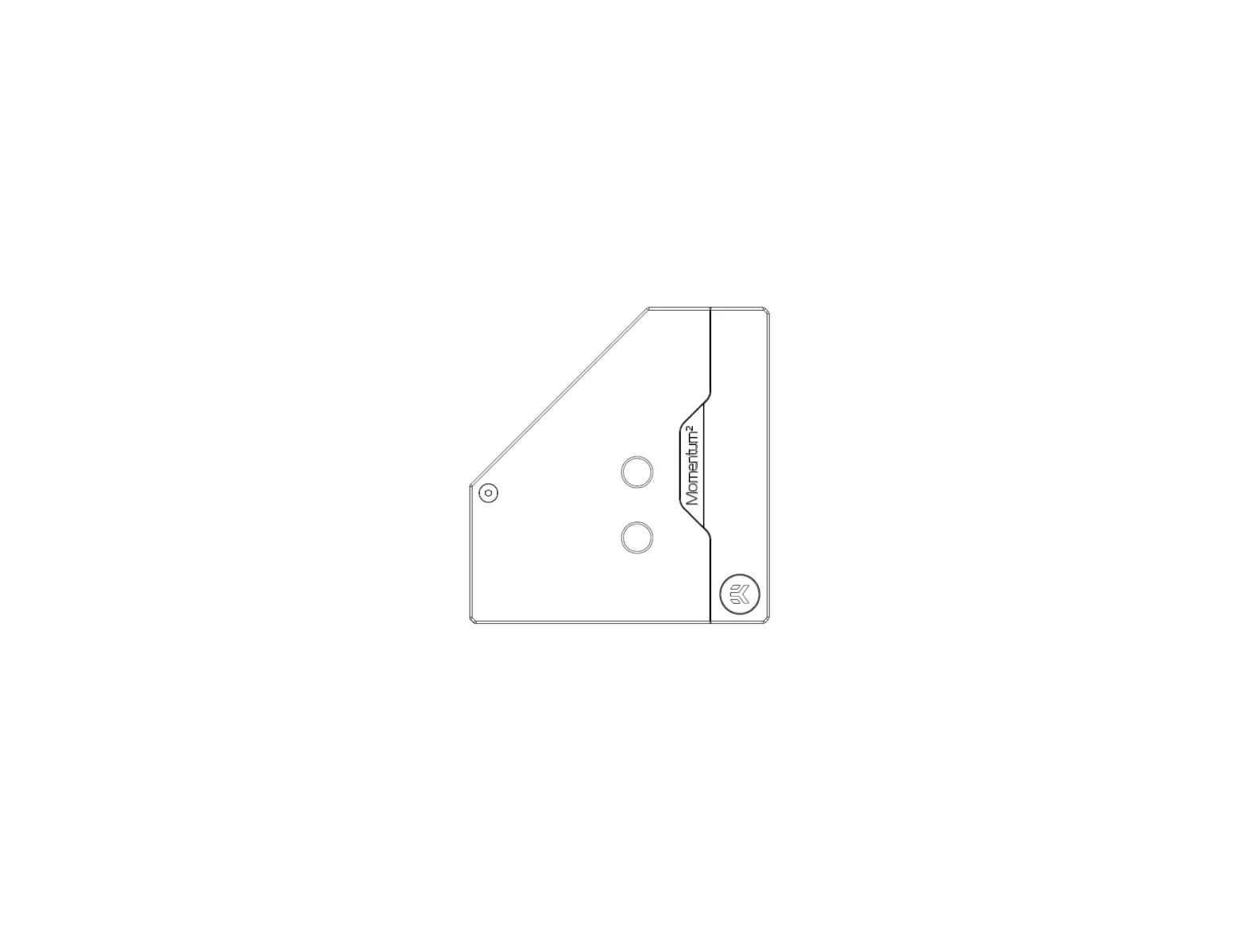
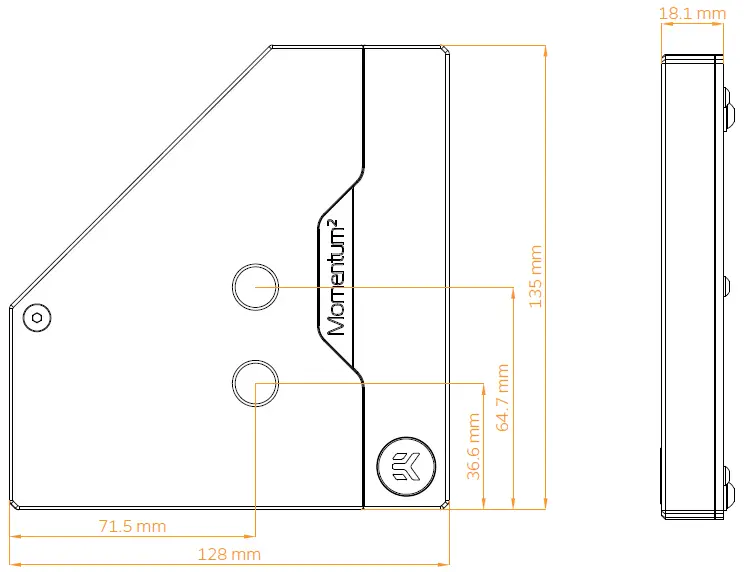
WATER BLOCK DIMENSIONS
WATER BLOCK SPECIFICATIONS AND MAIN PARTS
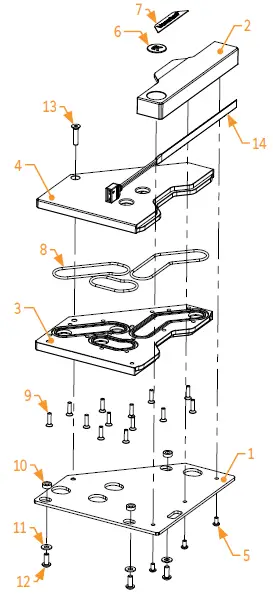
Technical Specification
- Dimensions: (LxHxW) – 128 x 135 x 18.1mm
- D-RGB cable length: 500mm
- D-RGB LED count: 19
- D-RGB connector standard 3-pin (+5V, Data, Blocked, Ground)
| Position | EAN | Description | Quantity |
| 1 | 105115 | Metal plate | 1 |
| 2 | 105116 | Acetal Standout | 1 |
| 3 | 105118 | Bottom plate (Plexi) | 1 |
| 4 | 105117 | Top plate (Plexi) | 1 |
| 5 | 100947 | Screw M3x6 ISO 7380 | 3 |
| 6 | 100663 | EK – Badge | 1 |
| 7 | 104444 | Mylar sticker | 1 |
| 8 | 105166 | O-Ring set | 1 |
| 9 | 104353 | Screw M3x12 7991DIN | 13 |
| 10 | 105120 | Acetal Standoff | 3 |
| 11 | 8603 | Metal washer M4 | 3 |
| 12 | 8011 | Screw M4x10 ISO 7380 | 3 |
| 13 | 104988 | Screw M4x18 7991DIN | 1 |
| 14 | 103155 | LED D-RGB Dense Strip – 500/130mm | 1 |
INSTALLING AND ATTACHING THE WATER BLOCK
STEP 1
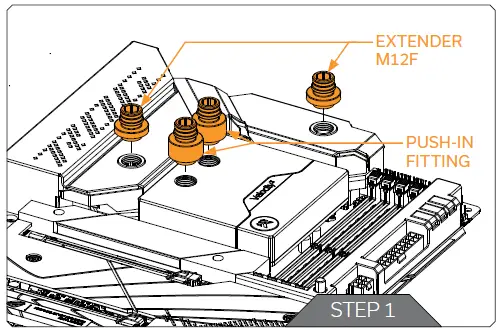
Install your EK-Quantum Velocity2 1700 water block in the illustrated orientation and place the motherboard on a secure flat surface. Using the enclosed EK-Loop Multi Key, install two (2) Extenders M12F and two (2) torque push-in fixation fittings to the pre-installed VRM block and CPU block (as shown in the image).
Do not use excessive force while tightening the fittings.
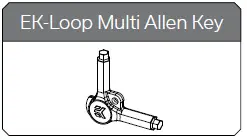
For this step, you will need:
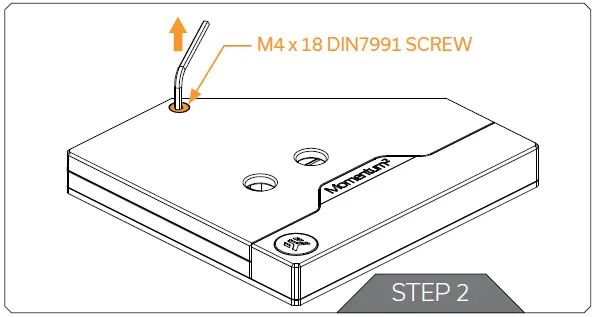
STEP 2
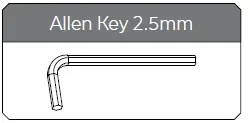
Unscrew the one (1) M4 x 18 DIN7991 screw using the enclosed 2.5mm Allen key and remove it from the block.
Save the screw for later step.
For this step, you will need:
STEP 3
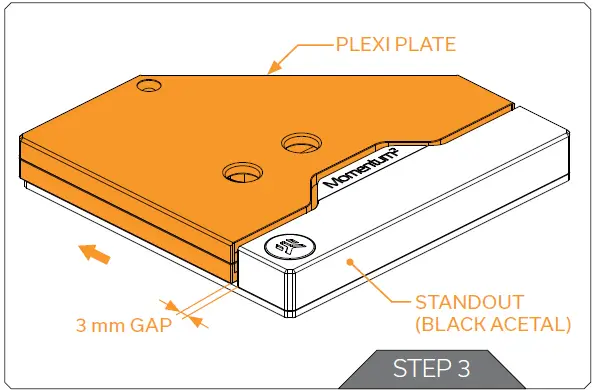
Slide the Plexi away from the black acetal stand-out with stainless steel fixation plate until it stops (approximately at 3 mm)
STEP 4
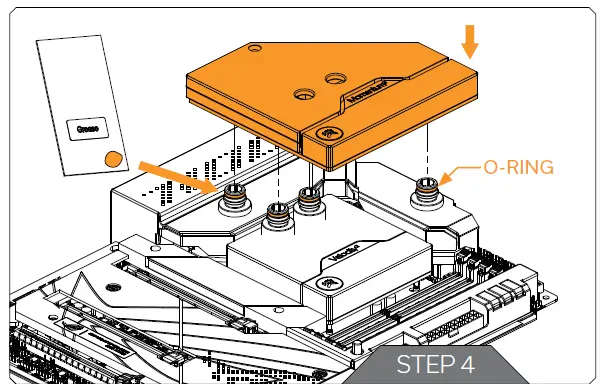
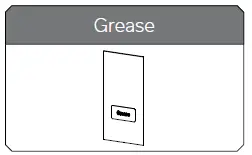
Before attempting to mount the water block, apply a small amount of the supplied grease to each of the four (4) O-Rings on the fixation fittings. Next, position the water block over the fixation fittings and force it into place evenly.
For this step, you will need:
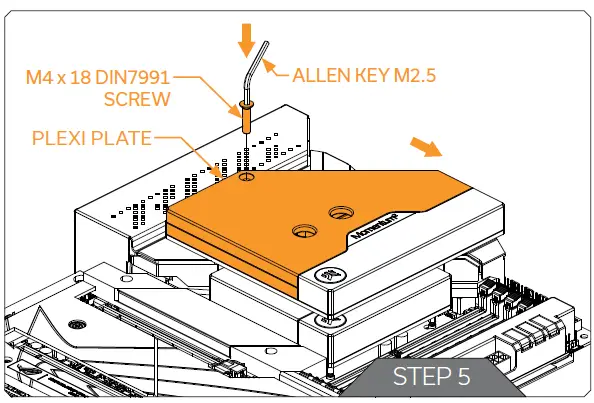
STEP 5
Push the plexi plate back to its original position and screw back the one (1) M4 x 18 DIN7991 screw that was removed in Step 2.
Do not use excessive force while tightening the screw!
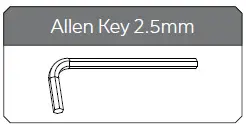
For this step, you will need:
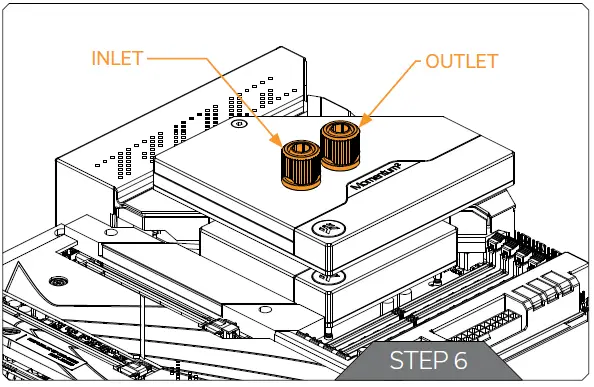
STEP 6
With the EK-Quantum Momentum2 VRM Bridge ROG Maximus Z690 Formula D-RGB water block, it is mandatory to use the bottom port as the INLET. Mixing the ports may result in poor thermal performance of the water block.
Tighten the fittings in a clockwise direction until the gasket underneath is compressed. The installation of the water block is now complete.
STEP 7
Plug the 3-pin D-RGB connector from the bridge block in a D-RGB header on your motherboard or controller. The LED strip will only work if the pin layout on the header is as follows: +5V, Digital, Empty, Ground.
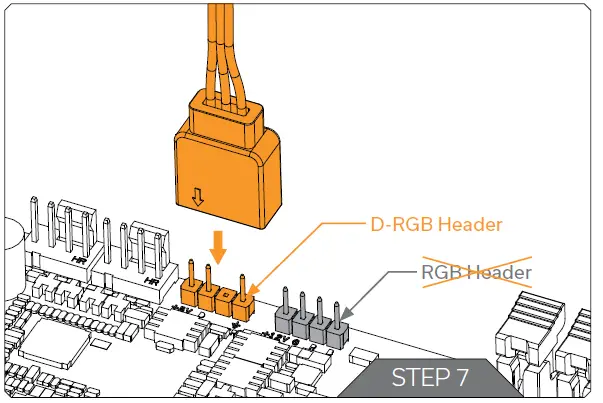
Incorrect installation or installation of the incorrect header could result in damage to the LED strip or the header itself.
SUPPORT AND SERVICE
In case you need assistance or wish to order spare parts or a new mounting mechanism, please contact: https://www.ekwb.com/customer-support/
For spare parts orders, refer to the page with “TECHNICAL SPECIFICATIONS AND WATER BLOCK PARTS” where you can find the EAN number of each part you might need.
Include the EAN number with quantity in your request. Mounting
Mechanism EAN can be found under “BOX CONTENTS”
SOCIAL MEDIA
EKWaterBlocks
@EKWaterBlocks
ekwaterblocks
ekwaterblocks
EKWBofficial
 PC water cooling solutions and systems by world leader EKWB
 Customer Support - ekwb.com