AMS-D Digital System
Product Information:
The AMS-D System is a pest control system designed to
effectively spray insecticide in various facilities. It consists of
two main assemblies: the Above-Drum Assembly and the In-Drum
Assembly. The system utilizes a pump, tubing, and nozzles to
distribute the insecticide throughout the facility. It also
includes a timer for automated spray cycles.
Above-Drum Assembly:
The Above-Drum Assembly is mounted on top of the drum lid and
houses the pump intake fitting. It is securely attached to the lid
using bolts, washers, and nuts. The lid is then flipped over, and
the assembly is placed into the drum using the box it came in for
support.
In-Drum Assembly:
The In-Drum Assembly consists of wires, tubing, and a filter.
The wires and tubing are threaded through a 3/4 hole in the drum
lid, and a PVC fitting is attached to secure them. The filter is
connected to the 3/8 tubing.
Pressure Adjustment:
To ensure proper operation, the system needs to build pressure
within the drum. The pressure can be adjusted using a liquid-filled
pressure gauge and a key provided with the system. The recommended
pressure range is 190-195 PSI.
Timer Programming:
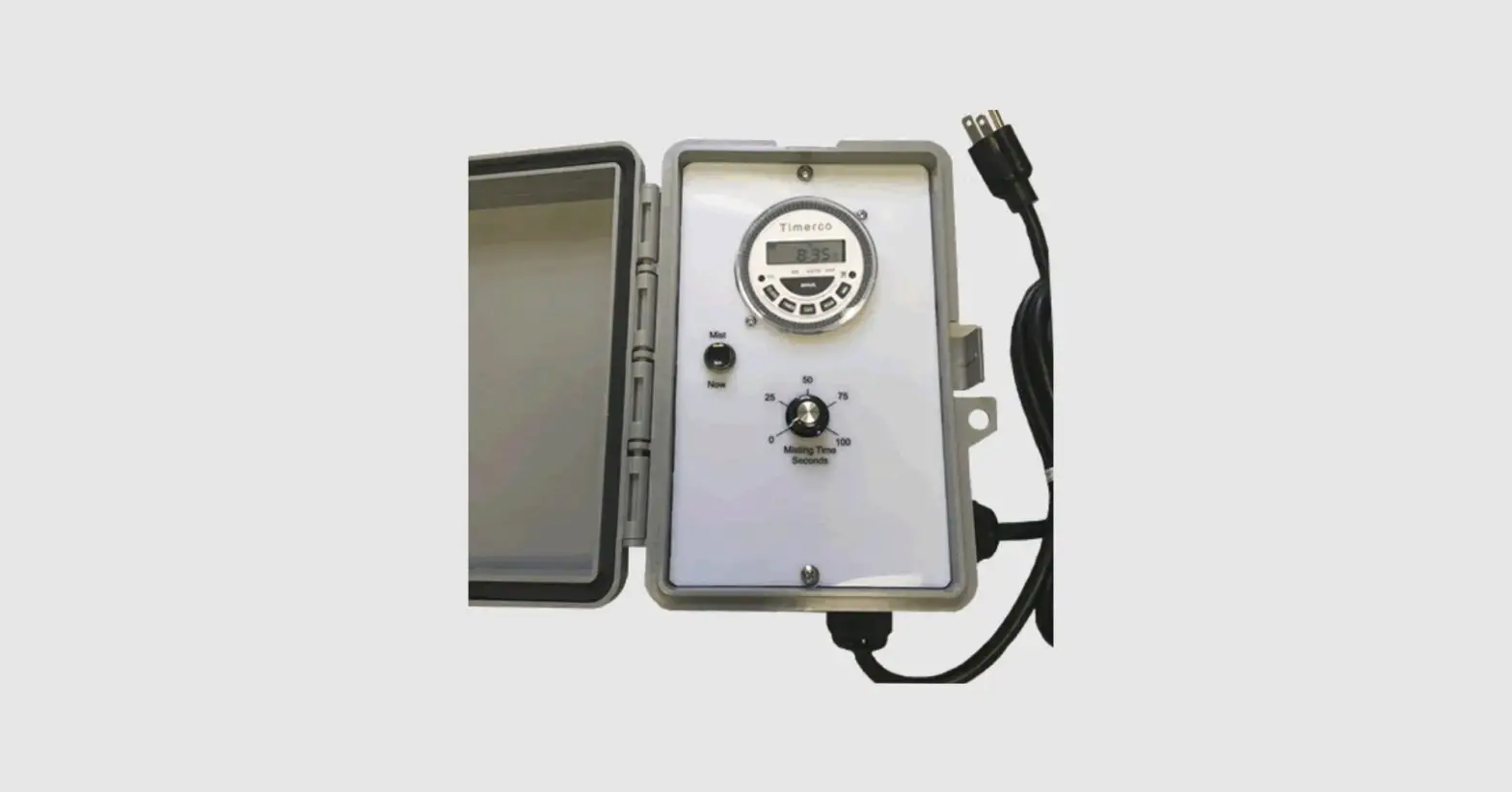
The system includes a timer for automated spray cycles. The
clock and timer settings can be adjusted using buttons on the
timer. The clock setting allows you to set the correct day and
time. The misting time can be set between 5 and 100 seconds per
spray cycle.
Product Usage Instructions:
- Upon receiving the shipment, carefully unpack the contents,
which include the Above-Drum Assembly and the In-Drum
Assembly. - Place the Above-Drum Assembly on the drum lid, aligning the
pump intake fitting over the 3/4 threaded hole. Attach the mounting
plate to the lid using the provided bolts, washers, and nuts. - Flip the lid over and use the box from the Above-Drum Assembly
to support it. Thread the In-Drum Assembly wires and tubing through
the 3/4 threaded hole and secure them with a PVC fitting. Connect
the filter to the 3/8 tubing. - Connect a 12-inch piece of 1/4 tubing to the needle valve and
insert the opposite end into a hole in the drum lid. - Connect tubing to the 1/4 output and position it around your
facility. Ensure all tubing and nozzles are properly set up. - Fill the reservoir with water only, approximately 50% full.
Switch the toggle to TEST to activate the system and let the
pressure build. Adjust the PSI on the pressure gauge to the
recommended range of 190-195 PSI using the provided key. - Switch the toggle back to OFF once all nozzles are spraying and
the desired pressure is achieved. Pour the insecticide into the
reservoir, filling it to about 6 inches from the top. Stir the
mixture using a broom handle or PVC pipe. - Replace the lid and secure it with the lid ring.
- To program the timer, press and hold the CLOCK button. Use the
DAY button to set the correct day, and use the HOUR and MIN buttons
to set the correct time. Press the CLOCK button again to
confirm. - To set the spray cycle duration, adjust the knob on the timer.
The misting time can be set between 5 and 100 seconds. To initiate
a spray cycle immediately, push the black “Mist Now” switch. - If using the stall deodorizer (Sweet Smellin’ Stables), pour
its contents into the tank along with the insecticide. - For optimal results, program the first spray cycle to start at
7am and repeat every two hours until 7pm. Each spray cycle should
last approximately 30 seconds. If flies are still present, increase
the spray time to 40 seconds.
AMS-D System Assembly Instructions
Once you receive your shipment, carefully unpack its contents. The System is packaged into two boxes for its protection during shipment:
1) The Above-Drum Assembly (pictured below) and, 2) The In-Drum Assembly
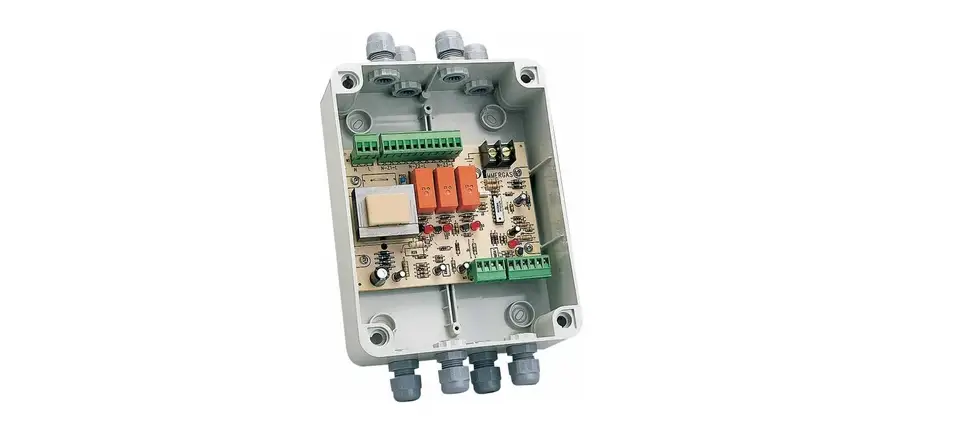
You received or will receive your tubing, nozzles, fittings and insecticide directly from Dead Fly Zone. Your system was shipped directly from our manufacturer’s warehouse. The Above-Drum Assembly consists of the Control Box, Motor, Pump and associated fittings. These are bolted to an Aluminum mounting plate and are pre-wired for ease of installation. These will be mounted on the lid of the drum. The In-Drum Assembly consists of the float switch ball, 3/8″ intake tube, intake filter, mounted in 3/4″ white PVC tubing. These will be mounted inside the drum. See image below.
Assembly and Programming
1) Place the Above-Drum Assembly on the drum lid so the pump intake fitting is directly over the 3/4″ threaded hole (Fig. 1). Align the 4 holes in the mounting plate with the 4 holes drilled in the lid. With the bolts, washers and nuts provided attach the mounting plate to the lid, and tighten.
2) Carefully turn over the lid, using the box the above drum assembly came in to place the now mounted above drum assembly into, and place the In-Drum Assembly wires and tubing through the 3/4″ threaded hole, then thread the pvc fitting into the hole. Attach the filter to the 3/8″ tubing. See image below.
3) Now turn the lid upright and place it on the drum so the In-drum assembly is inside the drum. Connect the float switch connector to the mating connector from the control box. Connect the 3/8″ intake tubing to the intake fitting on the pump, inserting it until clicks (Fig. 1). It’s sometimes difficult to properly seat this piece of tubing with just your fingers. Use a needle nose pliers and GENTLY grab that tubing and give it a good hard push upwards into that elbow fitting. 99% of the time when new installations are not building pressure it’s because this piece of tubing is not seated properly.
4) Connect the 12″ long piece of 1/4″ tubing to the needle valve and insert the opposite end into the hole in the drum (Fig. 2).
5) Connect tubing that will go around your facility to the 1/4″ output (Fig. 3). Once you have all your tubing and nozzles in place, fill your reservoir about 50% with water only. Switch toggle to TEST. This will cause your system to run until you switch toggle back to the off position. Let the pressure build and adjust your PSI on your liquid filled pressure gauge to 190-195. Adjust this pressure using the key seen in Fig. 4. Turn clockwise to increase pressure.
6) Once you have confirmed all nozzles are spraying and your PSI is adequate switch toggle back to OFF. Now pour your insecticide into the reservoir and fill with water to roughly 6″ from the top. Use a broom handle or pvc pipe to give it a quick stir. Now replace lid and secure with lid ring.
Programming The Timer
Setting the Clock
Press and hold the CLOCK Button. Press the DAY button until the correct day is displayed. Press the HOUR and MIN until the correct time is displayed.
Setting the Timer
Press the TIMER button Press the DAY button and select one of the 15 programs options (Mo-Su for 7 days a week). Set the Spray Initiate Time. For every spray, you need to set an ON and OFF, this does NOT affect the spray duration. Use the knob on your control panel to set the desired spray duration. The display will show “1 on”. Set the time you want the unit to turn on (ex: 7:00am) by pressing the “hour” and “min” buttons. Press the TIMER button again and “1 off” shows in the display. Set the off time for 1 minute later (7:01am). For additional cycles, press the timer key and set “2 on”, “2 off” etc. for a maximum is 16 on/off’s per day. Remember, you are only setting the times you want the system to activate.
Press the CLOCK button once you are done. Misting Time: can be set between 5 -100 sec by adjusting the knob. To initiate a spray cycle immediately, push the black `Mist Now’ switch
Filling The Tank and Setting The Spray Cycle
Fill your reservoir tank up about half way with just water. Then pour BOTH containers (Vector Ban and SynerPro) into your tank. Make sure your hose is at the bottom of the tank to prevent foaming and then continue to fill until your water level is about 6 inches from the top. Using a broom handle or a piece of PVC pipe, give the tank a good stir. If you are using your system for residential purposes and not livestock, you will only have a container of Vector Ban Plus and no SynerPro. Follow the same instructions for filling.
If you purchased our stall deodorizer (Sweet Smellin’ Stables), pour all of its contents in the tank with the insecticide. Everybody goes into the pool together!
You will want to program your first spray cycle as soon as the sun comes up and it starts to get warm. We recommend starting at 7am and then spraying every two hours until 7pm. This will give you 7 spray cycles per day. We also recommend that you spray for approximately 30 seconds for each spray cycle. If you’re still seeing flies, increase the spray time to 40 seconds.