
Lenovo ThinkSystem Broadcom 57414 SFP28 Ethernet Adapters
Product Guide
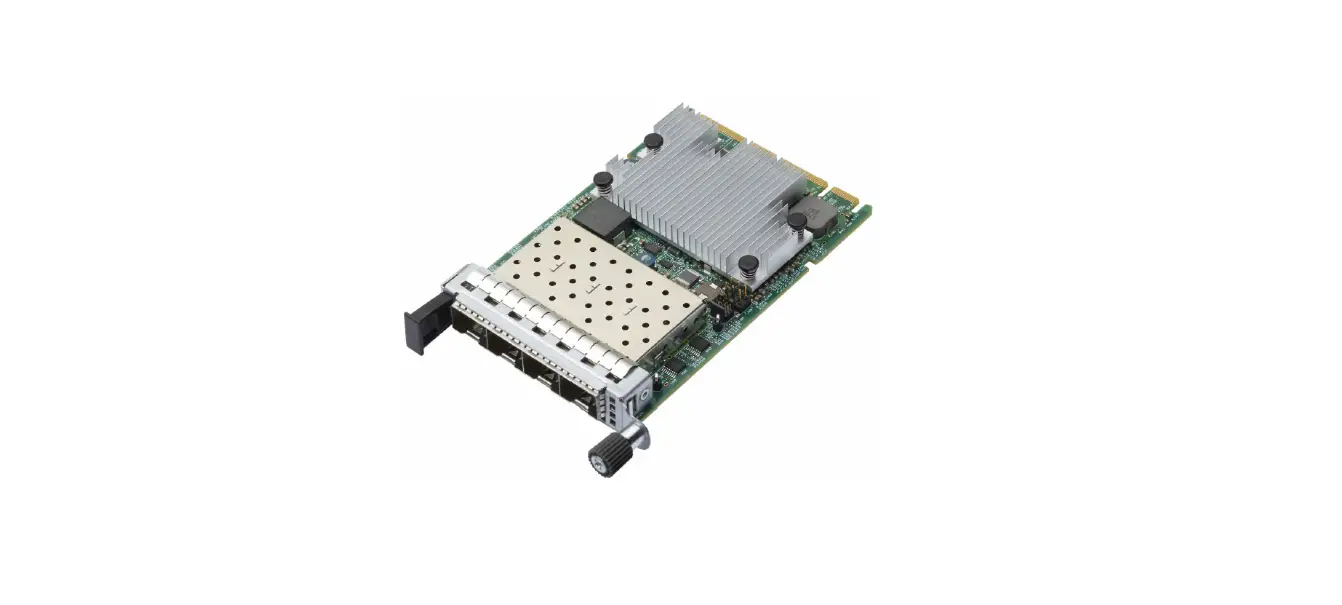
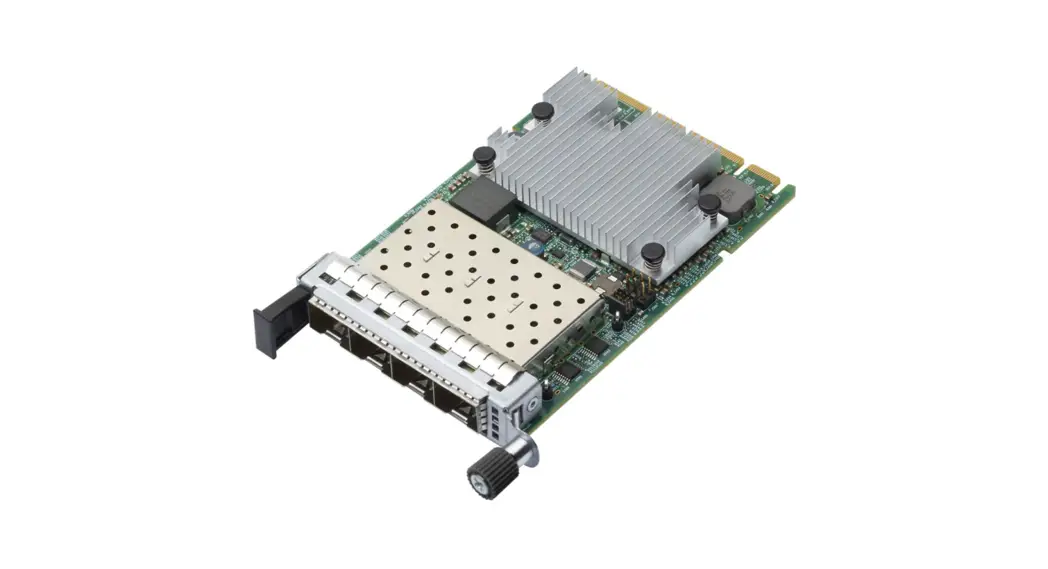
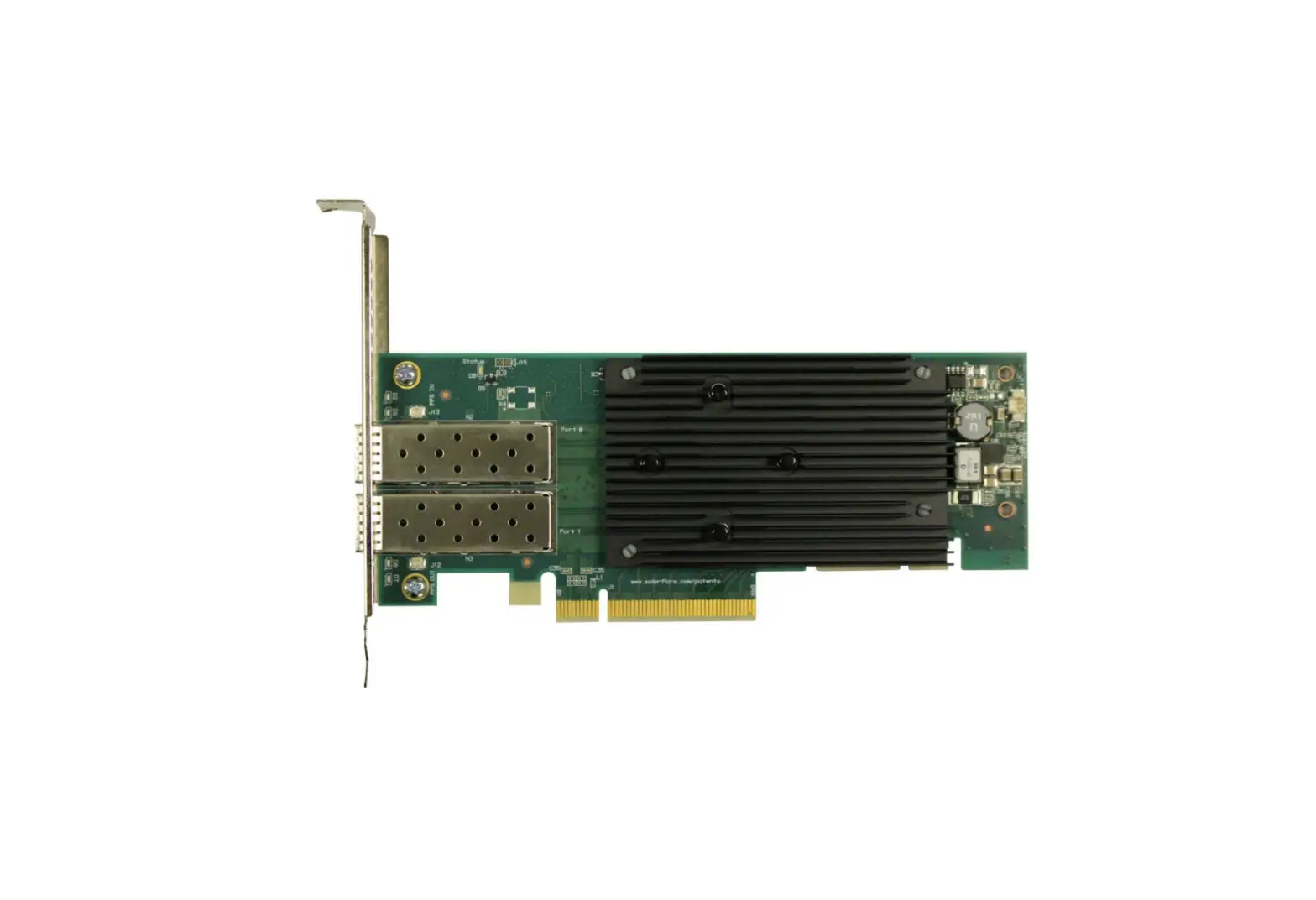
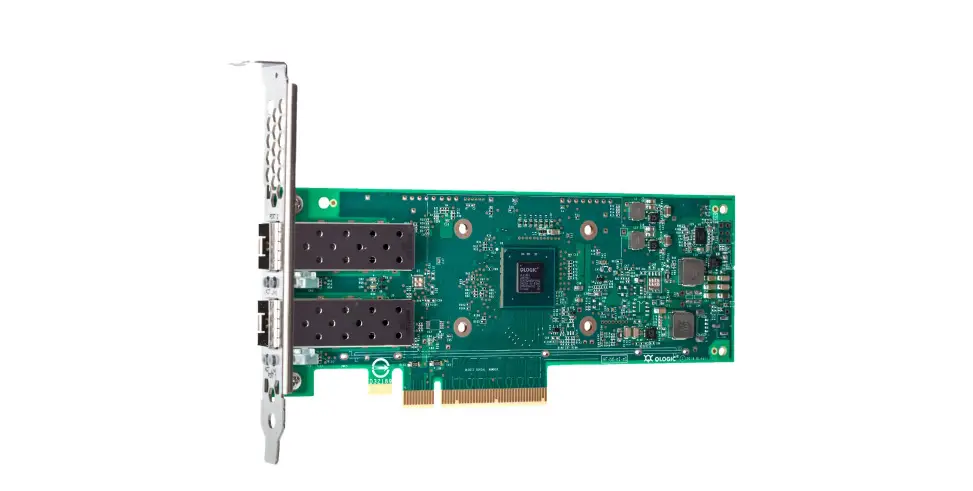
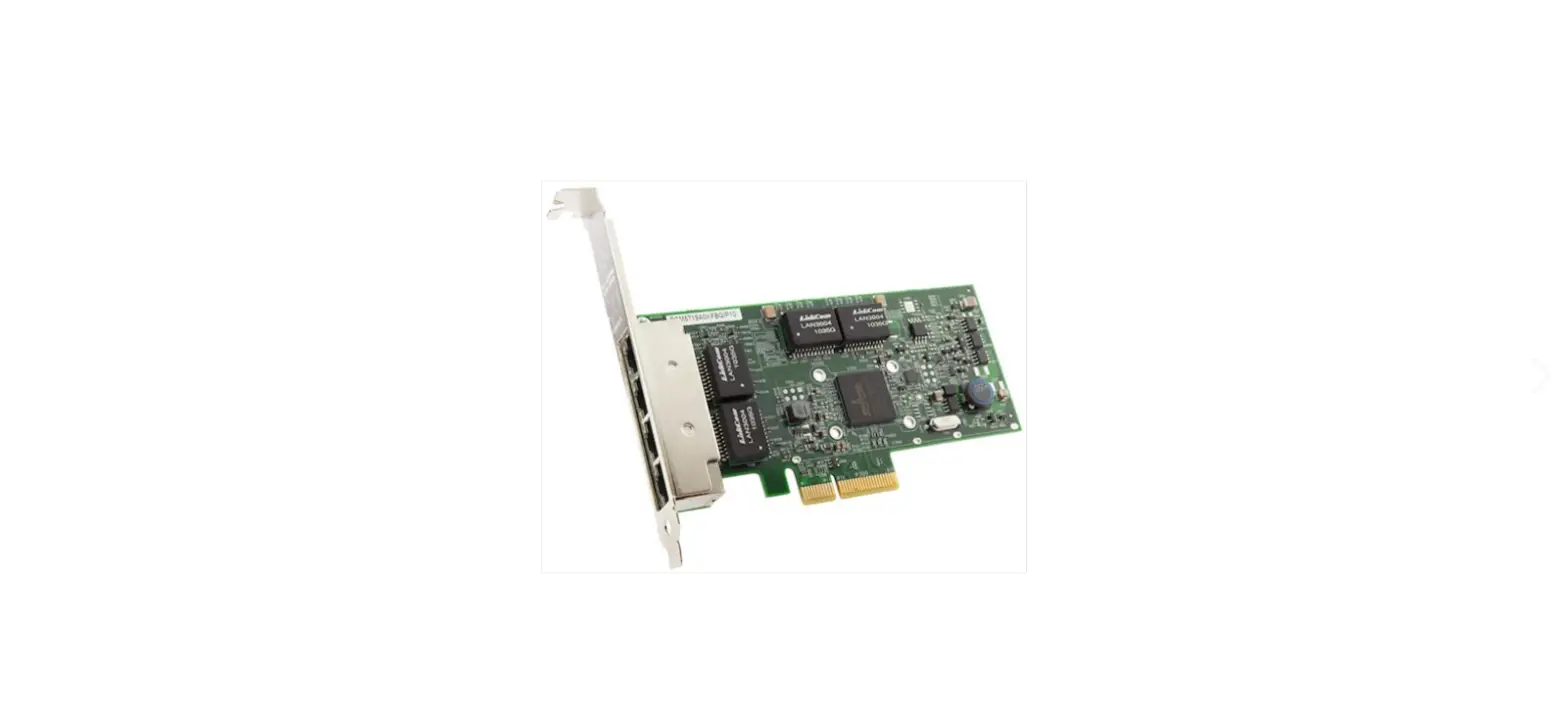
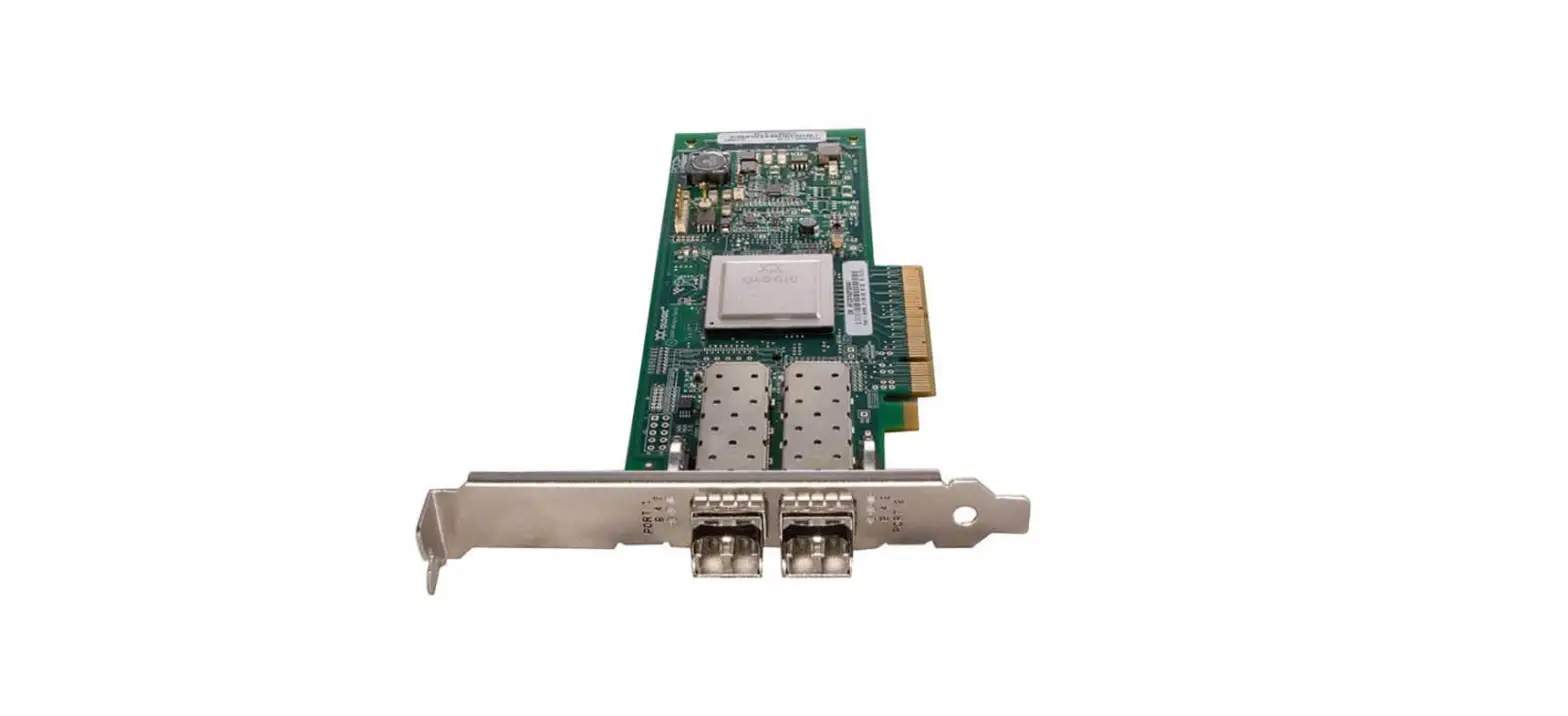
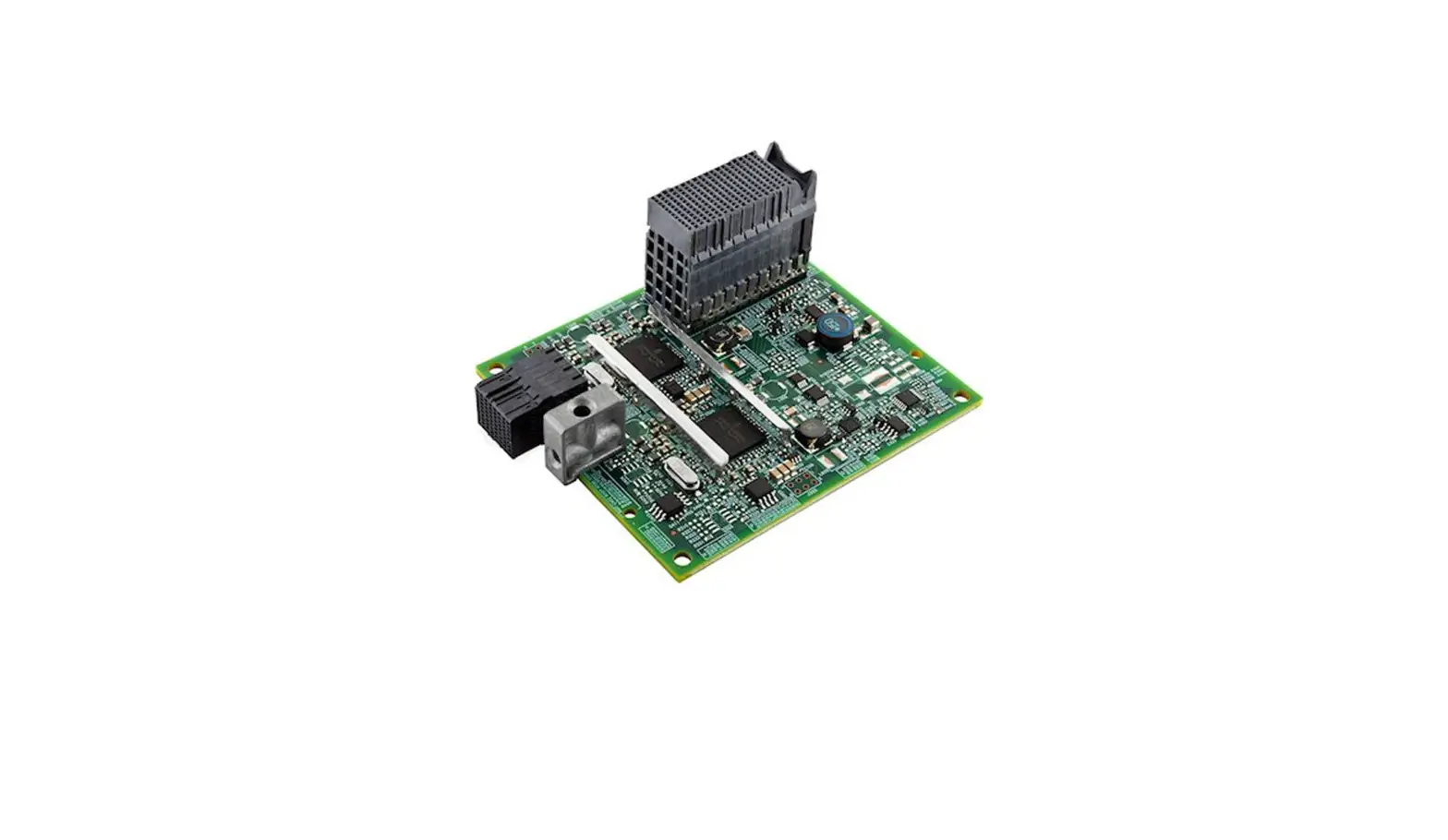
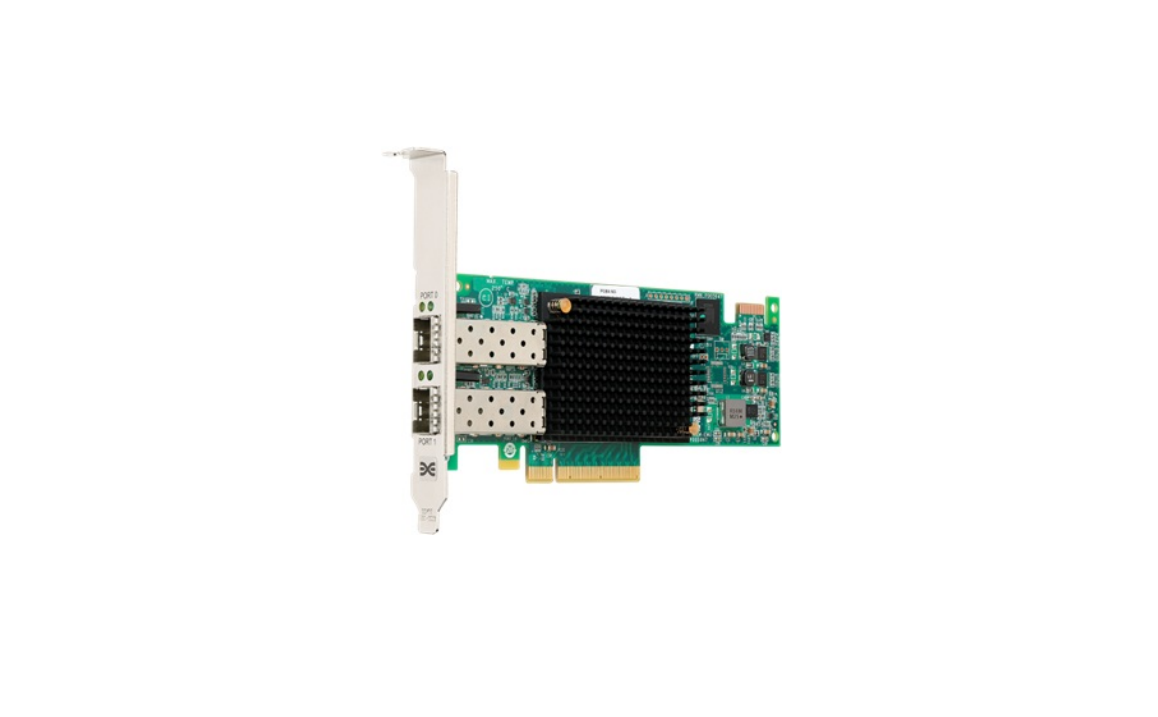
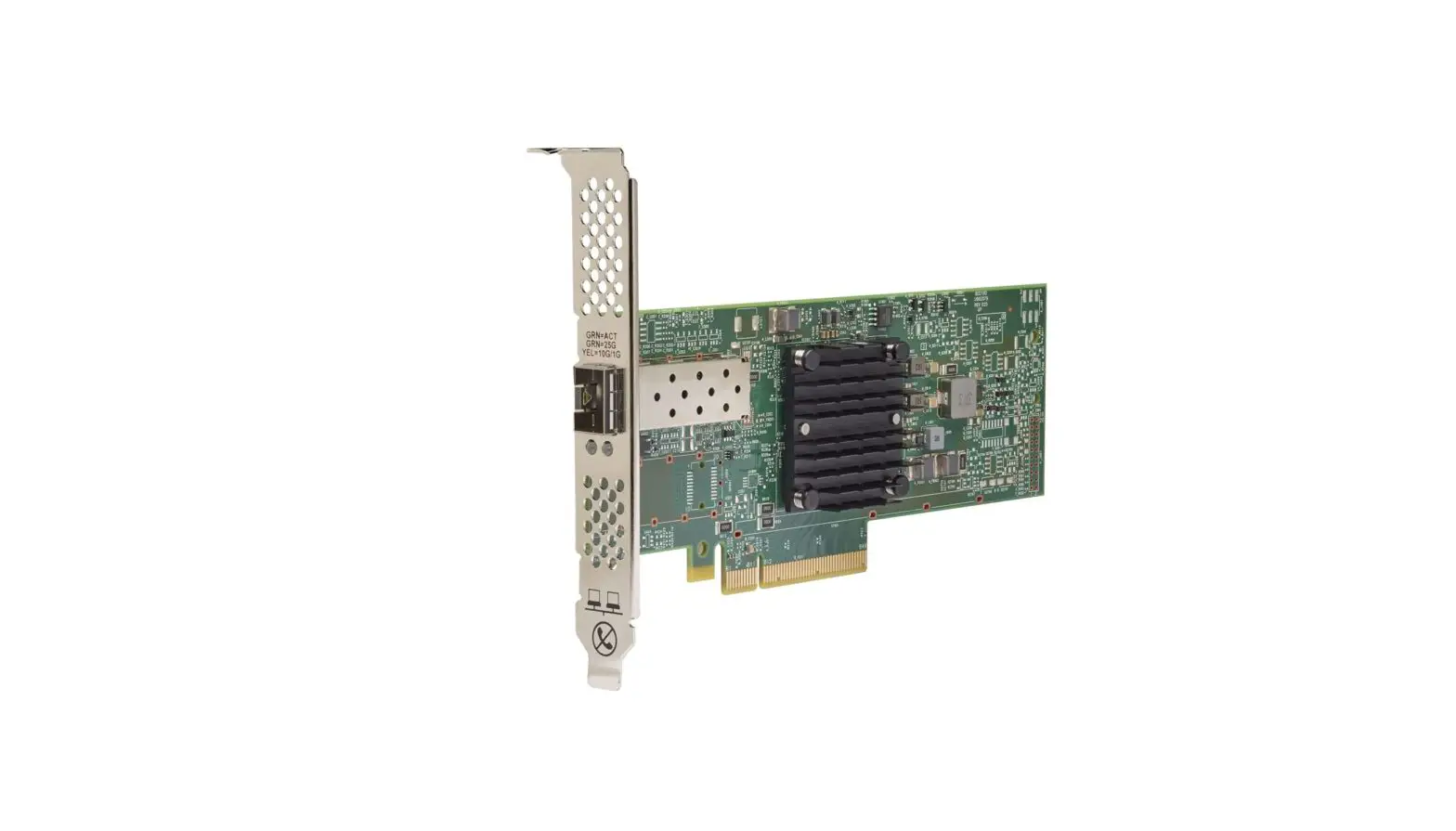
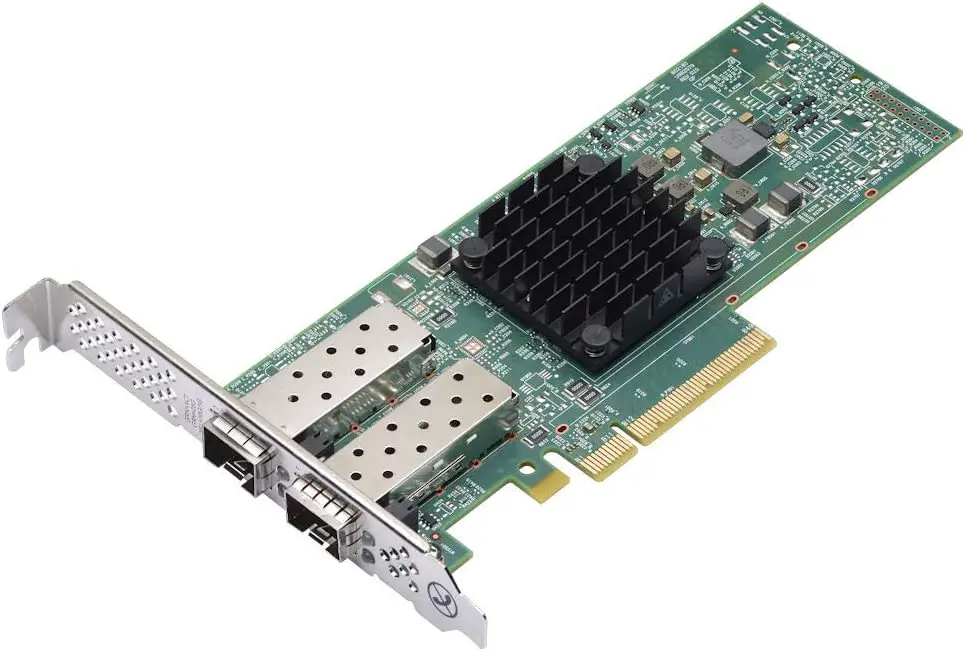
The ThinkSystem Broadcom 57414 10/25GbE SFP28 Ethernet Adapters are high-performance 25 Gb Ethernet adapters that offer TruFlow intelligent flow processing and support advanced networking technologies including RoCE, SDN, NFV, and virtualization. The following figure shows the 2-port adapter.
Figure 1. ThinkSystem Broadcom 57414 10/25GbE SFP28 2-port PCIe Ethernet Adapter
Did you know?
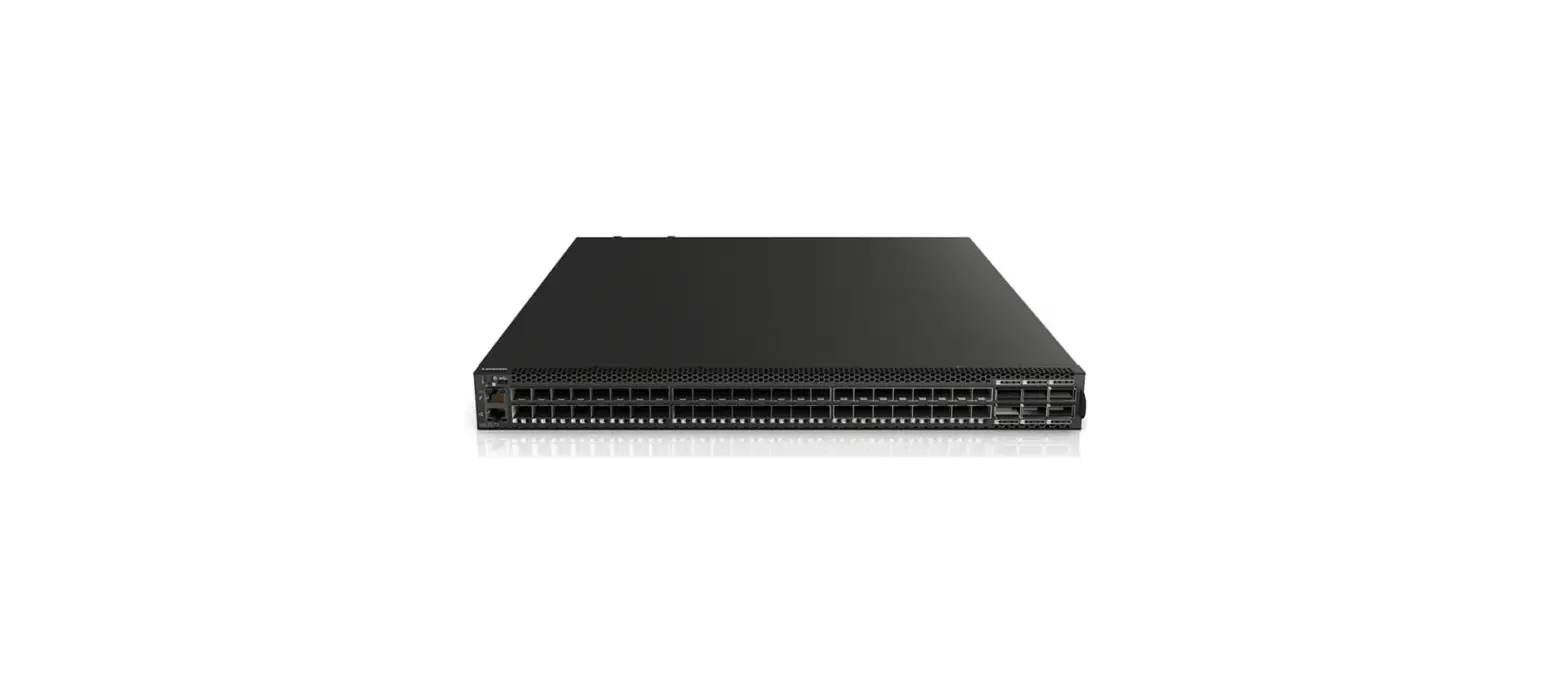
These adapters support 10 Gb or 25 Gb Ethernet switches, including the ThinkSystem NE2572 RackSwitch 25 Gb Ethernet switch. Alternatively, with suitable breakout cables, you can connect four 25 Gb adapters or ports to a single 100 GbE switch port such as the ThinkSystem NE10032 RackSwitch to maximize the investment of your 100Gb switch.
Part number information
The ordering information is listed in the following table.
Table 1. Ordering information
| Part number | Feature code | Description |
| PCIe adapters | ||
| 4XC7A08238 | B5T0 / BK1H | ThinkSystem Broadcom 57414 10/25GbE SFP28 2-port PCIe Ethernet Adapter |
| OCP adapters | ||
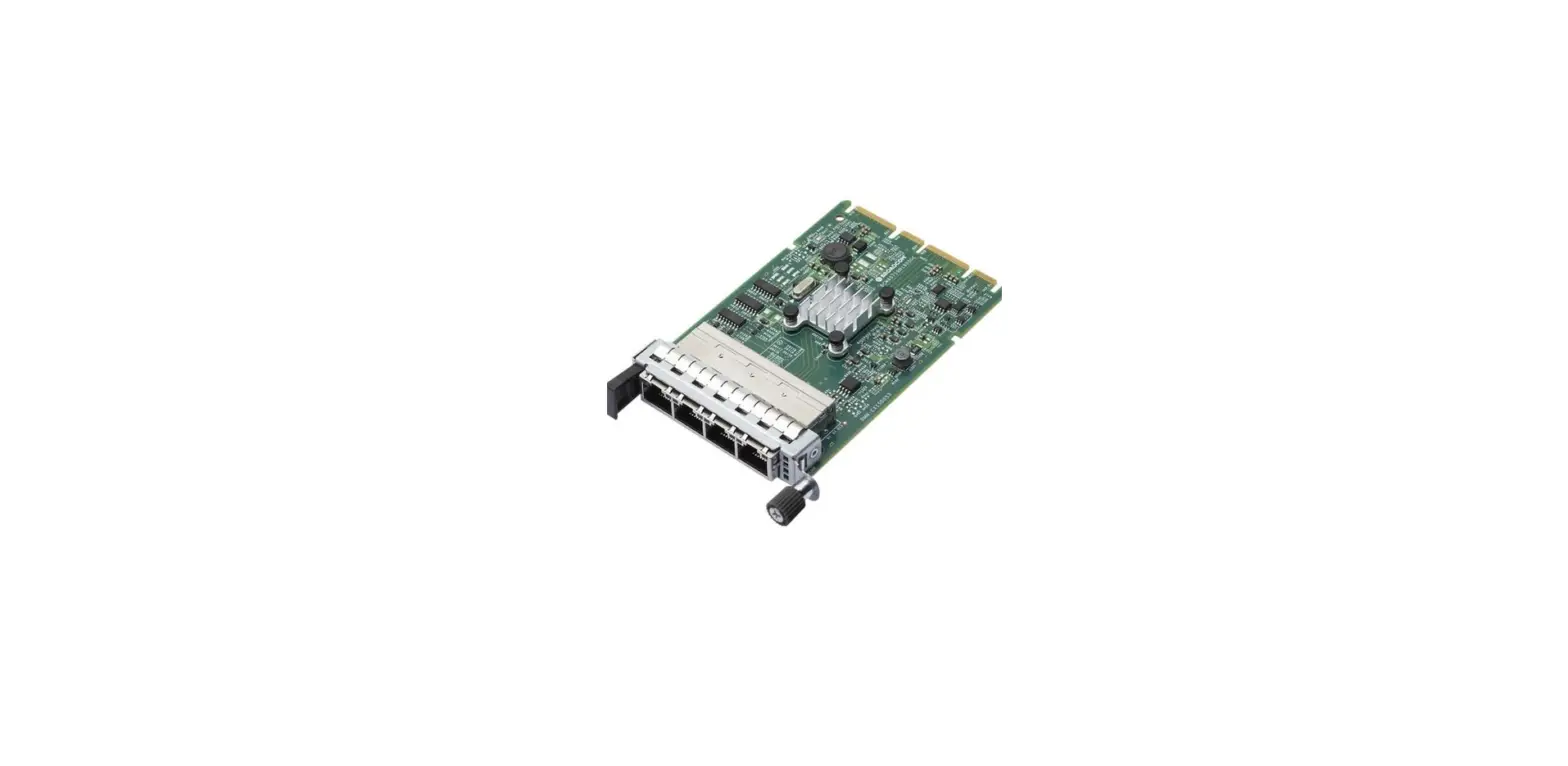
| 4XC7A08237 | B5SZ / BN2T | ThinkSystem Broadcom 57414 10/25GbE SFP28 2-port OCP Ethernet Adapter |
The PCIe adapters, when shipped as a stand-alone option part number, include the following items:
- One Broadcom adapter
- An attached full-height (3U) bracket, and a low-profile (2U) bracket that can be substituted if needed
- Documentation flyer
Supported transceivers and cables
The adapters have one or two empty SFP28 cages for connectivity. The adapters either support a connection to a 10 Gb or 25 Gb switch or can share a connection to a 100 Gb switch using a 4:1 breakout cable.
The following table lists the supported transceivers.
Mixing transceivers: It is supported to mix 10Gb and 1Gb transceivers or to mix 25Gb and 1Gb transceivers. It is not supported to mix 10Gb and 25Gb transceivers.
| Part number | Feature code | Description |
| 1Gb transceivers | ||
| 00FE333 | A5DL | SFP 1000Base-T (RJ-45) Transceiver |
| 10Gb transceivers | ||
| 46C3447 | 5053 | SFP+ SR Transceiver |
| 49Y4218 | 0064 | QLogic 10Gb SFP+ SR Optical Transceiver |
| 49Y4216 | 0069 | Brocade 10Gb SFP+ SR Optical Transceiver |
| 00FE331 | B0RJ | 10GBASE-LR SFP+Transceiver |
| 4TC7A78615 | BNDR | ThinkSystem Accelink 10G SR SFP+ Ethernet transceiver |
| 25Gb transceivers | ||
| 7G17A03537 | AV1B | Lenovo 25GBase-SR SFP28 Transceiver (supports 10Gb and 25Gb)* |
| 4TC7A69045 | BF10 | Lenovo Dual Rate 10G/25G SFP28 85C Transceiver (supports 10Gb and 25Gb*) |
| 4M27A67041 | BFH2 | Lenovo 25Gb SR SFP28 Ethernet Transceiver |
Transceivers AV1B and BF10 are only supported at 25Gb/s speed on the PCIe adapter (4XC7A08238).
The transceivers are supported at both 10Gb/s and 25Gb/s speeds on the OCP adapter (4XC7A08237).
25Gb transceivers: When installed in this 25Gb Ethernet adapter, certain supported 25Gb transceivers (as listed in the above table) are designed to operate at either 25 Gb/s or 10 Gb/s speeds, depending on the negotiation with the connected switch. In most configurations, this negotiation is automatic, however, in some configurations, you may have to manually set the link speed or FEC mode.
The following table lists the supported fiber optic cables and Active Optical Cables.
Table 3. Optical cables
| Part number | Feature code | Description |
| LC-LC OM3 Fiber Optic Cables (these cables require a transceiver) | ||
| 00MN499 | ASR5 | Lenovo 0.5m LC-LC OM3 MMF Cable |
| 00MN502 | ASR6 | Lenovo 1m LC-LC OM3 MMF Cable |
| 00MN505 | ASR7 | Lenovo 3m LC-LC OM3 MMF Cable |
| 00MN508 | ASR8 | Lenovo 5m LC-LC OM3 MMF Cable |
| 00MN511 | ASR9 | Lenovo 10m LC-LC OM3 MMF Cable |
| 00MN514 | ASRA | Lenovo 15m LC-LC OM3 MMF Cable |
| 00MN517 | ASRB | Lenovo 25m LC-LC OM3 MMF Cable |
| 00MN520 | ASRC | Lenovo 30m LC-LC OM3 MMF Cable |
| MTP-4xLC OM3 MMF Breakout Cables (these cables require a transceiver) | ||
| 00FM412 | A5UA | Lenovo 1m MPO-4xLC OM3 MMF Breakout Cable |
| 00FM413 | A5UB | Lenovo 3m MPO-4xLC OM3 MMF Breakout Cable |
| 00FM414 | A5UC | Lenovo 5m MPO-4xLC OM3 MMF Breakout Cable |
| SFP+ 10Gb Active Optical Cables | ||
| 00YL634 | ATYX | Lenovo 1M SFP+ to SFP+ Active Optical Cable |
| 00YL637 | ATYY | Lenovo 3M SFP+ to SFP+ Active Optical Cable |
| 00YL640 | ATYZ | Lenovo 5M SFP+ to SFP+ Active Optical Cable |
| 00YL643 | ATZ0 | Lenovo 7M SFP+ to SFP+ Active Optical Cable |
| 00YL646 | ATZ1 | Lenovo 15M SFP+ to SFP+ Active Optical Cable |
| 00YL649 | ATZ2 | Lenovo 20M SFP+ to SFP+ Active Optical Cable |
| SFP28 25Gb Active Optical Cables | ||
| 7Z57A03541 | AV1F | Lenovo 3m 25G SFP28 Active Optical Cable |
| 7Z57A03542 | AV1G | Lenovo 5m 25G SFP28 Active Optical Cable |
| 7Z57A03543 | AV1H | Lenovo 10m 25G SFP28 Active Optical Cable |
| 7Z57A03544 | AV1J | Lenovo 15m 25G SFP28 Active Optical Cable |
| 7Z57A03545 | AV1K | Lenovo 20m 25G SFP28 Active Optical Cable |
| 100G Breakout OM4 MPO Cables (these cables require a transceiver) | ||
| 7Z57A03573 | AV2B | Lenovo 1m MPO to 4x LC Breakout OM4 MMF Cable |
| 7Z57A03574 | AV2C | Lenovo 3m MPO to 4x LC Breakout OM4 MMF Cable |
| 7Z57A03575 | AV2D | Lenovo 5m MPO to 4x LC Breakout OM4 MMF Cable |
| QSFP28 100Gb Breakout Active Optical Cables | ||
| 7Z57A03551 | AV1R | Lenovo 3m 100G to 4x25G Breakout Active Optical Cable |
| 7Z57A03552 | AV1S | Lenovo 5m 100G to 4x25G Breakout Active Optical Cable |
| 7Z57A03553 | AV1T | Lenovo 10m 100G to 4x25G Breakout Active Optical Cable |
| Part number | Feature code | Description |
| 7Z57A03554 | AV1U | Lenovo 15m 100G to 4x25G Breakout Active Optical Cable |
| 7Z57A03555 | AV1V | Lenovo 20m 100G to 4x25G Breakout Active Optical Cable |
The following table lists the supported direct-attach copper (DAC) cables.
Table 4. Copper cables
| Part number | Feature code | Description |
| SFP+ 10Gb Passive DAC Cables | ||
| 00D6288 | A3RG | 0.5m Passive DAC SFP+ Cable |
| 90Y9427 | A1PH | 1m Passive DAC SFP+ Cable |
| 00AY764 | A51N | 1.5m Passive DAC SFP+ Cable |
| 00AY765 | A51P | 2m Passive DAC SFP+ Cable |
| 90Y9430 | A1PJ | 3m Passive DAC SFP+ Cable |
| 90Y9433 | A1PK | 5m Passive DAC SFP+ Cable |
| 00D6151 | A3RH | 7m Passive DAC SFP+ Cable |
| SFP+ 10Gb Active DAC Cables | ||
| 00VX111 | AT2R | Lenovo 1m Active DAC SFP+ Cables |
| 00VX114 | AT2S | Lenovo 3m Active DAC SFP+ Cables |
| 00VX117 | AT2T | Lenovo 5m Active DAC SFP+ Cables |
| SFP28 25Gb Passive DAC Cables | ||
| 7Z57A03557 | AV1W | Lenovo 1m Passive 25G SFP28 DAC Cable |
| 7Z57A03558 | AV1X | Lenovo 3m Passive 25G SFP28 DAC Cable |
| 7Z57A03559 | AV1Y | Lenovo 5m Passive 25G SFP28 DAC Cable |
| QSFP28 100G-to-4x25G Breakout Cables | ||
| 7Z57A03564 | AV22 | Lenovo 1m 100G QSFP28 to 4x25G SFP28 Breakout DAC Cable |
| 4Z57A85043 | BS32 | Lenovo 1.5m 100G to 4x25G Breakout SFP28 Breakout DAC Cable |
| 4Z57A85044 | BS33 | Lenovo 2m 100G to 4x25G Breakout SFP28 Breakout DAC Cable |
| 7Z57A03565 | AV23 | Lenovo 3m 100G QSFP28 to 4x25G SFP28 Breakout DAC Cable |
| 7Z57A03566 | AV24 | Lenovo 5m 100G QSFP28 to 4x25G SFP28 Breakout DAC Cable |
Features
The adapters have the following features:
- Broadcom TruFlow technology integrates flow processing to provide hardware-assisted processing of traffic flows with data path Acceleration. TruFlow enables efficient network flow processing and increases Virtual Machine density by offloading the server CPU to improve application performance.
- Broadcom adapters are the industry’s most secure PCIe Ethernet solution, leveraging Broadcom’s BroadSAFE® technology to provide unparalleled platform security via Silicon Root of Trust.
- Broadcom is the first Ethernet Adapter vendor to store authentication keys and code in silicon to protect clients from maliciously modified firmware.
- The adapters support RoCEv2. RoCE (RDMA over Converged Ethernet), which allows Remote Direct Memory Access (RDMA) traffic to be communicated over Converged Ethernet using DCB. Broadcom’s Smart Congestion Control provides consistent and predictable performance for real-world workloads plus scaling for heavily loaded network traffic making it ideal for clients looking for deterministic low latency.
- Support for Data Center Bridging (DCB), including IEEE 802.1Qbb Priority-based Flow Control (PFC), 802.1Qaz Enhanced Transmission Selection (ETS), and 802.1Qau Quantized Congestion Notification (QCN) capabilities. DCB technology allows the device to provide lossless data delivery, prioritize low latency traffic, and share bandwidth among data center physical links.
- Support for SR-IOV which bypasses the hypervisor reduces the latency by removing data copies and context switches between VM address space and hypervisor address space when transmitting or receiving data over the network. The implementation supports 802.1Qbg Edge Virtual Bridging (EVB)
Specifications
The adapter has the following technical specifications:
- Based on the Broadcom BCM957414 (2-port) controllers PCIe 3.0 x8 host interface
- Supports Message Signal Interrupt (MSI-X)
- Two SFP28 external connectors support a transceiver, direct-attach copper (DAC) cable, or active optical cable (AOC).
- Support for PXE boot and iSCSI boot
- Support for Wake-on-LAN (WOL) (OCP adapter only)
- Networking Features
- Jumbo frames (up to 9600-Byte) 802.3x flow control
- Link Aggregation (802.3ad)
- Virtual LANs-802.1q VLAN tagging Configurable Flow Acceleration Advanced Congestion Avoidance
- IEEE 1588 and Time Sync
- Forward Error Correction Clause 74, Clause 91 support over 25 Gbps
- Performance Features
- Max. 30M Packet Per Second Low latency
- Bidirectional wire-speed throughput
- Stateless Offload Features
- TCP, UDP, IPv4, IPv6 checksum offload
- Large Send Offload
- Receive Segment Coalescing
- TCP Segmentation offload
- Large Receive Offload
- Generic Receive Offload
- Receive Side Scaling (RSS)
- Transmit Side Scaling (TSS)
- Header-Payload Split
- Accelerated Received Flow Steering (RFS)
- Virtualization
- vSwitch Acceleration
- NetQueue, VMQueue, and Multiqueue
- PCI SIG SR-IOV compliant with support for 128 Virtual Functions
- Virtual NIC (vNIC) / Network Partitioning (NPAR) with support for up to 16 physical functions VXLAN-aware stateless offloads
- NVGRE-aware stateless offloads Geneve-aware stateless offloads IP-in-IP-aware stateless offloads
- GRE-aware (encap/decap) stateless offloads Stateless Transport Tunneling
- Edge Virtual Bridging (EVB)
- Per Virtual Function (VF) statistics
- VF Receive-Side Scaling (RSS)/Transmit-Side Scaling (TSS)
- RDMA over Converged Ethernet (RoCE)
- RoCEv2Data Center Bridging with RoCE Reliable Connection Queue Pair Unreliable Datagram Queue Pair Raw Ethertype Queue Pair
- Up to 1 million Queue Pairs
- Up to 64K Shared Receive Queues Up to 1 million Completion Queues
- Up to 1 million Memory Regions and Memory Windows Up to 1 million Protection Domains
- Up to 250 outstanding RDMA Reads or Atomics per Queue Pair
- Congestion Avoidance (hardware-based flows tracking and rate adjustment) Fast Memory Register
- Linux OFED 3.5 and later
- MS-Windows Network Direct Kernel Provider Interface and SMBDirect MS-Windows Network Direct Service Provider Interface
- Integrated Flow Processing
- 1 million+ Exact Match Flows
- Exact Match Flow Lookup
- Wildcard Match Flow Lookup
- VLAN insertion/deletion
- NAT/NAPT
- Tunnel Encapsulation/De-capsulation Flow tracking and aging
- Mirroring
- Metering
- Flow counters/statistics
- Custom tunnel header support
- Data Center Bridging
- Priority-based flow control (PFC; IEEE 802.1Qbb)
- Enhanced transmission selection (ETS; IEEE 802.1Qaz)
- Quantized Congestion Notification (QCN; IEEE 802.1Qau)
- Data Center Bridging Capability eXchange (DCBX; IEEE 802.1Qaz)
- Up to 8 traffic classes per port; fully DCB compliant per 802.1Qbb
- Manageability
- TruManage Technology based on Distributed Management Task Force (DMTF) standards and protocols, support for SMASH2.0, WS-Man, and IPMI2.0/DCMI1.5
- Management Component Transport Protocol (MCTP) – MCTP over SMBus and MCTP over PCIe VDM
- Power Saving
- ACPI compliant power management
- PCI Express Active State Power Management (ASPM) PCI Express eCLKREQ support
- PCI Express unused lane powered down
- Ultra low-power mode
- Energy Efficient Ethernet (IEEE Std 802.3az-2010) Power Management (PM) Offload
Server support
The following tables list the ThinkSystem servers that are compatible.
Table 5. Server support (Part 1 of 3)
|
Part Number |
Description |
Edge | 1S Intel V2 |
AMD V3 |
Intel V3 |
Dense V3 | |||||||||||||
| SE350 (7Z46 / 7D1X) | SE450 (7D8T) | ST50 V2 (7D8K / 7D8J) | ST250 V2 (7D8G / 7D8F) | SR250 V2 (7D7R / 7D7Q) | SR635 V3 (7D9H / 7D9G) | SR655 V3 (7D9F / 7D9E) | SR645 V3 (7D9D / 7D9C) | SR665 V3 (7D9B / 7D9A) | SR675 V3 (7D9Q / 7D9R) | SR630 V3 (7D72 / 7D73) | SR650 V3 (7D75 / 7D76) | SR850 V3 (7D97 / 7D96) | SR860 V3 (7D94 / 7D93) | SD665 V3 (7D9P) | SD665-N V3 (7DAZ) | SD650 V3 (7D7M) | SD650-I V3 (7D7L) | ||
| 4XC7A08238 | ThinkSystem Broadcom 57414 10/25GbE SFP28 2-port PCIe Ethernet Adapter | N | N | N | Y | Y | Y | Y | Y | Y | N | Y | Y | Y | Y | N | N | N | N |
| 4XC7A08237 | ThinkSystem Broadcom 57414 10/25GbE SFP28 2-port OCP Ethernet Adapter | N | N | N | N | N | Y | Y | Y | Y | N | Y | Y | Y | Y | N | N | N | N |
Table 6. Server support (Part 2 of 3)
|
Part Number |
Description | 2S Intel V2 | AMD V1 | Dense V2 | 4S V2 | 8S | 4S V1 | |||||||||||||
| ST650 V2 (7Z75 / 7Z74) | SR630 V2 (7Z70 / 7Z71) | SR650 V2 (7Z72 / 7Z73) | SR670 V2 (7Z22 / 7Z23) | SR635 (7Y98 / 7Y99) | SR655 (7Y00 / 7Z01) | SR655 Client OS | SR645 (7D2Y / 7D2X) | SR665 (7D2W / 7D2V) | SD630 V2 (7D1K) | SD650 V2 (7D1M) | SD650-N V2 (7D1N) | SN550 V2 (7Z69) | SR850 V2 (7D31 / 7D32) | SR860 V2 (7Z59 / 7Z60) | SR950 (7X11 / 7X12) | SR850 (7X18 / 7X19) | SR850P (7D2F / 2D2G) | SR860 (7X69 / 7X70) | ||
| 4XC7
A08238 | ThinkSystem Broadcom 57414 10/25GbE SFP28 2-port PCIe Ethernet Adapter | Y | Y | Y | Y | Y | Y | N | Y | Y | N | N | N | N | Y | Y | Y | Y | Y | Y |
| 4XC7
A08237 | ThinkSystem Broadcom 57414 10/25GbE SFP28 2-port OCP
Ethernet Adapter | N | Y | Y | Y | Y | Y | Y | Y | Y | N | N | N | N | Y | Y | N | N | N | N |
Table 7. Server support (Part 3 of 3)
|
Part Number |
Description | 1S Intel V1 | 2S Intel V1 | Dense V1 | |||||||||||||
| ST50 (7Y48 / 7Y50) | ST250 (7Y45 / 7Y46) | SR150 (7Y54) | SR250 (7Y52 / 7Y51) | ST550 (7X09 / 7X10) | SR530 (7X07 / 7X08) | SR550 (7X03 / 7X04) | SR570 (7Y02 / 7Y03) | SR590 (7X98 / 7X99) | SR630 (7X01 / 7X02) | SR650 (7X05 / 7X06) | SR670 (7Y36 / 7Y37) | SD530 (7X21) | SD650 (7X58) | SN550 (7X16) | SN850 (7X15) | ||
| 4XC7A08238 | ThinkSystem Broadcom 57414 10/25GbE SFP28 2-port PCIe Ethernet Adapter | N | N | N | N | Y | Y | Y | Y | Y | Y | Y | N | N | N | N | N |
| 4XC7A08237 | ThinkSystem Broadcom 57414 10/25GbE SFP28 2-port OCP Ethernet Adapter | N | N | N | N | N | N | N | N | N | N | N | N | N | N | N | N |
Table 7. Server support (Part 3 of 3)
|
Part Number |
Description | 1S Intel V1 | 2S Intel V1 | Dense V1 | |||||||||||||
| ST50 (7Y48 / 7Y50) | ST250 (7Y45 / 7Y46) | SR150 (7Y54) | SR250 (7Y52 / 7Y51) | ST550 (7X09 / 7X10) | SR530 (7X07 / 7X08) | SR550 (7X03 / 7X04) | SR570 (7Y02 / 7Y03) | SR590 (7X98 / 7X99) | SR630 (7X01 / 7X02) | SR650 (7X05 / 7X06) | SR670 (7Y36 / 7Y37) | SD530 (7X21) | SD650 (7X58) | SN550 (7X16) | SN850 (7X15) | ||
| 4XC7A08238 | ThinkSystem Broadcom 57414 10/25GbE SFP28 2-port PCIe Ethernet Adapter | N | N | N | N | Y | Y | Y | Y | Y | Y | Y | N | N | N | N | N |
| 4XC7A08237 | ThinkSystem Broadcom 57414 10/25GbE SFP28 2-port OCP Ethernet Adapter | N | N | N | N | N | N | N | N | N | N | N | N | N | N | N | N |
Operating system support
The following tables list the supported operating systems:
- ThinkSystem Broadcom 57414 10/25GbE SFP28 2-port PCIe Ethernet Adapter, 4XC7A08238
- ThinkSystem Broadcom 57414 10/25GbE SFP28 2-port OCP Ethernet Adapter, 4XC7A08237
Tip: These tables are automatically generated based on data from Lenovo ServerProven.
Table 8. Operating system support for ThinkSystem Broadcom 57414 10/25GbE SFP28 2-port PCIe Ethernet Adapter, 4XC7A08238 (Part 1 of 3)
|
Operating systems | SR630 V3 | SR635 V3 | SR645 V3 | SR650 V3 | SR655 V3 | SR665 V3 | SR250 V2 | ST250 V2 | SR630 V2 | SR650 V2 | SR670 V2 | SR850 V2 | SR860 V2 | ST650 V2 | SR635 | SR645 | SR655 | SR665 |
| Microsoft Windows 10 | N | N | N | Y | N | N | N | N | N | N | N | N | N | N | N | N | Y 2 | N |
| Microsoft Windows 11 | N | N | Y | Y | N | Y | N | N | N | N | N | N | N | N | N | N | Y 2 | N |
| Microsoft Windows Server 2016 | N | N | N | N | N | N | N | N | Y | Y | Y | Y | Y | Y | Y | Y | Y | Y |
| Microsoft Windows Server 2019 | Y | N | Y | Y | N | Y | Y | Y | Y | Y | Y | Y | Y | Y | Y | Y | Y | Y |
| Microsoft Windows Server 2022 | Y | Y | Y | Y | Y | Y | Y | Y | Y | Y | Y | Y | Y | Y | Y | Y | Y | Y |
| Red Hat Enterprise Linux 7.6 | N | N | N | N | N | N | N | N | N | N | N | N | N | N | Y 1 | Y 1 | Y 1 | Y 1 |
| Red Hat Enterprise Linux 7.7 | N | N | N | N | N | N | N | N | N | N | N | N | N | N | Y 1 | Y 1 | Y 1 | Y 1 |
| Red Hat Enterprise Linux 7.8 | N | N | N | N | N | N | N | N | N | N | N | N | N | N | Y 1 | Y 1 | Y 1 | Y 1 |
| Red Hat Enterprise Linux 7.9 | N | N | N | N | N | N | N | N | Y | Y | Y | Y | Y | Y | Y 1 | Y 1 | Y 1 | Y 1 |
| Red Hat Enterprise Linux 8.0 | N | N | N | N | N | N | N | N | N | N | N | N | N | N | Y 1 | N | Y 1 | N |
| Red Hat Enterprise Linux 8.1 | N | N | N | N | N | N | N | N | N | N | N | N | N | N | Y 1 | Y 1 | Y 1 | Y 1 |
| Red Hat Enterprise Linux 8.2 | N | N | N | N | N | N | N | N | Y | Y | Y | Y | Y | Y | Y 1 | Y 1 | Y 1 | Y 1 |
| Red Hat Enterprise Linux 8.3 | N | N | N | N | N | N | N | N | Y | Y | Y | Y | Y | Y | Y | Y | Y | Y |
| Red Hat Enterprise Linux 8.4 | N | N | N | N | N | N | Y | Y | Y | Y | Y | Y | Y | Y | Y | Y | Y | Y |
| Red Hat Enterprise Linux 8.5 | N | N | N | N | N | N | N | N | Y | Y | Y | Y | Y | Y | Y | Y | Y | Y |
| Red Hat Enterprise Linux 8.6 | Y | N | Y | Y | N | Y | N | N | Y | Y | Y | Y | Y | Y | Y | Y | Y | Y |
|
Operating systems | SR630 V3 | SR635 V3 | SR645 V3 | SR650 V3 | SR655 V3 | SR665 V3 | SR250 V2 | ST250 V2 | SR630 V2 | SR650 V2 | SR670 V2 | SR850 V2 | SR860 V2 | ST650 V2 | SR635 | SR645 | SR655 | SR665 |
| Red Hat Enterprise Linux 8.7 | N | N | Y | N | N | Y | Y | Y | Y | Y | Y | Y | Y | Y | Y | Y | Y | Y |
| Red Hat Enterprise Linux 9.0 | Y | N | Y | Y | N | Y | Y | Y | Y | Y | Y | Y | Y | Y | Y | Y | Y | Y |
| Red Hat Enterprise Linux 9.1 | N | N | Y | N | N | Y | Y | Y | Y | Y | Y | Y | Y | Y | Y | Y | Y | Y |
| SUSE Linux Enterprise Server 12 SP4 | N | N | N | N | N | N | N | N | N | N | N | N | N | N | Y 1 | N | Y 1 | N |
| SUSE Linux Enterprise Server 12 SP5 | N | N | N | N | N | N | N | N | Y | Y | Y | Y | Y | Y | Y | Y | Y | Y |
| SUSE Linux Enterprise Server 12 SP5 with Xen | N | N | N | N | N | N | N | N | Y | Y | Y | Y | Y | Y | Y | Y | Y | Y |
| SUSE Linux Enterprise Server 15 SP1 | N | N | N | N | N | N | N | N | N | N | N | N | N | N | Y 1 | Y 1 | Y 1 | Y 1 |
| SUSE Linux Enterprise Server 15 SP1 with Xen | N | N | N | N | N | N | N | N | N | N | N | N | N | N | Y 1 | Y 1 | Y 1 | Y 1 |
| SUSE Linux Enterprise Server 15 SP2 | N | N | N | N | N | N | N | N | Y | Y | Y | Y | Y | Y | Y | Y | Y | Y |
| SUSE Linux Enterprise Server 15 SP2 with Xen | N | N | N | N | N | N | N | N | Y | Y | Y | Y | Y | Y | Y | Y | Y | Y |
| SUSE Linux Enterprise Server 15 SP3 | N | N | N | N | N | N | Y | Y | Y | Y | Y | Y | Y | Y | Y | Y | Y | Y |
| SUSE Linux Enterprise Server 15 SP3 with Xen | N | N | N | N | N | N | Y | Y | Y | Y | Y | Y | Y | Y | Y | Y | Y | Y |
| SUSE Linux Enterprise Server 15 SP4 | Y | N | Y | Y | N | Y | Y | Y | Y | Y | Y | Y | Y | Y | Y | Y | Y | Y |
| SUSE Linux Enterprise Server 15 SP4 with Xen | Y | N | Y | Y | N | Y | Y | Y | Y | Y | Y | Y | Y | Y | Y | Y | Y | Y |
| Ubuntu 18.04.5 LTS | N | N | N | N | N | N | N | N | Y | Y | Y | N | N | Y | N | N | N | N |
| Ubuntu 20.04 LTS | N | N | N | N | N | N | N | N | Y | Y | N | N | N | N | N | N | N | N |
| Ubuntu 20.04.5 LTS | N | N | Y | N | N | Y | N | N | N | N | N | N | N | N | N | N | N | N |
| Ubuntu 22.04 LTS | Y | N | Y | Y | N | Y | N | N | Y | Y | Y | Y | Y | Y | Y | Y | Y | Y |
| VMware vSphere Hypervisor (ESXi) 6.7 U1 | N | N | N | N | N | N | N | N | N | N | N | N | N | N | N | N | N | N |
| VMware vSphere Hypervisor (ESXi) 6.7 U3 | N | N | N | N | N | N | N | N | Y | Y | Y | N | N | Y | Y | Y | Y | Y |
| VMware vSphere Hypervisor (ESXi) 7.0 | N | N | N | N | N | N | N | N | N | N | N | N | N | N | Y 1 | Y 1 | Y 1 | Y 1 |
| VMware vSphere Hypervisor (ESXi) 7.0 U1 | N | N | N | N | N | N | N | N | N | N | N | Y | Y | N | Y 1 | Y | Y 1 | Y |
| VMware vSphere Hypervisor (ESXi) 7.0 U2 | N | N | N | N | N | N | N | N | Y | Y | Y | Y | Y | Y | Y | Y | Y | Y |
| VMware vSphere Hypervisor (ESXi) 7.0 U3 | Y | Y | Y | Y | Y | Y | Y | Y | Y | Y | Y | Y | Y | Y | Y | Y | Y | Y |
| VMware vSphere Hypervisor (ESXi) 8.0 | Y | N | Y | Y | N | Y | Y | Y | Y | Y | Y | Y | Y | Y | Y | Y | Y | Y |
- The OS is not supported with EPYC 7003 processors.
- ISG will not sell/preload this OS, but compatibility and cert only.
Table 9. Operating system support for ThinkSystem Broadcom 57414 10/25GbE SFP28 2-port PCIe Ethernet Adapter, 4XC7A08238 (Part 2 of 3)
|
Operating systems | SR530 (Gen 2) | SR550 (Gen 2) | SR570 (Gen 2) | SR590 (Gen 2) | SR630 (Gen 2) | SR650 (Gen 2) | SR850 (Gen 2) | SR850P | SR860 (Gen 2) | SR950 (Gen 2) | ST550 (Gen 2) |
| Microsoft Windows 10 | N | N | N | N | N | N | N | N | N | N | N |
| Microsoft Windows 11 | N | N | N | N | N | N | N | N | N | N | N |
| Microsoft Windows Server 2016 | Y | Y | Y | Y | Y | Y | Y | Y | Y | Y | Y |
| Microsoft Windows Server 2019 | Y | Y | Y | Y | Y | Y | Y | Y | Y | Y | Y |
|
Operating systems | SR530 (Gen 2) | SR550 (Gen 2) | SR570 (Gen 2) | SR590 (Gen 2) | SR630 (Gen 2) | SR650 (Gen 2) | SR850 (Gen 2) | SR850P | SR860 (Gen 2) | SR950 (Gen 2) | ST550 (Gen 2) |
| Microsoft Windows Server 2022 | Y | Y | Y | Y | Y | Y | Y | Y | Y | Y | Y |
| Red Hat Enterprise Linux 7.6 | Y | Y | Y | Y | Y | Y | Y | Y | Y | Y | Y |
| Red Hat Enterprise Linux 7.7 | Y | Y | Y | Y | Y | Y | Y | Y | Y | Y | Y |
| Red Hat Enterprise Linux 7.8 | Y | Y | Y | Y | Y | Y | Y | Y | Y | Y | Y |
| Red Hat Enterprise Linux 7.9 | Y | Y | Y | Y | Y | Y | Y | Y | Y | Y | Y |
| Red Hat Enterprise Linux 8.0 | Y | Y | Y | Y | Y | Y | Y | Y | Y | Y | Y |
| Red Hat Enterprise Linux 8.1 | Y | Y | Y | Y | Y | Y | Y | Y | Y | Y | Y |
| Red Hat Enterprise Linux 8.2 | Y | Y | Y | Y | Y | Y | Y | Y | Y | Y | Y |
| Red Hat Enterprise Linux 8.3 | Y | Y | Y | Y | Y | Y | Y | Y | Y | Y | Y |
| Red Hat Enterprise Linux 8.4 | Y | Y | Y | Y | Y | Y | Y | Y | Y | Y | Y |
| Red Hat Enterprise Linux 8.5 | Y | Y | Y | Y | Y | Y | Y | Y | Y | Y | Y |
| Red Hat Enterprise Linux 8.6 | Y | Y | Y | Y | Y | Y | Y | Y | Y | Y | Y |
| Red Hat Enterprise Linux 8.7 | Y | Y | Y | Y | Y | Y | Y | Y | Y | Y | Y |
| Red Hat Enterprise Linux 9.0 | Y | Y | Y | Y | Y | Y | Y | Y | Y | Y | Y |
| Red Hat Enterprise Linux 9.1 | Y | Y | Y | Y | Y | Y | Y | Y | Y | Y | Y |
| SUSE Linux Enterprise Server 12 SP4 | Y | Y | Y | Y | Y | Y | Y | Y | Y | Y | Y |
| SUSE Linux Enterprise Server 12 SP5 | Y | Y | Y | Y | Y | Y | Y | Y | Y | Y | Y |
| SUSE Linux Enterprise Server 12 SP5 with Xen | Y | Y | Y | Y | Y | Y | Y | Y | Y | Y | Y |
| SUSE Linux Enterprise Server 15 SP1 | Y | Y | Y | Y | Y | Y | Y | Y | Y | Y | Y |
| SUSE Linux Enterprise Server 15 SP1 with Xen | Y | Y | Y | Y | Y | Y | Y | Y | Y | Y | Y |
| SUSE Linux Enterprise Server 15 SP2 | Y | Y | Y | Y | Y | Y | Y | Y | Y | Y | Y |
| SUSE Linux Enterprise Server 15 SP2 with Xen | Y | Y | Y | Y | Y | Y | Y | Y | Y | Y | Y |
| SUSE Linux Enterprise Server 15 SP3 | Y | Y | Y | Y | Y | Y | Y | Y | Y | Y | Y |
| SUSE Linux Enterprise Server 15 SP3 with Xen | Y | Y | Y | Y | Y | Y | Y | Y | Y | Y | Y |
| SUSE Linux Enterprise Server 15 SP4 | Y | Y | Y | Y | Y | Y | Y | Y | Y | Y | Y |
| SUSE Linux Enterprise Server 15 SP4 with Xen | Y | Y | Y | Y | Y | Y | Y | Y | Y | Y | Y |
| Ubuntu 18.04.5 LTS | N | N | N | N | N | N | N | N | N | N | N |
| Ubuntu 20.04 LTS | N | N | N | N | N | N | N | N | N | N | N |
| Ubuntu 20.04.5 LTS | N | N | N | N | N | N | N | N | N | N | N |
| Ubuntu 22.04 LTS | Y | Y | Y | Y | Y | Y | Y | Y | Y | Y | Y |
| VMware vSphere Hypervisor (ESXi) 6.7 U1 | Y | Y | Y | Y | Y | Y | Y | Y | Y | Y | Y |
| VMware vSphere Hypervisor (ESXi) 6.7 U3 | Y | Y | Y | Y | Y | Y | Y | Y | Y | Y | Y |
| VMware vSphere Hypervisor (ESXi) 7.0 | Y | Y | Y | Y | Y | Y | Y | Y | Y | Y | Y |
| VMware vSphere Hypervisor (ESXi) 7.0 U1 | Y | Y | Y | Y | Y | Y | Y | Y | Y | Y | Y |
| VMware vSphere Hypervisor (ESXi) 7.0 U2 | Y | Y | Y | Y | Y | Y | Y | Y | Y | Y | Y |
| VMware vSphere Hypervisor (ESXi) 7.0 U3 | Y | Y | Y | Y | Y | Y | Y | Y | Y | Y | Y |
| VMware vSphere Hypervisor (ESXi) 8.0 | Y | Y | Y | Y | Y | Y | Y | Y | Y | Y | Y |
Table 10. Operating system support for ThinkSystem Broadcom 57414 10/25GbE SFP28 2-port PCIe Ethernet Adapter, 4XC7A08238 (Part 3 of 3)
|
Operating systems | SR530 (Gen 1) | SR550 (Gen 1) | SR570 (Gen 1) | SR590 (Gen 1) | SR630 (Gen 1) | SR650 (Gen 1) | SR850 (Gen 1) | SR860 (Gen 1) | SR950 (Gen 1) | ST550 (Gen 1) |
| Microsoft Windows 10 | N | N | N | N | N | N | N | N | N | N |
| Microsoft Windows 11 | N | N | N | N | N | N | N | N | N | N |
| Microsoft Windows Server 2016 | Y | Y | Y | Y | Y | Y | Y | Y | Y | Y |
| Microsoft Windows Server 2019 | Y | Y | Y | Y | Y | Y | Y | Y | Y | Y |
| Microsoft Windows Server 2022 | Y | Y | Y | Y | Y | Y | Y | Y | Y | Y |
| Red Hat Enterprise Linux 7.6 | Y | Y | Y | Y | Y | Y | Y | Y | Y | Y |
| Red Hat Enterprise Linux 7.7 | Y | Y | Y | Y | Y | Y | Y | Y | Y | Y |
| Red Hat Enterprise Linux 7.8 | Y | Y | Y | Y | Y | Y | Y | Y | Y | Y |
| Red Hat Enterprise Linux 7.9 | Y | Y | Y | Y | Y | Y | Y | Y | Y | Y |
| Red Hat Enterprise Linux 8.0 | Y | Y | Y | Y | Y | Y | Y | Y | Y | Y |
| Red Hat Enterprise Linux 8.1 | Y | Y | Y | Y | Y | Y | Y | Y | Y | Y |
| Red Hat Enterprise Linux 8.2 | Y | Y | Y | Y | Y | Y | Y | Y | Y | Y |
| Red Hat Enterprise Linux 8.3 | Y | Y | Y | Y | Y | Y | Y | Y | Y | Y |
| Red Hat Enterprise Linux 8.4 | Y | Y | Y | Y | Y | Y | Y | Y | Y | Y |
| Red Hat Enterprise Linux 8.5 | Y | Y | Y | Y | Y | Y | Y | Y | Y | Y |
| Red Hat Enterprise Linux 8.6 | Y | Y | Y | Y | Y | Y | Y | Y | Y | Y |
| Red Hat Enterprise Linux 8.7 | Y | Y | Y | Y | Y | Y | Y | Y | Y | Y |
| Red Hat Enterprise Linux 9.0 | Y | Y | Y | Y | Y | Y | Y | Y | Y | Y |
| Red Hat Enterprise Linux 9.1 | Y | Y | Y | Y | Y | Y | Y | Y | Y | Y |
| SUSE Linux Enterprise Server 12 SP4 | Y | Y | Y | Y | Y | Y | Y | Y | Y | Y |
| SUSE Linux Enterprise Server 12 SP5 | Y | Y | Y | Y | Y | Y | Y | Y | Y | Y |
| SUSE Linux Enterprise Server 12 SP5 with Xen | Y | Y | Y | Y | Y | Y | Y | Y | Y | Y |
| SUSE Linux Enterprise Server 15 SP1 | Y | Y | Y | Y | Y | Y | Y | Y | Y | Y |
| SUSE Linux Enterprise Server 15 SP1 with Xen | Y | Y | Y | Y | Y | Y | Y | Y | Y | Y |
| SUSE Linux Enterprise Server 15 SP2 | Y | Y | Y | Y | Y | Y | Y | Y | Y | Y |
| SUSE Linux Enterprise Server 15 SP2 with Xen | Y | Y | Y | Y | Y | Y | Y | Y | Y | Y |
| SUSE Linux Enterprise Server 15 SP3 | Y | Y | Y | Y | Y | Y | Y | Y | Y | Y |
| SUSE Linux Enterprise Server 15 SP3 with Xen | Y | Y | Y | Y | Y | Y | Y | Y | Y | Y |
| SUSE Linux Enterprise Server 15 SP4 | Y | Y | Y | Y | Y | Y | Y | Y | Y | Y |
| SUSE Linux Enterprise Server 15 SP4 with Xen | Y | Y | Y | Y | Y | Y | Y | Y | Y | Y |
| Ubuntu 18.04.5 LTS | N | N | N | N | N | N | N | N | N | N |
| Ubuntu 20.04 LTS | N | N | N | N | N | N | N | N | N | N |
| Ubuntu 20.04.5 LTS | N | N | N | N | N | N | N | N | N | N |
| Ubuntu 22.04 LTS | Y | Y | Y | Y | Y | Y | Y | Y | Y | Y |
| VMware vSphere Hypervisor (ESXi) 6.7 U1 | Y | Y | Y | Y | Y | Y | Y | Y | Y | Y |
|
Operating systems | SR530 (Gen 1) | SR550 (Gen 1) | SR570 (Gen 1) | SR590 (Gen 1) | SR630 (Gen 1) | SR650 (Gen 1) | SR850 (Gen 1) | SR860 (Gen 1) | SR950 (Gen 1) | ST550 (Gen 1) |
| VMware vSphere Hypervisor (ESXi) 6.7 U3 | Y | Y | Y | Y | Y | Y | Y | Y | Y | Y |
| VMware vSphere Hypervisor (ESXi) 7.0 | Y | Y | Y | Y | Y | Y | Y | Y | Y | Y |
| VMware vSphere Hypervisor (ESXi) 7.0 U1 | Y | Y | Y | Y | Y | Y | Y | Y | Y | Y |
| VMware vSphere Hypervisor (ESXi) 7.0 U2 | Y | Y | Y | Y | Y | Y | Y | Y | Y | Y |
| VMware vSphere Hypervisor (ESXi) 7.0 U3 | Y | Y | Y | Y | Y | Y | Y | Y | Y | Y |
| VMware vSphere Hypervisor (ESXi) 8.0 | Y | Y | Y | Y | Y | Y | Y | Y | Y | Y |
Table 11. Operating system support for ThinkSystem Broadcom 57414 10/25GbE SFP28 2-port OCP Ethernet Adapter, 4XC7A08237
|
Operating systems | SR630 V3 | SR635 V3 | SR645 V3 | SR650 V3 | SR655 V3 | SR665 V3 | SR630 V2 | SR650 V2 | SR670 V2 | SR850 V2 | SR860 V2 | SR635 | SR645 | SR655 | SR665 |
| Microsoft Windows 10 | N | N | N | Y | N | N | N | N | N | N | N | N | N | Y 2 | N |
| Microsoft Windows 11 | N | N | Y | Y | N | Y | N | N | N | N | N | N | N | Y 2 | N |
| Microsoft Windows Server 2016 | N | N | N | N | N | N | Y | Y | Y | Y | Y | Y | Y | Y | Y |
| Microsoft Windows Server 2019 | Y | N | Y | Y | N | Y | Y | Y | Y | Y | Y | Y | Y | Y | Y |
| Microsoft Windows Server 2022 | Y | Y | Y | Y | Y | Y | Y | Y | Y | Y | Y | Y | Y | Y | Y |
| Red Hat Enterprise Linux 7.6 | N | N | N | N | N | N | N | N | N | N | N | Y 1 | Y 1 | Y 1 | Y 1 |
| Red Hat Enterprise Linux 7.7 | N | N | N | N | N | N | N | N | N | N | N | Y 1 | Y 1 | Y 1 | Y 1 |
| Red Hat Enterprise Linux 7.8 | N | N | N | N | N | N | N | N | N | N | N | Y 1 | Y 1 | Y 1 | Y 1 |
| Red Hat Enterprise Linux 7.9 | N | N | N | N | N | N | Y | Y | Y | Y | Y | Y 1 | Y 1 | Y 1 | Y 1 |
| Red Hat Enterprise Linux 8.0 | N | N | N | N | N | N | N | N | N | N | N | Y 1 | N | Y 1 | N |
| Red Hat Enterprise Linux 8.1 | N | N | N | N | N | N | N | N | N | N | N | Y 1 | Y 1 | Y 1 | Y 1 |
| Red Hat Enterprise Linux 8.2 | N | N | N | N | N | N | Y | Y | Y | Y | Y | Y 1 | Y 1 | Y 1 | Y 1 |
| Red Hat Enterprise Linux 8.3 | N | N | N | N | N | N | Y | Y | Y | Y | Y | Y | Y | Y | Y |
| Red Hat Enterprise Linux 8.4 | N | N | N | N | N | N | Y | Y | Y | Y | Y | Y | Y | Y | Y |
| Red Hat Enterprise Linux 8.5 | N | N | N | N | N | N | Y | Y | Y | Y | Y | Y | Y | Y | Y |
| Red Hat Enterprise Linux 8.6 | Y | N | Y | Y | N | Y | Y | Y | Y | Y | Y | Y | Y | Y | Y |
| Red Hat Enterprise Linux 8.7 | N | N | Y | N | N | Y | Y | Y | Y | Y | Y | Y | Y | Y | Y |
| Red Hat Enterprise Linux 9.0 | Y | N | Y | Y | N | Y | Y | Y | Y | Y | Y | Y | Y | Y | Y |
| Red Hat Enterprise Linux 9.1 | N | N | Y | N | N | Y | Y | Y | Y | Y | Y | Y | Y | Y | Y |
| SUSE Linux Enterprise Server 12 SP4 | N | N | N | N | N | N | N | N | N | N | N | Y 1 | N | Y 1 | N |
| SUSE Linux Enterprise Server 12 SP5 | N | N | N | N | N | N | Y | Y | Y | Y | Y | Y | Y | Y | Y |
| SUSE Linux Enterprise Server 12 SP5 with Xen | N | N | N | N | N | N | Y | Y | Y | Y | Y | Y | Y | Y | Y |
| SUSE Linux Enterprise Server 15 SP1 | N | N | N | N | N | N | N | N | N | N | N | Y 1 | Y 1 | Y 1 | Y 1 |
| SUSE Linux Enterprise Server 15 SP1 with Xen | N | N | N | N | N | N | N | N | N | N | N | Y 1 | Y 1 | Y 1 | Y 1 |
| SUSE Linux Enterprise Server 15 SP2 | N | N | N | N | N | N | Y | Y | Y | Y | Y | Y | Y | Y | Y |
|
Operating systems | SR630 V3 | SR635 V3 | SR645 V3 | SR650 V3 | SR655 V3 | SR665 V3 | SR630 V2 | SR650 V2 | SR670 V2 | SR850 V2 | SR860 V2 | SR635 | SR645 | SR655 | SR665 |
| SUSE Linux Enterprise Server 15 SP2 with Xen | N | N | N | N | N | N | Y | Y | Y | Y | Y | Y | Y | Y | Y |
| SUSE Linux Enterprise Server 15 SP3 | N | N | N | N | N | N | Y | Y | Y | Y | Y | Y | Y | Y | Y |
| SUSE Linux Enterprise Server 15 SP3 with Xen | N | N | N | N | N | N | Y | Y | Y | Y | Y | Y | Y | Y | Y |
| SUSE Linux Enterprise Server 15 SP4 | Y | N | Y | Y | N | Y | Y | Y | Y | Y | Y | Y | Y | Y | Y |
| SUSE Linux Enterprise Server 15 SP4 with Xen | Y | N | Y | Y | N | Y | Y | Y | Y | Y | Y | Y | Y | Y | Y |
| Ubuntu 18.04.5 LTS | N | N | N | N | N | N | Y | Y | Y | N | N | N | N | N | N |
| Ubuntu 20.04 LTS | N | N | N | N | N | N | Y | Y | N | N | N | N | N | N | N |
| Ubuntu 20.04.5 LTS | N | N | Y | N | N | Y | N | N | N | N | N | N | N | N | N |
| Ubuntu 22.04 LTS | Y | N | Y | Y | N | Y | Y | Y | Y | Y | Y | Y | Y | Y | Y |
| VMware vSphere Hypervisor (ESXi) 6.7 U3 | N | N | N | N | N | N | Y | Y | Y | N | N | Y | Y | Y | Y |
| VMware vSphere Hypervisor (ESXi) 7.0 | N | N | N | N | N | N | N | N | N | N | N | Y 1 | Y 1 | Y 1 | Y 1 |
| VMware vSphere Hypervisor (ESXi) 7.0 U1 | N | N | N | N | N | N | N | N | N | Y | Y | Y 1 | Y | Y 1 | Y |
| VMware vSphere Hypervisor (ESXi) 7.0 U2 | N | N | N | N | N | N | Y | Y | Y | Y | Y | Y | Y | Y | Y |
| VMware vSphere Hypervisor (ESXi) 7.0 U3 | Y | Y | Y | Y | Y | Y | Y | Y | Y | Y | Y | Y | Y | Y | Y |
| VMware vSphere Hypervisor (ESXi) 8.0 | Y | N | Y | Y | N | Y | Y | Y | Y | Y | Y | Y | Y | Y | Y |
- The OS is not supported with EPYC 7003 processors.
- ISG will not sell/preload this OS, but compatibility and cert only.
Physical specifications
The PCIe adapters have the following dimensions:
- Length: 167 mm (6.6 in.)
- Height: 63 mm (2.5 in)
Operating environment
The adapters are supported in the following environment:
- Temperature (operating): 0 to 55 °C (32 to 131 °F)
- Temperature (storage): -40 to 65 °C (-40 to 149 °F)
- Humidity: 5 to 95% non-condensing
Warranty
One-year limited warranty. When installed in a supported server, these adapters assume the server’s base warranty and any warranty upgrade.
Agency approvals
The adapters conform to the following standards:
- EN 55022:2010 + AC:2011 Class B (CE EU)
- EN 55024 Class B (EU)
- CFR47, Part 15 Class B (USA FCC)
- ICES-003 Class B (Canada)
- CNS13438 Class B (BSMI Taiwan)
- RRL KN22 Class B (S. Korea)
- KN24 (ESD) (S. Korea)
- V-3 / 2014 / 04 (VCCI Japan)
- EN 60950-1
- UL 60950-1
- CTUVus UL
- CSA 22.2 No. 950
- CNS14336 Class B
- ICES 003
- UL 1977 (connector safety)
- UL 796 (PCB wiring safety)
- UL 94 (flammability of parts)
- For more information, see the following resources: Networking Options for ThinkSystem Servers https://lenovopress.com/lp0765-networking-options-for-thinksystem-servers
- Lenovo ServerProven compatibility information: http://www.lenovo.com/us/en/serverproven/
Product families related to this document are the following:
- 25 Gb Ethernet Connectivity
- Ethernet Adapters
Notices
Lenovo may not offer the products, services, or features discussed in this document in all countries. Consult your local Lenovo representative for information on the products and services currently available in your area. Any reference to a Lenovo product, program, or service is not intended to state or imply that only the Lenovo product, program, or service may be used. Any functionally equivalent product, program, or service that does not infringe any Lenovo intellectual property right may be used instead. However, it is the user’s responsibility to evaluate and verify the operation of any other product, program, or service. Lenovo may have patents or pending patent applications covering the subject matter described in this document. The furnishing of this document does not give you any license to these patents. You can send license inquiries, in writing, to:
Lenovo (United States), Inc. 8001 Development Drive Morrisville, NC 27560 U.S.A.
Attention: Lenovo Director of Licensing
LENOVO PROVIDES THIS PUBLICATION ”AS IS” WITHOUT WARRANTY OF ANY KIND, EITHER EXPRESS OR IMPLIED, INCLUDING, BUT NOT LIMITED TO, THE IMPLIED WARRANTIES OF NON-INFRINGEMENT, MERCHANTABILITY OR FITNESS FOR A PARTICULAR PURPOSE.
Some jurisdictions do not allow disclaimer of express or implied warranties in certain transactions, therefore, this statement may not apply to you. This information could include technical inaccuracies or typographical errors. Changes are periodically made to the information herein; these changes will be incorporated in new editions of the publication. Lenovo may make improvements and/or changes in the product(s) and/or the program(s) described in this publication at any time without notice. The products described in this document are not intended for use in implantation or other life support applications where malfunction may result in injury or death to persons. The information contained in this document does not affect or change Lenovo product specifications or warranties.
Nothing in this document shall operate as an express or implied license or indemnity under the intellectual property rights of Lenovo or third parties. All information contained in this document was obtained in specific environments and is presented as an illustration. The result obtained in other operating environments may vary. Lenovo may use or distribute any of the information you supply in any way it believes appropriate without incurring any obligation to you. Any references in this publication to non-Lenovo Web sites are provided for convenience only and do not in any manner serve as an endorsement of those Web sites. The materials at those Web sites are not part of the materials for this Lenovo product, and use of those Web sites is at your own risk.
Any performance data contained herein was determined in a controlled environment. Therefore, the result obtained in other operating environments may vary significantly. Some measurements may have been made on development-level systems and there is no guarantee that these measurements will be the same on generally available systems. Furthermore, some measurements may have been estimated through extrapolation. Actual results may vary. Users of this document should verify the applicable data for their specific environment.
Copyright Lenovo 2023. All rights reserved.
This document, LP0781, was created or updated on January 24, 2023. Send us your comments in one of the following ways:
- Use the online Contact us review form found at: https://lenovopress.lenovo.com/LP0781
- Send your comments in an e-mail to: [email protected]
- This document is available online at https://lenovopress.lenovo.com/LP0781
Trademarks
Lenovo and the Lenovo logo are trademarks or registered trademarks of Lenovo in the United States, other countries, or both. A current list of Lenovo trademarks is available on the Web at https://www.lenovo.com/us/en/legal/copytrade/.
The following terms are trademarks of Lenovo in the United States, other countries, or both: Lenovo® RackSwitch ServerProven® ThinkSystem®
The following terms are trademarks of other companies:
- Intel® is a trademark of Intel Corporation or its subsidiaries.
- Linux® is the trademark of Linus Torvalds in the U.S. and other countries.
- Microsoft®, Windows Server®, and Windows® are trademarks of Microsoft Corporation in the United States, other countries, or both.
- Other company, product, or service names may be trademarks or service marks of others.
FAQ’s
The Broadcom NetXtreme™ Gigabit Ethernet Adapter connects a PCI or PCI-X (5701, 5703, 5704) compliant server or workstation to a Gigabit Ethernet network. This adapter incorporates a technology that transfers data at a maximum rate of one gigabit per second—10 times the rate of Fast Ethernet adapters.
Intel Ethernet Network Adapters for Open Compute Project (OCP) support speeds up to 100Gbps and includes innovative and versatile capabilities to optimize workload performance. 1 to 100. GbE for OCP. Compatibility and interoperability.
Ethernet Adapters allow you to connect your laptop directly to a Wi-Fi router or cable modem was one of the first to go. Indeed, laptops come with a Wi-Fi option, but you’ll get a faster and more reliable connection by using a cable.14
Designed for today’s enterprise and cloud-scale environments, Broadcom’s Ethernet network adapters are the ideal solution for high-performance virtualization, intelligent flow processing, secure data center connectivity, and machine learning.
Ethernet Adapter Performance Settings Double-click Network adapters. Right-click the network adapter you want, and then click Properties. On the Advanced tab, Look for energy-saving options and make the appropriate changes you want.
A Fast Ethernet switch can transfer data packets at a rate of 10 megabits per second. A Gigabit Ethernet switch transfers data packets at relatively higher speeds of one gigabit per second. In comparison, a Gigabit Ethernet switch can transfer data packets at around 100 times faster than a Fast Ethernet switch.
An Ethernet cable may slow your connection if it’s the wrong type. For example, never use a CAT 5 cable if your internet connection is 200 Mbps or faster. A damaged Ethernet cable can also slow your connection. A broken clip, for example, prevents the contacts from making a full connection in the port.
Ethernet is a wired connection, so if you want to connect to a wireless Wi-Fi network, you don’t need Ethernet at all. The best way to connect to your Wi-Fi network is by using a Wi-Fi adapter. Some desktop PCs and most laptops have them built-in, but there are add-in ones you can buy.
Ethernet is typically used to link several devices in a local area network (LAN) and a wide area network (WAN). Offers high bandwidth connections: Ethernet offers data transfer rates of 10, 100, 1000, 10000, 40000, and 100000 megabits per second (Mbps).
Also called a “network interface card” (NIC), an Ethernet adapter is a card that plugs into a slot on the motherboard and enables a computer to access an Ethernet network (LAN). In the past, desktop computers always used cards.
The most common use for an Ethernet cable is connecting a WiFi router or modem to the internet entry port or telephone line. It can also be used to hardwire devices like TVs, computers, and other devices that require the internet or a network to work.
Getting a USB Ethernet adapter not only could increase your internet speed but it could also make your connection more stable.
Broadcom provides a broad range of semiconductor and infrastructure software applications that serve the data center (mainframes), networking, software, broadband, wireless, storage, and industrial markets.
You can use an Ethernet connection without internet access. However, you can only communicate with computers and other devices on the Ethernet network.
If you’re asking whether using Ethernet for multiple client connections will affect WiFi in the sense that it could create interference, limit the signal output or simply cut the available range, then the answer is no. It does not have such type of impact on the WiFi.
Download this PDF Link: Lenovo ThinkSystem Broadcom 57414 SFP28 Ethernet Adapters User’s Guide