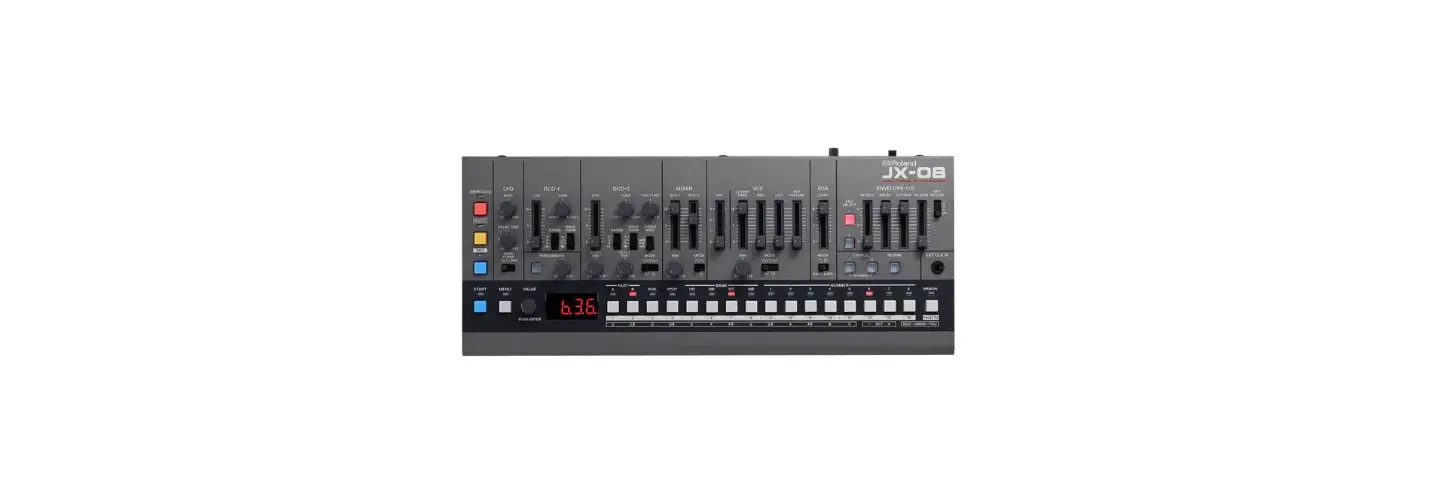

Roland JX-08 Boutique Sound Module
Before using this unit, carefully read “USING THE UNIT SAFELY” and “IMPORTANT NOTES” (the leaflet “USING THE UNIT SAFELY”). After reading, keep the document(s) where it will be available for immediate reference.
Panel Descriptions
Top Panel (Control Section)
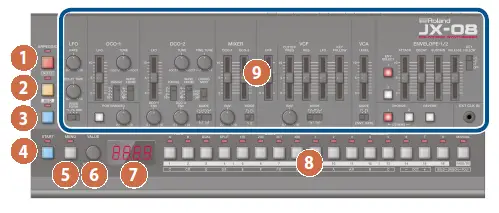
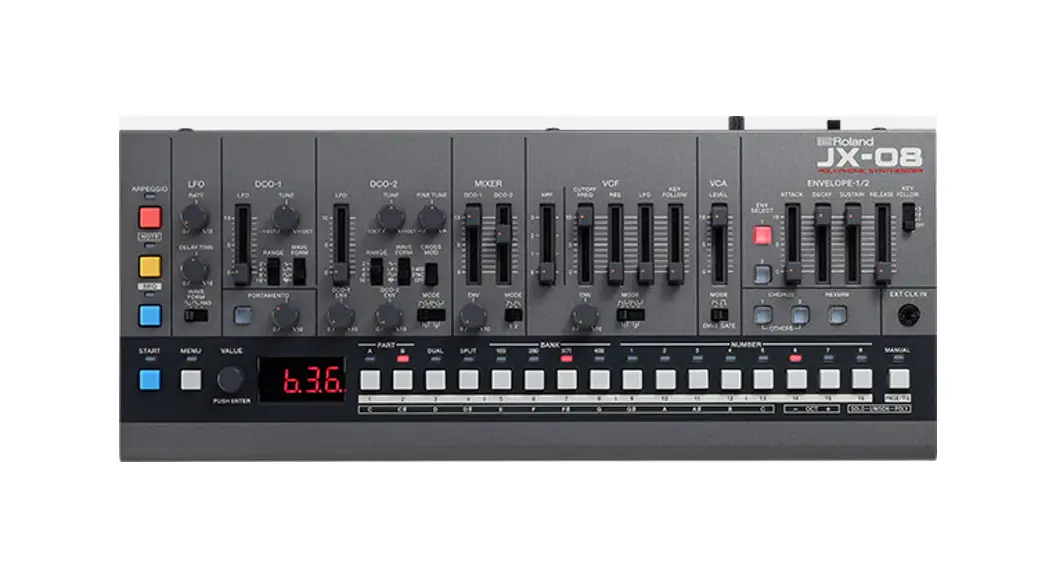
| NO 1 | NAME [ARPEGGIO] button | EXPLANATION Turns the arpeggio on/off. Long-press the button to show the arpeggio settings menu. | |
| 2 | [NOTE] button | When this is on, you can use the [1]–[13] buttons as a keyboard. | |
| 3 | [SEQ] button | When this is on, you can edit the sequencer. | |
| 4 | [START] button | Plays back (the button lights up) or stops the sequencer (the button goes dark). Use this together with the [1]–[16] buttons to switch to different patterns. | |
| 5 | [MENU] button | Displays the sequencer settings menu. When the [SEQ] button is on, this displays the sequencer settings menu. | |
| 6 | [VALUE] knob | Edits the parameter’s value. Press the knob to confirm the value or operation. | |
| 7 | Display | Shows the bank and patch number, parameter value and tempo. | |
| 8 | [1]–[16], [PAGE/TIE] button | Use these buttons to switch between tones (patch/bank), and to input notes into the sequencer. | |
| 9 | Tone section (controls inside the outlined section) | Use these controls to edit the tones. Refer to the manual on our website for details. | |
Rear Panel

To prevent malfunction and equipment failure, always turn down the volume, and turn off all the units before making any connections.
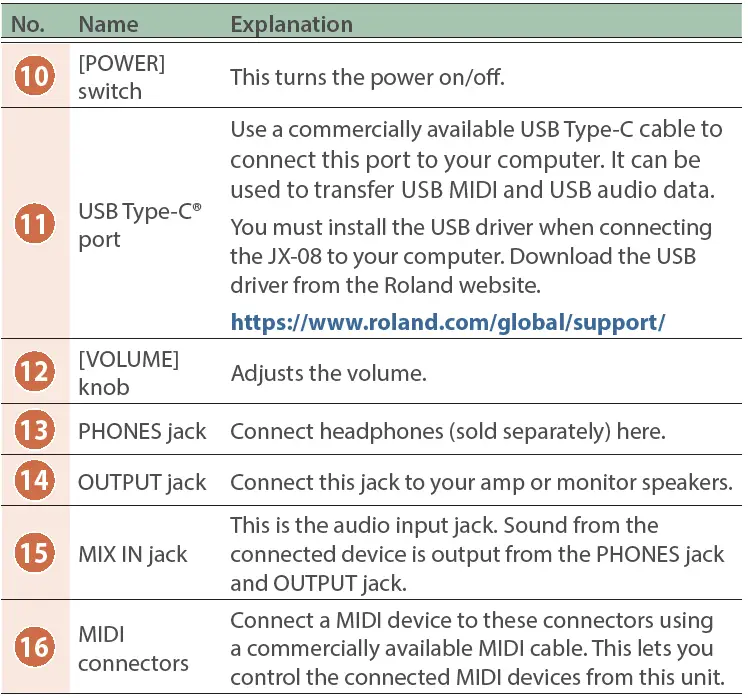
You must install the USB driver when connecting the JX-08 to your computer. Download the USB driver from the Roland website. https://www.roland.com/global/support/
Outputting Sound
- Turn the JX-08 power on.
Before turning the unit on/off, always be sure to turn the volume down. Even with the volume turned down, you might hear some sound when switching the unit on/off. However, this is normal and does not indicate a malfunction. - Hold down the [START] button and press the [9]– [16] buttons (NUMBER 1–8).
Select a pattern. The pattern number appears on the display. - Press the [START] button.
This plays back the pattern. Press the [START] button again to stop the pattern.
Online Manual
For more details on this unit, refer to the online manual (HTML) by accessing the link below. https://roland.cm/jx-08_om