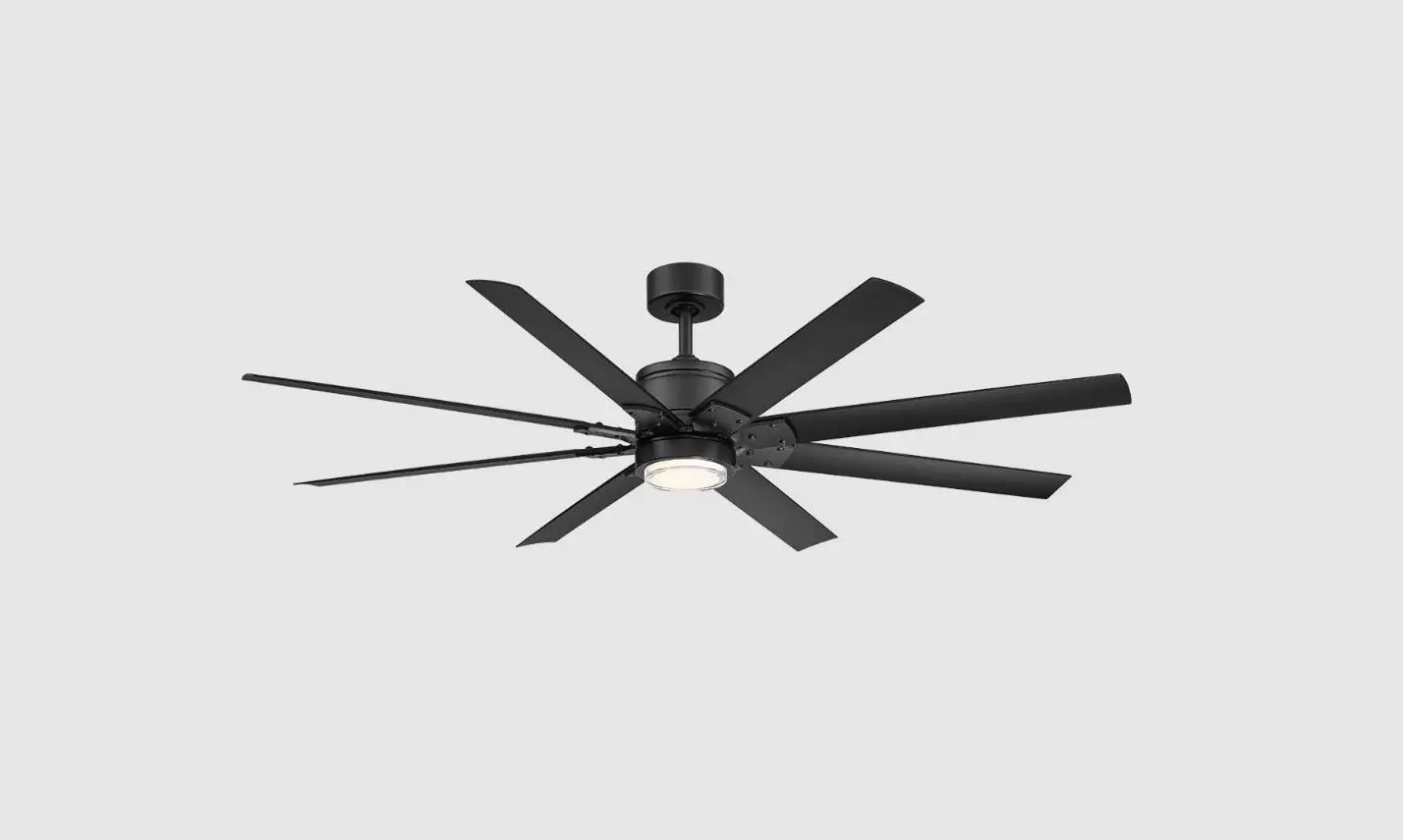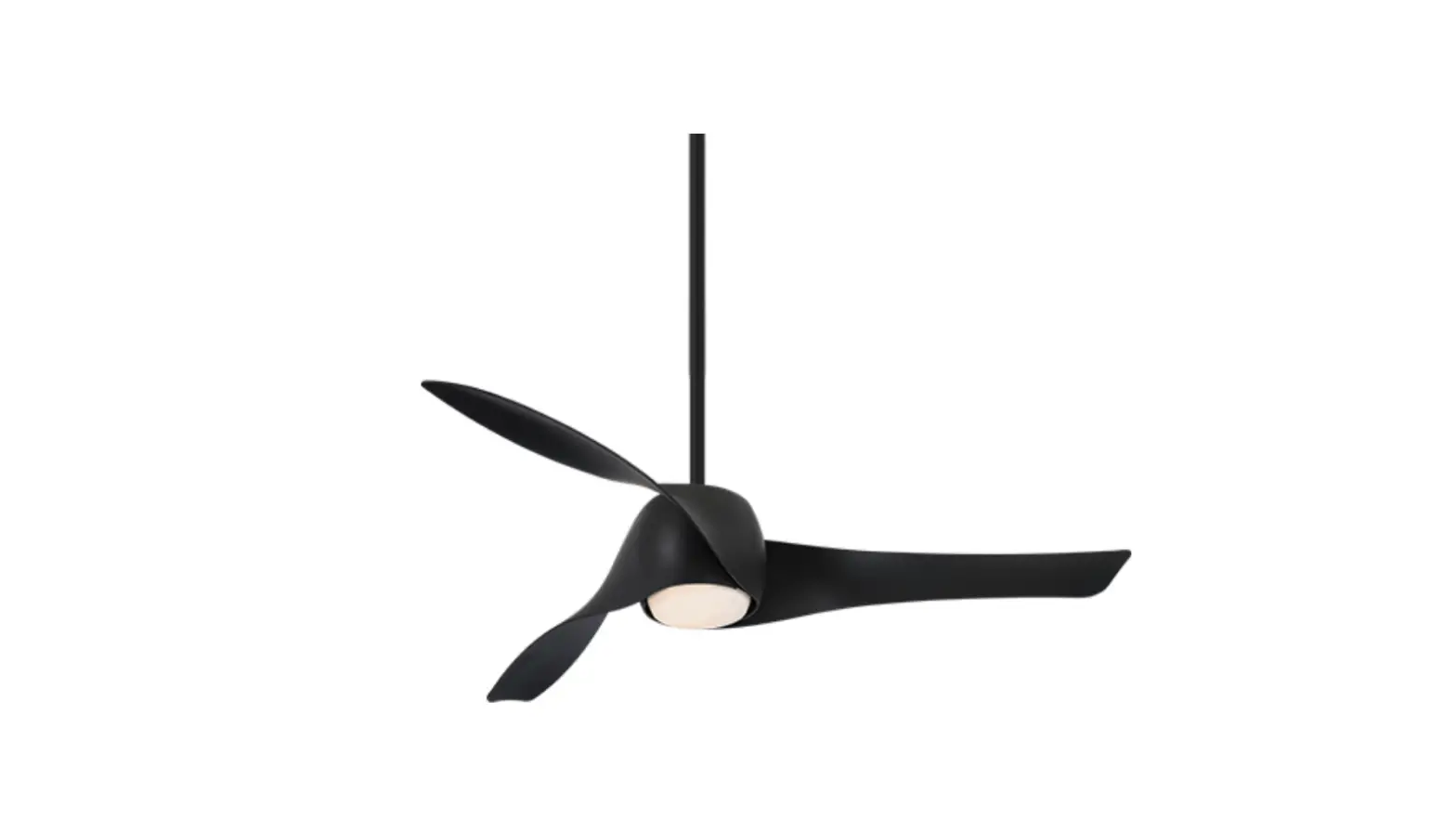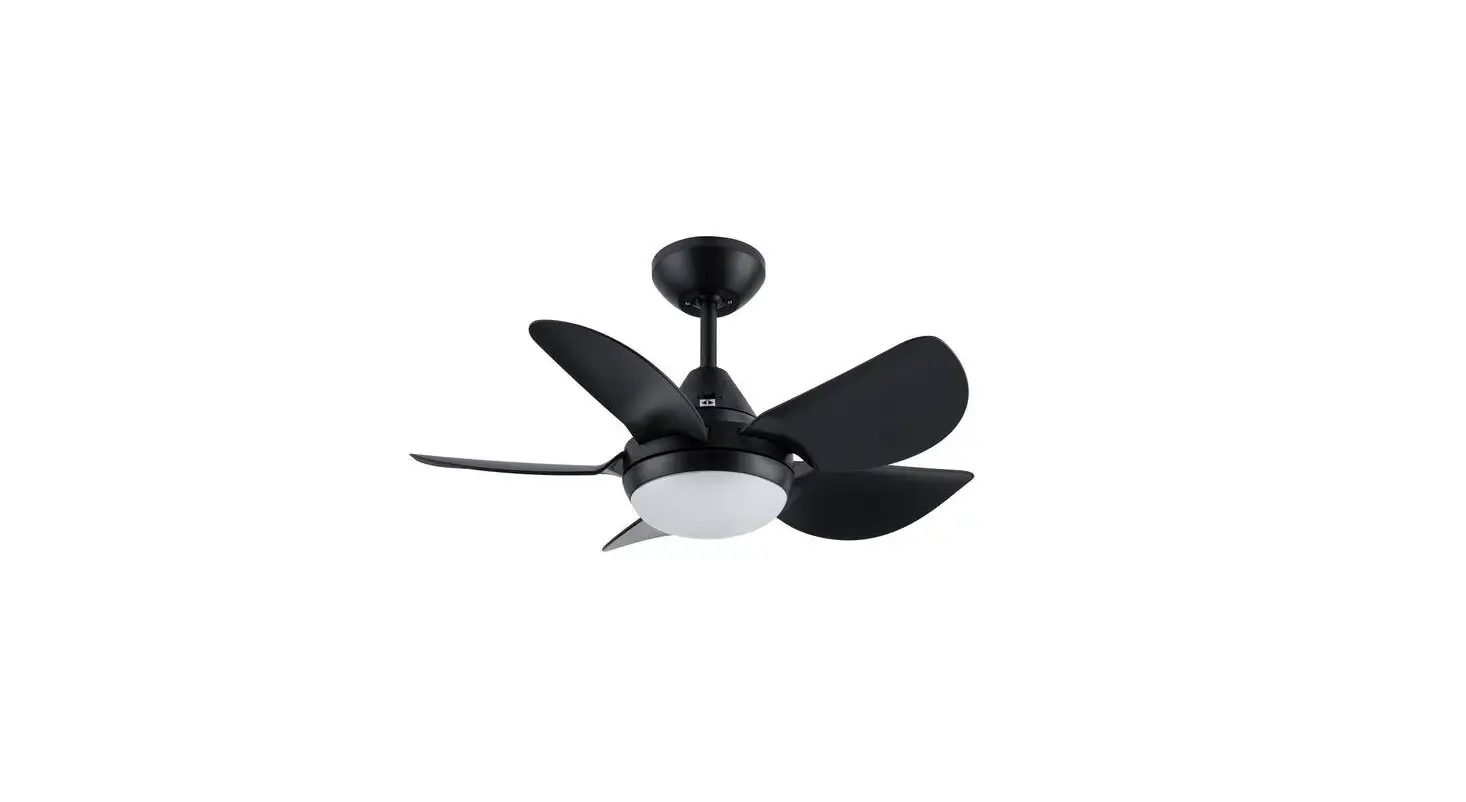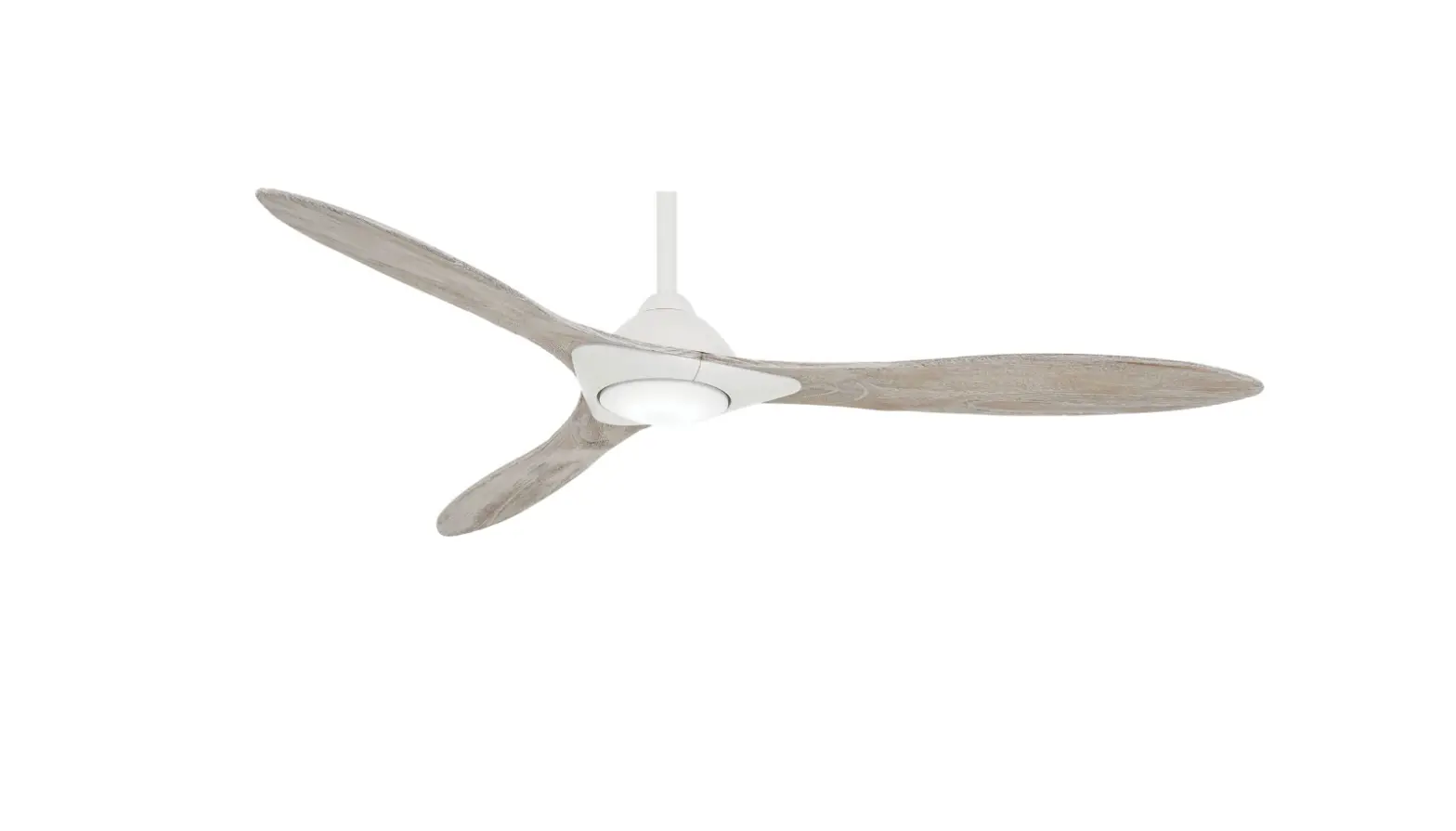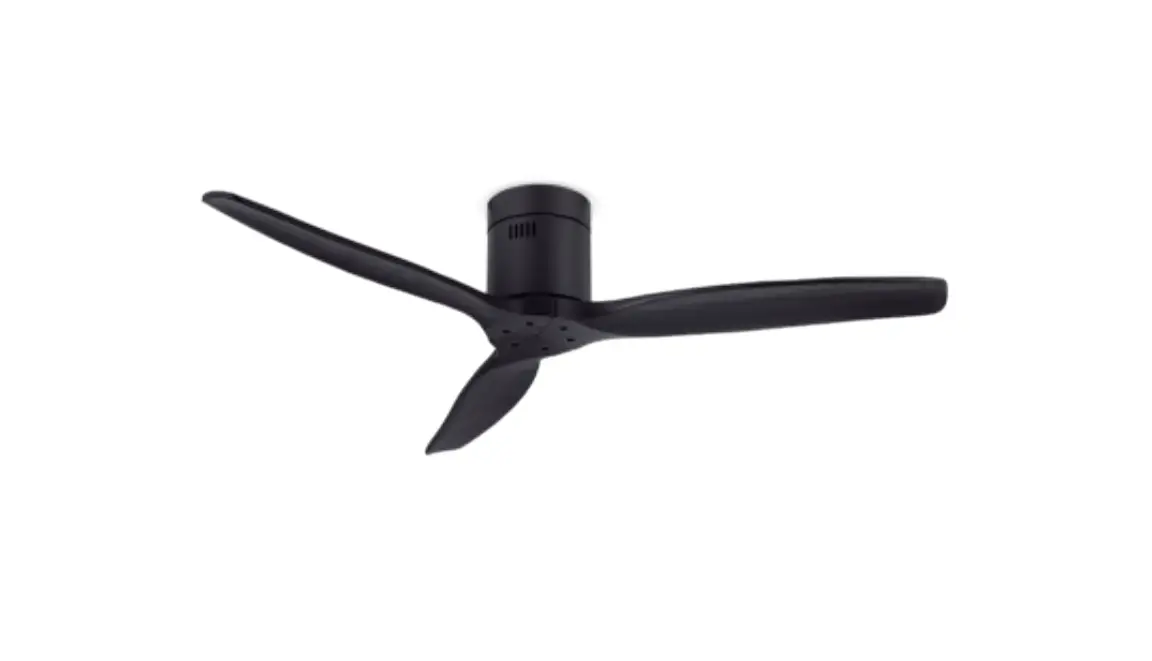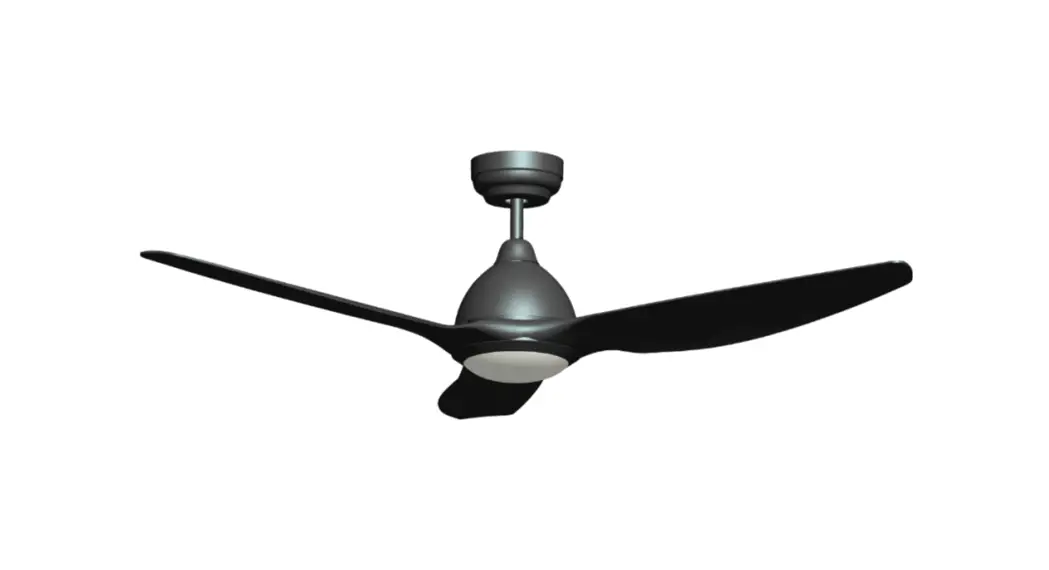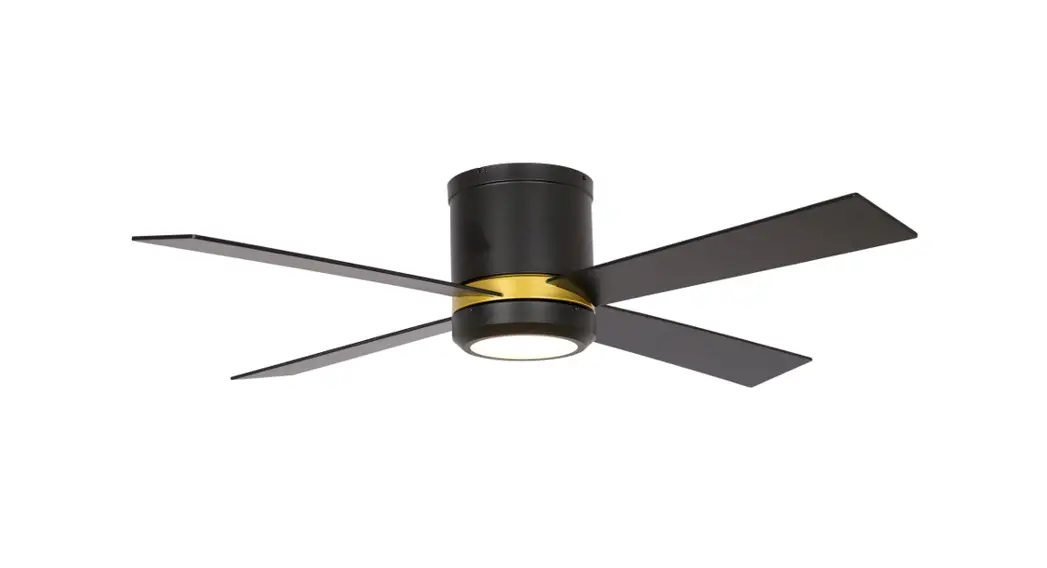
Modern Forms FR-W1813-60L-GW Smart Ceiling Fan
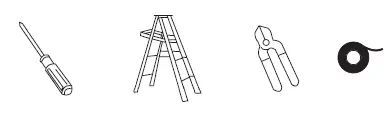
TOOLS REQUIRED
General Inquiries
For all questions about your ceiling fan please read all included instructions, installation procedures, troubleshooting guidelines and warranty information before starting installation
For missing parts or general inquiries call our trained technical staff at:
- 1-866-810-6615 option 0
- MON-FRI 8AM-8PM EST
- Email: [email protected]
- Or live chat at modernforms.com
Fan Support
For fast service have the following information below when you call:
- Model Name and Number
- Part Number and Part Description
- Date Of Purchase and Purchase Location
- 1-866-810-6615 option 1
- MON-FRI 8AM-8PM EST
- Email: [email protected]
Safety Rules
For operation, maintenance, and troubleshooting information, visit http://modernforms.com/fan-support/ To reduce the risk of electric shock, ensure electricity has been turned off at the circuit breaker before beginning. All wiring must be in accordance with the National Electrical Code “ANSI/NFPA 70” and local electrical codes. Electrical installation should be performed by a licensed electrician. The fan must be mounted with a minimum of 7 ft. (2.1m) clearance from the trailing edge of the fan blades to the floor and a minimum of 1.5 ft (0.5m) from the edge of the fan blades to the surrounding walls. Never place objects in the path of the fan blades. To avoid personal injury or damage to the fan and other items, please be cautious when working around or cleaning the fan. To avoid electrical shock or damage to the motor or finish, do not use water or chemicals when cleaning the fan or fan blades. A dry cloth or lightly dampened cloth will be suitable for most cleaning. After making electrical connections, spliced conductors should be turned upward and pushed carefully up into the outlet box. The wires should be spread apart with the grounded conductor and the equipment-grounding conductor on one side of the outlet box, and the ungrounded conductor on the other side of the outlet box.
WARNING:
- Do not install or use your fan if any part(s) is/are damaged or missing.
- This product is designed for use only with the supplied parts and/or accessories designated for use with this product by Modern Forms.
- Substitution of parts or accessories not designated for use with this product by Modern Forms could result in personal injury or property damage and will void the warranty.
- Contact an authorized dealer or manufacturer if any parts are damaged or missing.
- To reduce the risk of electric shock, this fan must be installed and operated with the supplied wall control or controlled from the Modern Forms app or Wi-Fi Touch Panel Wall Control (not included).
- Do not use power tools to assemble or install your fan. Using power tools can result in improper assembly which can lead to noise or fan damage,personal injury or property damage.
- To reduce the risk of personal injury, do not bend the blade arms when installing the brackets, balancing the blades or cleaning the fan.
- Do not insert foreign objects between rotating fan blades.
- Do not operate fan unless fan blades are in place. Noise and fan damage can occur
- This appliance is not intended for use by young children without supervision.
- To reduce the risk of fire, electric shock, personal injury or damage to the fan or other items, the outlet box and support structure must be securely mounted and capable of reliably supporting a minimum of 35 Ibs (15.9 kg). Use only UL/cUL listed outlet boxes marked “FOR FAN SUPPORT.” Use only the screws and washers provided with the outlet box.
Get Smart
Integrates seamlessly with
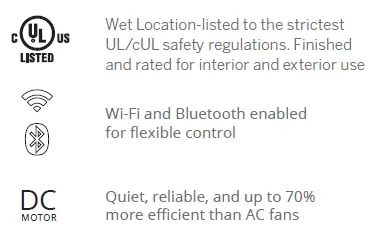
Premium smart features
Accessories
Hardware Bag
- 4 * 18mm Flat Head Screw
- (Customed 15mm) (13)
- 1/4”-20thread x11mm+S
- Phil/Slotted Screw (13)
- 6.5x19x2mm Flat Washer (1)
- 3/16”(5.2×8.4×1.0mm)
- Spring Washer (1)
- #10x76mm Pan Head Phillip
- Wood Screws (1)
- 5/32”x1/4mm Phil Truss Head
- Screw (Water Proof) (4)
- #10x38mm Pan Head Phillip Screws (2)
- Ø5*14*1mm Flat Washer (2)
- 3/16” Star Washer (2)
PARTS FEATURE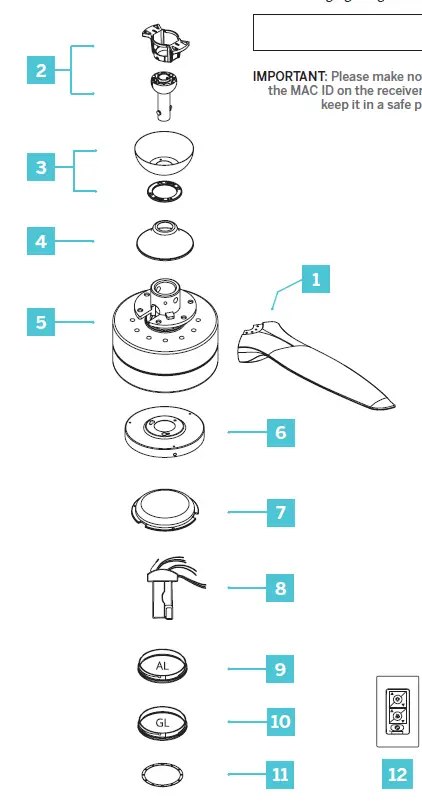
Mounting Options
To prevent electrical shock, ensure electricity has been turned off at the circuit breaker before beginning. If there isn’t an existing UL/cUL listed outlet box, please refer to the following instructions. Secure the outlet box directly to the building structure. Use appropriate fasteners and building materials. The outlet box and support structure must be able to fully support the moving weight of the fan (at least 35 lbs/15.9 kg). Do not use plastic outlet boxes. Use only UL/cUL listed outlet boxes marked
“FOR FAN SUPPORT.”
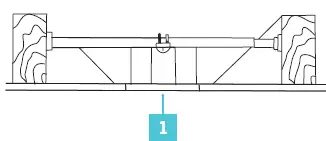
Secure the outlet box directly to the building structure. Figures 1-1C are examples of different ways to mount the outlet box.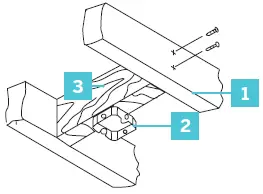
- Support Brace
- Outlet Box
- Joist
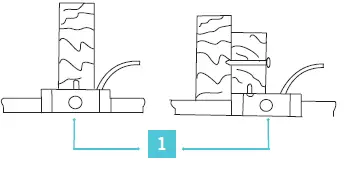
- Outlet Box
Support Ceiling Max 30° Angle
- Support Brace
- Mounting Bracket
- Recess Outlet Box
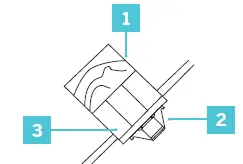
- Outlet Box
Hanging the Fan
- Disconnect power at the breaker to the fan location. A licensed electrician must install the fan.
- Remove 1 of 2 screws from the bottom of mounting bracket and save for use in Finishing the Installation section. Loosen the other screw
- Pass the 120-volt supply wires through the center hole in the ceiling mounting bracket
- Secure the mounting bracket to the ceiling outlet box with the screws and washers provided with your outlet box
Attaching the Fan Blades
- Remove and discard the 2 pre-installed screws on the motor as shown
- Attach the fan blades with the blade screws provided
- Turn the fan motor assembly over and install the blade collector ring with the screws provided
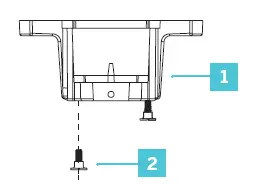
- Mounting Bracket
- Screw
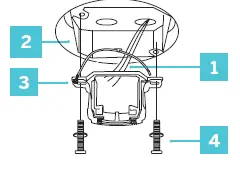
- 120V Wires
- cUL Listed Electrical Box
- Mounting Bracket
- Mounting Screws (supplied with outlet box)
INSTALLATION
Installing the Adapter Plate
- Remove one of the three mounting plate screws from the mounting ring and loosen the other two screws
- (Do not remove)
- Place the keyholes in the light kit plate over the two screws previously loosened from the mounting ring. Turn the light kit plate until it locks in place at the narrow section of the keyholes
- Securely tighten the two light kit plate screws previously removed
Hanging the Fan
- Take out the set screw located in the hanger ball, lower the hanger ball and remove the cross pin. Remove the hanger ball from the hanger ball/download assembly
- Remove the clevis pin and cotter pin, and loosen the two collar screws from the motor collar
- Carefully feed the motor wires and safety cable up through the download. Thread the download into the collar.
- Align the holes of the download and collar and insert the cotter pin and clevis pin. Tighten the two collar screws
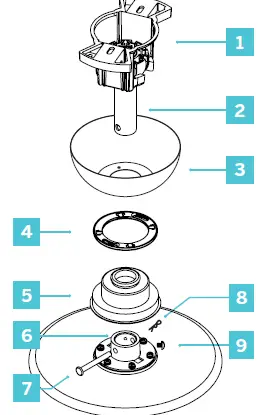
- Hanger Ball/Mounting Bracket
- Downrod
- Canopy
- Canopy Screw Cover
- Coupling Cover
- Collar
- Cotter Pin
- Clevis Pin
- Screws
Hanging the Fan
- Slip the coupling cover, canopy screw cover (painted side face down), and canopy (opened side up) onto the download
- The coupling cover goes all the way to the bottom.
- Carefully reinstall the hanger ball onto the download, being sure that the cross pin is in the correct position, the setscrew is tightened and wires are not twisted
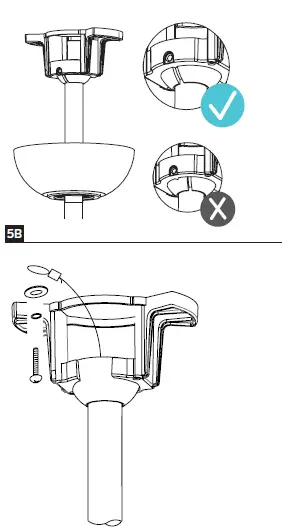
- Carefully lift the fan motor assembly up to the mounting bracket and seat the hanger ball in the mounting bracket socket.
- Make sure the tab on the mounting bracket socket is properly seated in the groove in the hanger ball
- Rotate the socket assembly until the ball drops and locks into the hanger bracket screw.
- Secure the safety cable into the structure beams using the wood screw, washers, and spring washers provided.
Making the Electrical Connections
- Installation of this fan requires that a three-conductor cable (including ground wire) which should run between ceiling and wall outlet box.
- Check to see that all connections are tight, including ground, and that no bare wire is visible at the wire nuts, except for the ground wire.
- Insert the receiver into the motor assembly with the flat side of the receiver facing the ceiling (Fig. 6).
- Motor to Receiver & Receiver to house supply wires (Fig. 6A).
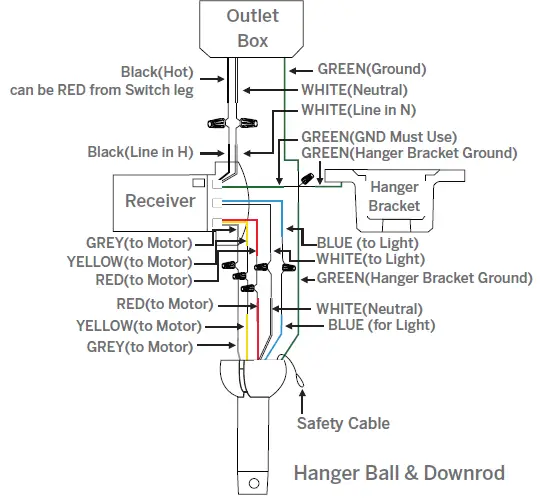
- Connect the motor assembly ground wire, mounting bracket ground wire and receiver ground wire to the ground wire in outlet box.
- Failure to connect ground wires could result in poor fan control functionality.
- Connect the red wire from the fan to the red wire marked “TO MOTOR” from the receiver.
- Connect the grey wire from the fan to the grey wire marked “TO MOTOR” from the receiver.
- Connect the yellow wire from the fan to the yellow wire marked “TO MOTOR” from the receiver.
- Connect the white wire from the fan to the white wire marked “FOR LIGHT” from the receiver.
- Connect the blue wire from the fan to the blue wire marked “FOR LIGHT” from the receiver.
- Connect the black (hot) wire from the ceiling to the black wire marked “AC in L” from the receiver.
- Connect the white (neutral) wire from the ceiling to the white wire marked “AC in N” from the receiver.
Installing the Wall Control
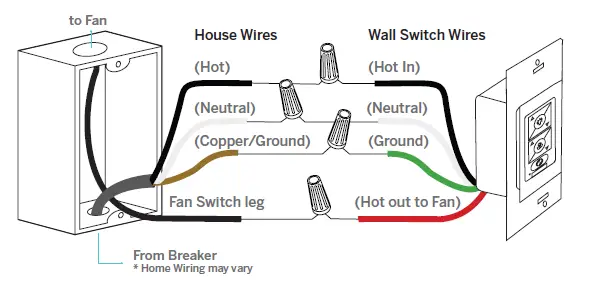
- Connect the green wire marked “GROUND” from the wall control to the copper wire from the wall outlet box that feeds back to the circuit breaker – important for proper fan function
- Connect the black wire marked “LINE IN” from the wall control to the black LINE VOLTAGE wire from the wall outlet box that feeds back to the circuit breaker
- Connect the red wire from the wall control to the black wire from the wall outlet box that feeds up to the fan
- Connect the white wire from the wall control to the white (neutral) wire from the wall outlet box
- Carefully tuck the wire connections inside the outlet box.
- Secure the wall control with the two (2) wall control screws provided
- Attach the wall mounting plate over the wall switch and secure with the two (2) wall mounting plate screws provided
- Fasten the wall plate to the wall mounting plate
Multi-location wiring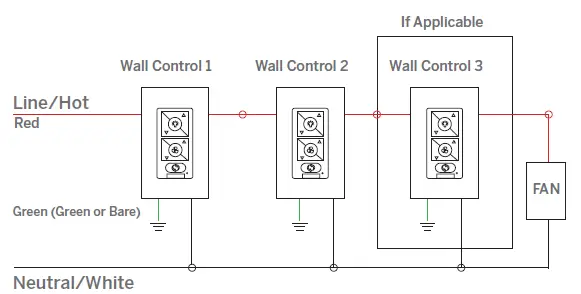
Finishing the Installation
- Secure all wire connections with supplied wire ties to assist in canopy installation.
- Tuck connections neatly into the ceiling outlet box.
- Slide the canopy up to the hanger bracket and place the keyhole on the canopy over the screw on the hanger bracket. Turn the canopy until it locks in place at the narrow section of the keyholes
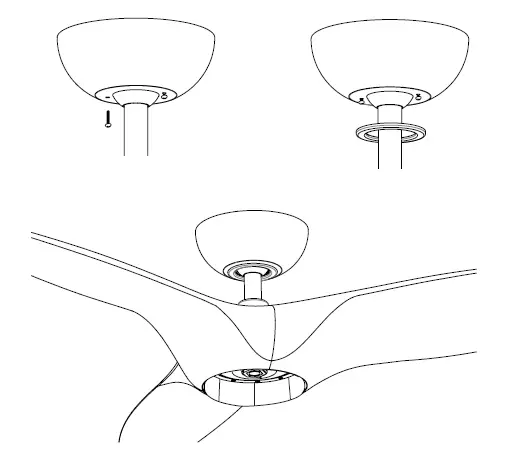
- Align the circular hole on the canopy with the remaining hole on the hanger bracket. Secure by tightening the one screw previously loosened and the one previously removed.
- Adjust the canopy screws as necessary until the canopy and canopy cover are snug.
Installing the LED Luminaire Module
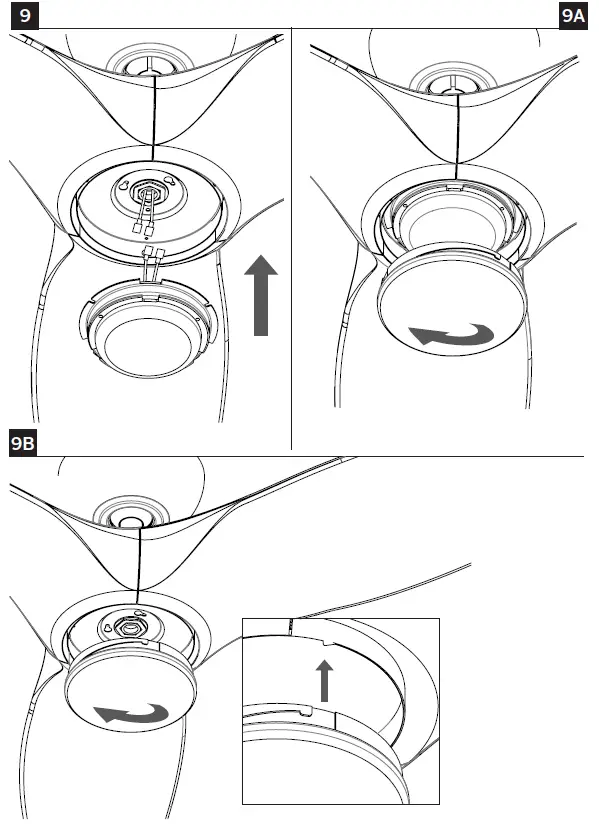
- Remove 3 screws from the outer perimeter of the adapter plate and keep in safe place.
- Raise and hold the LED luminaire module close to the adapter plate and proceed to secure the wire connections. Connect the white wire connectors from the luminaire module to the white wire of the fan.
- Follow the same procedure with the black wire connectors
- Tuck connections neatly into adapter plate. Using 3 previously removed screws install the LED module.
- Raise acrylic shade up against the luminaire module, and secure it to fan by turning acrylic shade clockwise until snug.
- Do not overtighten
- If installing the optional metal light cover, make sure it is securely tightened
Controlling the Fan
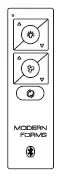
Your fan was delivered to you with the included control already paired to your fan.
- A: Light On/Off, Bright/Dim
- B: Fan On/Off, Speed Up/Down
- C: Season (Summer/Winter)
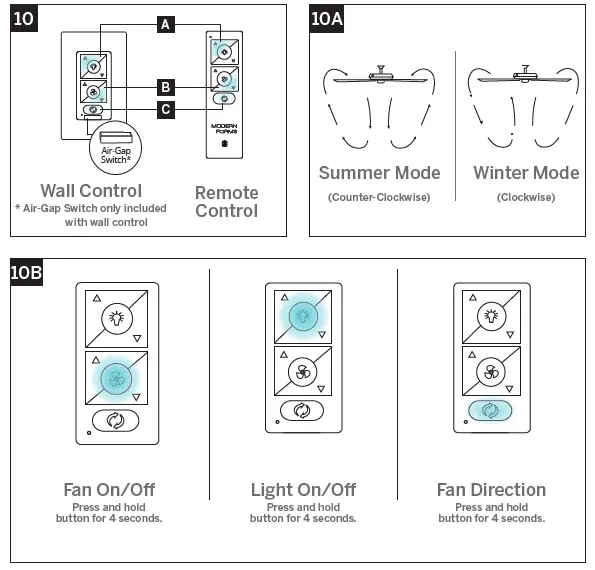
Reset
If advised by fan support, you can reset your fan to factory settings by referring to 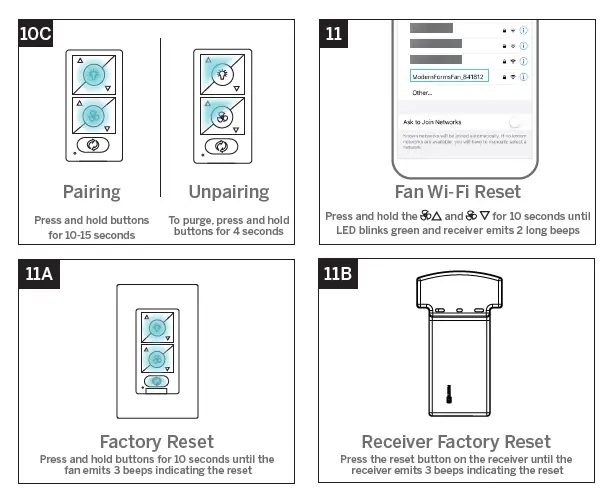
Breeze Mode
Breeze Mode mimics the natural ebb and flow of winds in nature by varying the fan speed.
Application
In addition to the included wall control, you can control your fan with a remote control (sold separately) or through the Modern Forms app. To use the Modern Forms app, download it for free from the App Store or Google Play.
- Open the app to create your account. You can also log in using your Facebook or Google account.
- To set up a Wi-Fi connection you will need the SSID and Wi-Fi password for the network you wish to connect to.
- You will receive a prompt to name your fan device and upload an optional picture of it if you choose.
- The Modern Forms app allows you to perform normal fan functions, as well as create schedules, set sleep timers, invite other users, create groups, and use smart features such as Adaptive Learning. Integrate with smart home systems you already own including Amazon Alexa, Google Assistant, Samsung SmartThings, Control 4, and more.
Scan and follow prompts for multilingual instruction options and Smart Fan FAQs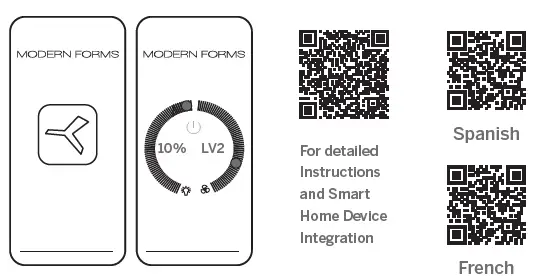
Accessories
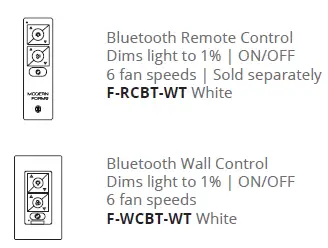
- Bluetooth Wall Control
- Dims light to 1% | ON/OFF
- 6 fan speeds
- F-WCBT-WT White
- Bluetooth Remote Control
- Dims light to 1% | ON/OFF
- 6 fan speeds | Sold separately
- F-RCBT-WT White
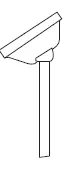
Sloped Ceiling Kit
Designed to accommodate buildings with steeper sloped ceilings up to 45° or 12/12 pitch XF-SCK
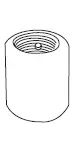
Coupler
Connects two downrods XF-I
Downrod
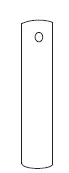
- XF-12 – 12” Downrod | XF-18 – 18” Downrod
- XF-24 – 24” Downrod | XF-36 – 36” Downrod
- XF-48 – 48” Downrod | XF-60 – 60” Downrod
- XF-72 – 72” Downrod
Troubleshooting
My Fan Will Not Start
- Check main and branch circuit fuses or circuit breakers.
- Check line wire connections to fan and switch wire connections in the switch housings.
My Fan is Noisy
- Allow for 24-hour break-in period. Most noises associated with a new fan will go away during this time period.
- Check to make sure the screws which attached to the blades (and blade arms when applicable) are tight.
- Check to make sure all screws in motor housing are snug.
- Make sure light cover is tightened and/or glass is snug.
- Tighten the hanger bracket screws and make sure the outlet box is secured.
- Your wire connectors may be rattling against the fan’s canopy.
- Make sure you have a cUL/UL approved outlet box and it is installed correctly.
My Fan is Wobbling
- Tighten the setscrews in the downrod.
- Make sure your hanger ball assembly is locked into place in the hanger bracket.
- Tighten the hanger bracket screws to the outlet box.
- Make sure the fan blades are properly aligned and securely fastened to the motor housing assembly/blade arms.
- Make sure the gaps between the blades are evenly distributed or make sure you are using an approved cUL/UL listed outlet box and it is installed correctly.
My Fan is not producing Enough Air Movement
- If possible, please consider using a longer than included downrod.
My remote or wall control is not controlling my fan
- Verify that the fan is receiving power by power cycling the fan. To do this:
- Cut power to the fan via standard On/Off wall switch, or the breaker if standard wall switch is not applicable.
- Wait at least 10 seconds, and then restore power.
- The fan will power on in Pairing mode for 3 minutes.
- Press and hold and buttons on wall control for 10-15 seconds.
- When the LED indicator remains solid green, and three (2) audible beeps are heard, the pairing process is complete.
I don’t see my fan’s WiFi (ModernFormFan_XXXXXX) in my phone’s list of available WiFi networks.
- If your fan had been previously paired the Wi-Fi radio will be off.
- To turn on Wi-Fi, press and hold fan speed up and fan speed down buttons on your remote control or wall control for 6 seconds.
- The fan will beep and you will see its Wi-Fi network available for connection.
My home Wi-Fi network is not showing up in the app’s list during setup.
- Your fan supports connection with 2.4GHz 802.11b/g/n networks.
- Confirm your network is compatible by checking your router settings or contact your router manufacturer.
- Make sure your network’s SSID is not hidden.
- Your fan does not support 5 GHz network connectivity. connection.
My Fan failed to join the Wi-Fi network
- Make sure you entered the correct Wi-Fi password and your mobile device is connected to the same network you attempted to connect the fan.
- Make sure you are within the router manufacturer’s specified range. If all of these steps have failed – please power cycle your fan and router and retry.
What is power cycling and how do I power cycle my fan?
Power cycling is the act of temporaily removing the power source for your fan. If the fan is powered through a wall switch, turn the switch off for 10 seconds and back on. Alternately, you can use the circuit breaker the fan is connected to by toggling it off for 10 seconds and back on. If your fan is wired through a Modern Forms wall control (P/N: F-WCBT-WT) pull the Air-Gap Switch on your wall control, wait 10 seconds, and re-insert.
What is Adaptive Learning?
Adaptive learning is an exclusive feature that allows your fan to learn your daily/weekly habits and automatically recommend scheduled activity through the Modern Forms app. This feature can be toggled on or off.
What is Breeze Mode?
Breeze Mode mimics the natural ebb and flow of winds in nature by fluctuating your fan’s speed.
What is Pairing?
Pairing is the process of connecting your Modern Forms remote or wall control to your fan. Your fan comes pre-paired to your included remote control. However, if you want additional controls for your fan or if you’re replacing a control, refer to the pairing and unpairing section of the instructions.
What is a Factory Reset?
Factory Reset is a restore of the fans original settings. This can be achieved from the control or by pressing and holding the small button on the receiver until you hear three audible beeps or by holding down the fan toggle, light toggle, and season toggle buttons on your paired remote or wall control for 10 seconds. NOTE: You will need to re-pair your remote or wall controls to the fan following a factory reset. A factory reset will also disconnect the fan from your home Wi-Fi network and will require you to add the fan using the Modern Forms Smart Fans app. Please refer to the FAQ section of our app for further guidance. For all other questions, please contact our dedicated Fan Support specialists. Contact information can be found at the front of the instructions.
Certificate of Warranty
Congratulations on your new purchase.
Your new Modern Forms Smart Fan is engineered to make life easier every day. Modern Forms creates future-forward fans and luminaires that provide energy savings and outstanding efficiency. Our dedication to doing things the right way goes beyond our love for amazing products. Modern Forms Smart Fans™ warrants any of its outdoor rated ceiling fan products that they are to be free from defects in material and workmanship for a period of one (1) year from the date of purchase; outdoor painted finishes are warranted for two (2) years; LED light modules and electronic components are warranted for five (5) years; DC motors and stainless steel finishes are warranted for lifetime under normal use to the first non-dealer purchaser. Although Modern Forms uses the best available materials and does extensive testing for finish endurance, some fading or chalking may occur and is considered normal. For coastal locations, some corrosion and/or deterioration is considered “normal wear” in this environment. Therefore, any finish claim due to coastal environment conditions is not applicable to our warranty. If a product is defective, all efforts will be made to correct the problem in the field. If the problem cannot be resolved, an RGA number will be issued. Modern Forms obligation is expressly limited to repair or replacement, without charge, at the Modern Forms factory after prior written return authorization has been granted. Modern Forms obligation under this warranty shall not extend beyond the distributor’s initial purchase price of the product and accordingly any consequential damages or labor costs arising out of a defect are expressly excluded. This warranty shall not apply to products that have been altered, improperly installed, mishandled or misused. Notice of a defect in writing must be received by Modern Forms within five (5) years from the date of purchase (or according period of time as outlined by material). Excluded from warranty are any 3rd party component which carries its own manufacturer’s warranty. Note: Modern Forms product warranty applies only to purchases from authorized Modern Forms distributors. THERE ARE NO WARRANTIES WHICH EXTEND BEYOND THE DESCRIPTION ON THE FACE HEREOF INCLUDING WARRANTIES OF MERCHANTABILITY AND FITNESS FOR A PARTICULAR PURPOSE. The Bluetooth ® word mark and logos are registered trademarks owned by Bluetooth SIG, Inc. and any use of such marks by Wangs Alliance Corporation is under license. Other trademarks and trade names are those of their respective owners
FAQS
Is a smart ceiling fan worth it?
If you’d like more control over your home’s climate, then a smart fan may be a great option for you
Why is my modern forms fan not working?
If you already connected your fan to the app, it may have temporarily lost its Internet connection
Why is my modern forms fan beeping?
The LED will blink green and the fan will beep. indicate when the speed is increased or decreased
Are 3 or 4 blade ceiling fans better?
4-blade ceiling fans are less noisy and are useful in rooms with an air conditioner, to move the cool air around.
Why is my ceiling fan not coming on?
If your ceiling fan stopped working or is not turning on, it could be because it isn’t receiving any electricity
How do you reset a smart ceiling fan?
Use the power switch to switch the light on and off for 5 times (on for 2 seconds each time, and off for 2 seconds). When the light has a breathing effect, it has been restored to the factory mode
Why is my fan control not working?
The most likely cause of fan speed control failure is a resistor failure at the fan’s motor, although it can also be a defective control switch or burned-out fan motor
How do you stop a fan from making a clicking noise?
A ceiling fan making clicking noise may be caused by blades that aren’t firmly attached to the fan assembly.
How do you stop a fan from chirping?
Squeaking ceiling fans usually result from the blades being out of balance, so by first cleaning accumulated dust, etc. from the blades, then balancing the blades if needed, you can usually decrease or eliminate the squeak
Do ceiling fans with more blades work better?
A common misconception is that the more blades a ceiling fan has, the better air circulation it creates
Which ceiling fans are the quietest?
Ceiling Fans with DC Motors use the latest technology and run cooler and quieter than conventional AC ceiling fan motors because they have permanent magnets that do not generate ANY electrical buzz.
Is it better to have 3 or 5 blades on a ceiling fan?
There is a common misconception that five ceiling fan blades work better than four or even three blades.
Are 4 or 5 blade ceiling fans better?
Generally, the more blades the ceiling fan has, the quieter it is and circulates less air. Ceiling fan with more blades can increase the drag on the motor and affects its movement.
Which fan has best airflow?
Best overall – Luminous Dhoom 1200mm 70-Watt High-Speed Ceiling Fan. With a 380 RPM maximum speed and 220 CMM airflow, the Luminous Dhoom is undoubtedly the best ceiling fan in India available at a price of
Should you run ceiling fans all day?
Leaving fans running when there is no one to benefit from the air is simply wasting electricity.
What size ceiling fan for a 12×12 room?
42-inch ceiling fan is just right for a 12×12 room. As you can see, the size of ceiling fans is measured in the diameter of the blades. We talk about 36-inch, 42-inch, 48-inch, 52-inch, 60-inch ceiling fans, and so on.