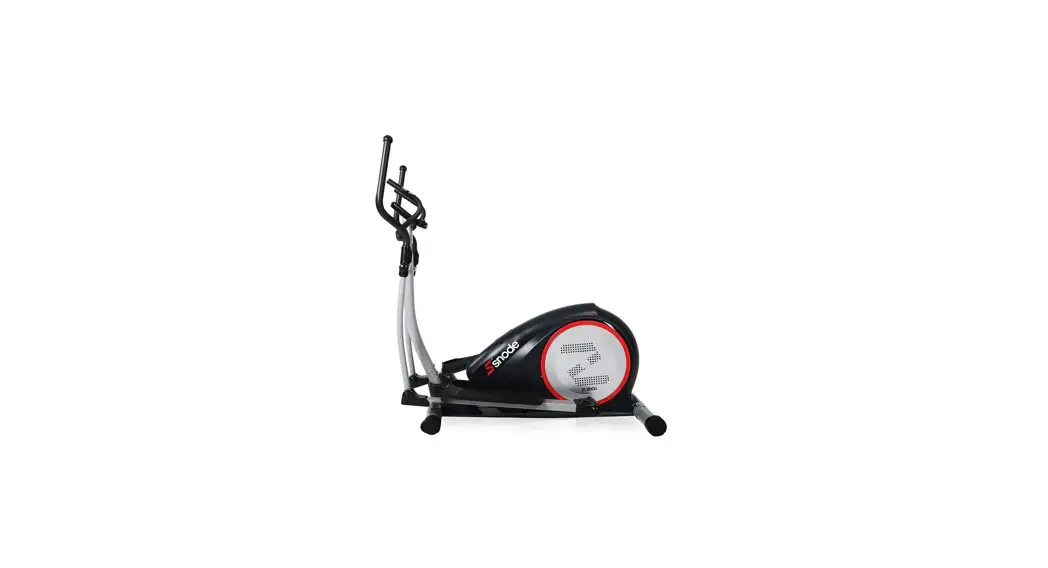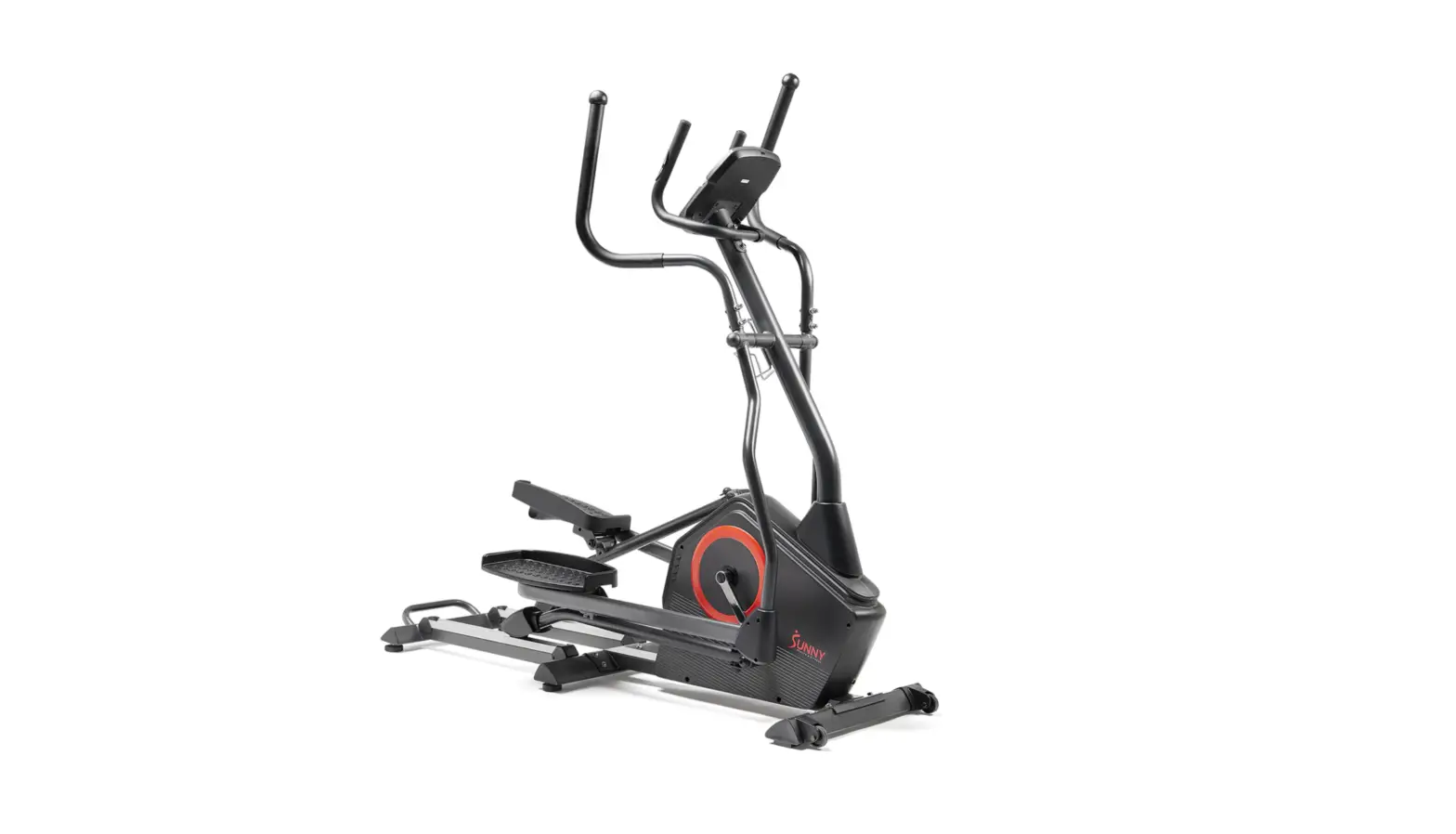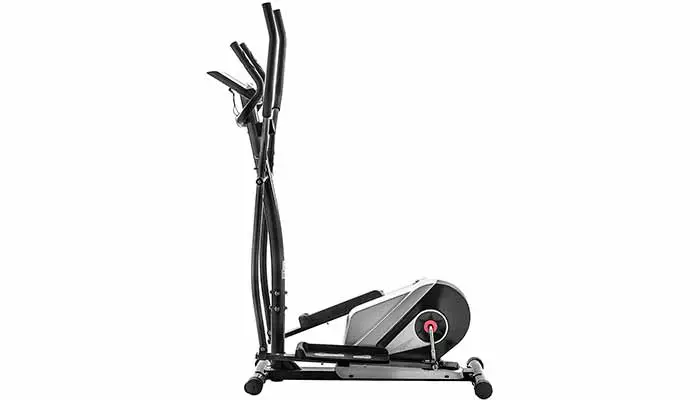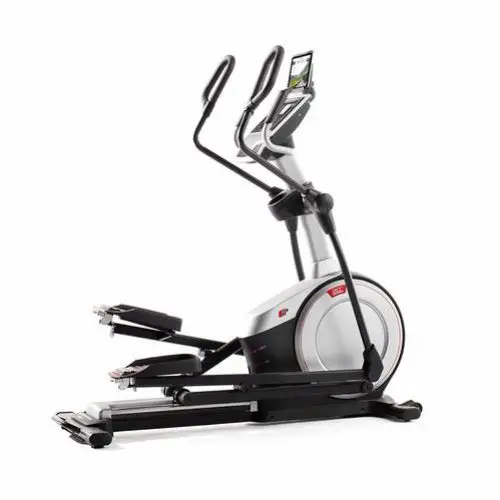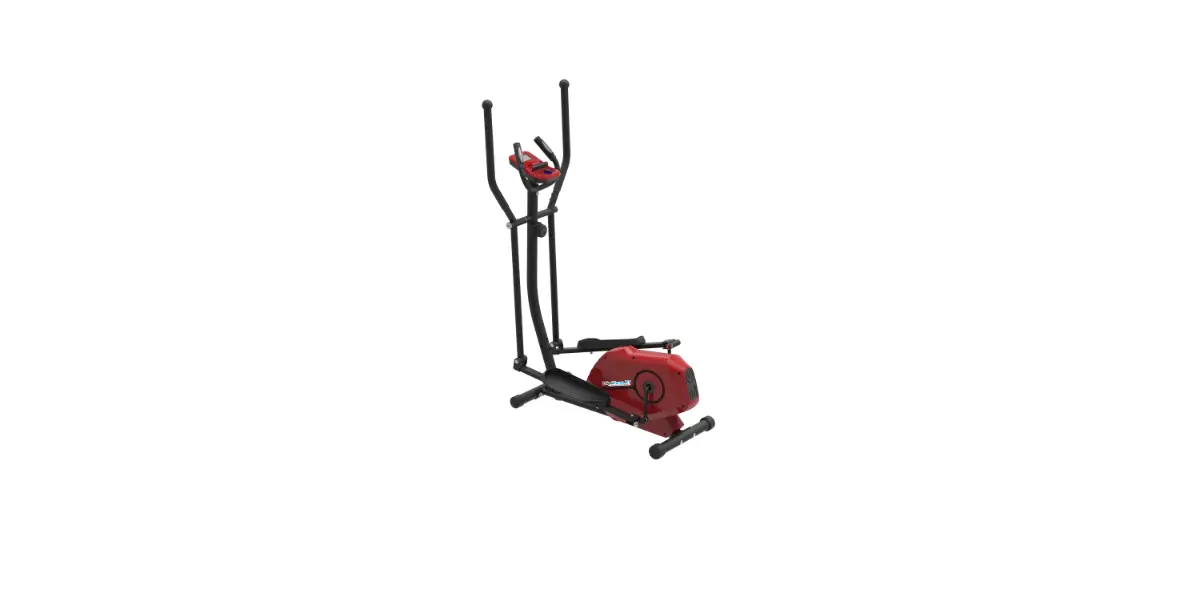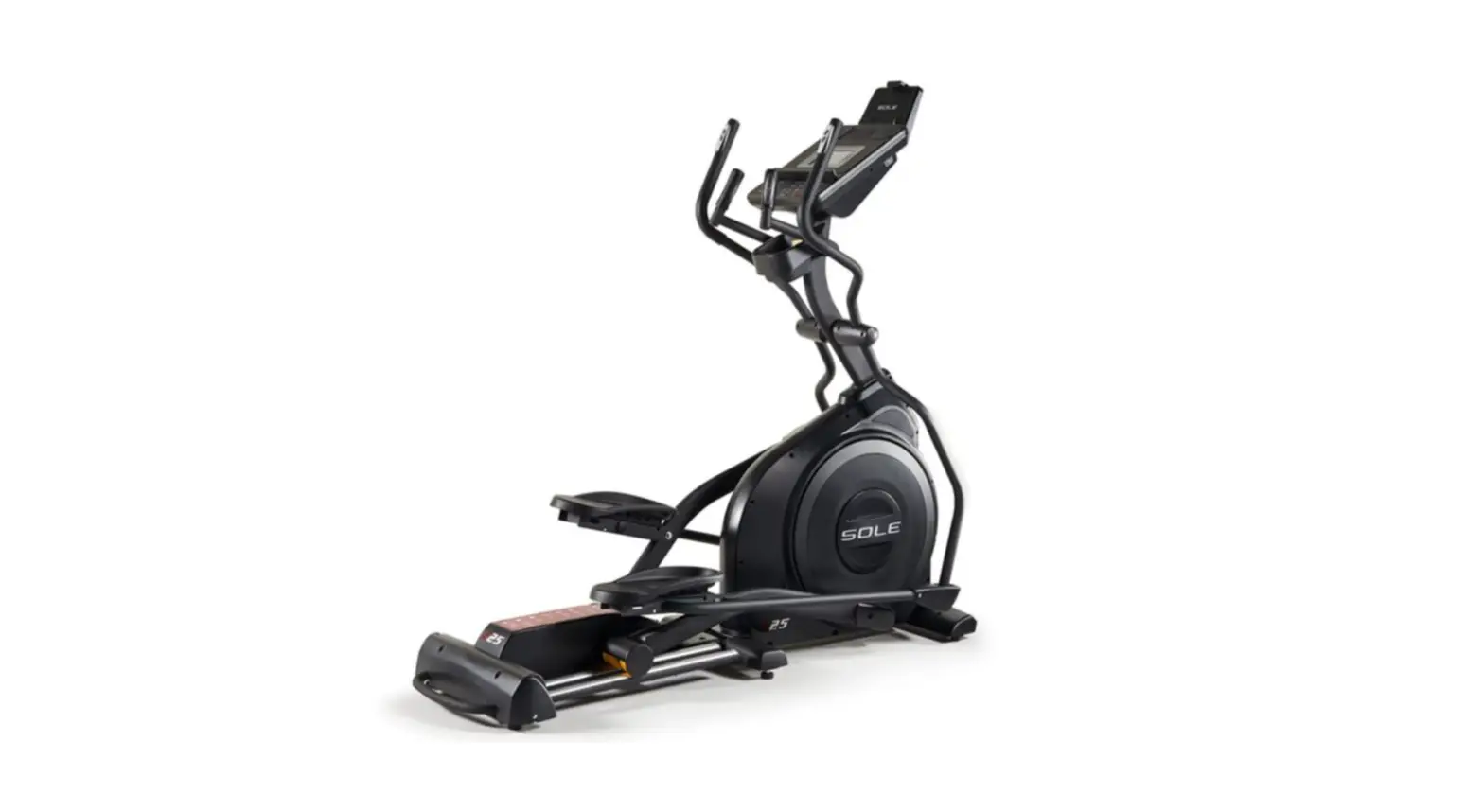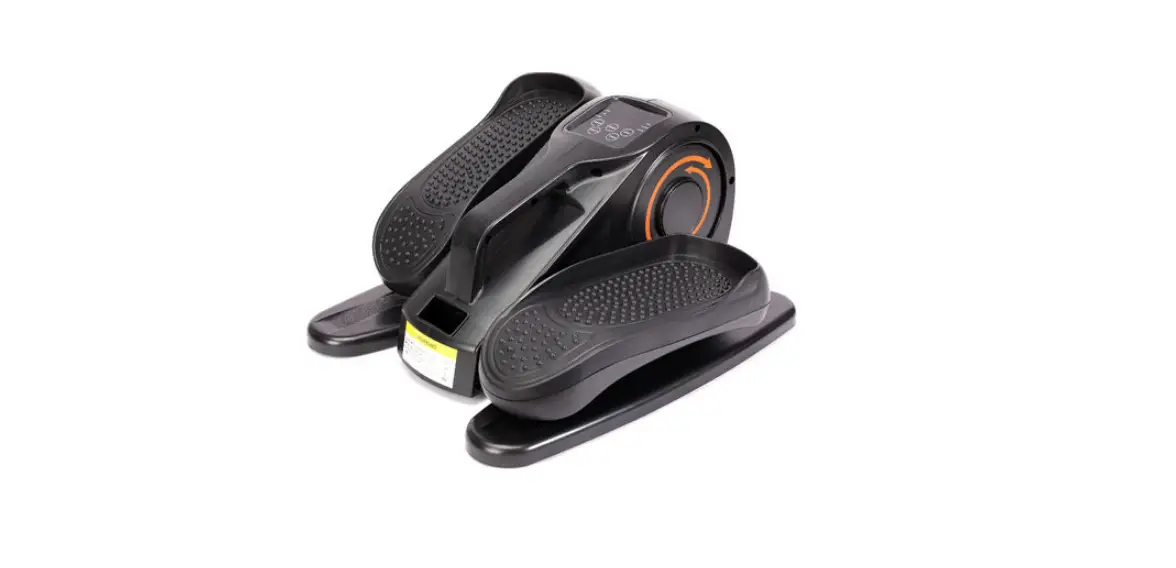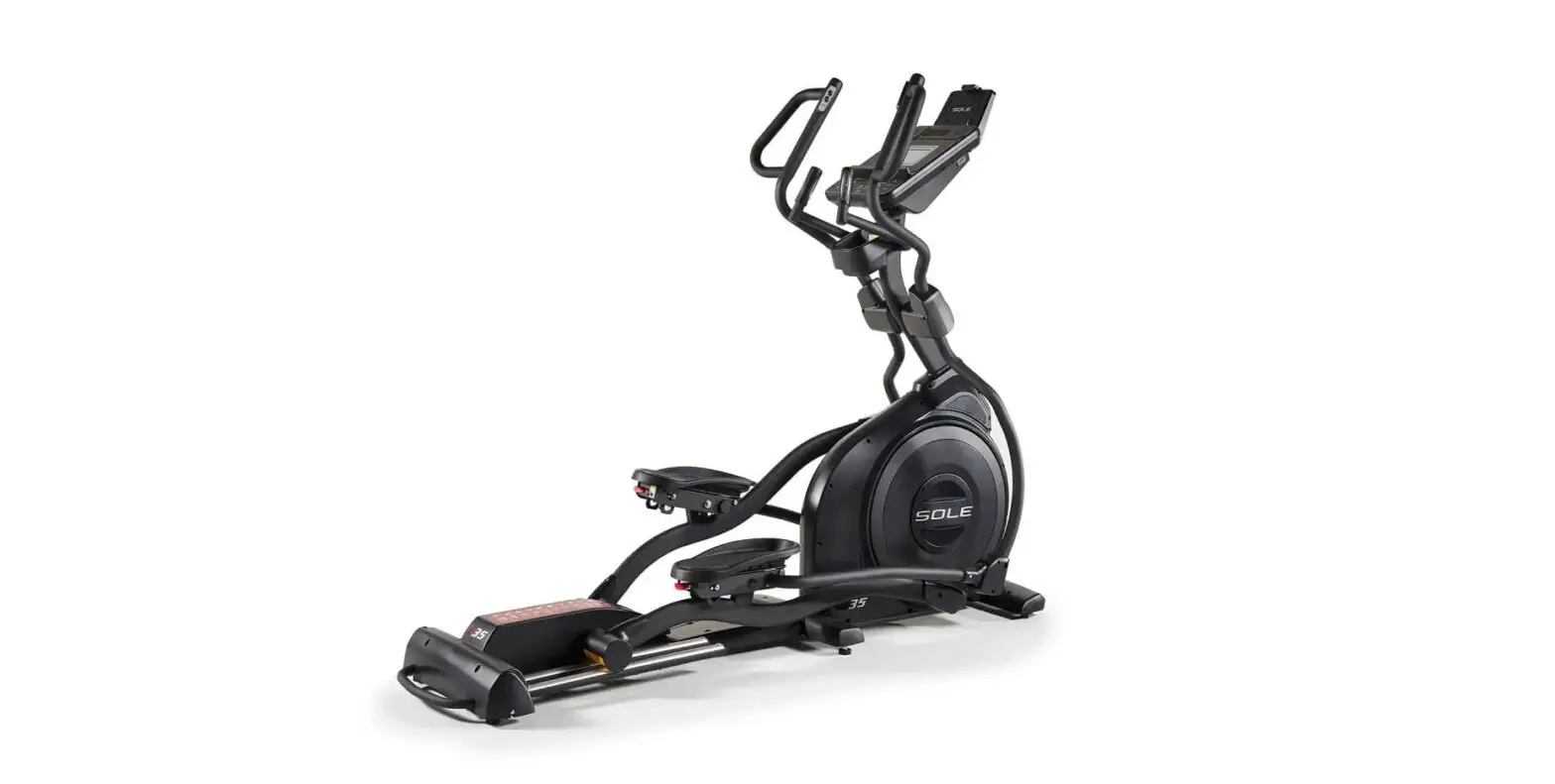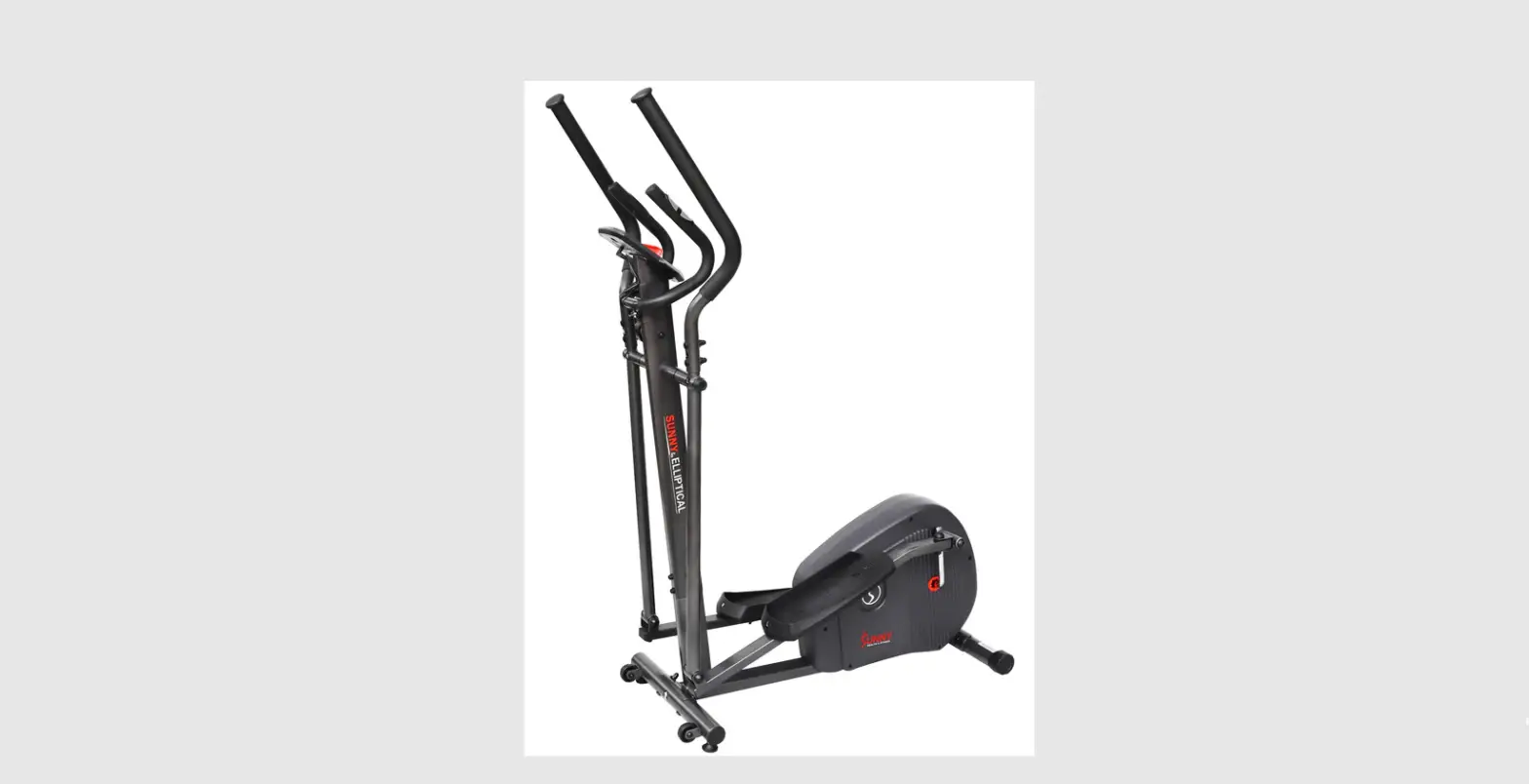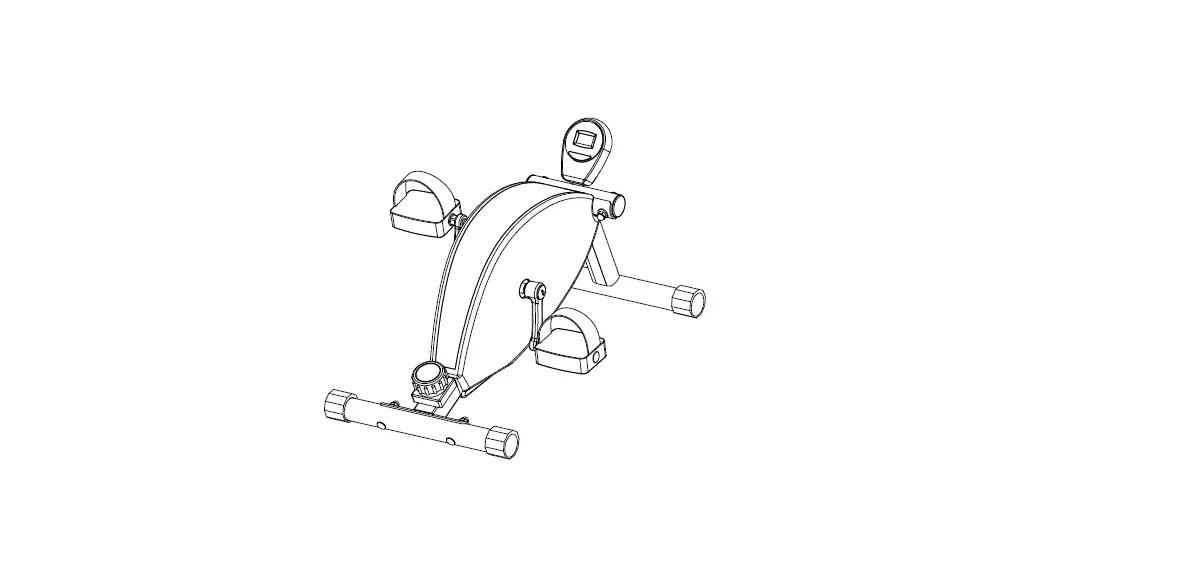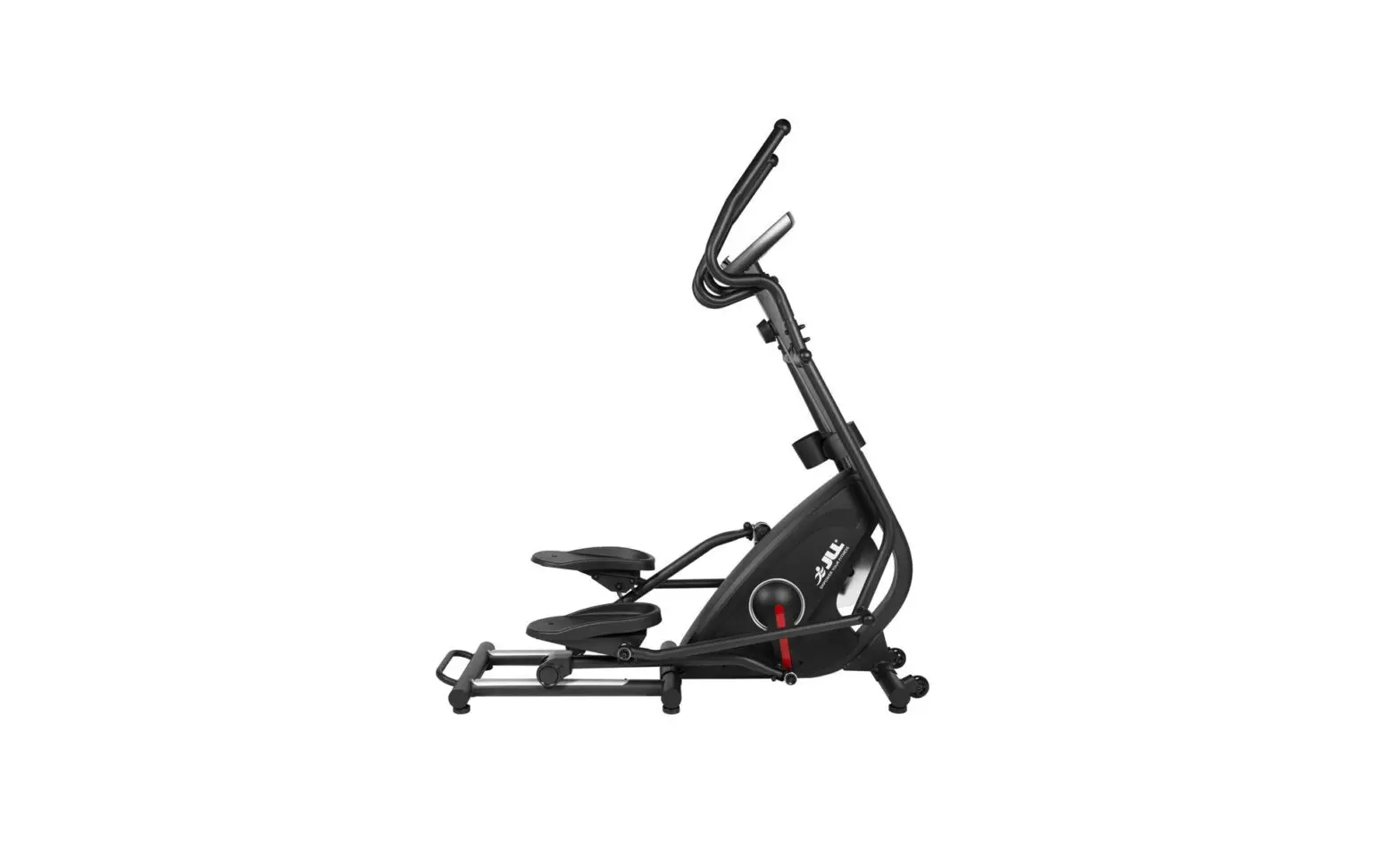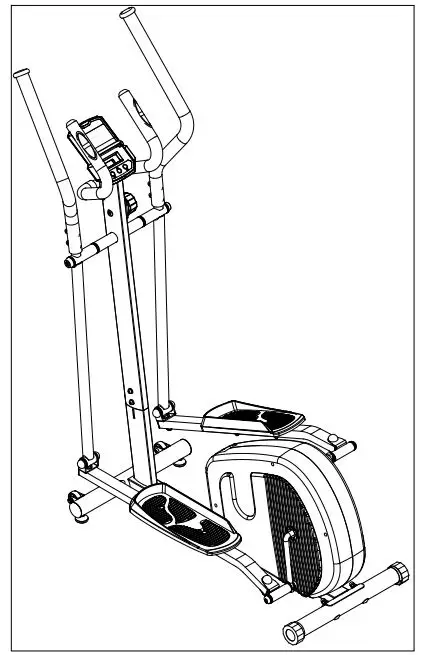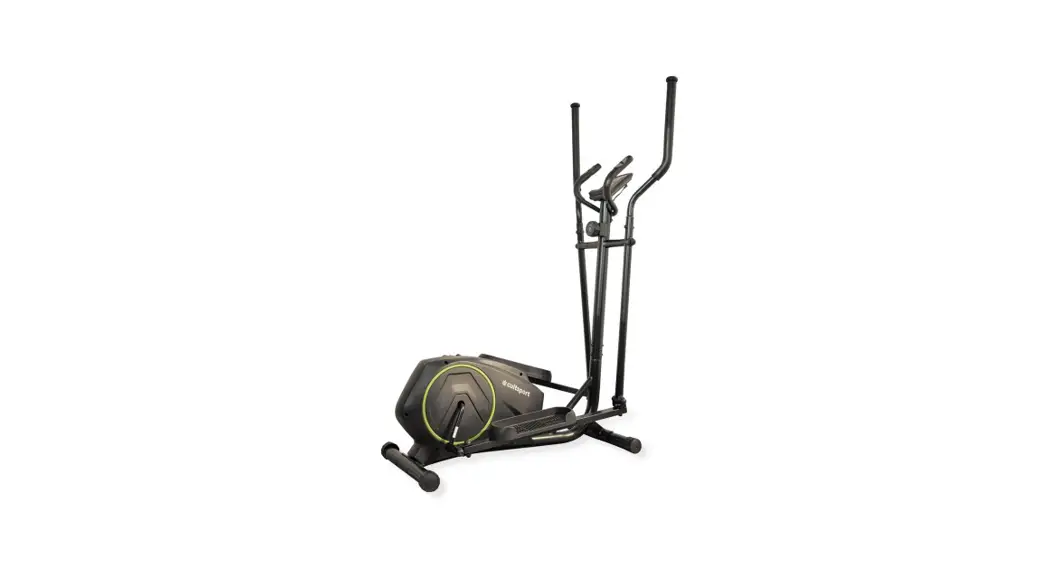
 SNODE ELLIPTICAL MACHINE E16
SNODE E16
INSTRUCTION MANUAL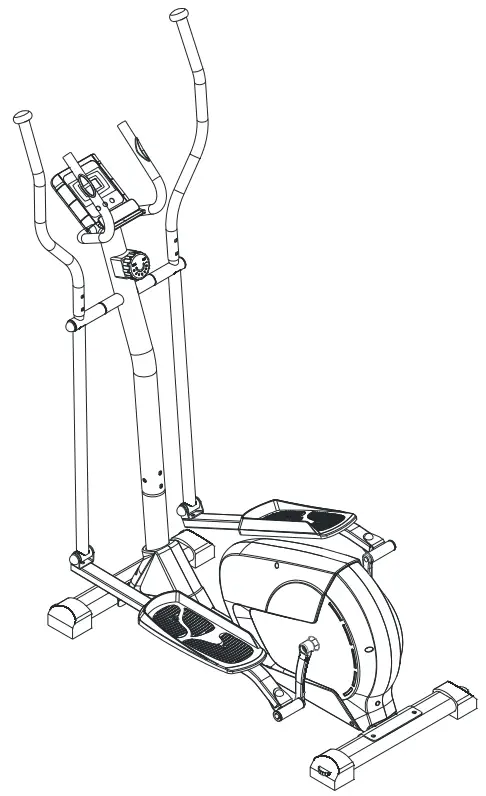
E16 Elliptical Machine
 IMPORTANT: Read all instructions carefully before using this product. Retain this owner’s manual for future reference. The specifications of this product may vary from his photo, subject to change without notice.
ATTENTION
Assembly Instruction Video
You can scan this QR code to enter into our Youtube page to follow the product assembly videos. Hope it will be helpful for you.
 https://www.youtube.com/channel/UCRku67EpT2L9lxwi58IUWTg?view_as=subscriber
 |  |
| https://www.instagram.com/snodefitness/ | https://www.facebook.com/SNODE-Fitness-357261651673469 |
PLEASE DO NOT RETURN THIS PRODUCT TO THE STORE.
STOP. Contact customer service if you have any questions regarding assembly or proper operation of the machine.
IMPORTANT SAFETY INFORMATION
Please keep the instruction manual properly to facilitate future inquiries.
- It is important to read this entire manual before assembling and using the equipment. Safe and effective use can only be achieved if the equipment is assembled, maintained and used properly.
- Before starting any exercise program you should consult your doctor to determine if you have any medical or physical conditions that could put your health and safety at risk, or prevent you from using the equipment properly. Your doctor’s advice is essential if you are taking medication that affects your heart rate, blood pressure or cholesterol level.
- Be aware of your body’s signals. Incorrect or excessive exercise can damage your health. Stop exercising if you experience any of the following symptoms: pain, tightness in your chest, irregular heartbeat, extreme shortness of breath, lightheadedness, dizziness or feelings of nausea. If you do experience any of these conditions you should consult your doctor before continuing with your exercise program.
- Keep children and pets away from the equipment. The equipment is designed for adult use only.
- Use the equipment on a solid, flat level surface with a protective cover for your floor or carpet. To ensure safety, the equipment should have at least 0.6 meters of free space all around it.
- Before using the equipment, check that the nuts and bolts are securely tightened.Always use the equipment as indicated. If you find any defective components while assembling or checking the equipment, or if you hear any unusual noises coming from the equipment during use, stop immediately.Do not use the equipment until the problem has been rectified.
- There are many functions of the computer, which value will show when using the equipment according the amount of exercise ,here warmly remind you that the value of heart pulse just give you some reference.
- Wear suitable clothing while using the equipment. Avoid wearing loose clothing that may get caught in the equipment or that may restrict or prevent movement.
- This equipment is designed for indoor and family use only.Maximum weight of user: 120 KG.
- Care must be taken when lifting or moving the equipment so as not to injure your back.
- The equipment is not suitable for therapeutic use.
- Please save this manual and assembling tools well.
EXPLODED-VIEW & PARTS LIST
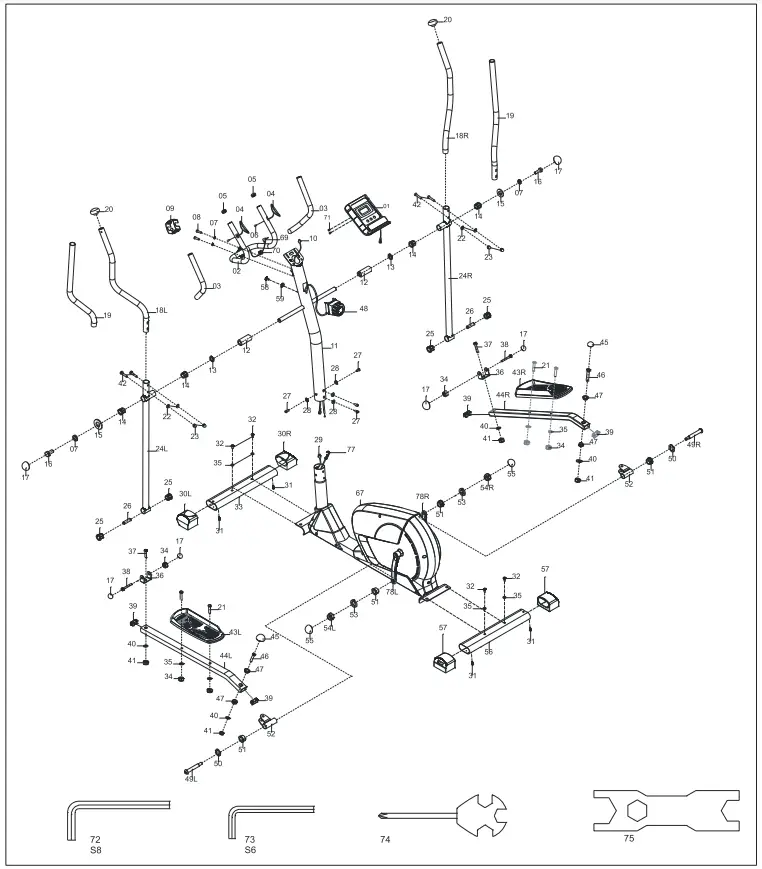
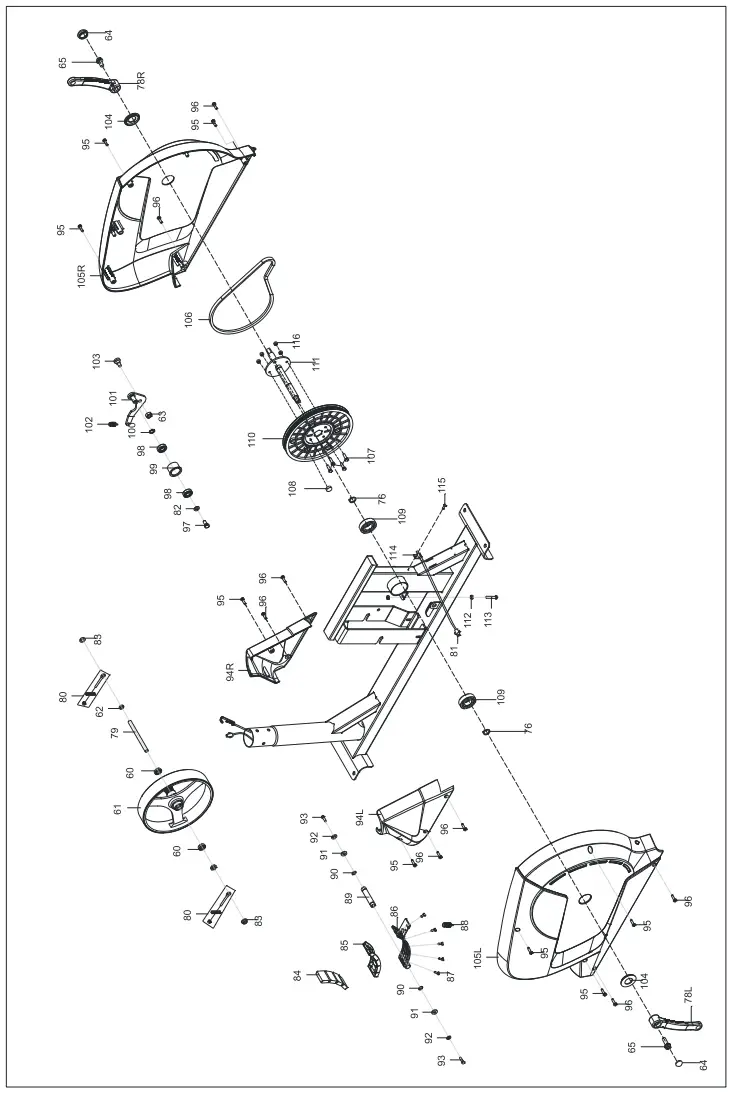
PART LIST
| No. | Description | Qty. | No. | Description | Qty. |
| 1 | Computer | 1 | 58 | Screw M5*25 | 1 |
| 2 | Middle Handlebar | 1 | 59 | Washerd Φ*020*1*R30 | 1 |
| 3 | Foam Φ 23*3*445 | 2 | 60 | Bearing 6001-2RS | 2 |
| 4 | Pulse | 2 | 61 | Flywheel | 1 |
| 5 | End Cap Φ 25*16 | 2 | 62 | Thin Nut M10*1.0 | 1 |
| 6 | Screw ST4.0’119*011 | 2 | 63 | Nylon Nut M8*H7.5*S13 | 1 |
| 7 | Spring Washer d8 | 4 | 64 | End Cap | 2 |
| 8 | Screw M8*30*S6 | 2 | 65 | Nut M10*1.0 | 2 |
| 9 | Small Cover 71*58*40 | 1 | 66L/R | Crank | 2 |
| 10 | Middle Wire 1 | 1 | 67 | Main Frame | 1 |
| 11 | Support Tube | 1 | 69 | Handle Pulse Wire | 1 |
| 12 | Spacer Φ 32* Φ 19.2*65 | 2 | 70 | Stopple t12*11*03 | 1 |
| 13 | Arc Washer Φ 19*025*0.3 | 2 | 71 | Screw M5*10 | 2 |
| 14 | Bushing 2 Φ 32*3.3*028*20.5*019.1 | 4 | 72 | Allen Wrench S8 | 1 |
| 15 | Washer d8* Φ 32*2 | 2 | 73 | Allen Wrench S6 | 1 |
| 16 | Hexagon Bolt M8*16*S14 | 2 | 74 | Open-end Wrench S13-14-15 | 1 |
| 17 | End Cap S13 | 6 | 75 | Spanner 517-19 | 1 |
| 18L/R | Handlebar | 2 | 76 | Washer | 2 |
| 19 | Foam Φ 26*3*460 | 2 | 77 | Tension Wire | 1 |
| 20 | End Cap | 2 | 78L/R | Crank | 1 |
| 21 | Hexagon Bolt M8*45*20*S14 | 4 | 80 | Bolt Group | 2 |
| 22 | Arc Washer d8*Φ 20*2*R16 | 4 | 81 | Screw | 1 |
| 23 | Domed Nut M8*H16*S13 | 4 | 82 | Washer d6*Φ12*1.5 | 1 |
| 24L/R | Lower Handlebar | 2 | 83 | Hexagon Flange Nut M10*1.0 | 2 |
| 25 | Bushing 1 Φ 32*3.3*Φ 28*16*014 | 4 | 84 | Magnet 40*25*10 | 4 |
| 26 | Spacer 014*08.3*48 | 2 | 85 | Plastic Lattice | 1 |
| 27 | Screw M8*16*S6 | 4 | 86 | Magnetic board | 1 |
| 28 | Arc Washer d8* Φ 20*2*R30 | 4 | 87 | Screw ST3*10*Φ5.6 | 5 |
| 29 | Middle Wire 2 | 1 | 88 | Tension Spring | 1 |
| 30L/R | End Cap PT80*40 | 2 | 89 | Axle | 1 |
| 31 | Screw ST3*10*05.6 | 2 | 90 | Check Ring d12 | 2 |
| 32 | Bolt M8*50*20*S14 | 4 | 91 | Washer d6*Φ12*1.2 | 2 |
| 33 | Front Stabilizer | 1 | 92 | Spring Washer d6 | 2 |
| 34 | Nylon Nut M8*H7.5*S14 | 6 | 93 | Hexagon Bolt M6*16*S10 | 2 |
| 35 | Washer d8*Φ20*2.0 | 8 | 94L/R | Front Cover | 2 |
| 36 | U bracket | 2 | 95 | Screw ST4.2*19*Φ8 | 8 |
| 37 | Hexagon Bolt M10*42*20*S17 | 2 | 96 | Screw ST4.2*16*Φ8 | 12 |
| 38 | Hexagon Nut M8*65*30*S14 | 2 | 97 | Hexagon Bolt M6*12*S10 | 1 |
| 39 | Square End Cap J40*25*15 | 4 | 98 | Bearing 6001-2RS | 2 |
| 40 | Washer dlO*Φ25*2 | 4 | 99 | Idler Φ39*Φ34*24 | 1 |
| 41 | Nylon Nut M10*H9.5*S17 | 4 | 100 | Wave Washer d12*Φ15.5*0.3 | 1 |
| 42 | Carriage Bolt M8*40*20*H5 | 4 | 101 | Belt Bracket | 1 |
| 43 L/R | Pedal | 2 | 102 | Tension Spring Φ2*012*54*N15 | 1 |
| 44 L/R | Pedal Tube | 2 | 103 | Screw M8*19 | 1 |
| 45 | End Cap S16 | 2 | 104 | Crank Cover | 2 |
| 46 | Hexagon Bolt M10*50*13*S17 | 2 | 105L/R | Chain cover | 2 |
| 47 | Bushing Φ14*12.5*010.1 | 4 | 106 | Belt | 1 |
| 48 | Tension Control | 1 | 107 | Hexagon Bolt M6 | 4 |
| 49L/R | Bolt 016*74*25*1/2*S8 | 2 | 108 | Magnet Φ15*7 | 1 |
| 50 | Wave Washer d17*Φ25*0.3 | 2 | 109 | Bearing | 2 |
| 51 | Bushing Φ24*20*Φ16.1 | 4 | 110 | Cover | 1 |
| 52 | U bracket | 2 | 111 | Axle | 1 |
| 53 | Spring Washer | 2 | 112 | Hexagon Nut M6*H5*S10 | 2 |
| 54 | Nylon Nut 1/2*20*H8*S19 | 2 | 113 | Hexagon Bolt M6*45*S10 | 1 |
| 55 | End Cap S18 | 2 | 114 | Sensor Socket | 1 |
| 56 | Rear Stabilizer | 1 | 115 | Screw ST4.2*16*Φ7 | 1 |
| 57 | End Cap | 2 | 116 | Nut M6 | 4 |
ASSEMBOLY INSTRUCTIONS
STEP 1
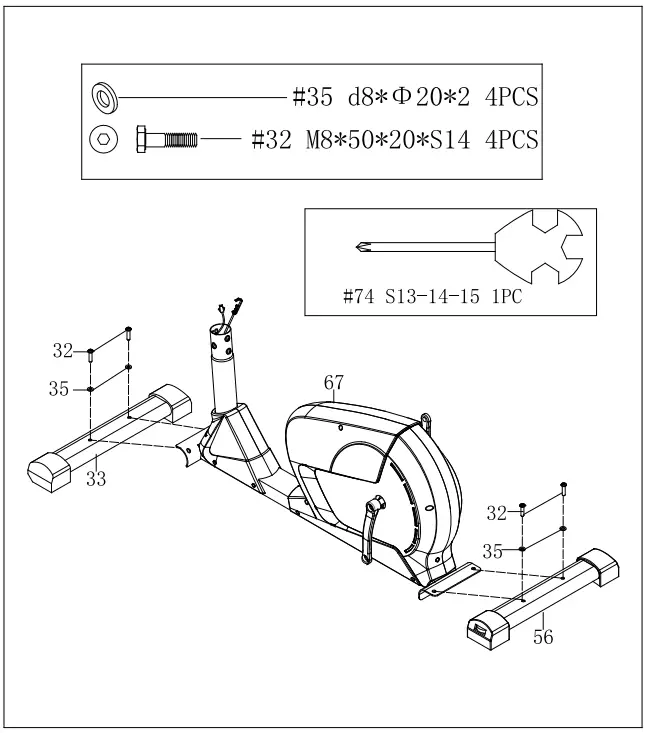
A. Remove hexagon bolt (32) and washer (35) from front stabilizer (33)and rear stabilizer (56).
B. Attach front stabilizer (33) and rear stabilizer (56) onto main frame (67) with carriage bolt (32), arc washer (28), spring washer (7) and domed nut (23).
STEP 2
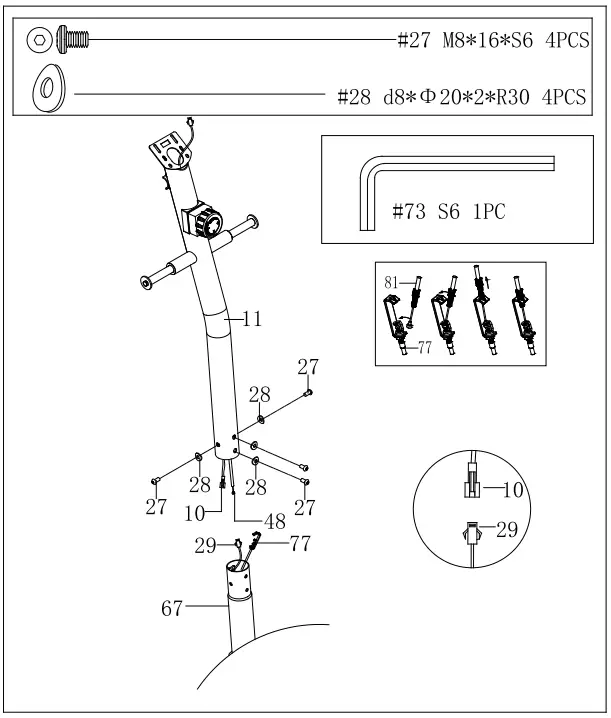
A. Remove screw (27),and arc washer (28) from main frame (67).
B. Connect middle wire 1&1O with middle wire 2&29. Connect tension control (81) with tension wire (77). C. Attach support tube (11) onto main frame (67) with screw (27) and arc washer (28).
STEP 3
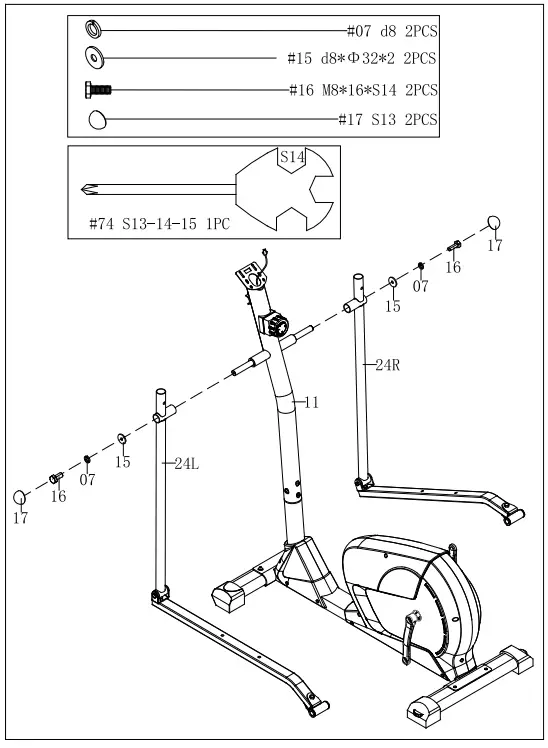
A. Remove hexagon bolt (16), spring washer (7) and washer (15) from support tube (11).
B. Attach lower handlebar (24L/R) onto support tube (11) with hexagon bolt (16), spring washer (7) and washer (15) .Then, attach end cap (17) to hexagon bolt (16).
STEP 4
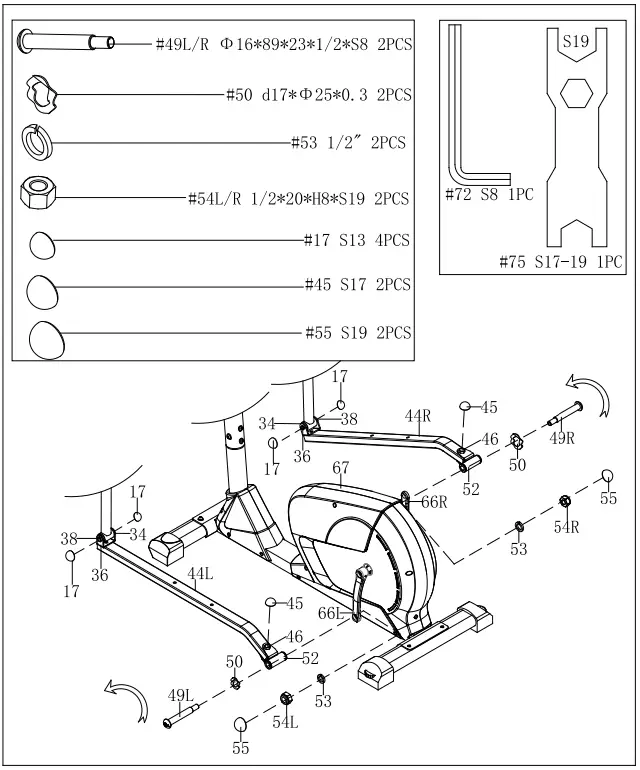
A. Attach U bracket (52) to the crank (66L/R) with bolt (49L/R) and arc washer (50). Secure by tightening spring washer (53) and nylon nut (54L/R).
B. Attach end cap (55) to nylon nut (54L/R). Attach end cap (45) to hexagon bolt (46). C. Attach end cap (17) to hexagon bolt (38) and nylon nut (34).
STEP 5
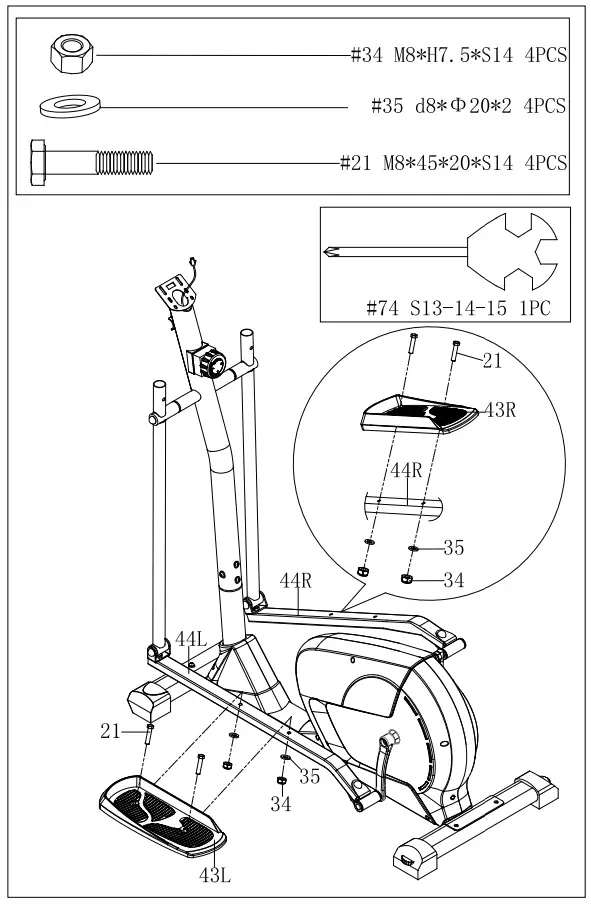
A. Attach pedal (43L/R) to pedal tube (44L/R) with hexagon bolt (21) , washer (35) and nylon nut (34).
STEP 6
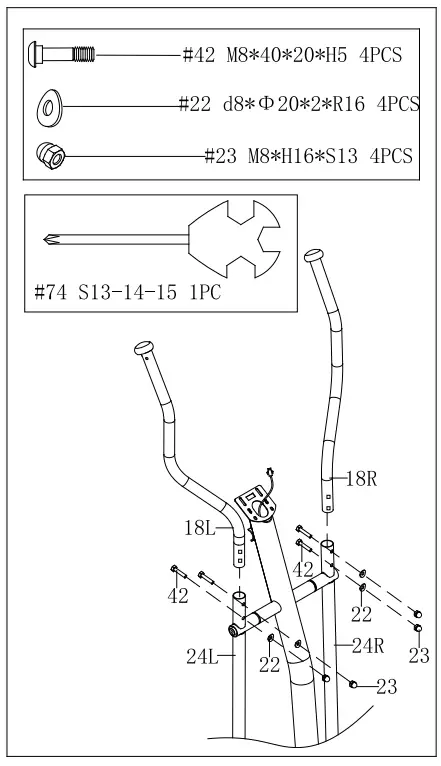
A. Attach handlebar (18L/R) to lower handlebar (24L/R) with carriage bolt (42),arc washer (22) and domed nut (23).
STEP 7
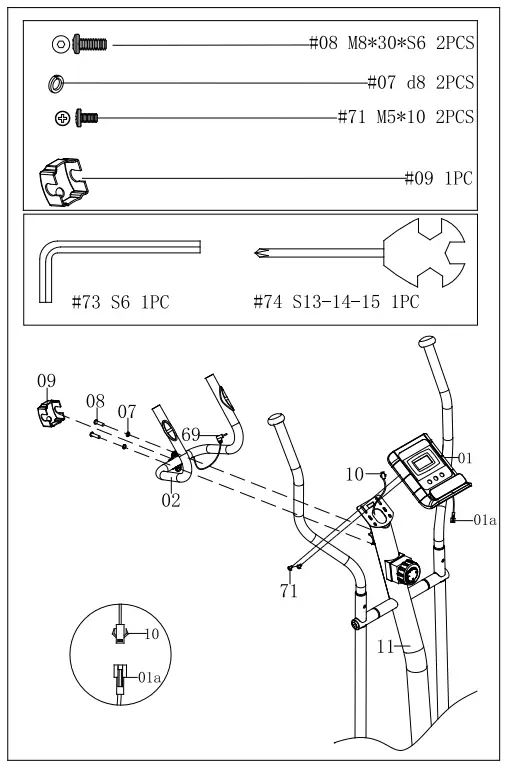
A. Remove screw (8) and spring washer (7) front support tube (11).
B. Attach handlebar (2) to support tube (11) with screw (8), spring washer (7) and small cover (9).
C. Remove screw (71) from computer (1). Connect computer line (la) with middle wire (1&10).
D. Attach computer (1) to support tube (11) with screw (71). E. Insert handle pulse wire (69)into the hole on the back of computer (1) The assembly is complete.
QUICK START GUIDE
STRETCH EXERCISE No matter how you do sports, please do some stretch at first, The warm muscle will extend easily, so warm up yourself with 5-10minutes, Then We suggest the following stretch exercise, five times. 10counts for each time or longer do these exercise again after sports.
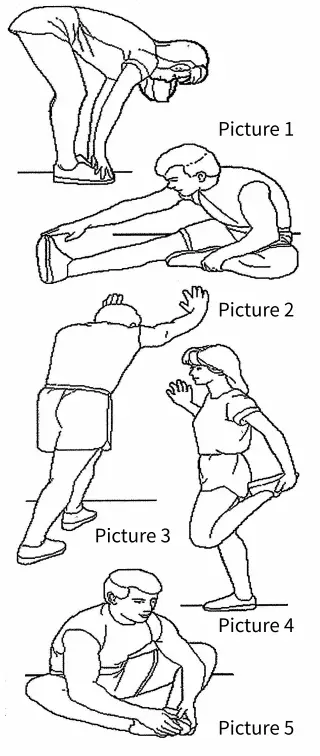
- TOE TOUCH
Slow bend forward from your waist, letting your back and shoulders relax as you stretch toward your toes, Reach down as far as you can and hold for 15 counts. And then relax, repeat 3 times. (Picture 1). - HAMSTRING STRETCH
Slow bend forward from your waist, letting your back and shoulders relax as you stretch toward your toes, Reach down as far as you can and hold for 15 counts. And then relax, repeat 3 times. (Picture 2). - CALF-ACHILLES STRETCH
Lean against a wall with your left leg in front of the right and your arms forward,Keep your right leg straight and the left foot on the floor, then bend the left leg and lean forward by moving your hips toward the wall, Hold, then repeat on the other side for 15 counts .Then relax and repeat 3 times for each leg (Picture 3). - QUADRICEPS STRETCH
With one hand against a wall for balance, reach behind you and pull your right foot up .Bring your heel as close to your buttocks. hold for 10-15counts,relax.Repeat three times for each foot.(Picture 4). - INNER THIGH STRETCH
Sit with the soles of your feet together with your knees pointing outward. Pull your feet as close into your groin as possible. Gently push your knees towards the floor. Hold for 15 counts.Then relax and repeat 3 times. (Picture 5).
SPECIFICATIONS:
TIME ………………………………….. 0:00-99:59 HOUR
SPEED…………………………………. 0.0-99.9 KM/H or Mile/H
DISTANCE…………………………. 0.00-999.99 KM or Mile
CALORIE…………………………… 0.00-999.9 KCAL
TOTAL DISTANCE…………. 0.00-999.99 KM or Mile
PULSE……………………………… 40 240BPM
MODE – Press to select functions.
SET(IF HAVE)-To set the values of time, distance and calories when not in scan mode.
RESET (IF HAVE)-Press to reset time, distance and calories.
KEY FUNCTION:
- SCAN
(1). Step into auto scan mode,show every function in turn. in this mode, each function can not be set; hold this key ,the cpmputer will be reset, each function will return zero except total diastance function. - TIME
(1). Show current time you exercise, in the mode, you can press up or down key to set the time you will exercise. - SPEED
(1). Show current speed you exercise. - DIST
(1). Show current distances you exercise, you can press up or down key to set the distance you will exercise. - CAL
(1). Show current calories you exercise, you can press up or down key to set the calories you will exercise. - ODO
Show the total distances you exercise from the computer work. this mode can not be set.
(1)Step into the pulse test: place the palms of your hands on both of the contact pads an for 30 seconds, then the computer will show current heart rate to you.
(2)Computer power on ,the monitor will show full screen for 1 second to enter the scan mode: in the scan mode, if not key operation, it will auto scan into each mode for every 6 seconds. if key operation, it will step into the funtion.
(3)When exercise, the time speed calorie distance odo functions will work, calculate the values of each function. when you stop, the computer will stop work, the time mode will stop for 4 seconds. if there is not singal input for 4 minutes, the computer will step into sleep mode the screen will power off until singal input or key operation wake it up.
BATTERY: if there is a possibility to see an improper display on the monitor, please replace the batteries to have a good result. this monitor use two “aaa” batteries. you can replace the batteries an the same time.
PARTS REQUEST FROM
SNODE GROUP, Inc. EMAIL THIS FORM WITH YOUR RECEIPT OF PURCHASE TO [email protected] *
NAME:____________________________
ADDRESS:_________________________
CITY:_____________________________
STATE:____________________________
ZIP:_______________________________
TELEPHONE: (Day)_________________
(Night)____________________________
MODEL#:_________________________
PURCHASE DATE:_________________
PLACE OF PURCHASE:_____________
| PART # | DESCRIPTION | QTY |
“YOUR ORDER WILL BE PROCESSED WITHIN 3 BUSINESS DAYS”