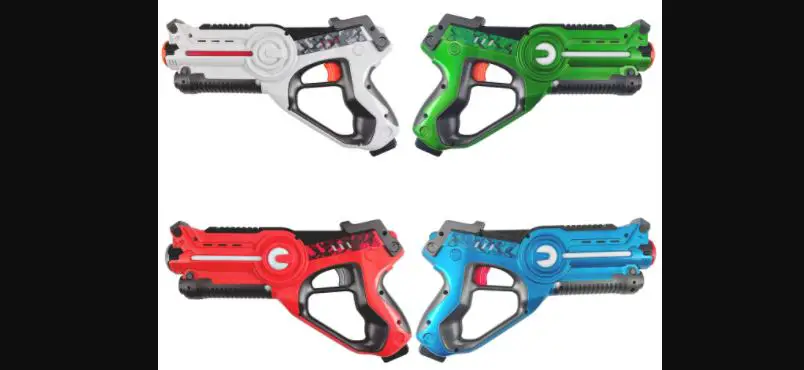
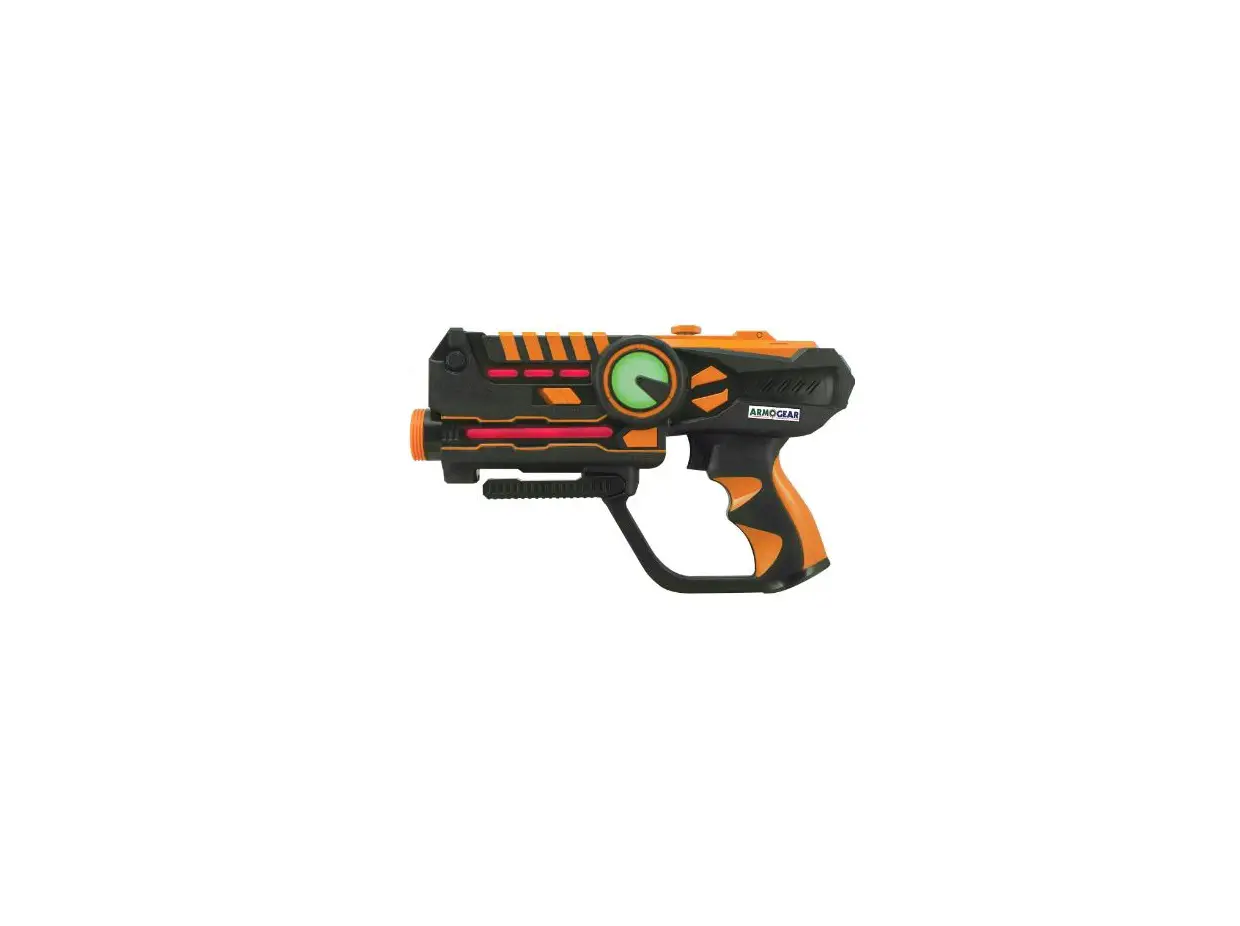
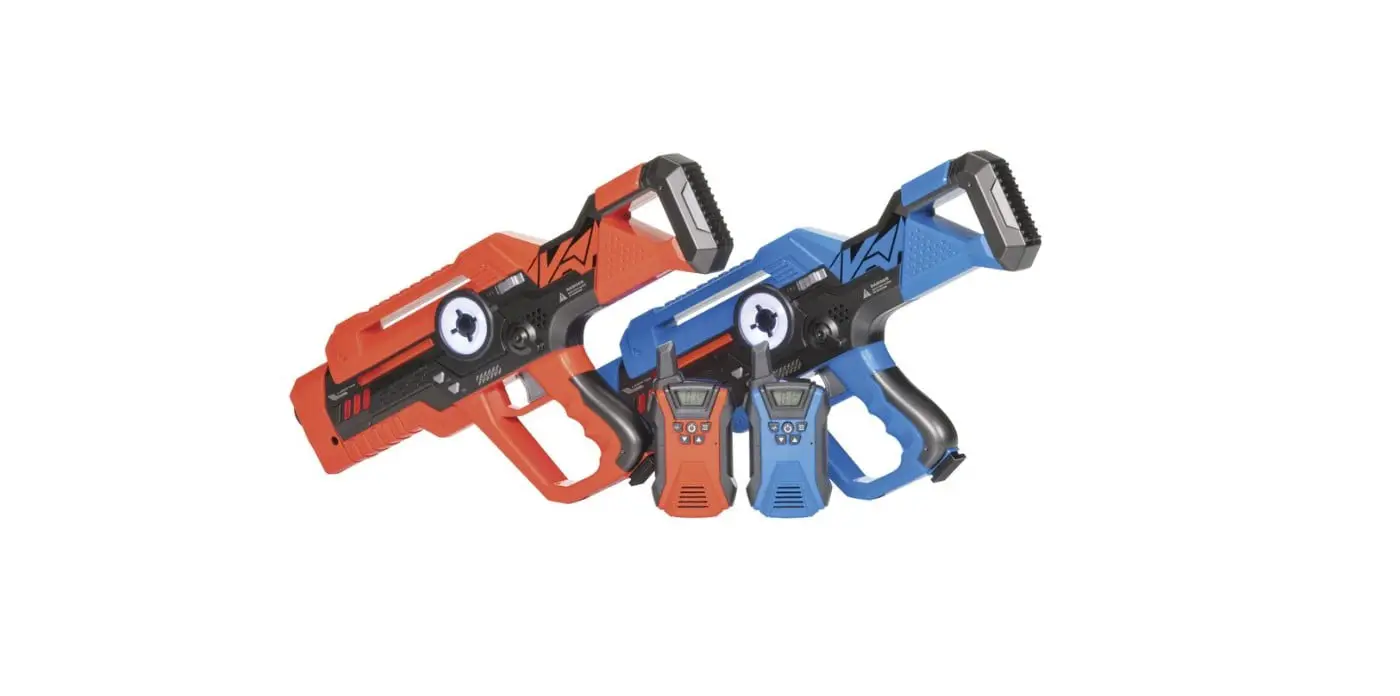
0693 2 Player Laser Tag Shooting Game
Product Information
Thank you for choosing our product! The enclosed instructions
contain important safety information. Please read them carefully
before use and retain for future reference.
This product is a Laser Tag game set. It includes two Laser Tags
that can be used for multiplayer gameplay. The Laser Tags require 3
X LR44, 1.5V batteries, which are included in the package. The
product is suitable for indoor use only.
Manufacturer: UK Ltd. & GMBH
Model: 6098
Country of Origin: China
Product Usage Instructions
Setting Up
- Remove both Laser Tags from the packaging.
- Turn the power switches on both Laser Tags to the ON
position. - Point Laser Tag 1 at Laser Tag 2 and press and hold the RESET
button. - A bleep noise will occur and all three lights will light up on
Laser Tag 2. - This indicates that Laser Tag 2 is now active and ready for
use. - Repeat the previous step by pointing Laser Tag 2 at Laser Tag 1
to set up Laser Tag 1.
How To Play
To play the Laser Tag game:
- Make sure the Laser Tags are turned on and properly set
up. - Select a game mode or follow the instructions provided in the
game manual. - Aim the Laser Tag at your opponent’s Laser Tag and pull the
trigger to “shoot” them. - The Laser Tag will emit lights and sounds to indicate a hit or
a successful shot. - Continue playing until the game ends or until the players
decide to stop.
Care Instructions
When not in use, switch off the Laser Tags to conserve battery
power.
Please follow these safety guidelines:
- Not suitable for children under 8 years old.
- Keep out of the reach of very young children.
- Dispose of used batteries immediately and keep new and used
batteries away from children. - If you suspect that batteries have been swallowed or placed
inside any part of the body, seek immediate medical attention.
Battery Instructions
The Laser Tags require 3 X LR44, 1.5V batteries, which are
included in the package.
To insert the batteries:
- Locate the battery compartment on each Laser Tag.
- Open the compartment using a screwdriver or as instructed in
the user manual. - Insert the batteries according to the polarity markings
(+/-). - Close the battery compartment securely.
Please dispose of this WEEE product by handing it over at a
designated collection point. For more information about recycling
options, please contact your local authority.
Note: This product is intended for personal entertainment
purposes and should be used responsibly and safely. Follow all
provided instructions and guidelines to ensure a positive and
enjoyable user experience.
Instructions For Use
Instructions For Use
Thank you for choosing our product, we hope you enjoy it. The enclosed instructions contain important safety information. Please read carefully before use and retain for future reference.
Setting Up
Remove both Laser Tags from the packaging. Turn the power switches on both Laser Tags to the ON position. Point Laser Tag 1 at Laser Tag 2 and press and hold the RESET button. A bleep noise will occur and all three lights will light up on Laser Tag 2. This now indicates that Laser Tag 2 is now active and ready for use. Repeat this step by pointing Laser Tag 2 at Laser Tag 1 to set up Laser Tag 1.
How To Play
Once activated, both Laser Tags will be loaded with five shots and six lives. To score a hit against your opponent, aim your Laser Tag at the centre of their Laser Tag and press the fire button. A direct hit will result in your opponent losing one life, indicated by a noise and one of their 3 lights flashing. When the Laser Tag is hit again, there will be another noise and the flashing light will go out. The next hit will result in the same noise and the next light flashing. The process is repeated until all the lights are out. Once all lives have been lost, the Laser Tags will be disabled and have to be reset again as the instructions in `Setting Up’. After firing your Laser Tag 5 times, it will need to be reloaded before it can be used again. To reload your Laser Tag, simply press the reload button. Shooting range up to 8 metres. The greater the distance, the greater your accuracy must be.
Care Instructions
Switch oFF the Laser Tags when not in use.
WARNING!
Not suitable for children under 8 years. Keep out of the reach of very young children. WARNING: Dispose of used batteries immediately. Keep new and used batteries away from children. If you think batteries might have been swallowed or placed inside any part of the body, seek immediate medical attention.
BATTERY INSTRUCTIONS:
Requires 3 X LR44, 1.5V batteries (Included)
HOW TO INSERT BATTERIES:
Unscrew the battery cover using a screwdriver. Insert fresh batteries following the polarity marked on the product. Replace the cover and secure with a screwdriver. Different types of batteries (i.e.Alkaline and Zinc) or new and used batteries not to be mixed. Only batteries of the same equivalent type as recommended are to be used. Batteries are to be inserted with the correct polarity. Exhausted batteries are to be removed from the product. If using rechargeable batteries, charge under adult supervision and remove before charging. Non rechargeable batteries are not to be recharged. The supply terminals are not to be shortcircuited. Do not throw batteries into a fire. Batteries should never be left in the product when not in use for a long period of time.
WEEE product should be disposed of by handing it over at a designated collection point. For more information about where you can drop off your waste product for recycling please contact your local authority. For indoor use only. Read the instructions carefully before use and retain this information for future reference.
Notice d’utilisation
Merci d’avoir choisi notre produit, nous espérons qu’il vous plaira. La notice ci-jointe contient des informations importantes sur la sécurité. Veuillez la lire attentivement avant toute utilisation et conservez-la pour référence future.
Configuration
Retirez les deux pistolets Laser Tags de l’emballage. Allumez les deux Laser Tags laser en plaçant le bouton de mise en marche sur ON. Dirigez le Laser Tag 1 vers le Laser Tag 2, et maintenez le bouton RESET (Réinitialisation) enfoncé. Un bip sonore se produira et les trois voyants lumineux s’allumeront sur le Laser Tag 2. Ceci indique que le Laser Tag 2 est maintenant actif et prêt à être utilisé. Répétez cette étape en dirigeant le Laser Tag 2 vers le Laser Tag 1 pour configurer le Laser Tag 1.
Comment jouer
Une fois activés, les deux Laser Tags seront chargés et disposeront de cinq coups et de six vies. Pour tirer sur votre adversaire avec votre Laser Tag, visez le centre de son Laser Tag et appuyez sur la gâchette. Si votre adversaire est touché, il perdra une vie, ce qui sera indiqué par un son, ainsi que le clignotement de l’un de ses 3 voyants lumineux. Lorsque le Laser Tag est à nouveau touché, un autre son se produira et le voyant lumineux qui clignotait s’éteindra. Le tir suivant provoquera le même son et un autre voyant lumineux clignotera. Ce processus se répètera jusqu’à ce que tous les voyants lumineux soient éteints. Une fois que toutes les vies ont été perdues, les Laser Tags seront désactivés et devront être réinitialisés à nouveau, en suivant les instructions dans « Configuration ». Après avoir tiré 5 fois avec votre Laser Tag, celui-ci devra être rechargé avant de pouvoir le réutiliser. Pour recharger votre Laser Tag, appuyez simplement sur le bouton Recharger. Portée de tir – jusqu’à 8 mètres. Plus la distance est importante, plus votre précision doit être grande.
Instructions d’entretien
Éteignez les Laser Tags lorsque vous ne les utilisez pas.
ATTENTION!
Ne convient pas aux enfants de moins de 8 ans. ATTENTION! Jetez immédiatement les piles usagées. Gardez les piles neuves et usées hors de la portée des enfants. Si vous pensez que les piles ont peut-être été avalées ou qu’elles peuvent avoir pénétrées une partie du corps, consultez immédiatement un médecin.
INSTRUCTIONS RELATIVES AUX PILES
Requiert l’utilisation de 3 X LR44, 1.5V piles (incluses)
COMMENT INSÉRER LES PILES.
Dévissez le couvercle du compartiment à piles à l’aide d’un tournevis. Insérez des piles neuves en respectant la polarité indiquée sur le produit. Remettez le couvercle en place et fixez-le avec un tournevis. Ne pas utiliser différents types de piles (alcalines et zinc, par exemple) ou des piles neuves avec des piles usagées. Seules des piles de même type ou de type équivalent doivent être utilisées. Les piles doivent être insérées en respectant la polarité. Les piles déchargées doivent être retirées du produit. Si vous utilisez des piles rechargeables, chargez-les sous la surveillance d’un adulte et retirez-les avant de les recharger. Les piles non rechargeables ne doivent pas être rechargées. Les piles rechargeables doivent être retirées de l’appareil avant d’être rechargées. Les bornes d’alimentation ne doivent pas être court-circuitées. Ne jetez pas les piles dans le feu. Les piles ne doivent jamais rester dans le produit si elles ne sont pas utilisées pendant une longue période. Pour usage intérieur uniquement.
Les DEEE doivent être éliminés en les remettant à un point de collecte désigné. Pour plus d’informations sur l’endroit où vous pouvez déposer vos déchets pour le recyclage, veuillez contacter votre autorité locale. Veuillez conserver l’emballage pour référence ultérieure. Ce produit n’est pas étanche. Ne pas utiliser dans un environnement humide.
Instrucciones de uso
Gracias por elegir nuestro producto, esperamos que lo disfrute. Las instrucciones que se adjuntan contienen información de seguridad importante. Léalas detenidamente antes de usar el producto y consérvelas para usos posteriores.
Preparación
Saque los Laser Tags de su embalaje. Coloque el interruptor de ambos Laser Tags en la posición ON. Apunte con el Laser Tag 1 al Laser Tag 2 y mantenga presionado el botón RESET. Se escuchará una señal y se encenderán las tres luces del Laser Tag 2. Esto indicará que el Laser Tag 2 está activo y listo para utilizar. Repita el procedimiento apuntando con el Laser Tag 2 al Laser Tag 1 para que este último esté listo.
Cómo jugar
Una vez activados, los dos Laser Tags estarán cargados con 5 disparos y con seis vidas. Para conseguir darle a sus oponentes, apunte con su Laser Tag al centro de sus Laser Tags y apriete el botón de disparo. Un disparo directo supondrá la pérdida de una vida por parte de su oponente, que vendrá indicado por un sonido y por el parpadeo de una de sus luces. Cuando vuelva a recibir un disparo, el Laser Tag volverá a emitir un ruido y la luz dejará de parpadear. El siguiente disparo que le dé volverá a producir el mismo sonido y el parpadeo de la siguiente luz. El proceso se repetirá hasta que todas las luces se hayan apagado. Una vez perdidas todas las vidas, se desactivarán los Laser Tags y deberán volver a activarse siguiendo las instrucciones de «Preparación». Tras realizar 5 disparos, el Laser Tag debe recargarse para poder utilizarse de nuevo. Para recargar su Laser Tag, simplemente presione el botón de recarga. Alcance de disparo hasta 8 metros. A mayor distancia, deberá apuntar con más precisión.
Instrucciones de conservación
Apague los Laser Tags cuando no los vaya a utilizar.
¡ADVERTENCIA!
No es apto para niños menores de 8 años. ¡ADVERTENCIA! Deseche inmediatamente las pilas usadas. Mantenga las pilas nuevas y usadas fuera del alcance de los niños. Si piensa que las pilas pueden haber sido tragadas o introducidas en alguna parte del cuerpo, busque atención médica inmediata.
INSTRUCCIONES PARA LAS PILAS
Necesita 3 pilas X LR44, 1.5V (incluidas.)
CÓMO INTRODUCIR LAS PILAS.
Desenrosque la tapa de la pila con un destornillador. Introduzca las pilas nuevas siguiendo la polaridad marcada en el producto. Vuelva a colocar la cubierta y asegúrela con un destornillador. No se deben mezclar diferentes tipos de pilas (por ejemplo, alcalinas y de zinc) o pilas nuevas y usadas. Se recomienda utilizar únicamente pilas del mismo tipo o equivalentes. Las pilas deben colocarse con la polaridad correcta. Las pilas agotadas deben retirarse del producto. Si usa baterías recargables, cárguelas bajo la supervisión de un adulto y retírelas antes de cargarlas. Las pilas no recargables no se deben recargar. Las beterías recargables deben retirarse antes de recargarse. No se deben cortocircuitar los terminales de alimentación. No arroje las baterías al fuego. Las pilas nunca deben dejarse en el producto cuando no estén en uso durante un largo período de tiempo. Solo para uso en interiores. Los productos RAEE deben eliminarse entregándolos en un punto de recolección designado. Para obtener más información sobre dónde puede dejar sus residuos para su reciclaje, póngase en contacto con las autoridades locales. Conserve el embalaje para consultas futuras. Este producto no es impermeable. No lo uses en un ambiente húmedo.
Gebrauchsanweisung
Vielen Dank, dass Sie sich für unser Produkt entschieden haben, wir hoffen, es gefällt Ihnen. Die beiliegenden Anweisungen enthalten wichtige Sicherheitsinformationen. Bitte vor Gebrauch sorgfältig lesen und zum späteren Nachschlagen aufbewahren.
Einrichten
Entfernen Sie beide Laser-Tags aus der Verpackung. Bringen Sie die Hauptschalter beider Laser-Tags in die Position EIN. Richten Sie Laser Tag 1 auf Laser Tag 2 und halten Sie die RESETTaste gedrückt. Es ertönt ein Piepton und alle drei Leuchten leuchten an Laser Tag 2. Dies zeigt jetzt an, dass Laser Tag 2 jetzt aktiv und einsatzbereit ist. Wiederholen Sie diesen Schritt, indem Sie Laser Tag 2 auf Laser Tag 1 richten, um Laser Tag 1 einzurichten.
Spielanleitung
Nach der Aktivierung werden beide Laser-Tags mit fünf Schüssen und sechs Leben geladen. Um einen Treffer gegen Ihren Gegner zu erzielen, richten Sie Ihr Laser-Tag in die Mitte seines Laser-Tags und drücken Sie den Abzug. Bei einem direkten Treffer verliert Ihr Gegner ein Leben, was durch ein Geräusch und Blinken einer seiner drei Leuchten angezeigt wird. Wenn das Laser-Tag erneut getroffen wird, ertönt ein weiteres Geräusch und das Blinklicht erlischt. Beim nächsten Treffer wird dasselbe Geräusch erzeugt und das nächste Licht blinkt. Der Vorgang wird wiederholt, bis alle Lichter ausgehen. Wenn alle Leben verloren sind, werden die Lasertags deaktiviert und müssen gemäß den Anweisungen unter `Einrichten’ erneut eingestellt werden. Nachdem Sie Ihren Laser Tag fünfmal abgefeuert haben, muss er neu geladen werden, bevor er wieder verwendet werden kann. Um Ihr Laser-Tag neu zu laden, drücken Sie einfach die Reload-Taste. Reichweite – bis zu 8 Meter. Je größer der Abstand ist, desto größer muss Ihre Genauigkeit sein.
Pflegeanleitung
Schalten Sie die Laser-Tags aus, wenn Sie sie nicht verwenden.
ACHTUNG!
Nicht für Kinder unter 8 Jahren geeignet. ACHTUNG! Entsorgen Sie gebrauchte Batterien umgehend. Halten Sie neue und gebrauchte Batterien außerhalb der Reichweite von Kindern. Wenn Sie vermuten, dass Batterien verschluckt oder in eine Körperöffnung eingeführt wurden, suchen Sie umgehend ärztliche Hilfe.
BATTERIEANWEISUNGEN
Erfordert 3 X LR44, 1.5V-Batterien (enthalten)
EINSETZEN DER BATTERIEN.
Schrauben Sie den Batteriefachdeckel mit einem Schraubendreher ab. Legen Sie neue Batterien unter Beachtung der auf dem Produkt angegebenen Polarität ein. Setzen Sie die Abdeckung wieder auf und sichern Sie sie mit einem Schraubendreher. Verschiedene Arten von Batterien (z. B. Alkaline und Zink) oder neue und gebrauchte Batterien dürfen nicht gemischt werden. Es dürfen nur die empfohlenen oder ähnliche Batterien verwendet werden. Achten Sie beim Einsetzen der Batterien stets auf die richtige Polarität. Leere Batterien sollten aus dem Produkt entfernt werden. Wenn Sie wiederaufladbare Batterien verwenden, laden Sie sie unter Aufsicht eines Erwachsenen auf und entfernen Sie sie vor dem Aufladen. Nicht aufladbare Batterien dürfen nicht wiederaufgeladen werden. Wiederaufladbare Batterien müssen vor dem Aufladen aus dem Spielzeug genommen werden. Die Versorgungsklemmen dürfen nicht kurzgeschlossen werden. Werfen Sie Batterien niemals in ein Feuer. Batterien sollten niemals im Produkt verbleiben, wenn sie längere Zeit nicht verwendet werden. Nur für den Innenbereich geeignet. Elektro- und Elektronik-Altgeräte sollten durch Abgabe an einer dafür vorgesehenen Sammelstelle entsorgt werden. Weitere Informationen darüber, wo Sie Ihr Abfallprodukt zum Recycling abgeben können, erhalten Sie von Ihrer örtlichen Behörde. Bewahren Sie die Verpackung zum späteren Nachschlagen auf. Dieses Produkt ist nicht wasserdicht. Nicht in feuchter Umgebung verwenden.
Istruzioni per l’uso
Grazie per aver scelto il nostro prodotto, vi auguriamo buon divertimento. Le istruzioni allegate contengono importanti informazioni sulla sicurezza. Vi preghiamo di leggere attentamente prima di utilizzare e conservare per riferimento futuro.
Impostazione
Rimuovete entrambe le Laser Tag dalla confezione. Accendete gli interruttori di alimentazione di entrambi i Laser Tag in posizione ON. Puntate il Laser Tag 1 sul Laser Tag 2 e tenete premuto il pulsante di reimpostazione RESET. Ci sarà un segnale acustico e tutte e tre le luci si accenderanno sul Laser Tag 2. Ciò indica che il Laser Tag 2 è ora attivo e pronto all’uso. Ripetete questa operazione puntando il Laser Tag 2 sul Laser Tag 1 per impostare il Laser Tag 1.
Come si gioca
Una volta attivati, entrambi i Laser Tag saranno caricati con cinque colpi e sei vite. Per colpire l’avversario, puntate il Laser Tag al centro del suo Laser Tag e premete il pulsante fuoco. Un colpo diretto porterà l’avversario a perdere una vita, segnalata da un rumore e da una delle sue 3 luci che lampeggia. Quando il Laser Tag viene colpito di nuovo, ci sarà un altro rumore e la luce smette di lampeggiare. Il colpo successivo provocherà lo stesso rumore e la luce successiva lampeggerà. Il processo viene ripetuto fino a quando tutte le luci sono spente. Una volta che tutte le vite sono state perse, i Laser Tag saranno disabilitati e devono essere reimpostati di nuovo come da “Impostazioni”. Dopo aver sparato il Laser Tag 5 volte, sarà necessario ricaricarlo prima di poterlo utilizzare nuovamente. Per ricaricare il Laser Tag, basta premere il pulsante di ricarica. Raggio di azione – fino a 8 metri. Maggiore è la distanza, maggiore deve essere la precisione.
Istruzioni per la cura
Spegnete i Laser Tag quando non sono in uso.
ATTENZIONE!
Non adatto ai bambini di età inferiore a 8 anni. AVVERTENZA! smaltire immediatamente le batterie usate. Tenere le batterie nuove e quelle usate lontano dalla portata dei bambini. Se si ritiene che le batterie possano essere state ingerite o inserite in qualsiasi parte del corpo, rivolgersi immediatamente a un medico.
ISTRUZIONI PER LA BATTERIA
Richiede 3 X LR44, 1.5 Batterie V (incluse)
INSERIMENTO DELLE BATTERIE.
Svitare il coperchio della batteria usando un cacciavite. Inserire le batterie nuove seguendo la polarità indicata sul prodotto. Riposizionare il coperchio e fissarlo con un cacciavite. Non mescolare batterie nuove e usate o batterie di tipo diverso (ad es. Alcaline e Zinco). Utilizzare solo batterie dello stesso tipo, equivalenti a quelle raccomandate Le batterie devono essere inserite con la polarità corretta. Le batterie scariche devono essere rimosse dal prodotto. In caso di utilizzo di batterie ricaricabili, occorre rimuoverle prima di procedere alla ricarica, che deve avvenire sotto la supervisione di un adulto. Evitare di ricaricare le batterie non ricaricabili. Rimuovere le batterie ricaricabili dal giocattolo prima di procedere alla ricarica. Evitare cortocircuiti dei terminali di alimentazione. Non gettare le batterie nel fuoco. In caso di inutilizzo prolungato, evitare di lasciare le batterie nel prodotto. Solo per uso in ambienti interni. Il prodotto RAEE deve essere smaltito consegnandolo a un punto di raccolta designato. Per ulteriori informazioni sui punti di raccolta RAEE, contattare l’autorità locale. Conservare per future consultazioni. Questo prodotto non è impermeabile. Non usare in ambienti umidi.
6098
v8
made in china.
UK Ltd. & GMBH