
ATD-LIVE MMV16310 Compact 1RU 16 Channel 3G-SDI Multiviewer
Product Information
This product is a video switcher and multiviewer that is designed for professional video production. It supports SDI and HDMI outputs, with a variety of formats up to 1080p and 60 FPS. It can automatically detect SD, HD, and 3G-SDI on inputs, and has dual power connectors for redundancy. The device can be controlled via front panel buttons or PC software, which can also be used for updates and configuration.
Technical Specifications
- Default Mode: Multiviewer Mode
- Connections: SDI inputs 1-16, Loop Outputs SDI loop outputs 1-16, RS-422, Power
- Standards: SDI & HDMI Outputs Format Support 1080p 60/50/30/25/24 1080i 60/50 720p 60/50, SDI Compliance SMPTE 292M, SMPTE 259M, SMPTE 424M, SMPTE 352M, SMPTE 296M
- SDI Color Space and Precision: YUV 4:2:2/4:4:4, RGB 4:4:4 (SDI inputs) YUV 4:2:2(SDI & HDMI outputs)
- Software control: LAN
Product Usage Instructions
- To use this product, connect your SDI inputs to the device’s SDI inputs 1-16. You can then control the device using the front panel buttons or PC software via LAN or RS-422.
- The device has two modes: Multiviewer Mode and Switcher Mode. You can switch between these modes using the PC software or knob menu.
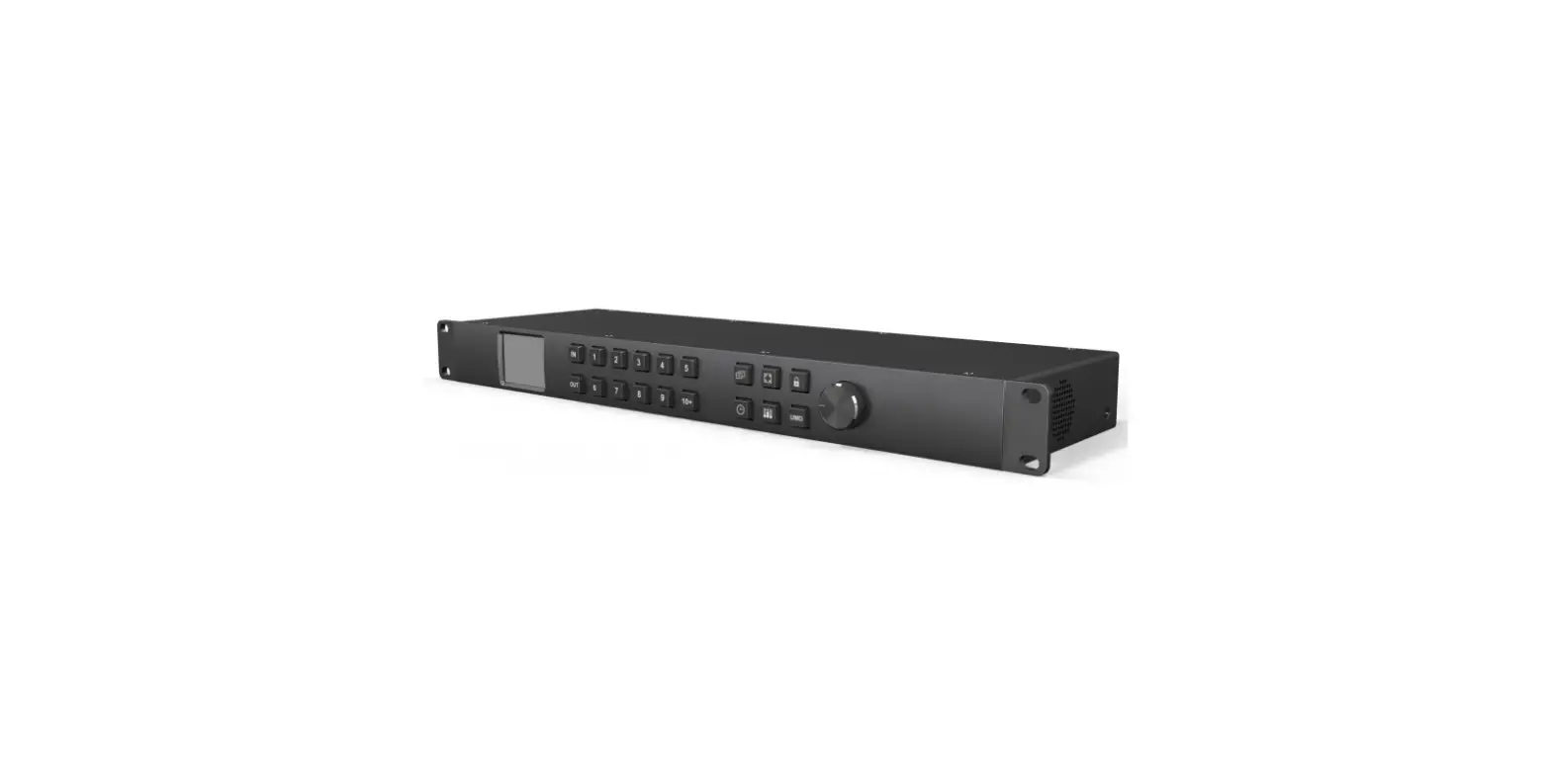
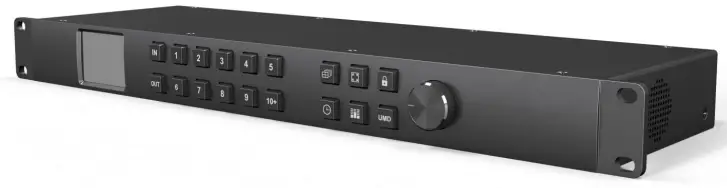
- The front panel controls include an LCD display, IN/OUT buttons, channel buttons, a time code button, an audio meter button, a UMD button, a multiview layout button, a full screen button, and a lock button. The knob is used to navigate the menu.
- The menu control allows you to change the language, adjust the LCD brightness, and set network settings. You can also save custom configurations and reset to default settings.
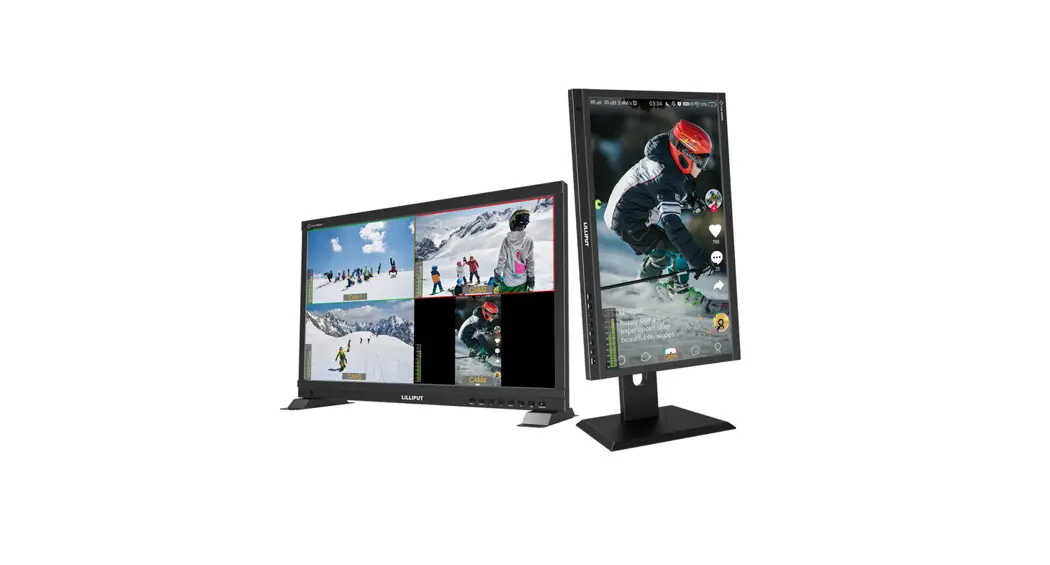
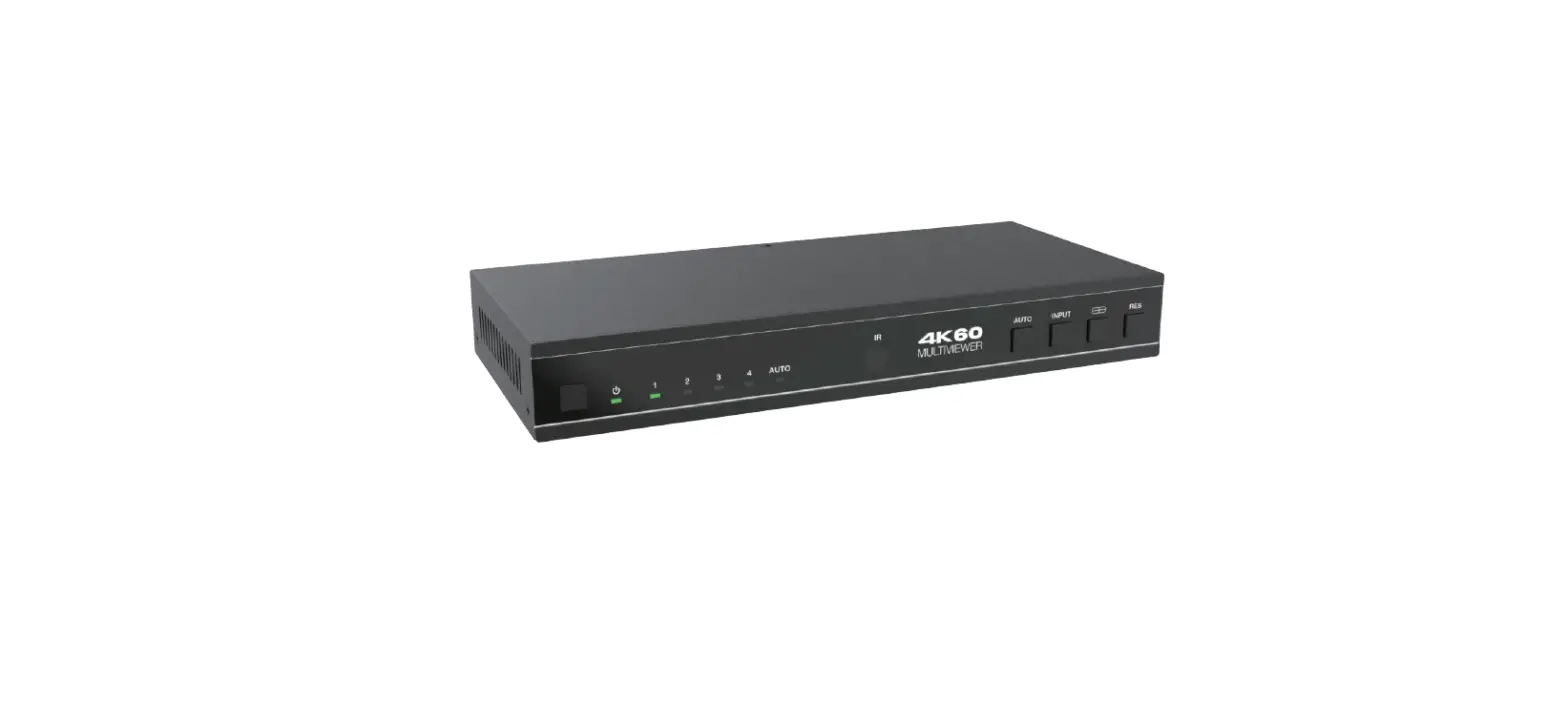
This device is the perfect solution for a large broadcast project. One machine supports two modes, 16 channel SDI multi viewer mode and 16×16 SDI matrix switcher. The input signal detects SD, HD and 3G-SDI automatically. The video format of multi view outputs can be selected from total 9 formats from 720p to 1080p. There are 20 preset layouts including 16/12/11/10/9/8/6/4 for choices. You can even SOLO any input signal in full screen through the shortcut key.MMV16310 also supports UMD, audio meter, signal status and time code overlay. All functions can be quickly controlled by the PC software or front panel button & knob.
Default Mode: Multiviewer Mode
Connections
- SDI Video Input
16×SD/HD/3G-SDI(75Ω BNC) - SDI Video Loop Output
16×SD/HD/3G-SDI(75Ω BNC) - SDI Video Output
2×SD/HD/3G-SDI(75Ω BNC) - HDMI Video Output
1×HDMI type A - Control
Front panel button, PC software via LAN/RS-422
Standards
- SDI Inputs Format Support
- (HD) 1920×1080p 60/59.94/50/30/29.97/25/24/23.98
- (HD) 1920×1080PsF 30/29.97/25/24/23.98
- (HD) 1920×1080i 60/59.94/50
- (HD) 1280×720p 60/59.94/50
- (HD) 1280×720p 30/29.97/25/24/23.98
- (SD) 625i 50
- (SD) 525i 59.94
- SDI & HDMI Outputs Format Support
- 1080p 60/50/30/25/24
- 1080i 60/50
- 720p 60/50
- SDI Auto Switching
Automatically detects SD, HD and 3G-SDI on inputs - SDI Video Rate
SD/HD/3G-SDI - SDI Compliance
- SMPTE 292M,
- SMPTE 259M,
- SMPTE 424M,
- SMPTE 352M,
- SMPTE 296M
- SDI Color Space and Precision
- YUV 4:2:2/4:4:4, RGB 4:4:4(SDI inputs)
- YUV 4:2:2(SDI & HDMI outputs)
Interfaces

| ① Inputs | SDI inputs 1-16 | ② Loop Outputs | SDI loop outputs 1-16 |
| ③ RS-422 | Software control | ④ LAN | Software control and update |
| ⑤ Power | Dual power connectors PS-1 & PS-2, for power redundancy | ⑥ Power Switch | To turn on or off the device |
| ⑦ Outputs | Multiview outputs, SDI×2 & HDMI×1 |
Second Mode: Switcher Mode
Connections
- SDI Video Input
16×SD/HD/3G-SDI/DVI-ASI(75Ω BNC) - SDI Video Output
16×SD/HD/3G-SDI/DVI-ASI(75Ω BNC) - Control
Front panel button, PC software via LAN/RS-422 - Updates and Configuration
LAN(RJ45)
Standard
- SDI Format Support
- (2K) 2048×1080p 30/29.97/25/24/23.98
- (2K) 2048×1080PsF 30/29.97/25/24/23.98
- (HD) 1920×1080p 60/59.94/50/30/29.97/25/24/23.98
- (HD) 1920×1080PsF 30/29.97/25/24/23.98
- (HD) 1920×1080i 60/59.94/50
- (HD) 1280×720p 60/59.94/50
- (HD) 1280×720p 30/29.97/25/24/23.98
- (SD) 625i 50
- (SD) 525i 59.94
- SDI Auto Switching
Automatically detects SD, HD and 3G-SDI - SDI Compliance
- SMPTE 372M,
- SMPTE 259M,
- SMPTE 292M,
- SMPTE 296M,
- SMPTE 424M,
- SMPTE 425M,
- DVB-ASI
- SDI Color Space and Precision
- RGB 4:4:4 10bit/12bit
- YUV 4:2:2 10bit/12bit
- YUV 4:4:4 10bit/12bit
- XYZ 4:4:4 12bit
Interfaces

| ① Inputs | SDI inputs 1-16 | ② Outputs | SDI outputs 1-16 |
| ③ RS-422 | PC software control | ④ LAN | PC software control and update |
| ⑤ Power | Dual power connectors PS-1 & PS-2, for power redundancy | ⑥ Power Switch | To turn on or off the device |
Note: The mode of Multiviewer and Switcher can be switched by PC software or knob menu.
Controls
Front Panel Control

| ① | 2.2 Inch LCD Display | Show Device status and menu control |
|
② IN/OUT Buttons and Channel Buttons | Input or output channel from 1 to 16 channel 1) Multiviewer Mode – Switching an source to an window. press buttons “IN, 1, OUT, 2” to switch source 1 signal to window 2. – Switching an input to multiple windows. Press buttons “IN, 1, OUT, 2, 4, 5” to switch source 1 signal to windows 2, 4, 5. 2) Switcher Mode – Switching an input to an output. press buttons “IN, 1, OUT, 2” to switch input 1 signal to output 2. – Switching an input to multiple outputs. Press buttons “IN, 1, OUT, 2, 4, 5” to switch input 1 signal to output 2, 4, 5. 3) Note – Channel button over 10 need two buttons to combine, For example, 10= [10+] [10+], 11=[10+] [1], 12=[10+][2], … ,16=[10+][6] – The OUT button indicator will automatically close after 8s. When it is off, you only need to press the OUT button again to continue the unperformed switch. | |
| ③ | Time Code Button | Quick switch for Time Code overlays ON/OFF |
| ④ | Audio Meter Button | Quick switch for Audio Meter bars ON/OFF |
| ⑤ | UMD Button | Quick switch for UMD overlays ON/OFF |
| ⑥ Multiview Layout Button | Quick switch between 20 kinds of multiviewer layouts | |
| ⑦ | Full Screen Button | Press this button to activate the full screen mode; then select channel button to solo any inputs as full screen |
| ⑧ | Lock Button | Lock or unlock, press the button to Lock or unlock front panel buttons |
| ⑨ | Knob | Controls the menu. Turn anticlockwise=menu Up , Turn clockwise=menu down, Press down = Enter |
PC Control
Please download the PC control software from website.
RS-422 Interface Define
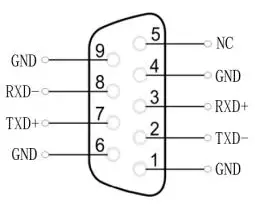
| Main Menu | Sub Menu | Options | Description |
|
System Setting | Language | Chinese/English | Change the Language between Chinese and English |
| LCD brightness | 10-100 | Set the brightness backlight between 10-100 | |
| LCD ON/OFF | Always/ Off/ Dim | Set the state of backlight,there are three mode for option: Always/Off/ Dim | |
| LCD Sleep | 5~60s | Set backlight time of “Off” and “Dim” | |
| Reset | Reset to default configuration | ||
| Custom1 | Load Custom1 configuration | ||
| Custom2 | Load Custom2 configuration | ||
| Return | Back to the main menu | ||
|
Network Setting | Network | Dynamic/Static | Two ways to acquire the IP: Static(set IP freely by yourself) and Dynamic(IP configured by router) |
| IP | Set the IP address | ||
| NetMask | Default setting is 255.255.255.0 | ||
| GateWay | Set Gateway according to current IP address | ||
| Save | Save network setting | ||
| Return | Back to the main menu | ||
|
Overlay Setting | Item Select | UMD/Input Resolu/Audio Meter/Time Code/Border/Audio Alarm | Select a certain overlay |
| Win/Source | 1~16 | Select a Window or signal source for each setting | |
| Enable | On/Off | On/Off the selected overlay | |
|
Text Color | Yellow/White/Gray/Violet Red/Light Blue/Light Green/Light Cyan/Light Yellow/Transparent/HalfTrans/Blac k/Blue/Red/Magenta/Green/Cyan |
Text color setting | |
|
Background | Yellow/White/Gray/Violet Red/Light Blue/Light Green/Light Cyan/Light Yellow/Transparent/HalfTrans/Blac k/Blue/Red/Magenta/Green/Cyan |
Background color setting | |
| Return | Back to the main menu | ||
|
Audio Setting | Audio Source | WIN1~WIN16 | Select the audio source of multiviewer output |
| Audio Meter | 1~16 | Select a certain window for audio meter setting | |
|
Channel | CH1&CH2 CH3&CH4 CH5&CH6 CH7&CH8 CH9&CH10 CH11&CH12 CH13&CH14 CH15&CH16 |
Set the audio channel of audio meter | |
| Return | Back to the main menu |
|
Output Setting | Format | 1080P60/1080P50/1080P30/1080 P25/1080P24/1080I60/1080I50/72 0P60/720P50 | Set the output formats |
| Mode | Multiviewer/Switcher | Change the mode between Multiviewer and Switcher | |
| One to One | Under “Matrix Switcher” mode, set all input and output channels correspond one by one | ||
| Return | Back to the main menu | ||
| Device Info | Version | Current version information | |
| Return | Back to the main menu | ||
| Exit | Exit main menu |
Power
- Power Supply: PS-1, PS-2, power redundancy
- Voltage Range: DC 12-24V
- Power Consumption: 36W
Physical Specifications
- Dimension: Standard 19” 1 rack unit
- Net Weight: 2.0kg
- Gross Weight: 3.8kg

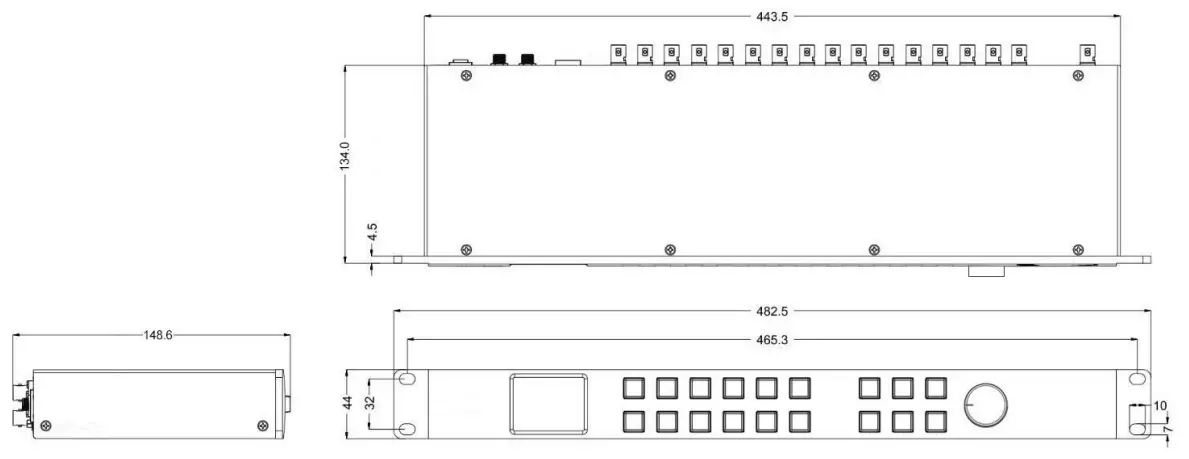
Environmental Specifications
- Operating Temperature: 0℃~60℃
- Storage Temperature: -30℃~70℃
- Relative Humidity: 0%~90% non-condensing
What’s Included
- Compact 1RU 16 Channel 3G-SDI Multiviewer with 16×16 3G-SDI Matrix Switcher
- DC 12V 5A Power Adapter × 2
Warranty
3 Year Limited Manufacturer’s Warranty.
Note: due to constant effort to improve products and product features, specifications may change without notice.