 Shwing the World
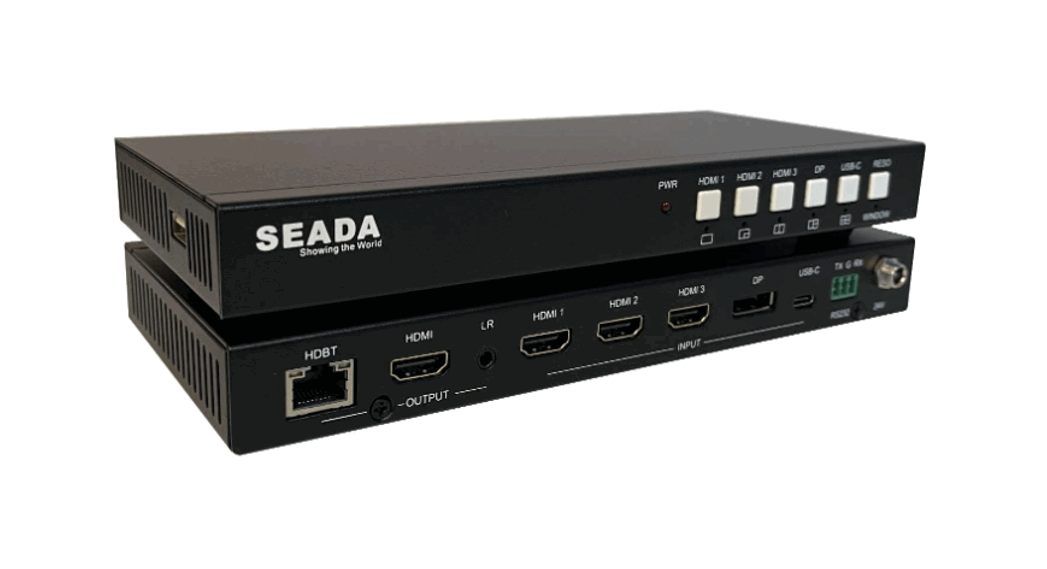
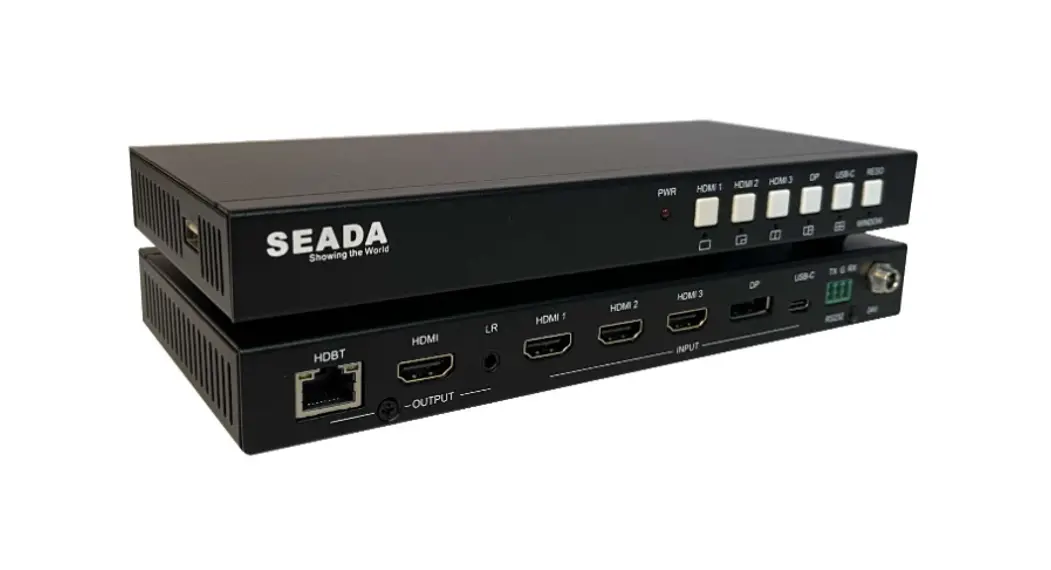
SD-MV-0401P 4K60 Multiviewer Seamless UHD Video Switcher
User Manual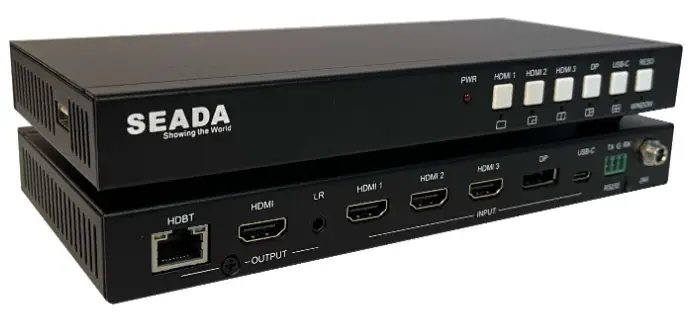 SD-MV-0401P
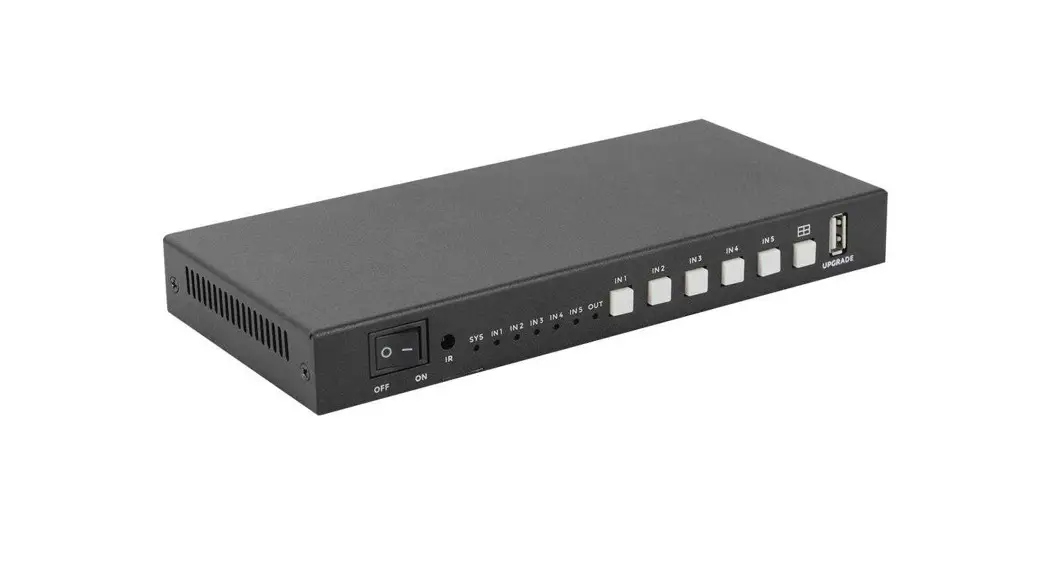
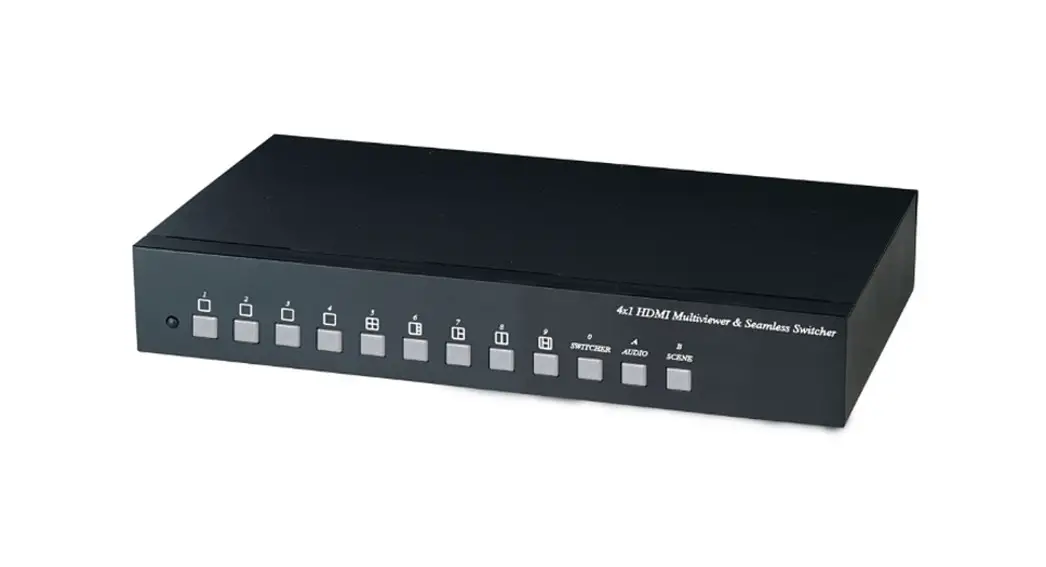
4K60 4×1 Multiviewer
Seamless UHD Video Switcher
VER 1.0
SD-MV-0401P 4K60 Multiviewer Seamless UHD Video Switcher
Thank you for purchasing this product
For optimum performance and safety, please read these instructions carefully before connecting, operating, or adjusting this product. Please keep this manual for future reference.
Surge protection device recommended
This product contains sensitive electrical components that may be damaged by electrical spikes, surges, electric shock, lighting strikes, etc. Use of surge protection systems is highly recommended in order to protect and extend the life of your equipment.
Introduction
This SD-MV-0401P 4K60 4×1 Multiviewer Seamless UHD Video Switcher was developed for the purpose of supporting higher output resolution (4K@60) for multiple sources on a single screen. It can combine up to four video signals onto a single UHD or HD displayer. The user can easily manage each input via thesupplied Control Software and create any layout and position of any of the four inputs on a single monitor. This device supports full range of input video resolutions up to 4K@60 and audio RCA /Optical de-embedding supported for external audio distribution systems.
This device can be controlled via front panel buttons, IR remote, RS-232 commands.
Features
☆ HDMI 2.0b, HDCP 2.2 and HDCP 1.x compliant
☆ Support 18Gbps video bandwidth
☆ Input and output resolutions support up to 4K@60Hz
☆ Support LPCM, AC3, DD+, DTS, DTS-HD, up to 7.1 audio channel
☆ Seamless switching between input channels and combined multiple images on single UHD monitor.
☆ Up to 8 display modes: SINGLE, PIP, PBP (1), PBP (2), Triple (1), Triple (2), Quad (1), Quad (2)
☆ Seamless switching on single screen display mode
☆ Fast switching on multiview display mode
☆ Audio de-embedding via analog and optical fiber audio ports
☆ Support volume control and independent audio selection
☆ Support OSD navigation for advanced setting
☆ EDID management
☆ Control via front panel buttons, IR remote, RS-232 commands
☆ Compact design for easy and flexible installation
Package Contents
- 1 x 4K60 4×1 Multiviewer Seamless UHD Video Switcher
- 1 x IR Remote
- 1 x 3pin-3.81mm Phoenix Connector (male)
- 1 x 38KHz IR Wideband Receiver Cable (1.5 meters)
- 2 x Mounting Ears
- 4 x Machine Screws (KM3*4)
- 4 x Rubber Feet
- 1 x 12V/2.5A Locking Power Adapter
- 1 x User Manual
Specifications
| Technical | |
| HDMI Compliance | HDMI 2.0b |
| HDCP Compliance | HDCP 2.2 / 1.x |
| Video Bandwidth | 18Gbps |
| Video Resolution | Up to 4K@60Hz |
| IR Level | 5Vp-p |
| IR Frequency | 38KHz |
| Color Space | RGB, YCbCr 4:4:4, YCbCr 4:2:2, YCbCr 4:2:0 |
| Color Depth | 8bit |
| Audio Formats | HDMI: PCM2.0/5.1/7.1CH, Dolby Digital/Plus, DTS, DTS High Res Analog audio [3.5mm L/R]: PCM2.0; SPDIF (OPTICAL): Dolby Digital, DTS 5.1, PCM2.0. Note: It does not support HBR audio. |
| ESD Protection | Human body model — ±8kV (Air-gap discharge) & ±4kV (Contact discharge) |
| Connection | |
| Input ports | 4 x HDMI IN [Type A, 19-pin female] |
| Output ports | 1 x HDMI OUT [Type A, 19-pin female] 1 x L/R OUTPUT [RCA] 1 x OPTICAL OUTPUT [S/PDIF] |
| Control ports | 1 x RS-232 [3pin-3.81mm phoenix connector] 1 x IR EXT [3.5mm Stereo Mini-jack] |
| Mechanical | |
| Housing | Metal Enclosure |
| Color | Black |
| Dimensions | 220mm [W] x 100mm [D] x 30mm [H] |
| Weight | 620g |
| Power Supply | Input: AC 100 – 240V 50/60Hz Output: DC 12V/2.5A (US/EU standard, CE/FCC/UL certified) |
| Power Consumption | 10W (Max) |
| Operating Temperature | 32 – 104°F / 0 – 40°C |
| Storage Temperature | -4 – 140°F / -20 – 60°C |
| Relative Humidity | 20 – 90% RH (no-condensing) |
Operation Controls and Functions
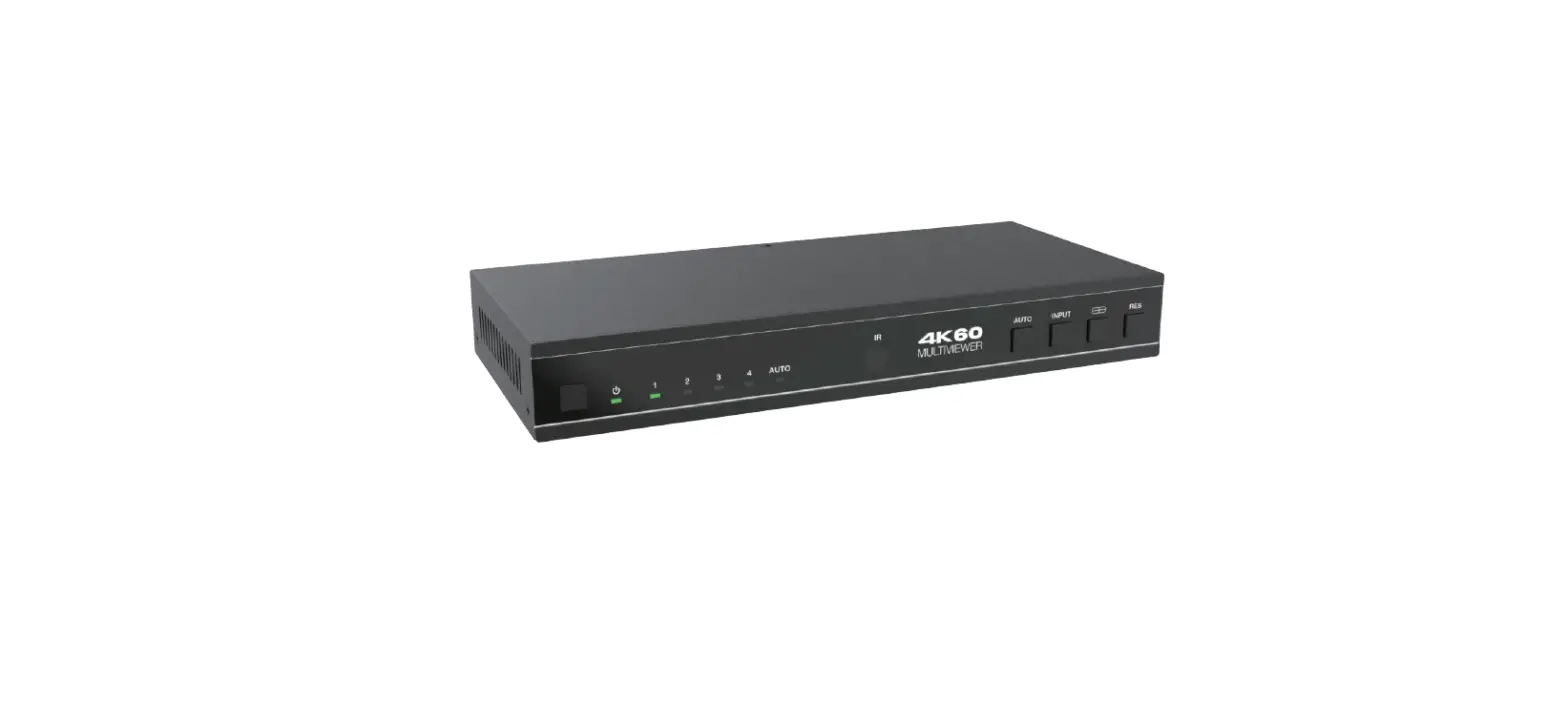
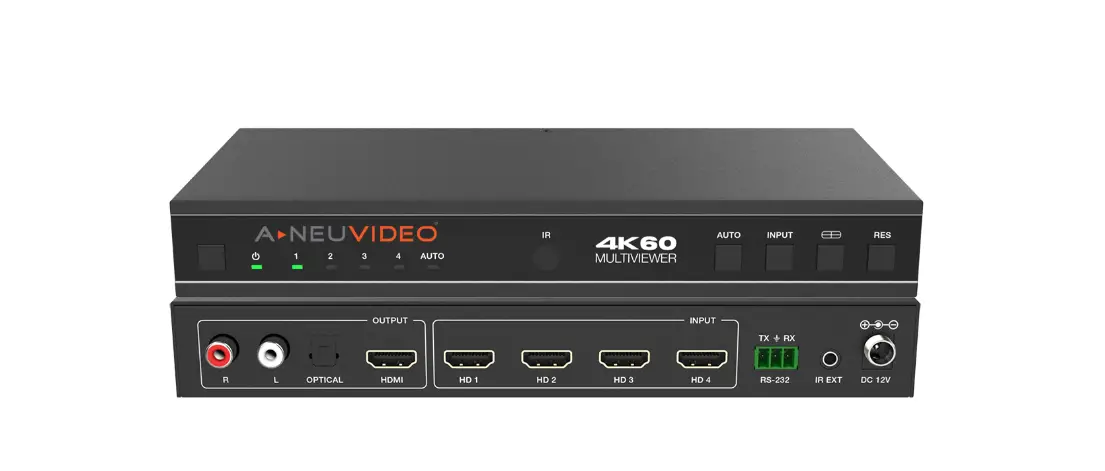
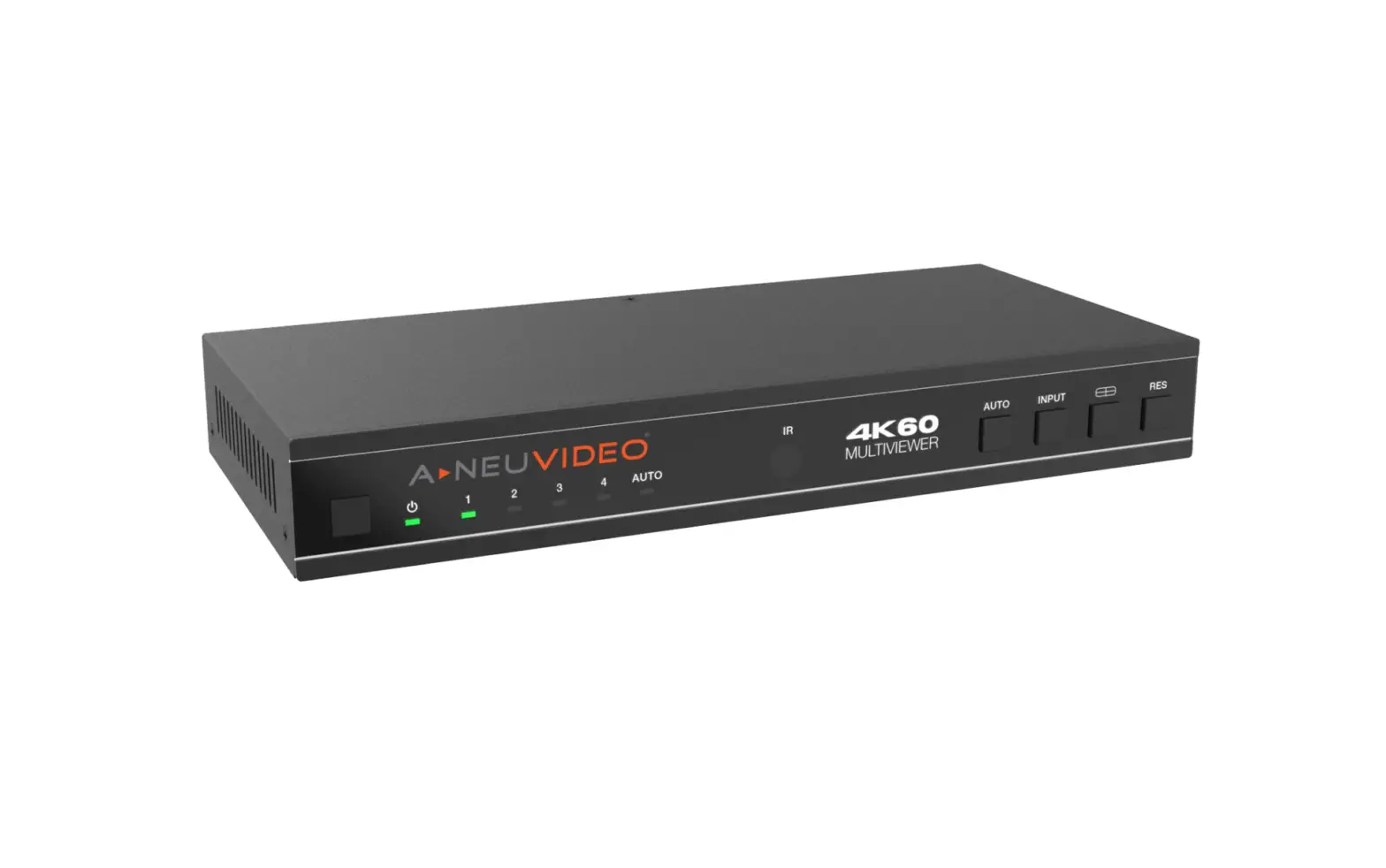
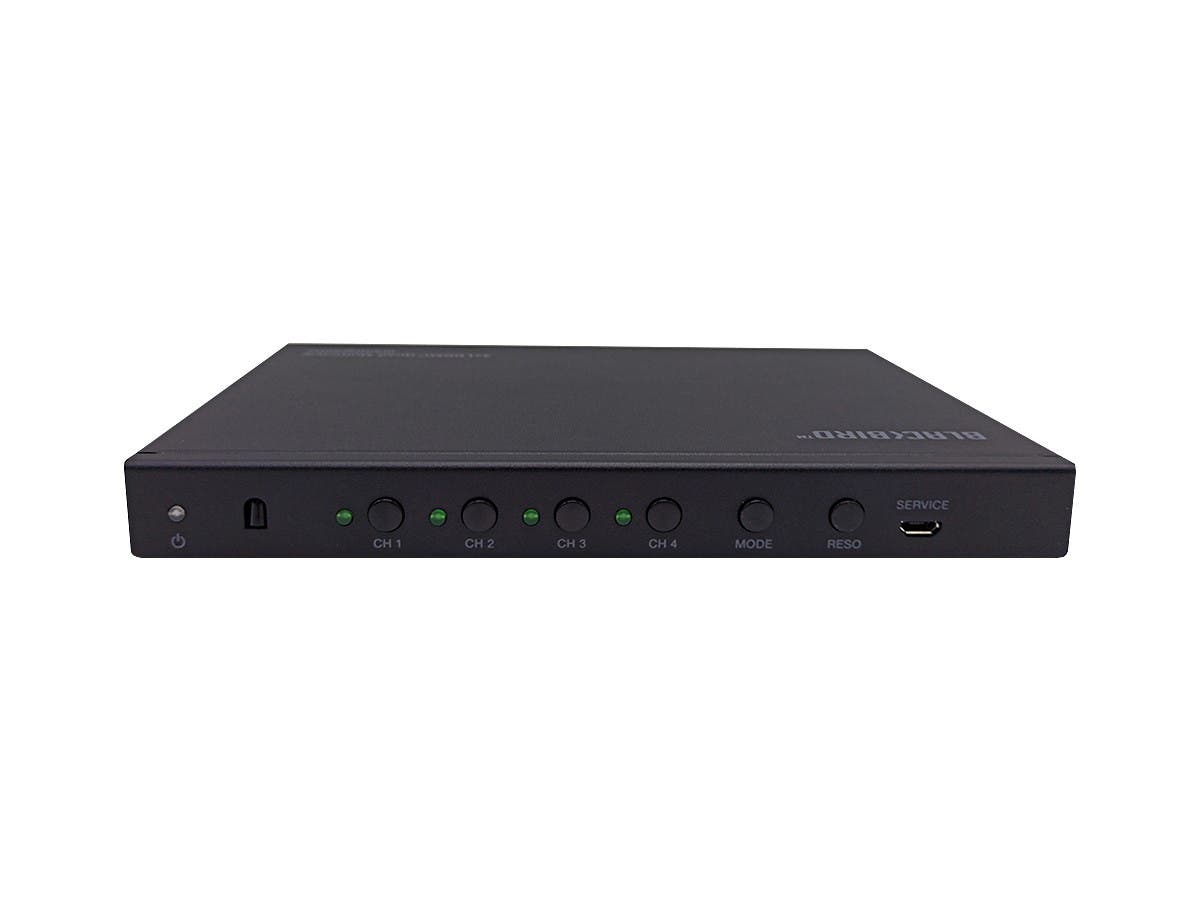
5.1Front Panel
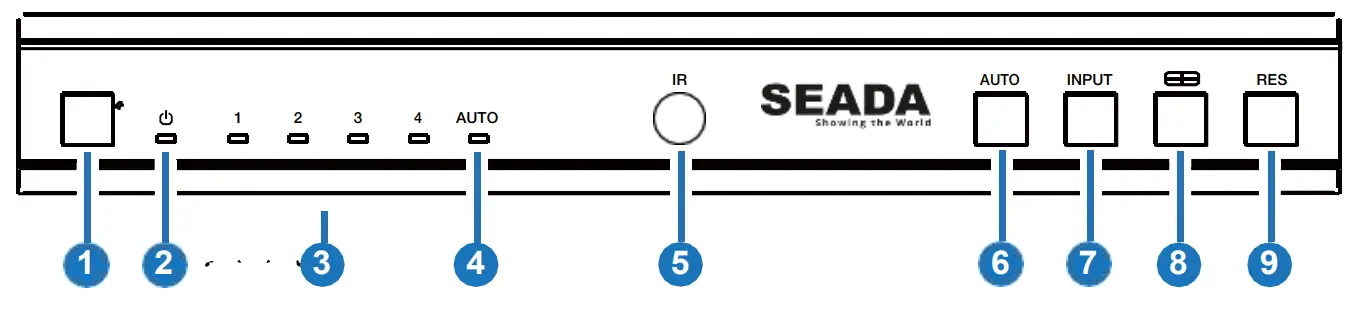
| No. | Name | Function Description |
| 1 | Power button | ▪ Short press this button to power on the device. ▪ Long press this button for 1 seconds to enter the standby mode. |
| 2 | Power LED | The Power LED will light in green when the product is powered on, and red when the product is on standby. |
| 3 | Input 1-4 LEDs | Input signal indicator lights. When the HD 1/2/3/4 port connects an active source device, the corresponding green LED will be on. Note: Only the LED of the selected input channel will light in green on single screen display mode; all LEDs will light in green on multiview mode. |
| 4 | AUTO LED | When the device is on the AUTO mode, the AUTO LED will light in green, and HDMI is automatically identified, that is, when the currently displayed source signal is disconnected, the switcher will automatically identify the next connected HDMI input port. |
| 5 | IR Window | IR signal receiving window. |
| 6 | AUTO button | Automatic switching button, only available on single screen display mode. |
| 7 | INPUT button | Input source switching button, only available on single screen display mode. |
| 8 | Multiview button | Multiview display mode switching button. ▪ Short press this button to circularly select: SINGLE – PIP – PBP (1) – PBP (2) – Triple (1) – Triple (2) – Quad (1) – Quad (2). ▪ Long press this button for 3 seconds to select the aspect ratio for PBP (1) / PBP (2) / Triple (1) / Triple (2) / Quad (1) /Quad (2). |
| 9 | RES button | Output resolution switching button. ▪ Short press the RES button to circularly switch the output resolution of the HDMI OUTPUT port (Please refer to the output resolution list of “8. Video & Audio”). ▪ Long press the RES button for 3 seconds to switch the output resolution to 720P60. |
5.2 Rear Panel 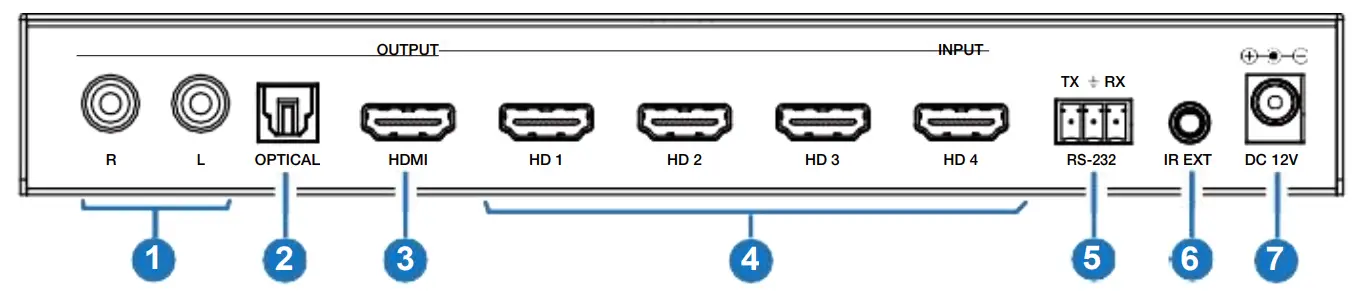
| No. | Name | Function Description |
| 1 | L/R port | PCM2.0 Analog audio output port. |
| 2 | OPTICAL port | Optical fiber digital audio output port. |
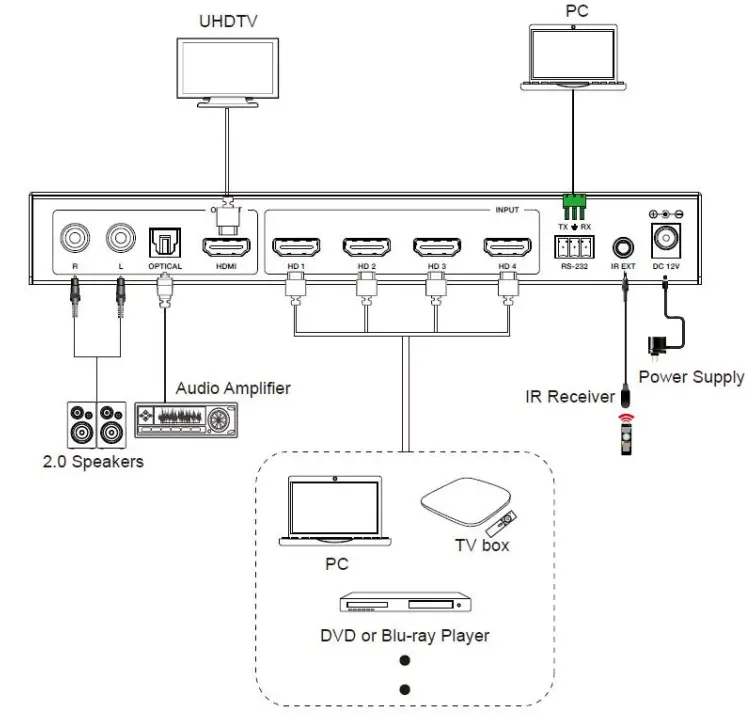
| 3 | HDMI OUTPUT port | HDMI signal output port, connected to HDMI display device such as TV or Monitor with HDMI cable. |
| 4 | HD 1-4 INPUT ports | HDMI signal input ports, connected to HDMI source device such as DVD or Set-top box with HDMI cable. |
| 5 | RS-232 port | 3-pin phoenix connector, connected to a PC or control system for serial port upgrade or RS-232 command control. |
| 6 | IR EXT port | IR signal receiving port, connected with 38KHz IR Receiver cable. If the IR signal receiving window of the unit is blocked or theunit is installed in a closed area out of infrared line of sight, the IR receiver cable can be inserted to the “IR EXT” port toreceive the IR remote signal. |
| 7 | DC 12V | DC 12V/2.5A power input port. |
IR Remote
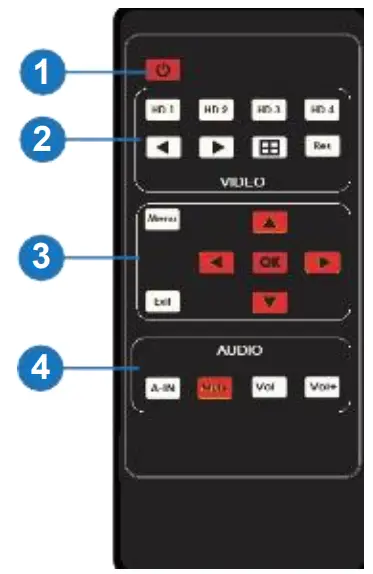
- Power on or Standby: Press this button to power on the switcher or set it to standby mode.
- HD 1/2/3/4: Press these buttons to select input source on single screen display mode, and the corresponding input LED on the front panel will light in green.

 : Press these buttons to circularly select the last or next input source on single screen display mode.
 : Multiview display mode switching button.
▪ Short press this button to circularly select: SINGLE – PIP – PBP (1) PBP (2) – Triple (1) – Triple (2) – Quad (1) – Quad (2).
▪ Long press this button for 3 seconds to select the aspect ratio for PBP (1) / PBP (2) / Triple (1) / Triple (2) / Quad (1) / Quad (2).
RES : Output resolution switching button.
▪ Short press the RES button to circularly switch the output resolution of the HDMI OUTPUT port (Please refer to the output resolution list of “8. Video & Audio”).
▪ Long press the RES button for 3 seconds to switch the output resolution to 720P60. - MENU, EXIT, LEFT, RIGHT, UP, DOWN, OK: OSD Menu navigation buttons.
- A-IN: Press this button to pop up the audio channel selection OSD, then press the UP / DOWN button to select the audio output channel. (The output audio follows the video source by default.)
Mute: Press this button to mute / unmute the audio.
VOL-, VOL+: Press these buttons to increase / decrease the audio output volume.
 : Multiview display mode switching button.
EDID Settings
User can select following EDID modes via RS-232 command or OSD menu navigation.
| No. | EDID Mode | No. | EDID Mode |
| 1 | 4K60-2.0CH | 10 | 1920×1200-2.0CH |
| 2 | 4K60-5.1CH | 11 | 1680×1050-2.0CH |
| 3 | 4K60-7.1CH | 12 | 1600×1200-2.0CH |
| 4 | 4K30-2.0CH | 13 | 1440×900-2.0CH |
| 5 | 4K30-5.1CH | 14 | 1360×768-2.0CH |
| 6 | 4K30-7.1CH | 15 | 1280×1024-2.0CH |
| 7 | 1080P-2.0CH | 16 | 1024×768-2.0CH |
| 8 | 1080P-5.1CH | 17 | 720P-2.0CH |
| 9 | 1080P-7.1CH | 18 | AUTO |
Video & Audio
The switcher supports multiple resolution video input up to 3840×2160@60, and supports multiple audio formats such as LPCM, AC3, DD+, DTS, DTS- HD, up to 7.1 channel pass through function via HDMI cable.
User can control the volume of audio in LPCM format.
The switcher supports following video output resolutions via a powerful scaling engine.
| No. | Output Resolution | No. | Output Resolution |
| 1 | 4096x2160p 60Hz | 8 | 1920x1080p 60Hz |
| 2 | 4096x2160p 50Hz | 9 | 1920x1080p 50Hz |
| 3 | 3840x2160p 60Hz | 10 | 1360x768p 60Hz |
| 4 | 3840x2160p 50Hz | 11 | 1280x800p 60Hz |
| 5 | 3840x2160p 30Hz | 12 | 1280x720p 60Hz |
| 6 | 3840x2160p 25Hz | 13 | 1280x720p 50Hz |
| 7 | 1920x1200p 60Hz RB | 14 | 1024×768 60Hz |
Multiview
The switcher supports 8 categories of multiview display modes:
SINGLE, PIP, PBP (1), PBP (2), Triple (1), Triple (2), Quad (1), Quad (2)
Users can select different operations for different Multiview modes as following:
SINGLE: Inputs selection
PIP: Inputs selection, Sub window size and position selection
PBP (1), PBP (2), Triple (1), Triple (2), Quad (1), Quad (2): Inputs selection, Display mode selection, Display aspect selection
Multiview window distributions are as following: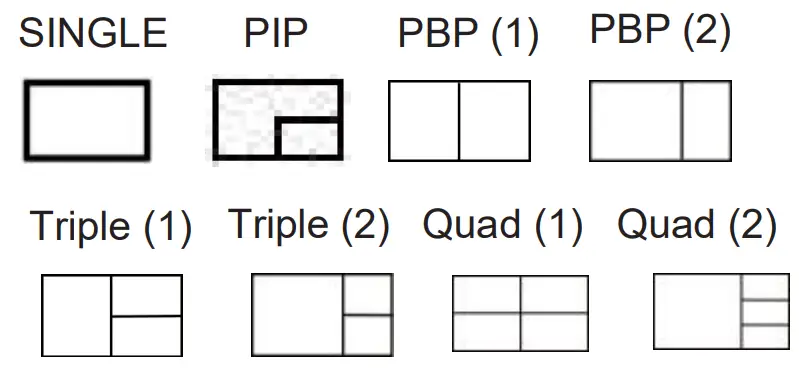 User can select Multiview modes via RS-232 commands or OSD menu navigation.
(1) A total of seven buttons on the IR Remote are used for OSD menu navigation, including MENU, EXIT, UP, DOWN, LEFT, RIGHT, OK.
Menu contents are as follows:
| Output | Resolution | 3840x2160p60 | 4096x2160p 60Hz/ 4096x2160p 50Hz/ 3840x2160p 60Hz/ 3840x2160p 50Hz/ 3840x2160p 30Hz/ 3840x2160p 25Hz/ 1920x1200p60Hz RB/ 1920x1080p 60Hz/ 1920x1080p 50Hz/ 1360x768p 60Hz/ 1280x800p 60Hz/ 1280x720p 60Hz/ 1280x720p 0Hz/1024×768 60Hz |
| VKA | BLACKSCREEN, | BLACKSCREEN, BLUESCREEN | |
| ITC | OFF | ON,OFF | |
| Multiview | Single | Input select | HDMI1,HDMI2,HDMI3,HDMI4 |
| PIP | Win1 Select | HDMI1,HDMI2,HDMI3,HDMI4 | |
| Win2 Select | HDMI1,HDMI2,HDMI3,HDMI4 | ||
| PIP Position | Right Bottom,Right Top,Left Bottom,Left Top | ||
| PIP Size | Small,Middle,Large | ||
| PBP | Win1 Select | HDMI1,HDMI2,HDMI3,HDMI4 | |
| Win2 Select | HDMI1,HDMI2,HDMI3,HDMI4 | ||
| MODE | 1, 2 | ||
| Aspect | Full, 16:9 |
| 3xWIN | Win1 Select | HDMI1,HDMI2,HDMI3,HDMI4 | |
| Win2 Select | HDMI1,HDMI2,HDMI3,HDMI4 | ||
| Win3 Select | HDMI1,HDMI2,HDMI3,HDMI4 | ||
| MODE | 1, 2 | ||
| Aspect | Full, 16:9 | ||
| 4xWIN | Win1 Select | HDMI1,HDMI2,HDMI3,HDMI4 | |
| Win2 Select | HDMI1,HDMI2,HDMI3,HDMI4 | ||
| Win3 Select | HDMI1,HDMI2,HDMI3,HDMI4 | ||
| Win4 Select | HDMI1,HDMI2,HDMI3,HDMI4 | ||
| MODE | 1, 2 | ||
| Aspect | Full,16:9 | ||
| AUDIO | Audio Select | WIN1 | WIN1,HDMI1,HDMI2,HDMI3, HDMI4 |
| Volume | 100 | 0..100 | |
| AUDIO-MUTE | OFF | ON, OFF | |
| System | Language | English | English, |
| EDID | 4K60-2.0 | 4K60-2.0,4K60-5.1CH, | |
| 4K60-7.1CH,4K30-2.0CH, | |||
| 4K30-5.1CH,4K30-7.1CH, | |||
| 1080P-2.0CH,1080P-5.1CH, | |||
| 1080P-7.1CH,1920×1200- 2.0CH,1680×1050-2.0CH, | |||
| 1600×1200-2.0CH,1440×900 -2.0CH, 1360×768-2.0CH, | |||
| 1280×1024-2.0CH, 1024x | |||
| 768-2.0CH,720P-2.0CH,AUTO | |||
| Baud rate | 115200 | 115200,57600,38400, 19200,9600 | |
| Reset | Reset | Reset | |
| FW Version | Read only |
A total of four buttons on the IR Remote are used for audio setting on OSD menu navigation, including A-IN, Mute, VOL-, VOL+.
Menu contents are as follows:
| A-IN | Audio Input | WIN1 | WIN1,HDMI1,HDMI2,HDMI 3, HDMI4 |
| Mute | Audio Mute | OFF | ON, OFF |
| VOL-/VOL+ | Audio Volume | 100 | 0..100 |
RS-232 Command
The product also supports RS-232 command control. Connect the RS-232 port of the product to a PC with a 3-pin phoenix connector cable. Then, open a Serial Command tool on PC to send ASCII commands to control the product. The ASCII command list about the product is shown as below.
| ASCII Commands | |||
| Serial port protocol. Baud rate: 115200 (default), 57600, 38400, 19200, 9600; Data bits: 8bit; Stop bits:1; Check bit: 0 | |||
| x – Parameter 1; y – Parameter 2; ! – Delimiter | |||
| Command Code | Function Description | Example | Feedback |
| System Setting | |||
| help! | List all commands | help! | |
| r type! | Get device model | r type! | 4×1 HDMI Multiviewer |
| r fw version! | Get Firmware version | r fw version! | MCU FW version x.xx.xx SCALER FW version x.xx.xx |
| power z! | Power on/off the device,z=0~1 (z=0 power off, z=1 power on) | power 1! | Power on System Initializing… Initialization Finished! MCU FW version x.xx.xx SCALER FW version x.xx.xx |
| r power! | Get current power state | r power! | power on/power off |
| reboot! | Reboot the device | reboot! | Reboot… System Initializing… Initialization Finished! MCU FW version x.xx.xx SCALER FW version x.xx.xx |
| reset! | Reset to factory defaults | reset! | Reset to factory defaults System Initializing… Initialization Finished! MCU FW version x.xx.xx SCALER FW version x.xx.xx |
| Output Setting | |||
| s output res x! | Set Output Resolution (x=1~14) 1. 4096x2160p60, 2. 4096x2160p50, 3. 3840x2160p60, 4. 3840x2160p50, 5. 3840x2160p30, 6. 3840x2160p25, 7. 1920x1200p60RB, 8. 1920x1080p60, 9. 1920x1080p50, 10.1360x768p60, 11.1280x800p60, 12.1280x720p60, 13.1280x720p50, 14. 1024x768p60, | s output res 3! | out resolution: 3840x2160p60 |
| r output res! | Get output resolution | r output res! | out resolution: 3840x2160p60 |
| s output hdcp x! | set output hdcp (x=1~3) 1. HDCP 1.4 2. HDCP 2.2 3. HDCP OFF | s output hdcp 2! | output HDCP: HDCP 1.4 |
| r output hdcp! | Get output hdcp status. | r output hdcp! | output HDCP: HDCP 1.4 |
| s output vka x! | Set output video keep active pattern. (x=1~2) 1. black screen 2. blue screen | s output vka 1! | output VKA pattern: black screen |
| r output vka! | Get output video keep active pattern. | r output vka! | output VKA pattern: black screen |
| s output itc x! | Set output video mode (x=1~2) 1: video mode 2: pc mode | s output itc 1! | output ITC: video mode |
| r output itc! | Get output video mode | r output itc! | output ITC: video mode |
| EDID Setting | |||
| s input EDID x! | Set HDMI input EDID mode (x=18) 1. 4K2K60_444,Stereo Audio 2.0 2. 4K2K60_444,Dolby/DTS 5.1 3. 4K2K60_444,HD Audio 7.1 4. 4K2K30_444,Stereo Audio 2.0 5. 4K2K30_444,Dolby/DTS 5.1 6. 4K2K30_444,HD Audio 7.1 7. 1080P,Stereo Audio 2.0 8. 1080P,Dolby/DTS 5.1 9. 1080P,HD Audio 7.1 10.1920×1200,Stereo Audio 2.0 11.1680×1050,Stereo Audio 2.0 12.1600×1200,Stereo Audio 2.0 13.1440×900,Stereo Audio 2.0 14.1360×768, Stereo Audio 2.0 15.1280×1024,Stereo Audio 2.0 16.1024×768, Stereo Audio 2.0 17.720p,Stereo Audio 2.0 18.copy from HDMI out | s input EDID 1! | input EDID:4K2K60_444, Stereo Audio 2.0 |
| r input EDID! | Get input EDID mode | r input EDID! | input EDID:4K2K60_444, Stereo Audio 2.0 |
| Audio Setting | |||
| s output audio x! | Set output audio source (x=0~4) 0. follow window 1 selected source 1. HDMI 1 input audio 2. HDMI 2 input audio 3. HDMI 3 input audio 4. HDMI 4 input audio | s output audio 0! | output audio: follow window 1 selected source |
| r output audio! | Get output audio source | r output audio! | output audio: follow window 1 video |
| s output audio vol+! | Increase output audio volume | s output audio vol+! | output audio volume: 50 |
| s output audio vol-! | Decrease output audio volume | s output audio vol-! | output audio volume: 50 |
| s output audio vol x! | Set output audio volume value (x=0~100) | s output audio vol 30! | output audio volume: 30 |
| r output audio vol! | Get output audio volume | r output audio vol! | output audio volume: 30 |
| s output audio mute x! | Set output audio mute on/off (x=0~1) 0. mute off 1. mute on | s output audio mute 0! | output audio mute: off |
| r output audio mute! | Get output audio mute on/off | r output audio mute! | output audio mute: off |
| Single Screen Mode Setting | |||
| s auto switch x! | Enable/disable auto switch feature(x=0~1) 0. Disable auto switch 1. Enable auto switch | s auto switch 0! | auto switch off |
| r auto switch! | Get auto switch feature | r auto switch! | auto switch off |
| s in source x! | Route input source to output (1~4) 1. HDMI 1 2. HDMI 2 3. HDMI 3 4. HDMI 4 | s in source 1! | HDMI 1 |
| r in source! | Get output selected input source | r in source! | HDMI 1 |
| Multi-viewer Mode Setting | |||
| s multiview x! | Set multi-viewer display mode (x=1~5) 1. single screen 2. PIP 3. PBP 4. triple screen 5. quad screen | s multiview 1! | single screen |
| r multiview! | Get multi-viewer display mode | r multiview! | single screen |
| s window x in y! | Select one input for one display window for the current Multiview mode. (x=1~4) 1. window 1 2. window 2 3. window 3 4. window 4 (y=1~4) 1. HDMI 1 2. HDMI 2 3. HDMI 3 4. HDMI 4 | s window 1 in 1! | window 1 select HDMI 1 |
| r window x in! | Get windows selected input source (x=0~4) 0. ALL 1. window 1 2. window 2 3. window 3 4. window 4 | r window 1 in! | window 1 select HDMI 1 |
| s PIP position x! | Set PIP window position (x=1~4) 1. Left Top 2. Left Bottom 3. Right Top 4. Right Bottom | s PIP position 3! | PIP on right top |
| r PIP position! | Get PIP window position | r PIP position! | PIP on right top |
| s PIP size x! | Get PIP window size (x=1~3) 1. small 2. middle 3. large | s PIP size 3! | PIP size: large |
| r PIP size! | Get PIP window size | r PIP size! | PIP size: large |
| s PBP mode x! | Set PBP windows display mode (x=1~2) 1. PBP mode 1 2. PBP mode 2 | s PBP mode 1! | PBP mode 1 |
| r PBP mode! | Get PBP windows display mode | r PBP mode! | PBP mode 1 |
| s PBP aspect x! | Set PBP windows display aspect ratio (x=1~2) 1. Full screen 2. 16:9 | s PBP aspect 1! | PBP aspect: full screen |
| r PBP aspect! | Get PBP windows display aspect ratio | r PBP aspect! | PBP aspect: full screen |
| s triple mode x! | Set triple windows display mode (x=1~2) 1. triple mode 1 2. triple mode 2 | s triple mode 1! | triple mode 1 |
| r triple mode! | Get triple windows display mode | r triple mode! | triple mode 1 |
| s triple aspect x! | Set triple windows display aspect ratio (x=1~2) 1. Full screen 2. 16:9 | s triple aspect 1! | triple aspect: full screen |
| r triple aspect! | Get triple windows display aspect ratio | r triple aspect! | triple aspect: full screen |
| s quad mode x! | Set quad windows display mode (x=1~2) 1. quad mode 1 2. quad mode 2 | s quad mode 1! | quad mode 1 |
| r quad mode! | Get quad windows display mode | r quad mode! | quad mode 1 |
| s quad aspect x! | Set quad windows display aspect ratio (x=1~2) 1. Full screen 2. 16:9 | s quad aspect 1! | quad aspect: full screen |
| r quad aspect! | Get quad windows display aspect ratio | r quad aspect! | quad aspect: full screen |
Application 3Example
Website: www.seada.co.uk
Email: [email protected]
 Video and HDMI Video Wall Controller | Seada