SAMSUNG Steps to Redeem FREE* Singtel CAST Subscription
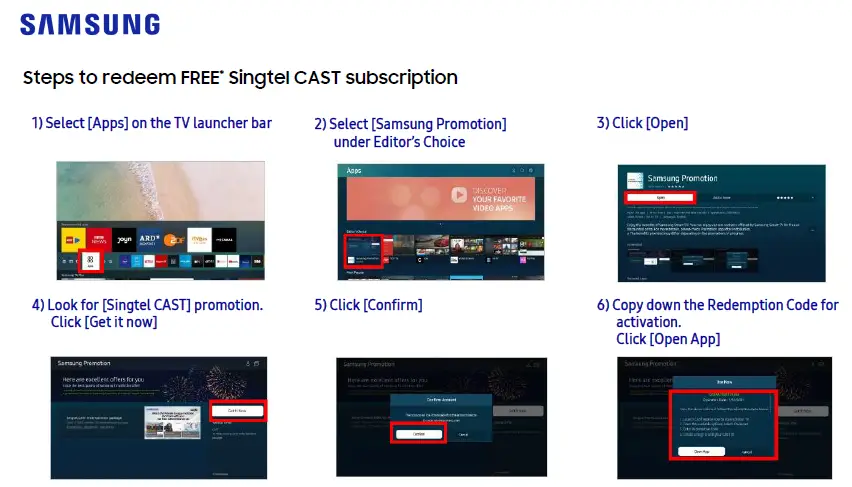
Steps to redeem FREE Singtel CAST subscription
- Select [Apps] on the TV launcher bar
- Select [Samsung Promotion] under Editor’s Choice
- Click [Open]

- Look for Singtel CAST] promotion. Click [Get it
- Click Confirm
- Copy down the Redemption Code for activation. Click Open.

- Launch CAST App on your TV
- From the available options, select <Redeem>
- Enter Redemption Code
- Create or Sign in with your CAST ID
- New to CAST? Create a CAST ID with your email address / mobile number.
- Already have a CAST ID? Please sign in with your CAST ID and password.