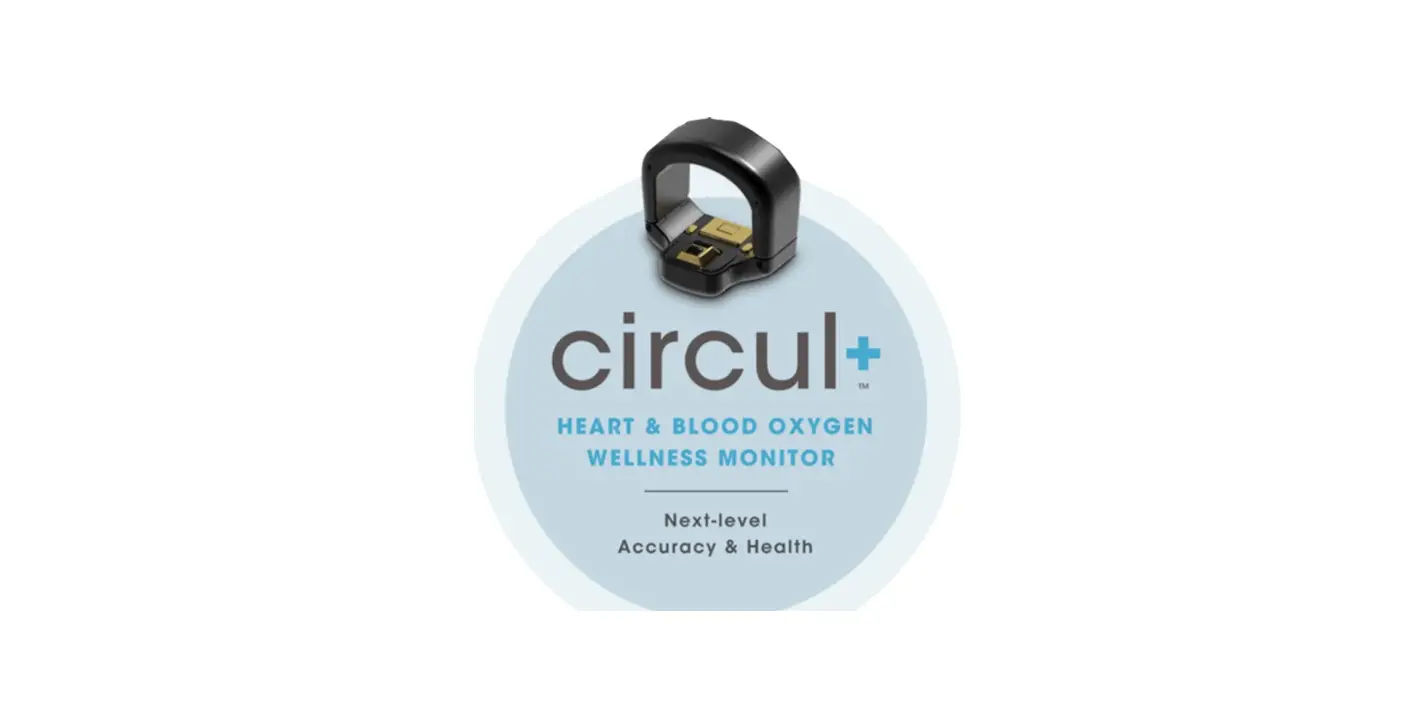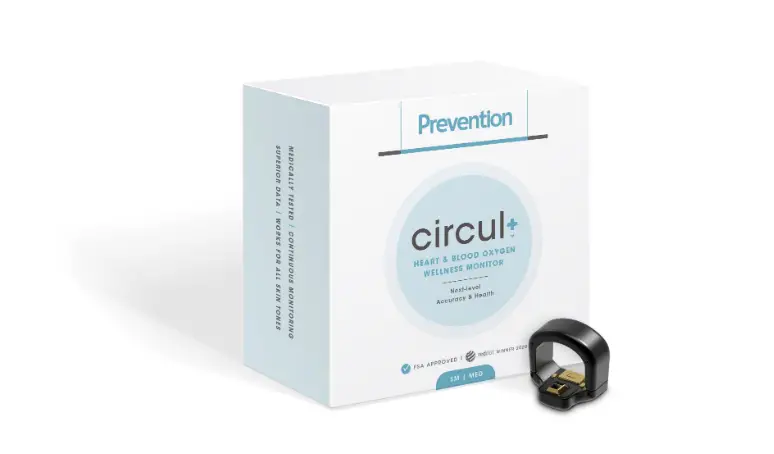
 Prevention circul+ Heart and Blood Oxygen Wellness Monitor
 Prevention circul+ Heart and Blood Oxygen Wellness Monitor
 RING DIAGRAM
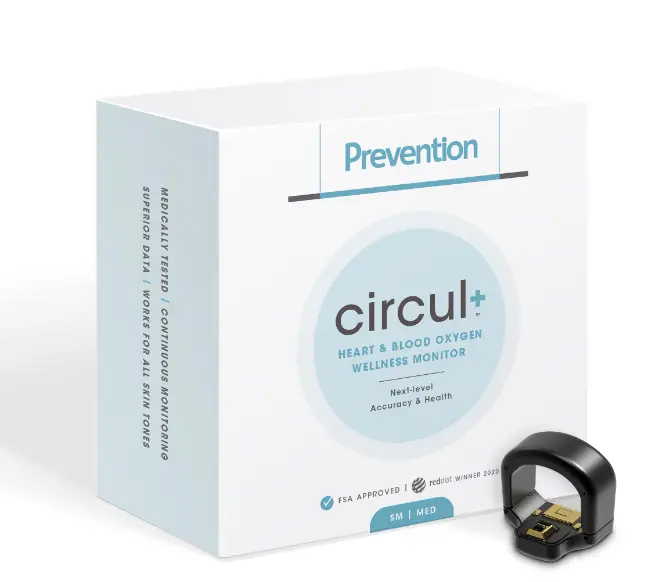 RING DIAGRAM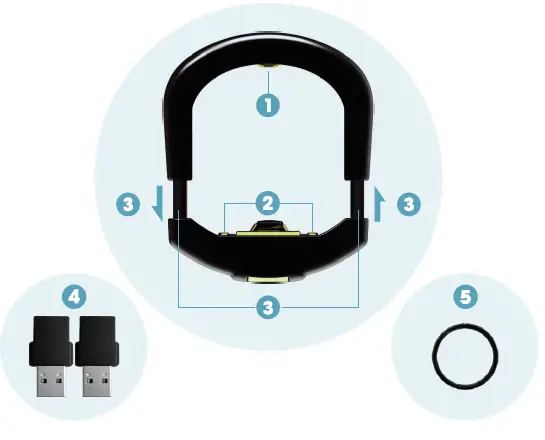
- Green charging indicator
- Magnetic charging port
- Customizable sizing
- Two USB charging adapters
- Spacer ring
CHARGING YOUR RING
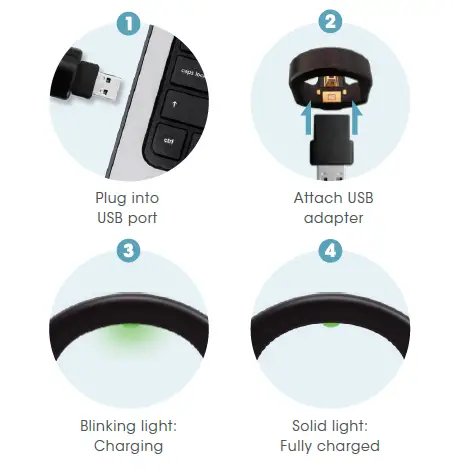
- Plug into a USB port to charge.
- Slide USB charging adapter onto the ring. It will connect to the charging port magnetically.
- A flashing green light indicates your device is charging.
- A solid green light indicates your device is fully charged.
A full charge will take up to 2 hours. Ring must be fully charged before initial activation.
NOTE: If attempting to charge CIRCUL+ after several days of no use, green charging light may not start for 20 minutes.
DOWNLOAD APP & REGISTER
- Make sure your mobile device is connected to the internet. Go to the iOS App Store or Google Play Store and search for CIRCUL+ to download and install.
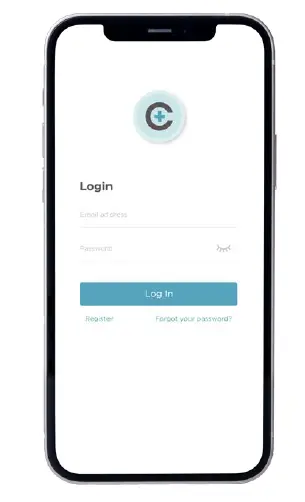
- Register your account with your email and password.
BLUETOOTH ACTIVATION 
On a mobile device, turn ON Bluetooth and open the CIRCUL+ app. *Android 6.0+ can only use Bluetooth when GPS is enabled.
REGISTERING + PAIRING
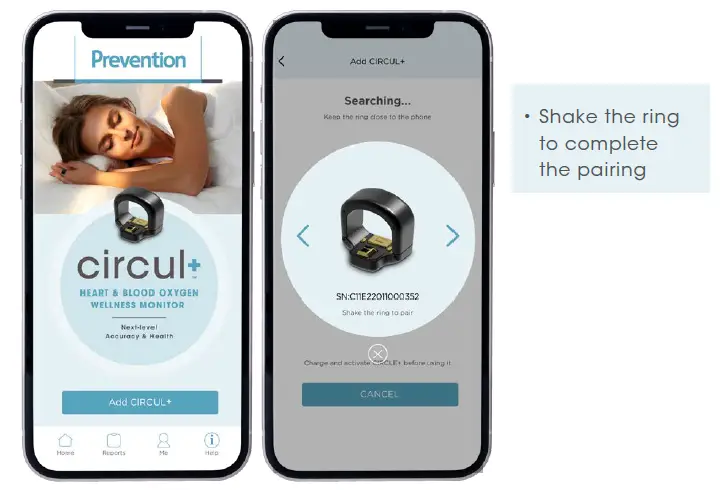
Click ‘Add CIRCUL+’ button to pair your ring. Keeping the ring close to your mobile device, follow the instructions in your app to complete the pairing process.
RING POSITIONING
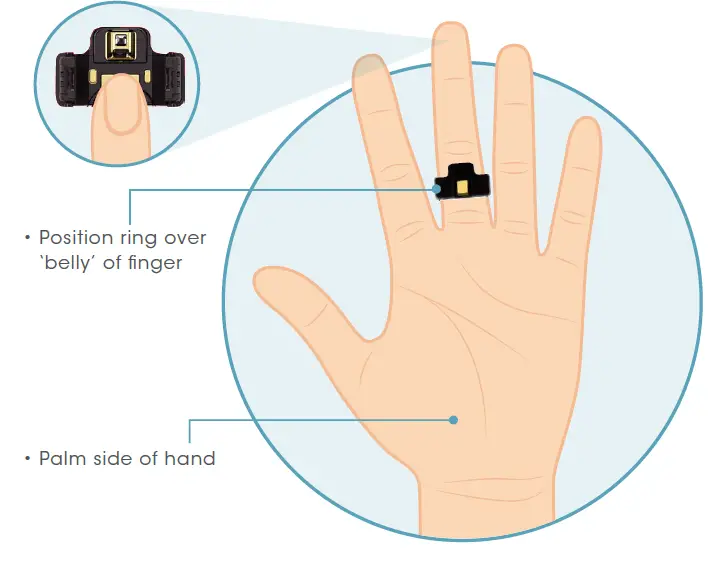
To begin monitoring, slide your finger into the CIRCUL+ with the raised part of the ring facing away from your body. Fit the CIRCUL+ onto either the ring, middle, or index finger such that the ring is comfortable, but not easy to rotate (i.e. not too loose)
ACTIVATE MONITORING
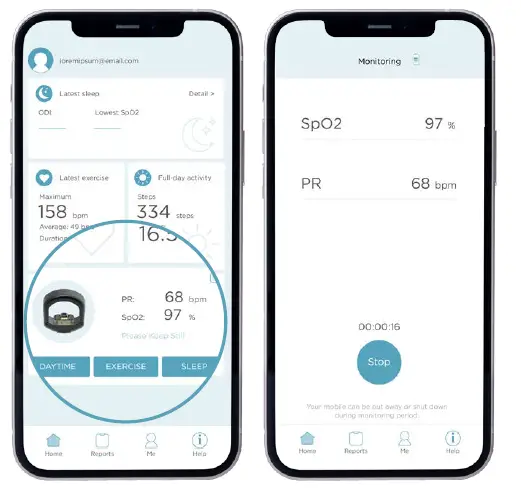
- When you open the CIRCUL+ app, you will see your blood oxygenation and pulse rate. To turn on monitoring, click the ‘Daytime’,’Exercise’ or ‘Sleep’ button on the home page.
- Daytime mode: (Continuous Recording of Your Saturation and Heart rate) Requires a minimum of 2 minutes; records for up to 12 hours. Minimize hand movement during recording.
- Exercise mode: (Continuous Recording of Your Heart Rate) Requires a minimum of 10 minutes; records for up to 12 hours.
- Sleep mode: (Continuous Recording of Your Saturation, Heart Rate & Finger Temperature) Requires a minimum of 30 minutes; records for up to 12 hours. Please note, in order to record your sleep stages, Sleep mode must be active for at least 4 hours. Shorter periods will only record data for SpO2 and Heart Rate.
NOTE: You can shut your phone off or close CIRCUL+ mobile app during recording unless you are using the ‘Alert’ function.
END MONITORING
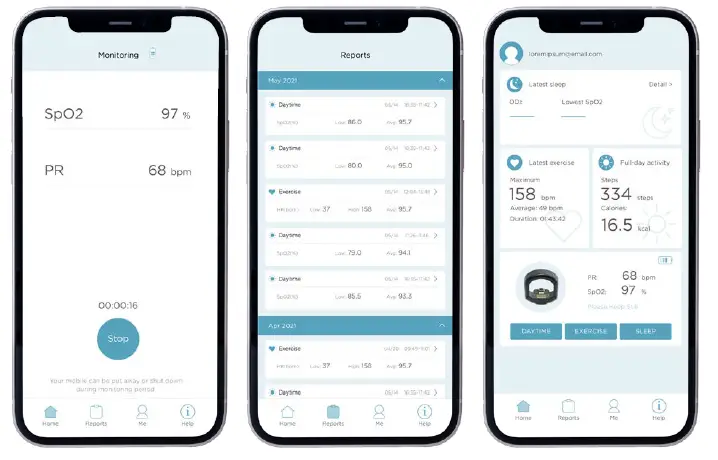
When you’ve completed ‘Daytime’,’Exercise’ or ‘Sleep’ monitoring, hold down the ‘Stop’ button in the app. The app will begin downloading data from your ring. Make sure to keep the ring close to your mobile device until the download process is complete and a report shows on your screen.
| PERFORMANCE PARAMETER | ||
| Sp02 | Sampling Rate | 100Hz (data stored once a sec) |
| Range | 50% – 100% | |
| Accuracy | 3% (between 70% – 100%) | |
| Resting Heart Rate | Sampling Rate | 100Hz (data stored once a sec) |
| Range | 30bpm – 240bpm | |
| Accuracy | 2%, 2bpm, with maximum value | |
| HARDWARE SPECIFICATIONS | |
| Materials | 316L Stainless Steel, PC |
| Surface Treatment | PVD Coating |
| Waterproof Level | IPX2 |
| Sensors | 6 – axis Accelerometer 3-Wavelength Photo-Electric sensor |
| Bluetooth range | < 10 Feet |
| Interface | Bluetooth BLE4.2 |
| Battery Life with Full Charge | 16 hours (continuous oxygen and pulse rate detection) |
| Battery Life with Full Charge | 16 hours (continuous exercise heart rate detection) |
| Weight | 9.0g (S) / 9.3g (L) |
| Charging | 5V, <80mA |
| Battery Charge Time | < 2 hours |
| Operation Temperature | -10OC to 45OC |
WARNING
• Do NOT use information from the device as the sole basis clinical diagnosis and treatment.
• Do NOT use this device around flammable substances, such as anesthetics.
• Do NOT use this in or around MRI or CT equipment.
• Do NOT sterilize device at high temperature or under pressure.
• Do NOT operate device around equipment that may generate strong electric and magnetic fields.
• It is recommended to charge your battery at least twice a month to preserve the life of the battery.
• Swallowing hazard. Please keep away from children under the age of 5 to avoid the risk of accidental ingestion.
• Clean ring with soft cloth or cotton swab and rubbing alcohol only.