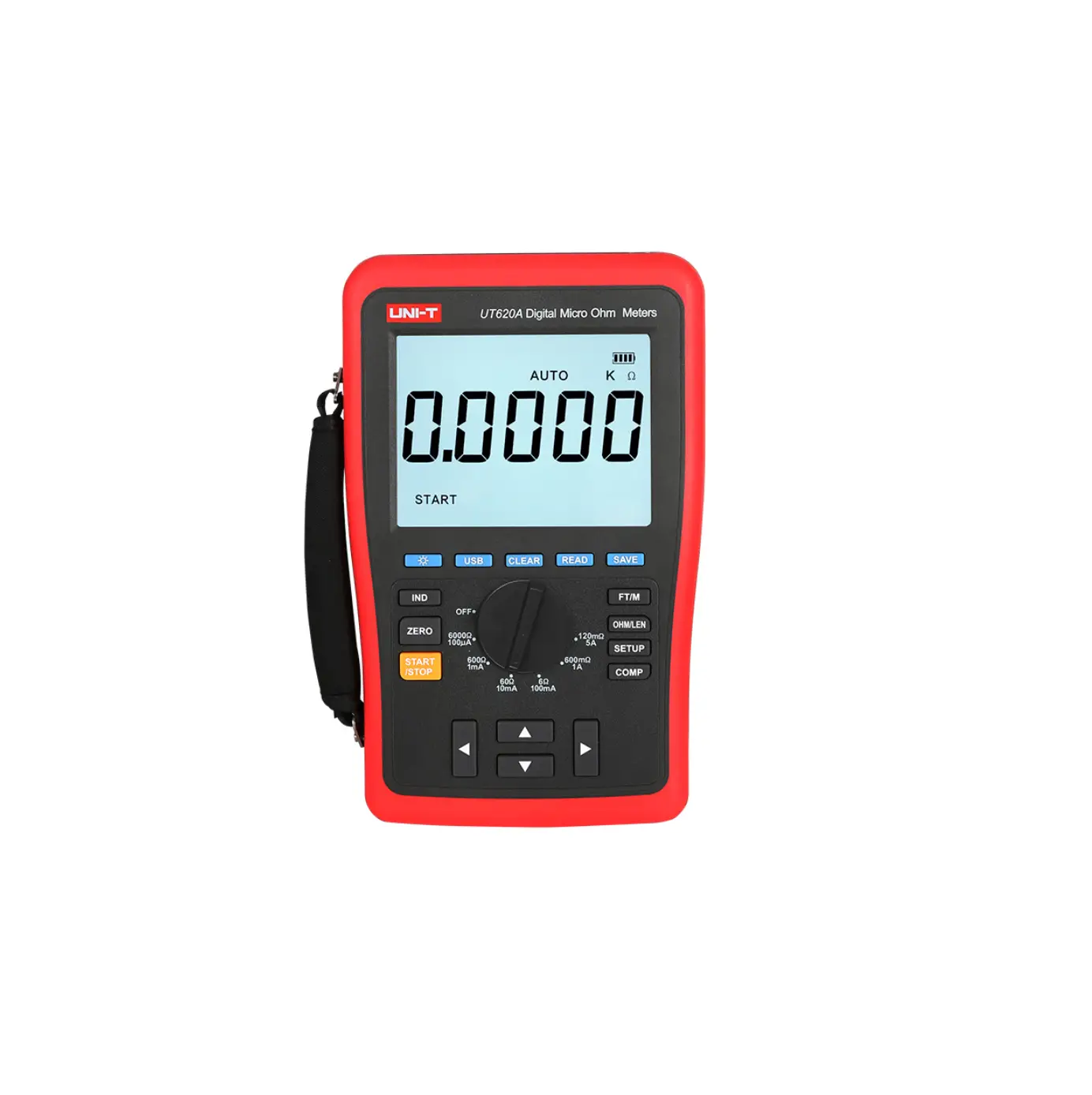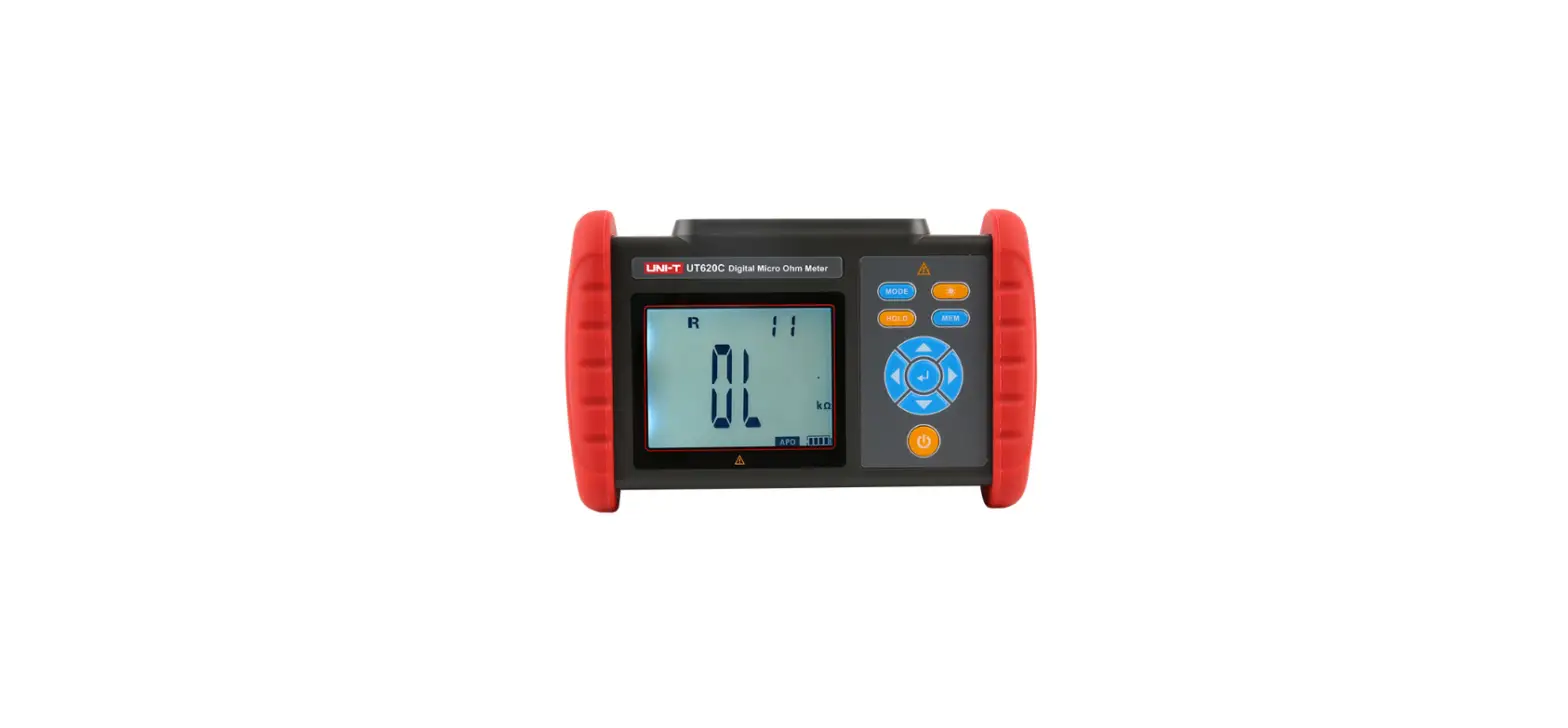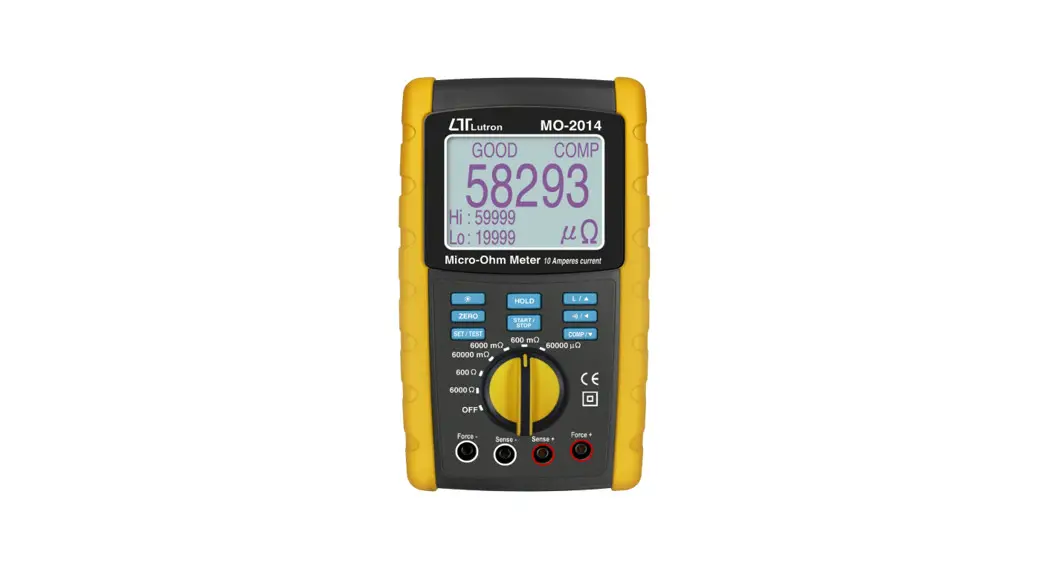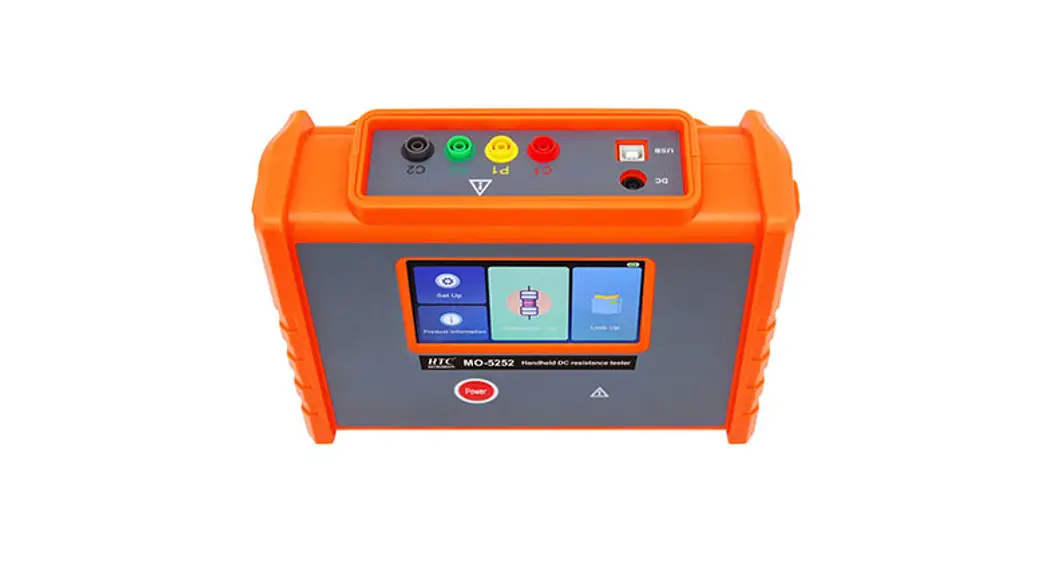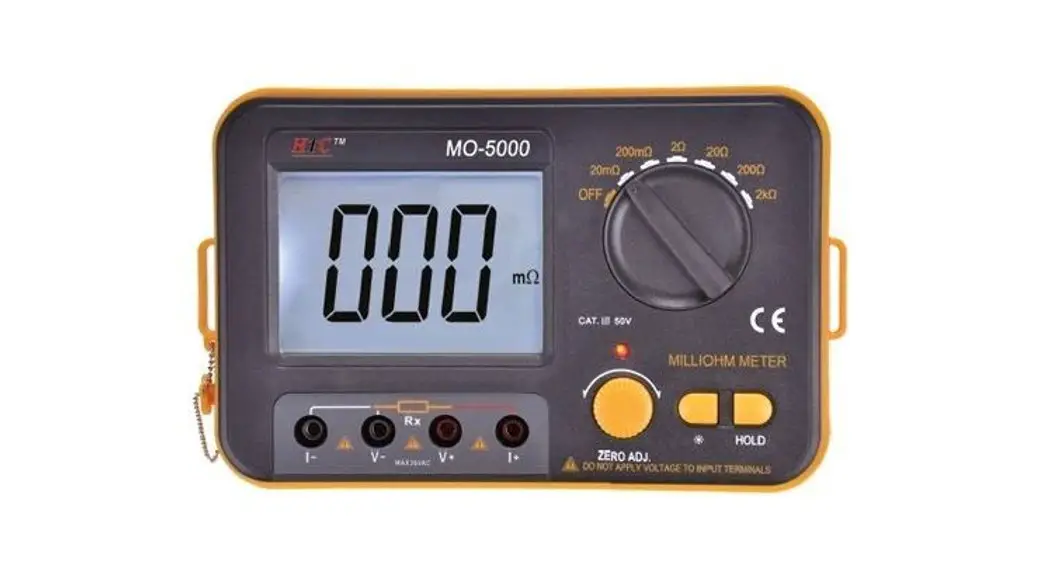
 Digital Micro Ohm Meter
User Manual 5004
5004
Safety rules and precautions
Thank you for purchasing our company’s Digital Micro Ohm Meter. In order to better use this product, please be sure to:
——Read this user manual in detail.
——Strictly follow the safety rules and precautions listed in this manual.
In any case, special attention should be paid to safety when using this tester.
Can’t to measure live objects. Before measuring, make sure that the measured resistance or metal body is not charged, otherwise there is a danger of burning the instrument.
The battery low voltage symbol shows, please charge it in time, 5-8 hours per charge.
If the meter is left unused for a long time, please charge the battery every 1-2 months.
Please stop using the meter when the test wire is broken and the metal is exposed.
Do not place or store the tester for a long time in a place with high temperature and humidity, condensation and direct sunlight.
- Precision instruments must be maintained regularly. Keep the body and test lines clean and do not drop them.
- Use, dis assembly and maintenance of this tester must be operated by authorized personnel.
- Due to the reason of this tester, if it is dangerous to continue using it, it should be stopped immediately, sealed up immediately, and handled by an authorized organization.
- The user must follow the instructions for safe operation of the “
 ” hazard signs on the tester and manual.
Introduction
Digital Micro Ohm Meter, also known as micro-ohmmeter, ohmmeter, equipotential tester, using the microprocessor technology, four-wire test, safety, precision and reliability. Mainly used to measure the wire resistance of cables, the contact resistance of switches, connectors, relays, the resistance of coils, motors, transformer windings, and equipment enclosures, lightning protection belts, ground beams, structures, cabinets, steel bars, water pipes, windows, guardrails, and heat dissipation Connection resistance test between metal components of objects such as devices, assembly lines, etc.
It is widely used in telecommunications, electric power, meteorology, computer rooms, oil fields, power distribution lines, tower transmission lines, gas stations, factory grounding grids, lightning rods, etc.
Digital Micro Ohm Meter is composed of host, monitoring software, test line, communication line, etc. The large-screen LCD display of the main unit is clear at a glance, and the port overload prevention function prevents the instrument from being burned out by disoperation. Store 500 sets of data, resistance measurement range: 0.001mΩ~ 300.0KΩ. The upper computer software has functions such as historical data reading, consulting, saving, and reporting.
Range and accuracy
| 5004 | 0.01mΩ~100.00mΩ | Within 18℃~28℃, Below 70%rh: ±0.1%FS±20dgt | 0.01mΩ | 1.2A |
| 100.1mΩ~1000.0mΩ | 0.0001Ω | 1.2A | ||
| 1.001Ω~10.000Ω | 0.001Ω | 1.2A | ||
| 10.01Ω~100.00Ω | 0.01Ω | 0.5A | ||
| 100.1Ω~1000.0Ω | 0.0001KΩ | 0.05A | ||
| 1.001KΩ~10.000KΩ | 0.001KΩ | 5mA | ||
| 10.01KΩ~30.00KΩ | 0.01KΩ | 0.5mA |
Note: within 18℃~28℃, above 70%rh, within -10℃~50℃, below 80%rh: ±0.2%FS±20dgt.
Model of Series
| Resistance Range | 0.01mΩ~30.00KΩ | 0.001mΩ~300.0KΩ |
| Resolution | 10uΩ | 1uΩ |
| Accuracy | ±0.1%FS | ±0.1%FS |
| Data storage | 500 sets | 500 sets |
| USB Data upload function | N | Y |
| Charging function | Y | Y |
Technical Specification
| Function | Mainly used to measure the wire resistance of cables, the contact resistance of switches, connectors, relays, the resistance of coils, motors, transformer winding and metal riveting resistance, the connection resistance test between metal components, the low-value resistance test, and the grounding grid Resistance test of connecting conductor, contact resistance test, etc. |
| Detection method | Four-wire method test |
| Test current | ≥1A |
| Open circuit voltage | ≤4.2V |
| Overload protection | Y |
| Power | Measuring power≤8W |
| power supply | DC 3.7V 2000mAh |
| Backlight | Controllable gray and white screen backlight, suitable for dim places |
| Display Model | LCD |
| LCD Size | 72 mm×55mm |
| Instrument size | 187 mm×119 mm×50mm |
| Test line length | About 60cm,red, black 1pcs |
| measure time | About 2 times/sec |
| USB interface | With micro USB interface |
| Communication line | micro USB 1pcs |
| Data storage | 500 groups, “MEM” storage indication, display “FULL” symbol to indicate storage is full |
| Data review | Data review function: “MR” symbol display |
| Overflow display | Over-range overflow function: “OL” symbol display |
| Battery voltage | Real-time display of battery power, reminding timely charging when battery voltage is low |
| Automatic shut-down | “APO” indicates, automatic shutdown after 15 minutes |
| Power consumption | Standby: about 100mA (backlight off) |
| Turn on backlight: about 105mA | |
| Measure:2A Max(backlight off) | |
| Weight | Instrument:480g(including battery) |
| Test line:250g | |
| Working temperature and humidity | -10℃~50℃;below 80%rh |
| Storage temperature and humidity | -20℃~60℃;below 70%rh |
| Overload protection | AC 220V/0.0001 second between C1-C2 P1-P2 ports, after overload protection, you need to restart the meter to test normally |
| Insulation resistance | More than 10MΩ(Between circuit and case 500V) |
| Pressure resistance | AC 3700V/rms(Between circuit and case) |
| Electromagnetic properties | IEC61010-4-3,Wireless frequency electromagnetic field≤1V/m |
| Suitable for Safety Regulations | IEC61010-1, CAT III 600V, Pollution Level 2, JJG724-1991 “Determination of Direct Current Digital Ohmmeter”, JJG166-1993 “Dialect Resistor Verification Regulation”, “DL/T967-2005 Loop Resistance Tester and DC Resistance Fast Tester Verification Procedures |
Structure
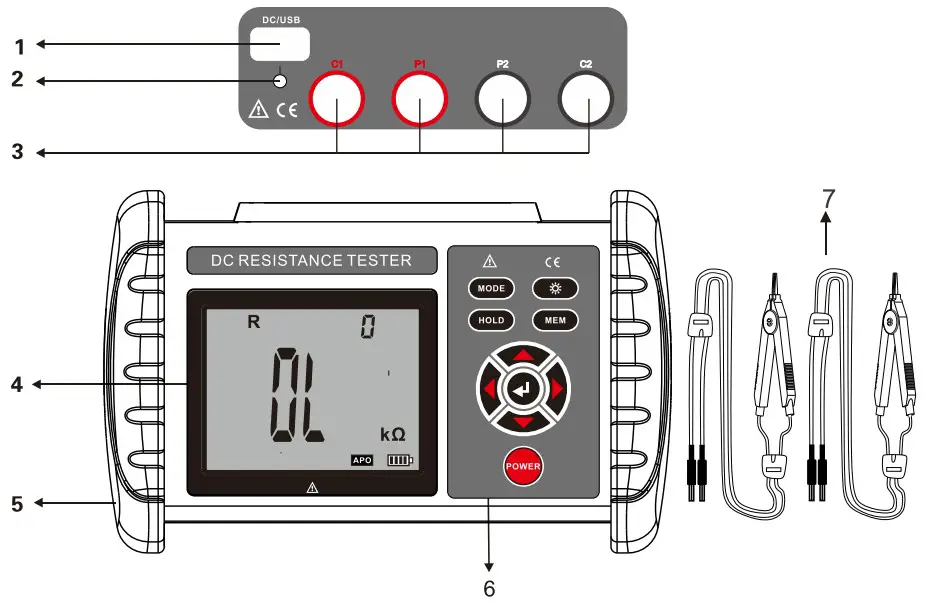
- USB/charging interface
- charging indicator
- Test line interface
- LCD
- Rubber insulated protective sleeve
- Function button area
- Test line ( red and black each 2pcs)
Operation
- Switch on/off
Press “ ” to switch the machine. APO is displayed in the lower corner after power on, and it will automatically power off after 15 minutes when it is not in operation.
 - Battery voltage check
Wait for 2~4 seconds after powering on. If the LCD displays the low battery voltage symbol “ “, it means the battery is low, please charge it in time. Adequate battery power can ensure the accuracy of the measurement. When the battery power decreases, the power indicator bar decreases.
 - Resistance precision test

During the test, first remove the insulating layer and oxide layer on the surface of the tested object. When measuring resistance or DC low resistance, live test is not allowed. Live test may burn the meter. The test clip may be oxidized after using it for a long time. Pay attention to clean the oxide or foreign matter attached to the clip to make the clip contact well. The connection between the test line, the detector and the object under test must be reliable. Since component test heating will cause errors, it is recommended that the test time should not exceed 30 seconds, and the interval between each test should be 30 seconds, the measurement results will be more accurate. The meter displays the OL symbol during the test, indicating that the resistance between the two points under test exceeds the range. It is necessary to restart the meter and test again to eliminate the fault caused by the over voltage protection. If the fault is caused by the over voltage protection, it means that the resistance being measured is charged, and the resistance to be measured should be cut off immediately, and the test should be performed after restarting the meter. Or check whether the test line is in good contact. It may be an open circuit between the two points being tested. - Resistance precision test
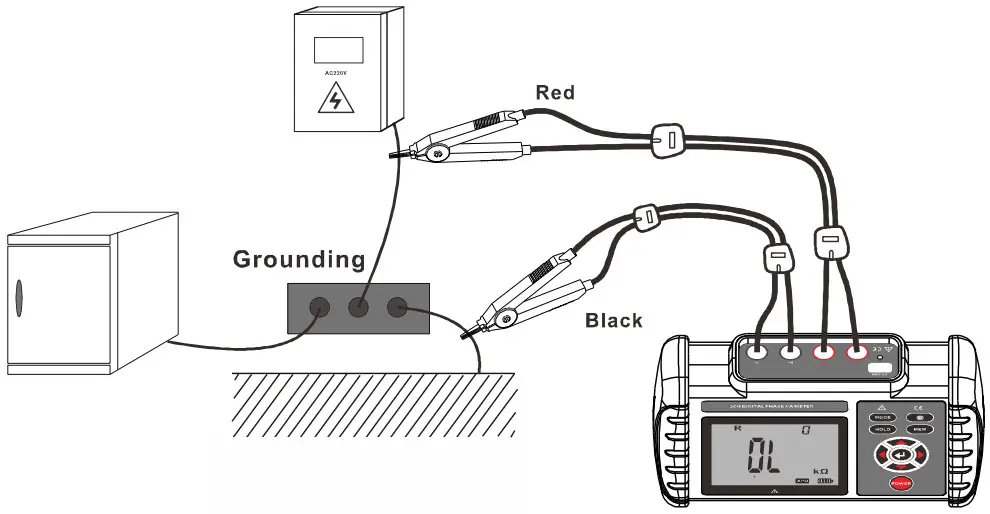
After power on, connect the wire as shown in the figure below to test the resistance value of the measured resistance. The following figure shows the example to test the resistance value between the meter box and the ground and the lower line.
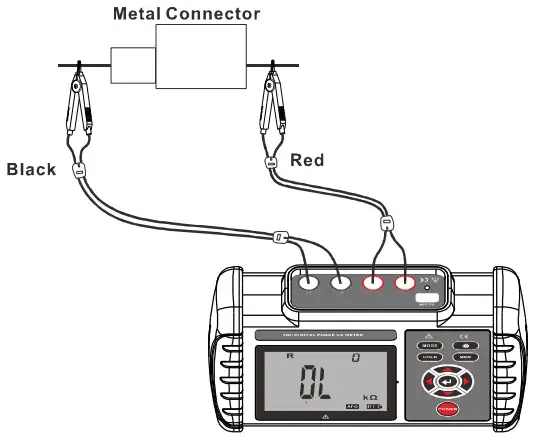
 The following figure shows an example to test the resistance value of two metal connectors.
 The following figure shows an example to test the resistance value of the contact point of the relay.
- Backlight control
After booting, press the “ ” key to turn on or off the backlight. The backlight function is suitable for dim places. The default backlight is off every time you turn on
 - Data lock/storage
After turning on or after the measurement is completed, press the “ ” key to lock the currently displayed data, press the “
 ” key to automatically number and store the current data, if the storage is full, the meter displays the “FULL” symbol. As shown in the figure below: the measured data is 70.11mΩ, press “” to display the latched data.
- Data access/delete
After turning on or after the measurement, press the “ ” key to switch to the data access mode, and the word “MR” is displayed below. Press the “◀” or “▶” key to set the step value to the corresponding data of the storage data group of 1 group, and press the “
 ” or “” key to set the step value of the corresponding data to the storage data group of 10 groups. Press “▼” or press “▲” twice to exit this mode and return to the test mode, as shown in the figure below.
When checking, the small number in the figure below is the number of currently checked groups. If there is no stored data, the LCD will display “NULL”, see the figure below. In the data access mode, press the “” key to switch to the data delete mode. , Press “▼” or “ ” to select “NO” or “yES”, select “NO” and then press “” to return to the test state without deleting, select “yES” and press “” to delete the stored data. After deleting, the following figure will be displayed.
- Data upload
Connect the USB communication line between the computer and the instrument, turn on the instrument, and run the host computer software. If the USB connection is successful, the stored historical data can be read, uploaded to the computer and saved.
The upper computer software has functions such as historical data reading, consulting, and saving. - Line resistance calibration (removal of residual resistance)
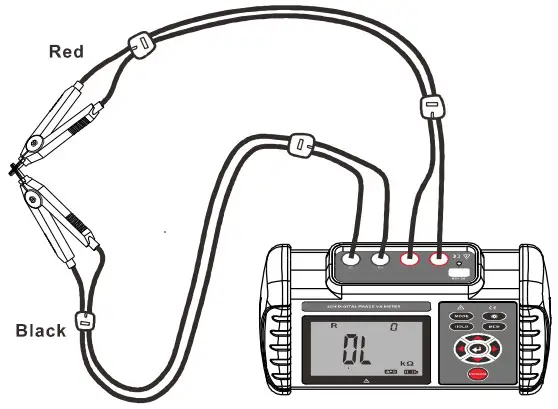
Short-circuit the two clips first, wait for the displayed value to stabilize, and finally press the “▲” button for 2 to 3 seconds to complete the line resistance calibration. As shown below:
Note: You must wait for the displayed value to stabilize before long pressing the “▲” key to calibrate the line resistance.
- Battery description
Generally charge for 5 to 8 hours. If the detector is left unused for a long time, please charge the battery every 1 to 2 months. Please use the original charger for charging. This machine does not support fast charging. When charging, the charger’s red light is on, and the green light is on when it is fully charged. The meter is powered by a 3.7V lithium battery. When the battery power is reduced, the power indicator bar will decrease and the power symbol “
” will be displayed. Please charge it in time. The measurement accuracy is affected when the voltage is low. - Packing
Instrument 1PC Instrument box 1PC Monitoring Software CD 1PC USB Communication line 1PC Test line Kelvin test line 2 (red 2m, black 2m) Charger 1PC Manual, certificate 1SET
 ” to switch the machine. APO is displayed in the lower corner after power on, and it will automatically power off after 15 minutes when it is not in operation.
 “, it means the battery is low, please charge it in time. Adequate battery power can ensure the accuracy of the measurement. When the battery power decreases, the power indicator bar decreases.
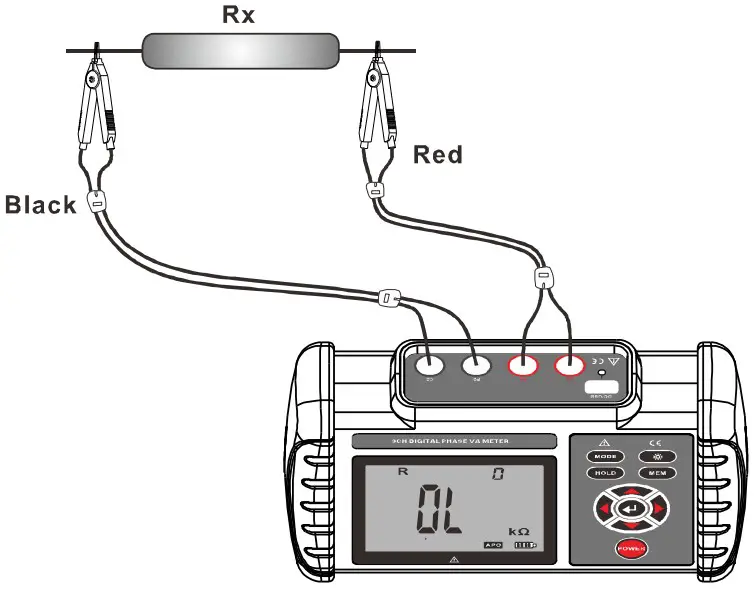 The following figure shows the example to test the resistance value between the meter box and the ground and the lower line.
 The following figure shows an example to test the resistance value of two metal connectors.
 The following figure shows an example to test the resistance value of the contact point of the relay.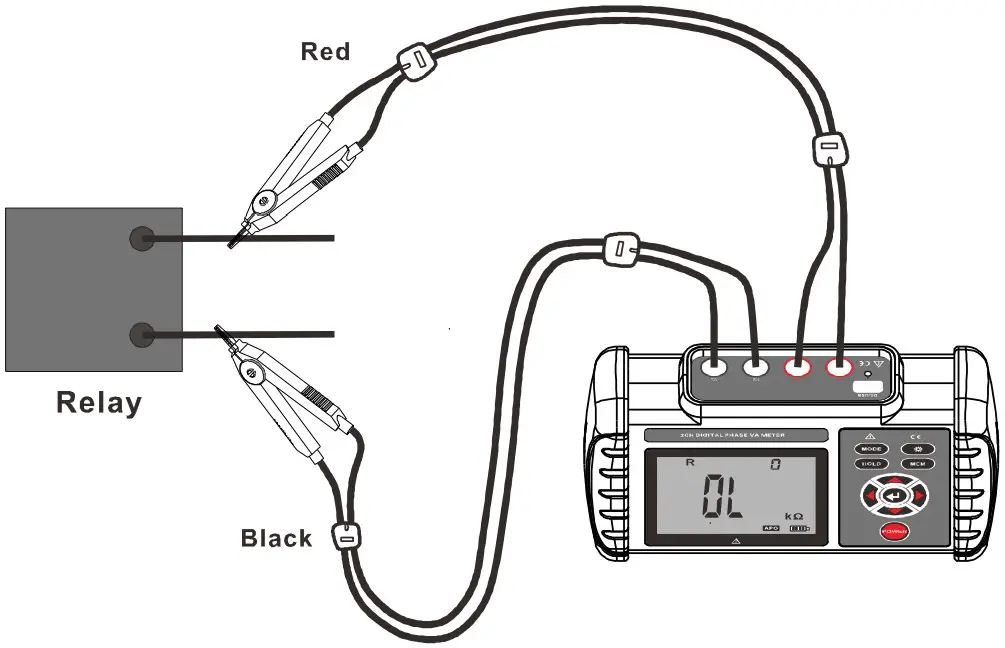
 ” key to turn on or off the backlight. The backlight function is suitable for dim places. The default backlight is off every time you turn on
 ” key to lock the currently displayed data, press the “
 ” key to automatically number and store the current data, if the storage is full, the meter displays the “FULL” symbol. As shown in the figure below: the measured data is 70.11mΩ, press “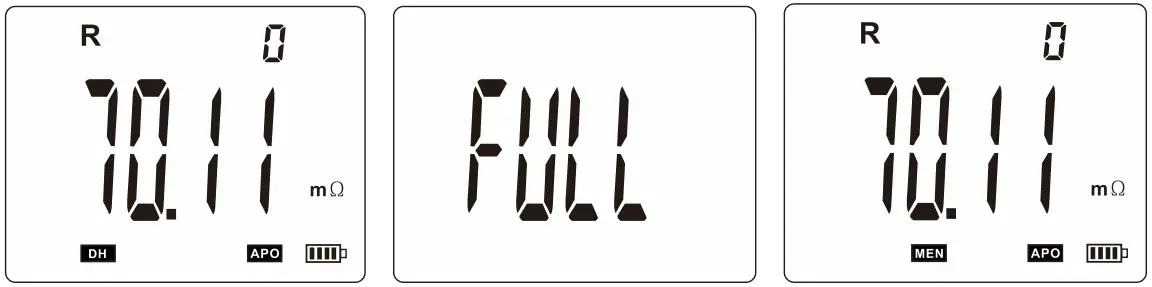
 ” key to switch to the data access mode, and the word “MR” is displayed below. Press the “◀” or “▶” key to set the step value to the corresponding data of the storage data group of 1 group, and press the “
 ” or “
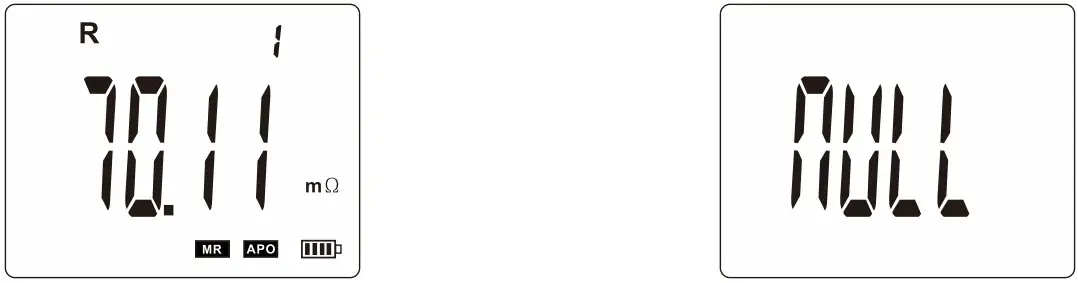 In the data access mode, press the “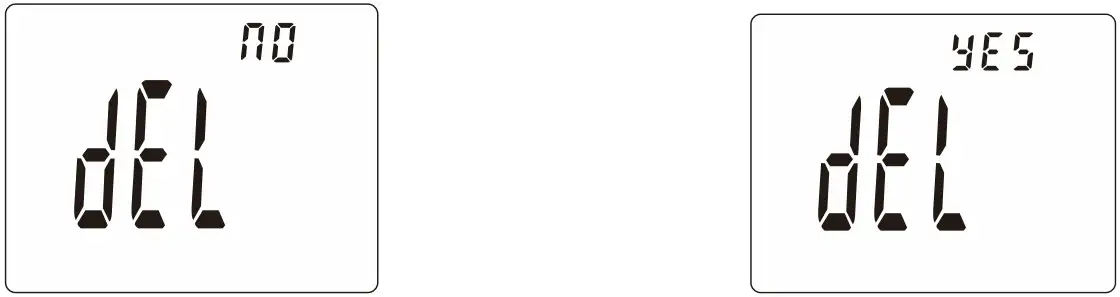
The contents of this user manual cannot be used as a reason to use the product for special purposes.
The company is not responsible for other losses caused by the use.
The company reserves the right to modify the contents of the user manual. Any changes will be made without further notice.
 Buy Testing & Measuring Equipments Online | HTC Instrument