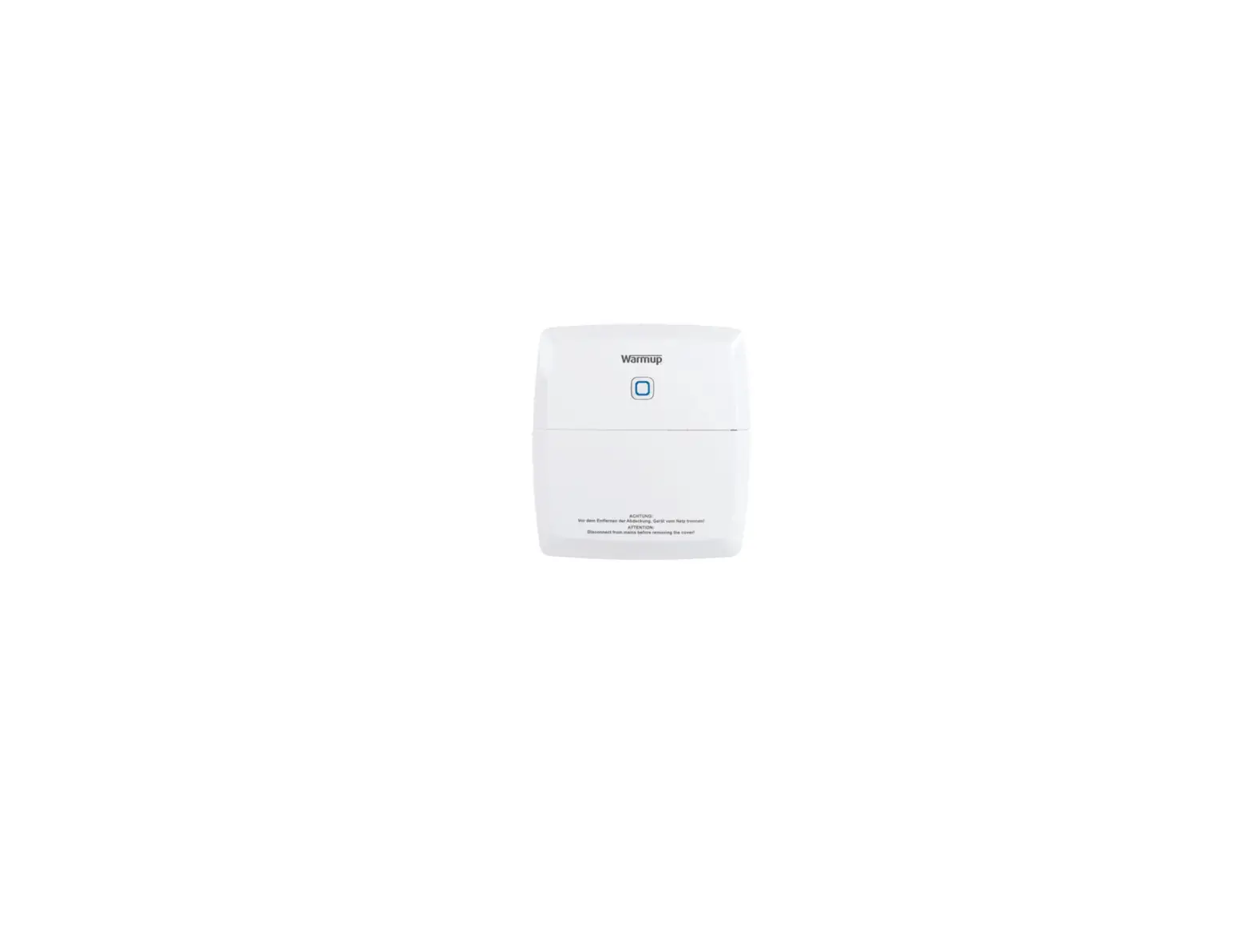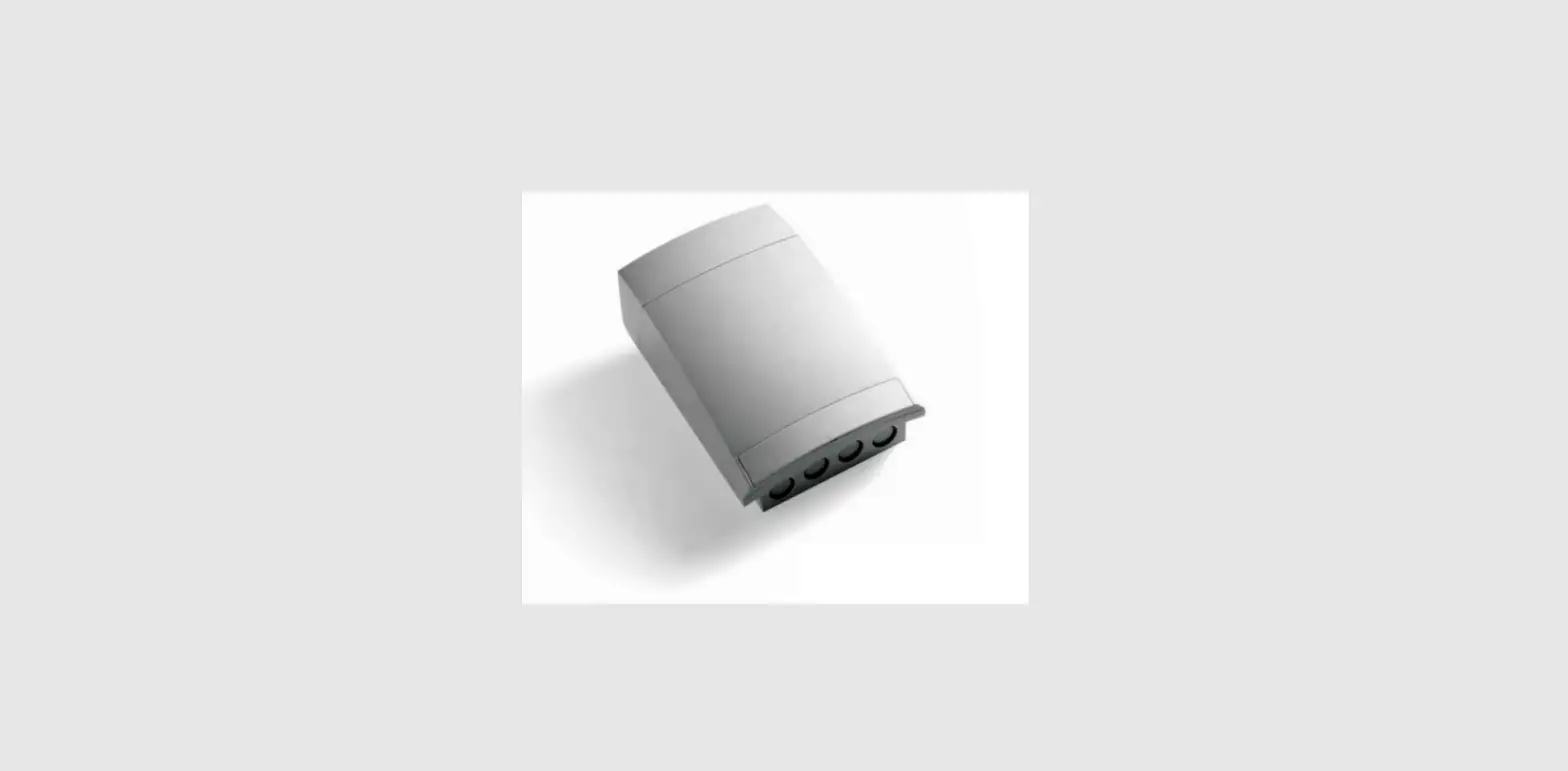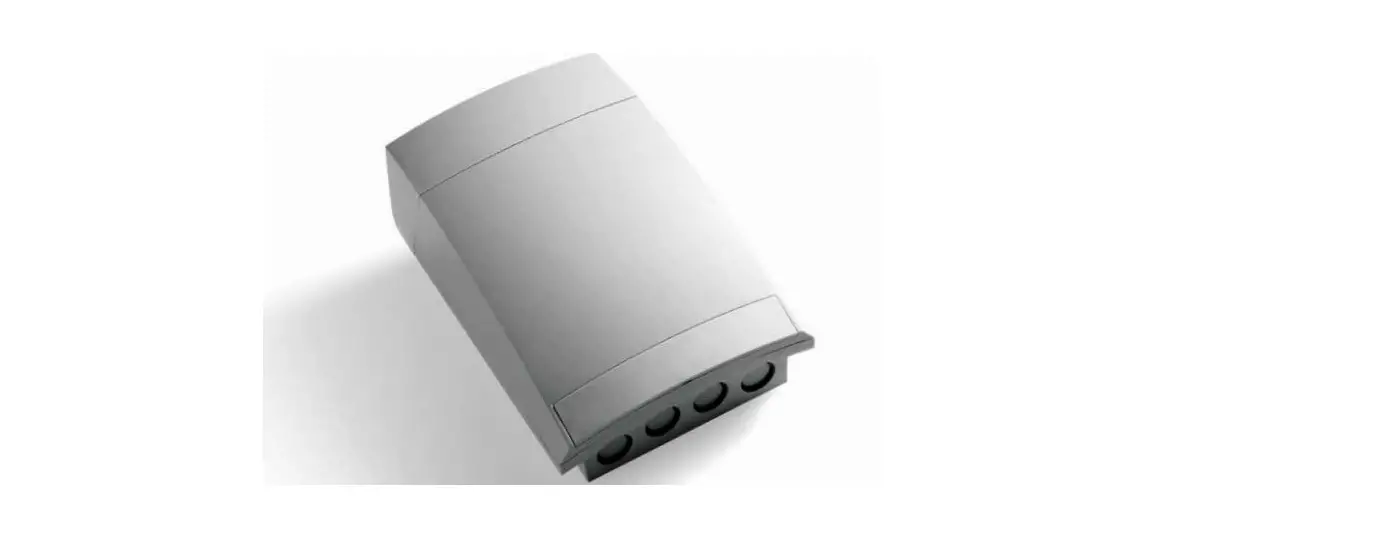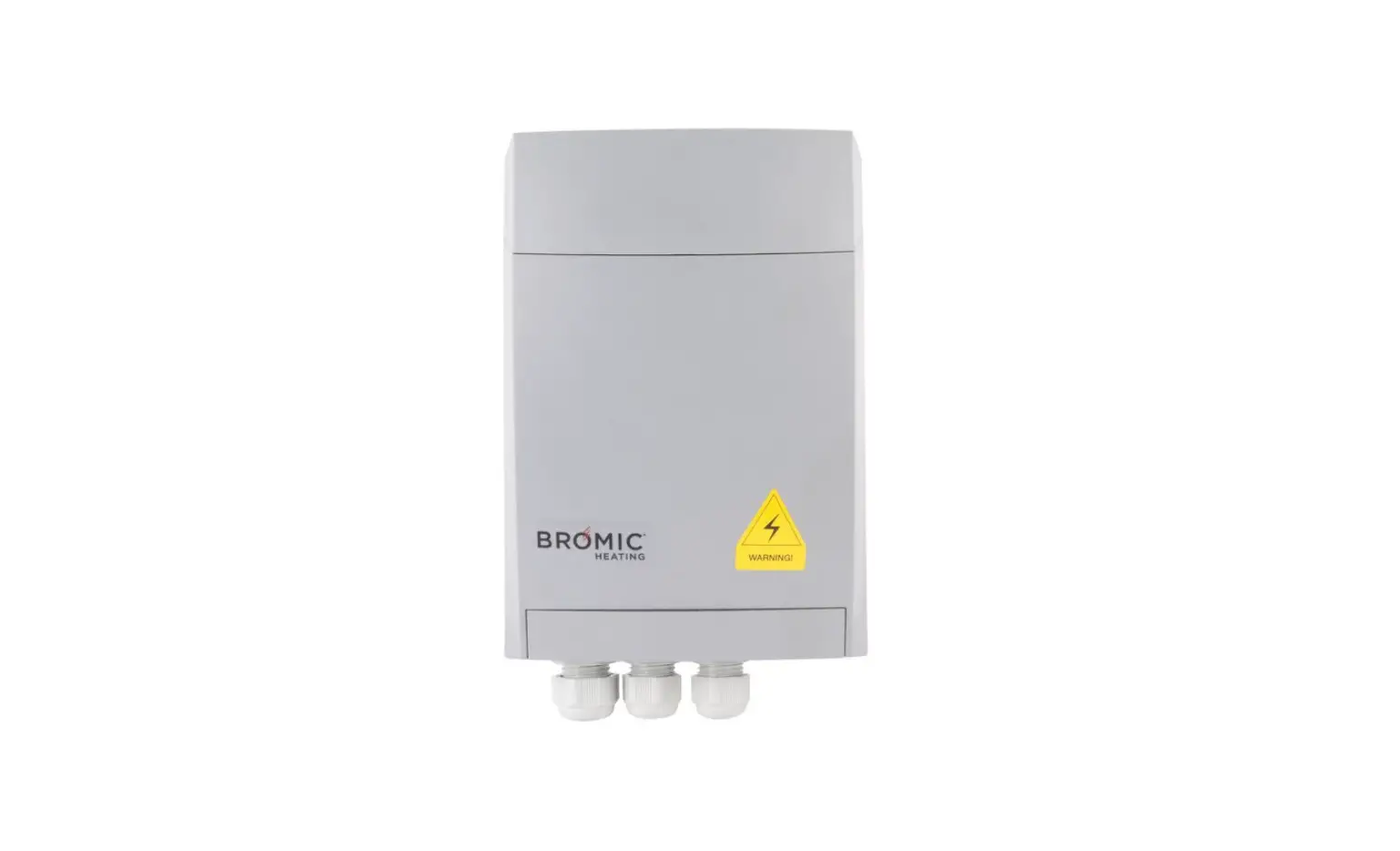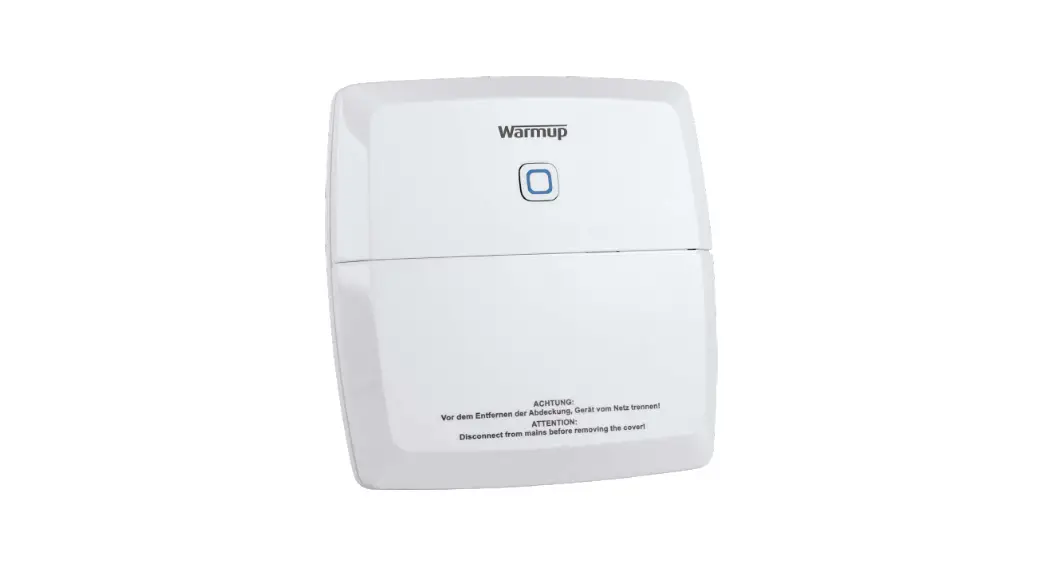

 KW-BLR2CH konekt Wireless Boiler 2-Channel Switch
User Manual
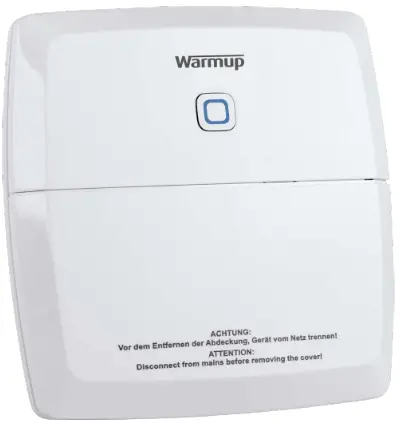
Package Contents
| Quantity | Description |
| 1 4 4 1 | Warmup konekt Wireless Boiler 2-Channel Switch Screws 3.0 x 30 mm Wall Plugs 5 mm Quick Start Guide |
Information about this manual
This manual should be read carefully before commencing operation of your konekt wireless products. Always retain the product manuals for future use.
Symbols used: Hazard indication
 Important information
Hazard information
Do not open the devices except as instructed to by the installation and operation manuals. It does not contain any user serviceable components. The device is suitable for indoor use only. It must not be exposed to moisture, vibrations, mechanical loads or temperatures outside of its rated values. For safety and licensing reasons (CE/UKCA), unauthorised change and/or modification of the device(s) is not permitted. The device and its packaging are not toys; do not allow children to play with them. Small components such as batteries and packaging preset a risk of choking or suffocation. Using the devices, in any way or for any purpose, other than those described in their installation and operation manuals invalidates any warranty or liability. This device is part of the building installation and must only be installed by appropriately qualified and competent persons in accordance with local regulations and standards. To prevent risk of electric shock, the devices must be disconnected from the mains supply and discharged before conducting any works. Safeguard against the supply being switched back on throughout works. Non-compliance with the installation instructions may result in a fire or an electric shock. The device may only be used for fixed installations. The devices must be securely attached within a fixed installation. Ensure all cables connected to the device are correctly sized and rated. Do not exceed the rated loads of the device or any individual output. Manuals for 3rd party devices connected to these, such as heat sources, valves and circulators, must be followed and complied with to ensure compatibility.This device is intended for use in residential, business and commercial properties only.The device does not require product specific maintenance. To clean, use a soft, clean and lint-free cloth. To remove more stubborn marks, dampen the cloth with warm water. Do not use detergents or chemicals on the devices.
Function and device overview
The knoekt wireless Boiler Switch provides interlock for:
- UFH demand
- Radiator demand
- DHW scheduling
- Heating and Cooling changeover
- Dehumidification demand
Where more than 2 channels are required multiple switches can be used.
Device overview:
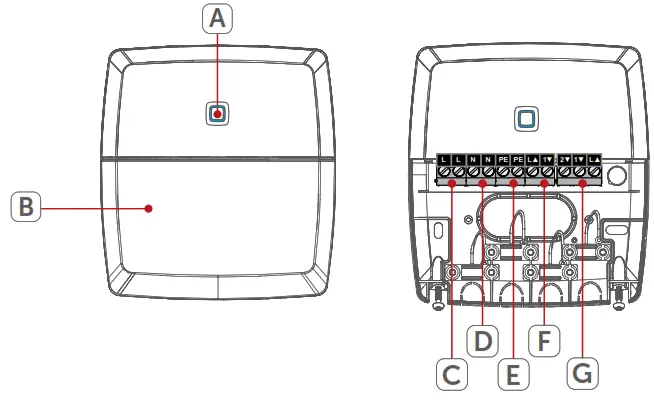
(A) System button (Pairing button and LED)
(B) Cover
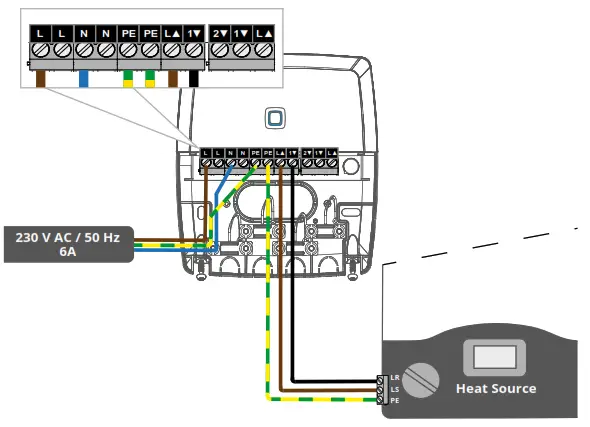
(C & D) Supply Live and Neutral terminals (230 V AC / 50 Hz, 6A)
(E) PE terminals
(F) Switching channel OUT1 (N.O contact)
(G) Switching channel OUT2 (change-over contact)
General system information
The Boiler Switch is part of the Warmup konekt Wireless System. Devices in the konekt Wireless System system can be easily paired and setup through the konekt Wireless Smart Hub using the konekt App. All functions of the konekt Wireless System are described in detail in the User Guide. The User Guide and Online manuals for all other konekt Wireless devices are available on www.warmup.co.uk
Mounting
You can flexibly mount the boiler switch for heating systems on walls using the supplied screws and plugs.
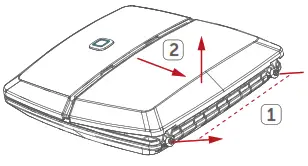
- Open the cover (B) by removing the screws, (1) at the bottom and then (2) pulling the cover down and then up.

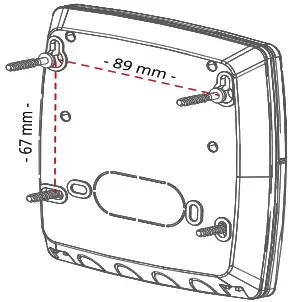
- Use a pen to mark the four bore holes of the switch onto the wall where you plan to mount it.
- Using a suitable drill, make 4 x 5mm holes as shown.
- Use the supplied screws and plugs to secure the switch to the wall.
Startup
6.1 Pre-installation information This device is part of the building installation and must only be installed by appropriately qualified and competent persons in accordance with local regulations and standards. To prevent risk of electric shock, the devices must be disconnected from the mains supply and discharged before conducting any works. Safeguard against the supply being switched back on throughout works. Non-compliance with the installation instructions may result in a fire or an electric shock.
Max. cross sections for Boiler Switch terminals C to F
| Rigid cable | Flexible cable with/without ferrule |
| 1.0 – 2.5 mm² | 1.0 – 2.5 mm² |
| Max. cross sections for Boiler Switch terminals G | |
| Rigid cable | Flexible cable with/without ferrule |
| 1.0 – 1.5 mm² | 0.5 – 1.0 mm² |
The permitted cable diameter for all cable bushings are 8 to 11 mm.
6.2 Wiring informationThe boiler switch must be configured in the konekt wireless App. The function of switching channel OUT1 (F) and if required, switching channel OUT2 (G) will need to be assigned using the App.
Once paired to the Smart Hub you will be asked to assign this function. See section 6.3 to pair the device to the Smart Hub.
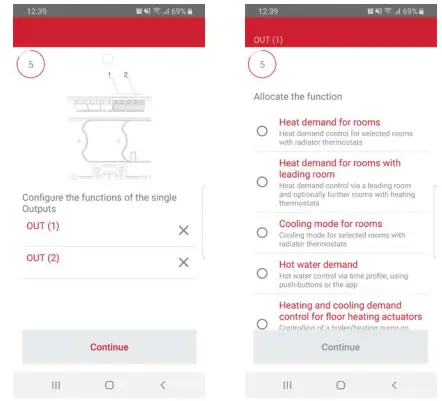
6.2.1 Connect Only UFH or Only Rads
| UFH only assignment | Rads only assignment |
| OUT1 | OUT1 |
| Heating and cooling demand for floor heating actuators | Heat demand for rooms |
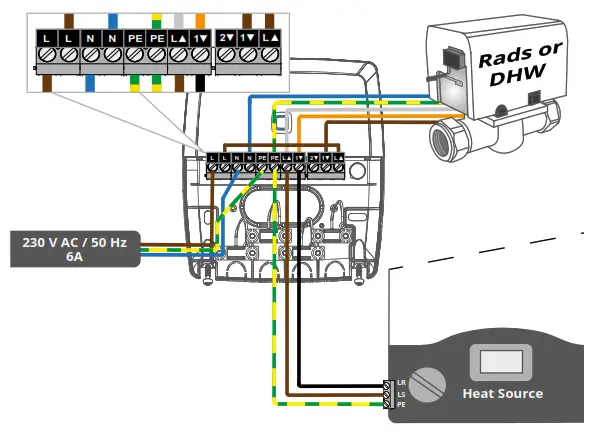
6.2.2 Connect UFH with Rads or DHW
| Rads & DHW assignment | UFH with DHW assignment |
| OUT1 | OUT1 |
| Heating and cooling demand for floorheating actuators | Heating and cooling demand for floor heating actuators |
| OUT2 | OUT2 |
| Heat demand for rooms | Hot water demand |
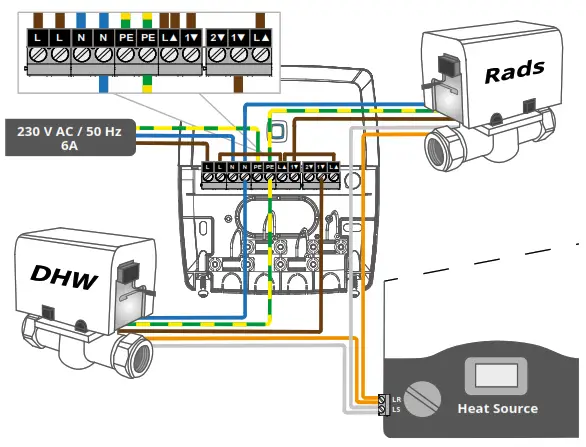
6.2.3 Connect Rads & DHW
Rads & DHW assignment
OUT1
Heat demand for rooms
OUT2
Hot water demand
6.2.4 Connect air dehumidifier
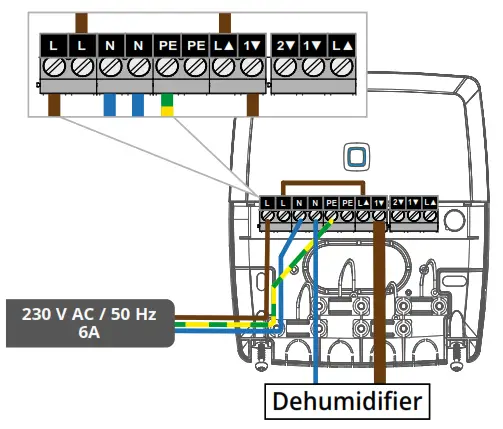
Air dehumidifier assignment
OUT1
Dehumidification for floor heating actuators
6.3 Pairing the device to the Smart Hub
The wiring centre can be paired seamlessly to the konekt Wireless Smart Hub (KW-UKHUB). To pair devices to the Smart Hub please download the konekt app.The Smart Hub must be set up via the konekt App, before any other devices can be added to your system. For further information, refer to the Smart Hub operating manual.If you have already connected the wiring centre to other konekt Wireless device(s), you MUST restore its factory settings first before you can connect it to the Smart Hub (see section 8)
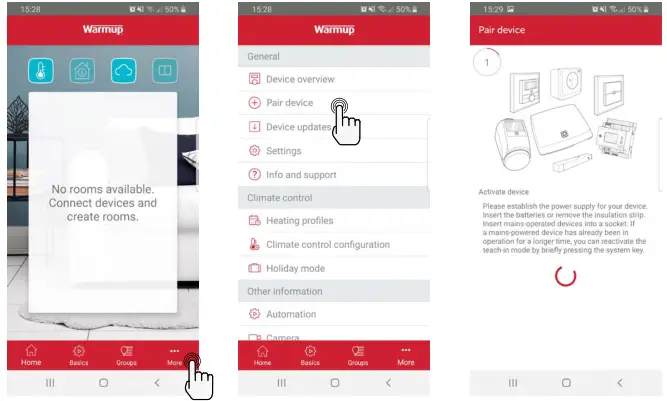
- Open the konekt wireless App and select Pair device.
- If required, press the system button (A) once. The LED will flash orange to indicate pairing mode. Pairing mode will remain active for three minutes.
- Your device will automatically appear in the konekt App. To confirm, scan the QR code attached to the device or alternatively enter the last four digits of the device number (SGTIN) in the App.
- If pairing is successful the LED (B) will light up green. If it lights red please try to pair the device again.
- In the App, give the device a name and allocate it to a room.
- In the App select the functions of the boiler switch. See section 6.2 for more information on assigning the functions of the boiler switch.
Troubleshooting
7.1 Command not confirmed
If at least one device does not accept a command, the LED (B) will light up red. This may be caused by radio interference (see section 10). Other possible issues may be:
- Device cannot be reached.
- Device is unable to execute the command (load failure, mechanical block, etc.).
- Device is defective.
7.2 Duty cycle
The duty cycle is a legally regulated limit of the transmission time of devices in the 868 MHz range. The aim of this regulation is to safeguard the operation of all devices working in the 868 MHz range. In the 868 MHz frequency range we use, the maximum transmission time of any device is 1% of an hour (i.e. 36 seconds in an hour). Devices must cease transmission when they reach the 1% limit until this time restriction comes to an end.
Warmup devices are designed and produced with 100% conformity to this regulation. During normal operation, the duty cycle is not usually reached.
However, intensively repeated device pairing processes may mean that this limit is reached in isolated instances during commissioning.
IMPORTANT: If the duty cycle limit is exceeded, the device may stop working for a brief period. The device will start working normally again after a short period (max. 1 hour).
7.3 Error codes and flashing sequences
Flashing sequences of the system LED (A)
| Flashing code 1 | Meaning | 1 Solution |
| Short orange flashing | Radio transmission/ attempting to transmit/ configuration data is transmitted | Wait until the transmission is completed. |
| lx long green light | Transmission confirmed | You can continue operation. |
| lx long red light | Transmission failed or duty cycle reached | Please try again (See section 7.1 and 7.2) |
| Short orange flashing (every 10 s) | Pairing mode active | Enter the last four numbers of the device serial number to confirm |
| 6x long red flashing | Device defective | Have a look at your app for error message or contact your installer. |
| lx orange and 1 x green lighting | Test display | Once the test display has stopped, you can continue. |
Restore factory settings
The factory settings of the device can be restored. The device will automatically reconnect to the system and redownload its settings unless it is deleted within the konekt App first.
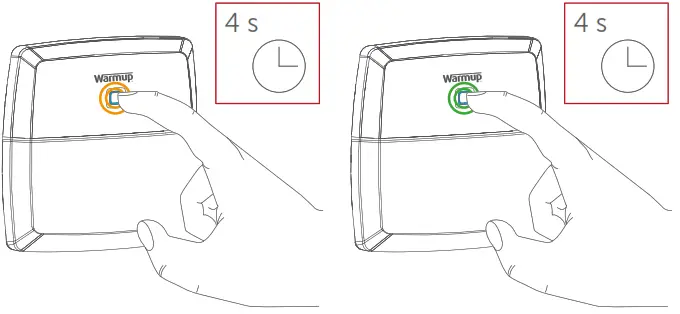
- Press and hold the system button (A) for 4 seconds until it begins to quickly flash orange.
- Release the system button
- Press and hold the system button again until the system button LED lights green
- Release the system button to finish the factory reset.
Maintenance and Cleaning
The device does not require any specific maintenance other than replacing the battery when necessary. To clean, use a soft, clean and lint-free cloth. To remove more stubborn marks, dampen the cloth with warm water. Do not use detergents or chemicals on the devices.
General information about radio operation
Radio transmission is performed on a non-exclusive RF channel, which means that there is a possibility of interference occurring. Interference can also be caused by switching operations, electrical motors or defective electrical devices.The range of transmission within buildings can differ greatly from that available in the open air. Besides the transmitting power and the reception characteristics of the receiver, environmental factors such as humidity in the vicinity have an important role to play, as do on-site structural/screening conditions.
Declaration of Conformity
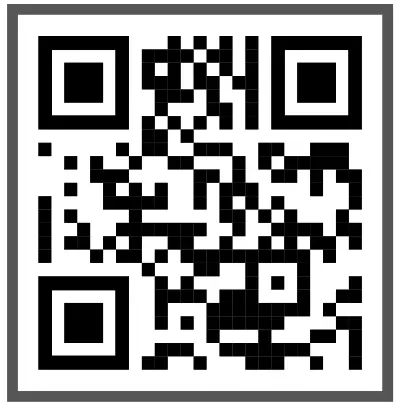
Warmup hereby declares that the Warmup konekt Wireless radio equipment is compliant with RED Directive 2014/53/EU and Radio Equipment Regulations 2017. Please scan the QR Code for the Declaration of Conformity.
Instructions for Disposal Do not dispose of the device(s) with regular domestic waste! Electronic equipment must be disposed of at local collection points for waste electronic equipment in ompliance with the Waste Electrical and Electronic Equipment Directive.
Technical specifications
Warmup konekt Wireless Boiler 2-Channel Switch
| Product Code | KW-BLR2CH |
| Operating Voltage | 230 V AC / 50 Hz |
| Current Consumption | 16 A max. |
| Standby Power Consumption | < 0.2 W |
| IP Rating | IP20 |
| Protection Class | I |
| Ambient Temperature | 0 to 50 °C |
| Load Type | Ohmic load |
| Max. Switching Capacity Switching Channel 1 Switching Channel 2 | 16 A (3680 W) 5 A(1150 W) |
| Method of Operation | 1.B |
| Cycle Rating | 10,000 |
| Relay | Changeover contact: SPDT, p contact Normally open contact: SPST, p contact |
| Withstand Voltage | 2500 V |
| Radio frequency band | 868.0-868.6 MHz, 869.4-869.65 MHz |
| Maximum radiated power | 10 dBm |
| Receiver category | SRD category 2 |
| Typ. open area RF range | 250 m |
| Duty cycle | < 1% per h/, < 10% per h |
| Construction | Independently mounted electronic regulation and control device |
| Degree of Pollution | 2 |
Warranty
Warmup plc warrants theses product(s), to be free from defects in the workmanship or materials, under normal use and service, for a period of three (3) years from the date of purchase by the consumer. If at any time during the warranty period the product is determined to be defective,
Warmup shall repair or replace it, at Warmup’s option.
If the product is defective, please either;
Return it, with a bill of sale or other dated proof of purchase, to the place from which you purchased it, or
Contact Warmup. Warmup will determine whether the product should be returned or replaced.
This warranty does not cover removal or re-installation costs and shall not apply if it is shown by Warmup that the defect or malfunction was caused by failure to follow the instruction manuals, incorrect installation or damage which occurred while the product was in the possession of a consumer. Warmup’s sole responsibility shall be to repair or replace the product within the terms stated above.
WARMUP SHALL NOT BE LIABLE FOR ANY LOSS OR DAMAGE OF ANY KIND, INCLUDING ANY INCIDENTAL OR CONSEQUENTIAL DAMAGES RESULTING, DIRECTLY OR INDIRECTLY, FROM ANY BREACH OF ANY WARRANTY, EXPRESS OR IMPLIED, OR ANY OTHER FAILURE OF THIS PRODUCT. THIS WARRANTY IS THE ONLY EXPRESS WARRANTY WARMUP MAKES ON THIS PRODUCT. THE DURATION OF ANY IMPLIED WARRANTIES, INCLUDING THE WARRANTIES OF MERCHANTABILITY AND FITNESS FOR A PARTICULAR PURPOSE, IS HEREBY LIMITED TO THE THREE-YEAR DURATION OF THIS WARRANTY.
This Warranty does not affect your statutory rights.
 b Warmup plc
www.warmup.co.uk
[email protected]
Tel: 0345 345 2288
Fax: 0345 345 2299
Warmup plc n 704 Tudor Estate n Abbey Road n London n NW10 7UW n UK
Warmup GmbH n Ottostraße 3 n 27793 Wildeshausen n DE
Warmup – OM – KW_Boiler Switch – V1.2 2021-06-04_EN
 WARMUP Plc — Underfloor Heating | Official UK Website