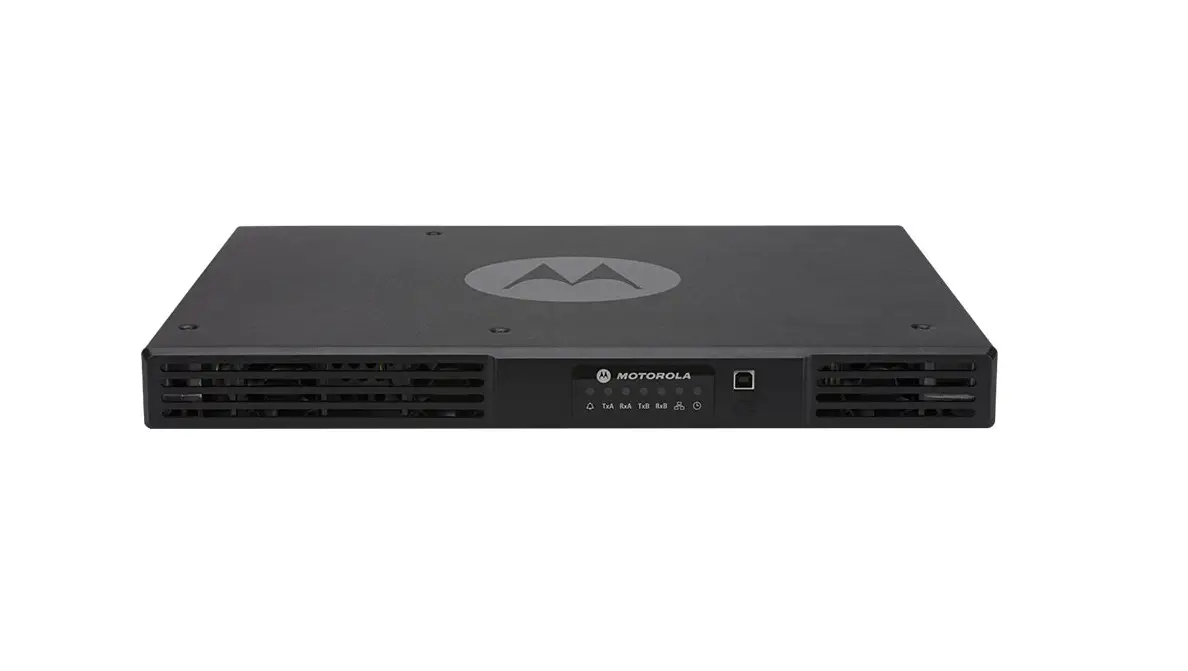
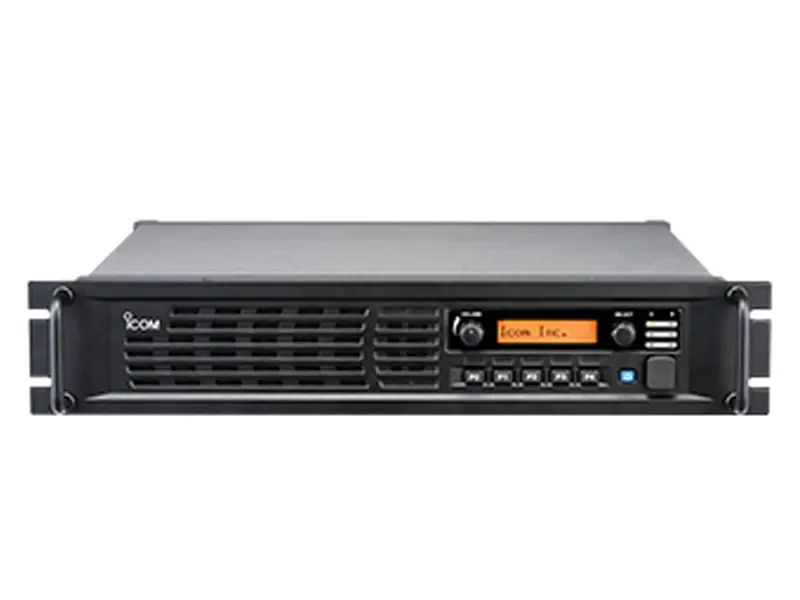
AXR8000 Digital Repeater
Product Information: AXR8000 Quick Start Guide Digital
Repeater
LEGAL INFORMATION: Axiom Distribution Solutions
reserves the right to make modifications on typographical errors or
update specifications in this guide without prior notice. The
figures in this manual are for reference only. For the product
structure and specifications of the battery and charger, please
refer to the actual product. The accessories provided with the
product may vary with product models and functions.
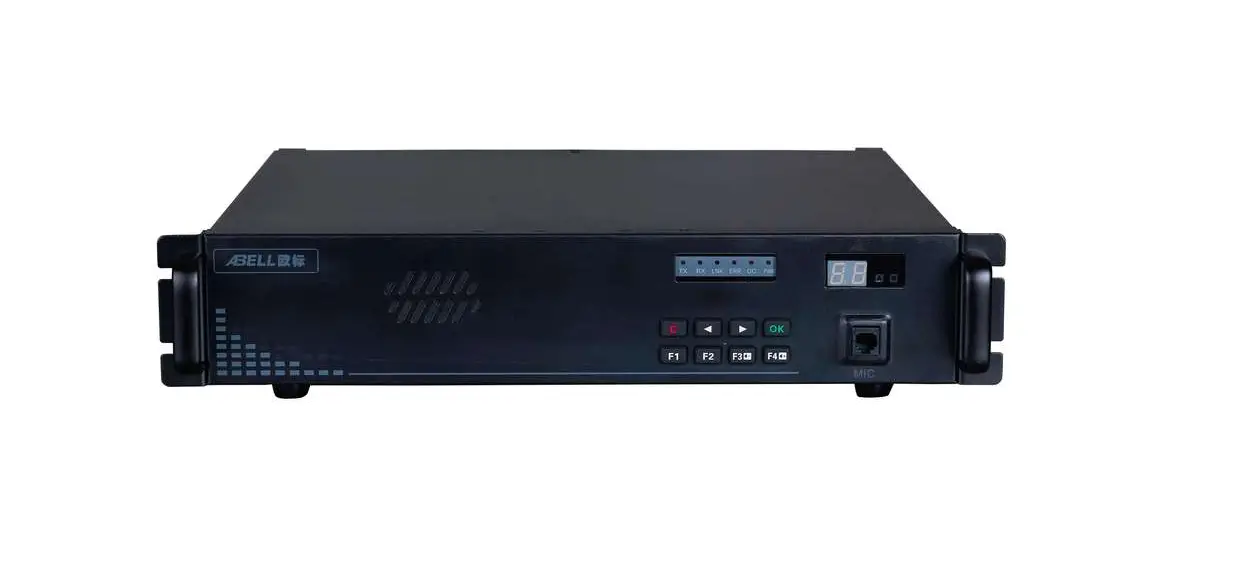
1. GET TO KNOW YOUR REPEATER
1.1 Components
Before using the repeater, read all the instructions contained
in the manual and, with special care, those relative to safety.
1.2 Component Description
| No. | Name | No. | Name |
|---|---|---|---|
| 1 | Cooling Fan | 10 | Accessory Port |
| 2 | Channel/Volume Button | 11 | AC Power Switch |
| 3 | LCD Display | 12 | Grounding Screw |
| 4 | Multi-functional Button | 13 | Power Supply Mode |
| 5 | LED Indicator | 14 | |
| 6 | Speaker | 15 | |
| 7 | Turn on Button | 16 | |
| 8 | 17 | ||
| 9 | 18 |
1.3 LCD Status Symbols
| Icon Name | Icon | Status Description |
|---|---|---|
| AC Power Socket | The current power supply mode is AC power supply. | |
| DC Power Socket | The current power supply mode is DC power supply. | |
| USB Port | ||
| LAN Port | ||
| AUX Port | ||
| Rx PortBNC type | ||
| Tx PortN type | ||
| Power FuseF15AL250V | ||
| Grounding Screw |
| Button | Description | Button | Description |
|---|---|---|---|
| Back Button | Up Button | ||
| Programmable 1 Button | Down Button | ||
| Programmable 2 Button | Channel/Volume Button |
1.5 LED Indicators
Description om Program-ming Software).
1.6 LED INDICATORS DESCRIPTION
| Indicator | Indicator Name | Status Description |
|---|---|---|
| ALM | Repeater works abnormally, the Red alarm information can be checked through menu. | |
| PWR | Power on normally. | |
| TxA | Timeslot 1 Transmitting Indicator | Transmitting at analog or digital timeslot 1. |
| RxA | Timeslot 1 Receiving Indicator | Receiving at analog or digital timeslot 1. |
| TxB | Timeslot 2 Transmitting Indicator | Transmitting at digital timeslot 2. |
| RxB | Timeslot 2 Receiving Indicator | Receiving at digital timeslot 2. |
| Ana. | Analog Working Mode Indicator | Repeater is working at analog mode. |
| Dig. | Digital Working Mode Indicator | Repeater is working at digital mode. |
| Data | Data Transfer Indicator | Repeater is transferring data currently. |
| IP | IP Connection Indicator | The link of IP connection between repeaters is normal. |
2. Power Supply Mode
The repeater supports three types of power supply mode: AC power
supply, DC power supply, and hybrid power supply. When adopting AC
power supply and connecting the battery together, the repeater can
use AC power supply normally and charge the battery
automatically.
Note: Please refer to the complete user manual for detailed
instructions on product usage and safety precautions.
AXR8000
Quick Start Guide Digital Repeater
LEGAL INFORMATION
Copyright ©Axiom Distribution Solutions 2023 No part of this publication may be quoted, reproduced, translated or used in any form or by any means, electronic or mechanical, including photocopying and microFilm, without the prior written permission of Axiom Distribution Solutions Violators Will Be Prosecuted.
Axiom Distribution Solutions reserves the right to make modification on typographical errors or update specifications in this guide without prior notice.
The figures in this manual are for reference only. For the product structure and specifications of the battery and charger, please refer to the actual product. The accessories provided with the product may vary with product models and functions.
1. GET TO KNOW YOUR REPEATER 1.1 Components
NOTE: Before using the repeater, read all the instructions contained in the manual and, with special care, those relative to safety.
1.2 COMPONENTDESCRIPTION
No.
Name
No.
1
Cooling Fan
10
2
Channel/Volume Button
11
3
LCD Display
12
4
Multi-functional Button
13
5
LED Indicator
14
6
Speaker
15
7
Turn on Button
16
8
Accessory Port
17
9
AC Power Switch
18
1.3 LCD Status Symbols
Icon Name
Icon
Status Description
Name AC Power Socket DC Power Socket USB Port LAN Port AUX Port Rx PortBNC type Tx PortN type Power FuseF15AL250V
Grounding Screw
Power Supply Mode
The current power supply mode is AC power supply. The current power supply mode is DC power supply.
1
Icon Name
Icon
Status Description
Alarm
The repeater is at alarm status.
Mute
The repeater is working at mute mode.
Speaker
The speaker is on.
Accessory
Accessory is connected with the repeater.
Repeater Working Mode
Master repeater in IP connection Slave repeater in IP connection Single station
IP Network Connection
Transmit Power
IP network connection abnormal
No IP connection
IP network connection normal The transmit power of current channel is high-power mode. The transmit power of current channel is low-power mode.
Disable
The repeater has been disabled.
1.4 Multi-functionalButtons
Button
Description
Button
Description
Back Button
UpButton
Programmable 1Button
2
DownButton
Programmable 2Button
Button
Description
Button
Channel/Volume Button
ming Software).
1.5 LED Indicators
Description om Program-
1.6 LED INDICATORS DESCRIPTION
Indicator Indicator Name ALM Alarm Indicator PWR Power Indicator
Status Description
Repeater works abnormally,the Red alarm information can be checked
through menu.
Red Power on normally.
TxA
Timeslot 1 Transmitting Indicator
Red Transmitting at analog or digital
timeslot 1.
RxA
Timeslot 1 Receiving Indicator
Receiving at analog or digital Green
timeslot 1.
TxB
Timeslot 2 Transmitting Indicator
Red Transmitting at digital timeslot 2 .
RxB
Timeslot 2 Receiving Indicator
Ana. Analog Working Mode Indicator
Dig.
Digital Working Mode Indicator
Data Data Transfer Indicator
Green Receiving at digital timeslot 2.
Repeater is working at analog Green
mode. Repeater is working at digital Green mode. Repeater is transferring data Green currently.
3
Indicator Indicator Name
IP
IP Connection Indicator
Status Description The link of IP connection between
Green repeaters is normal. The link of IP connection between
Orange repeaters is abnormal.
Off no IP connection.
2. Power Supply Mode
The repeater supports three types of power supply mode, AC power supply, DC power supply and hybrid power supply. When adopting AC power supply and connecting the battery together, the repeater can use AC power supply normally and charge the battery automatically.
2.1 AC Power Supply
240V@50/60Hz.
2.2 DC Power Supply
supply and DC power range is 13.6V±15%.
2.3 Hybrid Power Supply
AC power supply socket connects with AC power, at the same time DC power socket connects with the battery. Notice, connecting DC power is not allowed working at hybrid power supply mode. When AC power supply is normal, AC power shall charge the battery. When AC power supply is faulty, the battery shall supply the repeater.
4
3. BASIC OPERATIONS
3.1 Power on/off Repeater
AC Power Supply
When the repeater is off, press the AC Power Switch ” ” on the rear panel to
power on, the light of AC power indicator is on. Then press the Button ”
”
on the front panel to turn on the repeater, Power Indicator “PWR” is on. After the
repeater working normally, operation screen shall be displayed on the LCD.
When the repeater is on, press the Button ”
” to turn off the repeater directly,
and press AC Power Switch ” DC Power Supply
” to power off.
When the repeater is off, press the turn on Button ”
” on the front panel to turn
on the repeater, Power Indicator “PWR” is on. After the repeater working normally,
operation screen shall be displayed on the LCD.
When the repeater is on, press the turn on Button ” directly.
” to turn off the repeater
3.2 Voice and Data Transfer
When transferring, the Data Transfer Indicator”Data” is on. If the transferred data is analog, the Analog Working Mode Indicator”Ana.” is on simultaneously. If the transferred data is digital, the Digital Working Mode Indicator”Dig.” is on simultaneously. The working parameters of each channel,such as TX/RX frequency and CDCSS/ CTCS Scan beassigned by distributor An analog channel can be programmed with one group of CDCSS/CTCSS encoding and decoding list. When receiving CDCSS/CTCSS on the channel, the repeater will transfer voice and data according to programmed CDCSS/CTCSS encoding and decoding list.
3.3 Channel Switch
Press Channel/Volume Button and enter channel switch mode, then switch channel through press Up/Down Button.
3.4 Power Switch
The transmit power of the repeater can be setted as high-power mode and low-power mode through CPS(Custom Programming Software). To switch power through
the programmable button P1 is as default. When the icon of” “is displayed on the LCD screen, the repeater is working at high-power mode. When the icon of” “is displayed on the LCD screen, the repeater is working at low-power mode. Alarm When the abnormal case occurs with the repeater, the Alarm Indicator”ALM” shall be light on. At the moment, the end customer shall contact with the local distributor.
5
MAINTECHNICALSPECIFICATIONS
Frequency Bands
400-470MHz
Transmitted Power
1~50W
Dimensions(W*H*D)
436*44.5*366.4mm
Weight
8.5Kg
AC Power Supply
AC100-240V@50/60Hz
DC Power Supply
DC13.6V±15%
Operating Temperature -30~+60
Storage Temperature
-40 ~+85
FCCSTATEMENT
Any Changes or modifications not expressly approved by the party responsible for compliance could void the user’s authority to operate the equipment. This device complies with part 15 of the FCC Rules. Operation is subject to the following two conditions: (1) This device may not cause harmful interference, and (2) this device must accept any interference received, including interference that may cause undesired operation. Note: This equipment has been tested and found to comply with the limits for a Class B digital device, pursuant to part 15 of the FCC Rules. These limits are designed to provide reasonable protection against harmful interference in a residential installation. This equipment generates, uses and can radiate radio frequency energy and, if not installed and used in accordance with the instructions, may cause harmful interference to radio communications. However, there is no guarantee that interference will not occur in a particular installation. If this equipment does cause harmful interference to radio or television reception, which can be determined by turning the equipment off and on, the user is encouraged to try to correct the interference by one or more of the following measures: –Reorient or relocate the receiving antenna. –Increase the separation between the equipment and receiver. –Connect the equipment into an outlet on a circuit different from that to which the receiver is connected. –Consult the dealer or an experienced radio/TV technician for help. Operational Instructions and Training Guidelines To ensure optimal performance and compliance with the occupational/controlled environment RF energy exposure limits in the above standards and guidelines, and always adhere to the following procedures: – Antenna gain must not exceed 8.5dBi. – The antenna must be installed complying with the requirements of manufacturer or supplier, and it must be at least 350cm away from human body. – Do not remove the RF Exposure Label from the device. – User awareness instructions should accompany device when transferred to other users. – Do not use this device if the operational requirements described herein are not met. FCC Radiation Exposure Statement: This equipment complies with FCC radiation exposure limits set forth for an occupational/controlled environment. This transmitter must not be co-located or operating in conjunction with any other antenna or transmitter. This equipment should be installed and operated with minimum distance 350cm between the radiator& your body.
Axiom Distribution Solutions Address:1320 Arroyo Grande California United States 93420 Tel: 909-346-2232 Website: www.Axiom Distribution Solutions .com
 DMR & PMR Trunking Communication Solutions | Caltta