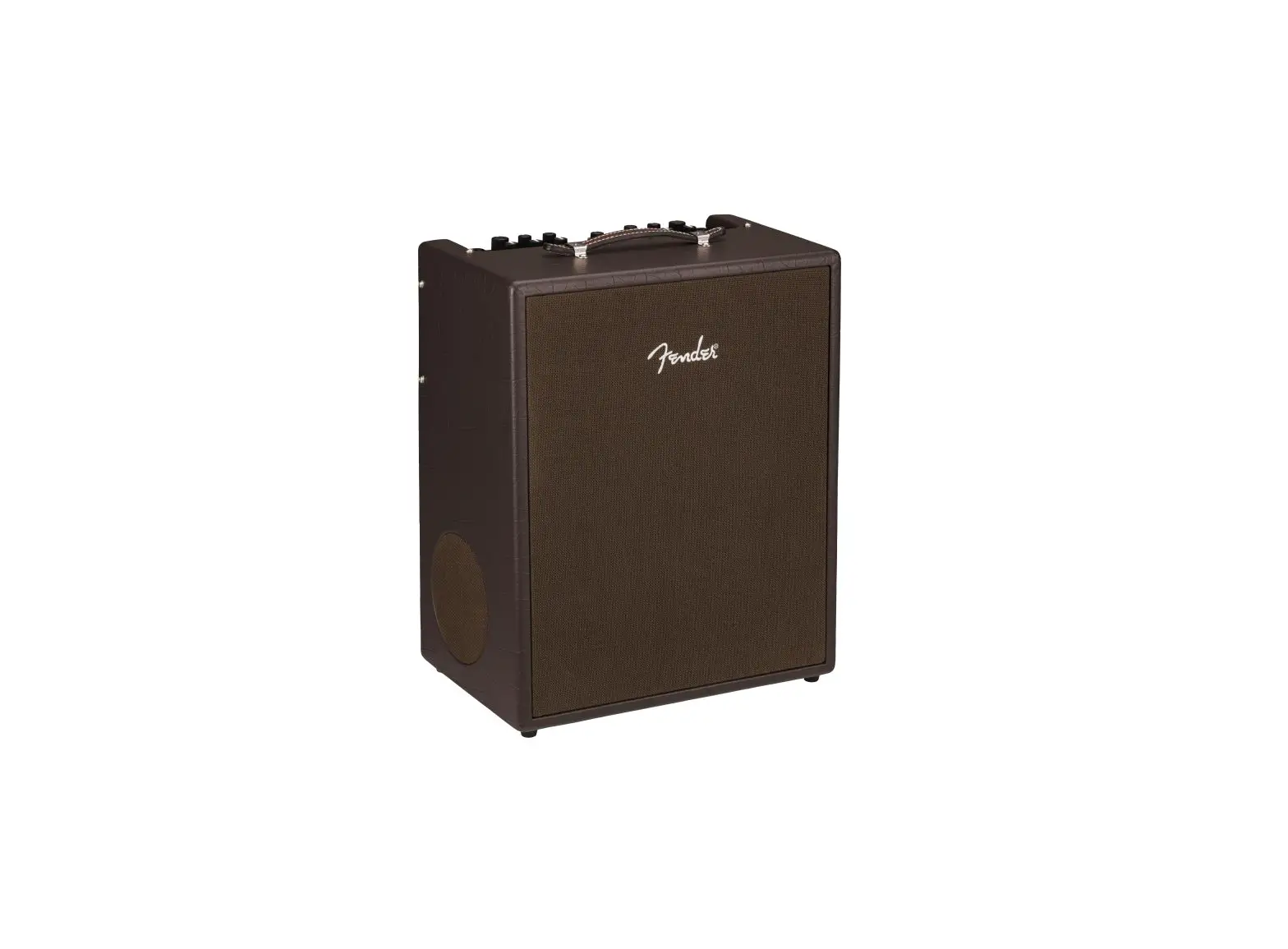
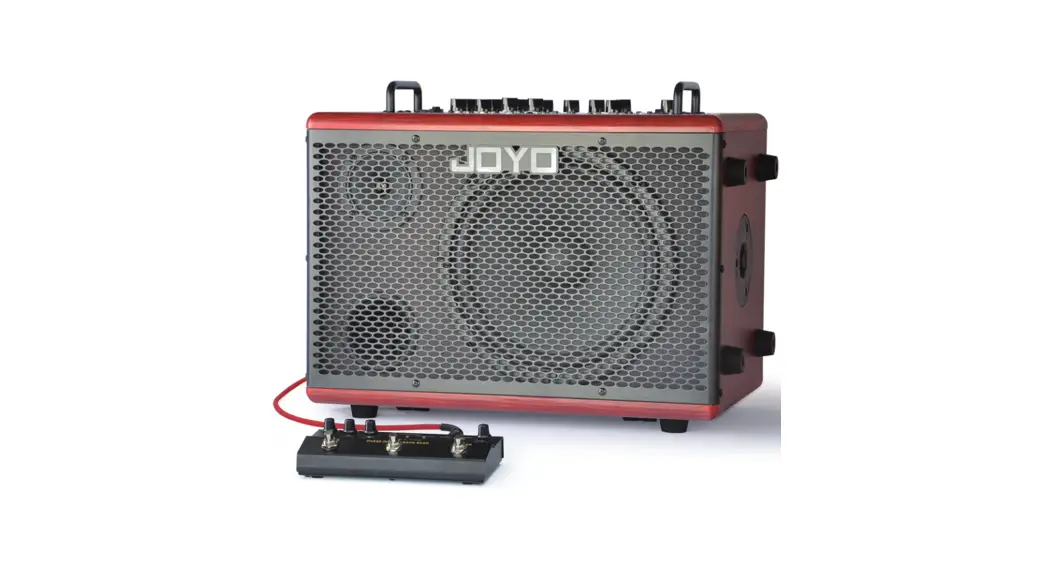
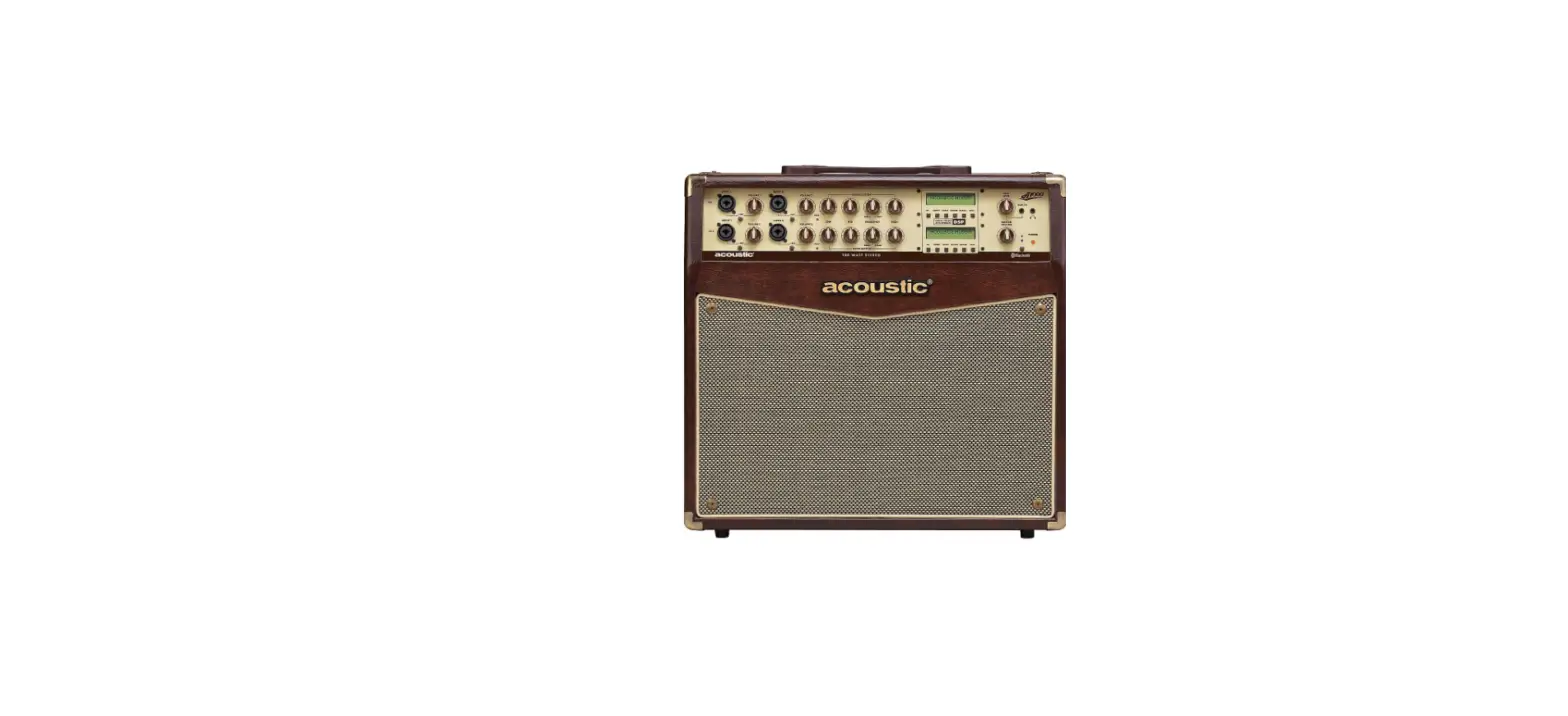
Gipsy 2×8 MKII Portable Acoustic Guitar Amplifier
Product Information: Portable Acoustic Guitar Amplifier Gipsy
2×8 MKII
The Portable Acoustic Guitar Amplifier Gipsy 2×8 MKII is a
latest generation product designed for guitar amplification. It is
a fully portable amplifier with a Li Ion battery that provides a
working time of up to 8-10 hours. The amplifier also features
Bluetooth connectivity, allowing users to connect it to a computer,
smartphone, tablet, or portable MP3 reader. Additionally, it has a
USB reader for MP3 and WAV files, as well as a USB recorder for WAV
files. The amplifier offers two input channels – Ch1 is a balanced
input for acoustic guitar with controls for bass, mid, high, and
effects, while Ch2 is an unbalanced input for microphone or
instrument with the same controls. The Ch1 and Ch2 inputs also have
a -10 dB pad. There is also a stereo 3.5 mm jack input (Ch3) to
connect an external source.
Product Usage Instructions: Portable Acoustic Guitar Amplifier
Gipsy 2×8 MKII
- Connect your acoustic guitar to the Ch1 input using a balanced
jack cable. - Adjust the volume for Ch1 and Ch2 inputs using the separate
volume controls. - Use the Bass, Mid, and High controls to adjust the tone for
both Ch1 and Ch2 inputs. - If desired, apply effects by selecting from the available
options on the EFX SEL knob. - To record your playing, connect a USB drive and press the
Record button. - For electric guitar, keyboard, or microphone input, connect to
the unbalanced Ch2 input using an XLR or jack cable. - Adjust the volume and tone using the controls for Ch2.
- For additional connectivity, use the stereo 3.5 mm jack input
(Ch3). - When not in use, it is recommended to recharge the Li Ion
battery at least every 3 months to prevent self-discharge.
Portable Acoustic Guitar Amplifier Gipsy 2×8 MKII
Multimedia Mode instructions: When you switch on the amp, the USB reader / Bluetooth receiver is switched off and the light is off. Bluetooth Mode: (audio BLUETOOTH) if there is no USB pendrive inserted, push any button to activate Bluetooth mode connecting device Gipsy 2×8. Flash light indicate a successful pairing. You can drive your Bluetooth device with the “PREV” “NEXT” buttons. If you push shortly the mode button you will pause the reproduction and the LED light will be fixed. If there is a USB pendriveoinserted Bluetooth can be activated by pressing MODE button. USB reader mode: (audio MUSIC) it switch on automatically when inserting a USB pendrive. You can drive the reproduction with the “PREV” “NEXT” buttons. If you push shortly the MODE button you will pause the reproduction. USB recording: (audio RECORD) with a USB pendrive inserted, long press the MODE button to enter record function. Push shortly the MODE button to start recording (LED flash) and push again to pause (LED flash slowly). Double click the MODE button to save the audio file (LED stop flashing). To listen the recordered files, press MODE button up to listen MUSIC. Then, to enter the record folder, press AT SAME TIME button V+ and V-. Record files will be reproduced in sequence or you can use the buttons < or > to select the files.
Istruzioni sulle funzioni dell’area multimediale: All’accensione dell’amplificatore, il lettore USB / ricevitore Bluetooth è spento e il Led è spento. Modalità Bluetooth: (audio BLUETOOTH) se non è inserita alcuna chiave USB, premere qualsiasi pulsante per attivare la modalità Bluetooth che permette di collegare un dispositivo alla Gipsy 2×8. Il LED lampeggiante indica un accoppiamento riuscito. Puoi comandare il tuo dispositivo Bluetooth con i pulsanti “PREV” “NEXT”. Se si preme brevemente il pulsante MODE, si interrompe la riproduzione e il LED non lampeggia più. Se c’è una chiavetta inserita, la funzione Bluetooth si può attivare premendo il tasto MODE. Modalità lettore USB: (audio MUSIC) si attiva automaticamente quando si inserisce una chiave USB. Legge i file WAV e Mp3 . È possibile gestire la riproduzione con i pulsanti “PREV” “NEXT”. Se si preme brevemente il pulsante MODE, si interrompe la riproduzione e il LED non lampeggia più e rimane fisso. Registrazione USB: (audio RECORD) con una chiave USB inserita (tassativamente tipo 3.0 altrimenti la velocità di scrittura non è sufficente), premere a lungo il pulsante MODE per accedere alla funzione di registrazione. Premere brevemente il pulsante MODE per avviare la registrazione (LED lampeggiante) e
Audiodesign Srl Via dell’industria, 28 42025 CAVRIAGO (RE) – Italy
+39 0522 941444
www.audiodesign.it – [email protected]
7
Portable Acoustic Guitar Amplifier Gipsy 2×8 MKII Battery Powered Portable Amplifier
Owner’s manual Manuale d’uso Manuel utiliseur
Gipsy 2×8 MKII
Portable Acoustic Guitar Amplifier Gipsy 2×8 MKII
Presentazione Complimenti per aver scelto un amplificatore per chitarra della serie Gipsy. Si tratta di un prodotto di ultima generazione con prestazioni generose che grazie alla batteria, integrata all’interno, consente la massima versatilità e flessibilità di utilizzo.
Caratteristiche generali:
* Portatile a batteria agli Ioni di Litio (durata di funzionamento 8-10 ore). * Bluetooth per collegarsi a un computer portatile, smartphone, tablet o lettore Mp3. * Lettore USB per file musicali in formato MP3 e WAV.
* Registratore su chiavetta USB in formato WAV. * Ch1, Ingresso bilanciato per chitarra acustica con regolazione di Alti, Medi, Bassi ed Effetto. * Ch 2, Ingresso sbilanciato per chitarra elettrica, tastiere o microfono con regolazione di Alti, Medi, Bassi ed Effetto.
* Possibilità di attenuazione rapida (- 10 dB) del livello dei canali Ch1 e Ch2
(18) (16) (14)
EFX SEL
-10dB
MID
-10dB
MID
Reverb /Reverb+Delay1 /Reverb+Delay2 /Oct- /Oct+ /Chorus
Rec o r d
(1) (3) (8) (4) (5) (6) (7) (2) (3) (8) (4) (5) (6) (9) (7) (10) (11)
/
FOOT
/
SWITCH
(15)(13)(12) (17) (19)
(20)
Balanced
(22) (23)
(21)
1
Portable Acoustic Guitar Amplifier Gipsy 2×8 MKII
Connexions et réglages:
1. Entrée Ch 1: ACOUSTIC GUITAR – Jack équilibré, impédance 10 Kohm 2. Entrée CH2: MICRO ou INSTRUMENTS – XLR ou Jack déséquilibré, impédance 1 Kohm 3. Volume Ch 1 et Ch2
4. Bass: réglage des basses sur Ch 1 et Ch2 – 60 Hz +/- 15 dB 5. Moyen : réglage des moyens sur Ch 1 et Ch2 – 1500 Hz +/- 15 dB 6. High: réglage des aigus sur Ch 1 e Ch2 – 10 KHz +/- 15 dB
7. Effect réglage de l’intensité des effets sur Ch 1 et Ch 2 8. Bouton per réduire -10 dB le signale sur Ch1 et Ch2 9. EFX Sel : bouton pour choisir l’effet désiré. A chaque allumage l’appareil offre l’effet REVERB. En poussant le bouton, en séquence, on peut avoir : Reverb+Delay1 / Reverb+Delay2 / Oct – / Oct + / Chorus.
10. Entrée Ch 3 AUX IN/RECORD: Jack 3,5 stéréo avec 3 ou 4 connections. Si a 4 connexions on peut enregistrer sur smartphone. 11. Master: réglage du volume général de l’amplificateur 12. V-: Une pression courte à la fonction ” suivante ” et une pression longue réduit le volume
13. Mode: Une pression courte met en pause la reproduction, une pression longue permet de choisir entre USB/Bluetooth et enregistrement. Disponibles avec clé USB insérée. 14. V+: Une pression courte a la fonction ” précèdent “, une pression longue augmente le volume 15. Tone: Par ce bouton on peut choisir 5 présélection acoustiques ou bien une reproduction naturelle.
16. Porte USB: Insérer une clé USB ou bien utiliser comme prise pour alimenter à 5V un appareil extérieur. (Naturellement cette fonction réduit la dure de la batterie)
6
Portable Acoustic Guitar Amplifier Gipsy 2×8 MKII
Félicitations pour avoir choisi l’amplificateur pour guitare acoustique de la sèrie Gipsy. Il s’agit d’un produit de toute dernière génération avec des grandes performances qui grâce à une batterie intégrée, permet la plus grande versatilité et flexibilité d’utilisation.
Spécifications:
* Portable à batterie lithium-ion (autonomie de fonctionnement 8-10 ore). * Porte Bluetooth pour connexion à un ordinateur portable, smartphone, tablet, lecteur Mp3. * Lecteur USB pour fichiers sonores au format MP3 et WAV.
* Enregistrement sur clé USB au format WAV * Ch1, Entrée équilibrée (Fém. jack 6.3) pour guitare acoustique avec réglage des baisses, des moyenne, des aigus et des effets. * Ch2, Entrée déséquilibrée (combo) pour guitare électrique , claviers ou microphones avec réglage des baisses, des moyenne, des aigus et des effets.
* Possibilité de recuction rapide (- 10 dB) du niveau des entrées Ch1 e Ch2
(18) (16) (14)
EFX SEL
-10dB
MID
-10dB
MID
Reverb /Reverb+Delay1 /Reverb+Delay2 /Oct- /Oct+ /Chorus
Rec o r d
(1) (3) (8) (4) (5) (6) (7) (2) (3) (8) (4) (5) (6) (9) (7) (10) (11)
/
FOOT
/
SWITCH
(15)(13)(12) (17) (19)
(20)
Balanced
(22) (23)
(21)
5
Portable Acoustic Guitar Amplifier Gipsy 2×8 MKII
Connessioni e controlli:
1. Ingresso Ch1: ACOUSTIC GUITAR – Jack bilanciato, impedenza d’ingresso 10 KOhm 2. Ingresso Ch2: MIC & GUITAR – Microfono, chitarra acustica o elettrica XLR o Jack sbilanciato, impedenza 1 Kohm 3. Volume (separati Ch 1 e Ch 2)
4. Bass: regola i toni bassi – 60 Hz +/- 15 dB (separati Ch 1 e Ch 2) 5. Mid: regola i toni medi – 1500 Hz +/- 15 dB (separati Ch 1 e Ch 2) 6. High: regola i toni bassi – 10 KHz +/- 15 dB (separati Ch 1 e Ch 2)
7. Effect: regola l’intensità degli effetti sui singoli canali 8. Pulsanti per attenuazione – 10 dB (separati Ch 1 e Ch 2) 9. EFX SEL: Pulsante per la selezione del tipo di effetti: Ad ogni accensione il SW seleziona l’effetto Reverbero. Premendo il pulsante, in sequenza, si può selezionare Reverbero+Delay (breve), Reverbero+Delay (lungo), Abbassamento di una ottava, Incremento di una ottava e Chorus.
10. Ingresso Ch 3 AUX IN/RECORD: Jack 3,5 stereo 3 o 4 contatti. Se utilizzato il Jack a 4 contatti può registrare in mono, direttamente sul telefono (il volume di registrazione è indipendente dal master 11. Master: regola il volume generale da inviare all’amplificatore 12. V-: una pressione lieve passa al brano “successivo”, una lunga riduce il volume
13. Mode: Una pressione lieve mette in pausa la riproduzione, una lunga permette di scegliere tra le funzioni riproduzione USB (MUSIC) / connessione Bluetooth (BLUETOOTH) e registrazione USB (RECORD). Music e Record solo con una chiavetta inserita. 14. V+: una pressione lieve passa al brano “precedente”, una lunga aumenta il volume 15. Tone: Premendo questo pulsante, si può scegliere tra 5 preset di toni e una riproduzione flat.
16. USB: Inserire una chiavetta USB oppure utilizzare la presa per alimentare uno smartphone. (l’utilizzo come ricarica ovviamente riduce la durata della batteria) 17. Foot Switch: permette di selezionare gli effetti tramite un pedale esterno (tipo sustain) cioè a contatto chiuso quando è premuto. 18. LED Blu: Indica il funzionamento del lettore / ricevitore Bluetooth. (vedi pag 7)
19. Power: On/Off switch 20. Phones: Inserendo il Jack Stereo 6,3 mm di una cuffia, l’altoparlante viene automaticamente scollegato. 21. Power indicator: Il led può avere 3 colori: – Blu: batteria completamente carica – Fucsia: batteria parzialmente scarica – Rosso fisso: batteria quasi scarica. – Rosso lampeggiante: batteria scarica, spegnere e ricaricare
22. DC: Collegare qui il carica batterie esterno in dotazione (DC 17,5 V – 2000 mA – positivo all’interno) e SOLO DOPO collegare il cavo alla presa di corrente. Durante la carica il LED rimarrà fucsia lampeggiante e a fine carica diventerà blu fisso. N.B.: Al contrario della maggioranza dei prodotti a batteria questo modello si può utilizzare, una volta collegato il carica batterie, anche con batteria completamente scarica. !!!!! 23. DI OUT: Uscita Bilanciata pre-master.
Importante: E’ normale che le batterie, anche in caso di inutilizzo, tendano ad autoscaricarsi. Ricordarsi quindi di ricaricarla periodicamente, almeno ogni 3 mesi. La batteria agli Ioni di Litio contenuta all’interno deve essere
2
Portable Acoustic Guitar Amplifier Gipsy 2×8 MKII
Congratulations on choosing a guitar amplifier of the Gipsy series . It is a latest generation product with generous performance that, thanks to the battery, integrated inside, allows maximum versatility and flexibility of use.
Main features:
* Fully portable with Li Ion battery (up to 8-10 hours working time) * Bluetooth connection: to reproduce music in connection with a computer , a smartphone, a tablet or a portable MP3 reader * USB Reader (for MP3 and WAV files)
* USB Recorder (WAV files) * Ch1, Balanced Input for acoustic guitar with Bass, Mid, High and Effects controls * Ch2, Unbalanced Input for microphone or instrument with Bass, Mid, High and Effect controls
* – 10 dB pad on Ch1 and Ch2 * Ch3, Stereo 3,5 mm Jack Input: to connect and external source
(18) (16) (14)
EFX SEL
-10dB
MID
-10dB
MID
Reverb /Reverb+Delay1 /Reverb+Delay2 /Oct- /Oct+ /Chorus
Rec o r d
(1) (3) (8) (4) (5) (6) (7) (2) (3) (8) (4) (5) (6) (9) (7) (10) (11)
/
FOOT
/
SWITCH
(15)(13)(12) (17) (19)
(20)
Balanced
(22) (23)
(21)
Portable Acoustic Guitar Amplifier Gipsy 2×8 MKII
Connections and controls: 1. Input Ch 1: ACOUSTIC GUITAR – Balanced 6.3 mm Jack, input impedance 10 KOhm 2. Input CH2: MICROPHONE or INSTRUMENT – Unbalanced XLR or 6.3 Jack, impedance 1 KOhm 3. Volume Ch 1 and Ch2
4. Bass: Adjust low tones on Ch 1 or Ch2 – 60 Hz +/- 15 dB 5. Mid: Adjust the mid tone on Ch1 or Ch2 – 1500 Hz +/- 15 dB 6. High: Adjust high tones on Ch 1 or Ch2 – 10 KHz +/- 15 dB
7. Effect : Adjust the total effect level on Ch 1 or Ch2 8. -10 PAD push buttons: to reduce the signal level on Ch1 or Ch2 9. EFX SEL: to select the effect: When switched on the Gipsy 2×8 is set to REVERB effect. Pushing the button you can select in sequence: Reverb+Delay1 / Reverb+Delay2 / Oct – / Oct + / Chorus)
10. Input Ch 3 AUX IN/RECORD: Jack 3,5 stereo with 3 or 4 contacts. If you use a 4 contacts Jack, you can record the program in your smartphone (the volume doesn’t depend on master setting). This Ch is managed by master volume only. 11. Master: Adjust the volume of signal to send to the amplifier. 12. V-: a short pressure means “NEXT”. A long pressure reduce the volume
13.Mode: A short pressure pause the reproduction. A long pressure change the function between Bluetooth / USB reader and USB recording. These last two functions are available only if a USB key is inserted. 14. V+: A short pressure means “PREVIOUS”. A long pressure increase the volume. 15. Mode: Pushing this button, there is the choice between 5 different tone preset or a flat response.
16. USB: Insert a USB key or use to power ( 5V) an external device. (If used to power a device of course the battery life will decrease) 17. Foot Switch: Allow to select the effects by an external foot switch
4
 AudioDesign PRO | Soluzioni audio | Reggio Emilia