LUXLi ORC-TIMP2-BD Barndoor Attachment User Manual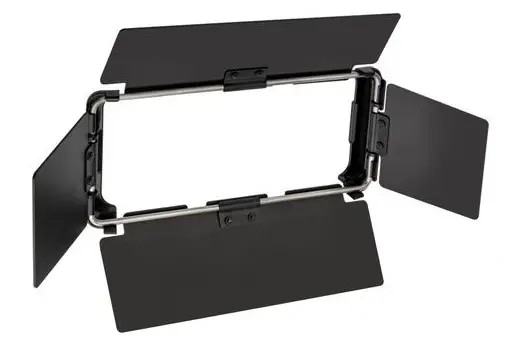
Thank you for choosing Luxli.
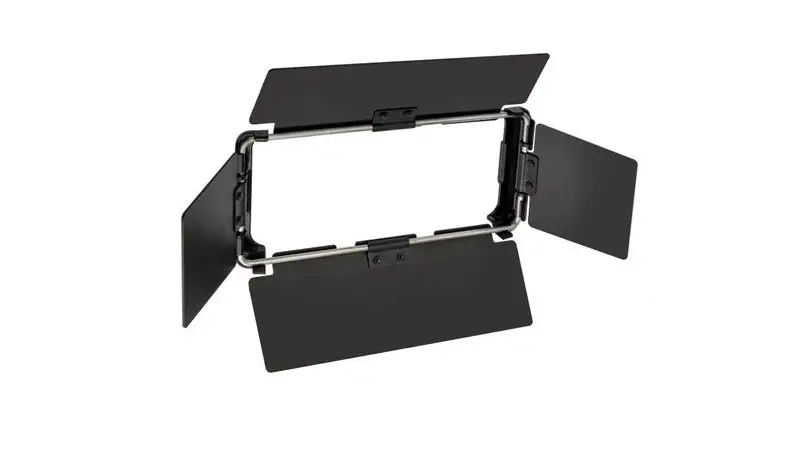
This sturdy all-metal barn door kit is made specifically for Luxli’sTimpani2 1 xl RGBAW LED light. The four-leaf metal barn doors clip into the front panel and let you concentrate the light where it’s most needed. Close the barn doors to protect the front of the light for travel and storage.
Precautions
- Please read and follow these instructions, and keep this manual in a safe place.
Clean this product with only a soft, dry cloth. - Make sure everything is secure before proceeding.
- All images are for illustrative purposes only.
Attaching the Barn doors
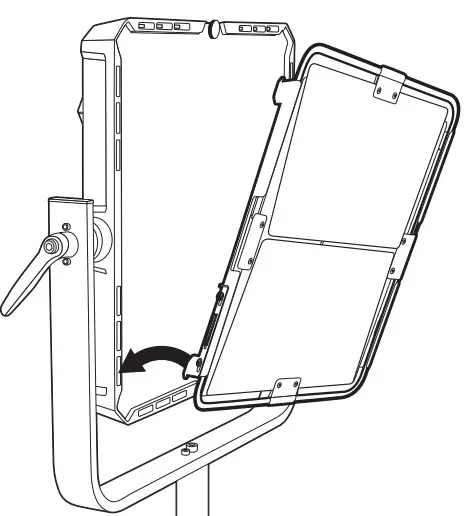
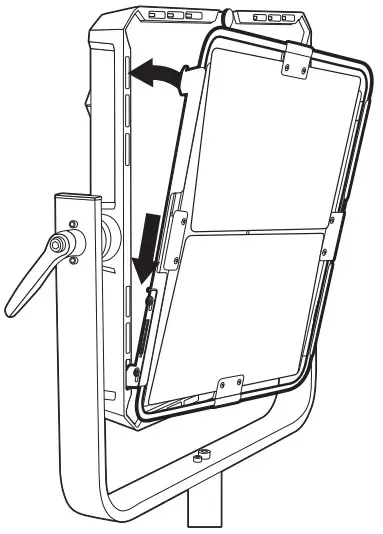
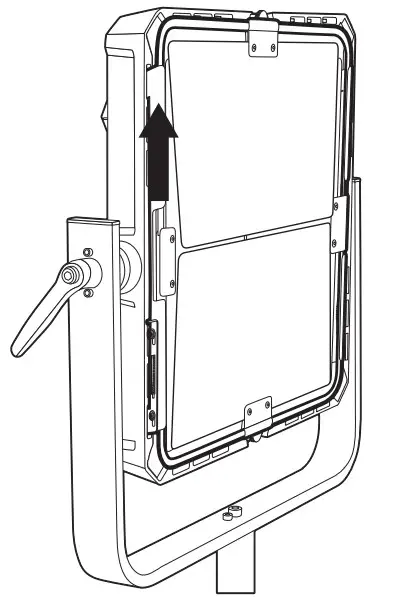
- Fit the spring-loaded hooks into the bottom slots on the front panel of the Timpani2.

- Gently press down and fit the top hooks into the top slots of the Timpani2.

- Release the barndoor frame to let the spring tension lift the top hooks into place.

Specifications
| Material | Metal |
| Dimensions (W x H) | 11.9 x 11.9 in.(30.2 x 30.2 cm) |
| Weight | 2.3 lb.(1.04 kg) |
One-Year Limited Warranty
For more information, visit www.luxlilight.com or call Customer Service at 212-594-2353.
Luxli is a registered trademark of the Gradus Group. © 2022 Gradus Group LLC.All Rights Reserved.

 Luxli | LED Lighting