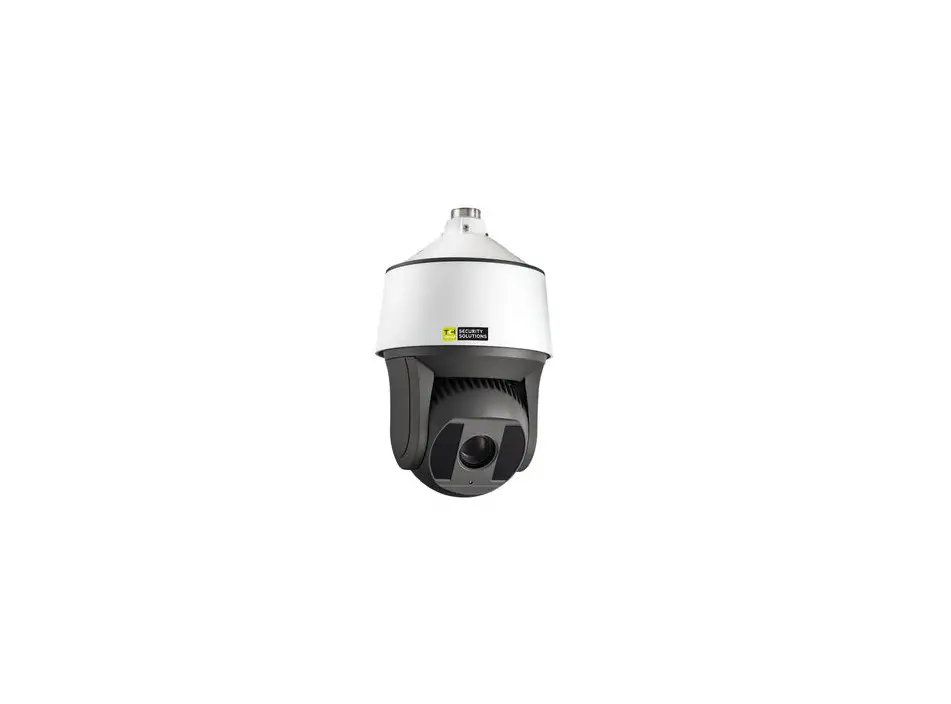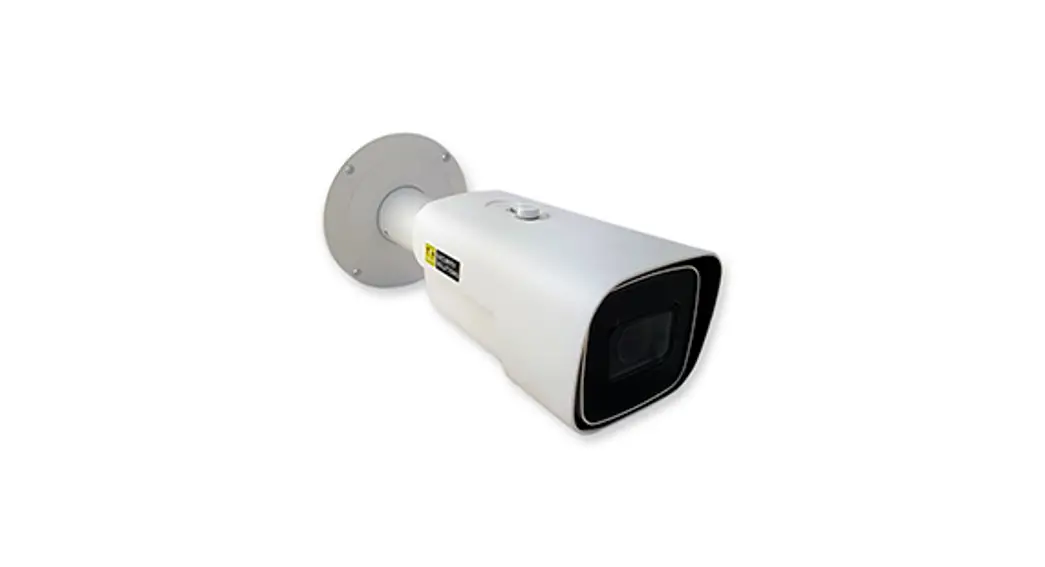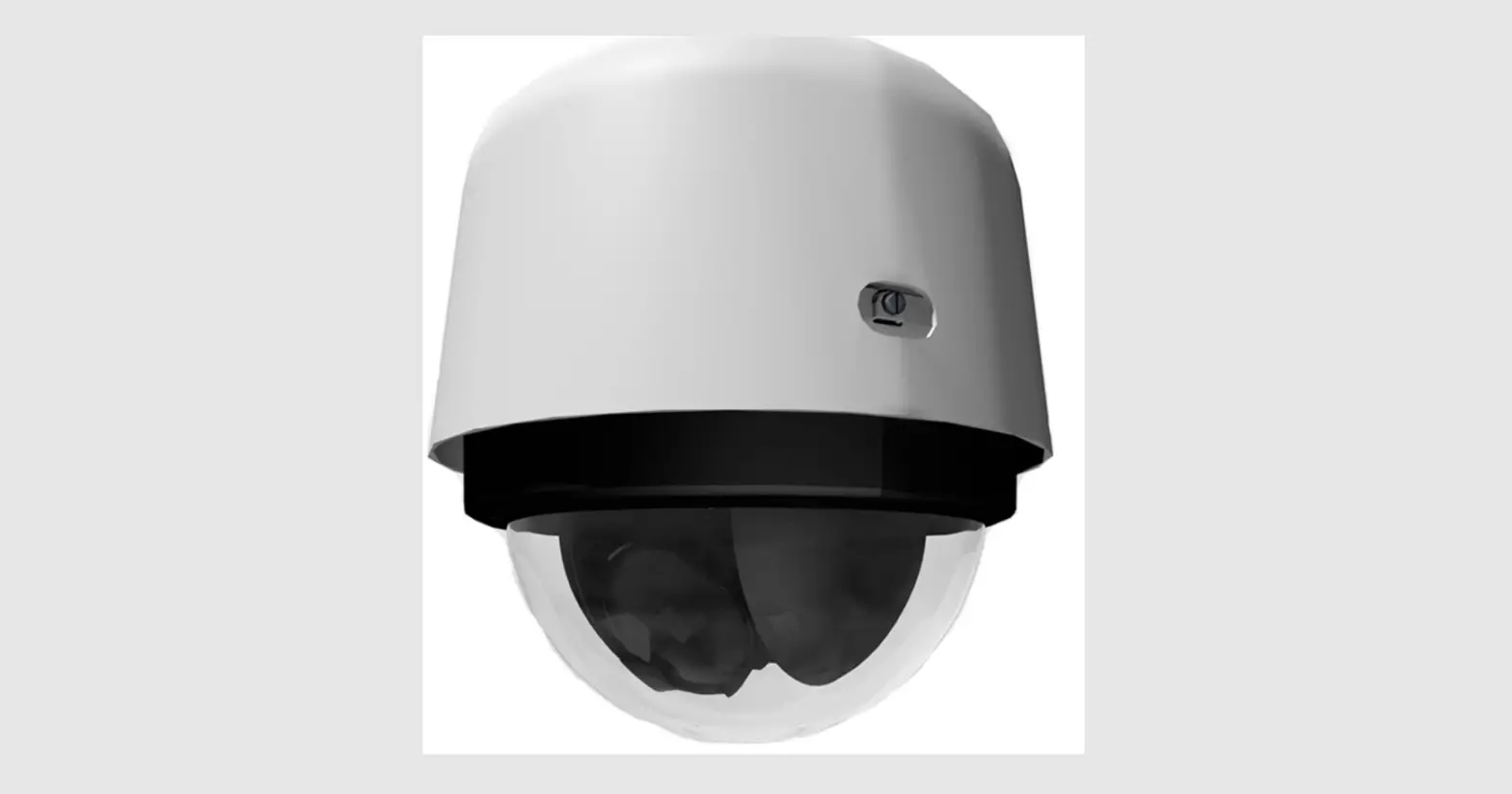

TKH SECURITY PD950 5MP Pendant PTZ Camera

Unpack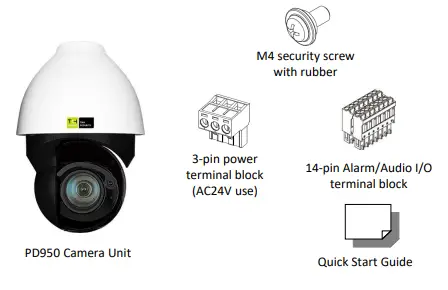
Installation Notices
INSTALLATION SHALL BE PERFORMED BY QUALIFIED PERSONNEL ONLY. INSTALLATION SHALL BE IN ACCORDANCE WITH LOCAL PROCEDURES. INSTALLATION WITH POE SHALL BE IN UNEXPOSED NETWORKS. BATTERY REPLACEMENT SHALL NOT BE APPLIED IN VIEW OF THE RISK OF EXPLOSION. IF YOU USE AN EXTERNAL POWER SUPPLY, CONTACT TKH SECURITY TO MAKE SURE THAT THE POWER SUPPLY HAS THE PROPER POWER SPECIFICATIONS. MAKE SURE THAT THE POWER SUPPLY COMPLIES WITH LPS REQUIREMENTS. WHEN INSTALLING THE CAMERA, HOOK UP THE CAMERA WITH THE ANTI-DROP CHAIN OF THE PENDANT TO THE ANTI-DROP RING (SEE FIGURE 1). FOR MORE INFORMATION, CONTACT TKH SECURITY.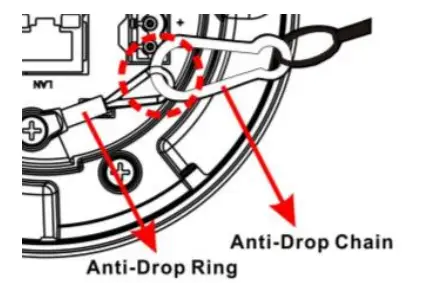
Connectors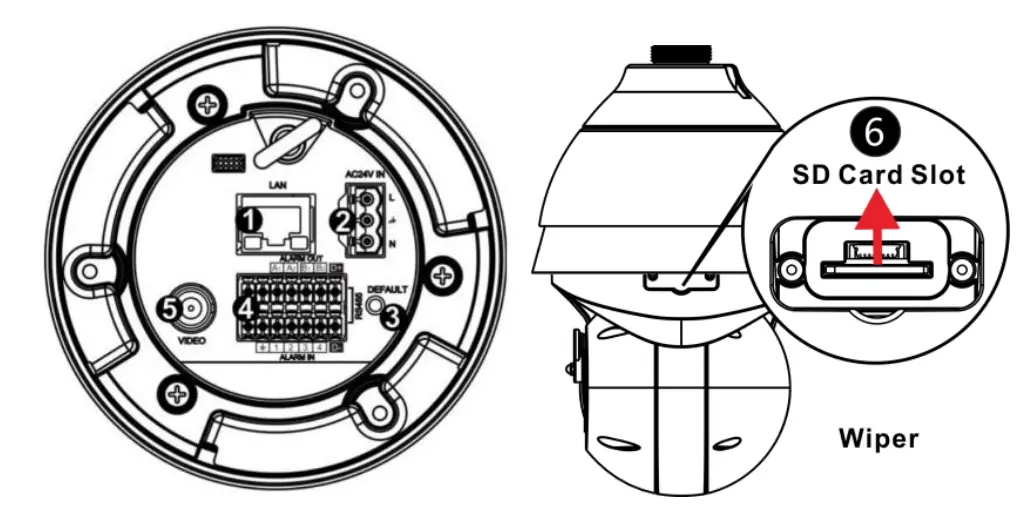
Connector Definition
| No. | Connector | Definition |
| 1 | RJ-45 Port(Contact TKH Security for acompatible PoE injector.) | For network and PoE (802.3bt) connections |
| 2 | Power (AC24V) | AC24V power connection |
| 3 | Reset Button | Press the button with a proper tool for at least 20 seconds to restore the system. |
| 4 | Audio/Alarm I/O & RS-485 | Audio/Alarm I/O & RS-485 connection |
| 5 | BNC | For analog video output |
| 6 | SD Card Slot | Insert the SD card into the card slot to store videos and snapshots. Do not remove the SD card when the camera is powered on. |
Camera Cabling (1)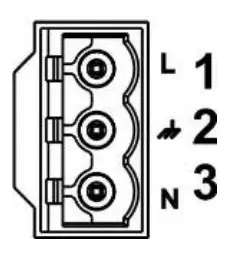
| Pin | Definition |
| 1 | AC24V L |
| 2 | GND |
| 3 | AC24V N |
NOTE:
IN SOME CASES, AN ETHERNET CROSSOVER CABLE MAY BE NEEDED WHEN CONNECTING THE CAMERA DIRECTLY TO THE PC. CHECK THE STATUS OF THE LINK INDICATOR AND THE ACTIVITY INDICATOR LEDS. IF THE LEDS ARE UNLIT, CHECK THE LAN CONNECTION.
Camera Cabling (2)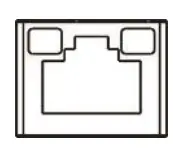
PoE and Ethernet cable connection
- The green link LED is lit when there is a good network connection.
- The orange network LED flashes to indicate that there is network activity.
WARNING:
FOR “PoE” INPUT CONNECTION, USE ONLY WITH UL LISTED I.T.E WITH “PoE” OUTPUT. DESCRIPTION FOR THE “PoE” IS INTENDED TO BE CONNECTED TO NOT EXPOSED (OUTSIDE PLANT) NETWORKS OR EQUIVALENT STATEMENT IN INSTALLAION INSTRUCTIONS. POUR LA CONNEXION D’ENTREE “PoE”, UTILISER UNIQUEMENT AVEC UN I.T.E. LISTE AVEC UNE SORTIE “PoE”. LA DESCRIPTION DE “POE” EST CONÇUE POUR ÊTRE CONNECTÉE À DES RÉSEAUX OR NON ÉNONCÉS (INSTALLATIONS EXTÉRIEURES), DANS LES INSTRUCTIONS D’INSTALLATION DE L’INSTALLATION.
POWER RATING OF PD950
24VAC, 50-60Hz OR 50/60Hz, 2.09A SHALL BE SUPPLIED BY POWER ADAPTER. 55VDC, 0.91A SHALL BE SUPPLIED BY “POE” (802.3bt type 3 class 6).
Audio/Alarm I/O and RS-485 connection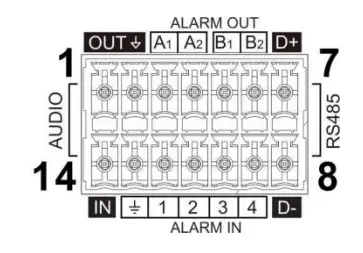
See the diagram and the pin definitions below for the Audio/Alarm I/O and RS-485 connection
| Pin | Definition | Pin | Definition |
| 1 | Audio Out | 8 | RS-485 D- |
| 2 | GND (Audio I/O) | 9 | Alarm In 4 |
| 3 | Alarm Out A1 | 10 | Alarm In 3 |
| 4 | Alarm Out A2 | 11 | Alarm In 2 |
| 5 | Alarm Out B1 | 12 | Alarm In 1 |
| 6 | Alarm Out B2 | 13 | GND (Alarm I/O and RS-485) |
| 7 | RS-485 D+ | 14 | Audio In |
Accessing the camera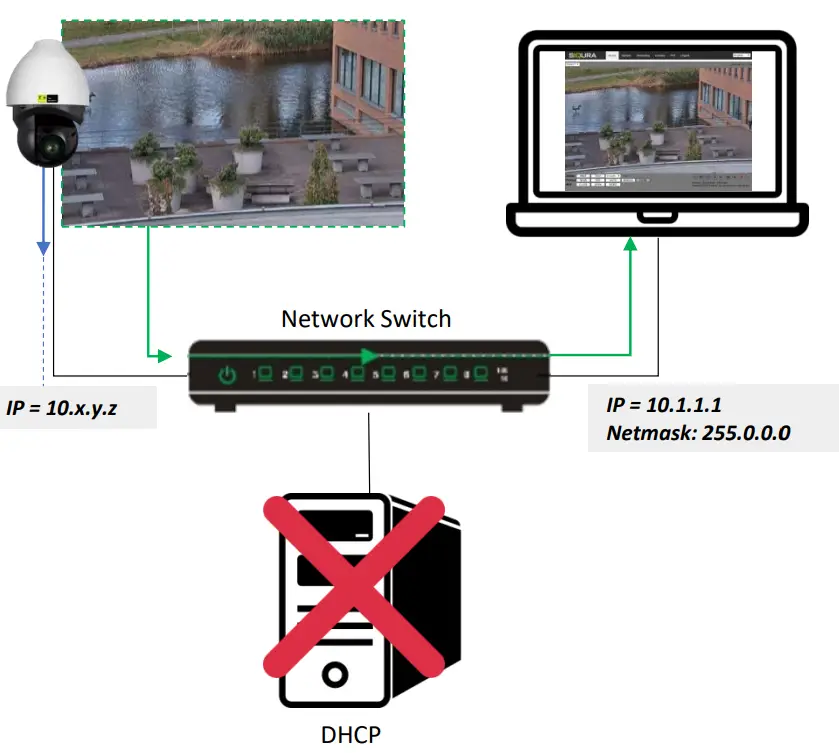
Auto-detect with SDM2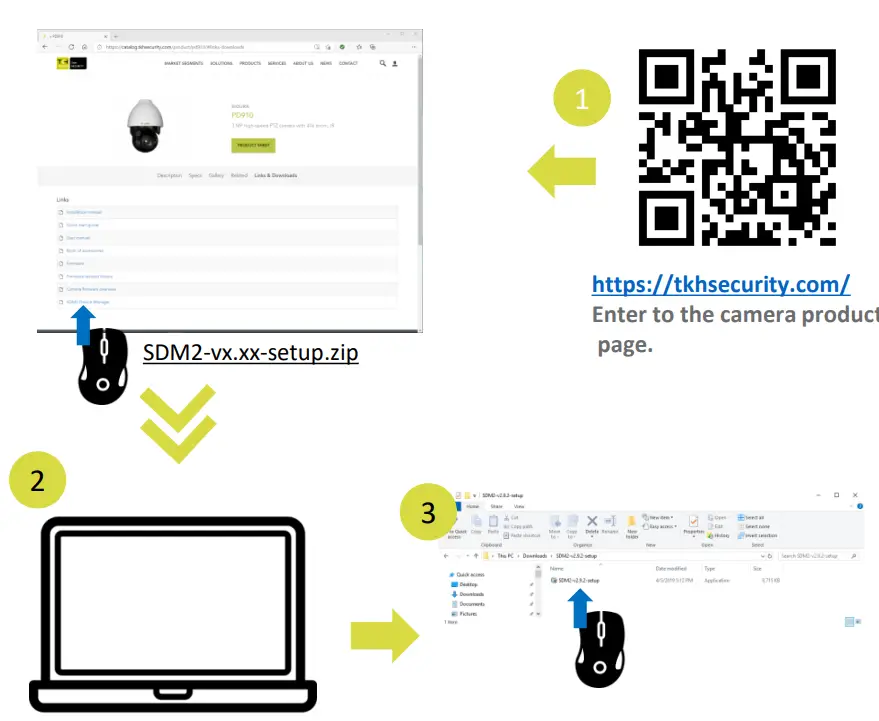
1st-time camera login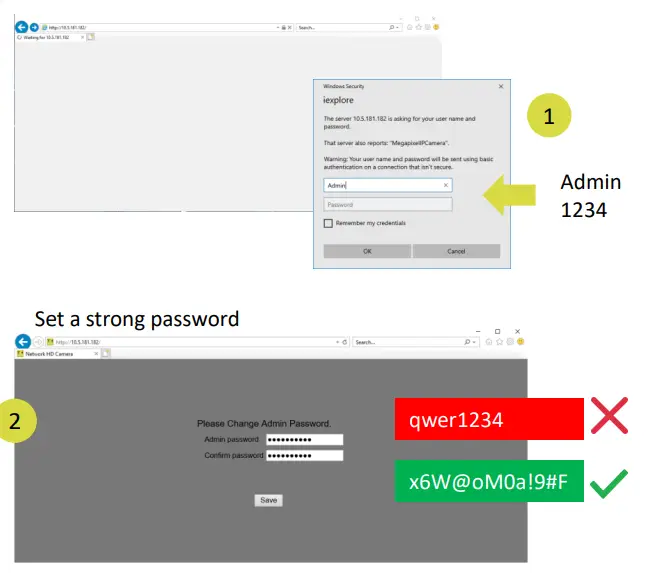
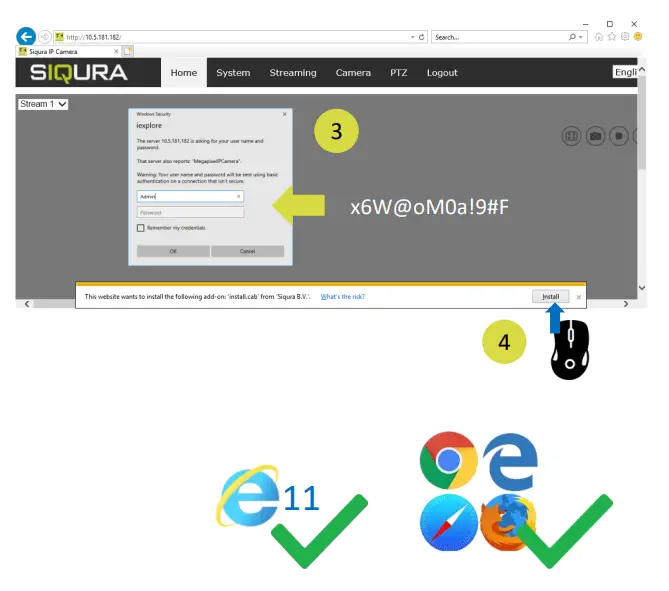
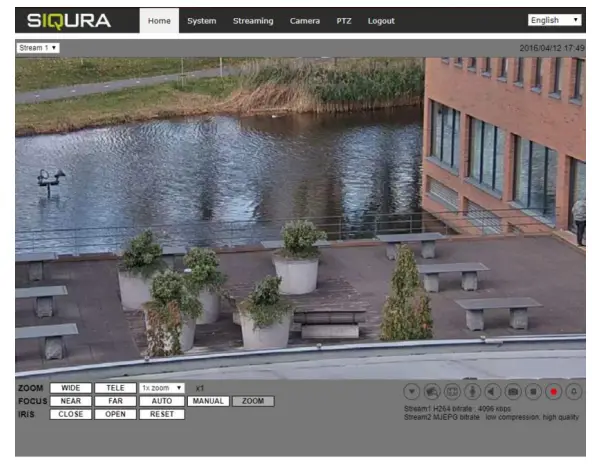
Install browser-based viewer
 TKH Security