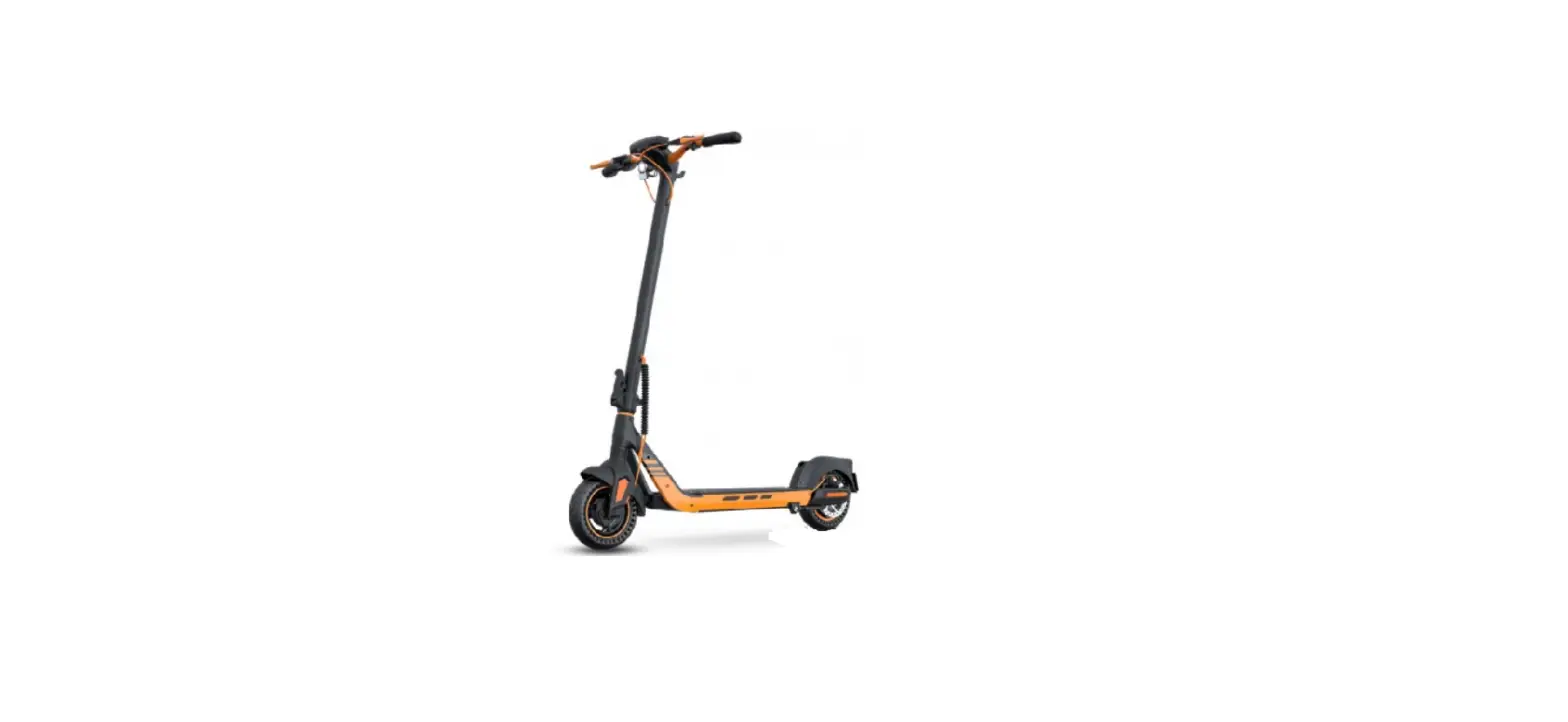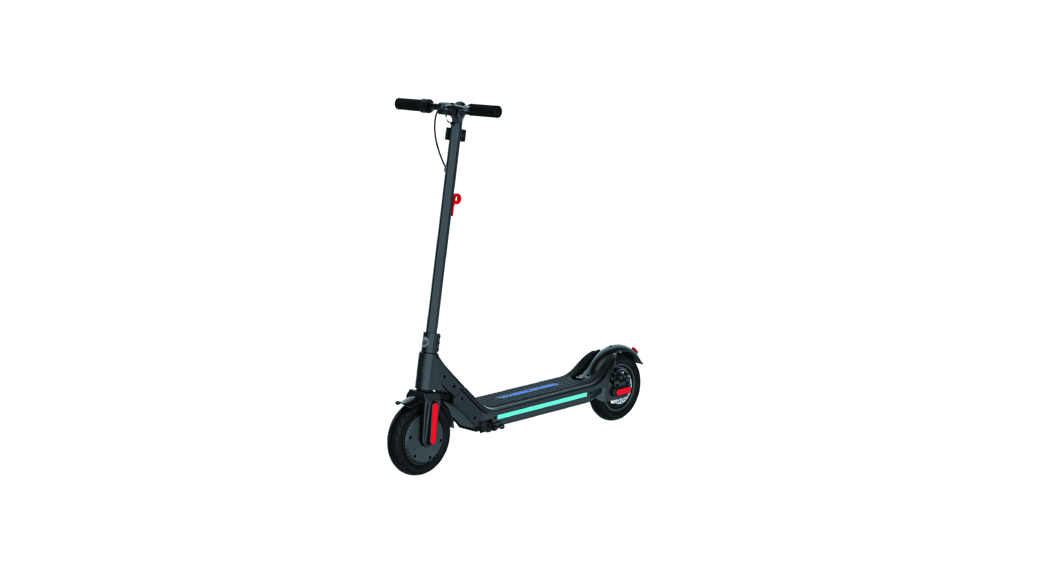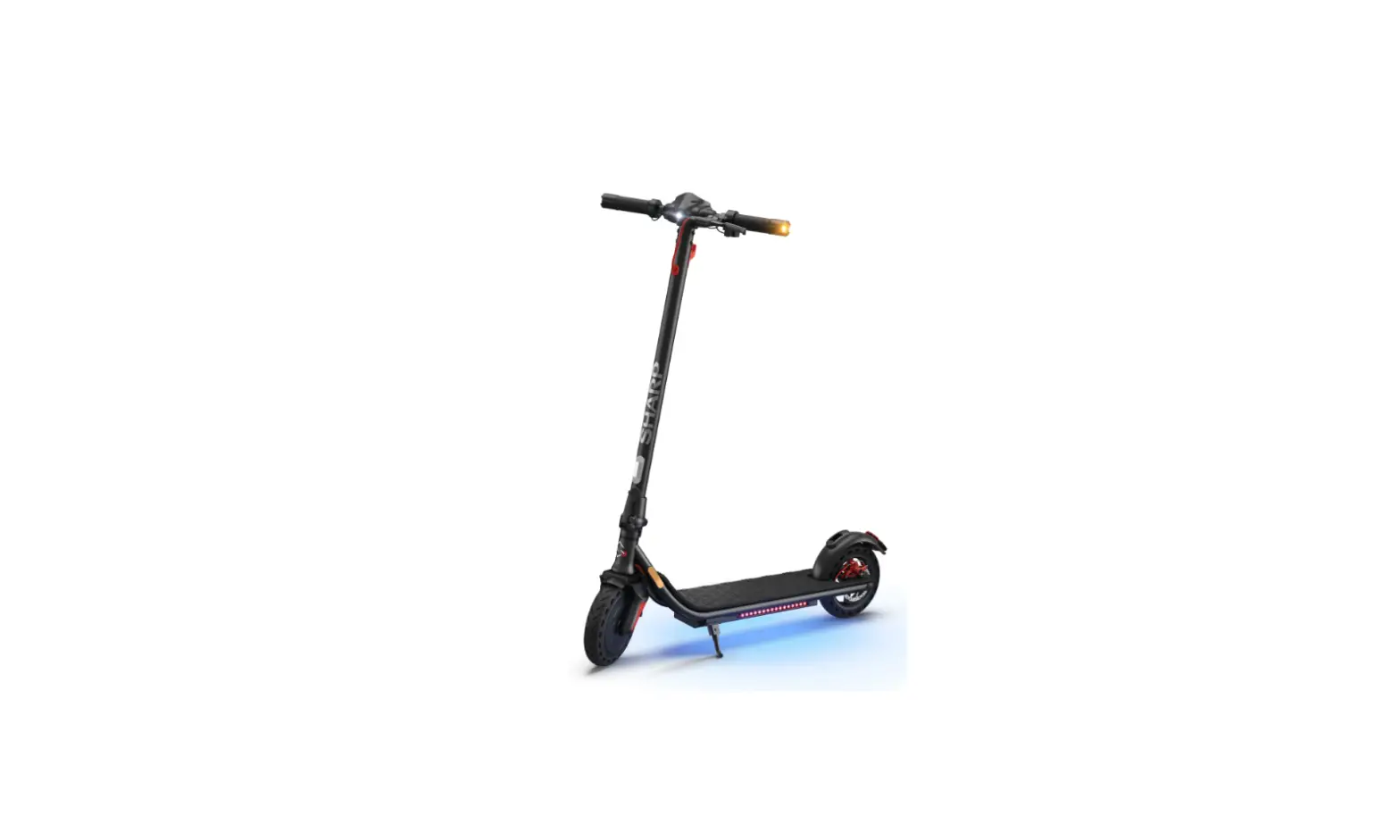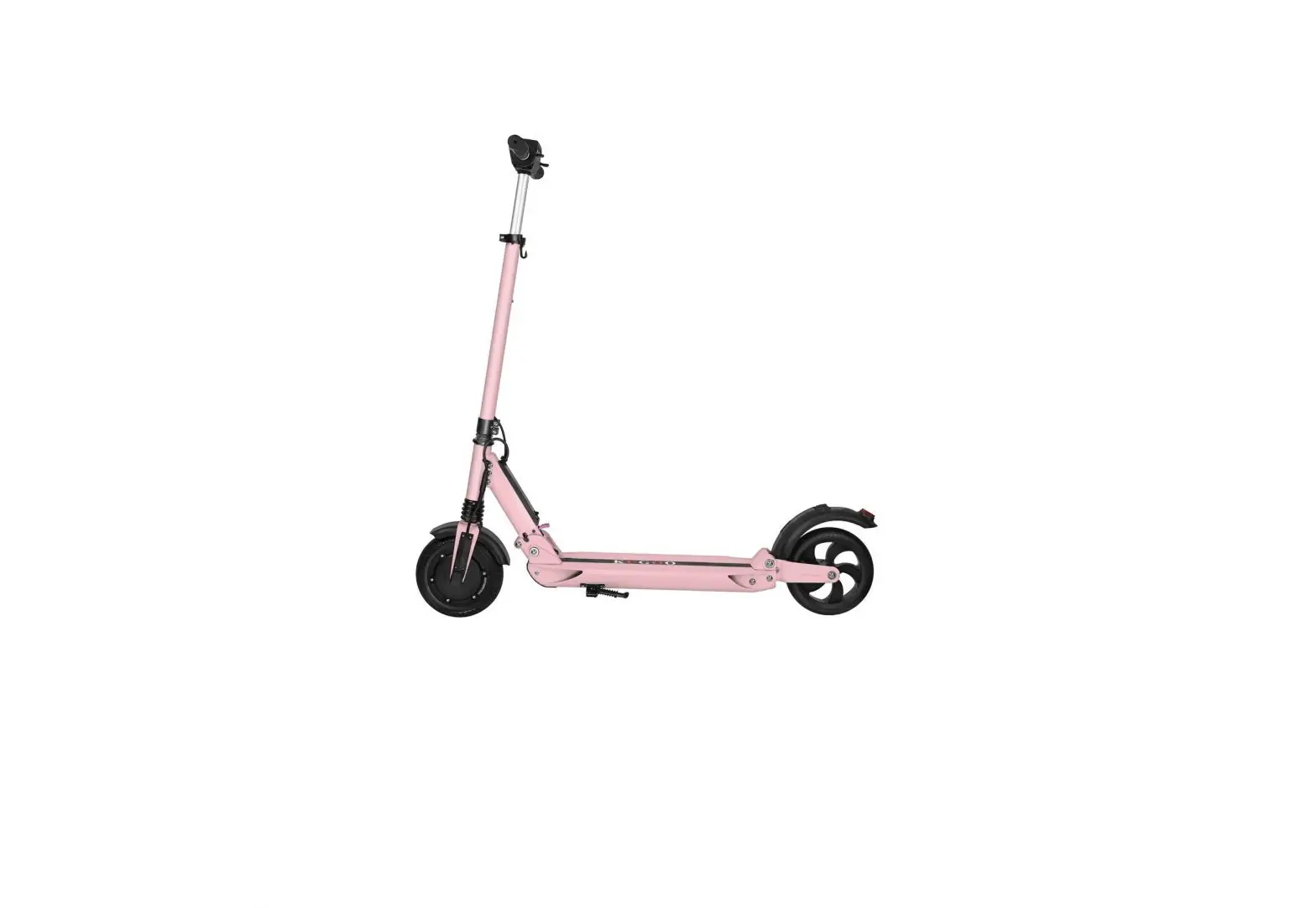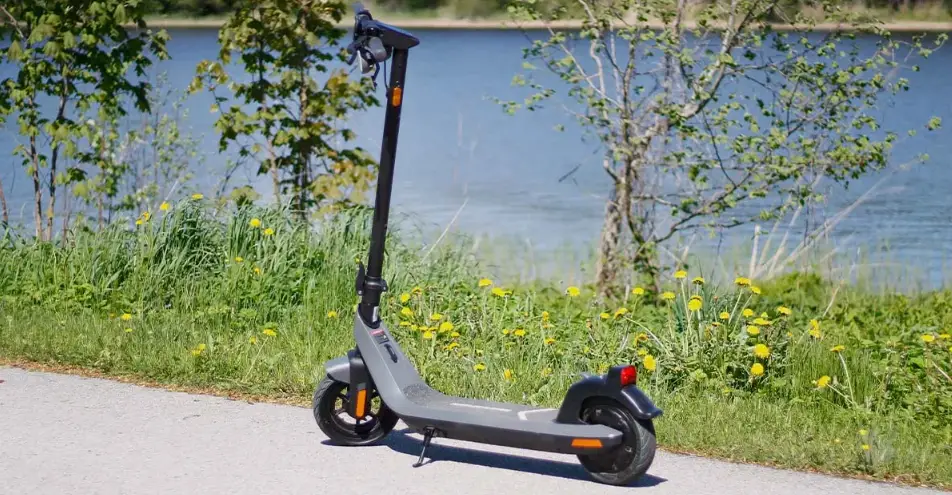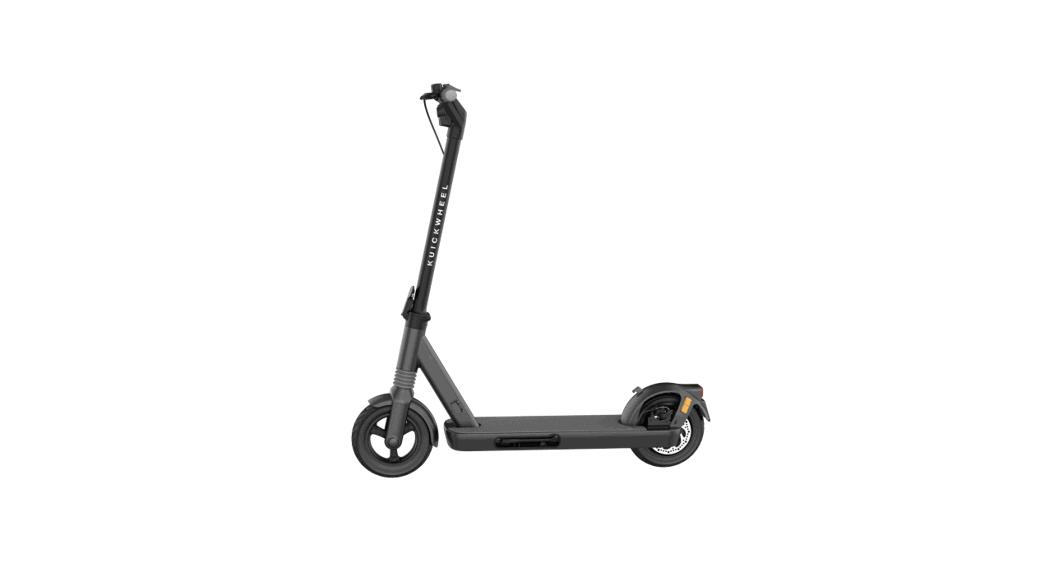
 S1-C
S1-C
USER MANUAL
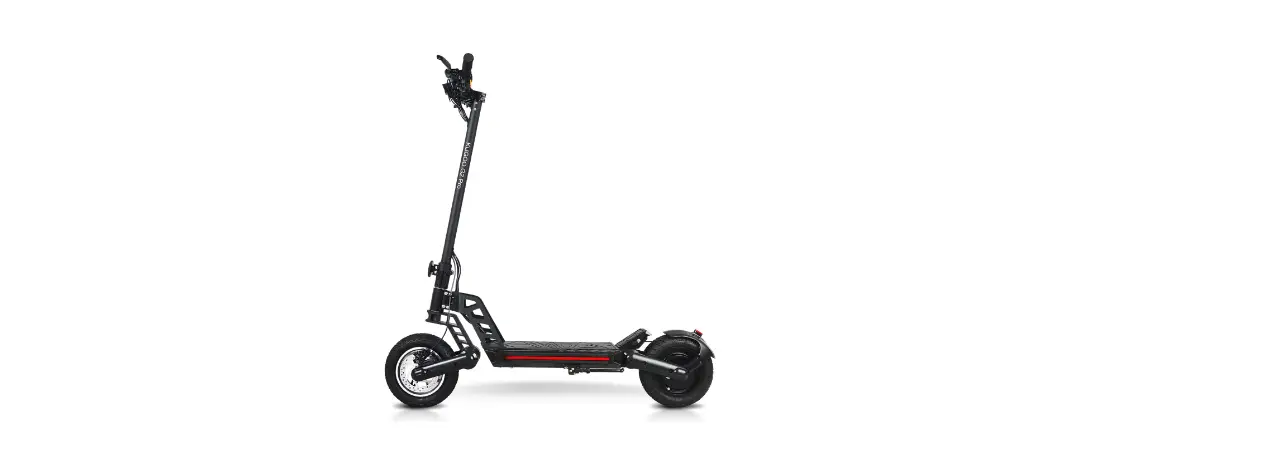
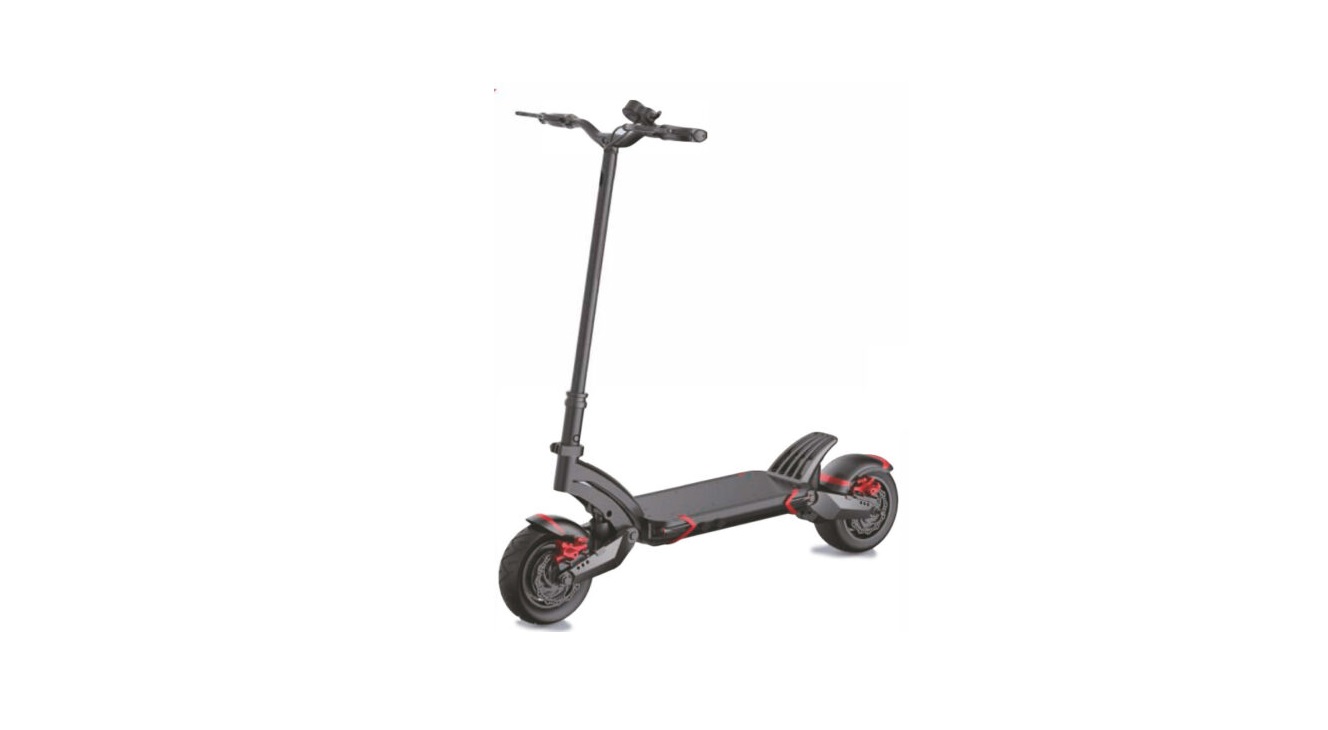
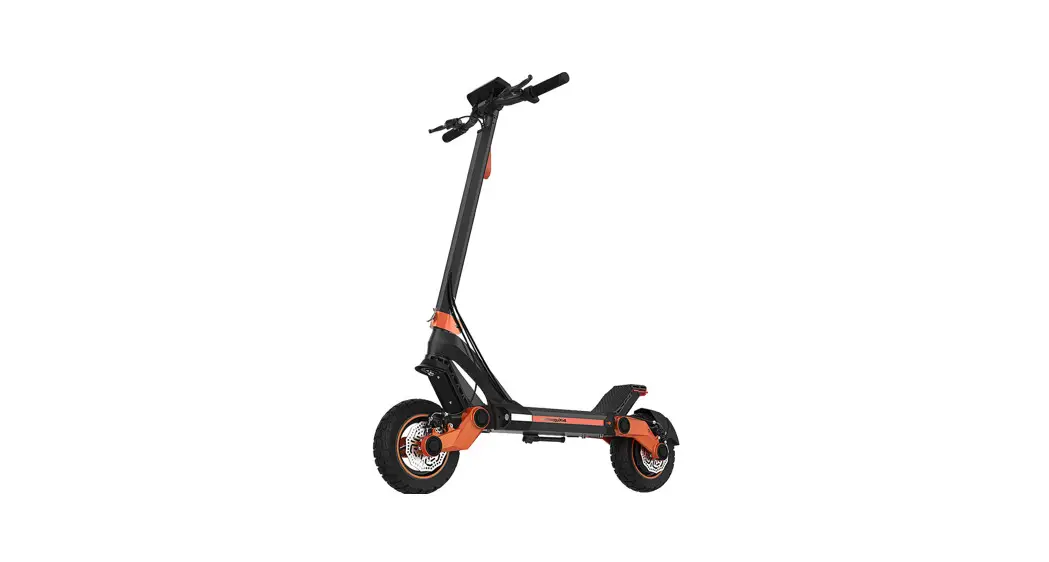
S1-C Electric Scooter
There are important instructions on safety and usage in the User Manual. You must read it entirely and carefully before your first ride. Packing List: Main Scooter, Battery Charger, User Manual, Warning Card, NFC card ( Optional function and its instruction manual), Sticker, Tools (Screw, Allen Wrench, Extended Valve)
*NFC card and its manual only support S1-C Pro models.
FUNCTION
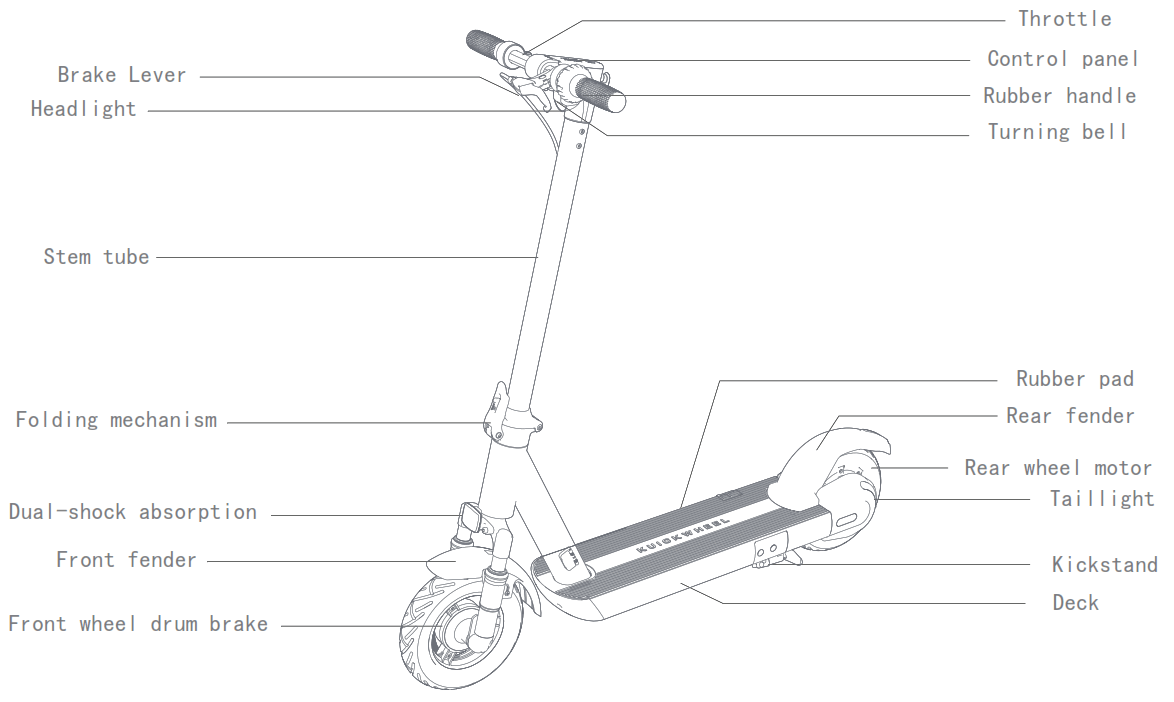
ASSEMBLY
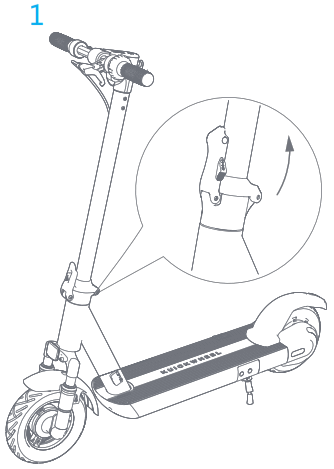
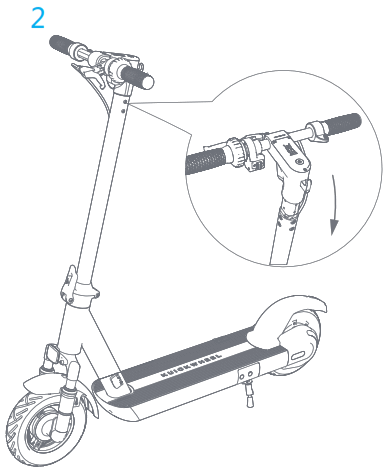
- Fix the stem tube and open the kickstand

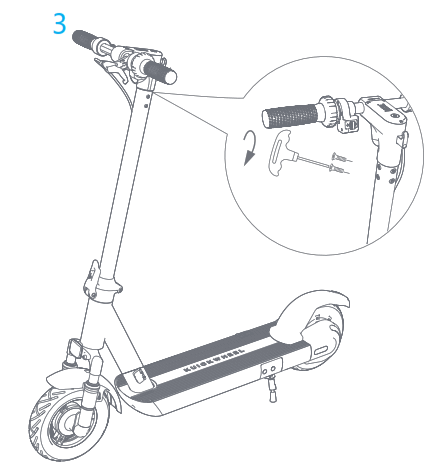
- Install the handlebar into the stem tube.
 ‘
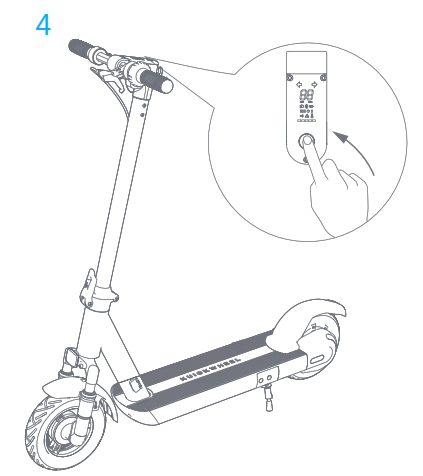
‘ - Use the hexagon wrench in the box to tighten the screws on both sides and the back of the handlebars.
Tips: When installing the screws, please install all the 6 screws on 1/2 of the pole, and then tighten them separately to prevent the front part from warping.
- After the installation is complete, detect by switching on and off.
 ‘
‘
DASHBOARD OPERATION
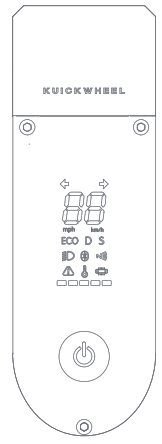
- Power Switch: S1-C(without NFC): Long press to power on; S1-C Pro(with NFC): short press to power on, then the scooter information will be displayed on the dashboard. Drive after unlocking the scooter by using NFC card, otherwise you cannot drive the scooter. Long press to power off.
- Mode Selection: 3 driving modes are available, which respectively are ECO mode (enegry-saving), D mode (Standard), and S mode (Sports). Single click to switch the mode.
- Speedometer: Indicates the current speed. Also displays error codes when faults are detected.
 LED Lighting: Double-click to turn on.
 Bluetooth: A solid Bluetooth icon indicates that the vehicle is connected to a mobile device. You can view the vehicle status after connecting to the APP via Bluetooth.
 NFC (optional function): When the NFC card is close to the display panel, the NFC logo on the panel will light up, and the buzzer will beep to indicate successful unlocking.
 Over-temperature Display: If the internal temperature of the controller and motor is too high during the operation of the vehicle, the panel will promptly display an over-temperature alarm.
 Failure Alarm: When the controller fails, the alarm symbol will light up to warn.
 Left and right turn signals: the left turn signal lights up when turning left, and so is the right side.*All S1-C Pro models
 Power display: when the power is more than 85%, the display is full, and it will gradually go out as the power drops.
 LED Lighting: Double-click to turn on.
 Bluetooth: A solid Bluetooth icon indicates that the vehicle is connected to a mobile device. You can view the vehicle status after connecting to the APP via Bluetooth.
 NFC (optional function): When the NFC card is close to the display panel, the NFC logo on the panel will light up, and the buzzer will beep to indicate successful unlocking.
 Over-temperature Display: If the internal temperature of the controller and motor is too high during the operation of the vehicle, the panel will promptly display an over-temperature alarm.
 Left and right turn signals: the left turn signal lights up when turning left, and so is the right side.*All S1-C Pro models
 Power display: when the power is more than 85%, the display is full, and it will gradually go out as the power drops.
CHARGING
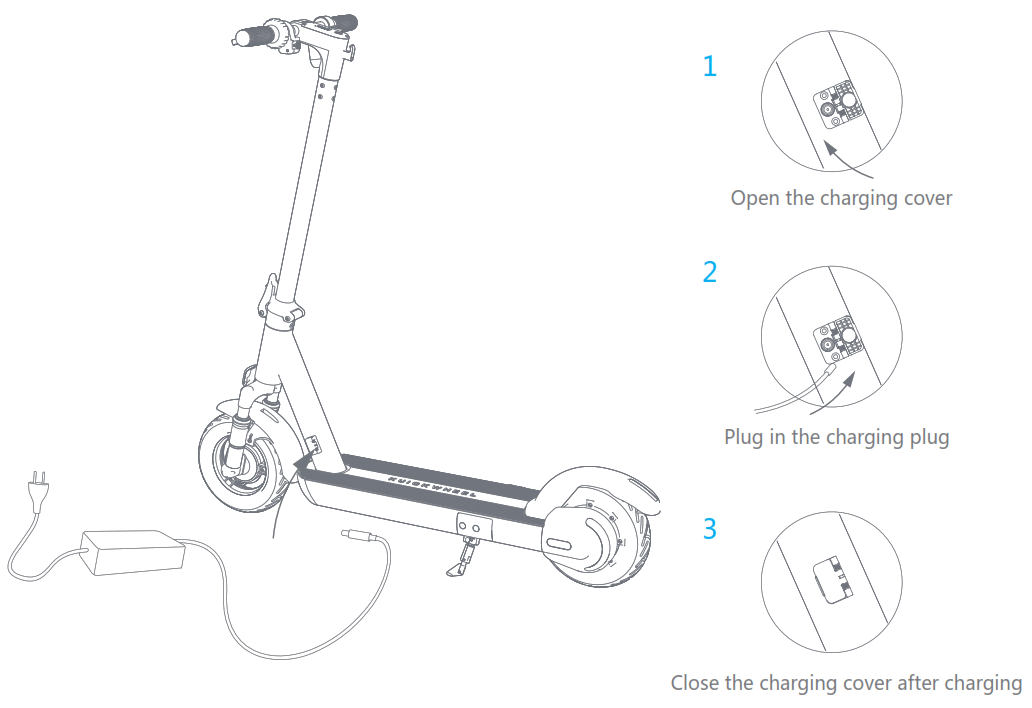
The charger indicator shows red for charging status and green for fully charged status.
BEGINNERS
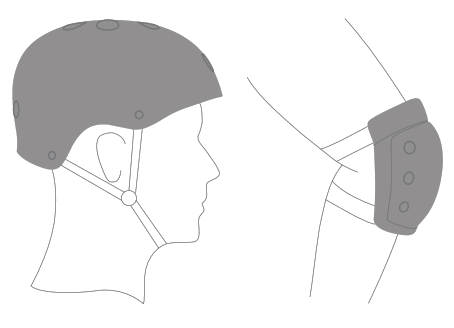
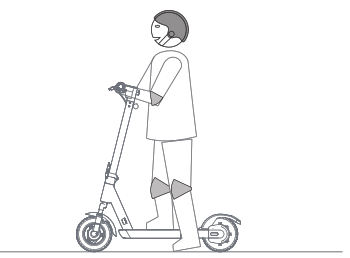
When you are learning,please wear helmets and protective gear during your rides.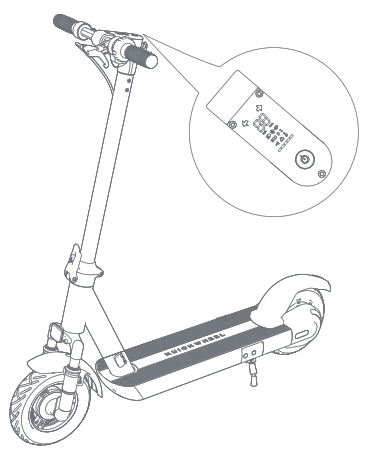
- Power on the scooter and check the indicator lamp power level. Charge the scooter if the battery level is low.

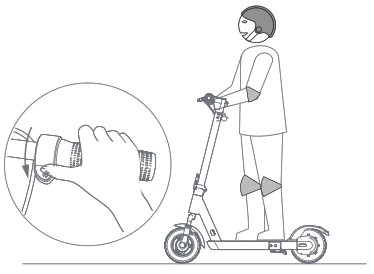
- After turning on and unlocking the scooter , stand on the footrest with one foot and push off with your other foot to start gliding.

- Put your other foot on the footrest to keep both feet stable. Press the throttle on right hand to speed up when you are balanced.Note, for your safety, the motor will not engage until the scooter reachs 5km/h

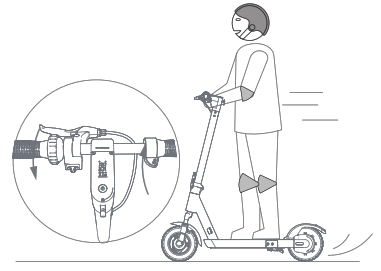
- Slow down by releasing the throttle, hold the brake lever in order to make a brake, please note that the rear fender is not a mechanical braking and do not stamp it with foot while riding.

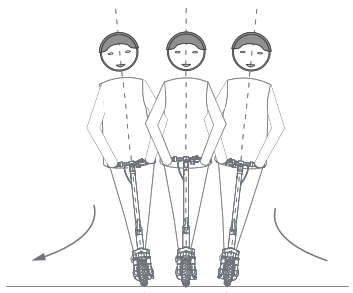
- To turn, shift your body weight and turn the handle slightly.
AVOID POTENTIAL SAFETY HAZARDS
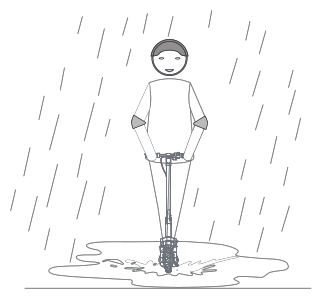
 Do not Recommend Using when Raining or Freezing
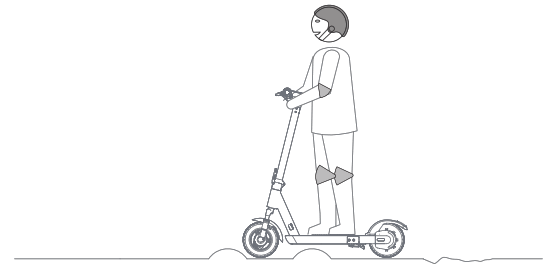 DO NOT ride over speed bumps, thresholds, or other bumps at HIGH SPEED.
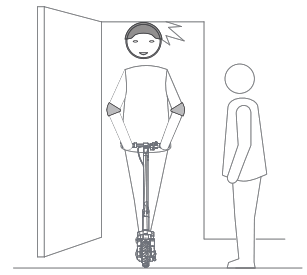 Watch your head when passing through doorways.
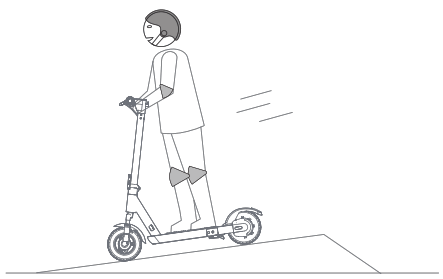 Watch your speed when traveling downhill.
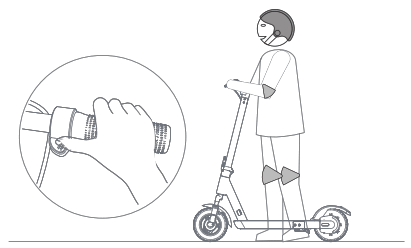
DO NOT press the throttle when walking with the scooter.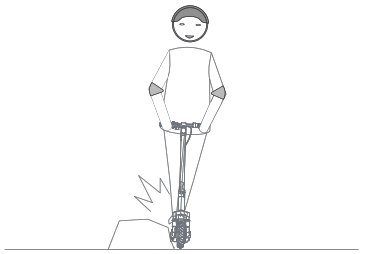
Avoid contacting obstacles with the tire/wheel.
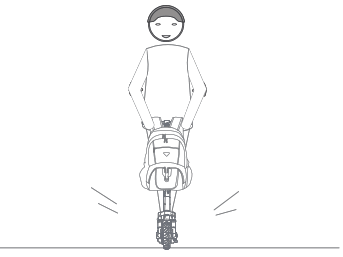 DO NOT carry heavy objects on the handlebar.
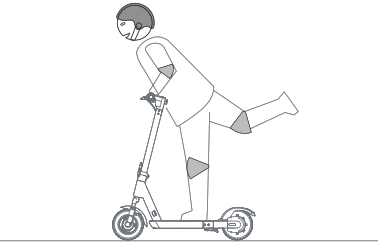
DO NOT ride the scooter with only one foot.
NO DANGEROUS ACTIONS
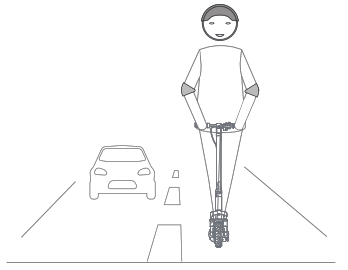
 DO NOT ride on public roads, motorways, or highways.
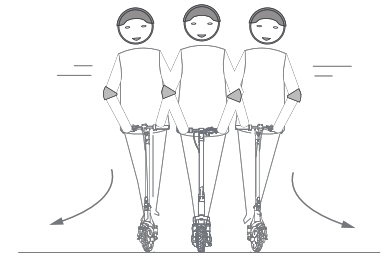 DO NOT rotate the handle violently while driving at high speed.
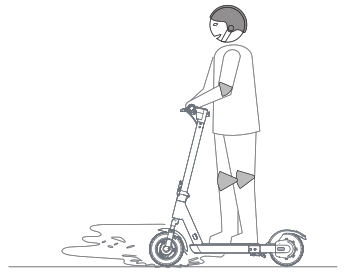 DO NOT ride the scooter in the rain or on the road with water in excess of 2cm depth.
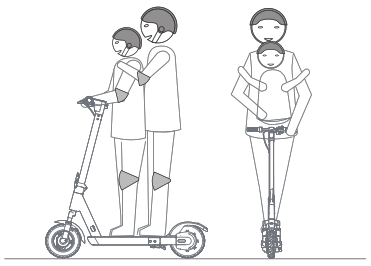 The scooter is for one rider only. Do not ride double or carry any passengers. Do not carry a child.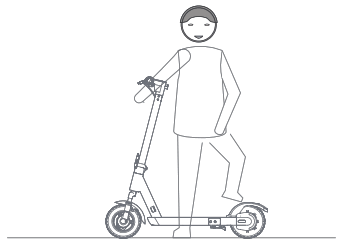
DO NOT trample the rear end of the fender.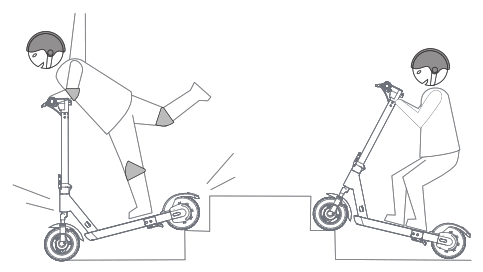
DO NOT ride up and down stairs or jump over obstacles.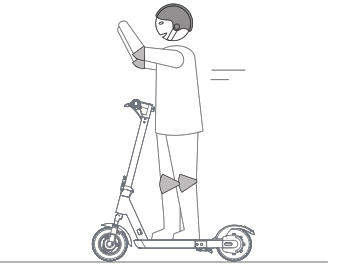 DO NOT take your hands off the handlebar while riding. Do not ride with one hand only.
SAFETY INSTRUCTIONS
Please understand that you can reduce the risk by following all the instructions and warnings in this manual, but you cannot eliminate all the risks. Remember that whenever you ride the vehicles you risk injury from loss of control, collisions, and falls. The electric scooter is an intelligent and convenient transportation tool to meet the needs of short-distance. When entering into public spaces always comply with the local laws and regulations.For related laws and regulations, please consult the relevant local departments or contact our agents and after-sales departments.
Note:
- Always wear helmets, gloves, elbow pads, knee pads and other safety protective equipment when riding;
- Check whether the power is sufficient and any abnormal noise or looseness before riding;
- Ride on slippery roads is forbidden, especially on icy and snowy roads;
- Recommend not to ride on up and down slopes exceeding 15°;
- Ride on rainy days is forbidden;
- Not recommended for children under 15 years of age to learn and ride;
- Avoid sudden acceleration and deceleration, do not lean forward and lean backward too much, and prohibit speeding; when the power is insufficient, please keep riding at a low speed and charge as soon as possible;
- Focus on protecting personal safety when risk of falling and always adhere to the principle of ” people are first”;
- Do not put your hands in your pockets when riding to prevent unexpected situations;
- Do not leave the scooter in the trunk of the car for a long time in high temperature weather;
- Always comply with the local laws and regulations and keep a safe distance between you and other people or vehicles when riding.
- Ride in a controlled condition at a speed that is safe for yourself and others around.
- Do not frighten people in public space, especially children; warn people and reduce speed when passing behind them ;
- Keep an appropriate safety distance with other riders, avoid danger and obstacles, and do not ride side by side unless there is enough space to pass through;
- Do not ride in the dark place, if necessary, reduce the speed and stay alert;
Reverse riding is dangerous, try to avoid backward riding;
Active safety protection measures
Please read this manual carefully and understand and approve the contents.
- Do not let others use your scooter unless they have read this manual carefully;
- Please take good safety protection measures during driving. Whenever you ride, please wear an approved helmet with a hatband that can conform to the head shape and can protect the back of the head, and wear protective equipment such as gloves, eye protection equipment, elbow pads and knee pads;
- Do not ride if you are not well or cannot follow the instructions or warnings in this manual; do not ride under the influence of alcohol or drugs;
- Please get off the scooter and charge it in time to ensure safety when the scooter power is low, the alarm is continued and the speed is limited;
- Do not lift the scooter from the tire to avoid getting fingers stuck between the tire and the shell;
- Please check the scooter each time before riding. If any looseness or damage is found, do not ride before trobleshooting.
Please speed up slowly. Sudden acceleration can easily cause the scooter to lose its balance and cause the rider to fall and get injured! This is a dangerous habit and is responsible for most accidental falls and off-balance injuries. Sudden dangers may occur during the ride, so ride carefully at all times. The company shall not be responsible for any personal injuries caused by failure to follow the instructions in the manual.
When charging an electric scooter, please choose an official charger and charge it in a safe, open and ventilated location designated by the community. It is forbidden to charge in an enclosed environment such as humid environment or family living room and bedroom containing flammable and explosive materials.
Daily maintenance
If the surface of the scooter is stained, use a soft cloth dipped in a little water to wipe it; If it is difficut to clean, use the toothpaste and brush repeatly the stain with the toothbrush,then clean it with the wet cloth.
Do not use alcohol, gasoline, kerosene, or other corrosive, volatile chemical solvents to clean, otherwise it will seriously damage the appearance and internal structure of the scooter.It is forbidden to spray and wash with a water torch. Ensure that the scooter is turned off during cleaning, and the charging cable has been unplugged and the rubber plug of the charging port is strictly tightened, otherwise it may cause electric shock or serious failure due to internal water ingress.
Place the scooter in a dry and cool place indoors , and avoid storing it outdoors for a long time. Exposure to the sun/over-heat/over-cold outdoors can accelerate the scooter appearance and tires of aging and reduce the life of the battery pack.
Maintenance of scooter battery pack
Do not put the battery pack in a high-temperature environment above 50℃ or a low-temperature environment below -20°C (for example, do not put the scooter or its battery pack in a car exposed to summer exposure). It is forbidden to put the battery pack into a fire, otherwise it may cause the battery to fail, overheat, or even catch fire.
Avoid completely exhausting the battery before recharging, and try to use it as much as possible, which can greatly extend the life of the battery. In addition, the battery can play a higher cruising range when used at normal temperature; the battery life and performance will be reduced if is used in an environment below 0°C. Typically, in the -20 ℃ environment, the cruising range may only be half or less than at room temperature. After the temperature rises, the battery range will be restored.
When the scooter is not used for a long time, it is recommended to charge the scooter battery every 0.5 to 1 month.
(Note: If the battery emits a strong smell or becomes hot, stop using the product immediately. Non-professionals are forbidden to disassemble the battery pack at will, otherwise it may cause serious safety accidents due to electric shock or short circuit!)
MODEL PARAMETER TABLE
| Parameters | Item | S1-C | S1-C Pro |
| Dimension | Folding Size(mm) | 1155*455*625 | |
| Height(mm) | 1195 | ||
| Weight | Max load(kg) | 120kg | |
| Net Weight(kg) | 21kg | 22kg | |
| Riders | Recommended Age | 16~50 | |
| Required Height(cm) | 120~200 | ||
| Machine parameters | Max speed(km/h) | ≤25 | |
| Theoretical cruising(km) | 30km | 50km | |
| Climbing Slope | 20% | 25% | |
| Operating temperature | -10℃~40℃ | ||
| Waterproof level | IPX5 | ||
| Battery pack parameters | Rated voltage(V) | 36V | |
| Max charging voltage(V) | 42V | ||
| Battery capacity(Ah) | 7800mAh | 13000mAh | |
| Motor parameters | Rated power(W) | 350W | 500W |
|
Charger Parameters | Rated power (W) | 84W | 126W |
| Rated Input Voltage(V) | 100V~240 V/50HZ~60HZ | ||
| Rated Output Voltage(V) | 42 V | ||
| Rated current(A) | 2A | 3A | |
| Charging time(h) | 4h | 4.5h | |
| NFC | Card | NO | YES |
Note: The data and parameters may vary with different models. No additional notice will be made in terms of any variation.
*Endurance: Tested under full power, with a load of 75kg, 25℃, and driving at a constant speed on the road at a speed of 15km/h. (The specific endurance depends on the weight and road conditions)
WARRANTY POLICY
1. Warranty Policy
Users can enjoy the following “3 guarantees” service when the product performance failure of non-human damage occurs during the warranty period:
- The equipment performance problem occurs within 7 days after the product is purchased. On the basis of not affecting the secondary sales, consumers can choose to return, exchange or repair.
- The equipment performance problem occurs within 15 days after the product is purchased, consumers can choose to exchange or repair it.
- The 7-day return no reason is only applicable to the goods sold on the official e-commerce platforms such as the Kuickwheel official website, Kuickwheel tmall store and Kuickwheel Jingdong store. The round-trip logistics expenses incurred by the 7-day return no reason shall be borne by the consumers.
7 days “no reason” return needs to meet one of the following two conditions
- The product is unopened after receipt, and the package and scooter body are intact;
- The product is opened after receipt, the scooter body and all related accessories (such as chargers, manuals, etc.) are intact, the product has no traces of use, and does not affect the secondary sale of the product. For specific standards, please contact customer service (400-186-1968)
Friendly reminder: due to the protection of the packing box during transportation, it is recommended that you keep the packing box for at least 15 days from the date of signing. The scooter body and all related accessories (such as chargers,manuals, etc.) within 7 days/15 days must be intact.
Limited Warranty Period of Vehicle Body and Other Components
| Category | Warranty Parts | Warranty description | Warranty Period |
| Vehicle Body | Deck, Front Fork Assembly; Handlebar, Wheel hub | Natural deformation, fracture and other quality problems caused by manufacturing; non-human functional failure or large-area appearance damage (exclude self modification and artificial ) | 1 Year |
|
Other Components | Motor, Controller, Charger | Quality problems caused by manufacturing; non-human functional failure or large-area appearance damage (exclude self modification and artificial ) | 1 Year |
| Battery Pack | No external force impact, abnormal voltage, unable to charge, capacity less than 60% by discharge meter (exclude not follow the user’s Manua l for maintenance, not regularly charged, self modified and artificial ) | 1 Year | |
| Brake, Throttle,Headlight,Taillight Dashboard, Drum Brake, Foldable Stem, All Cables, Folding Buckle, Folding Hook,Kickstand | Natural fracture (exclude self modification and artificial ) | 3 Months | |
| Components Subject to Wear | Tires, Fender, Anti-collision Strip, Display Cover, Grips, Decorative Cover, Battery Case Cover,Deck Pad; Charge Port Cover, Reflective Sticker, Extended Valve, Password Lock, Bell | Quick-wear part | Exclude in warrenty |
2. Non-warranty Policy
- The 3 guarantees validity period has been exceeded;
- Damage to human factors;
- Any damage caused by failure to use, maintain and adjust in accordance with the requirements of the “S1-C Manual”;
- The invoice information does not conform to the product;
- Damage caused by irresistible factors;
- Failure or damage caused by forcibly use of the product in excess of normal operating conditions, such as overload, cycling over obstacles (including but not limited to riding down steps, falling, etc.), and damage caused by extreme sports;
- Disassemble or repair without authorization of Kuailun Technology;
- Malicious damage to the scooter body information, serial number and other operations;
- Failure and damage caused by other non-product design, manufacturing, quality and other factors.
3. Returns and Exchanges
| Category | Period | Eligibility | Description | |
| Returns | 7 Days | Functional or product quality issues as prescribed by national law | Tested by Kuickwheel Technology or authorized service providers with a testing report confirming the quality problem. | The applicable period for the Limited Warranty begins from the later of the original purchase date of the Product from an authorized Kuickwheel Distributor or Dealer. |
| Exchanges | 15 Days | Functional or product quality issues as prescribed by national law | Tested by Kuickwheel Technology or authorized service providers with a testing report confirming the quality problem. | The applicable period for the Limited Warranty begins from the later of the original purchase date of the Product from an authorized Kuickwheel Distributor or Dealer. |
CONTACT US
During your use, if you have any questions about riding, maintenance and security, or feedback to the manufacturer about the failure of your product, you can contact us in the following ways, we are very happy to provide you with help services.
There is an official QR code on the back cover of this manual. You only need to scan with your mobile phone to log in to the official website. For more information about the latest products. Please pay attention.
Authorization: Nanjing Kuailun Intelligent Technology Co., Ltd.
Address: F15, Building B, Innovation Science Park, 6-3 Xingzhi
Road, Qixia District, Nanjing, Jiangsu Province
After-sales Tel: 400-186-1968
Authorization: Nanjing Kuailun Intelligent Technology Co., Ltd.
Address: F15, Building B, Innovation Science Park, 6-3 Xingzhi
Road, Qixia District, Nanjing, Jiangsu Province
After-sales Tel: 400-186-1968

Kuickwheel reserves the right to make changes to the vehicle, release firmware updates, and update this manual at any time. Visit www.kuickwheel.com to download the latest user materials. You must install the App to follow the new rider tutorial, activate your vehicle, and obtain the latest updates and safety instructions.
 Best Ebike & Escooter - Kuickwheel