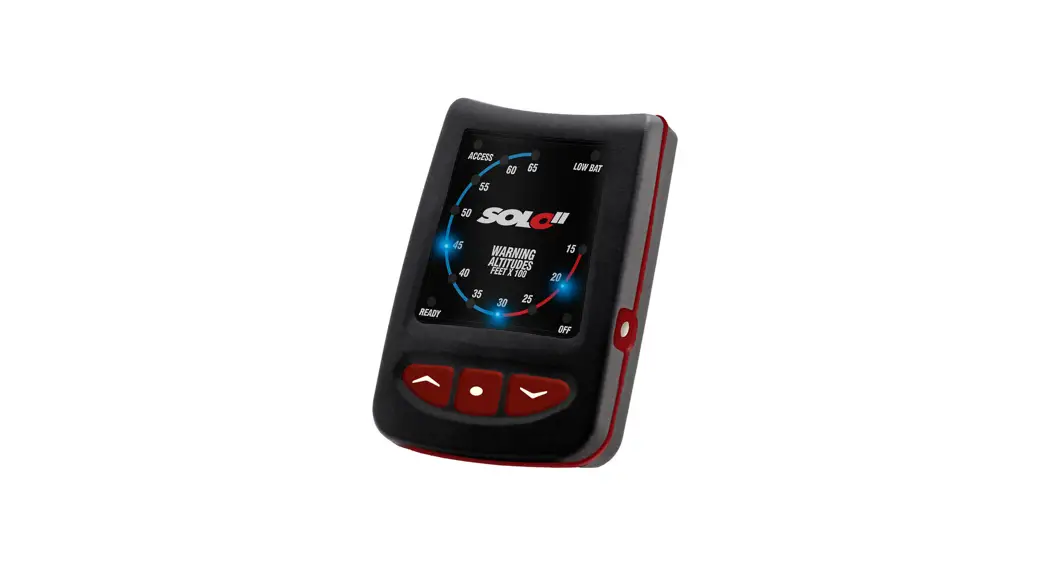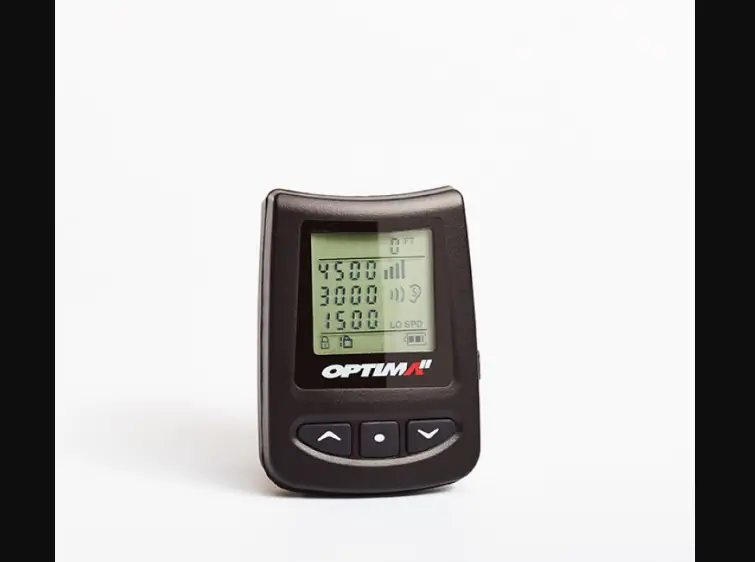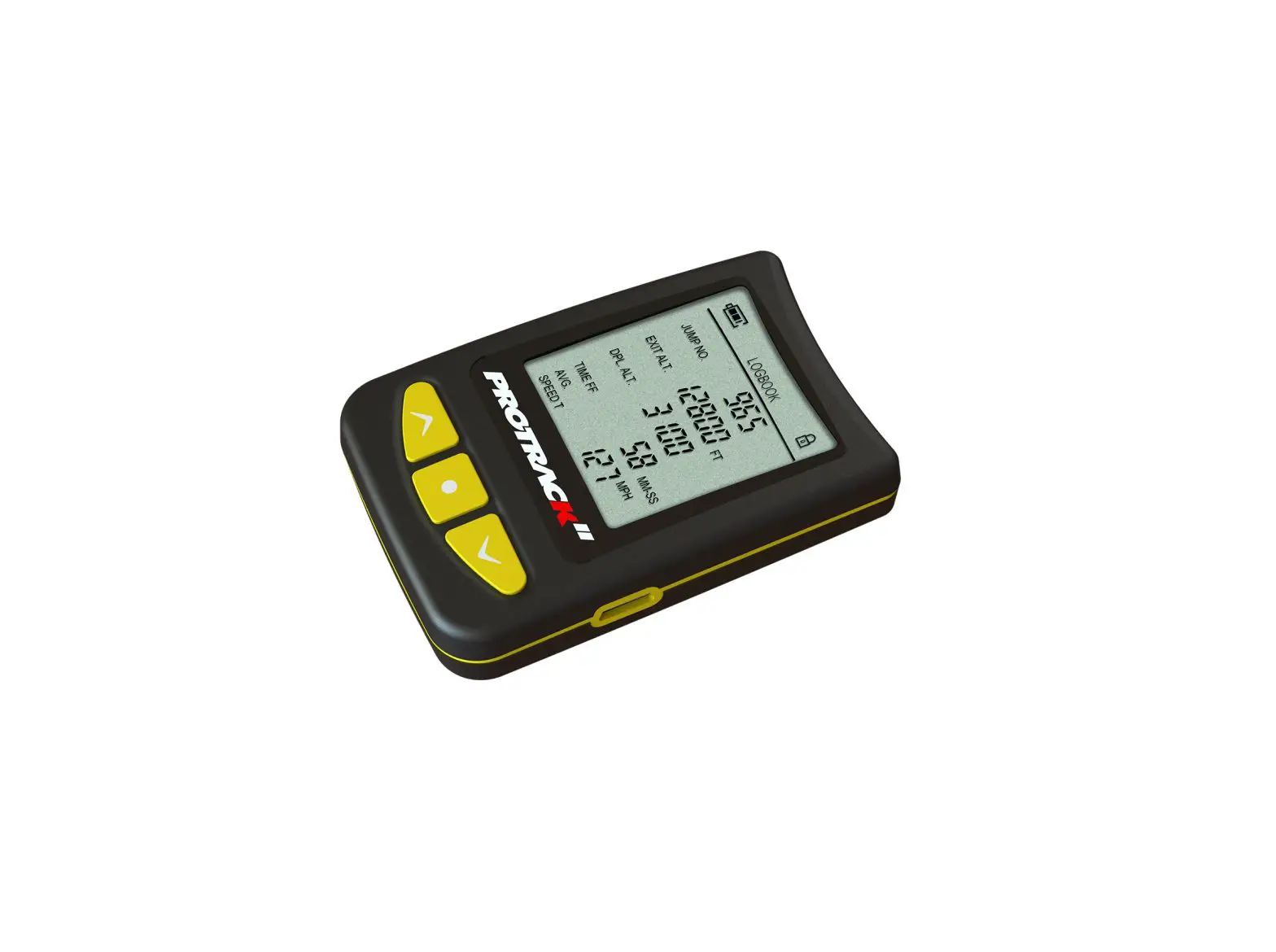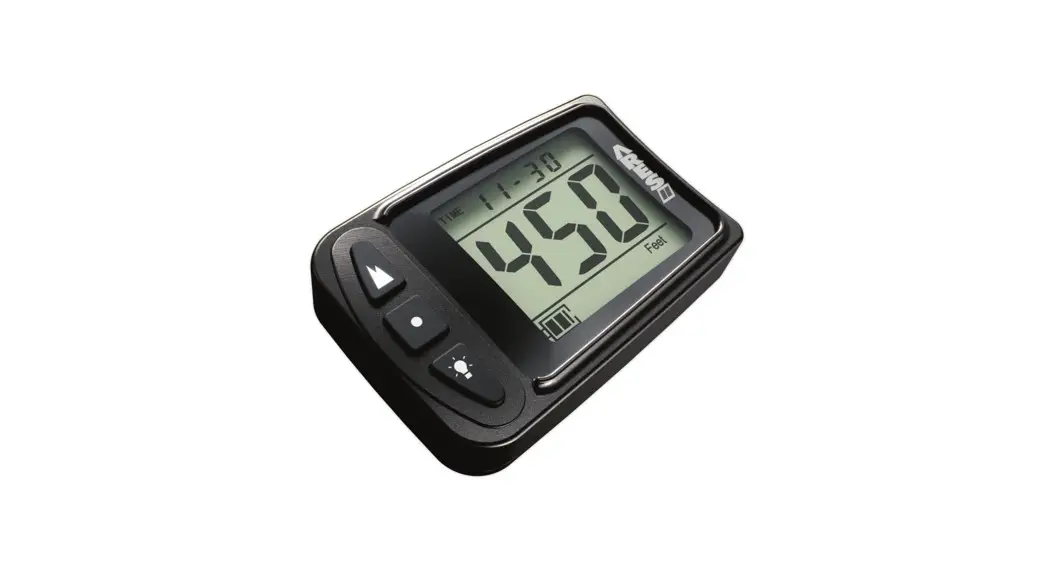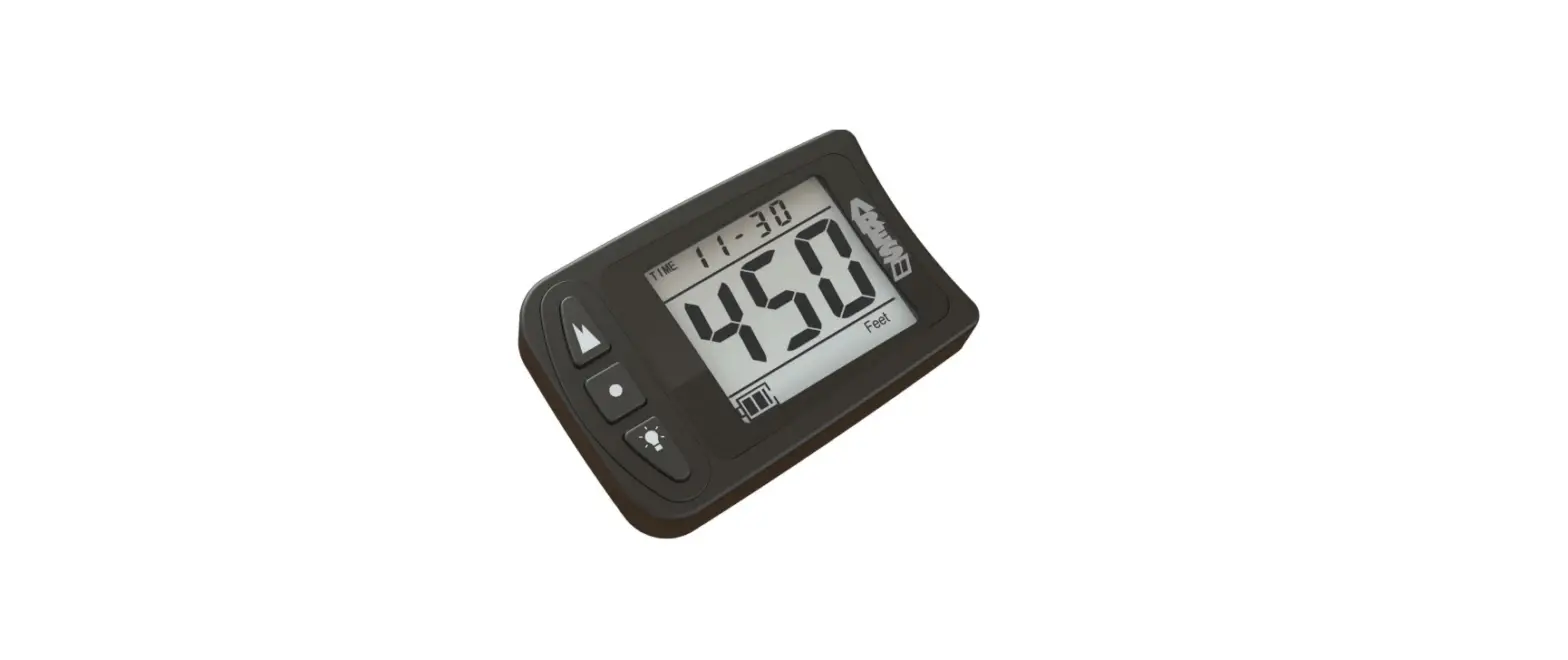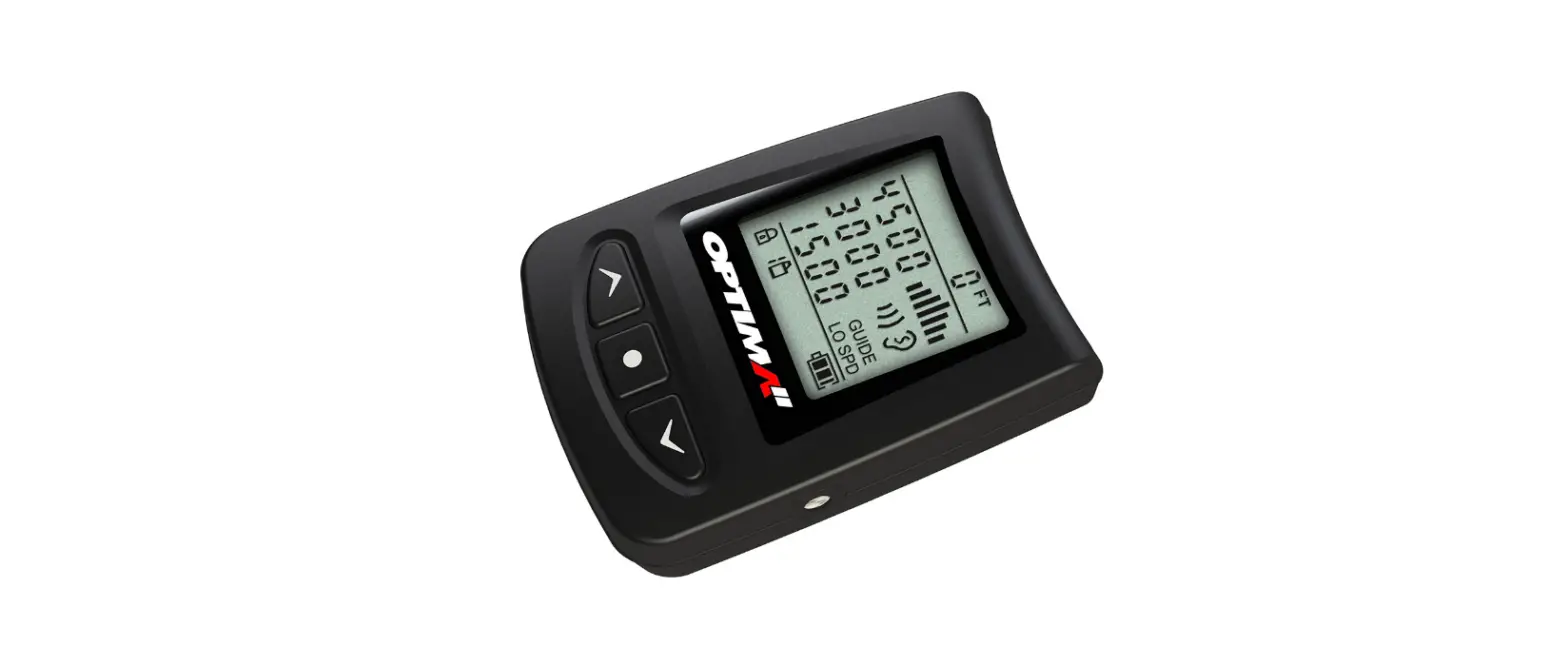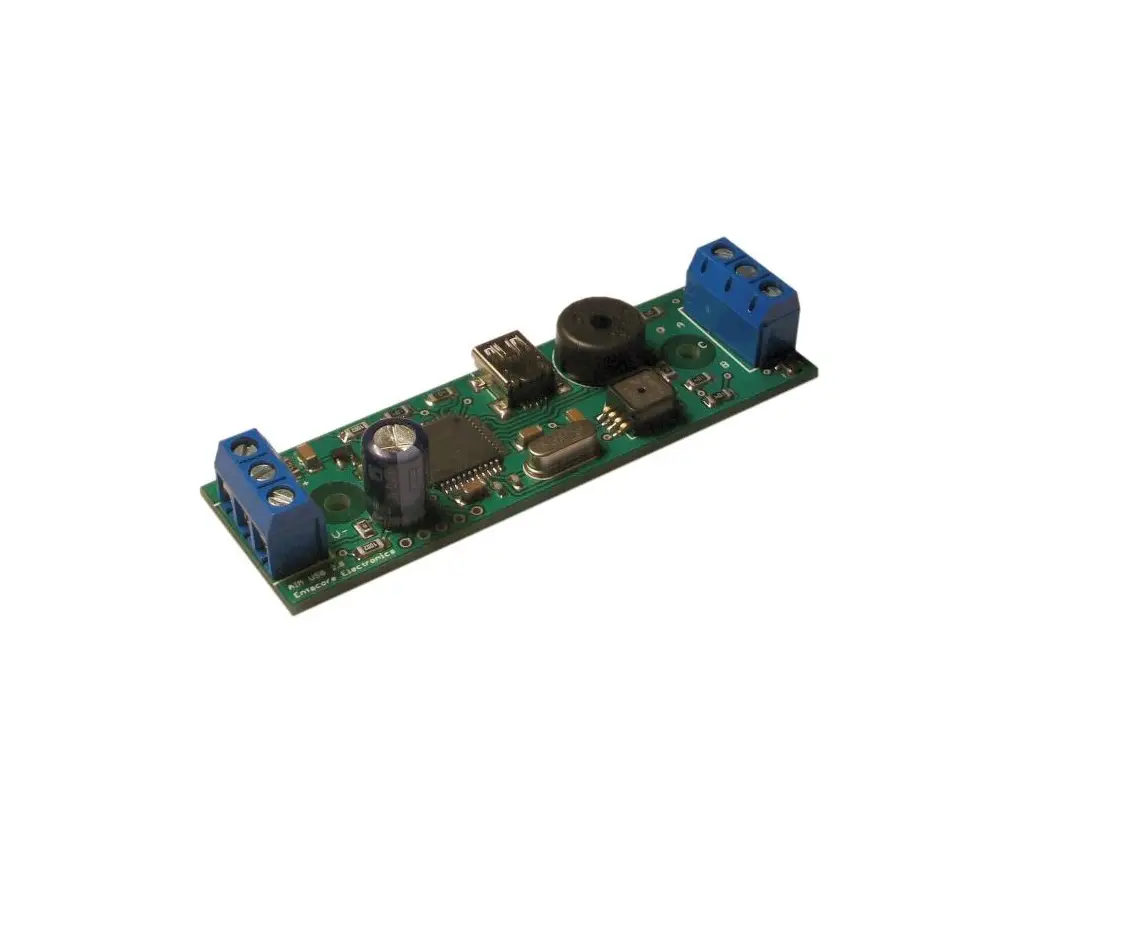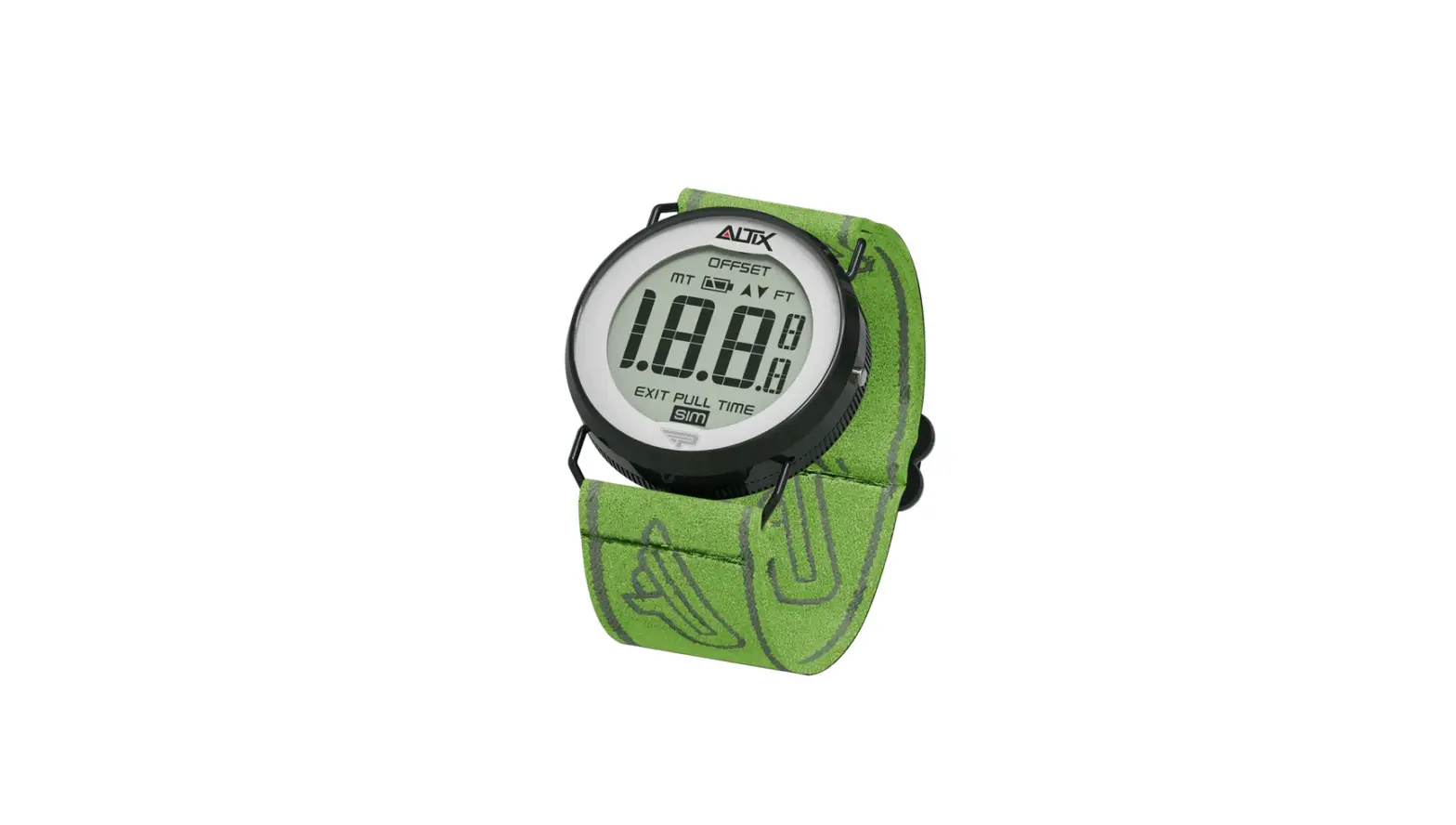

LB ALTIMETERS ALFA Military Altimeter 
INTRODUCTION
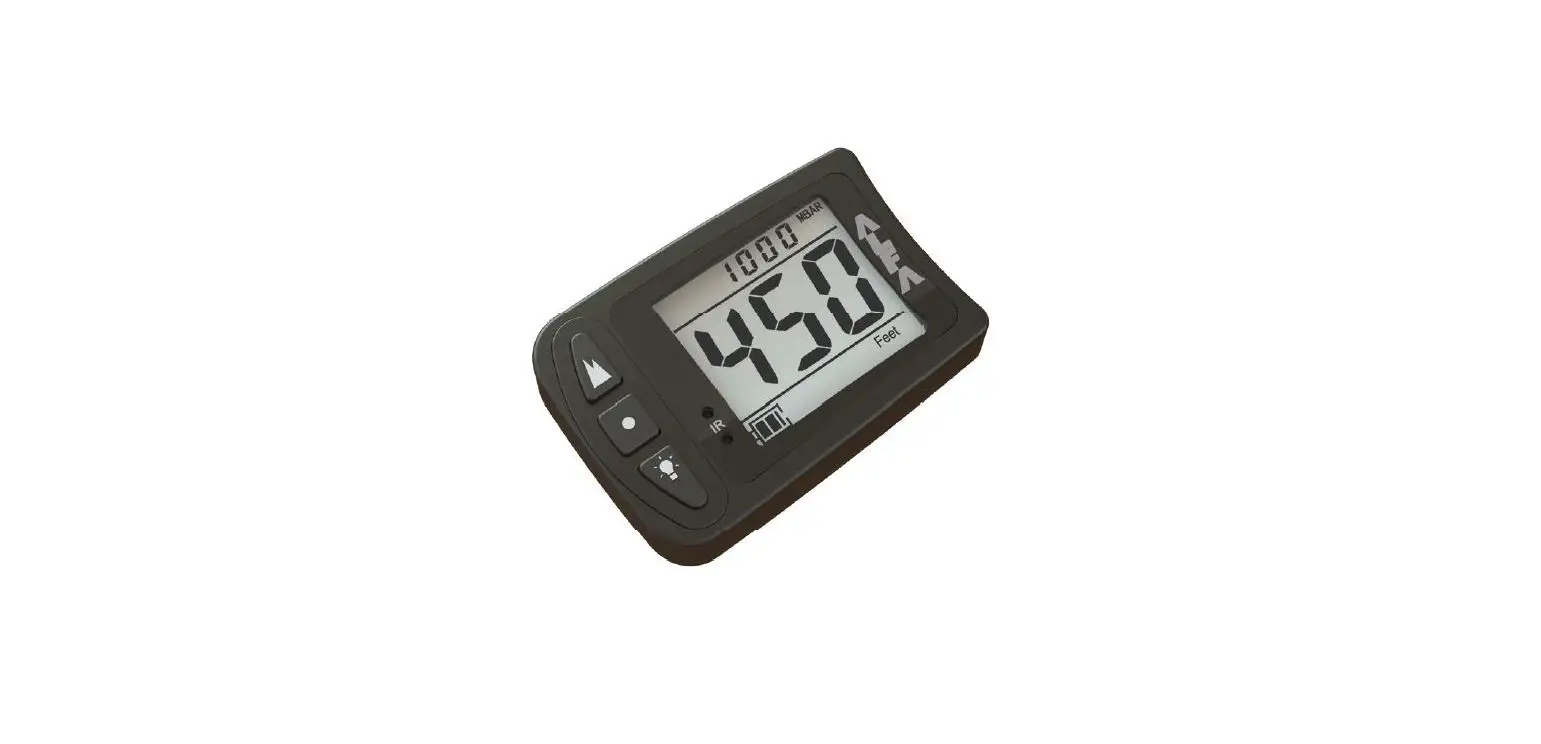
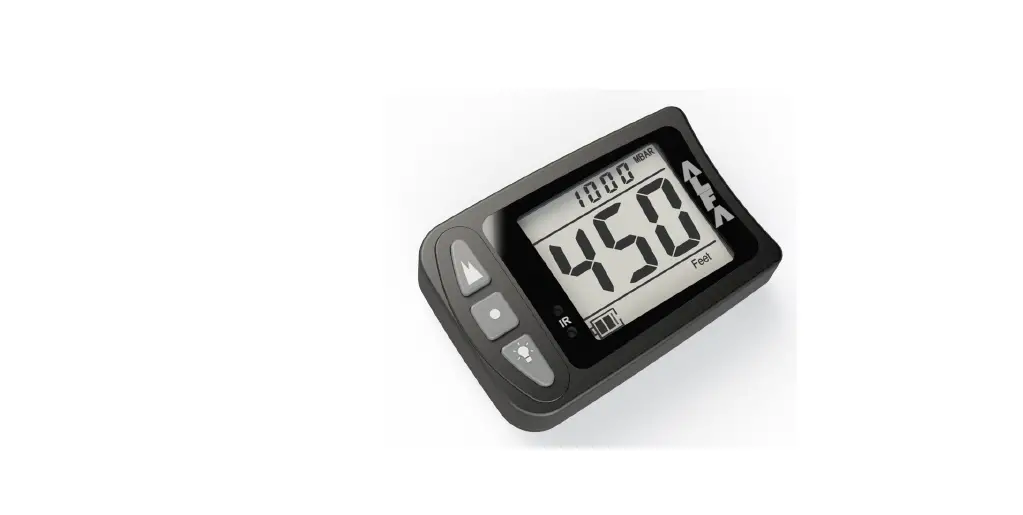
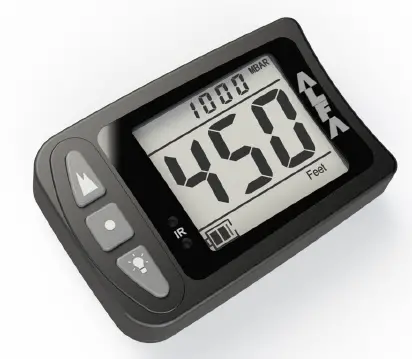
The ALFA is the most high-end, accurate, and reliable visual digital altimeter to be developed by LB Altimeters to date. The ALFA software includes second-to-none error correction to ensure correct live altitude readings in any application
Features
- Large high contrast, non-flicker, LCD display
- Electroluminescent backlight for night jumping
- Waterproof and shock-resistant aluminum casing with hardened glass
- Quick buttons for access to primary functions
- Jump profile playback
- Basic logbook and daily jump counter
- IR access functionality, to use with optional AltiSet II Remote Control
Functions
- Calibration to the local elevation
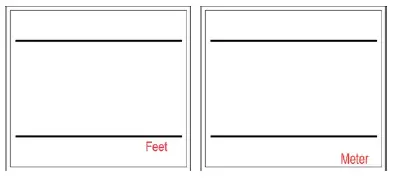
- User selection of feet / meter and mph / kmh
- Stores up to 10 min of data from the last jump
- Log book stores up to 200 jumps including:
- Date / time
- Exit/opening altitudes
- Freefall time
- Max / average speed
DESCRIPTION 
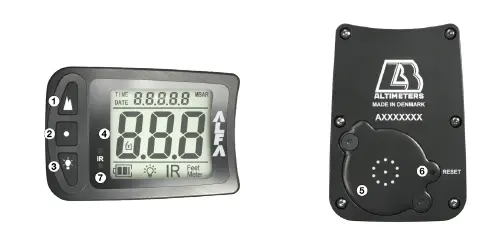
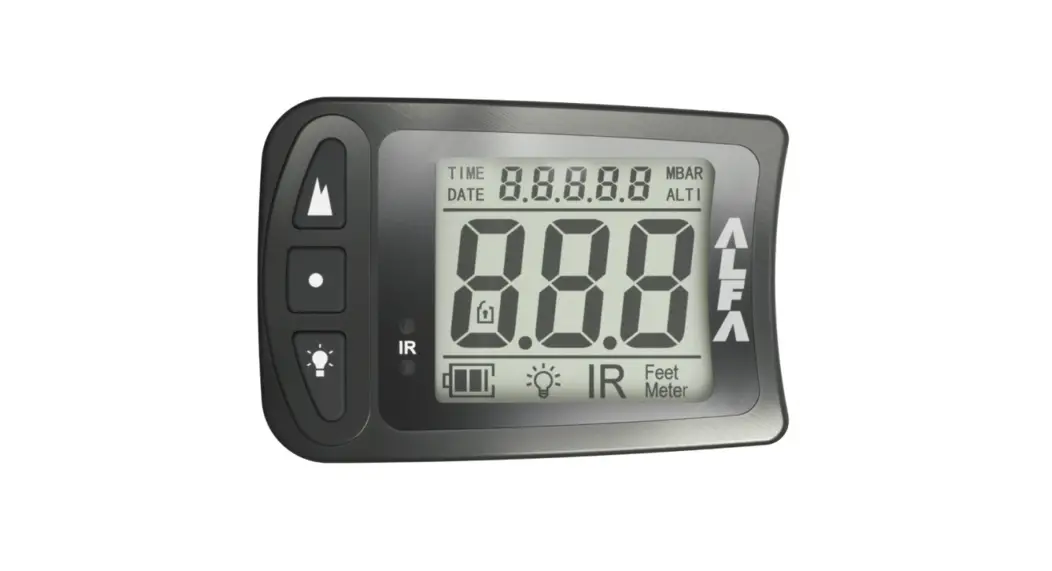
- Altitude Offset / Up
- Main
- Backlight / Down
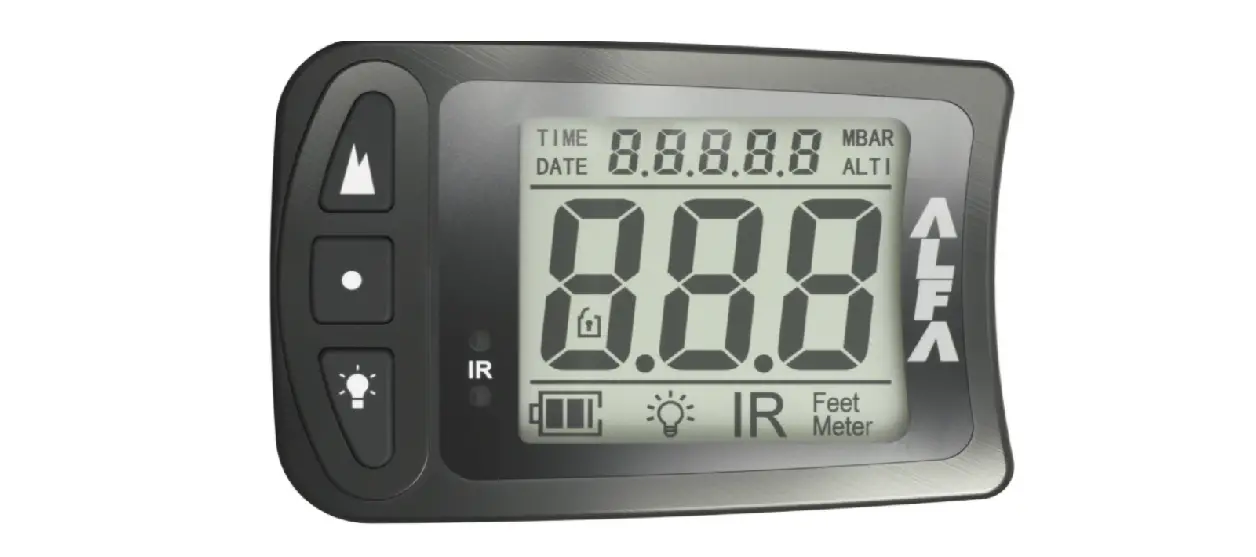
- Display
- Battery cover
- Reset button
- IR port
DISPLAY
Startup
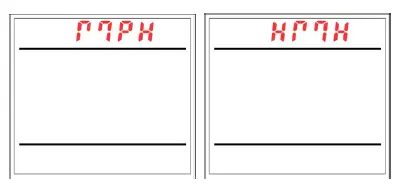
When turning ON ALFA, the unit will display the following during the startup self-test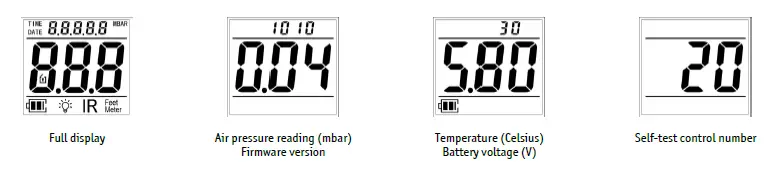
Main window
The main window is the default window after the unit is turned ON, and starting point for any further actions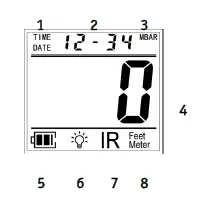
- Time/date indicator
- Time/date display
- bar indicator
- Altitude display (flashing when negative)
- Battery indicator
- Backlight indicator
- IR Mode indicator
- Feet/meter indicator
Altitude window
Shortly after take-off, the main window will automatically display altitude readings The displayed altitude increments (feet/meter) depend on the current altitude 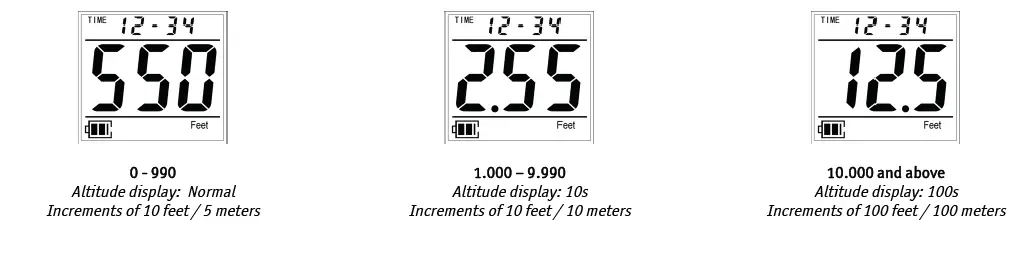
Logbook and Jump Info / Settings
Display examples, after performing ACCESS, are shown in the separate sections
Jump Profile
The jump profile window is used when playing back the last jump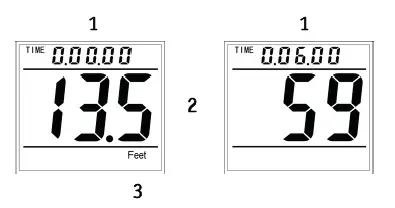
- Time display
- Altitude display / Speed display
- Feet/meter indicator
Battery Indicator
The battery indicator shows the current battery status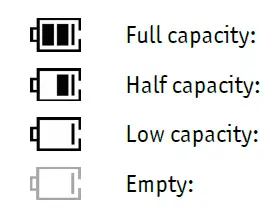
- Two black bars are shown inside the battery symbol
- One black bar is shown inside the battery symbol
- The battery symbol is empty. The batteries must be replaced as soon as possible
- The battery symbol is flashing. Do not continue jumping. Replace batteries immediately
Warning: Do not perform night jumps, or jumps in sub-zero temperatures (Celsius) when the battery symbol shows the low capacity
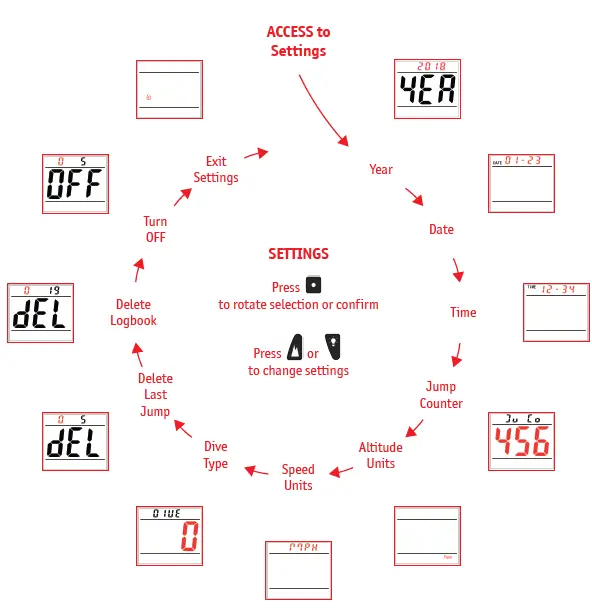
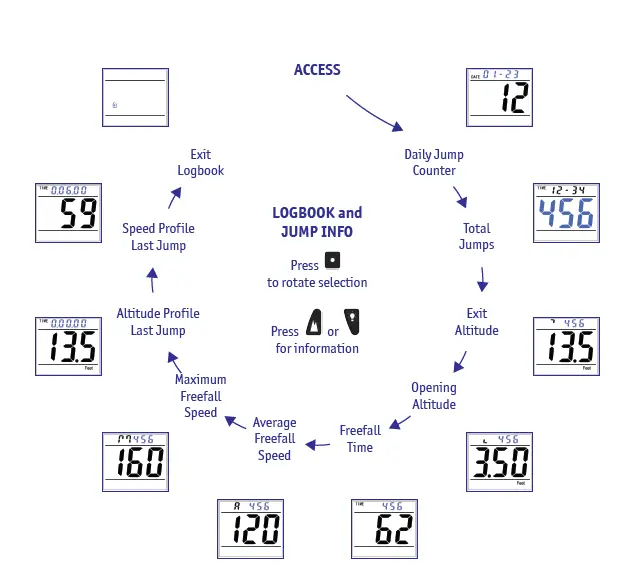
The ALFA menu system consists of 3 separate areas, which include the following (use road map for reference)
Quick Buttons
- Turn ON unit
- Altitude Offset IR Mode Backlight
Logbook and Jump Info
- Daily Jump Counter
- Total Jumps
- Exit Altitude
- Opening Altitude
- Freefall Time
- Average Freefall Speed Maximum Freefall Speed Altitude Profile – Last Jump Speed Profile – Last Jump
Settings
- Year
- Date
- Time
- Jump Counter Units – Altitude Units – Speed Dive Type Delete Last Jump Delete Logbook Turn OFF
PERFORMING ACCESS
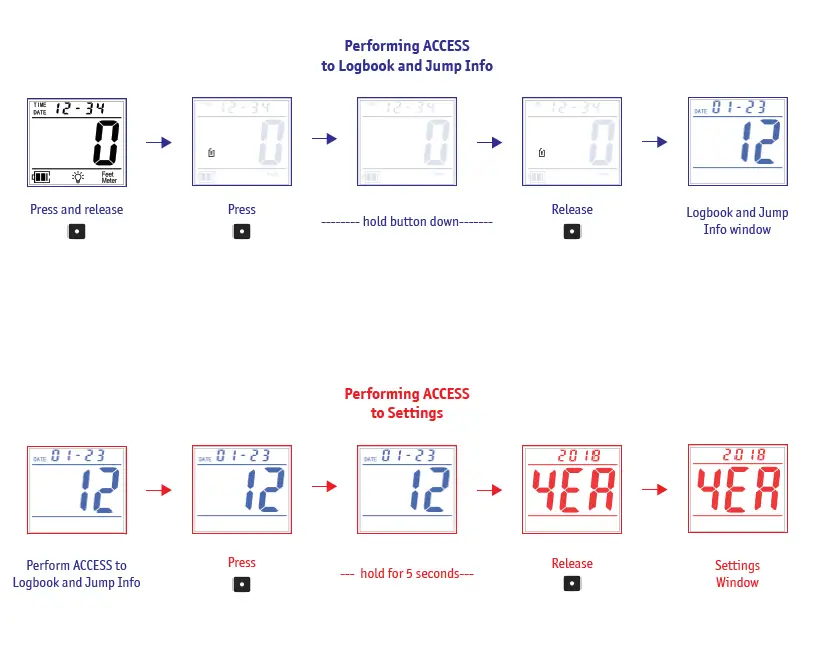
In order to access each of the individual areas, the following steps must be performed from the main window (use road map for reference)
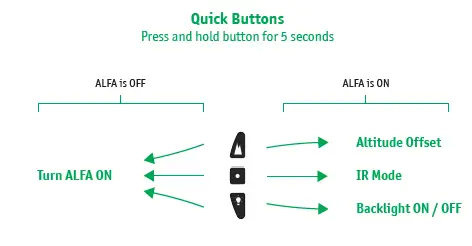
Quick Buttons
Press and hold the designated button for 5 seconds
Logbook and Jump Info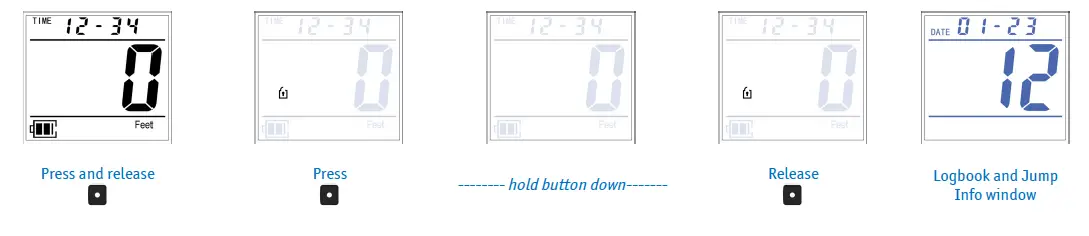
Settings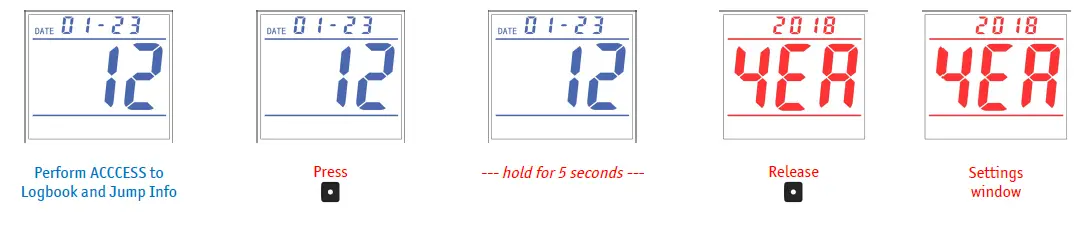
Q Quick Buttons are accessible from the Main Window and do not require ACCESS
Turn ON unit
Turn ON ALFA on the ground before use. The unit runs a self-test and calibrates to the current ground level The ALFA will stay turned ON for 14 hours after the last jump or after the last ACCESS performed
With the unit OFF, press and hold any button for 5 seconds 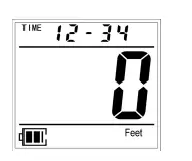
If ALFA is turned on during flight, the present altitude must be adjusted manually
Altitude Offset
Use Altitude Offset to adjust for altitude difference between landing zone and take-off elevation To ensure proper ground reference on landing zone:
Select a positive altitude offset, if take-off elevation is HIGHER than the landing zone Select a negative altitude offset if take-off elevation is LOWER than the landing zone 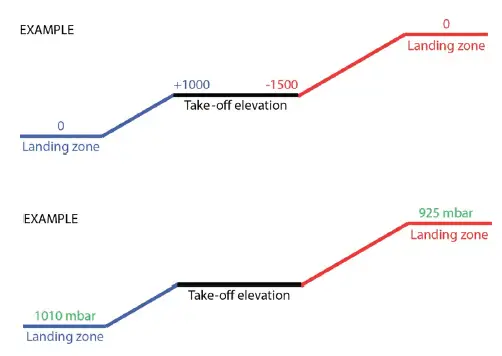
Alternatively, enter the absolute air pressure for the landing zone: Select the mbar value registered/calculated for the landing zone
Press and hold for 5 seconds
Press to confirm altitude/Mbar
Press to reduce altitude/Mbar
Press to confirm Altitude Offset setting
The Altitude Offset will now be displayed in the main window (flashing when negative)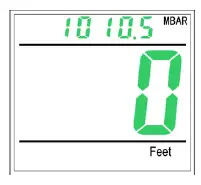
Altitude Offset must be confirmed within 15 seconds following an altitude change
Altitude Offset is canceled if no button is pressed within 15 seconds
Note: If using Altitude Offset during flight either use the aircraft altimeter for reference or enter the absolute air pressure for the landing zone
IR Mode
Activate/Deactivate IR Mode for communication with AltiSet II remote control
Press and hold for 5 seconds
IR will flash and IR mode is active for 2 minutes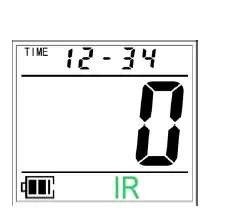
Activate IR Mode on AltiSet II
Point the AltiSet II at the IR port
ALFA adjusts to the AltiSet II preset altitude and/or backlight
Press to exit IR mode
Note: Refer to the AltiSet II manual for more information on using the AltiSet II remote controls
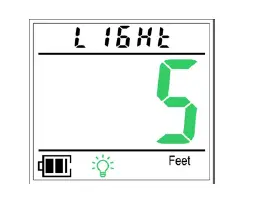
Backlight
- Indicates if the backlight is ON or OFF
- Enable/disable backlight:
- Press and hold for 5 seconds
- The backlight intensity can be set in 10 steps after the backlight is turned ON Step 1 = lowest intensity, step 10 = highest intensity
- Press to increase the intensity
- Press to decrease the intensity

- ALFA stores the last setting
- Press to continue
- Backlight will turn OFF automatically after 30 seconds if ALFA is not in Flight Mode Backlight will remain ON while ALFA is in Flight Mode
LOGBOOK AND JUMP INFO
logbook and Jump Info contain detailed information regarding previous jumps Perform ACCESS to enter the first entry of Logbook and Jump info Press to scroll through all the entries ALFA exits Logbook and Jump info if no button is pressed ithin 15 seconds
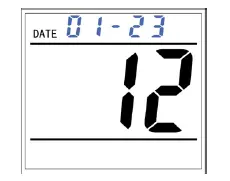
Daily Jump Counter
- Displays daily jump counter for individual dates
- Press to select later date(s)
- Press to select earlier date(s)
- Press to continue
Total Jumps
- Displays the total number of jumps
- Select jump number to display more information
- Press to select the next jump
- Press to select the previous jump
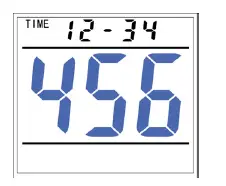
The date and time for the selected jump is shown at the top of the screen Press to continue
Exit Altitude
Displays exit altitude for selected jump
Press to select the next jump
Press to select the previous jump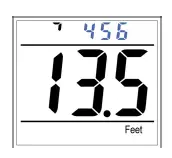
The selected jump number is shown at the top of the screen Press to continue
Opening Altitude
Displays opening altitude for selected jump
Press to select the next jump
Press to select the previous jump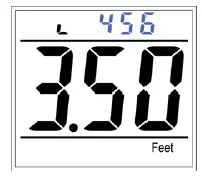
The selected
jump number is shown at the top of the screen Press to continue
Freefall Time
Displays freefall time registered for selected jump
Press to select next jump Press to select the previous jump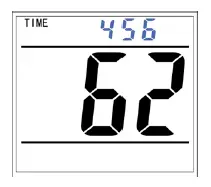
The selected jump number is shown at the top of the screen Press to continue
Average Freefall Speed
Displays average speed for the selected jump
Press to select next jump Press to select the previous jump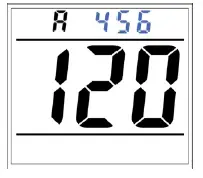
The selected jump number is shown at the top of the screen Press to continue
Maximum Freefall Speed
Displays maximum speed for the selected jump
Press to select next jump Press to select the previous jump 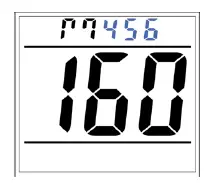
The selected jump number is shown at the top of the screen Press to continue
Altitude Profile – Last Jump
Displays the altitude profile, at a given time, for the last jump
Press to scroll forward in time (seconds) Press to scroll backward in time (seconds)
Holding down either / will fast scroll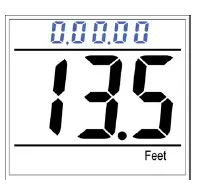
Time is shown at the top of the screen Press to continue
Speed Profile – Last Jump
Displays the speed profile, at a given time, for last jump performed
Press to scroll forward in time (seconds) Press to scroll back in time (seconds)
Holding down either / will fast scroll 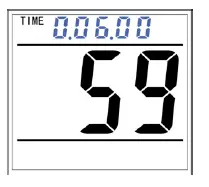
Time is shown at the top of the screen Press to continue
Note: Freefall time must be minimum 6 seconds to store a speed profile
Logbook and Jump Info
is flashing Allows manual exit from the menu Press or to exit from menu
Press to start from the beginning 
SETTINGS
Settings are used to customize the ALFA Perform ACCESS to enter the first entry of Settings Press to scroll through all settings ALFA will exit Settings if no button is pressed within 15 seconds
Year
Sets current year Press to select next year Press to select a previous year 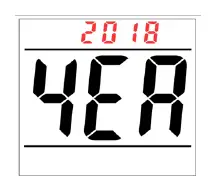
The year is displayed at the top of the screen Press to continue
Date
Sets current date Press to select next date Press to select previous date 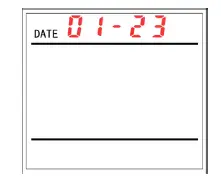
To change month:
Scroll DAY until reaching 31 or 1, then ALFA will scroll MONTH up/down
Press to continue
Time
Sets the current time in 24-hour format
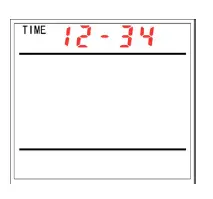
Press to subtract jumps
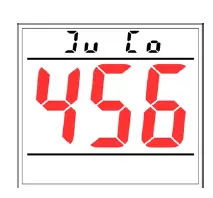
- 0: Standard
- 1: Slow
- 2: Student
The exit and deployment parameters are designed to fit very slow fall rates, such as wings uiting Freefall detection is very sensitive, and may register jumps if the airplane descends
The descent rate parameters are changed to fit very short free falls (2 seconds)
Press or to switch between Dive Types Press to continue 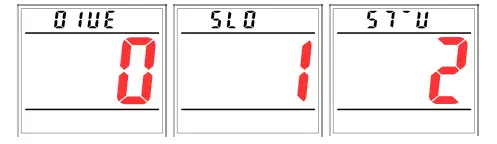
Delete Last Jump
Deletes the last jump in the logbook
To avoid unintentional deletions, the counter at the top of the screen must be set to ‘5’
Press and to match counter to ‘5’ Press to accept deletion of last jump 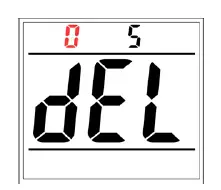
If the counter is set at ‘5’,
WARNING: cannot be used to scroll through settings and will delete last jump. Once deleted, the jump data is lost
Press to continue
Delete Log Book
Deletes the entire logbook
To avoid unintentional deletions, the counter at the top of the screen must be set to ‘19’
Press and to match counter to ‘19’ Press to accept deletion of entire logbook 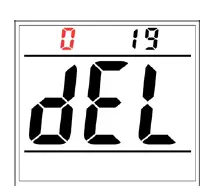
If the counter is set at ‘19’,
WARNING:
cannot be used to scroll through settings and will delete the entire logbook. Once deleted, the logbook data is lost
Press to continue
Turn OFF
Turns ALFA OFF
To avoid unintentionally turning the ALFA OFF, the counter at the top of the screen must be set to ‘5’
Press and to match counter to ‘5’ Press to accept turning ALFA OFF 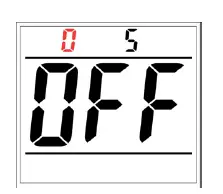
If the counter is set at ‘5’,
Warning: cannot be used to scroll through settings and will turn ALF off
Press to continue
Exit Settings
is flashing Allows manual exit from the menu Press or to exit from menu
Press to start from the beginning 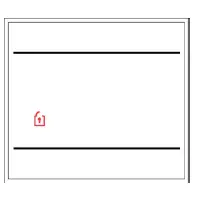
FUNCTIONALITY
Automatic Calibration / Flight Mode
After the ALFA is turned ON, it will continue to automatically calibrate itself to the field elevation where it is currently located. This will continue after each jump / landing, to ensure the unit is always zeroed before jumps are made and will take into account weather-related pressure changes.
After take-off, the ALFA will enter Flight Mode.
Altitude Offset
When performing Altitude Offset, the ALFA enters Flight Mode and will retain any offset for 14 hours if no jump is made. After 14 hours the unit calibrates itself to the field elevation where it is located.
To exit Flight Mode, turn the unit OFF, then ON.
Manual Zeroing
If the unit does not display the correct altitude when arriving at the drop zone, it must be manually zeroed Turning the unit OFF, then ON, will clear any Altitude Offset and re-enter automatic calibration
Automatic OFF
The ALFA automatically switches OFF if no jump has been made within 14 hours, no button has been pressed within 14 hours, or the unit has not been in Flight Mode within 14 hours
MAINTENANCE
Reset ALFA
A reset may be necessary for troubleshooting and firmware verification
Locate the small hole on the side of the battery cover Insert a paper clip or similar into hole, press and release Battery system calibrates 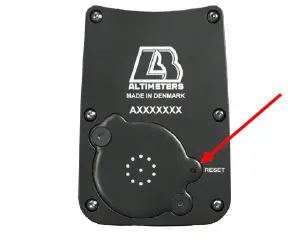
The firmware version will be displayed after reset
Battery Change
Only use Renata CR-2325 batteries (2 ea.)
Battery cover screw specs: M3/T6 head (4.5mm length)
Remove the screws and battery cover
Remove both batteries and note the polarity
Install 2 new batteries
Install battery cover, and ensure rubber seal is in correct placement Place and tighten screws, using a torque screwdriver set at 0.4 Nm 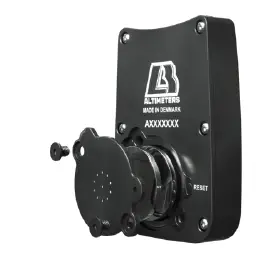
Reset ALFA after battery replacement
All settings and logbook is kept in non-volatile memory and will not be lost, however, time may need to be set again after battery change
WARNING: The battery cover and seal must be installed correctly, using correct screws and torque, before any water jumps are made
Air Filter Change
The ALFA is waterproof to a depth of 5 feet, for 24 hours
If the ALFA is submerged into water, allow the unit and air filter to dry in a warm place for 48 hours
The air filter must be replaced if jumping is to be resumed immediately, or if the air filter is suspected to be contaminated
Remove the screws and battery cover
Reset ALFA after battery cover replacement
Install new battery cover and ensure rubber seal is incorrect placement Place and tighten screws using a torque screwdriver set at 0.4 Nm Air filter, and filter removal tool, are accessories that can be purchased separately 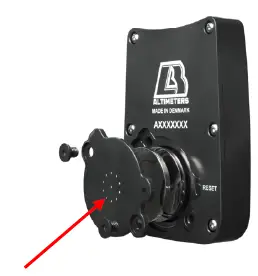
Trouble Shooting
If the ALFA detects an issue, an error symbol is shown (ERR) with a number at the top of the screen Error codes:
- Transducer defective
- Transducer out of range
- Transducer Time Out too long
- Crystal defective
- Communications error to flash
100: Flash defective
Always restart ALFA to attempt to remedy a single ERR code
If the ERR code persists, then also perform battery change
After unsuccessful restart of the ALFA, a Factory Reset is necessary:
Press and hold during reset, to perform Factory Reset
WARNING: All logbook data will be lost with Factory Reset If the ALFA is still faulty after Factory Reset, it must be serviced by an LB Altimeters Service Center
Calibration and Maintenance Requirements
Calibration and maintenance by LB Altimeters Service Center is optional every 4, 8, and 12 years, following the ALFA original date of manufacture If the ALFA exceeds mbar tolerances listed in the Specifications section, and absolute air pressure is required for DZ elevation or offset, calibration can be performed by LB Altimeters Service Center
NOTE:
When turned ON the ALFA unit runs a self-test and calibrates to the current ground level, and the ALFA will use measured air pressure for altitude calculations The ALFA can continue to be used until calibration is possible
When setting/changing the altitude using the mbar setting via Altitude Offset, the ALFA will use absolute air pressure for altitude calculations It is recommended the ALFA is calibrated by LB Altimeters Service Center before continued use
SPECIFICATIONS
| Mechanical: | |
| Casing: | Rugged and precision machined aircraft aluminum |
| Screen glass: | 2mm thickness – Hardened glass lens |
| Dimensions: | 64mm x 44mm x 15mm |
| Weight: | 68g |
| LCD viewing area: | 34mm x 29.5mm |
| Backlight intensity steps: | 10 |
| AltiSet II IrDa compatible: | Yes |
| Altitude Adjustment: | |
| Altitude in mbar offset: | Yes |
| Altitude mbar offset range: | 200 to 1075 mbar (20,67 to 31,74 In Hg) |
| Present mbar steps: | 0.5 mbar |
| Altitude in feet /meter offset: | Yes |
| Altitude feet /meter offset range: | -19900 ft. to +19900 ft. (-6000 m to +6000 m) |
| Present altitude steps: | +/- 10 ft. (5 meters) |
| Tolerances: | |
| Altitude display: | +/- 1% |
| Exit altitude: | +/- 1.2% |
| Deployment altitude: | +/- 1.2% |
| Freefall time: | +/- 1 sec |
| Speed: | +/- 3 mph (+/- 5 km/h) |
| mbar: | +/- 1 mbar |
| Logbook: | |
| Minimum freefall time for logbook | |
| generation in Normal mode: | 8 seconds |
| Minimum freefall time for logbook | |
| generation in Student mode: | 3 seconds |
| Maximum logging altitude (Normal mode): | 30,000 ft. (9,150 m) |
| Maximum logging altitude (Student mode): | 40,000 ft. (12,200 m) |
| Maximum Profile storage (last jump): | 10 minutes. Sampling rate: 4/sec. |
| Accumulated number of jumps: | 999 |
| Exit Altitude, Deployment, Freefall Time, Speed: | 200 Jumps |
| Storage principle: | First In First Out |
| Factory default settings: | |
| Feet / meter: | Feet |
| Mph / kmh: | Mph |
| Type of Dive: | 0 |
| Date: | 2018:1:1 (year : month : date) |
| Time: | 12:00:00 (hours : minutes : seconds) |
| Other: | |
| Operating altitude: | 0 to 40,000 ft. (0 to 12,200 m) |
| Clock: | +/- 4 min/month |
| Storing Temperature: | -20C to +70C |
| Operating Temperature Range: | -30C to +60C continuous operation |
| Will operate at -50C for | 10 minutes |
| Storing Pressure: | 200 to 1075 mbar |
| Maximum allowable humidity: | Up to 99,9% relative humidity |
| Waterproof: | 5 feet for 24 hours |
| Function Period: | 14 hours |
| Maintenance: | Optional 4, 8 and 12 years, from date of manufacture |
| Battery type: | 2 x Renata CR 2325 |
| L&B part no.: | 285828 |
| NATO Stock no. | 6675-22-630-2342 |
WARRANTY
The following conditions apply to the ALFA warranty:
If within 24 months of the purchase of ALFA a defect or damage is identified by a faulty manufacturer, LB ALTIMETERS will repair the unit at no cost to the end-user To make a claim under this warranty, send the unit to an authorized dealer or directly to LB ALTIMETERS together with the dated purchase invoice or receipt. The warranty becomes void if the damage is caused by external circumstances or if the unit has been serviced or repaired by third parties unauthorized by our national agents or LB ALTIMETERS. All further claims, especially for defects after skydiving accidents, are excluded. LB ALTIMETERS has no obligation to honor any extension of warranty granted by any national agent
WAIVER OF LIABILITY
The buyer and user of the ALFA indemnify the manufacturer and vendor from any liability for damage incurred before, during and after skydiving with the instrument
 LB Altimeters webstore