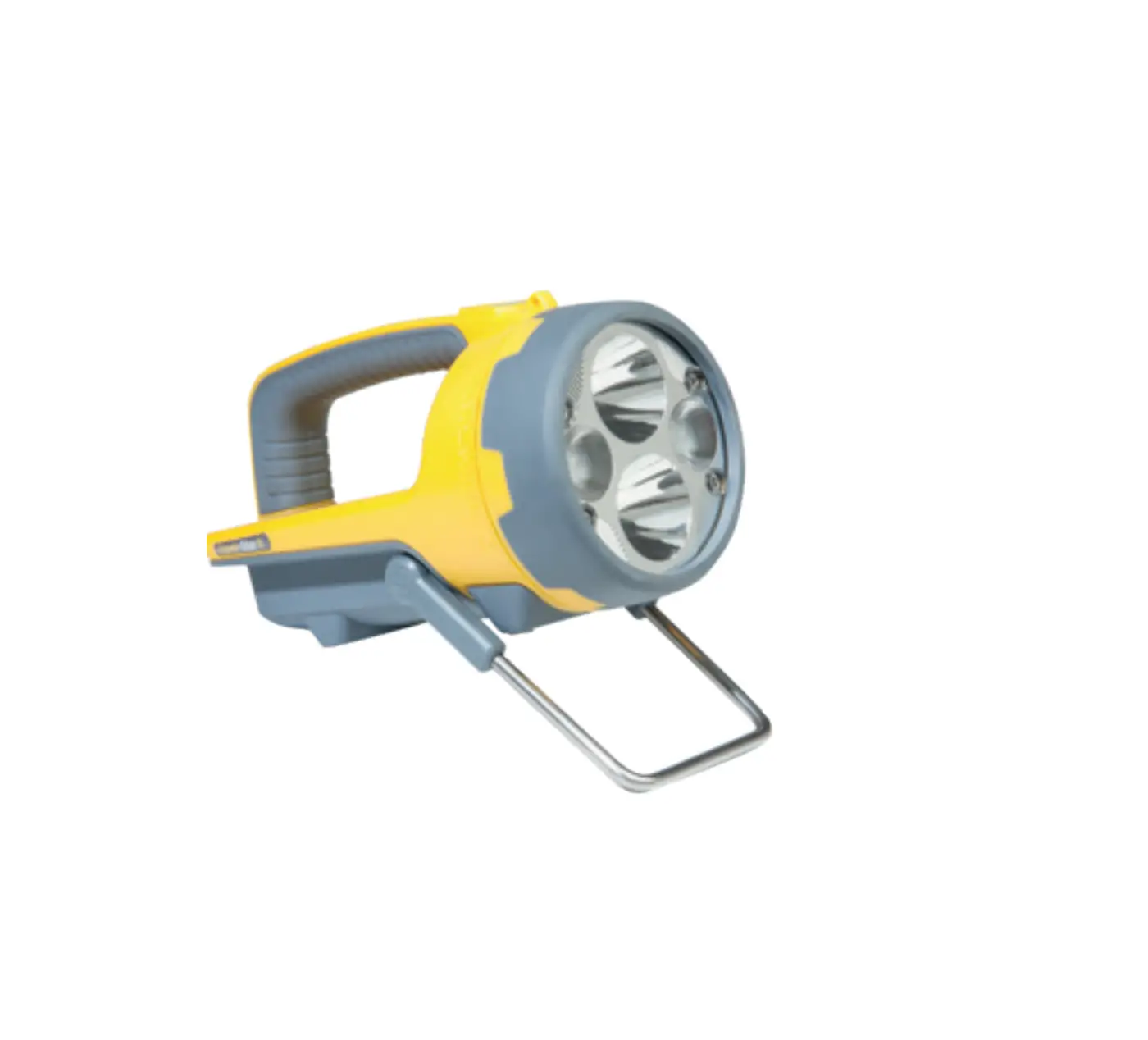
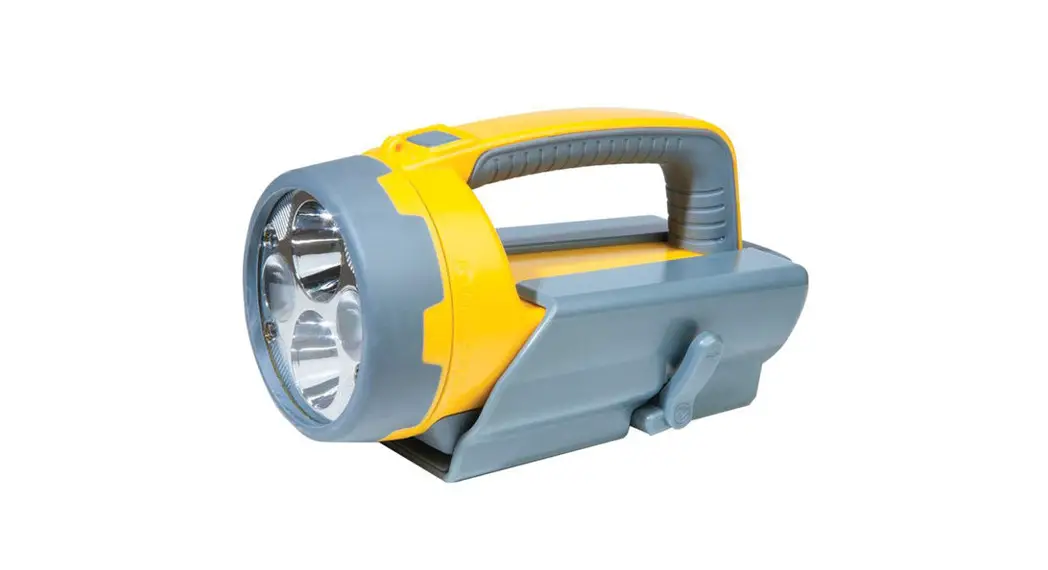
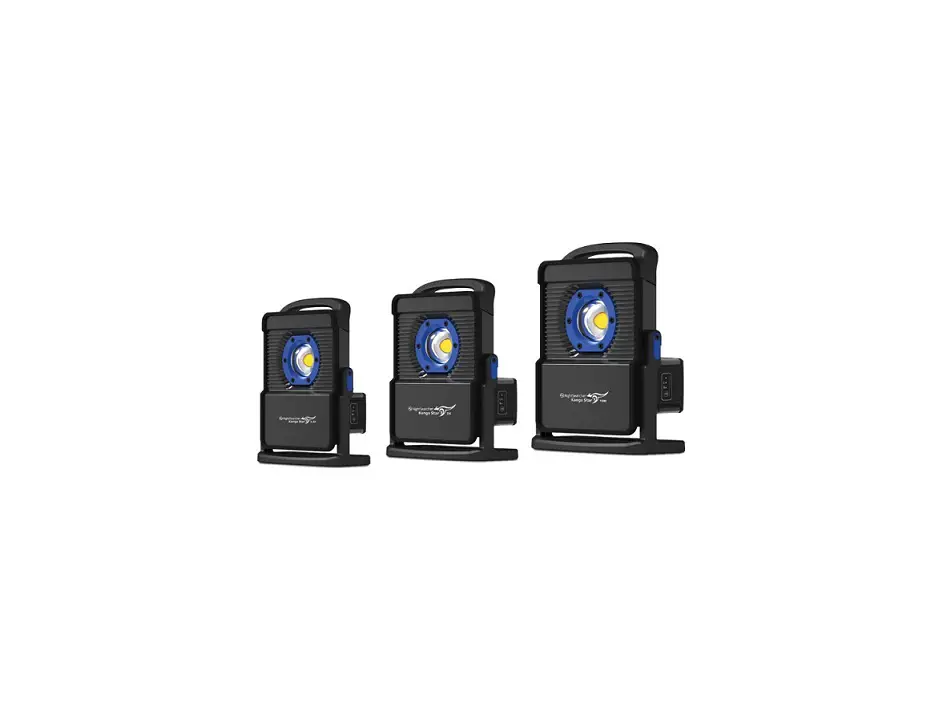
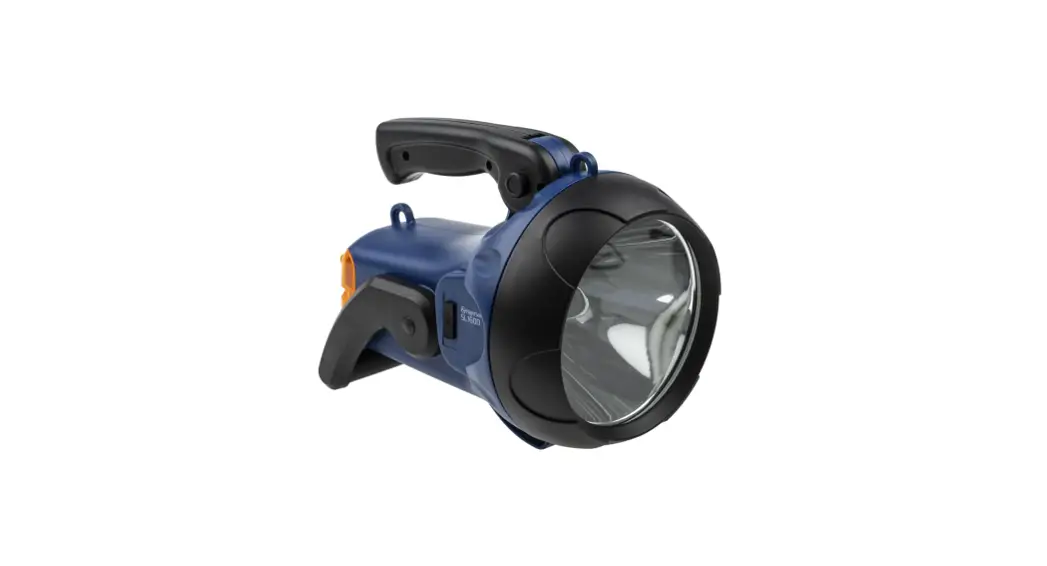
NightSearcher NSHAWKSTAR Hawk-Star Professional Searchlight
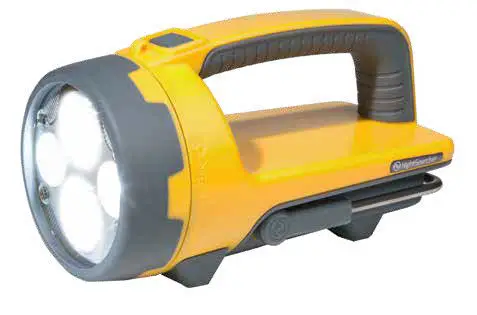
Thank you for purchasing the NightSearcher Hawk-Star/ Hawk-Star X rechargeable searchlight, our latest innovation offering an all-in-one solution that combining a high performance searchlight and powerful wide angled floodlight in a single lightweight, compact unit.
Important: Please read these instructions carefully to ensure the safe and effective use of this product.
Parts
- Narrow beam
- Wide beam
- On/Off/Mode Button
- Adjustable stand

- Battery status and charging indicator
- Charging base
- DC Charger
 * Optional shoulder strap and AC Charger is available.
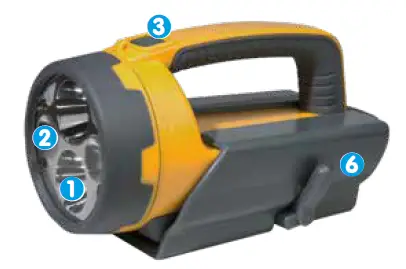
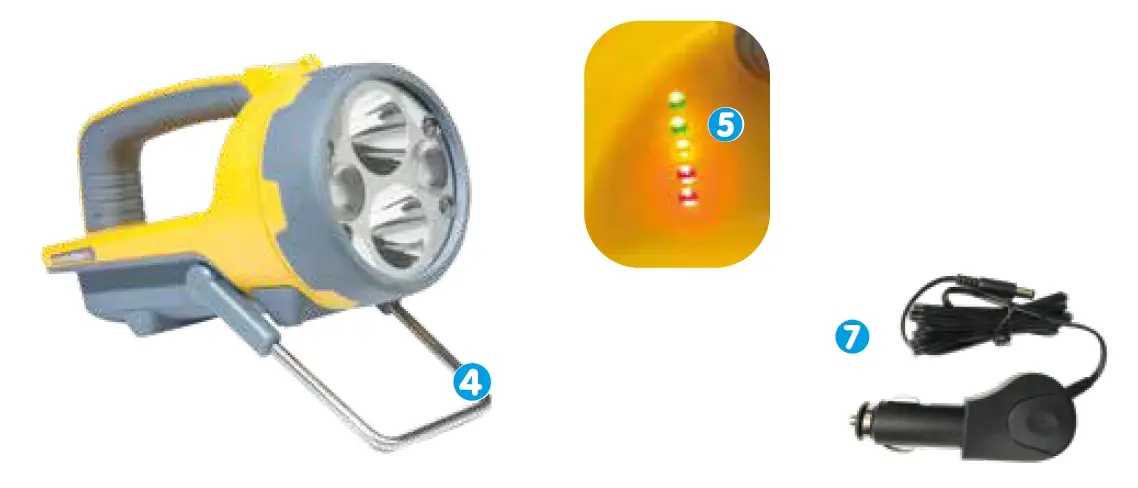 * Optional shoulder strap and AC Charger is available.
Quick Start Guide – Charging
- Slide the Hawk-Star inside the changing base, push until it slots in the back and connects with the charging ports.

- Connect the charger lead into the input socket at the back of the charging base.

- A. Plug the vehicle charger into the car cigarette socket. The indicator on the charger will illuminate red when charging and green when fully charged.
 B. Plug the charger into a suitable socket outlet. Turn switch on. The indicator on the charger will illuminate red when charging and green when fully charged.
 Note: AC charger is an optional accessory (not supplied with the HawkStar/X)
 - The battery indicator will illuminate from Red (Low battery)—Amber—Green (fully charged). The lights will turn off once fully charged. When the Hawk-Star is charged unplug and remove the charging lead. Recharge for 6.5 hours HawkStar, and 8 hours HawkStar-X.

- To release the Hawk-Star from the charging base, hold and pull the release levers towards you, use your thumb to push the searchlight away from the charging slot as shown in picture.

- Once is the Hawk-Star is released slide the searchlight out of the charging base.
The Hawk-Star is ready to be used. Please note:
The battery will reach optimum performance after 5 complete discharge/charge cycles.
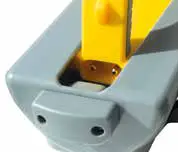
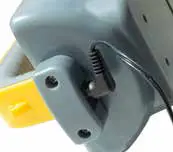
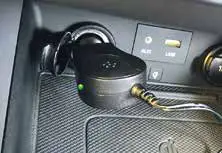 B. Plug the charger into a suitable socket outlet. Turn switch on. The indicator on the charger will illuminate red when charging and green when fully charged.
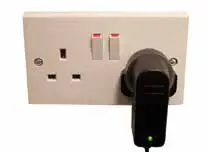 Note: AC charger is an optional accessory (not supplied with the HawkStar/X)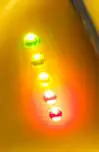
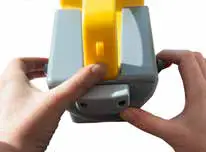
 Please note:
Battery Status Indicators
When the Hawk-Star is switched ON, the battery indicator will illuminate for 5 seconds to show the battery status. 
- Green: Full Battery
- Amber: Half Battery
- Red: Low Battery
Emergency Function
The HawkStar/-X has an emergency function to automatically illuminate in the event of a power cut. To use this function, turn the search light on and place in the charging base. Switch on the charger, in the event of a power cut the HawkStar will illuminate to aid the lights location.
Mounting The Charging Base
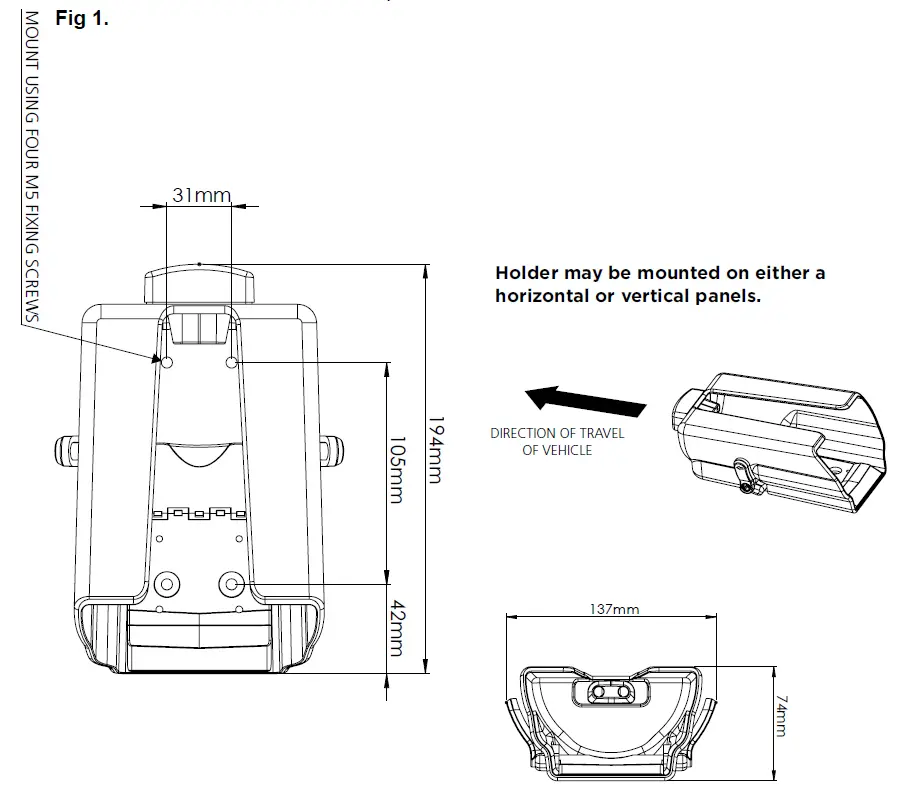
The Hawk-Star is supplied with a charging base, providing a convenient way to charge it. The base can be used flat on a desk, or fixed on a wall or a vehicle. The charging base has four mounting holes, measurements are shown in Fig 1. Make sure the M5 fixings screws used to mount the charging base, are strong enough to support the weight of the Hawk-Star. Take care not to over tighten the fixings and mount on a flat/level surface, so the charge base isn’t distorted or damaged.
Attaching Shoulder Strap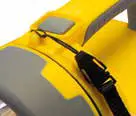
A optional shoulder strap is available to buy, making it comfortable to carry the searchlight, whilst keeping your hands free to perform other tasks. See Fig 2. showing the fitting and removing of the strap.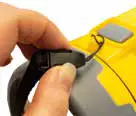
Operating The Hawk-Star
To switch ON, simply press the grey button and the Hawk-Star will default to Mode 1: Full narrow light. It has 7 other light modes, please follow the diagram below to activate the required light mode.
Hawk-Star Light Modes: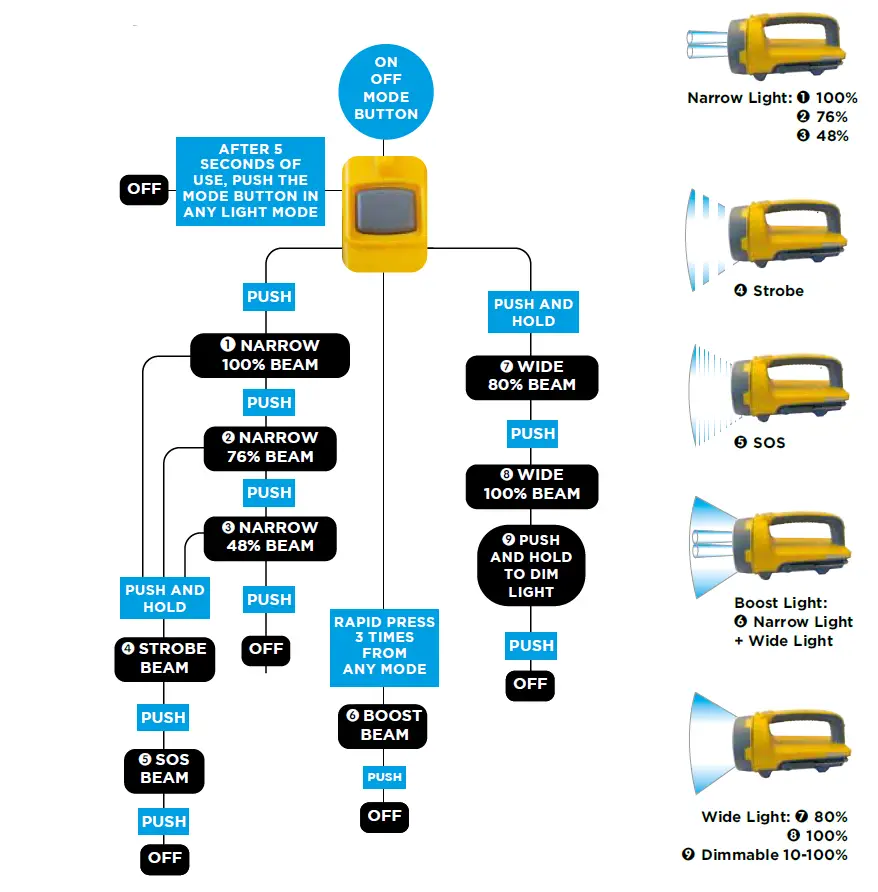
Specification
Hawk-Star: Hawk-Star X:
| Mode | Lumens | Runtime | Lumens | Runtime | ||
| Boost | Narrow + Wide beam | 2,250 | 3hrs 30mins | 4,200 | 4hrs 30mins | |
| Search | 100% | 1,250 | 7hrs | 2,200 | 7hrs 15mins | |
| 76% | 950 | 8hrs | 1,300 | 9hrs 45mins | ||
| 48% | 600 | 9hrs 30mins | 900 | 12hrs 30mins | ||
| Flood | 100% | 1,000 | 6hrs 30mins | 2,000 | 7hrs 30mins | |
| 80% | 800 | 7hrs 30mins | 1,250 | 9hrs 45mins | ||
| Charging time | 6hrs 30mins | 8hrs | ||||
| IP Rating | IP67 | IP67 | ||||
| Battery | 7.4V 6.6Ah Li-ion | 7.4V 10.2Ah Li-ion | ||||
| Impact Resistant | 1.5 Metres | 1.5 Metres | ||||
| Supplied with | Charging Base and Vehicle charger | |||||
| Product Code | NSHAWKSTAR | NSHAWKSTAR-X | ||||
| Dimensions | 250x(W)125x(D)120mm | |||||
| Weight | 1.0KG | 1.1KG | ||||
Important Warnings
- Read manual before use.
- Always use the charger supplied, never use a damaged charger or alternative charger.
- Disconnect from any power sources and switch off, before performing any routine cleaning or maintenance.
- Leave servicing to a qualified person. In case of any problems or questions please contact NightSearcher Limited or an authorised distributor.
- Do not shine the light directly into people’s eyes, as it may damage their eyesight.
- Keep out of reach of children.
Safe disposal of waste electrical products and batteries
If at any time, you need to dispose of this product or parts of this product: please note that waste electrical products and batteries should not be disposed of with ordinary household waste. Recycle where facilities exist. Check with your local authority for recycling advice. Alternatively, NightSearcher is happy to take receipt of this product at end-of-life and will recycle it on your behalf.
Warranty
All NightSearcher products have a 3-year standard warranty on all manufacturing defects and 1-year warranty on all rechargeable batteries from the date of purchase.
Extended Warranty: From 1st September 2018, customers have the option to extend the warranty of the product to 5 years for manufacturing defects. Registration of the product must be made within one month of purchase by sending us an email [email protected]. In the message please state in your own words that you would like to register your NightSearcher product for the extended warranty. To view NightSearcher’s warranty policy, please visit: http://nightsearcher.com/en/warranty.html or scan the QR code.
NightSearcher Ltd
Unit 4, Applied House Fitzherbert Spur Farlington
Portsmouth
Hampshire
PO6 1TT, UK
Tel: 023 9238 9774 www.nightsearcher.co.uk
@nightsearcher-limited
@NightSearcherltd
nightsearcher-limited
@NightSearcher
 Warranty
 Leaders in LED Lighting Solutions | NightSearcher