ARCUS LT Lumen Truss
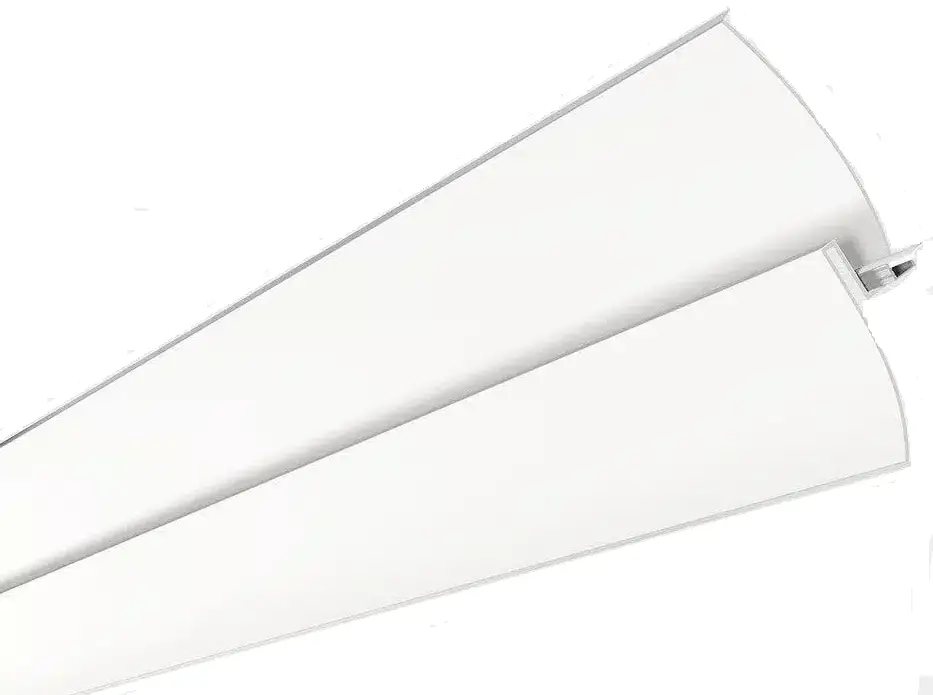
INSTALLATION INSTRUCTIONS
 Install all necessary power supplies and insulation in the wall, in accordance with all applicable safety standards and regulations.
Make sure your power supplies are installed correctly and in accessible location for future electrical connections and maintenance.
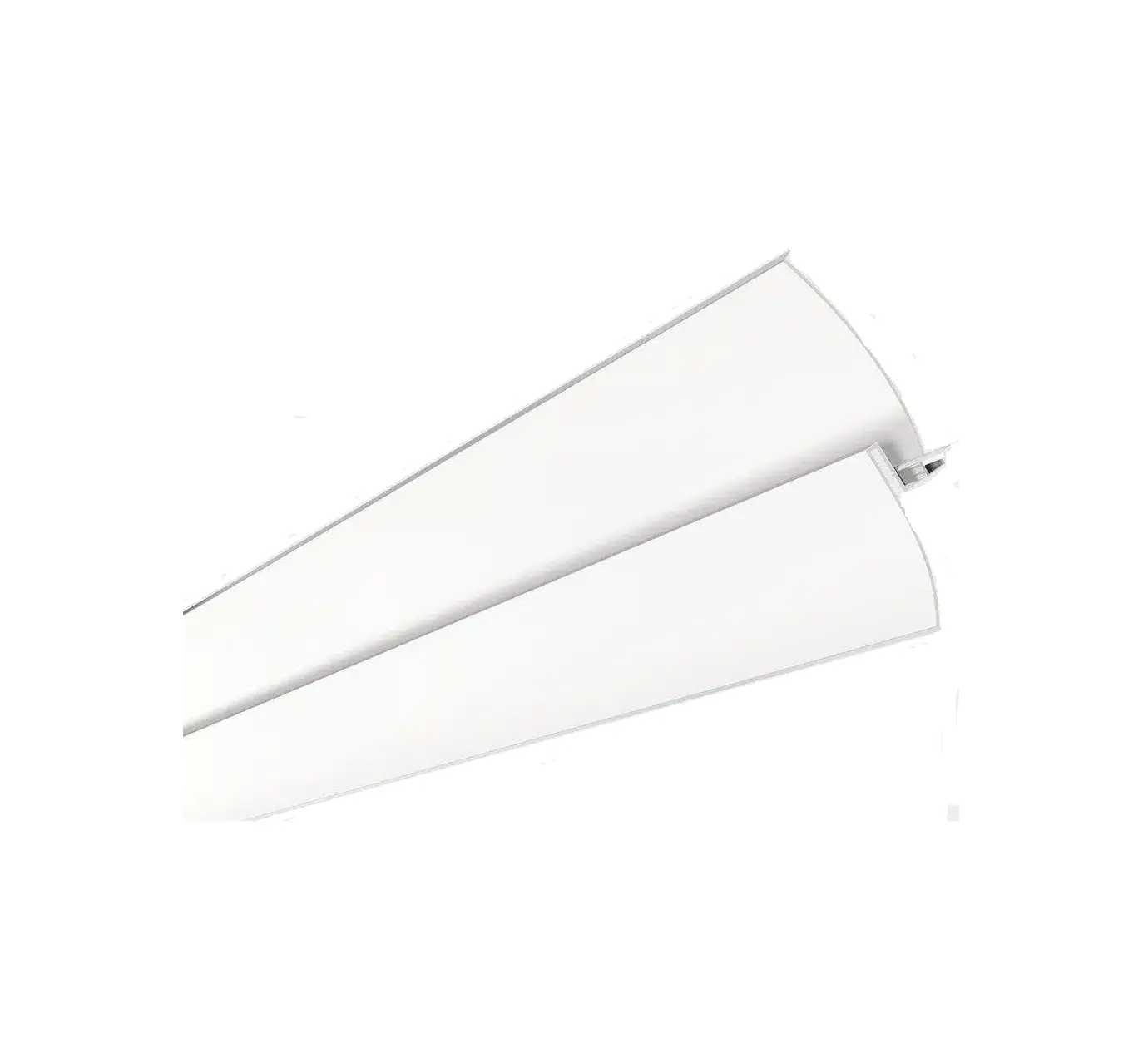
Install the Arcus profile, using drywall screws (by others) to secure it to wall studs and ceiling joists.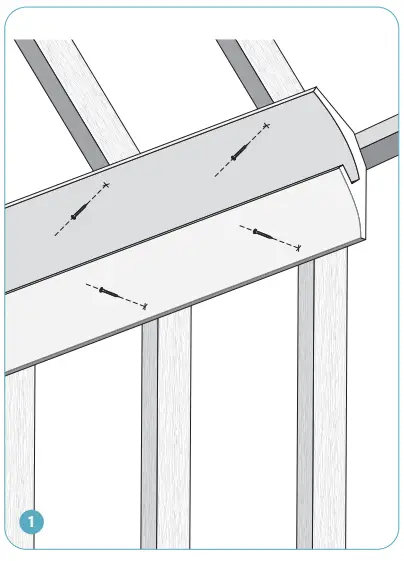
Install drywall panels flush with the Arcus profile using drywall screws (by others).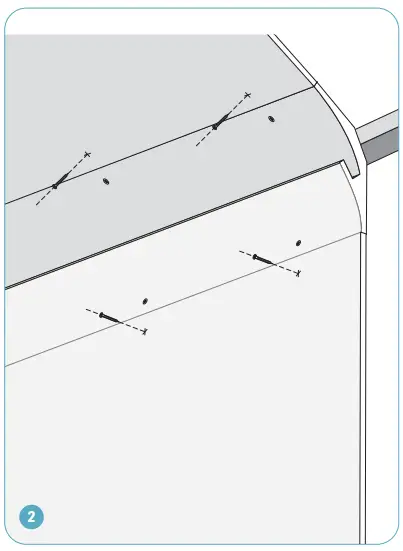
Use drywall tape and mud to level out seams.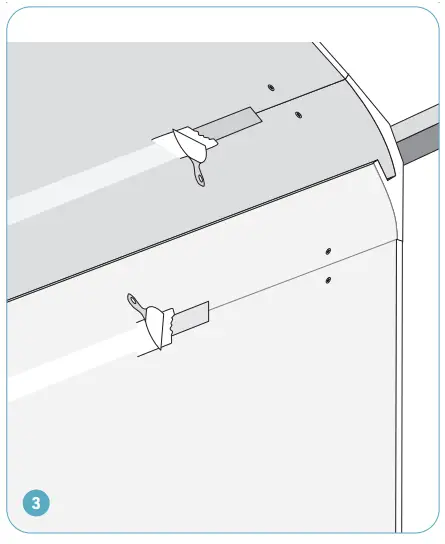
When dry, prime and paint.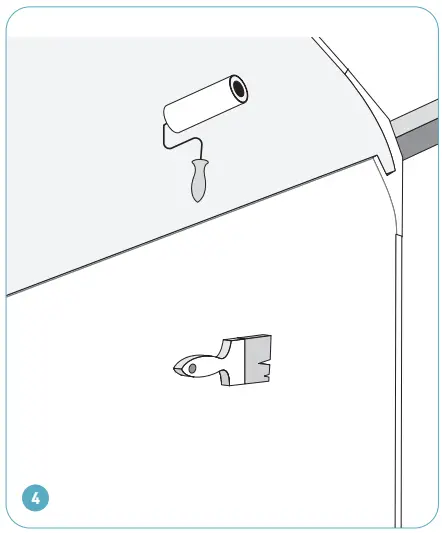
Install aluminum extrusion assembly insaide the channel of the Arcus gypsum profile using double-sided mounting tape (by others). Make electrical connections (pp.3-4).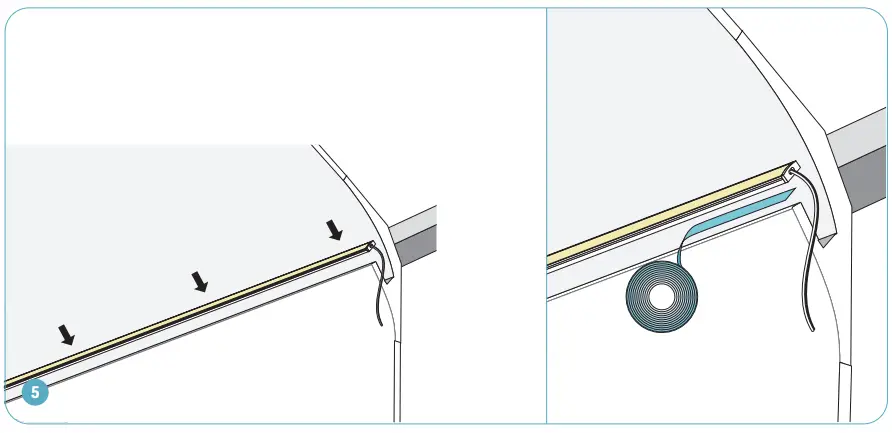
ELECTRICAL CONNECTIONS
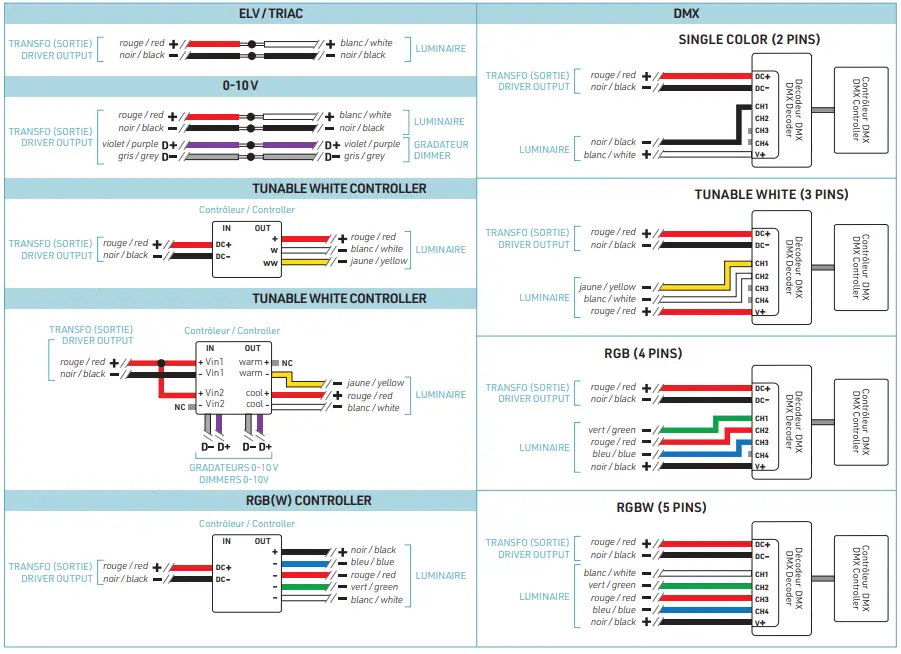
See the the next page for different connection options depending on LED tape and dimmer types.
WARNING: RISK OF ELECTRIC SHOCK
To prevent electric shock, power should be turned off from the electrical panel before installation or maintenance process.
INSTALLATION MUST COMPLY WITH ALL CURRENT NATIONAL AND LOCAL ELECTRICAL CODES.
LOW VOLTAGE CONNECTION
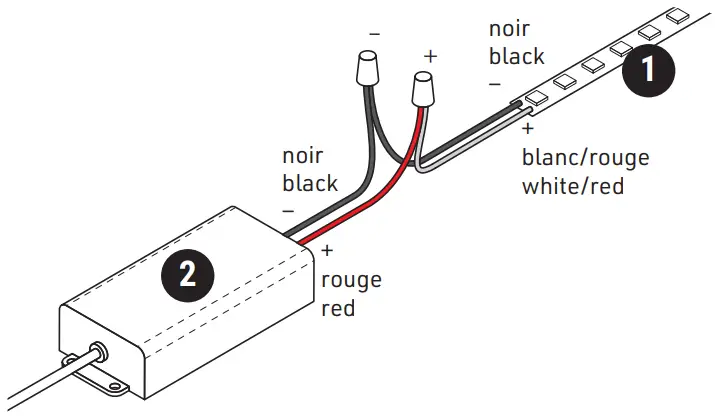
HARDWIRE CONNECTION
- Join the black wire from the LED tape (1) (-) with the black output wire from the low voltage power supply (2).
- Join the white or red LED tape wire (+) to the white or red power supply output wire.
- Use appropriate twist-on (or equivalent) connectors to isolate wires.

B PLUG-IN CONNECTION WITH DC PLUG
Connect input connector of the LED tape (1) to the output connector of the low voltage power supply (2).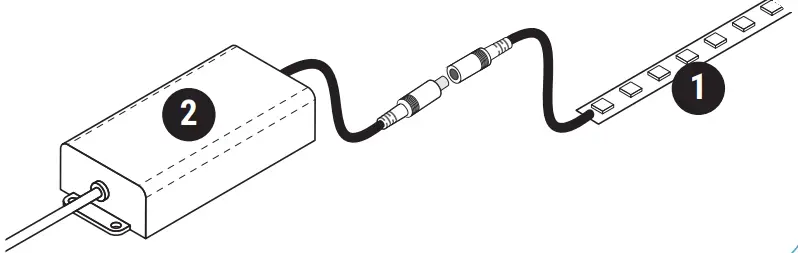
LINE VOLTAGE CONNECTION
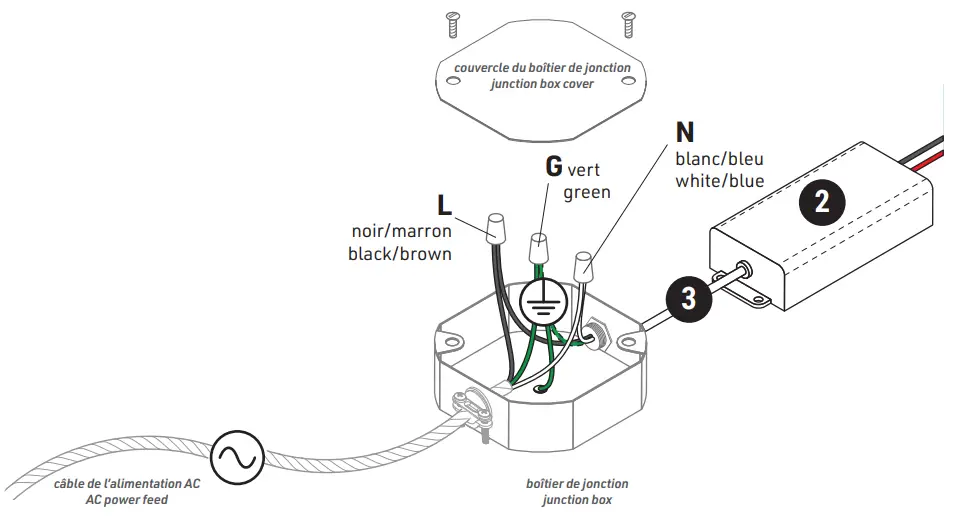
- Pass the main power feed (not included) and power supply input cable (3) into junction box (not included).
- Connect the white (N, Neutral) cables from the power feed and from the power supply.
- Connect the black (L, Live) cables from the power feed and from the power supply.
- Connect the copper, green or yellow (G, ground) wires from the power supply, power feed, and the junction box. Use appropriate twist-on connectors (not included).
- Install the junction box cover (not included).

WIRING DIAGRAMS
LOW VOLTAGE CONNECTION (LED TO POWER SUPPLY)
LINE VOLTAGE CONNECTION (POWER SUPPLY TO AC MAINS)

WARNING:
Use only Class 2 rated components.
Customer Support
www.lumentruss.com
1 855 384 3384
1 514 903 5863 9221, Rue Edison, Montréal
(Québec), H1J 1T4
Lumen Truss reserves the rights to make changes to this document at any time without prior notice.

 Commercial Led Lighting, Linear Led Lights – LumenTruss