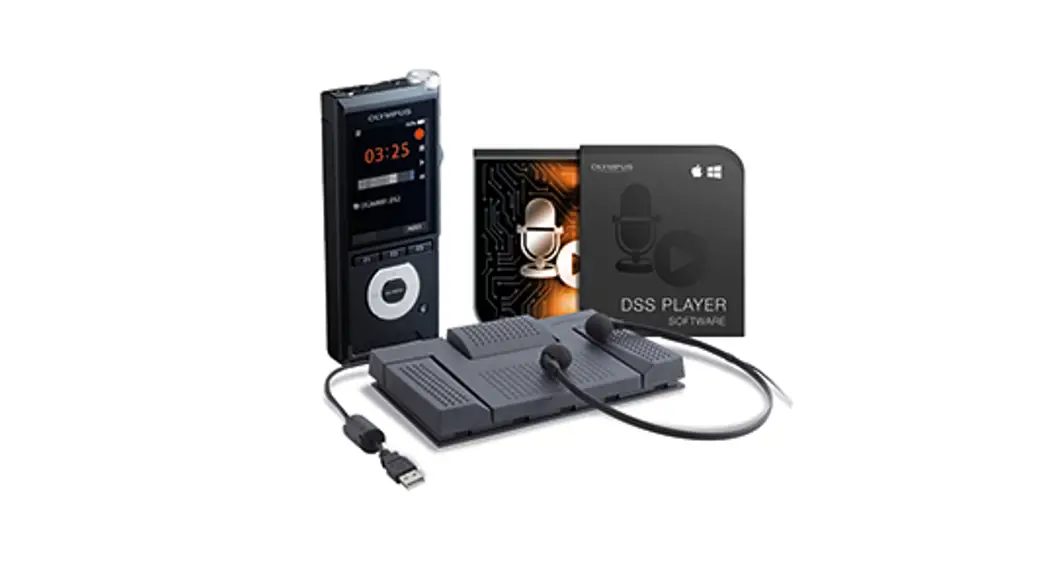


DSS Player Pro
DSS Player Pro for Windows
DSS Player for mac
please 5
DSS Player Pro R5 Transcription Module
- Modern Software Structure
- Scalability
- Professional Installation & Maintenance
- Organize Dictation and Documents
- International
- Multiple Platforms supported
- Security
- Transcription integration
Professional Dictation Management Software
The DSS Player Pro R5 Transcription Module is an all‑new professional solution for secretaries or transcriptionists to transcribe dictations with footswitch and manage the dictations for different dictators.
Specifications
Playback or Recorder functions
| Finish/Pending/ Unfinished dictation | Yes |
| Speed/Tone/NC/ Volume control | Yes |
| Time stretch control | Yes |
| Recording level meter | No |
| Playback Level Meter | Yes |
| DSS PRO Encryption | No |
| Display and edit dictation properties | Yes |
| DSS PRO playback encrypted files | 128 Bit AES |
| Optional job data for new dictations | No |
| DSS PRO Record | No |
| DSS Pro Playback | Yes |
| DSS Record | No |
| DSS Playback | Yes |
| Wav Playback | Yes |
| WMA Playback | Yes |
| MP3 Playback | Yes |
| FF, REW, SKIP | Yes |
| Real-time counter | Yes |
| Instruction comments | Yes |
| Verbal annotations | Yes |
| Insert/Overwrite mode | No |
| Cut out or delete file sections | No |
| Index marks | Yes |
| VCVA (Variable Control Voice Actuator) | No |
| Cue/Review | Yes |
| Direct recording | No |
| Operation via configurable hot keys (e.g. for handicapped users) | Yes |
| Fail-safe network independent recording | Yes |
| Transcribe the next dictation | Yes |
| Audio Channel Separation | Yes |
| Telephone recording | Yes |
Dictation list
| Individual folder path setting | Yes |
| Renaming of folders | Yes |
| Creation of subfolders | Yes |
| Configurable dictation list columns | Yes |
| Dictation process, status indication | Yes |
| Change transcription status | Yes |
| Filter functions (e.g. Author) | Yes |
| Link function for dictation and document | Yes |
| Import a document by drag & drop | Yes |
| Operation via configurable hot keys (e.g. for handicapped users) | Yes |
| Drag & Drop of dictations | Yes |
| Change dictation information from the dictation list | Yes |
| Synchronize dictations on the re-established network connection | Yes |
| Join dictations | Yes |
| Split dictations | Yes |
| Send finished documents by e-mail/ FTP/Network manually or automatically | No |
Hardware configuration
| Device option settings (Device menu settings, Assign hotkey function to individual device button, Directress configuration) | No |
| Device customization | No |
Workflow
| DSS PRO encryption mode | N/A |
| Automatic sending of dictations to the recipient via e-mail/FTP/ Network | No |
| Automatic dictation classification according to author ID | Yes |
| Automatic receive document via e-mail/ FTP | No |
| Automatic sending of documents via e-mail/ FTP | Yes |
| Notification of new dictation via e-mail/ FTP/network | Yes |
| Dictation ownership | Yes |
| Move dictations to Recycle Bin instead of deletion | Yes |
| Synchronize Digital Voice Recorder time with PC time | Yes |
| Resolve filename conflict while downloading | Yes |
| Refresh dictation list interval | Yes |
| Automatic download of the individual folder at device plug-in | Yes |
| Download all dictations to a specified location | Yes |
| Automatic backup at download/import/ dictation finished | Yes |
| Automatic file renaming at download | Yes |
| Automatic original file deletion after download | Yes |
| Automatic e-mail/ FTP profile switching between local mode and network mode | Yes |
| Dialog for manual download selection | Yes |
| Job data pop up at download (Barcode input support) | Yes |
| Automatically open word processor when starting transcription | Yes |
| Automatically new document creation when starting transcription | Yes |
| Automatic collect transcription finished dictation according to the author ID | Yes |
User settings
| Font & Background color change | Yes |
| Configurable footswitch pedal functions | Yes |
| Download without the main window | Yes |
| Assign hotkeys (e.g. for handicapped users) | Yes |
| Playback control settings (Control indication, Auto backspace, Winding speed) | Yes |
| Transcribe Bar Settings (Display Mode, Length/remain time indication, button customization) | Yes |
| Direct recording settings (Start option, VCVA, Prompt job data at new dictation creation) | No |
Software Administration
| Automatic software & firmware updates | Yes |
| Error Logging | Yes |
| Central management for option settings of every user | Yes |
| Silent Firmware /Application update using Manager Tool | Yes |
| Silent Installation option settings using ManagerTool | Yes |
©Coporqh1 2000 OLYMPUS WAGING CORP
©200630XI Mona Comma torts, Inc
©1000-2000 NiciabcAi Cepa
Copyrahl ©KC Corpormen 2004-2001 AN MPS Meal
Specifications and appearances are subject to change without any notice or obligation on the part of the manufacturer