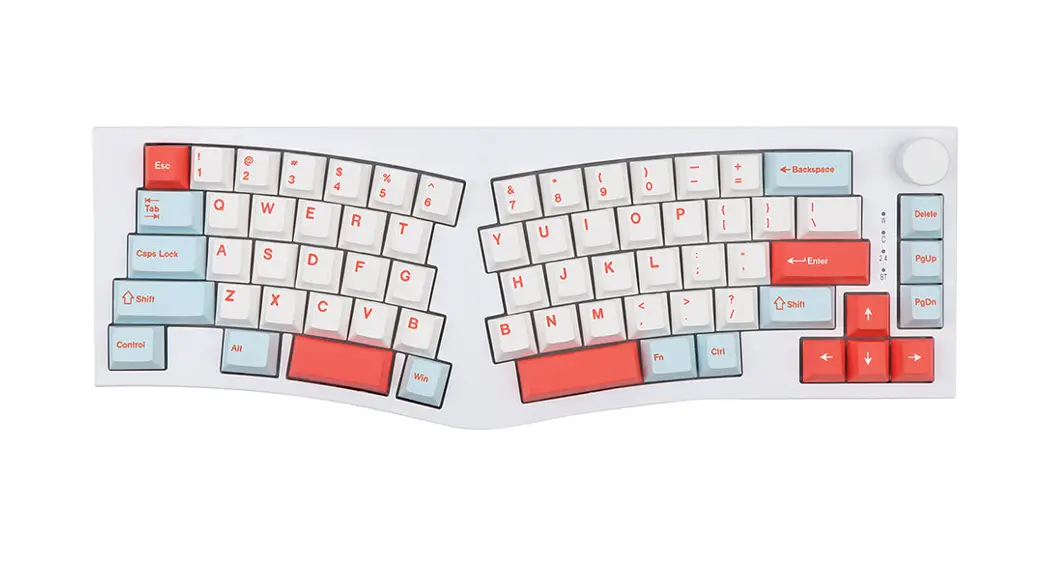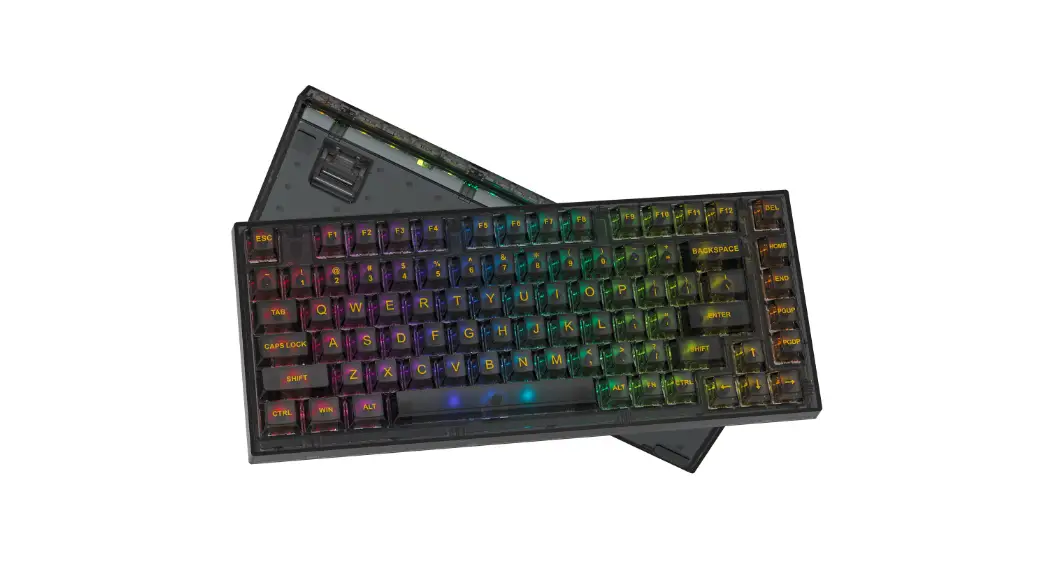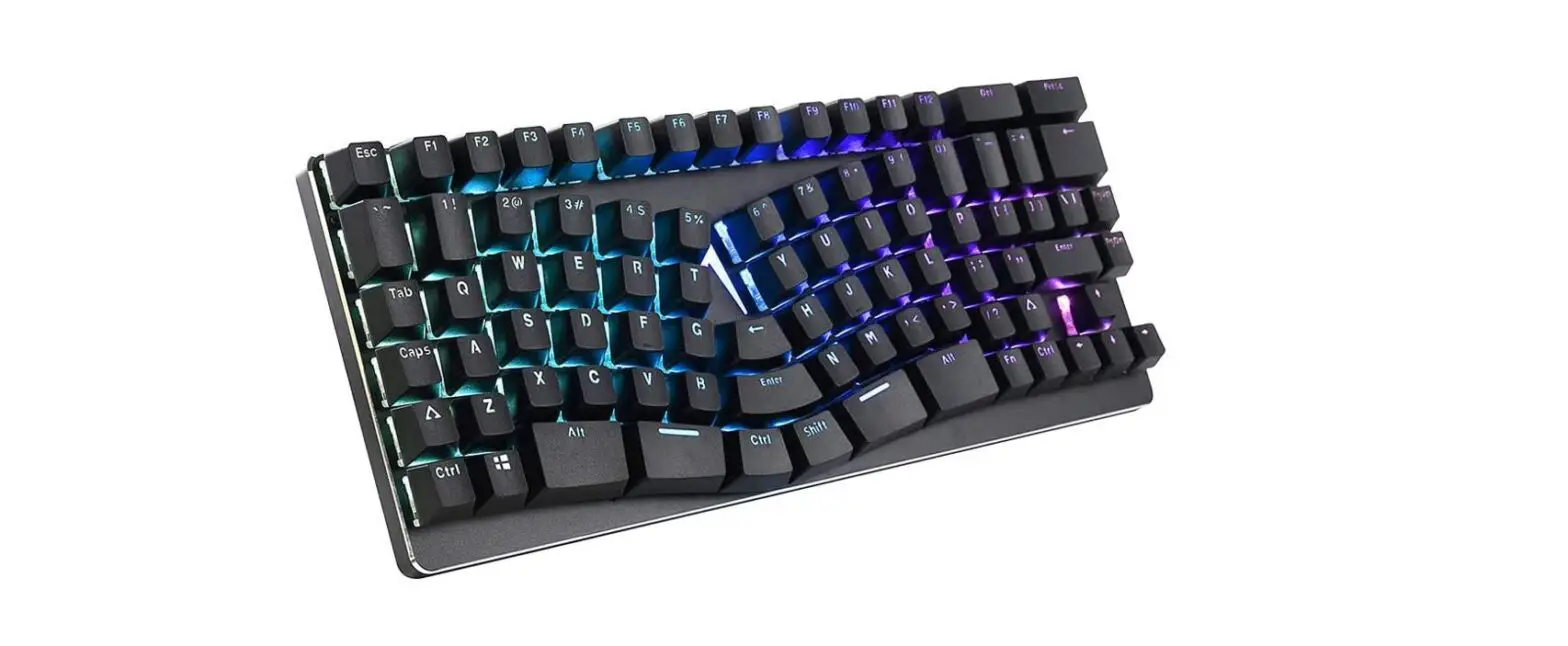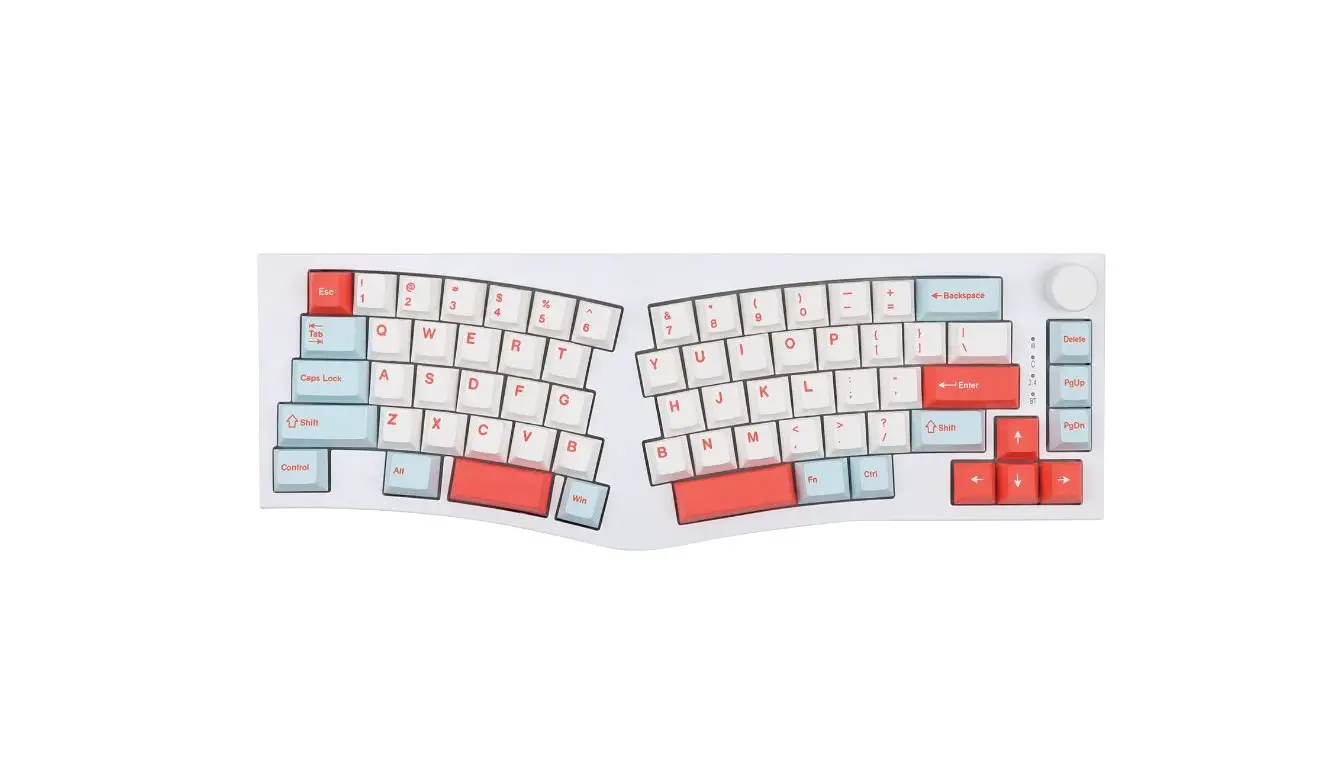
FEKER Alice-98 LCD Ergonomic Gasket Full
Size Keyboard User Manual
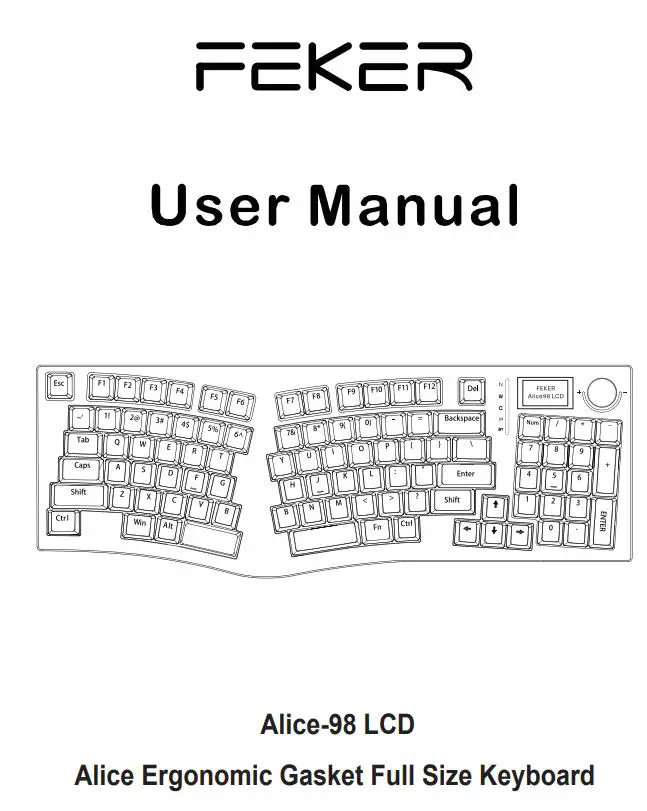
Switch & USB Function
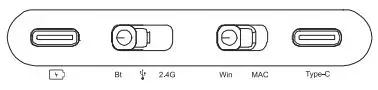
Mac For Mac system used , key-function switch to Mac computer or iPAD;
Win For Windows system used , key-function switch to standard Windows computer;
2.4G For Wireless 2.4g version used, please insert the USB receiver to port of computer.
Bt For Wireless bluetooth version used, please check the bluetooth state of computer.
Type-C Type-C cable insert here and USB connect to computer for connect to computer ;
USB fast charge port.
Interface Connected Function
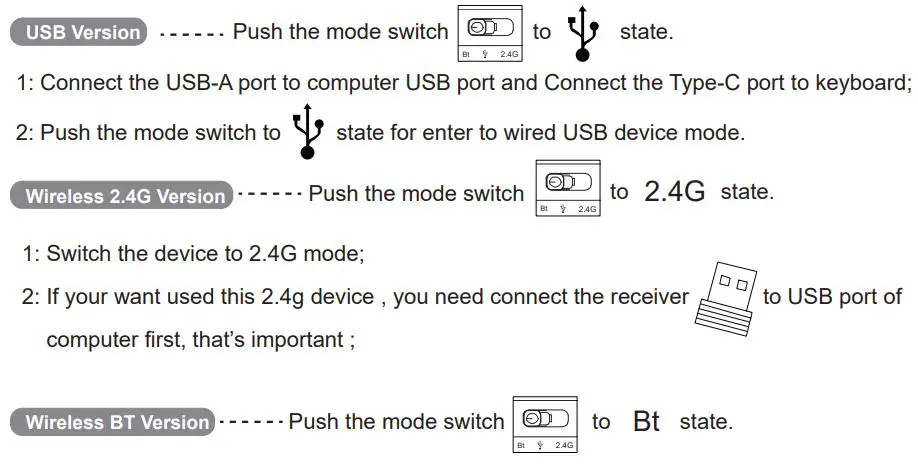
- Press the Fn and 1/2/3 key for enter to BT device Alice98 LCD-1/2/3 mode, one by one;
- Long press 3 seconds for pairing to new device by bluetooth;
- Press 1 time for re-connected to paired device by bluetooth ;
- Press the Fn + 1/2/3 1 time, You can switch between Alice98 LCD-1/2/3 device;
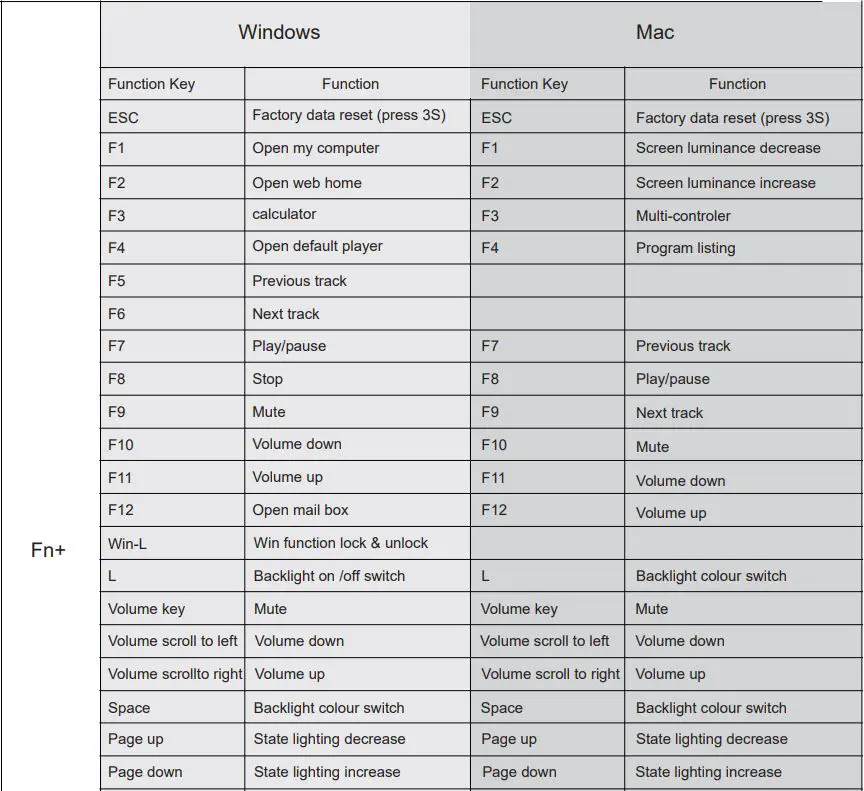
FN+ Keys Function
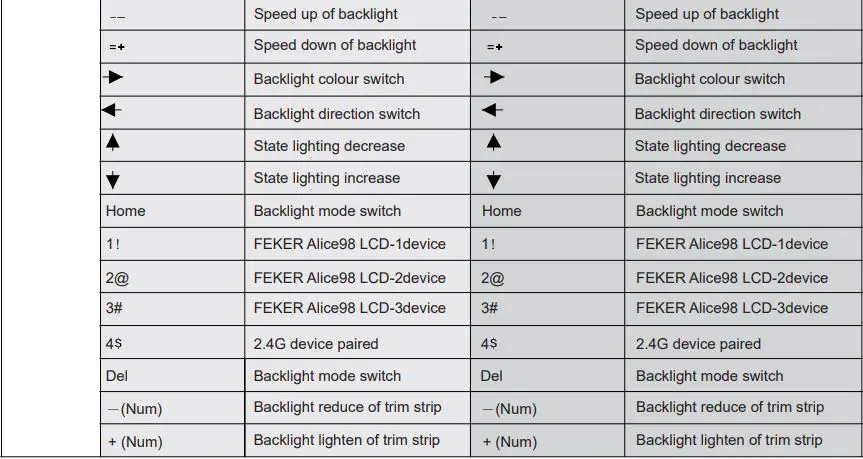
Battery status indicator Function
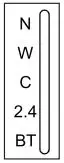 On keyboard , the right side of lighting bar is for indicator of battery status.
Low battery the right side of lighting bar’s LED will lighting RED flash.
Charging the right side of lighting bar’s LED will ligthing orange flash.
Full charge the right side of lighting bar’s LED will ligthing orange of full.
Battery data Press FN+Ctrl-R, the lighting bar will showing the battery status current.
Device name description
USB Version FEKER Alice98 LCD
2.4G Version Wireless Gaming Keyboard
BT Version FEKER Alice98 LCD-1
FEKER Alice98 LCD-2
FEKER Alice98 LCD-3
LCD Function
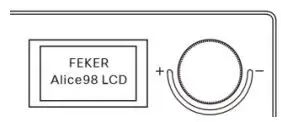 Press the volume knob for 3 seconds to switch the LCD function mode, LCD mode, left and right rotation knob, to achieve Switch between the Pre and next of the display page.
Electrical Specifications (for reference only)
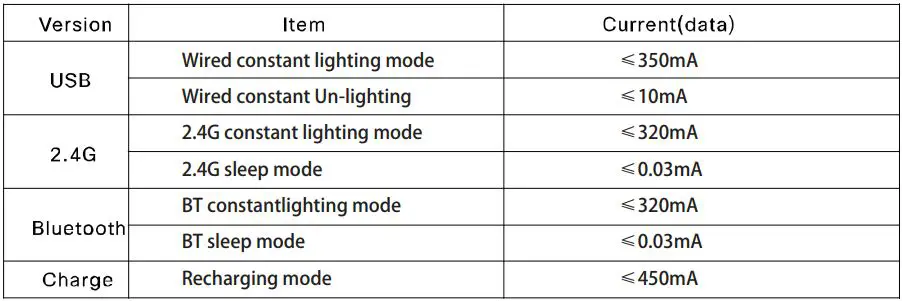
System Requirement
Compatible with Windows 2000 and above and Mac system.