 STAGE sound Stage SingFree Karaoke Microphone System
User Manual
DIAGRAM
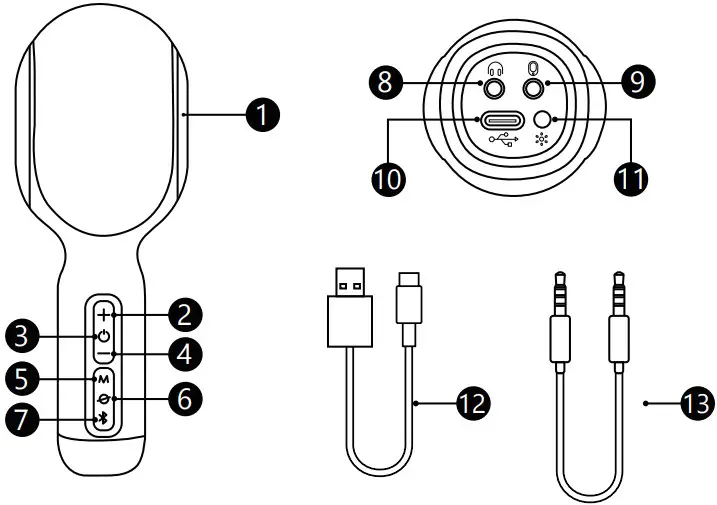
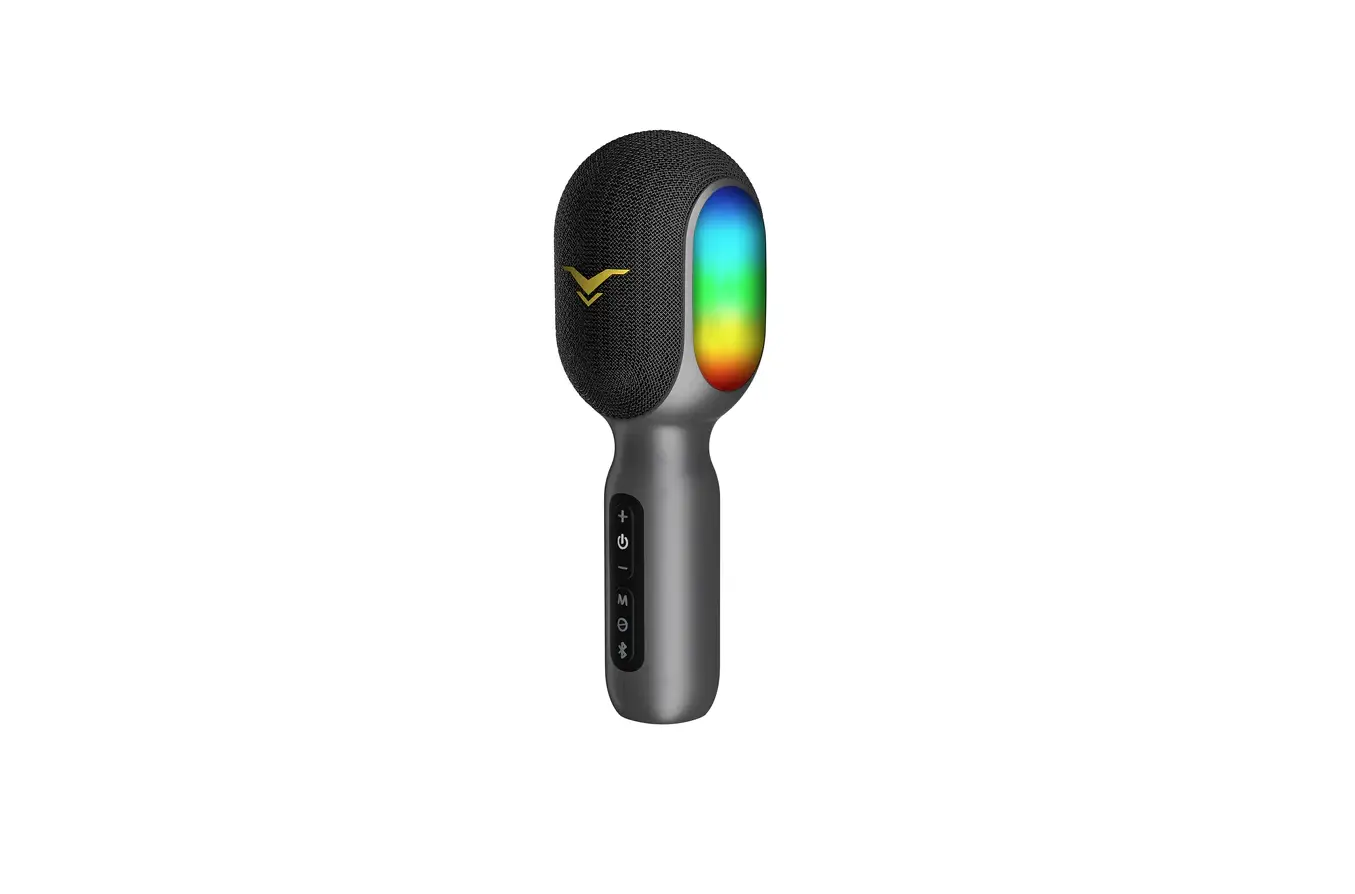
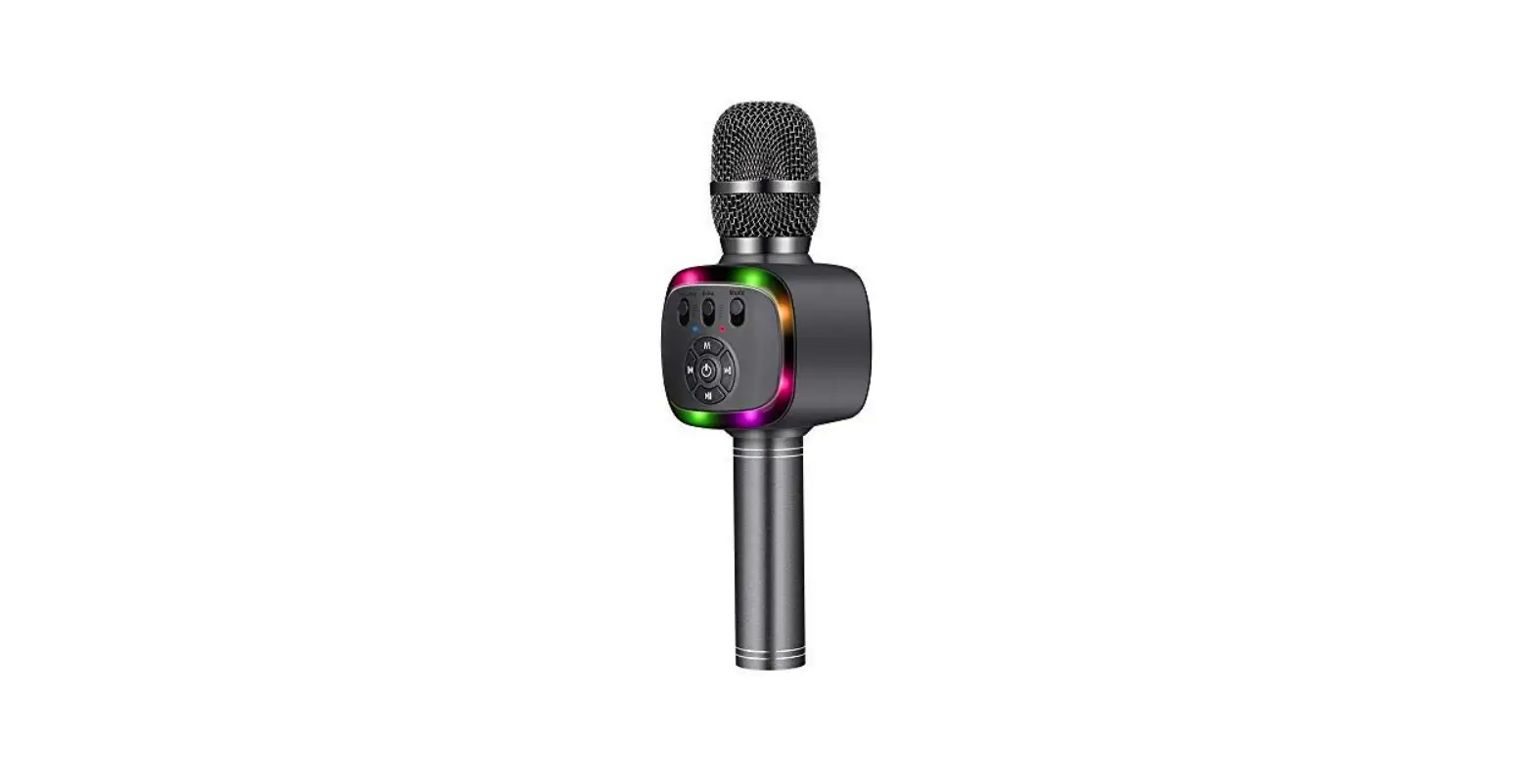
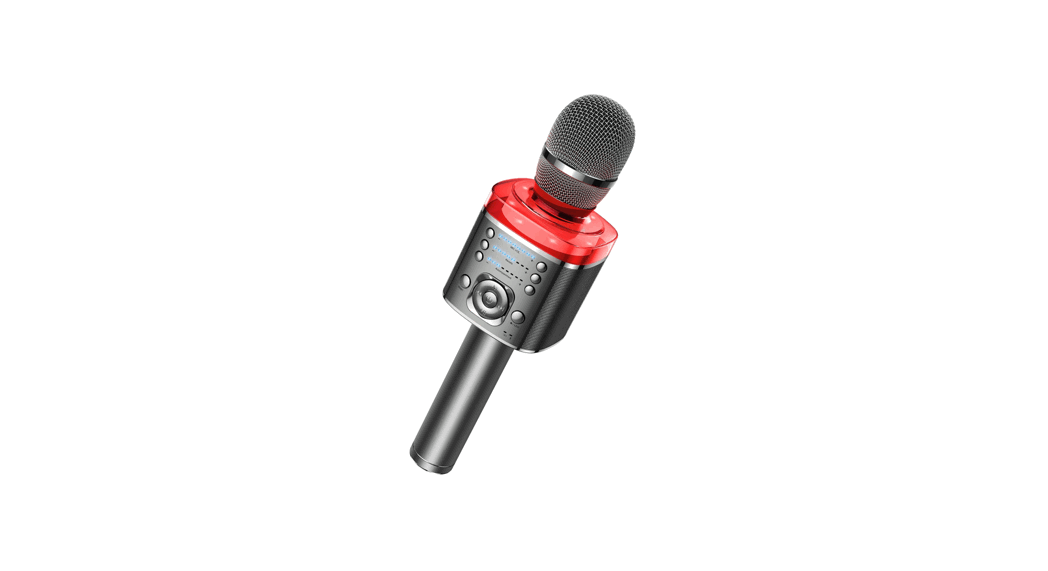
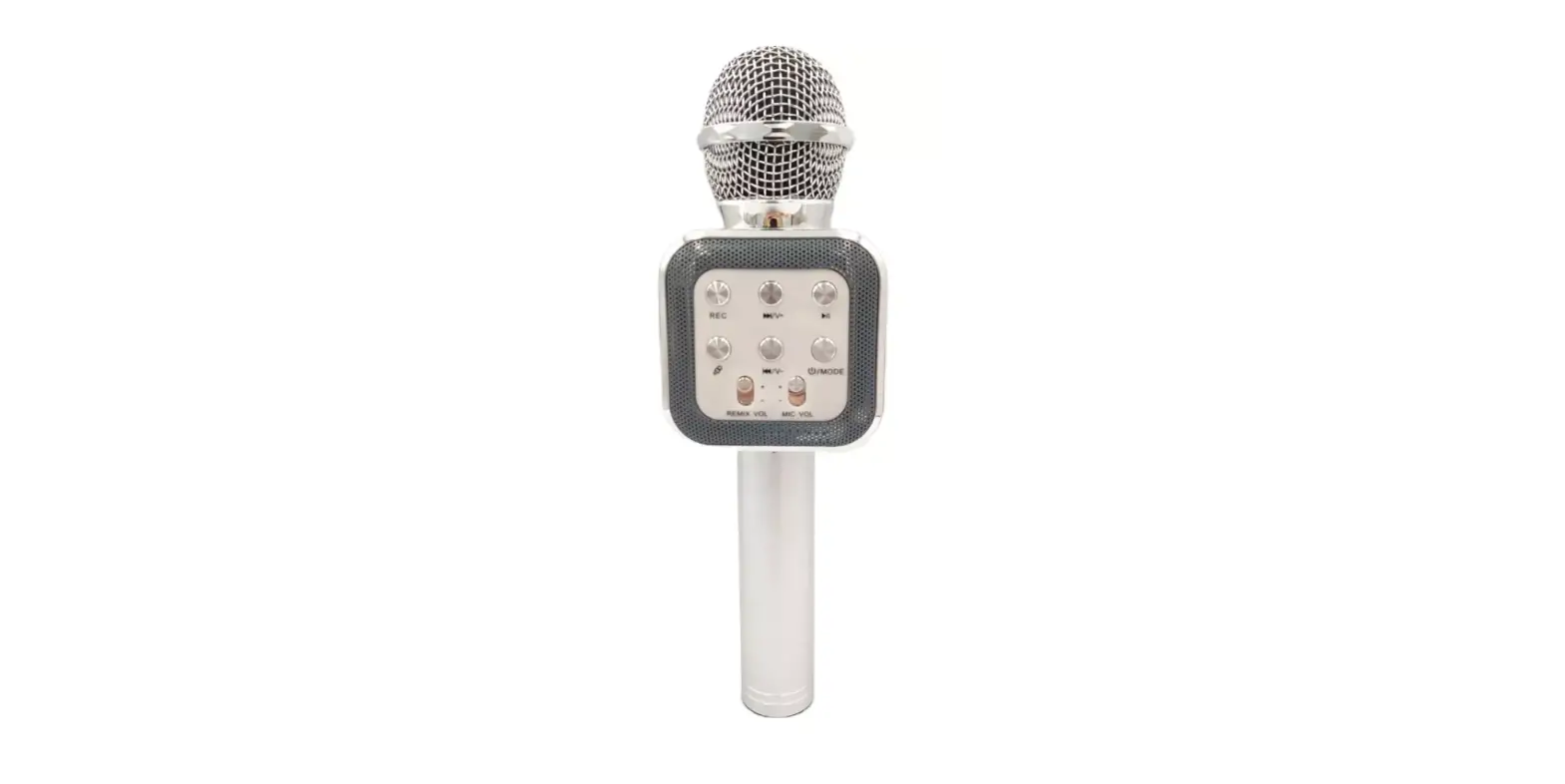
| 1. RGB Lights 2. VOL+ Button 3. Power ON/OFF; Music/MIC Volume Switch Button 4. VOL- Button 5. Sound Effects Button 6. Voice Cancelling/Back Button 7. Bluetooth / TWS Button | 8. 3.5mm Headphones Port 9. 3.5mm Aux-in Port 10. Type-C Charging Port 11. Lighting Switch Button 12. Type-C Charging Cable 13. 3.5mm Aux Cable |
MAIN FUNCTION
- Bluetooth speaker for audio output.
- Karaoke singing & voice recording.
- Bedside lamp for sleeping atmosphere.
CHARGING
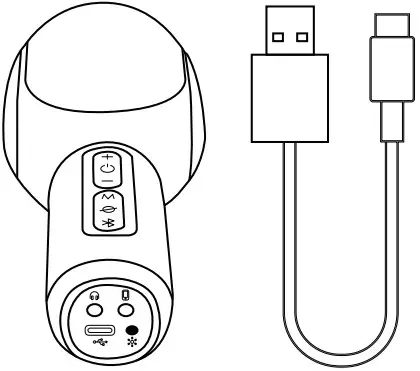
The status of the red indicator on the power button:
On: Charging
Off: Fully charged
Flash: Low battery≤5%
NOTE:
- Please charge with a power bank, computer USB port, or power adapter (type: 5V 1A).
- Do not charge in a sub-zero environment, charging below zero may cause damage to the battery.
- Do not use the microphone while charging, the output power is lower than normal working status.
- When the battery is continuously detected to be low battery ( ≤30%), the power of the microphone will automatically be reduced to protect the battery, and avoid voice distortion.
OPERATING INSTRUCTION
| Button | Operation | Function |
 | Short press | Volume up |
| Long press for 2s | Previous track | |
 | Short press | Switch Music volume/Karaoke volume |
| Long press for 2s | Power ON/OFF | |
 | Short press | Volume down |
| Long press for 2s | Next track | |
| M | Short press | Switch sound effects |
 | Long press for 2s | Suppress the vocal in music |
| Long press for 2s/ | Restore the vocal in music | |
 | Short press | Disconnect the paired |
| Long press for 3s | Get into TWS mode, search for another | |
 | Short press | Switch LED lighting |
| Long press for 2s | Turn on/off the LED lighting |
NOTE:
- Please short press the power button to switch music or karaoke volume before controlling the corresponding volume.
- There are 4 sound effects on the microphone: Karaoke, Professional, Speech, and Original Sound. Karaoke is the default effect.
- There are 4 LED lighting that can be switched: Dynamic, Breathing Dynamic, RGB, and Single.
AUX MODE
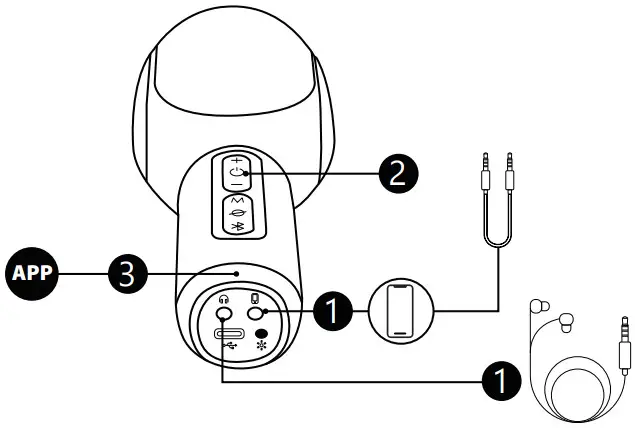
How it works:
- Insert the AUX cable and 3.5mm headphones to connect SingFree with your device.
- Power on the microphone.
- Turn on the karaoke/music applications on your device and start your singing or recording.
NOTE:
- The AUX Mode is for voice recording and supports original sound effects only.
- The audio won’t play through the microphone, please insert the 3.5mm headphones as well.
- Unplug the AUX cable, the microphone will change to Bluetooth Mode automatically.
BLUETOOTH MODE
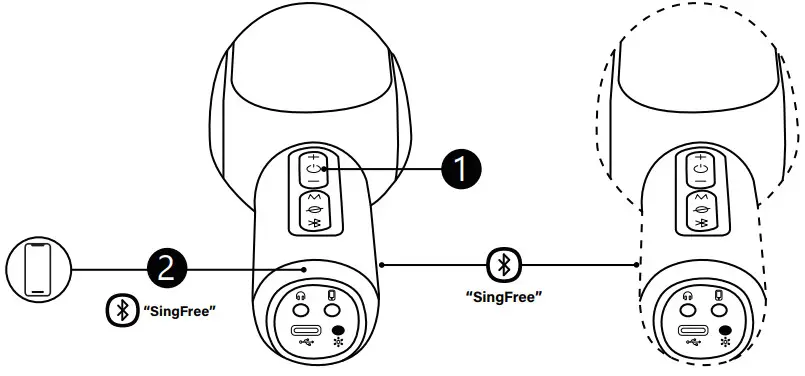
How it works:
- Power on the microphone.
- Search “SingFree” from your device and click to connect.
- Turn on the karaoke/music applications on your device and start your singing or recording.
NOTE:
- How to connect two SingFree microphones with your device:
1) Connect the first microphone as above, then long-press the Bluetooth button for 3 seconds to search for a connection.
2) Power on the second microphone, both now are in TWS mode and ready to connect.
3) Search SingFree from the Bluetooth list of your device and click to connect. - In TWS mode, turn off one microphone, and the other one will shut down automatically. The microphones connected before will connect together again after turning them on.
- The microphone will shut down automatically 20 minutes later if there is no single input.
HEADPHONE MODE
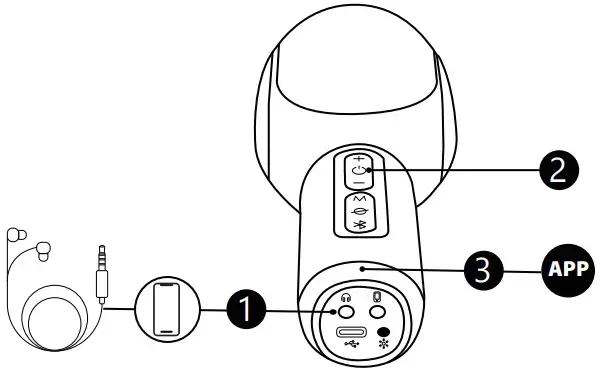
How it works:
- Power on the microphone and connect it with your device via Bluetooth.
- Insert the 3.5mm headphones into the headphones port.
- Turn on the karaoke/music applications on your device and start your singing or recording.
NOTE:
- The Headphone Mode only supports original sound effects.
- The audio and your singing will play through the headphones instead of the microphone in this mode. Enjoy your private singing time!
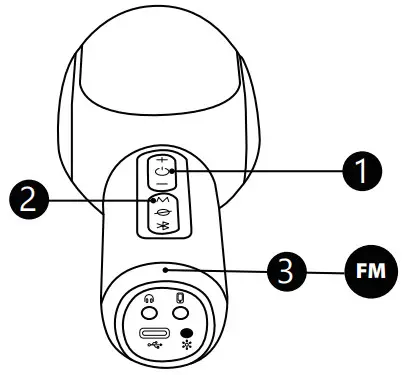
FM/PARTY MODE
SPECIFICATION
| Model | Stage SingFree |
| Output Wattage | RMS:7.5W MAX: 10W |
| Power Supply | 3.7V / 2500mAh |
| Frequency Response | 50 Hz – 20k Hz |
| Driver Diameter | 52mm |
| Microphone Capsule | 9.7mm Condenser Mic |
| USB Charging | Type-C 5V/1A |
| Charging Time | 3 Hours |
| Battery Life | 5 Hours (Max Volume) 10 Hours (Half Volume) |
| Dimension | 7.9×2.8×2.6 inch / 20x7x6.5cm |
| Weight | 0.73lb / 0.33kg |
This device complies with Part 15 of the FCC Rules. Operation is subject to the following two conditions:
- This device may not cause harmful interference, and
- This device must accept any interference received, including interference that may cause undesired operation
NOTE: This equipment has been tested and found to comply with the limits for a Class B digital device, pursuant to Part 15 of the FCC Rules. These limits are designed to provide reasonable protection against harmful interference in a residential installation. This equipment generates, uses, and can radiate radio frequency energy and, if not installed and used in accordance with the instructions, may cause harmful interference to radio communications. However, there is no guarantee that interference will not occur in a particular installation.
If this equipment does cause harmful interference to radio or television reception, which can be determined by turning the equipment off and on, the user is encouraged to try to correct the interference by one or more of the following measures:
- Reorient or relocate the receiving antenna.
- Increase the separation between the equipment and receiver.
- Connect the equipment into an outlet on a circuit different from that to which the receiver is connected.
- Consult the dealer or an experienced radio/TV technician for help.
Warning: Changes or modifications not expressly approved by the party responsible for compliance could void the user’s authority to operate the equipment
For more latest products, please visit: www.coolmetech.com
For any assistance, please Email us: [email protected]
 Made in China