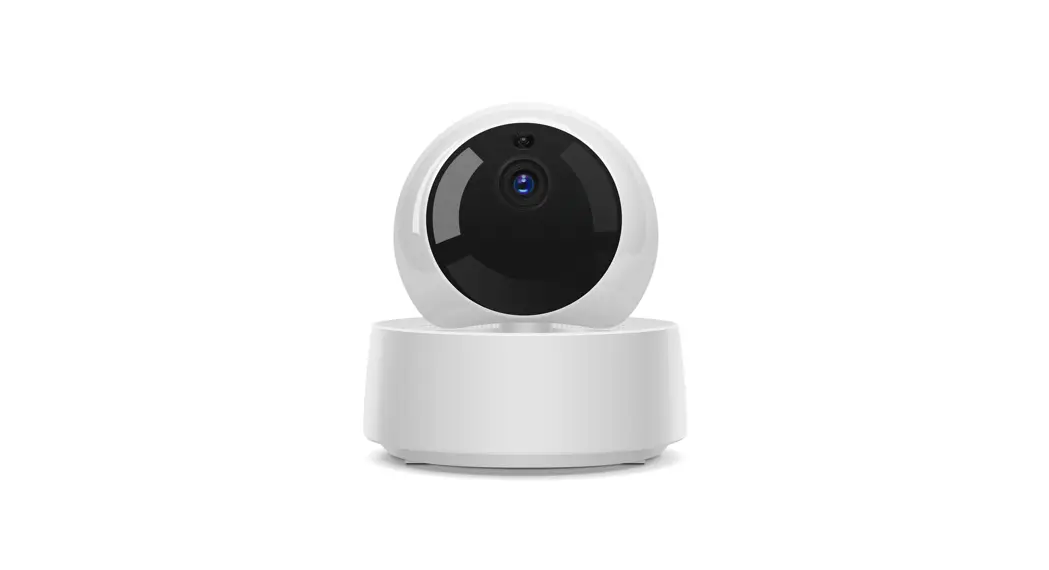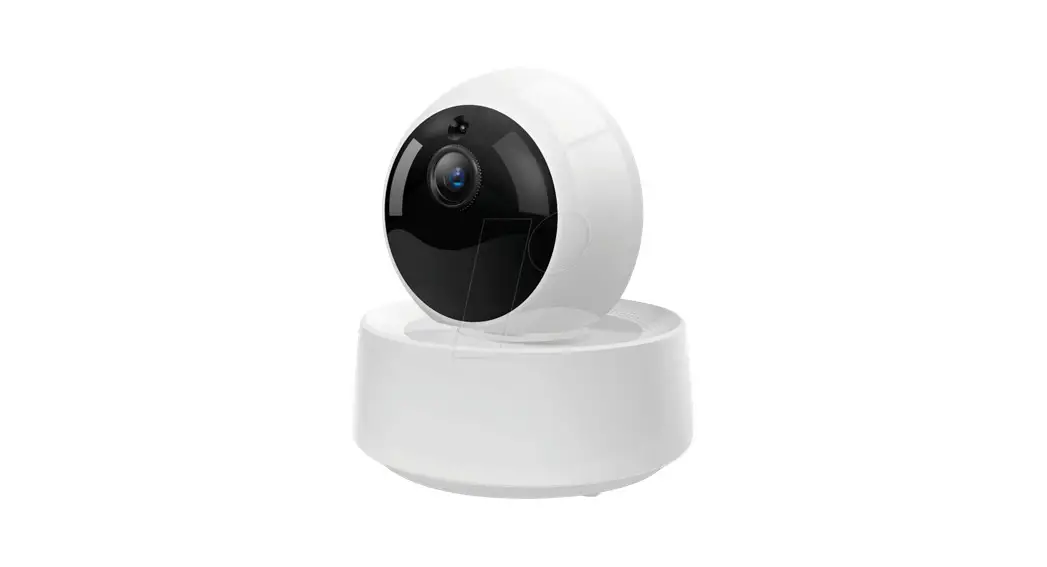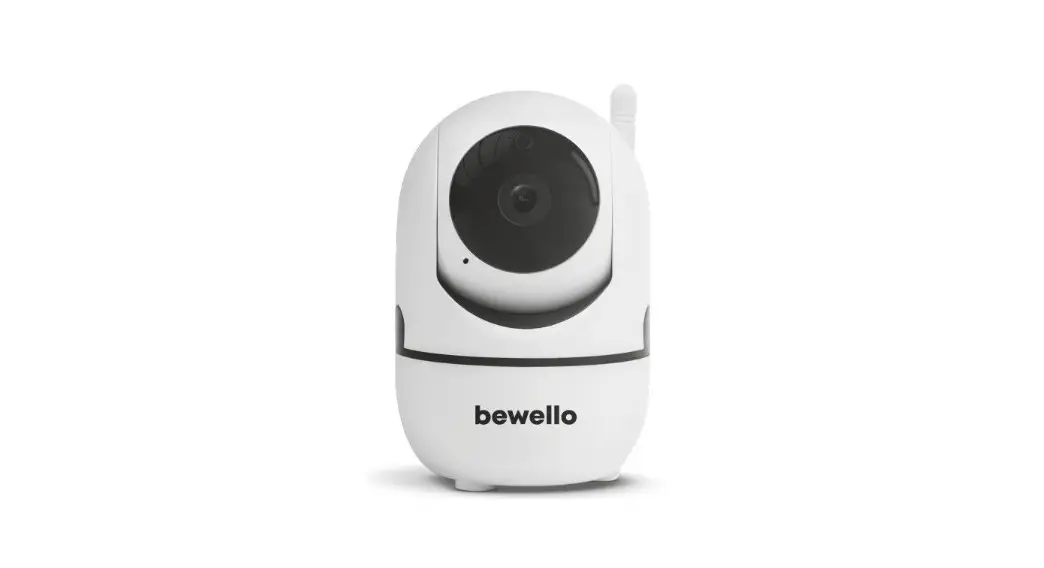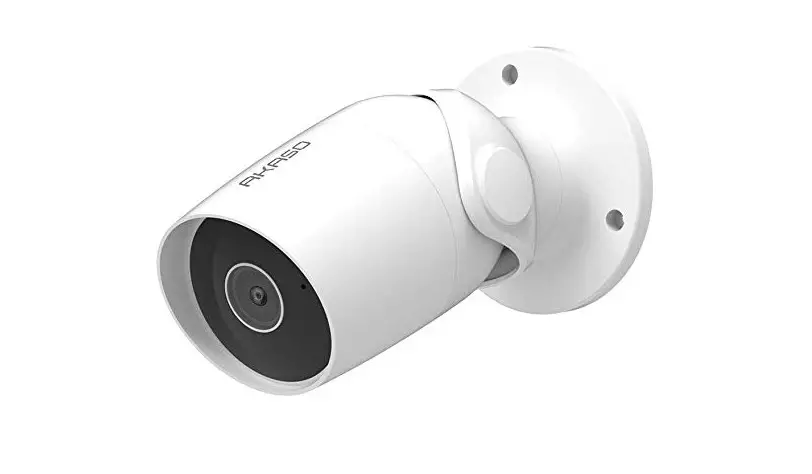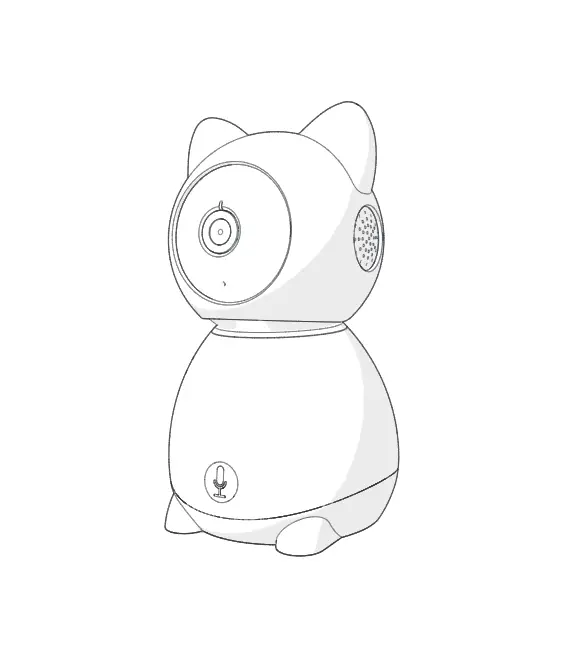
 SONOFF GK-200MP2-B WiFi Wireless IP Security Camera
User Manual
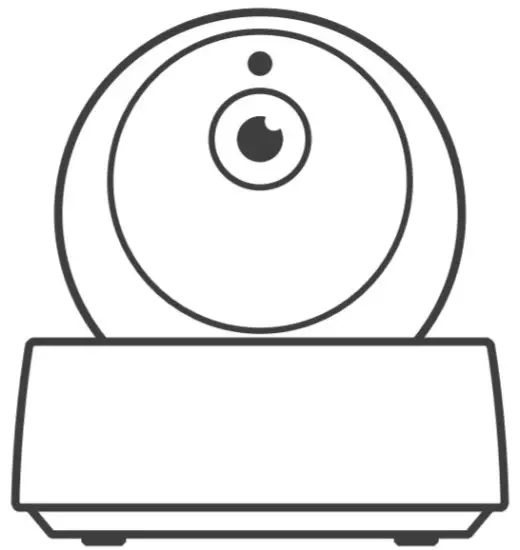
Operating Instruction
Download APP
 |  http://app.coolkit.cc/dl.html http://app.coolkit.cc/dl.html |
| Android™ & iOS | |
Power on
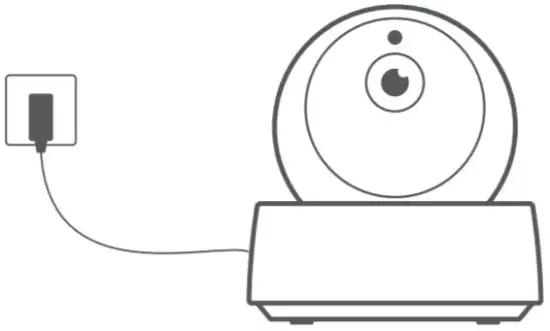
After powering on, the camera defaults to factory reset during the first use. A voice prompt indicates that it turns on successfully.
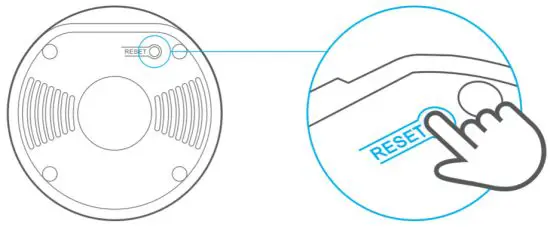
 If change users, please long press the “RESET” button for 3s on the bottom of the camera until you hear “Reset success”, then operate the next step following the voice prompt after a successful reboot.
Add camera
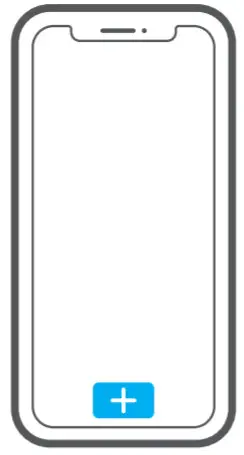
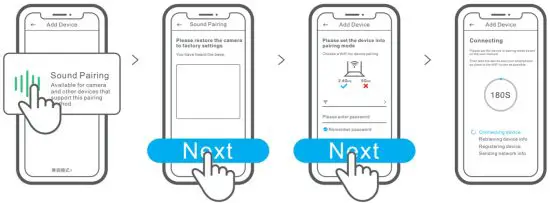
Tap “+” on the APP to add the camera after you hear “please use mobile phone for Wi-Fi configuration” as shown below:
Specifications
| Model | GK-200MP2-B | DC input | 5V=-1.2A |
| Aperture | F0,1. | Rotating angle | 340Thorizonta1/120’vertical |
| Resolution | 1080P | Working temp. | O’S – 55`C |
| Video compression standard | H.264 | Storage location | TF card (Max.128GB) |
| Wi-Fi | IEEE 802.11 begin 2.4GHz | Material | ABS |
| Operating systems | (Android 4.1 & iOS 9.0)or higher | ||
| Dimension | Fold: 109x109x8Omm Unfold:109x109x120mm | ||
Product Introduction
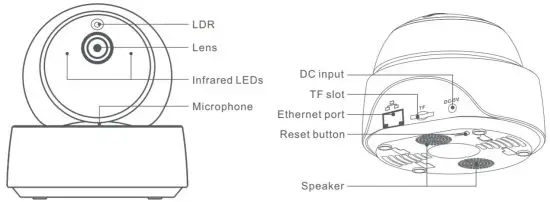
The camera can connect Ethernet cable to ensure stable video monitoring, avoiding causing video monitoring interruptions because of an unstable Wi-Fi network.
Local network connection method for camera
Plug into the Ethernet cable and select “Scan QR code”, then scan the QR code on the back of the camera and select the same ID in the “Devices on LAN” list with the current device. Tap “Confirm” to add the camera.
Make sure that your mobile phone and the Ethernet cable access the same network. Before connecting the ethernet network, if you have connected the device via a Wi-Fi network, to ensure the normal use of the ethernet network, please delete the connected device in the eWeLink app.
Features
GK-200MP2-B is a Wi-Fi wireless IP security camera that can be used for real-time monitoring. You can control the monitoring images, adjust images resolution, pan and tilt angle, set “activity alert” notification to push an alarm message to your smartphone.
It allows you to shoot, record, remotely talk, and you can share the camera with your family to control together.
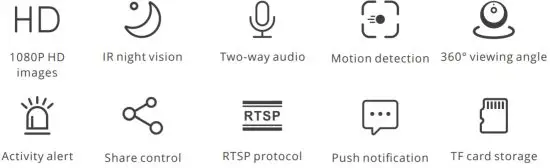
If the TF card has been inserted, the camera will alarm and push a notification to the eWeLink APP and automatically record a 40s video and store it in the TF card when motion detection is triggered. The TF card is required with a transmission speed of at least class10.
Infrared night vision
Built-in 2 infrared night vision LEDs which ensure the night vision distance of 15m.
The infrared LEDs will be automatically activated in a low-light condition to provide a clear monitoring image.
Bind camera
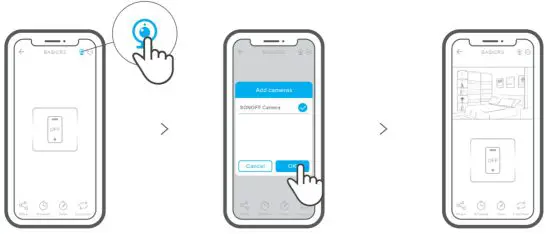
You can add it on the APP control page of SONOFF devices, like BASIC, S26, TX, and more after the camera is connected with the eWeLink APP.
Factory Reset
Long press the “RESET” button on the bottom of the camera for 3s until you hear “Reset success” and release, then a sound prompt indicates that it restarts successfully. The camera is reset successfully and enters quick pairing mode.
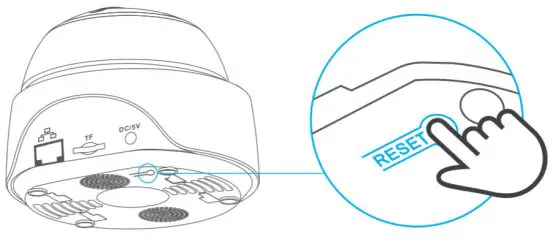
Please reset the camera to factory defaults if you want to use other Wi-Fi networks, then reconnect the network.
Install camera
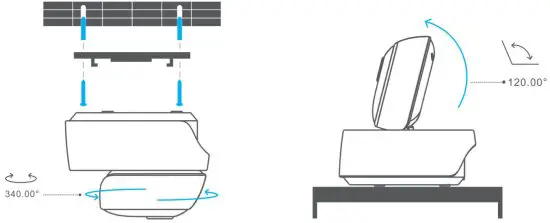
The camera can be placed on the desktop, mounted on the wall, or ceiling to monitor.
Cautions
- Don’t expose the camera to the sun for very long.
- Don’t get the camera wet or leave it where it can get wet.
- If videos get blurred, please wipe the lens using a cloth with alcohol to keep clean.
- To avoid disturbing neighbors and ensuring the speaker has a long lifetime, please don’t get a motion detection alert on for very long.
Common Problems
Q: Fail to connect Wi-Fi and pair?
A: Please check the following problems and re-add the device when you connect Wi-Fi
- Make sure correct Wi-Fi password and do not connect the Ethernet cable;
- Only supports a 2.4GHz Wi-Fi network. Please disable the 5GHz Wi-Fi network if you use dual-band router;
- Keep the camera closer to your router;
- Please pair and connect the camera in an environment without interference.
Q: Is it normal for the speaker to make a squealing sound?
A: Your smartphone and the camera may because mutual interference and lead to the squealing sound from the speaker when you use “ Talk”. Please keep your
smartphone away from the camera to eliminate interference.
Q: Why there is no sound when I communicate with the camera on my smartphone?
A: Make sure that you enable the “Talk” function on your smartphone. If it doesn’t receive the sound from the camera, please check if the microphone is muted.
Q: How to playback video recordings? Can the videos of the TF card be played on my computer?
A: Power off the camera and insert the TF card on your computer to playback videos.
Q: How to enable “Activity detection reminder” on the eWeLink APP?
A: Tap “ ” on the upper right corner on the camera page, access the setting page, and enable “Activity detection reminder”, then select the right one from “high, medium, and low sensitivity” and turn on “Sound Alert”. The camera will alarm once any motion is detected.
Q: Why do videos get stuck when playing?
A: To ensure videos are playing fluently, please connect broadband network. We recommend using the uplink broadband of 2Mbps for the camera and the downlink of the broadband of 2Mbps for the smartphone. The videos may get stuck if the camera is connected to a Wi-Fi network that many users connected, please plug the Ethernet cable and try.
Q: How to avoid triggering false alarms?
A: The motion detection is used to monitor object movement rather than human movement, so a ray of light, the shadow of trees, flying animals can trigger activity detection reminders. To prevent triggering false alarms, please set the motion detection sensitivity to the “low level”.
FCC Warning
Changes or modifications not expressly approved by the party responsible for compliance could avoid the user’s authority to operate the equipment.
This device complies with part 15 of the FCC Rules. Operation is subject to the following two conditions: (1) This device may not cause harmful interference, and (2) this device must accept any interference received, including interference that may cause undesired operation.
FCC Radiation Exposure Statement:
This equipment complies with FCC radiation exposure limits set forth for an uncontrolled environment. This equipment should be installed and operated with a minimum distance20cm between the radiator & your body. This transmitter must not be co-located or operating in conjunction with any other antenna or transmitter.
Note:
This equipment has been tested and found to comply with the limits for a Class B digital device, pursuant to part 15 of the FCC Rules. These limits are designed to provide reasonable protection against harmful interference in a residential installation.
This equipment generates, uses, and can radiate radio frequency energy and, if not installed and used in accordance with the instructions, may cause harmful interference to radio communications. However, there is no guarantee that interference will not occur in a particular installation. If this equipment does cause harmful interference to radio or television reception, which can be determined by turning the equipment off and on, the user is encouraged to try to correct the interference by one or more of the following measures:
- Reorient or relocate the receiving antenna.
- Increase the separation between the equipment and receiver.
- Connect the equipment into an outlet on a circuit different from that to which the receiver is connected.
- Consult the dealer or an experienced radio/TV technician for help.
Hereby, Shenzhen Sonoff Technologies Co., Ltd. declares that the radio equipment type GK-200MP2-B is in compliance with Directive 2014/53/EU.
The full text of the EU declaration of conformity is available at the following internet address: https://sonoff.tech/usermanuals
TX Frequency:
WiFi: 2412-2472MHz
RX Frequency:
WiFi: 2412-2472MHz
Output Power:
13.22dBm(802.11b), 11.3dBm(802.11g), 11.06dBm(802.11n20), 11.42dBm(802.11n40)
Shenzhen Sonoff Technologies Co., Ltd.
1001, BLDG8, Lianhua Industrial Park, Shenzhen, GD, China
ZIP code: 518000 Website: sonoff.tech
MADE IN CHINA