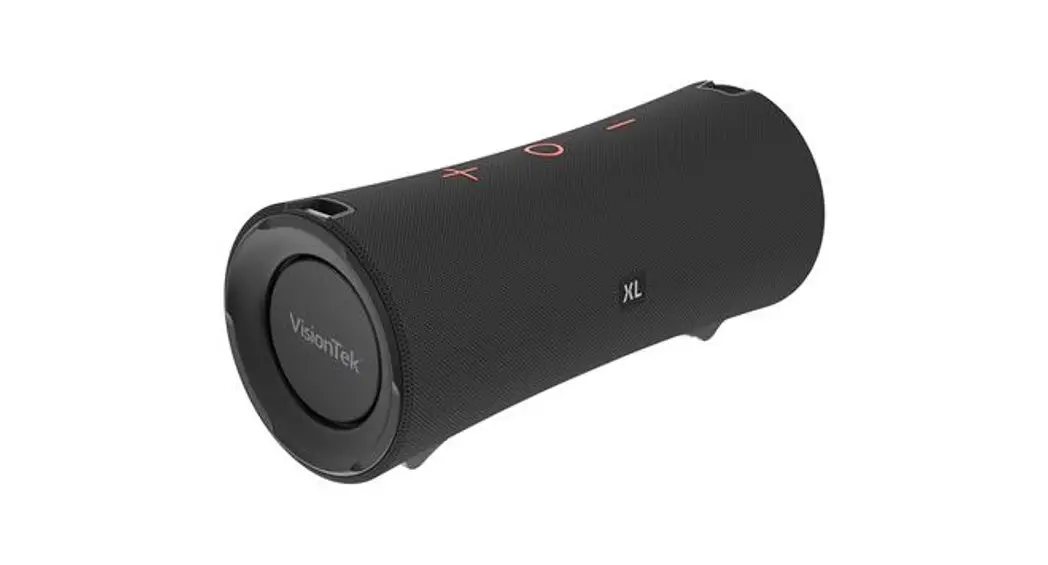
 USER MANUAL
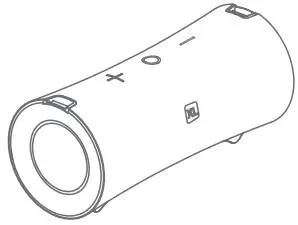
BLUETOOTH PAIRING
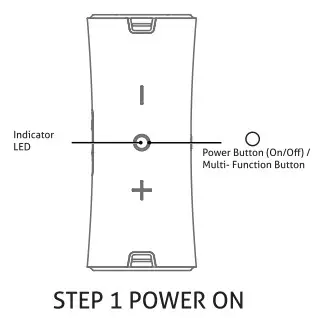
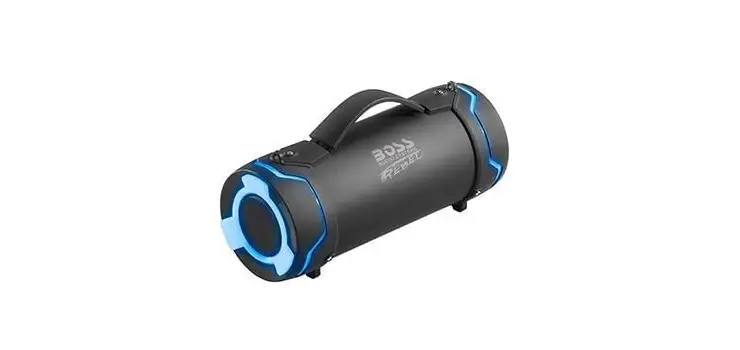
Long pet the button for 2-3 seconds to post on the speaker. You will hear power on tone The speaker Wel enters Bluetooth pairing mode named by the blue indicator LED blinking.
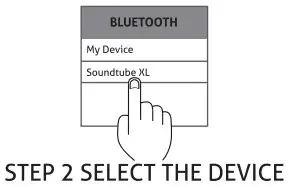
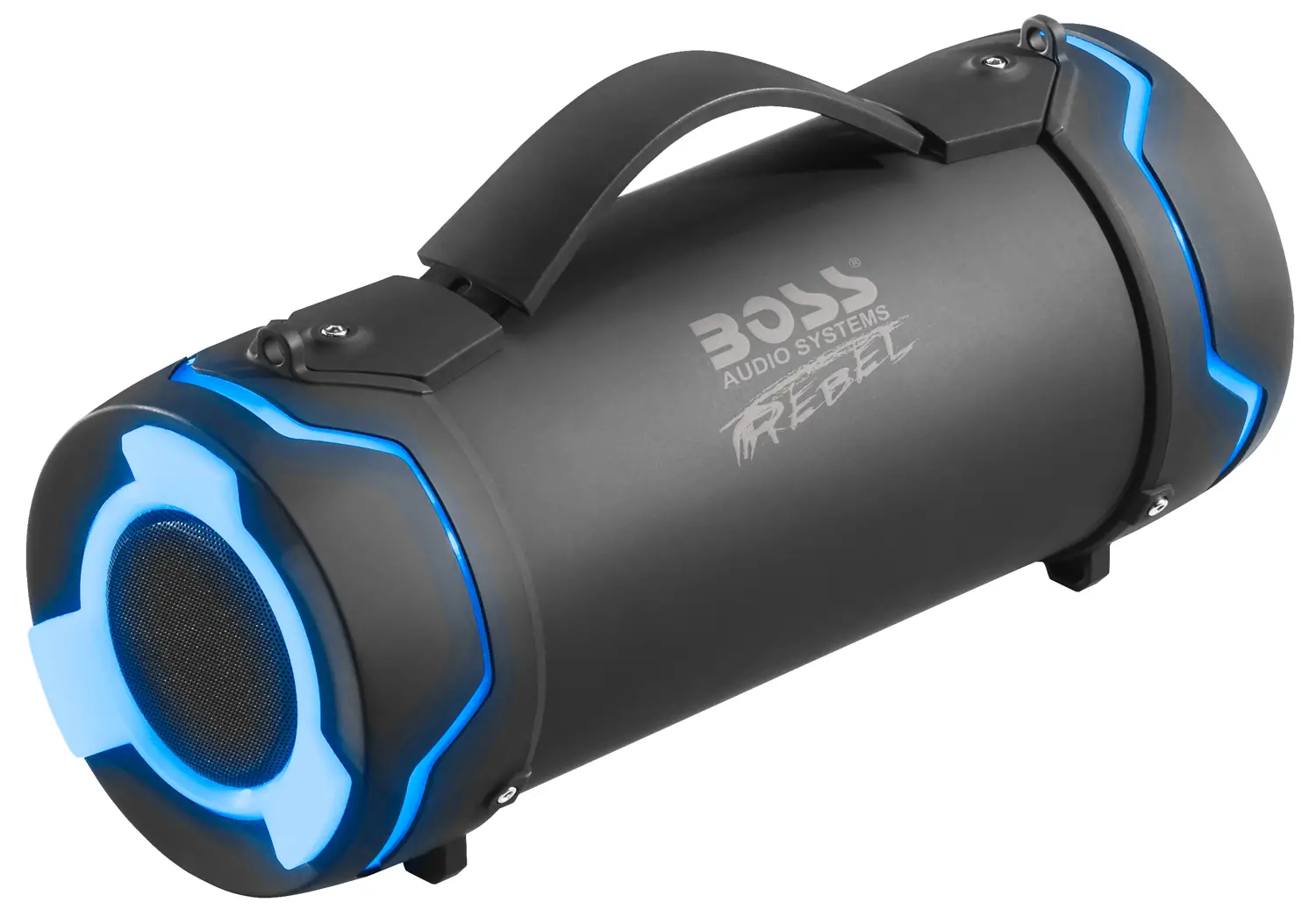
Find “Soundtube XL” in your Bluetooth device list on your mobile phone, tablet or PC.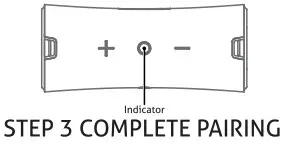 The LED indicator on the speaker will shine blue once the device is paired followed by a beep. The device is now paired and you can start enjoying your Soundtube XL.
TWS (TRUE WIRELESS STEREO) PAIRING
OPERATING INSTRUCTIONS
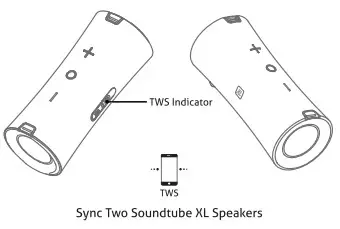
Turn on the two speakers, short press the “ “buttons on each speaker to enter TWS pairing mode. An indicator sound and the white TWS indicator light will blink. The speakers will pair automatically. Once paired a “du” notification sound will play and the white TWS indicator light will stay on. Once TWS pairing is complete open the Bluetooth settings on your device and selects “Soundtube XL” from the Bluetooth device list. This will pair the two Bluetooth speakers to your device at the same time. Short press the “” button of any speaker to disconnect the TWS pairing. The white TWS indicator will turn off once disconnected.
NOTE: For TWS pairing, connect the two speakers together first then connect to your smartphone or device.
BASIC OPERATION
 POWER BUTTON / MULTI-FUNCTION BUTTON
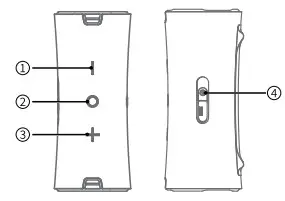
Long press the “” button for 2-3sec, Power On/Off When a call is incoming, short press “” to answer
When a call is incoming, double press “” to refuse
During a call, short press “” to hang up
Short press “” when playing music to Pause/Play
+/- VOLUME BUTTONS
Short press – to adjust the volume down, Long press the – for the previous track Short press + to adjust the volume up, Long press + for the next trackTWS BUTTON
Short press “” to turn on/off TWS
Long press “” for 2-3sec to disconnect from Bluetooth
LED INSTRUCTION
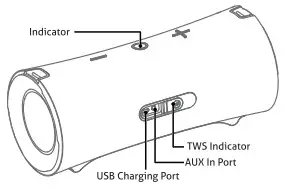
| POWER ON | Blue light flashes |
| BLUETOOTH MODE | PLAY/PAUSE: Blue light Is on. |
| When outside of the 10m Bluetooth range, the blue light flashes (Indicating pairing status). When the speaker is left in pairing mode for over 10 minutes with no changes, the speaker will turn off | |
| AUXIN MODE | Greenlight is on |
| CHARGING STATUS | The red light is on when charging The red light turns off once fully charged |
| LOW BATTERY INDICATOR | Red light flashes when the battery is running low |
| TWINS | The TWS indicator stays white after TWS pairing is complete |
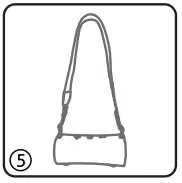
STRAP INSTALLATION
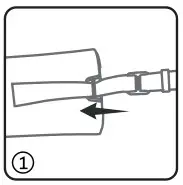
- Pull one end of the strap through the metal clip in the direction of the arrow

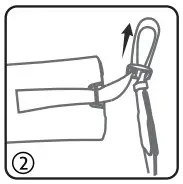
- Pull a length of the strap out in the direction of the arrow

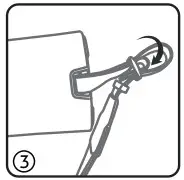
- Take on the end of the strap through the buckle in the direction of the arrow

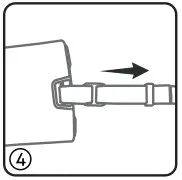
- Tighten the straps

- Repeat the steps for the oche side of the strap

PRODUCT SPECIFICATIONS
| PRODUCT NAME | SOUNDTUBE XL |
| MODEL NAME | 901314 |
| BLUETOOTH VERSION | 4.2 |
| BATTERY CAPACITY | 7200mAh |
| WORKING TIME | 7-8 HOURS (70% VOLUME) |
| CHARGING TIME | 5-6 HOURS |
| CHARGING CURRENT | SV:=1.811/4 |
| DRIVER UNIT | 40W = 20Wx2 |
| DIMENSION | 280mm x 118mm x 120mm |
| WEIGHT | 1730g ±10 |
FREQUENTLY ASKED QUESTIONS
Q: What kind of charger should I use for the speaker?
A: All common USB chargers can be used, we recommend chargers above 5V/1.8A.
Q: What is the device priority of the speaker?
A: The speaker priority is AUX-IN input, Bluetooth phone call when paired, and then music over Bluetooth mode.
Q: The speaker does not turn on.
A: Plug in the charger and try to turn on the speaker after a few minutes.
Q: What if there is a cricketing or distortion of sound when in use.
A: The speaker can be used at distances up to 10m with no environmental obstruction. If used at a distance greater than 10m or with an obstruction between the connected devices there may be distortion or loss of signal.
Q: Why does the speaker shut down automatically when powered on.
A: When there is no Bluetooth device paired or if the speaker is not connected in AUX mode within 10 minutes, the speaker will shut down to reduce power consumption.
Q: The speaker cannot connect to a previously paired device.
A: On your device remove the speaker from the list of Bluetooth devices. On the speaker short press the Bluetooth Disconnect Button to restart pairing mode.
*This speaker supports mobile phones, tablets, PC, etc. Images and steps provided are based on a mobile phone experience.
www.visiontek.com