Comprehensive CHE-HDWP85UD Pro AV-IT HDMI & USB-C 4K60Hz Wallplate
Thank you for purchasing this product
For optimum performance and safety, please read these instructions carefully before connecting, operating or adjusting this product. Please keep this manual for future reference
Surge protection device recommended
This product contains sensitive electrical components that may be damaged by electrical spikes, surges, electric shock, lighting strikes, etc. Use of surge protection systems is highly recommended in order to protect and extend the life of your equipment.
Introduction
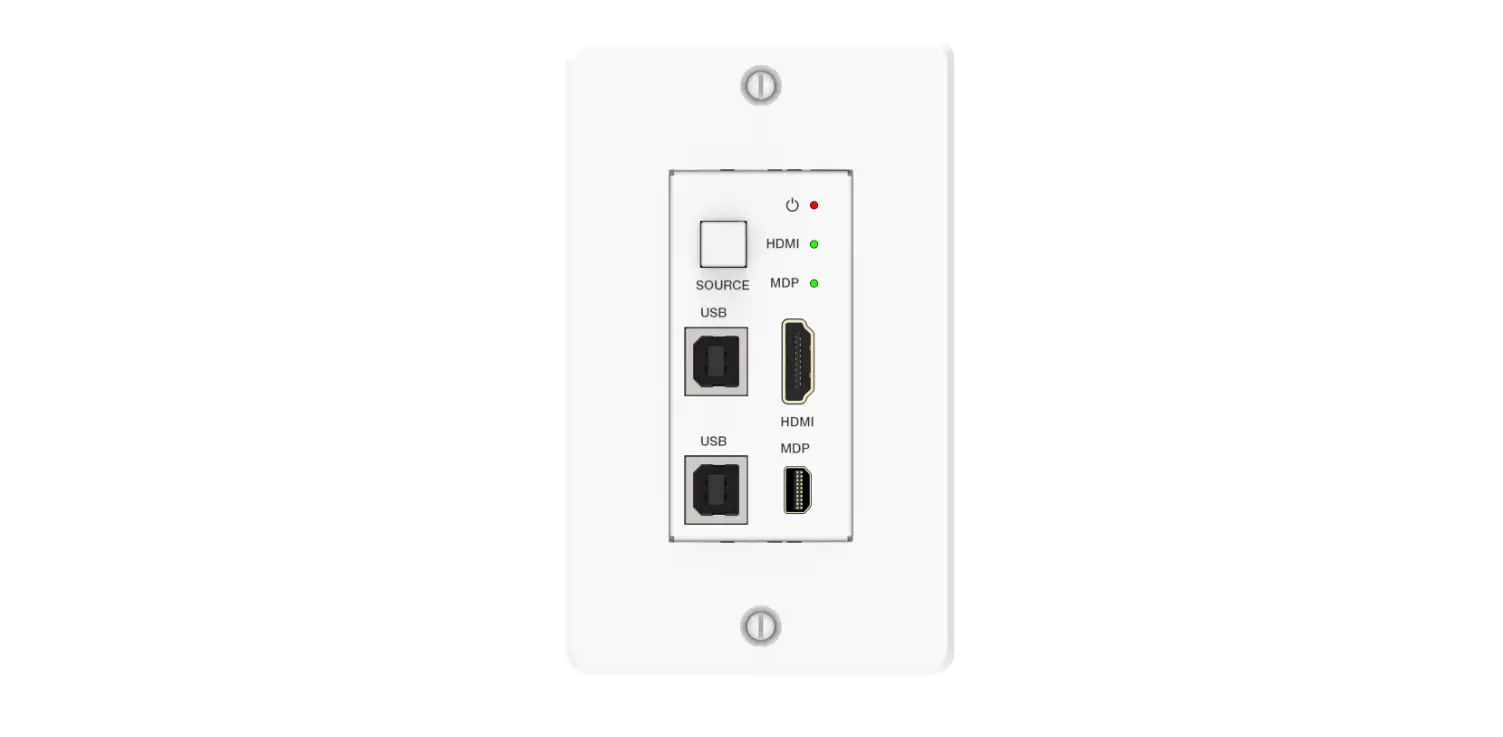
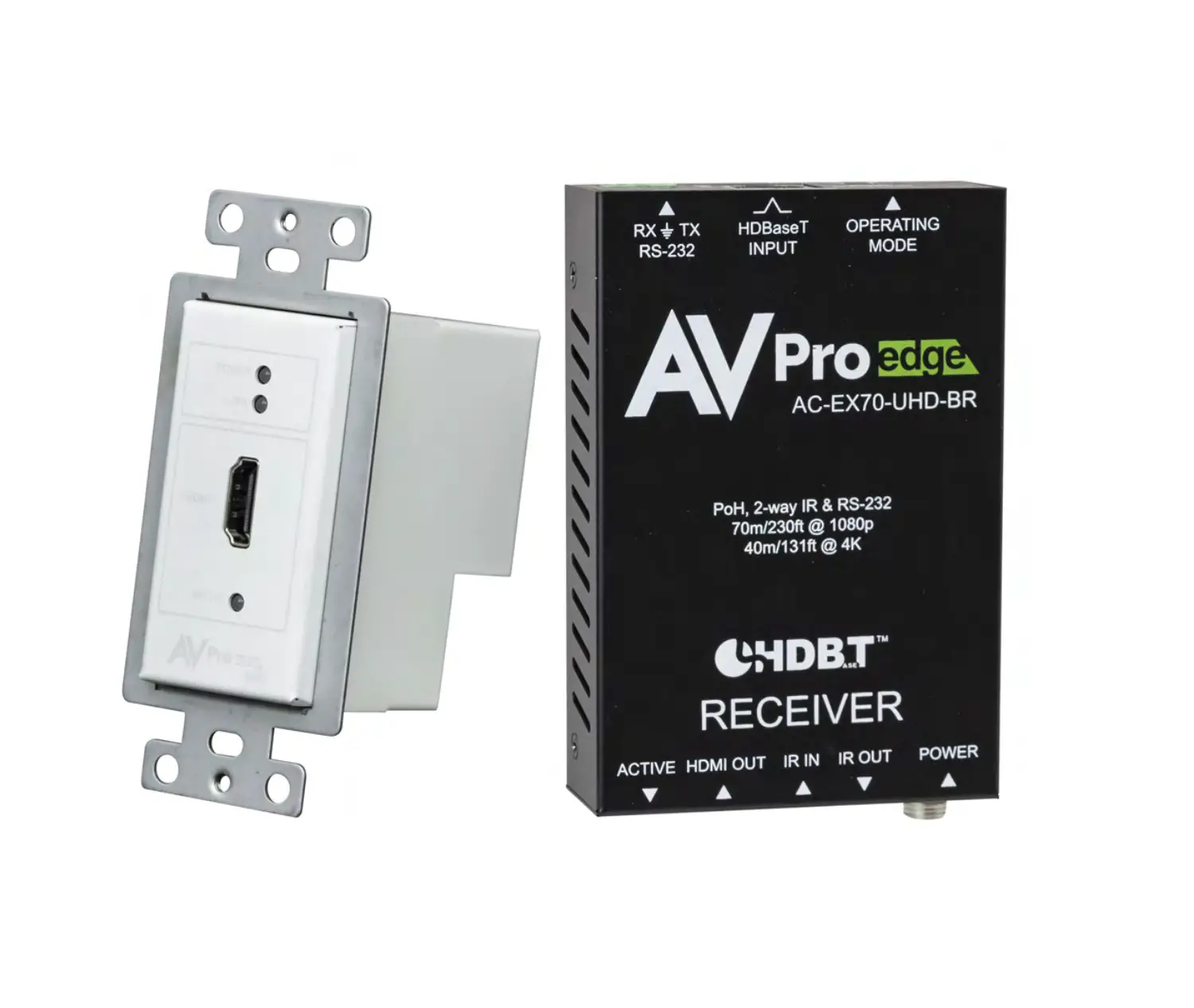
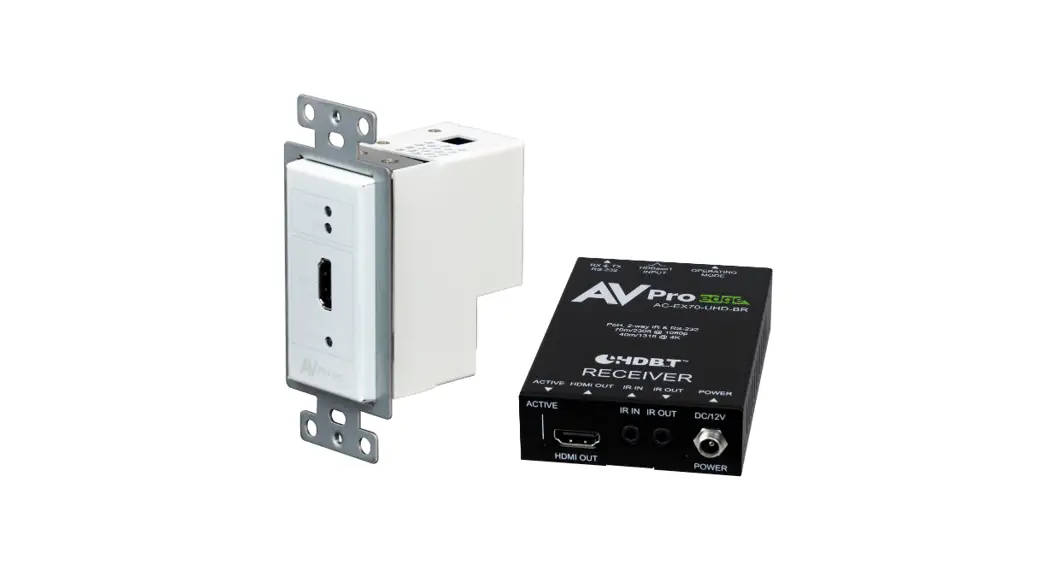
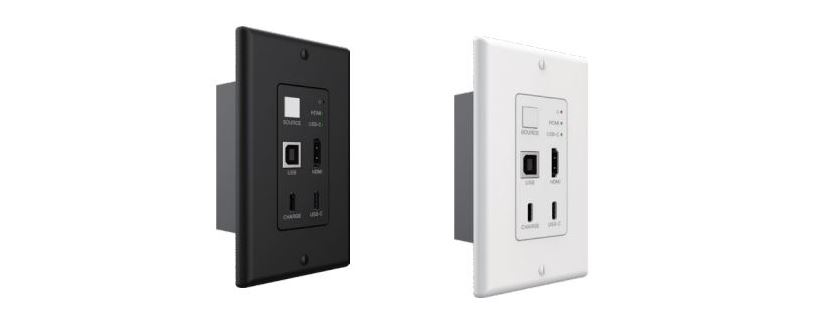
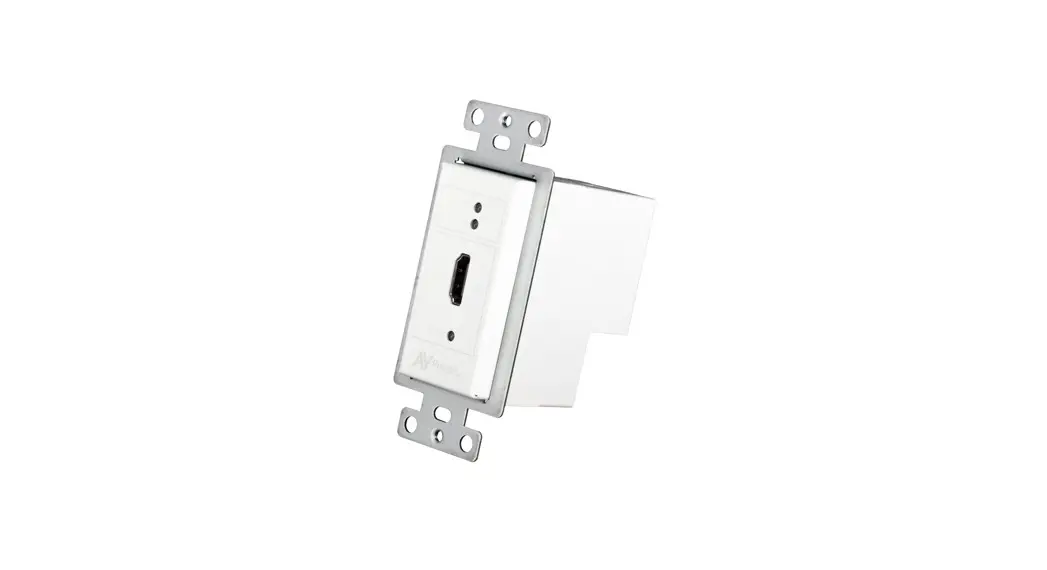
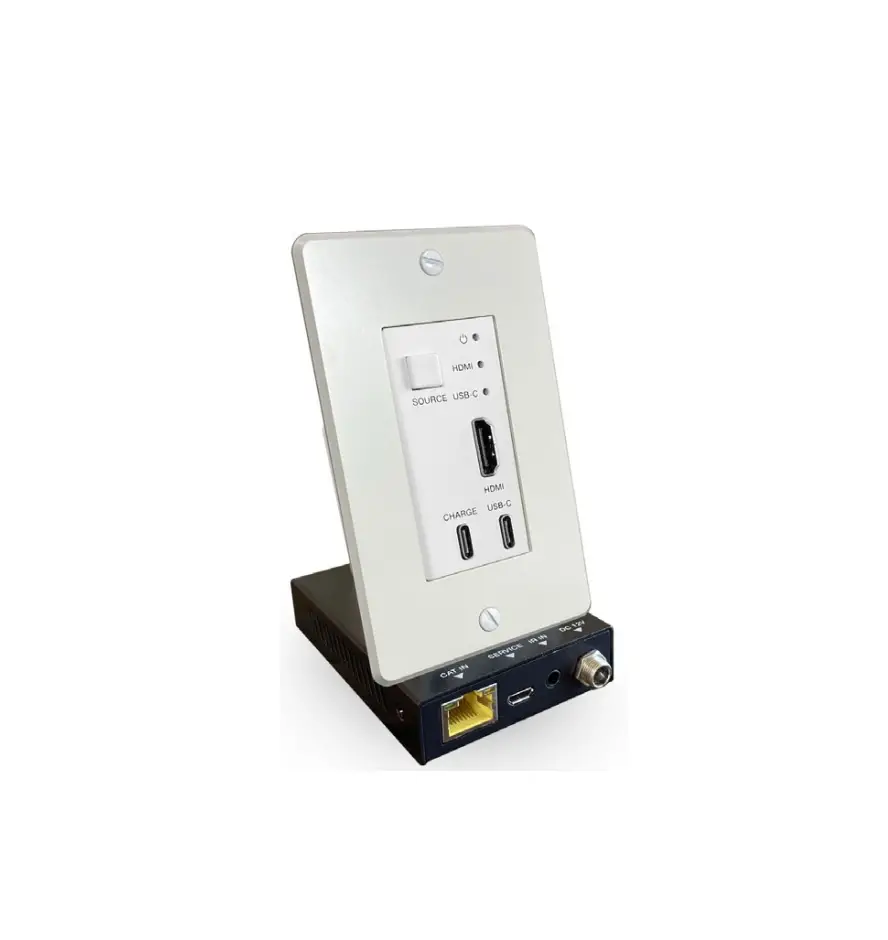
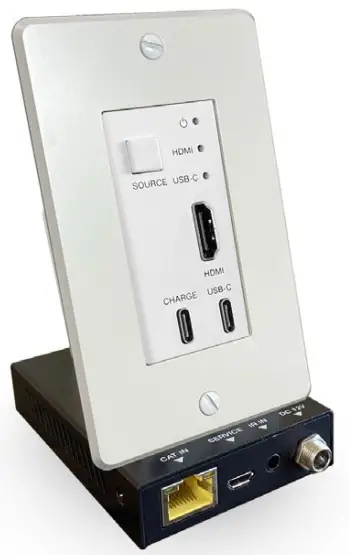
The CHE-HDWP85UD is a wallplate 2×1 switcher transmitter & receiver kit with HDMI and USB-C inputs. It features a US one-gang enclosure for Decora-style wallplate with a white wallplate and faceplate. The CHE-HDWP85UD supports video resolutions up to 4K2K@50/60Hz 4:4:4. The CHE-HDWP85UD also is able to extend AV signal to transmission distances up to 164ft / 50m over cat5e or cat6. The transmitter is remotely powered by the receiver via POC.
Features
- Compliant with HDMI 2.0b, HDCP 2.2 and Display Port 1.2a
- HDMI input supports 18Gbps video bandwidth; USB-C input supports 5.4Gbps video bandwidth
- Video resolution up to 4K2K@50/60Hz 4:4:4
- Video transmission distance up to 164ft / 50m for 4K@60 444 via a single CAT5e/6 cable
- Supports 3D, HDR10 and Dolby Vision (does not support CEC control)
- HDMI audio formats support LPCM, Dolby Digital/Plus/EX, Dolby True HD, DTS, DTS-EX, DTS-96/24, DTS High Res, DTS-HD Master Audio, DSD
- Supports HDMI and USB-C input
- Dedicated USB-C charging port to power your connected USB-C devices (requires a PD adapter up to 60W)
- US one-gang enclosure for Decora-style wall plate openings
- Input signal selection supports automatic mode and manual mode
- Supports POC function (only from Receiver to Transmitter)
Package Contents
- 1× CHE-HDWP85UD (Transmitter & Receiver kit)
- 1× 12V DC power adapter
- 1× User Manual
| Technical | |
| HDMI Compliance | HDMI 2.0b |
| HDCP Compliance | HDCP 2.2 |
| DP Compliance | Display Port 1.2a |
| Video Bandwidth | USB-C: 5.4 Gbps |
| HDMI: 18 Gbps | |
| Video Resolution | 480i~1080p50/60Hz, 4Kx2K@24/30Hz, 4k2k@60Hz |
| Color Space | RGB, YCbCr 4:4:4 / 4:2:2, YUV 4:2:0 |
| Color Depth | 8/10/12-bit (1080P@60Hz) 8-bit (4K@60Hz) |
| HDR | Support |
| HDMI Audio Formats | LPCM, Dolby Digital/Plus/EX, Dolby True HD, DTS, DTS-EX, DTS-96/24, DTS High Res, DTS-HD Master Audio, DSD |
| Transmission Distance | Max distance (4K@24) : 164ft / 50m over CAT5e/6 Max distance (4K@60) : 115ft / 35m over CAT5e/6 |
| ESD Protection | Human body model — ±8kV (Air-gap discharge) & ±4kV (Contact discharge) |
| Connection | |
| Transmitter | Inputs: 1 x HDMI Type A [19-pin female] 1 x USB-C Outputs: 1 x CAT6 OUT [RJ45, 8-pin female] 1x USB-C (only for charging) Control: 1x FW [Micro USB, Update port] |
| Receiver | Input: 1x CAT IN [RJ45, 8-pin female] Output: 1x HDMI OUT [Type A, 19-pin female] Controls: 1x IR IN [3.5mm Stereo Mini-jack] 1x SERVICE [Micro USB, Update port] |
| Mechanical | |
| Housing | Metal Enclosure |
| Color | White / Black |
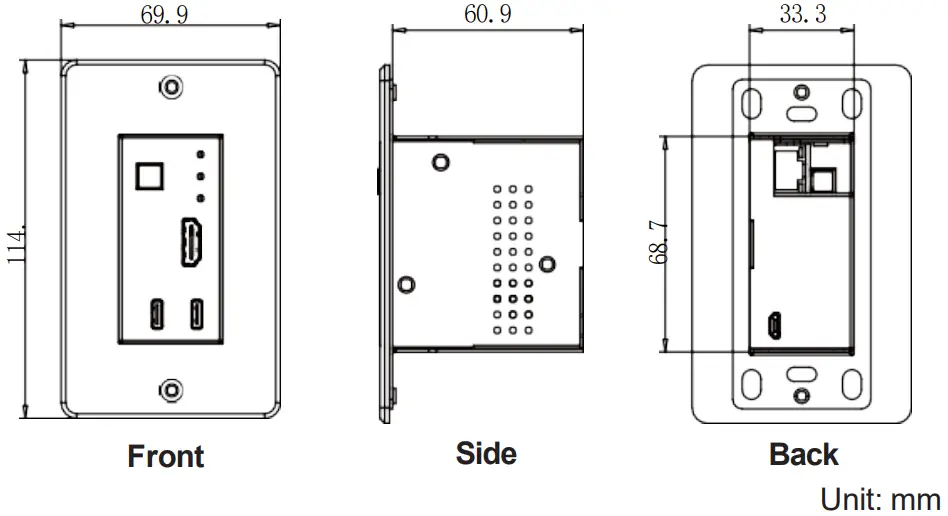
| Dimensions | Wall plate: 33.3mm [W] x 65.7mm [D] x 68.7mm [H] Faceplate: 69.9mm [W] x 3mm [D] x 114.3mm [H] Receiver: 88mm (W) × 61mm (D) × 18mm (H) |
| Weight | Wall plate: 195g, Receiver: 155g |
| Power Supply | POC (only from Receiver to Transmitter) |
| Power Consumption | Wall plate: 3W (Max), Receiver: 3.72W (Max) |
| Operating Temperature | 32 – 104°F / 0 – 40°C |
| Storage Temperature | -4 – 140°F / -20 – 60°C |
| Relative Humidity | 20 – 90% RH (no condensation) |
Product Dimensions
Operation Controls and Functions
Transmitter Panel
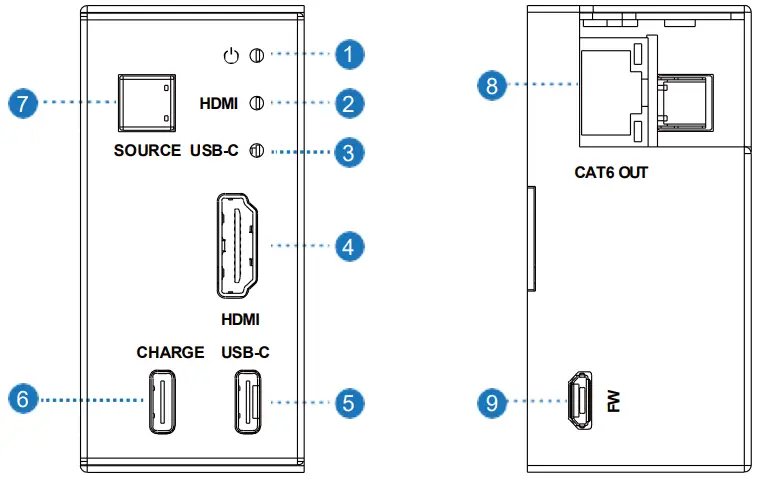
| No. | Name | Function Description |
| 1 | Power LED | The power LED indicator will illuminate in green when the product is powered on, and red when the product is on standby. |
| 2 | HDMI LED | When the HDMI input port is active and the HDMI signal is detected, the green LED will be on. |
| 3 | USB-C LED | When the USB-C input port is active and USB-C signal is detected, the green LED will be on. |
| 4 | HDMI port | HDMI input port, connect to HDMI source device. |
| 5 | USB-C port |
|
| 6 | CHARGE port | Connect this port to power supply, then the USB-C port will power the connected device. |
| 7 | SOURCE button | Used to switch HDMI / USB-C input signal. |
| 8 | CAT6 OUT | Connect to the CAT IN port of Receiver with a CAT5e/6 cable. |
| 9 | FW port | Firmware update port. |
Receiver Panel
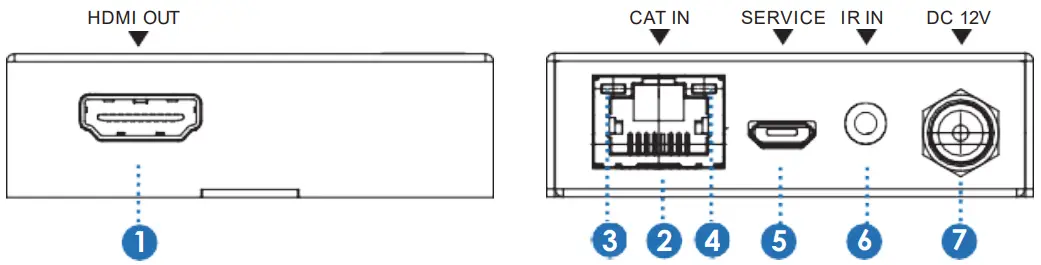
| No. | Name | Function Description |
| 1 | HDMI OUT | HDMI output port, connect to HDMI display device such as TV or Projector with an HDMI cable. |
| 2 | CAT IN | Connect to the CAT6 OUT port on the transmitter with a CAT cable. |
| 3 | Power Indicator Lamp (Green) | When the receiver is powered on, the power indicator lamp will be on. |
| 4 | Data signal Indicator Lamp (Orange) | When there is signal transmission between the transmitter and the receiver, the lamp will be on. |
| 5 | SERVICE port | Used for firmware update. |
| 6 | IR IN | IR signal input port. Connect to the IR Receiver cable. |
| 7 | DC 12V | Plug DC 12V/1A power supply into the unit and connect the adapter to an AC outlet. (Note: The CAT receiver provides power for the transmitter via a CAT cable. ) |
Note:
This transmitter supports automatic/manual mode for source signal input.
In manual switching mode, press the SOURCE button to select HDMI/ USB-C input source.
In automatic switching mode, the last connected or the currently connected source signal will be selected automatically; When both HDMI and USB-C ports are connected to active signal, HDMI signal input is preferred.
Application Example
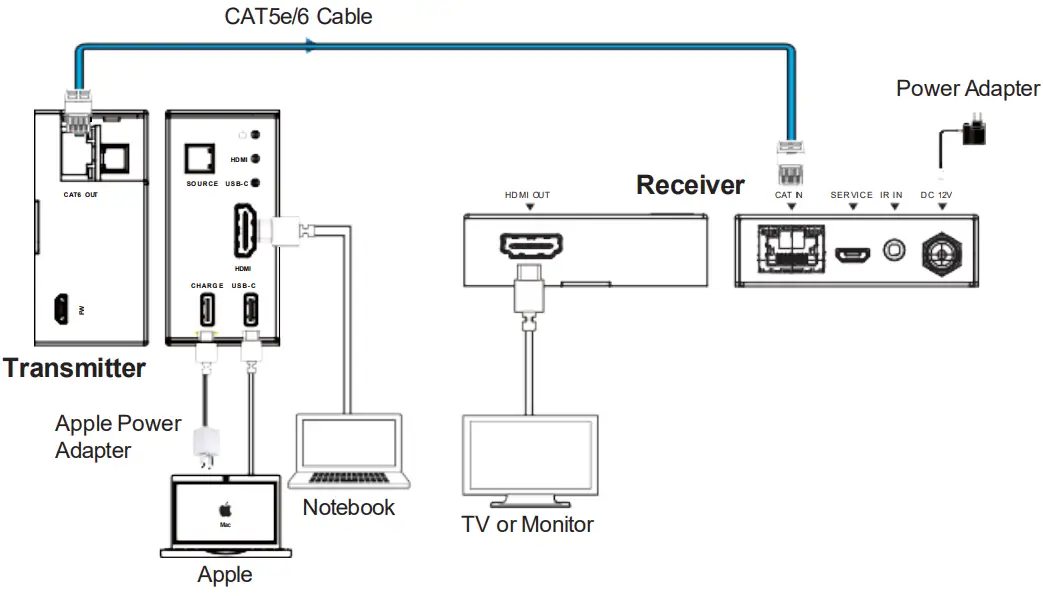
The terms HDMI and HDMI High-Definition Multimedia interface, and the HDMI Logo are trademarks or registered trademarks of HDMI Licensing LLC in the United States and other countries.
Customer support
80 Little Falls Road, Fairfield, NJ 07004
[email protected] | 800-526-0242 | www.ComprehensiveCo.com

 Comprehensive Connectivity Company