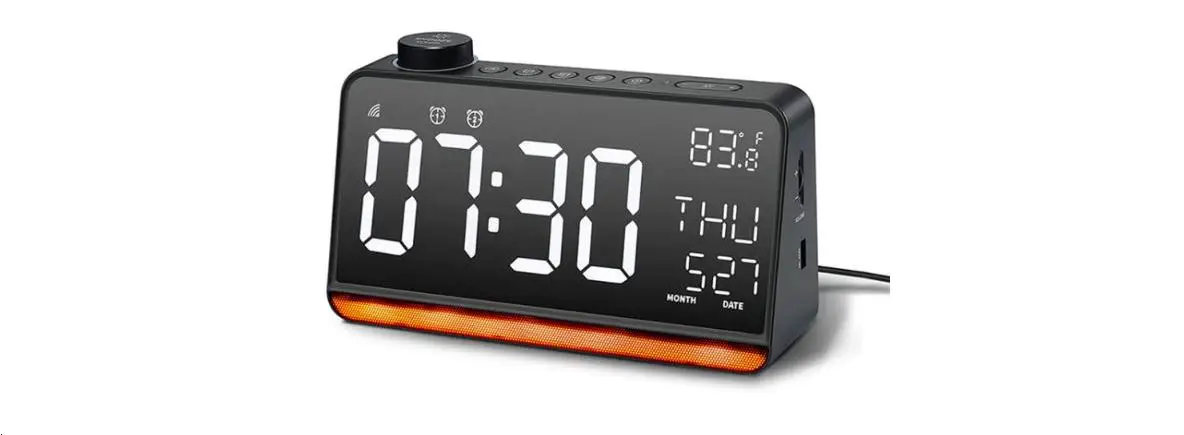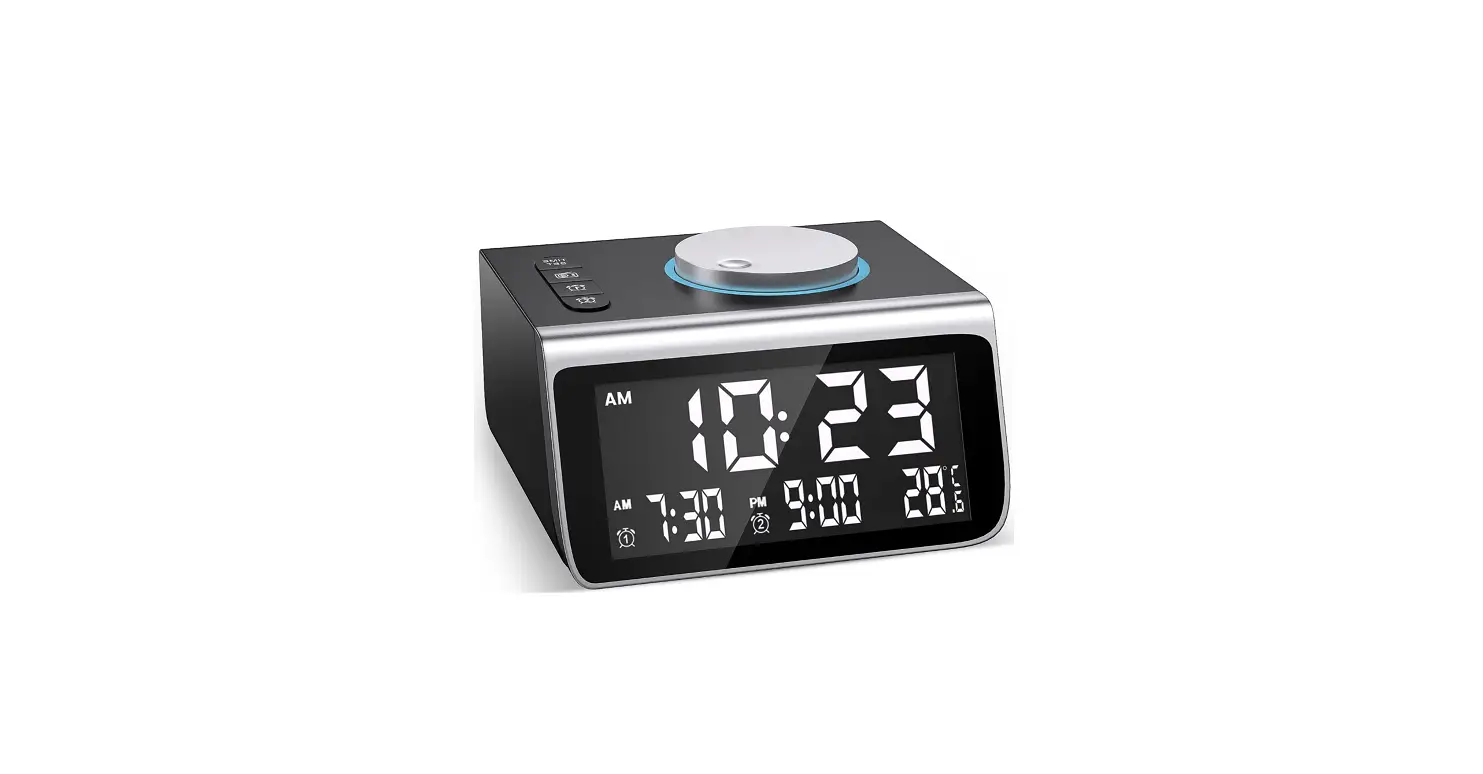
 Dekala AC-003 Alarm Clock Radio
 Dekala AC-003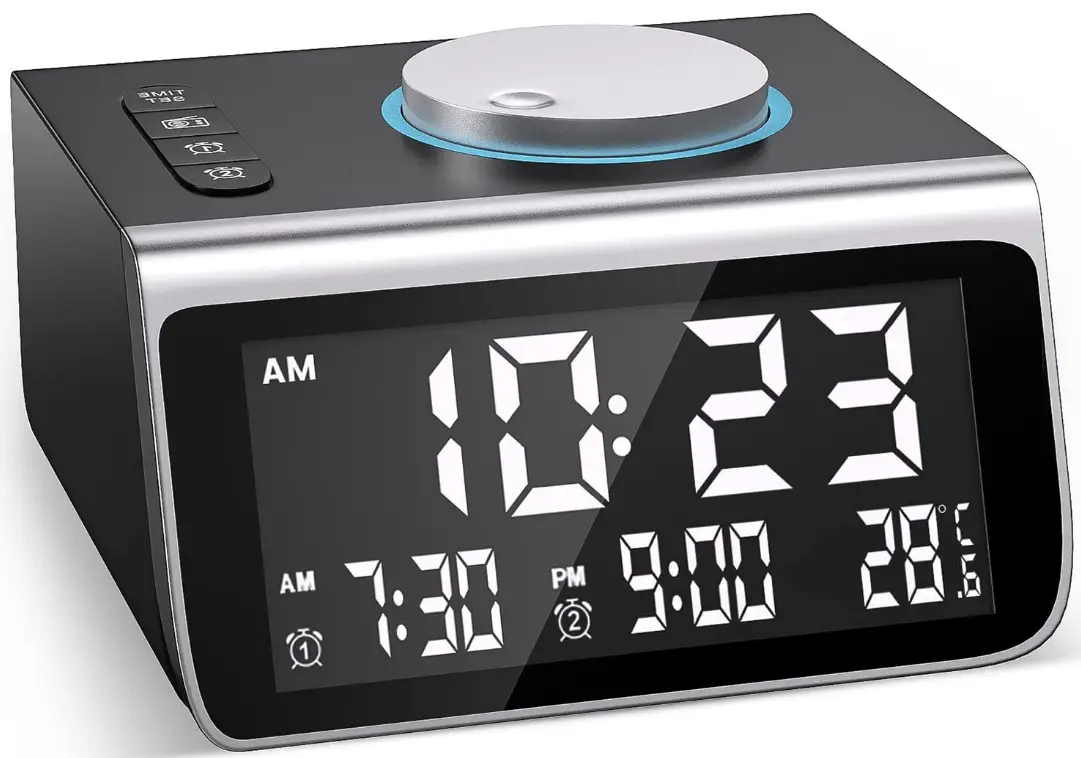
Scan The QR Code
Or Search ‘SET ACO03 on YouTube
Set The Time
Set The Alarm
Set The Radio
Button Instructions

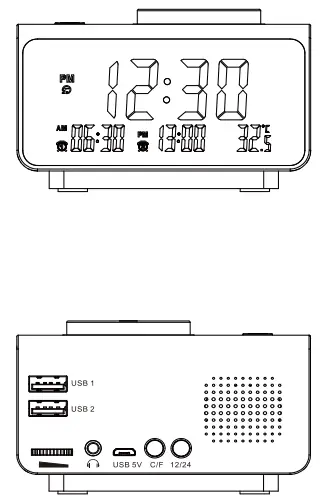
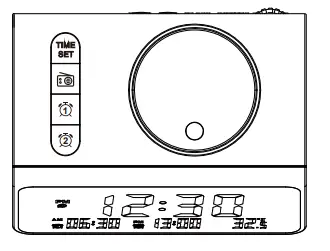
Time Adjustment
- Time setting
In External Power or Dry Battery State, press the “TIME SET” button for 2 seconds. “Hour of the current time will blink, then rotate the Big Round Button to adjust the hour, press the “TIME SET” button to confirm. And the “Minute” will blink, rotate the “Big Round Button to adjust the minute, press the “TIME SET button again to confirm. The time is set. - 12/24H Switching
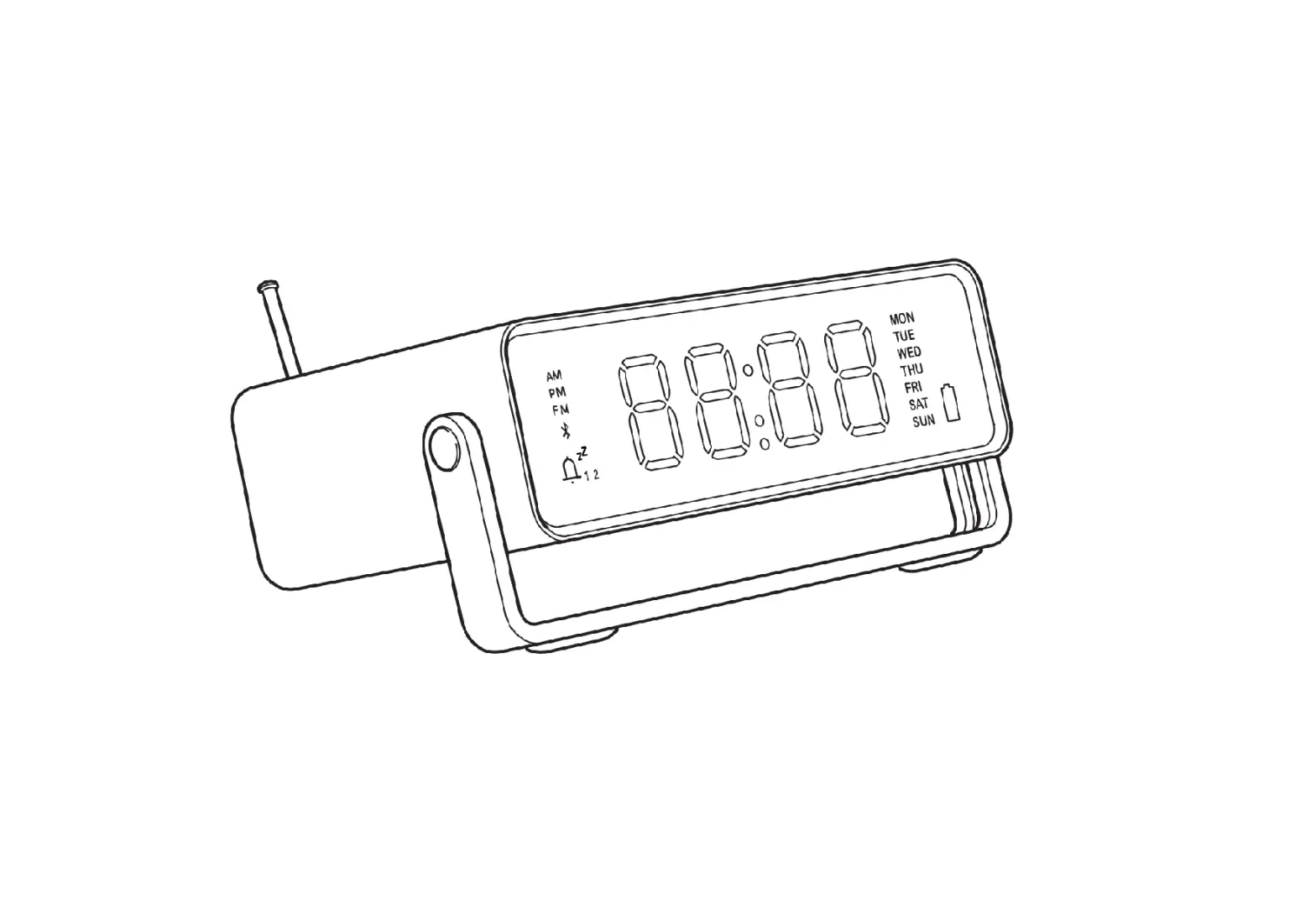
In Time Mode, press the “12/24H” button to switch between 12/24H Mode. In 12H Mode, “AM/ PM” will be lit up on the screen.
Alarm Adjustment
- Alarm Grouping
Two groups of alarms are set for this product, with the same usage and settings (the usage of Alarm 1 is shown below as an example). - Alarm Switch (Alarm 1 as an example)
In Time Mode, shortly press the button to turn on the alarm. Then set the alarm in the Alarm Zone. When the alarm is on, shortly press the button to turn off the alarm and switch the alarm “OFF° in the Alarm Zone.
 - Alarm Setting (Alarm 1 as an example)
In Use State, press thebutton for 2 seconds. The alarm time “Hour’ will blink. Rotate the “Big Round Button” to adjust the hour; press the “Q “button to confirm. The “Minute” will blink. Rotate the “Big Round Button” to adjust the minute. Press the button to confirm. Then the music number will be displayed and the music will be played. Rotate the “Big Round Button” to select the alarm tone (7 tones in total, 1 to 6 are natural sounds/chord tones, and 7 is FM radio). Press button again to confirm, and the alarm is set. - Alarm Tone Volume
Rotate the button to adjust the alarm tone volume.
 - Snooze Function
After the alarm is turned on, it will ring for 10 minutes when it is the time. If no action is taken, it will automatically quit and return to Time Mode; When the alarm rings, press the Big Round Button” to stop the alarm and enter Snooze Mode(maximum 12 times); Press any button other than the “NOOZE/LIGHT” button to stop the alarm.
 button to turn on the alarm. Then set the alarm in the Alarm Zone. When the alarm is on, shortly press the
 to adjust the alarm tone volume.
FM Radio
- Radio On
In Time Mode, Press to turn on the radio. Switch the radio station in Temperature Zone. Rotate the “Big Round Button” to adjust the channel.
 - Auto Scan
When the radio is on, press: the button for 2 seconds to automatically search and save the radio stations. The first station saved will be played after the completion. - Auto Radio Off
When the radio is on, press the “TIME SET” button and the time zone will display 00, Rotate the “Big Round Button” to set the time when the radio will be automatically turned off. The timing range is 10 to 120 minutes. - Radio Alarm Setting
When the radio is on, press the “Big Round Button” for 3 seconds, and the screen will display “AL”. Save the current frequency as the radio alarm music. When setting the alarm music, the FM frequency is the frequency saved this time. - Radio Off
When the radio is on, press : button to turn off the FM radio. Switch to the current temperature. - Volume Adjustment
Rotate the button to adjust the radio volume. - Screen Brightness
In External Power Mode, press the “Big Round Button” to switch the screen brightness from Highlight State to OFF State, with 5 levels in total.
In Dry Battery Mode, press any button to light up the screen. The screen will be off after 8 seconds without any action taken. - Temperature
Press the “C/°F” button to switch between Celsius and Fahrenheit degrees. Temperate range is-20 C-60 C. Fahrenheit range is -4°F-140°F.
 to turn on the radio. Switch the radio station in Temperature Zone. Rotate the “Big Round Button” to adjust the channel.
Safety Instructions
- When using the product, please pay attention to the following safety measures.
- The manufacturer will not be responsible for the product damage caused by improper use or handling of the product.
- Please use the factory standard power adaptor and cable that come with the product.
- Heat Sources Please keep product away from heat sources, such as radiator, stove, pace, heater, or any other heating products.
- Moisture – Please do not use the product in or near water, nor in areas with high humidity, such as the lavatory.
- Repair Please do not attempt to repair or alter the product.
- Choking hazard! Keep packing materials out of reach of children.
Battery advice
- Please do not put batteries in an overheated environments, such as direct sunlight, fire etc.
- Batteries are not household waste! Expired batteries must be discarded in a manner that protects the environment and complies with regulations.
- It is very dangerous to swallow batteries. Please keep expired batteries out of reach of children. If swallowed by mistake, seek medical advice immediately
- Batteries cannot be recharged or activated in other way, nor can they be dissembled, thrown into the fire or short-circuited.
Warning
Do not ingest battery, Chemical Burn Hazard. - Keep new and used batteries away from children.
- If you think batteries might have been swallowed or placed inside any part of the body, seek immediate medical attention.
FAQs
What is the operation of a Dekala AC-003 radio alarm clock?
It has two additional components in addition to the two that make up a normal electronic clock or watch: an antenna and a circuit for decoding radio signals. Using radio signals, the circuit establishes the proper time, and it adjusts the time that is shown on the clock or watch accordingly.
What’s inside an alarm clock radio from Dekala, model AC-003?
It’s called electromagnetic induction. This coil induces current flow in this coil. In any case, the wire and cable here will carry the electricity to the alarm clock.
Will the alarm go off on its own?
On Android smartphones, you can frequently change the duration to 1 minute, 5 minutes, 15 minutes, 20 minutes, 25 minutes, or never. If you set your alarm to never, it will ring nonstop until the battery runs out. If you prefer to leave your phone alone, take caution!
On a clock radio, what does auto mean?
turns on the radio and sets it off.
Clock radios are still in use today?
They are also often employed. In a 2011 poll, the market research firm YouGov found that 38% of respondents between the ages of 16 and 34 said they used a clock radio or alarm clock as opposed to their phone as an alarm.
Which Dekala AC-003 clock radio should I pick?
A good clock radio should have legible numeral time displays that can be seen from your bed. Older clock radios could still have analogue dials, which might be challenging to distinguish at first glance. Other clock radio models’ digital displays could be too small to read without glasses.
What alarm clock is the simplest to use?
The Dream Sky is a straightforward alarm clock that is dependable, highly readable, easy to use, and devoid of unnecessary bells and whistles. With a loud beep that isn’t too frightening, it will assist you in getting out of bed in the morning.
Which Dekala AC-003 alarm clock colour helps you sleep the best?
Red light has no impact on the circadian rhythm, therefore you can use a mild red light at night. At night, you can use a very dim yellow or orange light because such colours have no bearing on the time.
A digital alarm clock is what?
A digital clock, as opposed to an analogue one, displays the time digitally, that is, as numbers or other symbols.
How many hours are left on a 12-hour clock?
The 12-hour clock divides the 24-hour day into two equal portions. The two halves are called ante meridiem (in the morning) and post meridiem (p.m.).
Where does the signal that radio-controlled clocks utilise originate from?
An atomic clock in a specific location sends a signal to a radio within a radio-controlled clock. Radio-controlled clocks in the US receive up signals from the nearby NIST Radio Station WWVB in Fort Collins, Colorado.
How is system time represented?
System time is used to display the date and time. Since the system logs the time, your programmes may quickly get accurate time. Coordinated universal time is used to create system time (UTC). It is well known that the time and date in Greenwich, England are based on UTC.
How does a Dekala AC-003 radio alarm clock work?
It has an antenna and a circuit for decoding radio signals in addition to the two parts that make up a typical electronic clock or watch. The circuit sets the correct time via radio signals, and it modifies the time displayed on the clock or watch accordingly.
How is the Dekala AC-003 radio alarm clock constructed?
The term for it is electromagnetic induction. This coil causes current to flow through it. In any case, the wire and cable here will transmit electricity to the alarm clock.
Why is it vital to use Dekala AC-003 alarm clocks?
People who use alarm clocks are more likely to maintain regular sleeping patterns. We benefit when we get up at roughly the same time every day because it supports our biological clocks. An alarm clock might help you develop a regular schedule and normalise your sleep patterns.
![Emerson Alarm Clock [cks1507 W/ Radio] User Manual](https://static-data1.manualsee.com/1/img/275/8730/2020/10/Emerson-Alarm-Clock-CKS1507.png "Emerson Alarm Clock [cks1507 W/ Radio] User Manual")