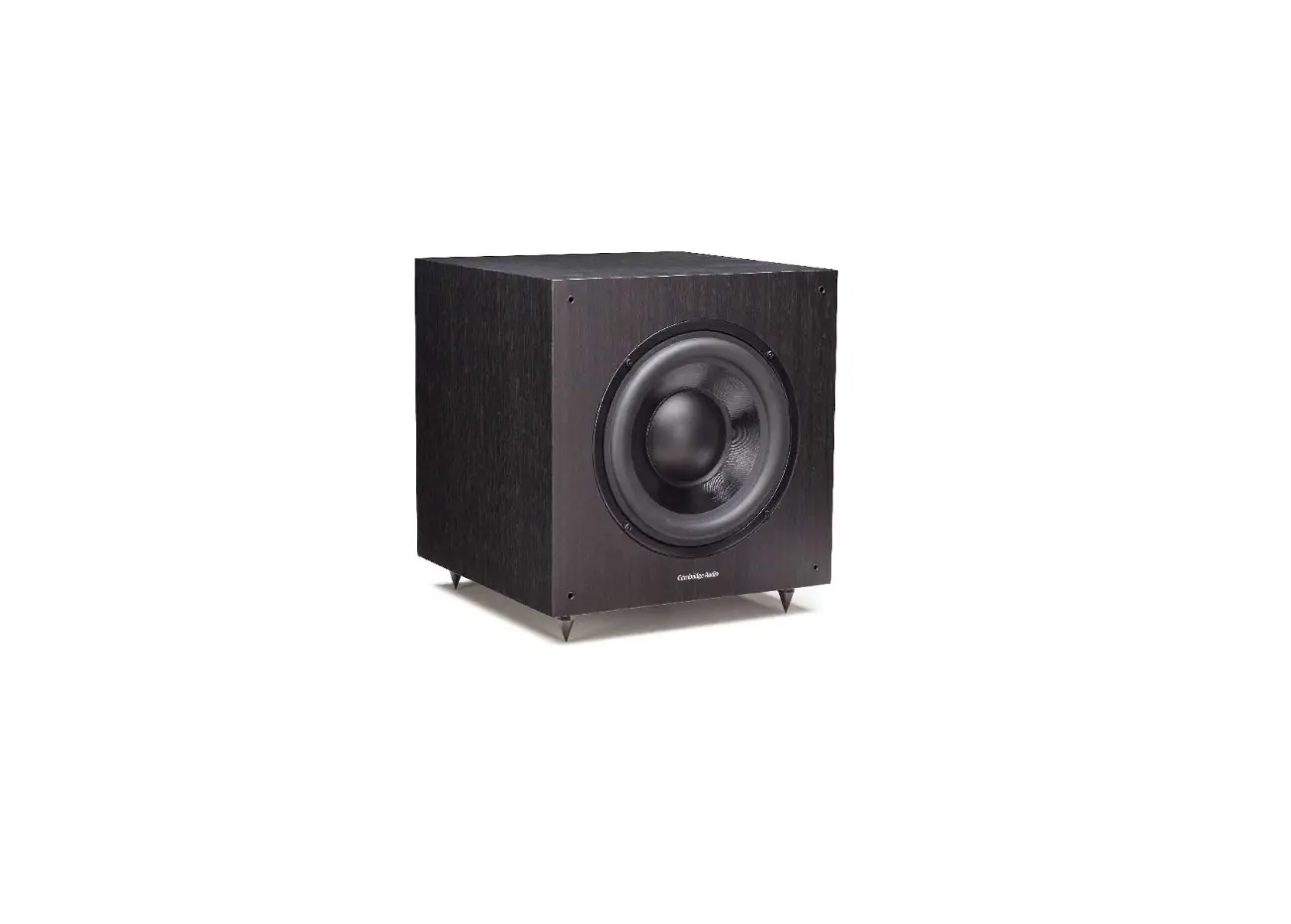
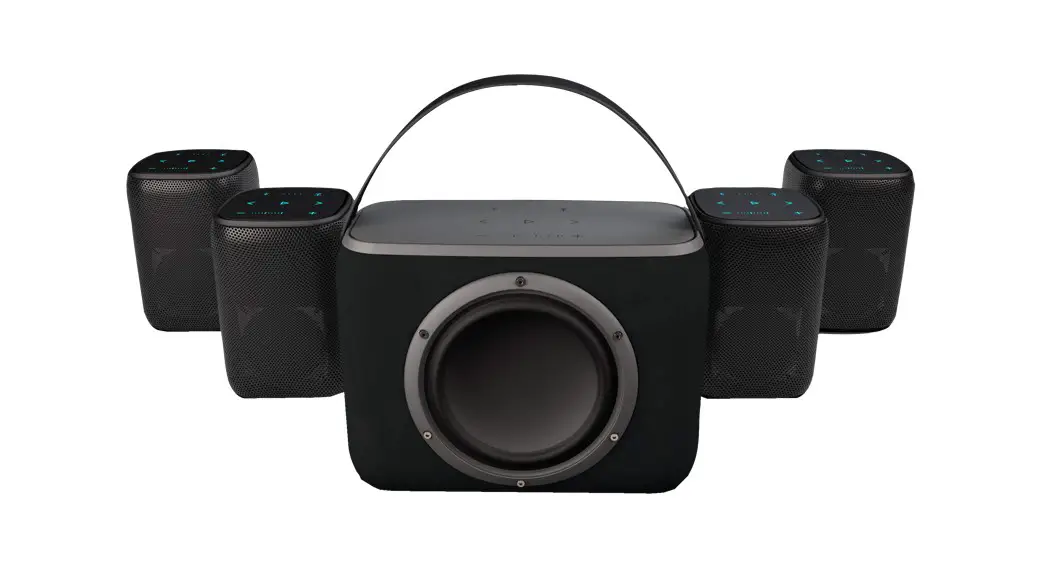
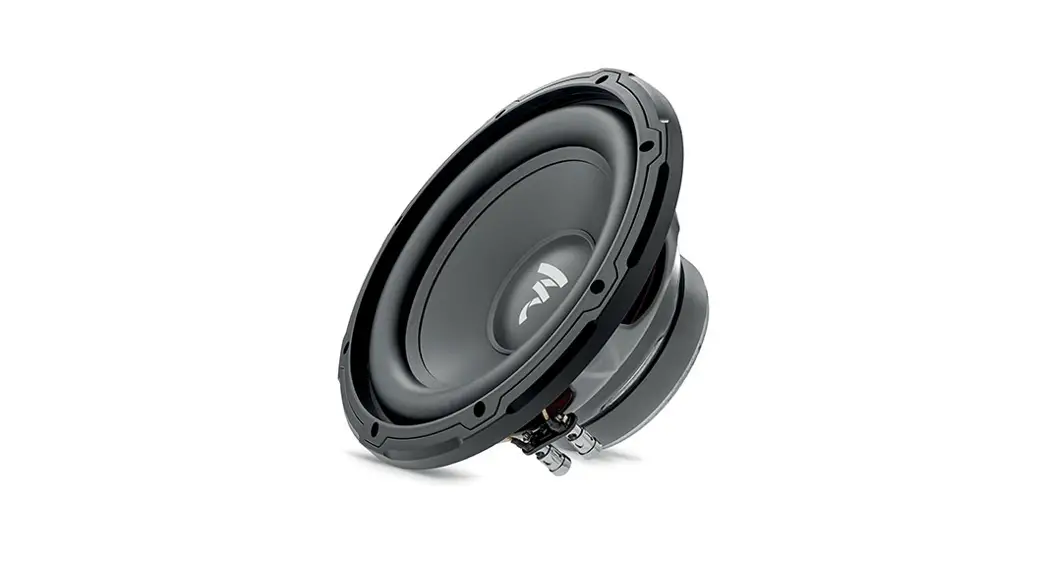
Anthra Series Subwoofer
Product Information
The Anthra Subwoofer Series is a high-quality subwoofer designed
to enhance your audio experience. With its powerful bass and
advanced features, it delivers immersive sound for movies, music,
and gaming.
Key Features:
- Spikes & feet for stability on different types of
floors - Controls and connections for easy setup and customization
- Front LED color matrix for visual feedback
- On-screen menu for convenient navigation
- MaestroUnite app compatibility for remote control
- Factory reset option for troubleshooting
- Care & maintenance guidelines for long-lasting
performance - Warranty for added peace of mind
- Specifications to ensure compatibility with your audio
setup
Product Usage Instructions
Spikes & Feet
Use on wooden or hard floors:
The foot comes fully assembled for use on hard floors. To
install, screw the feet fully into the 4-threaded inserts in the
underside of the cabinet.
Use on carpeted floors:
If you have carpeted floors or prefer to use spikes, screw the
spike into the foot assembly. For thick-pile carpets, remove the
soft polymer pad from the foot to ensure the spike goes all the way
through the carpet into the floor. Make sure there are no hidden
wires under the carpet that could be damaged by the spikes.
Levelling the speaker:
Place the cabinet in your desired location and check that it is
level on all sides. If it is slightly uneven, unscrew the main
threaded assembly at the lowest point and check again. Repeat this
process until the cabinet is fully level. Use the locking nut on
the foot to fix the foot in place and prevent unwanted
vibrations.
Controls and Connections
1 – Encoder:
Press the Encoder to wake up the Subwoofer and select options
within the Subwoofer’s menu system. Turn the encoder to scroll the
menu and adjust the volume, Low Pass Filter settings, and EQ
presets.
2 – Screen:
The screen displays the Anthra menu for setup using the encoder.
Refer to page 10 of the manual for more information on the menu
system layout.
3 – Factory Reset:
To perform a factory reset of the Anthra subwoofer, ensure it is
switched on and press and hold the Factory Reset button for 5
seconds. You can use a thin or pointed object to access the
button.
4 – RCA Line Level Inputs:
For connection to a 2 channel/stereo amplifier system, use a
pair of high-quality signal cables from the pre-out section of an
amplifier. If connecting from an AV receiver or processor, use a
single subwoofer cable into either of the inputs. Note that cable
lengths should not exceed 10 meters to avoid interference from
other electrical appliances.
5 – RCA Line Level Outputs:
These outputs are used to feed additional subwoofers or power
amplifiers from the Anthra subwoofer through a “daisy chain” type
connection. The outputs do not provide filtering or amplification.
Ensure there is a signal into the RCA inputs for the linked outputs
to work. Again, cable lengths should not exceed 10 meters to avoid
interference.
6 – 12 Volt Trigger Input:
This input allows external power control from an AV
amplifier/receiver to the Anthra Subwoofer. Monitor Audio
recommends using this function, and a lead is supplied for this
purpose. The 12-volt signal is generated by the AV amp/receiver and
tells the Subwoofer to turn on from standby mode. This feature
provides a more accurately controlled auto On/Off function and is
more energy-efficient.
Anthra Subwoofer Series
Product Manual
Register your Anthra Subwoofer
to ensure the best possible product and customer support
Register your speakers using the QR code or visit monitoraudio.com/registration
Welcome to Anthra
Thank you for purchasing one of our Anthra Subwoofers, you’re now ready to start your journey to breathtaking sound. It takes confidence to dare to be simple. Anthra subwoofers embrace this methodology. Our standalone subwoofer series partners innovative acoustic know-how with an intuitive user-experience. Which isn’t as simple as it sounds. In this product manual, you’ll find information about setting up your subwoofer and how to maintain your subwoofer for a lifetime of enjoyment. If you need any further assistance, please contact our technical team at monitoraudio.com/support
Contents Spikes & feet Controls & connections Front LED colour matrix Setting up On-screen menu MaestroUnite app Factory reset Care & maintenance Warranty Specifications
2 4 6 8 10 12 14 15 16 17
1
Spikes & feet
Use on wooden or hard floors The foot comes fully assembled for use on hard floors. All that is required is fixing into the bottom of the cabinet. This is achieved by simply screwing the feet fully into the 4-threaded inserts in the underside of the cabinet.
Use on carpeted floors For carpeted floors, or where spikes are appropriate, the spike can be screwed into the foot assembly. If your carpet has a very thick pile, remove the soft polymer pad from the foot to ensure the spike goes all-the-way through the carpet into the floor.
Please ensure there are no hidden wires under the carpet that could be damaged by the spikes.
Levelling the speaker Place the cabinet in your desired location, and check that it is level on all sides. If it is slightly uneven, unscrew the main threaded assembly at the lowest point and check again. Continue this process until the cabinet is fully level. Use the locking nut on the foot to fix the foot in place and to stop any unwanted vibrations.
M5 M10 x 1.25
2
3
Controls and connections
1 – Encoder Press the Encoder to wake up the Subwoofer and to select options within the Subwoofers menu system. Turn the encoder to scroll the menu and to change the volume, Low Pass Filter settings, and EQ presets in the menu.
2 – Screen Displays the Anthra menu for setup using the encoder. Refer to page 10 for more on the menu system layout.
3 – Factory Reset With the subwoofer switched On, press and hold for 5 seconds to perform a factory reset of the Anthra subwoofer. To access the button use a thin or pointed object.
4 – RCA Line Level Inputs For connection to a 2 channel/ stereo amplifier system, connection should be provided by a pair of high-quality signal cables from the pre-out section of an amplifier. Connection from an AV receiver or processor should be made using a single subwoofer cable into either of the inputs. NOTE: Cable lengths should not exceed 10 metres to avoid interference from other electrical appliances.
5 – RCA Line Level Outputs To be used to feed additional sub-woofers or power amplifiers from the Anthra subwoofer by `daisy chain’ type connection. The outputs are link-out only connections and do not provide any form of filtering or amplification. There must be a signal into the RCA inputs for the linked outputs to work. NOTE: Cable lengths should not exceed 10 metres to avoid interference from other electrical appliances.
6 – 12 Volt Trigger Input ~ Centre Pin Tip = +12Vdc For external power control from an AV amplifier/ receiver to the Anthra Subwoofer. Monitor Audio recommend using this function and a lead is supplied. This 12 volt signal is generated by the AV amp/receiver and tells the Subwoofer to turn On from standby mode. This allows a more accurately controlled auto On/Off function, and is far more energy efficient.
7 – Balanced LFE Input (Female XLR Type) To be used when connecting to the balanced output on the amplifier. This is the best method of connection when using long runs of cables (over 10m up to 100m). A balanced connection provides a much better, almost noise free method of connection over RCA connectors.
8 – Balanced LFE Output (Male XLR Type) To be used to feed additional sub-woofers or power amplifiers from the Anthra subwoofer by `daisy chain’ type connection. This is the best method of connection when using long runs of cables (over 10m, up to 100m). A balanced connection provides a much better (almost noise free) method of connection over RCA connectors. The output is a link-out only connection and does not provide any form of filtering or amplification. There must be a signal into the XLR input for the linked output to work.
9 – IEC Mains Input Socket The subwoofer is supplied with a three-pin mains input socket for connection to the mains supply. Use ONLY the appropriate IEC mains lead provided with the product.
4
1
Menu
Volume
2
EQ Presets
Low Pass Filter
Service
3 12v DC Trigger
4
5 6 7 8
9
5
Front LED colour matrix
The front LED has multiple colours/ indicators. Please refer to the below table for their meaning.
Function
Unit Standy
Power On
Power Up Sequence Unit On
BLE Pairing Paired State OTA Update Mode
Pairing Complete
Check connction option selected in MaestroUnite App
Updating Process
General
Fault Indications
Temperature
DC or Overcurrent Error
Factory Reset
Reset Completed
Mute On
Brightness Level Adjustment LED
Off
Indication Continuous Red 3 x Red Pulses Continuous Orange Quick Flashes Orange for 3 seconds Quick Flashes Orange for 3 seconds Continuous Blue
White Flashing Orange & White Flashing Orange & Yellow
Continuous Green Continuous Red (Standby) Continuous Flashing Orange Dimming Level Indication
All LED Indications Off
6
7
Setting up
Initial set-up Follow the steps to get started setting up your Anthra Subwoofer. More detail for each step is also given in the corresponding sections. Leave the subwoofer unplugged from the mains until all signal cables are connected. 1. Position subwoofer, all features and settings can be configured using the MaestroUnite app or
from the back of the subwoofer. 2. Connect the signal cables based on your system, refer to the AV or Stereo System section
below. 3. Connect the IEC mains lead provided and switch the subwoofer On by pressing the encoder. 4. Download MaestroUnite, refer to page 12. 5. Connect to MaestroUnite.
Positioning The subwoofer should be sited in the most suitable position, preferably not directly in the corner of a room as this may cause excessive bass boom. Once a desirable position is achieved it is important to check if the cables are long enough to reach comfortably without being under tension. If using the RCA inputs, cables should be less than 10 metres to avoid interference.
Audio Connections When using a mono subwoofer output from your amplifier/ receiver, connection is made by RCA type connectors to the left or right input or a balanced XLR connection. If a stereo RCA connection is preferred, connect to the left and right RCA inputs from the pre-amp outputs on your source amplifier. When daisy chaining to an additional product ensure the output from the Anthra Subwoofer is connected to the corresponding input on the Anthra Subwoofer. For example, use the left RCA input and left RCA output. Not the Left RCA input and balanced XLR output.
Do not connect or disconnect the signal leads with the Anthra Subwoofer switched on.
Power To power on the subwoofer connect the supplied IEC power cable and press the encoder on the amp panel. The Monitor Audio Logo will briefly appear on the screen followed by the menu system. The Anthra subwoofer can also be set to wake from standby using Music Sense or the 12v Trigger from the MaestroUnite app.
AV System
By default the Anthra LPF is bypassed, we recommend setting the crossover at the receiver or amplifier. This is usually done as part of the automatic setup on the AV receiver or amplfier. It is recommended to double check the settings of the automatic setup to ensure the levels and crossover settings are correct.
Stereo System
When connecting using this method, you use the LPF settings in the Anthra Subwoofer to allow only the bass frequencies to be played. This can be done using the encoder or the MaestroUnite app. Depending on your speakers this setting will vary, please refer to the table as a guide for approximate crossover settings. Experimentation is highly recommended to find the best setting for your speakers and personal tastes.
Type of Main Speaker Large floor-standing speaker Small floor-standing speaker Large stand-mount/ bookshelf speaker Small stand-mount/ bookshelf speaker Small satellite speaker
Crossover Control Setting 40-60 Hz 50-70Hz 50-80 Hz 60-90 Hz 80-120 Hz
8
9
On-screen menu
Using the encoder and screen on the Anthra amplifier panel you can adjust the volume, low pass filter and select EQ presets. You can also check for firmware updates if the subwoofer is connected to the network.
See the opposite page for the menu structure.
Menu
Volume EQ Presets Low Pass Filter Service
Press to select
Volume A stepped volume control ranging from -40 – 20 dB.
EQ Presets
Here you can select from a list of three predefined Monitor Audio presets (Music, Movie, Impact) designed by our audio experts, or three custom presets. These can be created and saved to the subwoofer using the MaestroUnite app.
Low Pass Filter
By default the Low Pass Filter is disabled, for use with a filtered signal from an AV receiver or amplfier. If your connection is from a full range source, for example a stereo amplifier, you should enable the Low Pass Filter to allow only the bass frequencies to be played. Adjustable between 40200 Hz.
Service
If your Anthra subwoofer is connected to a network (see MaestroUnite on page 12) you can check here for firmware updates. You can also put the subwoofer into standby manually.
Volume EQ Presets
Low Pass Filter
Step Control Fine Control
-40 to 12 dB -6 dB to +6 dB
Music Movie Impact Custom 1 Custom 2 Custom 3
On/Off 40 to 200 Hz Reset
10
11
MaestroUnite app
Download the MaestroUnite app from the Google Play Store (Android) or Apple Store (iOS). In the MaestroUnite app you can control / select all functions available in the on-screen menu described previously and additional settings such as Auto-On, Phase, Custom EQ, LED Brightness and more.
Creating a System & Connecting to a Network To create a system, open the MaestroUnite app and press the `+’ icon in the top right to set up a new system as highlighted in the image below.
Creating a Custom EQ Preset
One of the many customisable features of Anthra is that you can create your own Custom EQ Presets. To do this open MaestroUnite and tap on the Anthra Subwoofer system you have created, this will open the “Device Information”. Scroll down to “Sound” and tap on the “EQ Presets” option.
You will first be asked to choose a name for the system, then follow the on screen prompts to connect to your Anthra Subwoofer and enter the Wi-Fi credentials for your network.
Anthra Subwoofers are listed with their serial number for ease of identification when using multiple subwoofers. Once connected your Anthra Subwoofer will be displayed as a system on the home page of MaestroUnite.
To create your own Custom EQ Preset select the Preset you wish to edit (Custom 1, 2, 3).
Note: If a Low Pass Filter has been previously set, this will be applied to all presets including custom presets.
Below the EQ graph is an 8-band Parametric EQ, of which each filter can be individually selected and switched On/ Off. When enabled you can set the Filter Type, Frequency, Gain and Q Factor. Definitions for each setting are given within MaestroUnite.
Settings will be saved and applied to the subwoofer automatically. Tap “Reset This Filter” to clear any changes made.
12
13
Factory reset
Should the need arise to carry out a factory reset on your Anthra Subwoofer simply hold down the Factory Reset button on the back of the amplifier panel for approximately 5 seconds whilst the subwoofer is switched On. The amplifier panel screen will display “Factory Reset in Progress” before entering standby mode.
NOTE: all Wi-Fi details will be erased as well as any other settings and customisation.
Care & maintenance
Upkeep of cabinets The finish of the cabinet can be maintained by regular dusting using a soft or micro fibre cloth. The drive units should only be cleaned with a damp cloth, if more than normal dusting is required. Be careful not to damage the driver units whilst cleaning. Never use solvents or aggressive cleaning/polishing agents on your Anthra Subwoofer. When in doubt, test the cleaning product on an inconspicuous area on the cabinet, and let it sit for several days before committing to its use on visible portions of the cabinet.
14
15
Warranty
In the unlikely event that there is a defect with this product, it is covered by the Monitor Audio manufacturer’s warranty, provided that the product was supplied by an authorised Monitor Audio retail specialist. For the period of cover please refer to the product page on our website at monitoraudio.com
Register your Anthra Subwoofer
to ensure the best possible product and customer support Register your speakers using the QR code or visit monitoraudio.com/registration
16
Specifications
System Format
Anthra 10
Anthra 12 Active – Sealed Cabinet
Anthra 15
Drive unit Complement
1 x 10″ (254 mm) High LinearExcursion Triple Suspension
Driver
1 x 12″ (305 mm) High LinearExcursion Triple Suspension
Driver
1 x 15″ (381 mm) High LinearExcursion Triple Suspension
Driver
Amplifier Classification Lower Frequency Limit Upper Frequency Limit Driver Excursion (pk-pk) DSP
Analogue Digital Conversion
Amplifier Output Power, 240 VAC
Amplifier Output Power, 120 VAC LED UI Control Phase Control Low Pass Filter
Custom EQ
Volume Level Inputs
Outputs Mains Input Voltage External Dimensions Without feet (H x W x D)
High-Efficiency Class-D
-6 dB @ 17 Hz
-6 dB @ 16 Hz
-6 dB @ 16 Hz
(LPF Off) -6 dB @400 Hz
50 mm (1 15/16″)
28 Bit 50 MIPS Configurable through MaestroUnite app
Auto ranging Input which combines a 10 Vrms maximum input with low signal to noise for small signals
Instantaneous: 500 W* Continuous short-term:
425 W**
Instantaneous: 450 W Continuous short-term:
390 W
Instantaneous: 1700 W* Continuous short-term:
900 W**
Instantaneous: 1325 W Continuous short-term:
700 W
Brightness, On-Off
Instantaneous: 2500 W* Continuous short-term:
1400 W**
Instantaneous: 2500 W Continuous short-term:
1400 W
0-360 Degrees measured at LPF Crossover
20-200 Hz LPF with Rolloff Adjustable from -3 to -48 dB/Oct
Configurable through MaestroUnite; 3 pre-defined EQ curves plus 3 custom EQ curves each with 8 band custom EQ supporting
Peaking, High Shelf, Low Shelf and High Pass.
Wide adjustable input gain to allow maximum output from a wide range of input signals
Stereo Unbalanced RCA Mono/LFE Balanced XLR Stereo unbalanced outputs with unbuffered throughput from RCA Inputs Mono/LFE Balanced XLR outputs with unbuffered throughput from XLR Input
Universal Mains, 85-265 VAC
321 x 321 x 321 mm (12 5/8 x 12 5/8 x 12 5/8 “)
374 x 374 x 374 mm (14 3/4 x 14 3/4 x 14 3/4″)
439 x 439 x 439 mm (17 5/16 x 17 5/16 x 17 5/16”)
Weight Power consumption Cabinet Construction Grille
22.2 kg (48 lb 15 oz)
32.4 kg (71 lb 7 oz)
40.3 kg (88 lb 14 oz)
120 W
Braced 18 mm thick MDF with 36 mm front baffle
200 W
550 W
Braced 25 mm thick MDF with 36 mm front baffle
Cloth covered magnetically attached grilles
* Maximum RMS output for an instantaneous signal ** Sinewave for 10 seconds 17
Listen Again.
Monitor Audio Ltd. 24 Brook Road Rayleigh, Essex SS6 7XJ England Tel: +44 (0)1268 740580 Email: [email protected] monitoraudio.com
©Monitor Audio Ltd. | V1-2023 – Anthra
 Monitor Audio | Hi-Fi, Cinema & Architectural Speakers