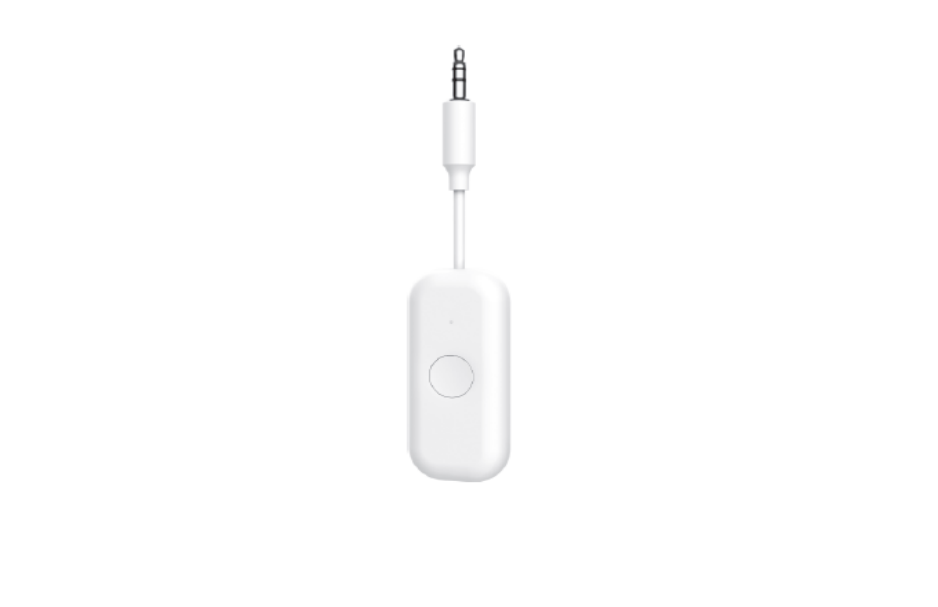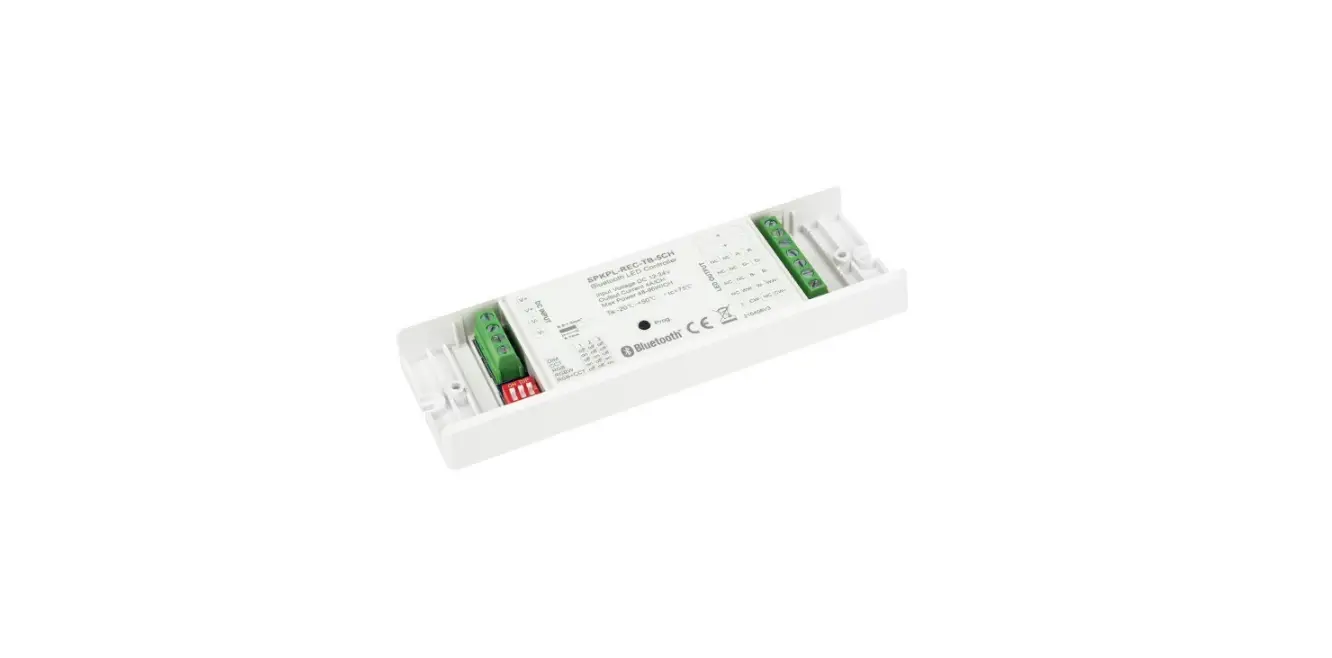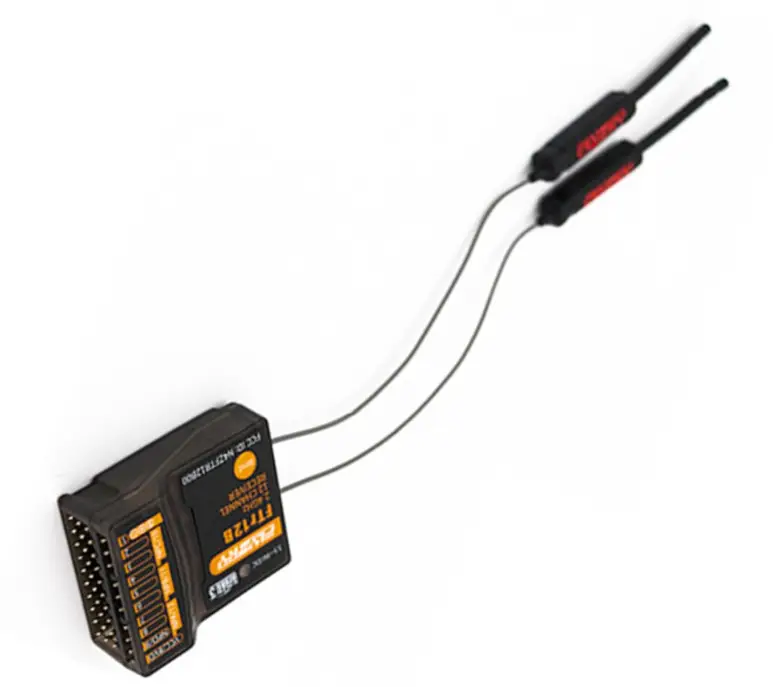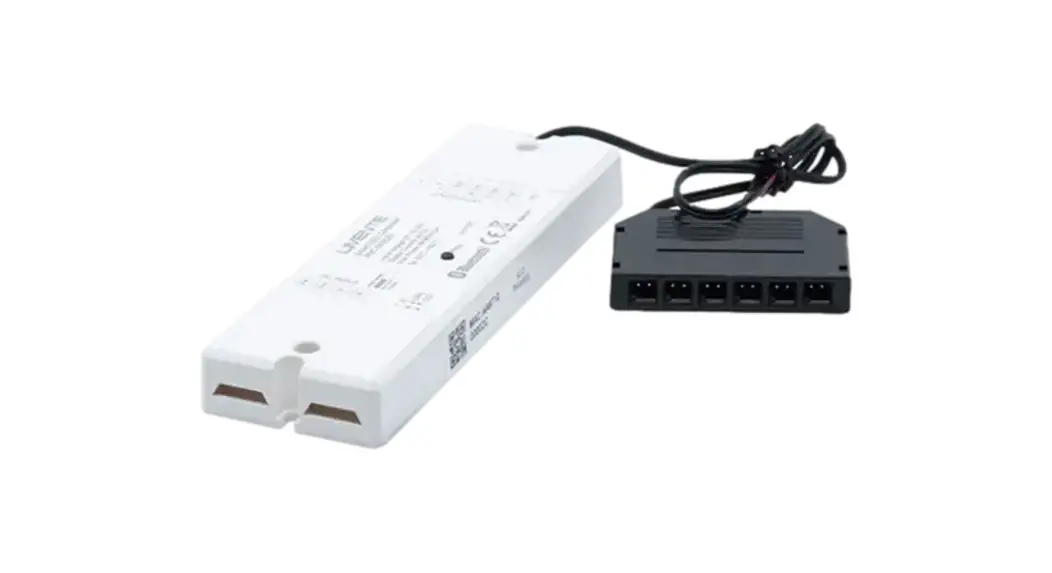
 Smart540 Receiver
Instruction Manual
LIMENTE SMART
assembling instructions
Technical data is printed on the package
DIMMERS DESIGNED FOR CLIMATE LED-LIGHTS
NOTE!
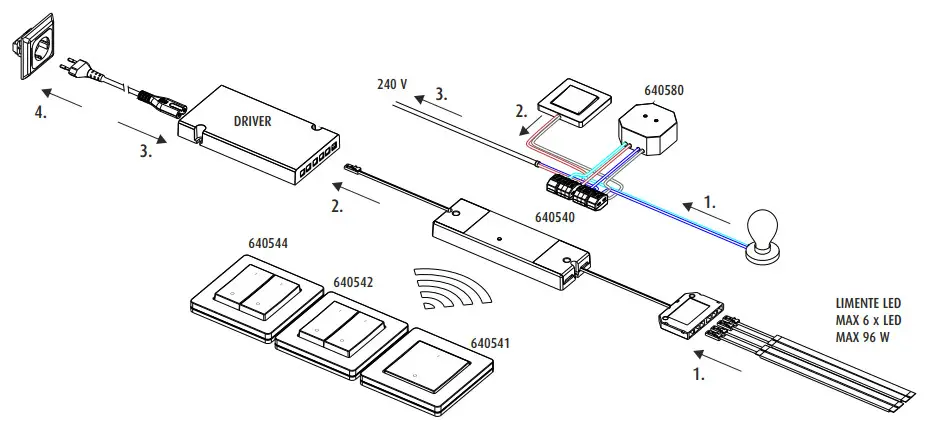
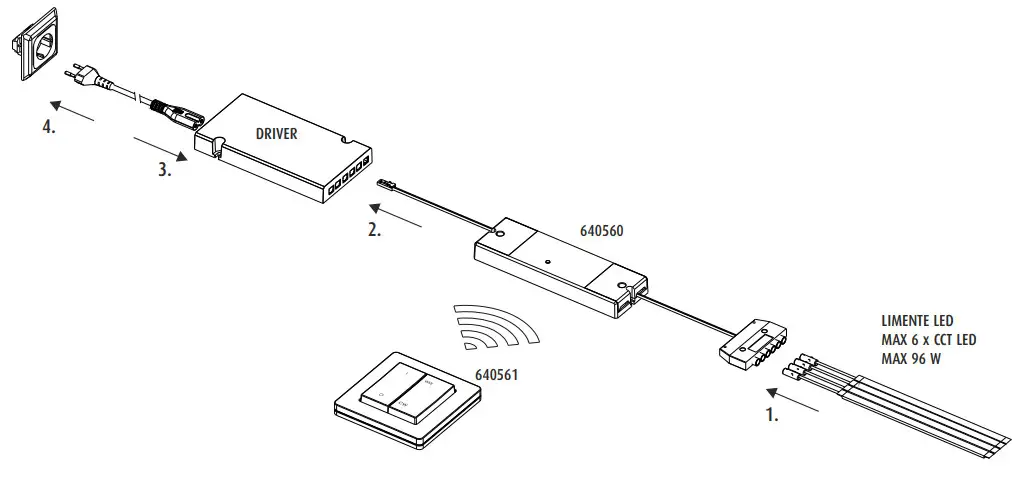
Together with the Limente dimmer must always be used a suitable 24 V DC -driver. Guaranty is not valid for damages caused by using the wrong type of driver.
Installation must be done in a way that reinstalling and repairing for both receiver and switch are possible without removing f.ex. fixed furniture. It must also be done by a competent person according to valid rules.
LIMENTE SMART LUXUS
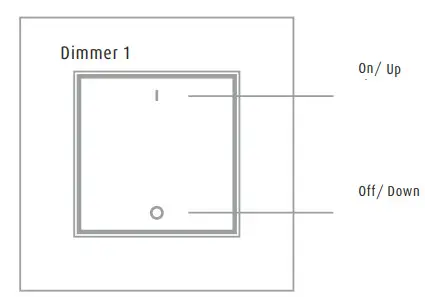
– short press ON-button turns on, long press increases brightens the light
– short press OFF-button turns off, long press increases dims the light
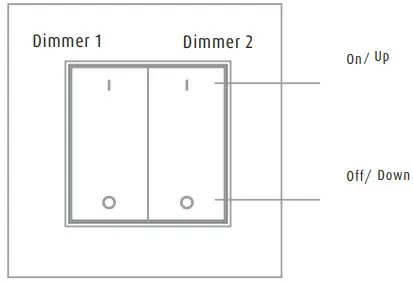
– short press ON-button turns on, long press increases brightens the light
– short press OFF-button turns off, long press increases dims the light
– max of 10 receivers can be controlled with one switch.
– one receiver can be controlled by max 8 remote controls
| voltage | 3 VDC |
| frequency | 2,4 Ghz |
| working area | 20 m |
– maximum power of the dimmer depends on the chosen driver. In any case it cannot exceed the on pages 8 and 10 given maximum effects.
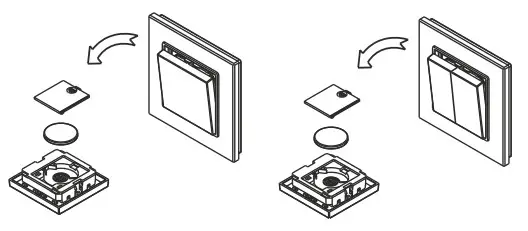
change of battery
LIMENTE SMART LUXUS CCT
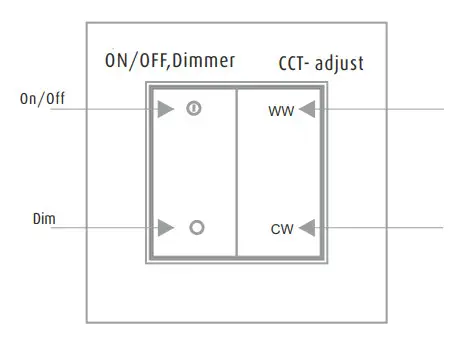
– press the WW button to change the color temperature to warmer.
– press the CW button to change the color temperature to colder.
– max 10 receivers can be controlled with one switch.
| voltage | 3 VDC |
| frequency | 2,4 Ghz |
| working area | 20 m |
– one receiver can be controlled by max 8 remote controls
– maximum power of the dimmer depends on the chosen driver. In any case it cannot exceed the on pages 8 and 10 given maximum effects.
change of battery
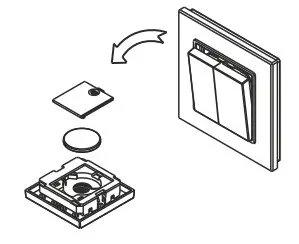
LIMENTE SMART GREENLINE
– short press ON-button turns on, long press increases brightens light
– short press OFF-button turns off, long press increases dims light
– short press ON-button turns on, long press increases brightens the light
– short press OFF-button turns off, long press increases dims the light
– max of 10 receivers can be controlled with one switch.
| frequency | 2,4 GHz |
| working area | 20 m |
– one receiver can be controlled by max 8 remote controls
– maximum power of the dimmer depends on the chosen driver. In any case it cannot exceed the on pages 8 and 10 given maximum effects.
change of battery
LIMENTE SMART GREENLINE CCT
– Press the WW button to change the color temperature to warmer.
– Press the CW button to change the color temperature to colder.
– max of 10 receivers can be controlled with one switch.
| frequency | 2,4 GHz |
| working area | 20 m |
– one receiver can be controlled by max 8 remote controls
– maximum power of the dimmer depends on the chosen driver. In any case it cannot exceed the on pages 8 and 10 given maximum effects.
change of battery
LIMENTE SMART CLASSIC
– short press ON-button turns on, long press increases brightens the light
– short press OFF-button turns off, long press increases dims the light
– max 10 receivers can be controlled with one switch.
| voltage | 3 VDC |
| frequency | 2,4 Ghz |
| working area | 20 m |
– one receiver can be controlled by max 8 remote controls
– maximum power of the dimmer depends on the chosen driver. In any case it cannot exceed the on pages 8 and 10 given maximum effects.
change of battery
PARING
Connect the remote and dimmer – there is also a pairing video on the Limente Youtube channel
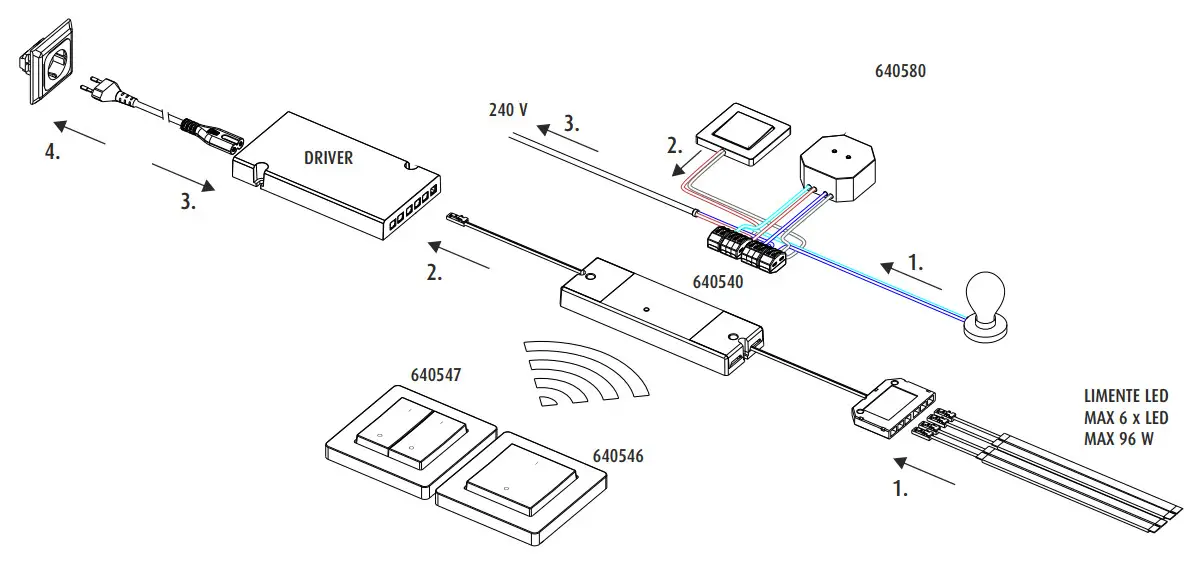
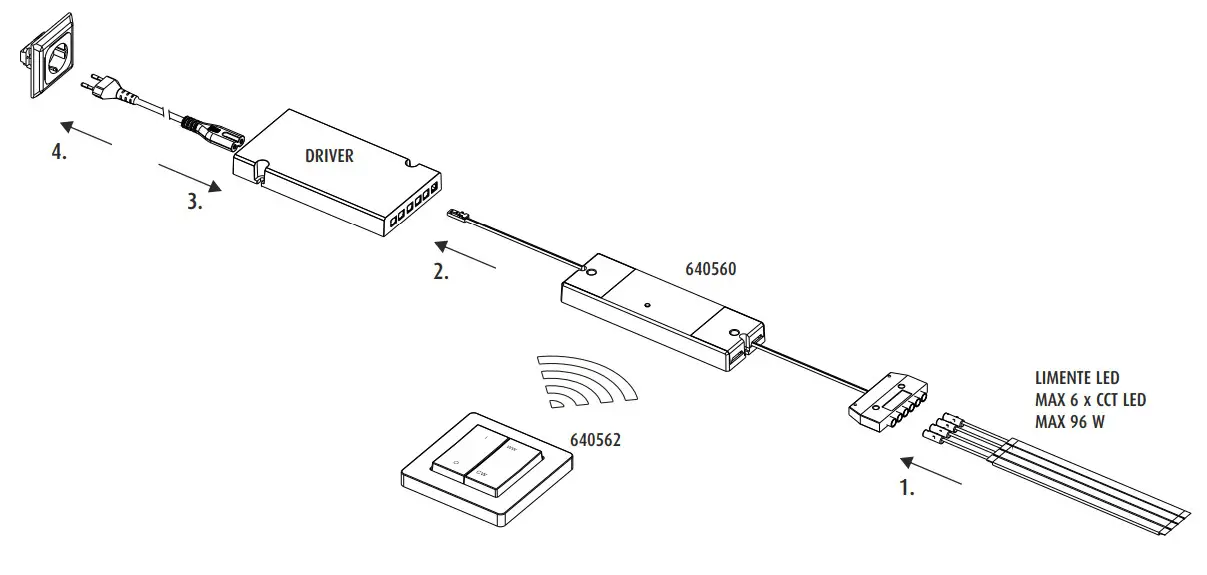
After connecting all lamps to the dimmer and the dimmer to the driver you must do the following to connect the remote with led-dimmer
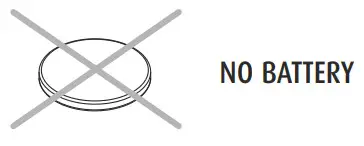
- Smart Classic and Smart Luxus – if needed remove the plastic from the battery inside of the remote control. Smart Greenline doesn’t contain a battery.
- Before using the remote you must connect (pairing) it with the dimmer (receiver).
- 1 Press the connect (connect) button for 10 – 15 seconds and the system will go to factory settings. All connected lamps will blink twice and then stay on.
3.2 Keep the remote control somewhere close.
3.3 Press the shortly connect button (connect) in the dimmer once and within 5 seconds after that press the chosen channel in remote shortly.
NOTE! Do not press the connect button and remote control simultaneously.
3.4 Lights connected to the dimmer will blink once. Now you have connected the remote and dimmer (receiver) successfully.
Follow points 3.3 JA 3.4 for both switches (640542, 640544, and 540547) separately if you want to control two separate led-dimmers.
In case the remote/dimmer does not work properly repeat steps 3.1 – 3.4 - If you have several dimmers or remote controls to be connected repeat the procedure with all controls and dimmers.
If you want to change the setting or the remote doesn’t work properly:
In case the remote does not control the light in a proper way you should reset (back to factory settings) the dimmer by following steps 3.1 – 3.4
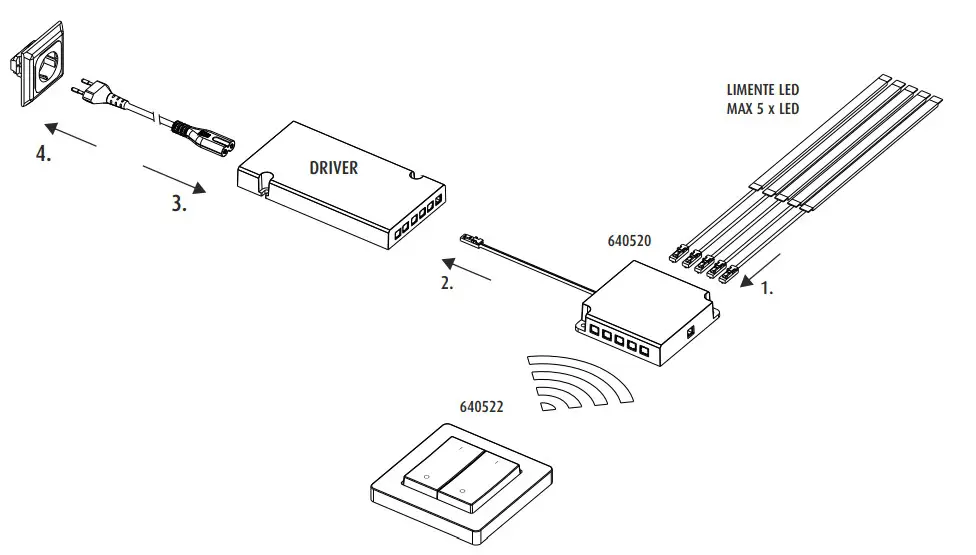
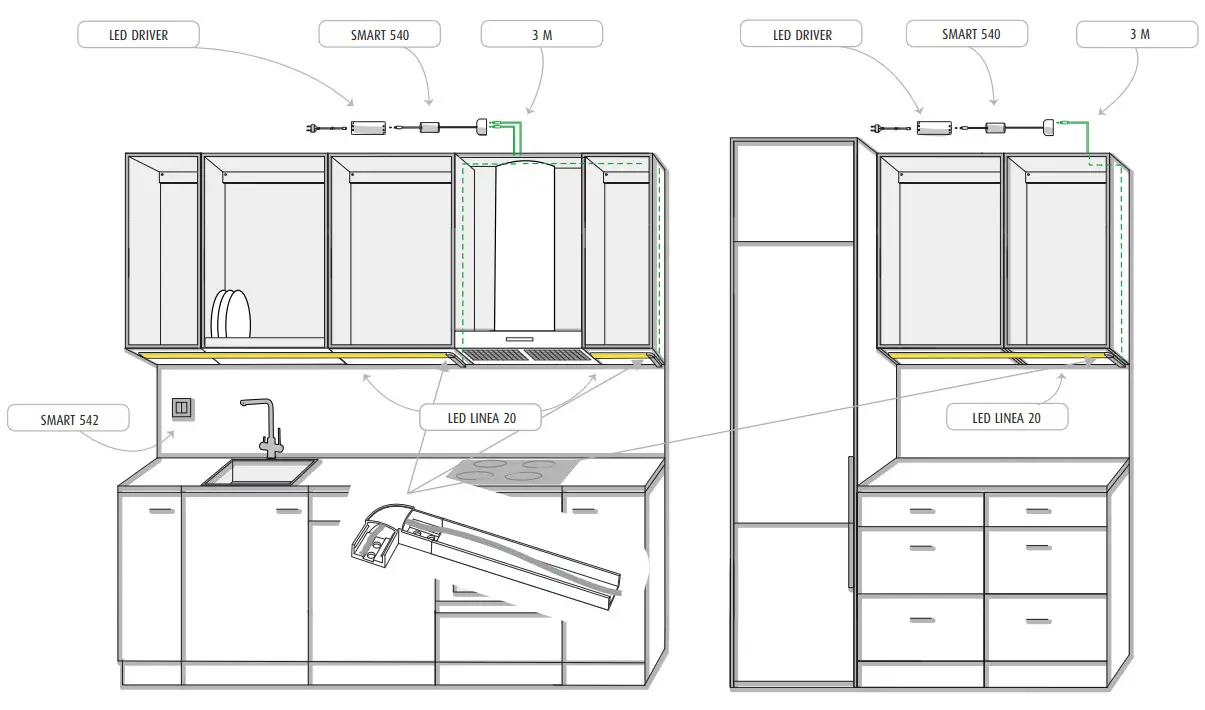
LIMENTE SMART 540

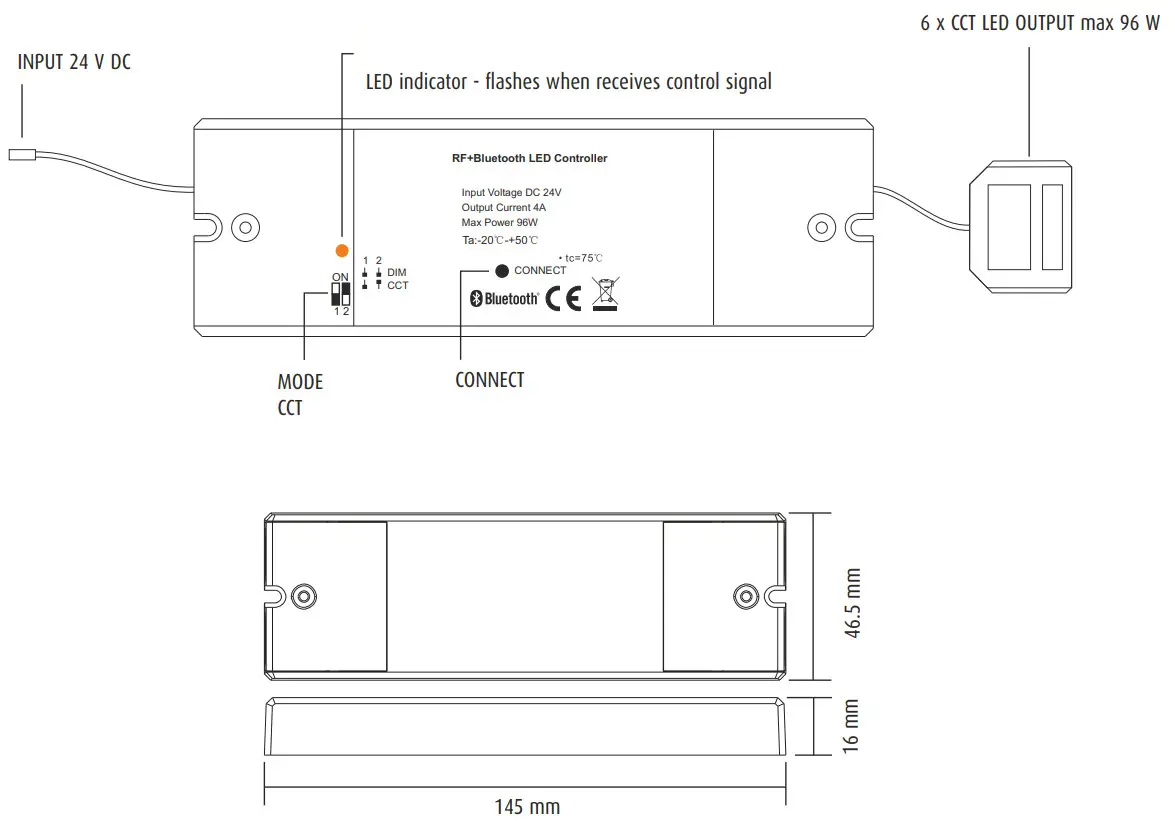
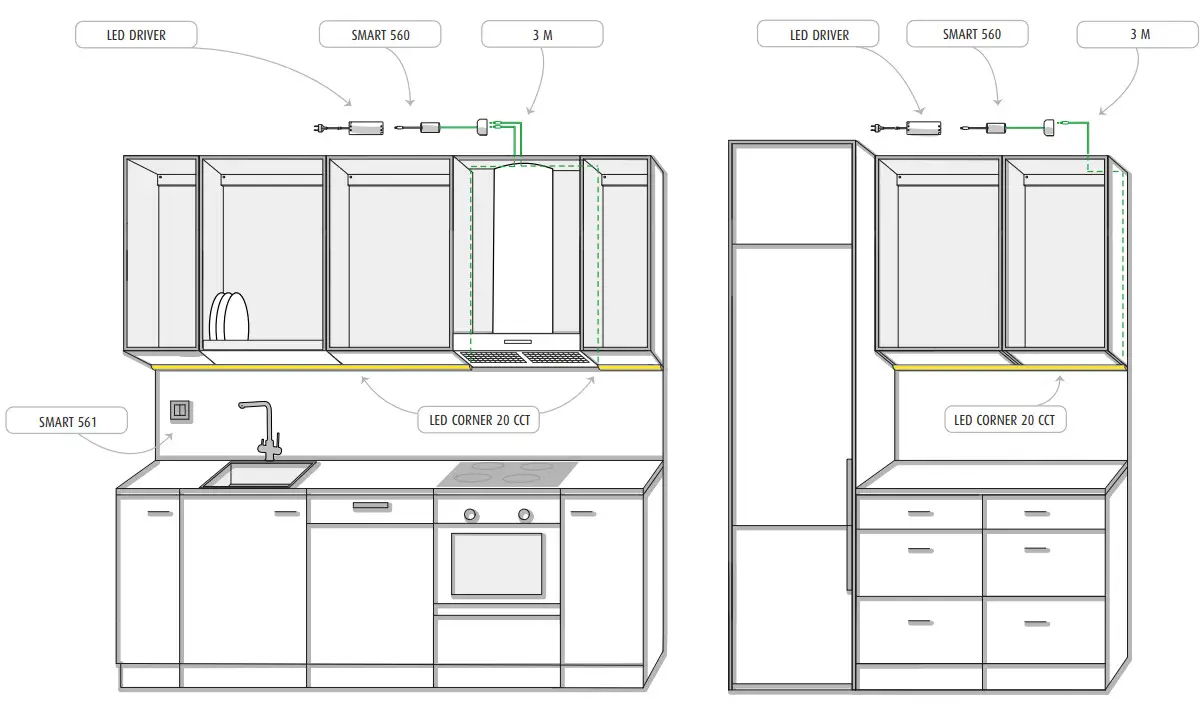
LIMENTE SMART 560
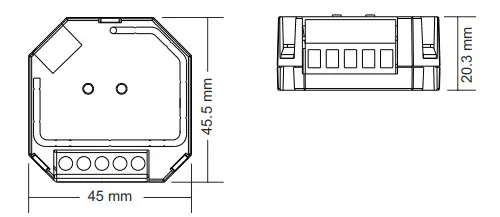
LIMENTE SMART 580
| Compatible load types | |||
| symbol | Load type | Max. load | Note |
 | Dimmable LED lamps | 200W @ 230V | Max. number of drivers is 200 W divided by driver power rate |
| Dimmable LED drivers | 200W @ 230V | Max. number of drivers is 200 W divided by driver power rate |
 | Incandescent light, 240 V halogen light | 400W @ 230V | |
 | 12 V halogen light with electric driver | 200W @ 230V | |
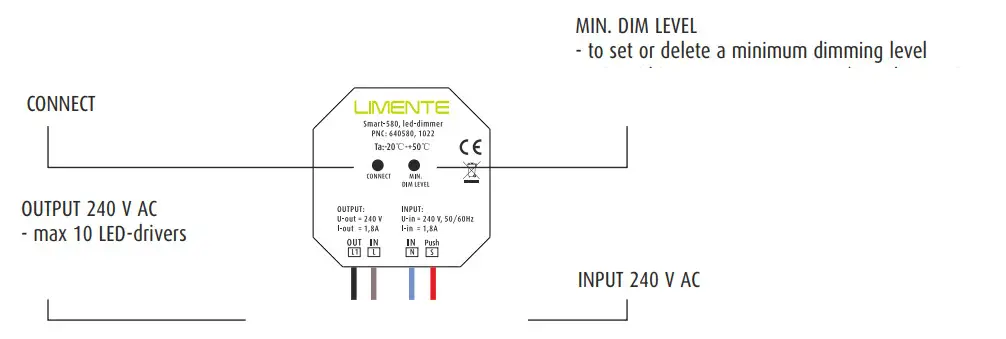
Setting/deleting minimum brightness
The dimming range is 1%-100%, but some load types may flicker when dimmed to 1%. In that case, minimum brightness shall be set higher than 1% to avoid flickering during dimming.
Press and hold down the “MIN. DIM LEVEL ” key until the connected light flashes. The connected load can now only be dimmable between this minimum brightness and 100 % brightness.
To delete the minimum level adjust the brightness to 100 %, press and hold down the “MIN. DIM LEVEL” key on the dimmer until the connected light flashes
Note!
– supports resistive and capacitive loads /trailing edge dimming (reverse phase control)
– transmits received signal to neighbor devices max distance 30 m
– max. allowed cold start inrush current 75A
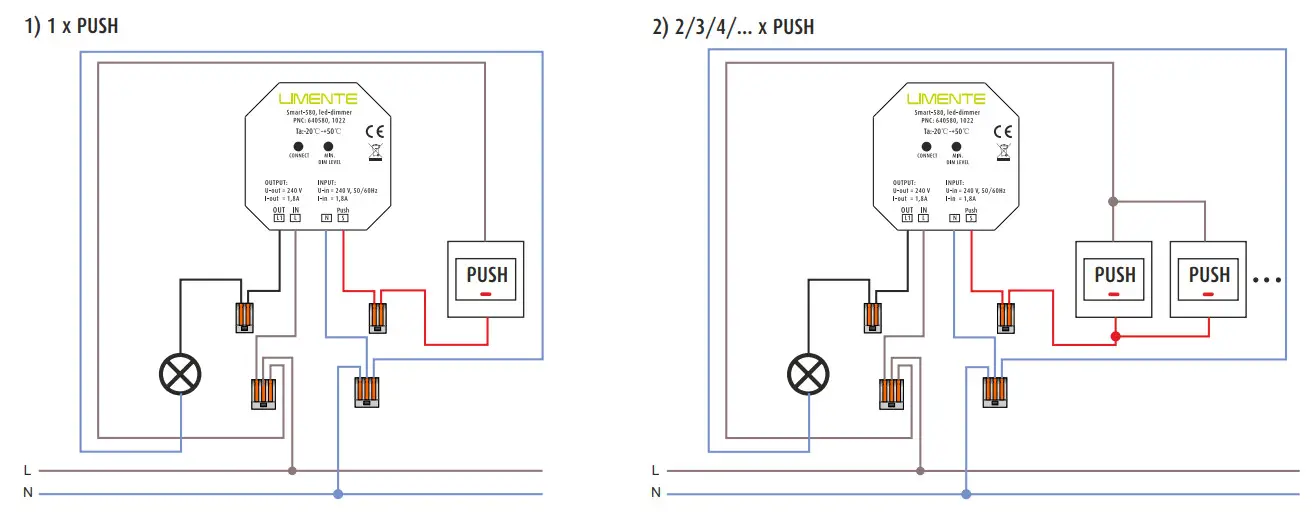
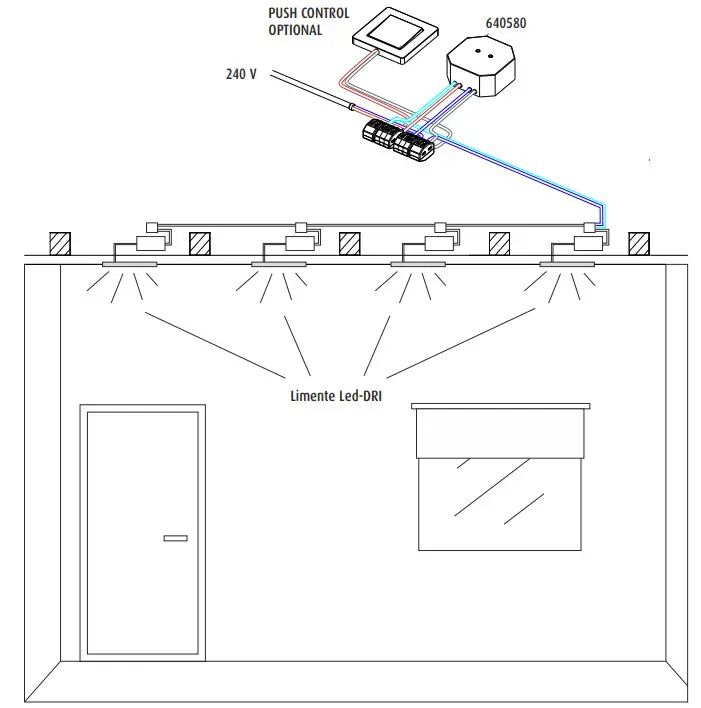
LIMENTE SMART 580 + PUSH CONTROL
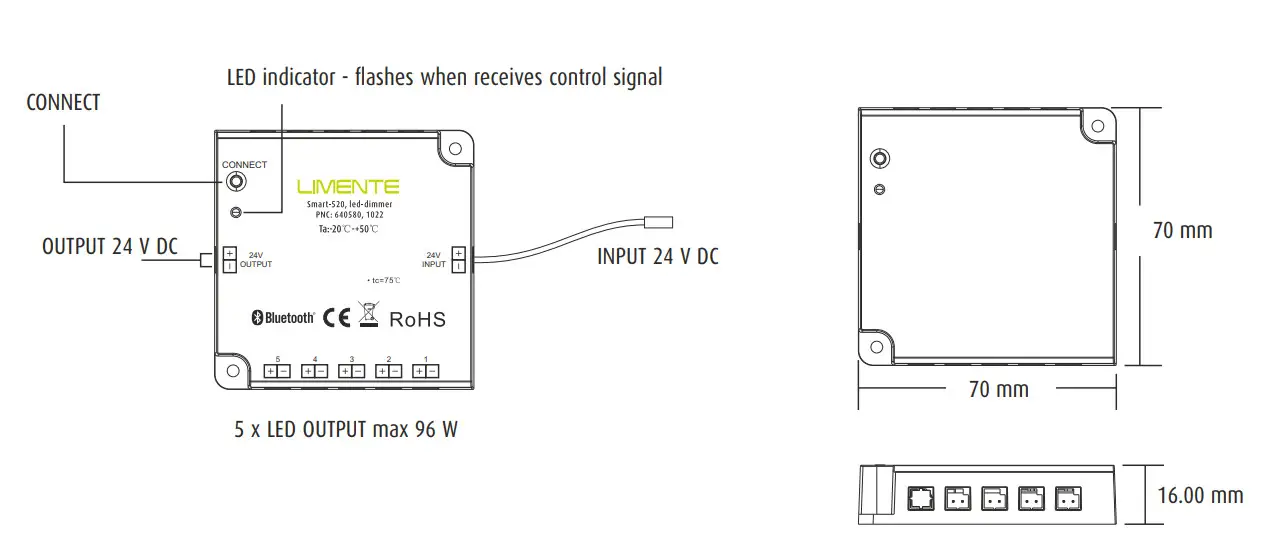
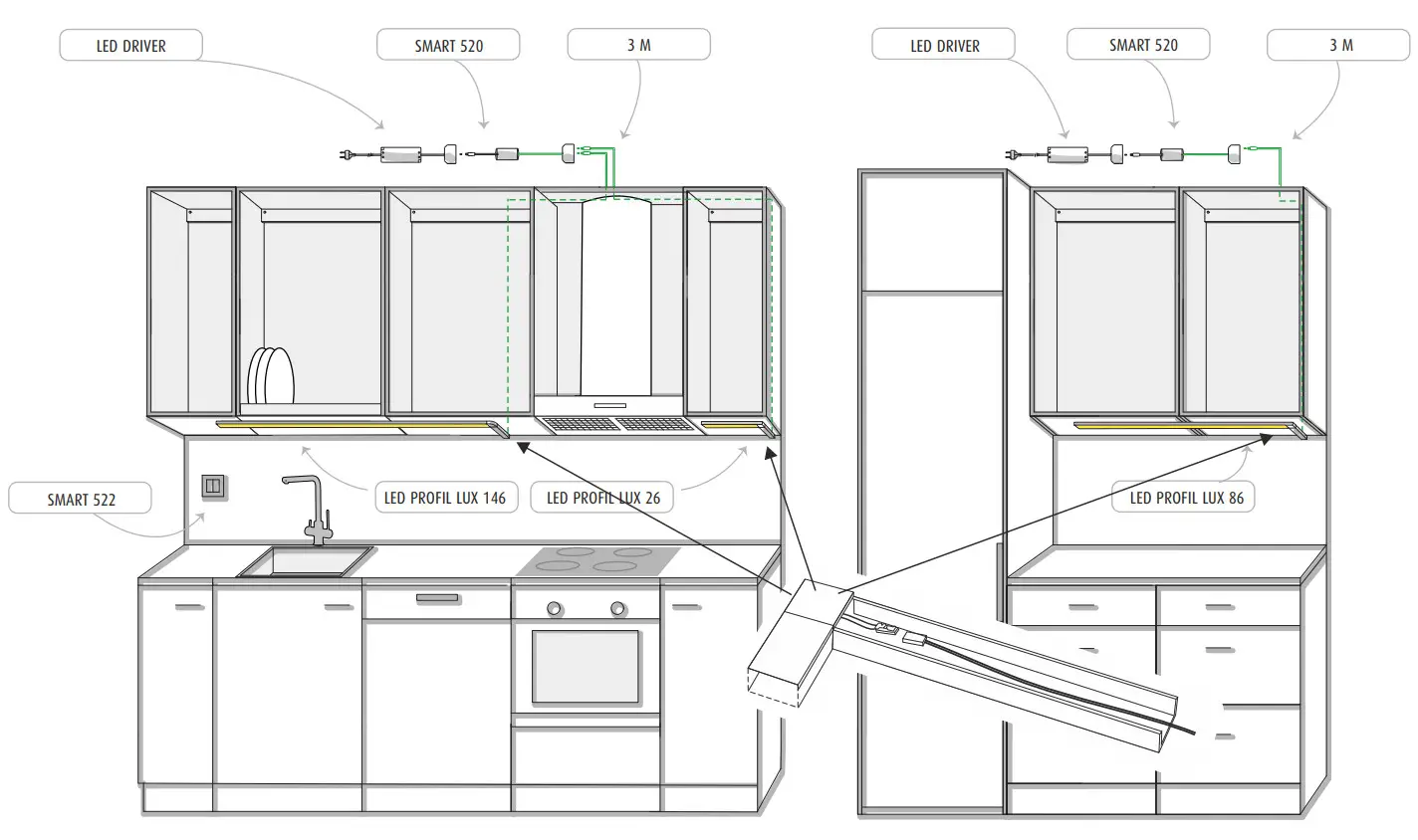
LIMENTE SMART 520

 Limente