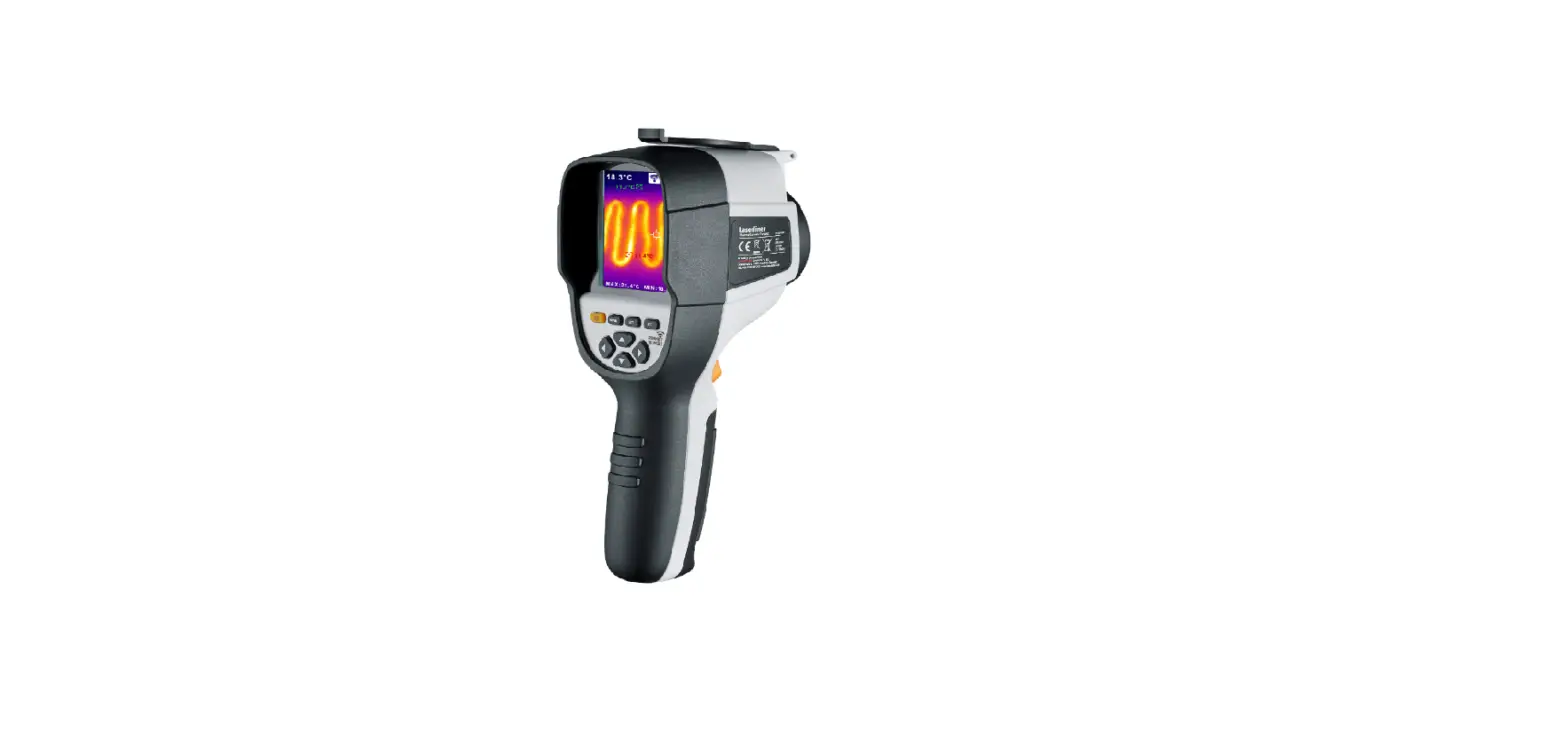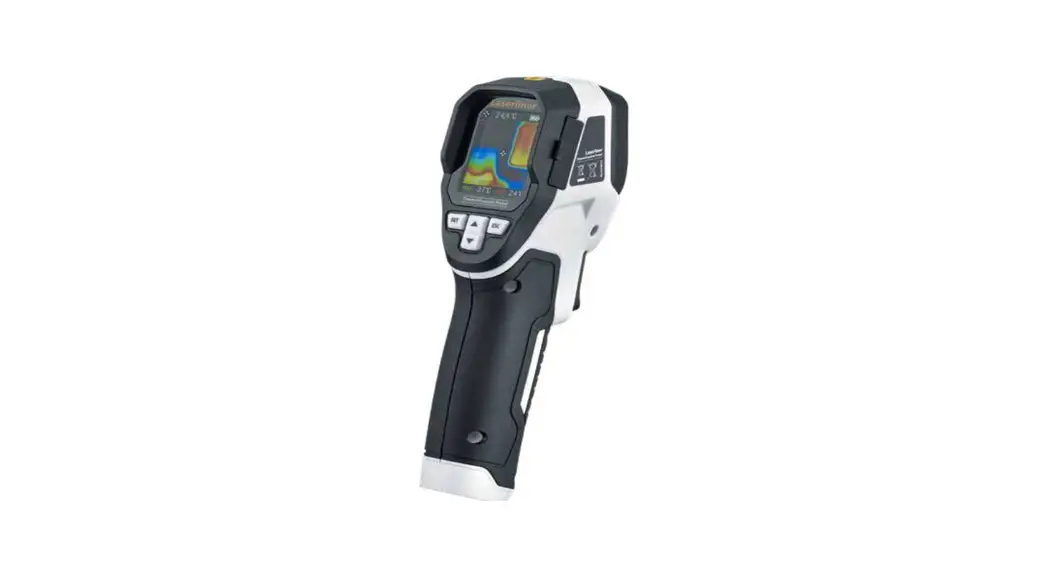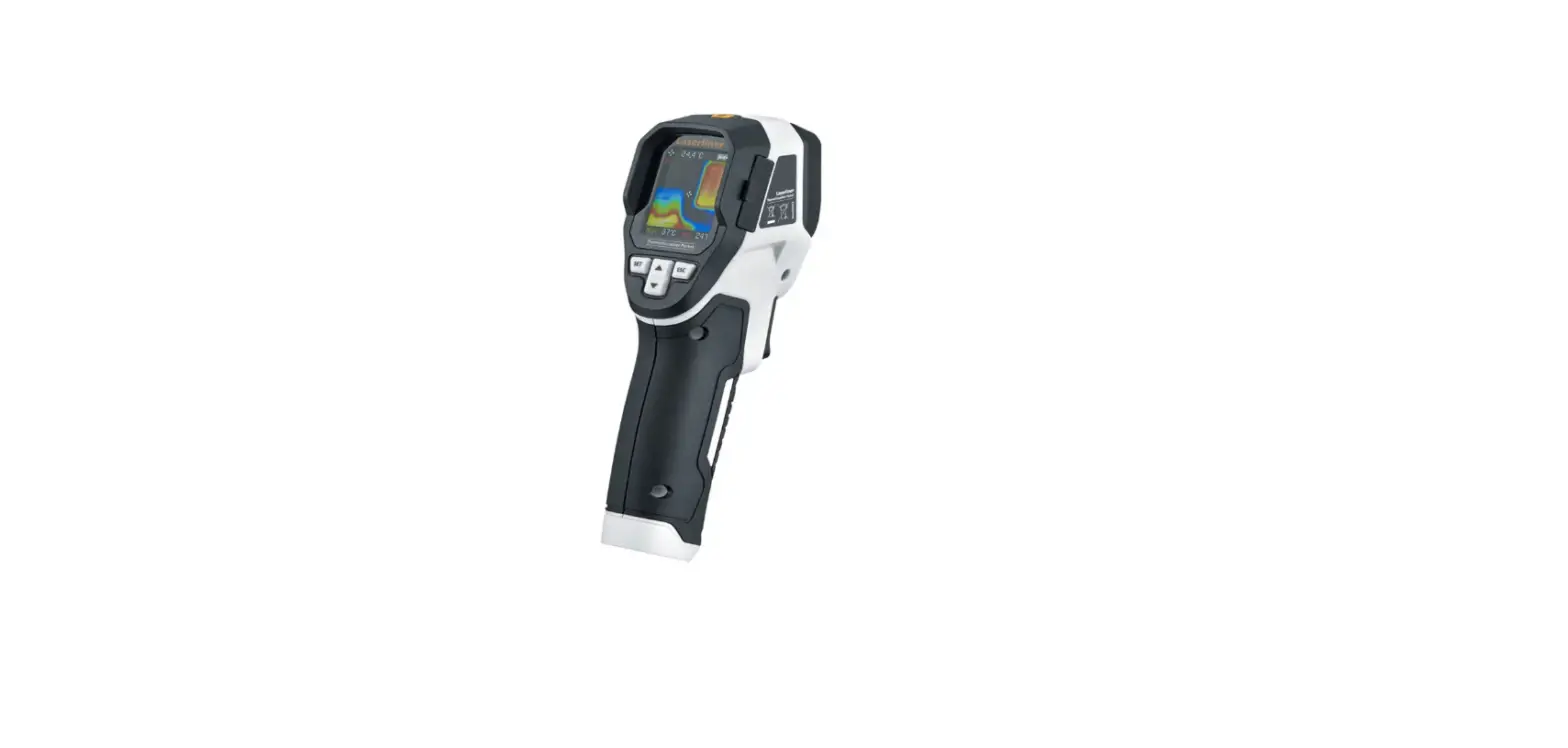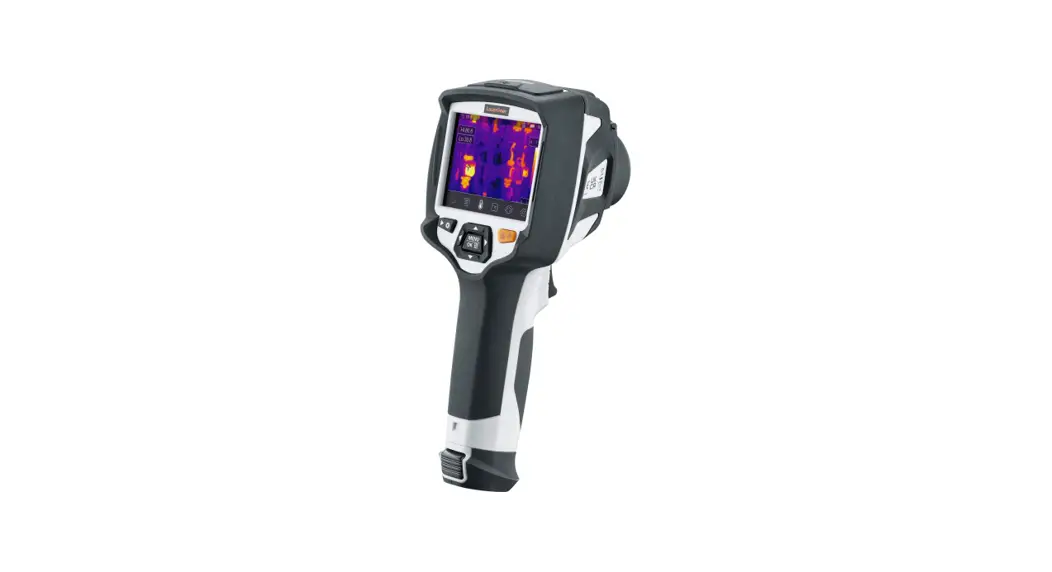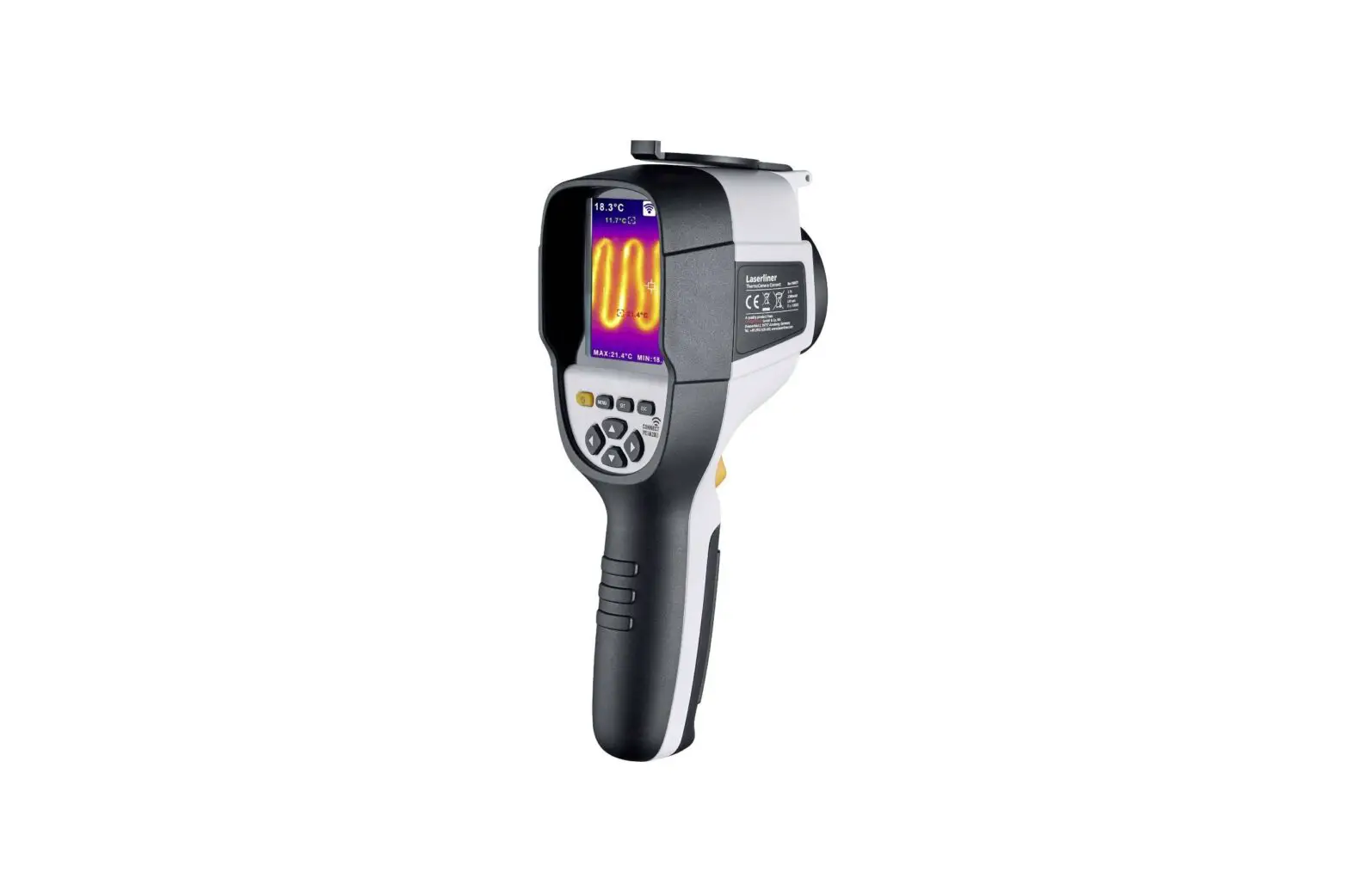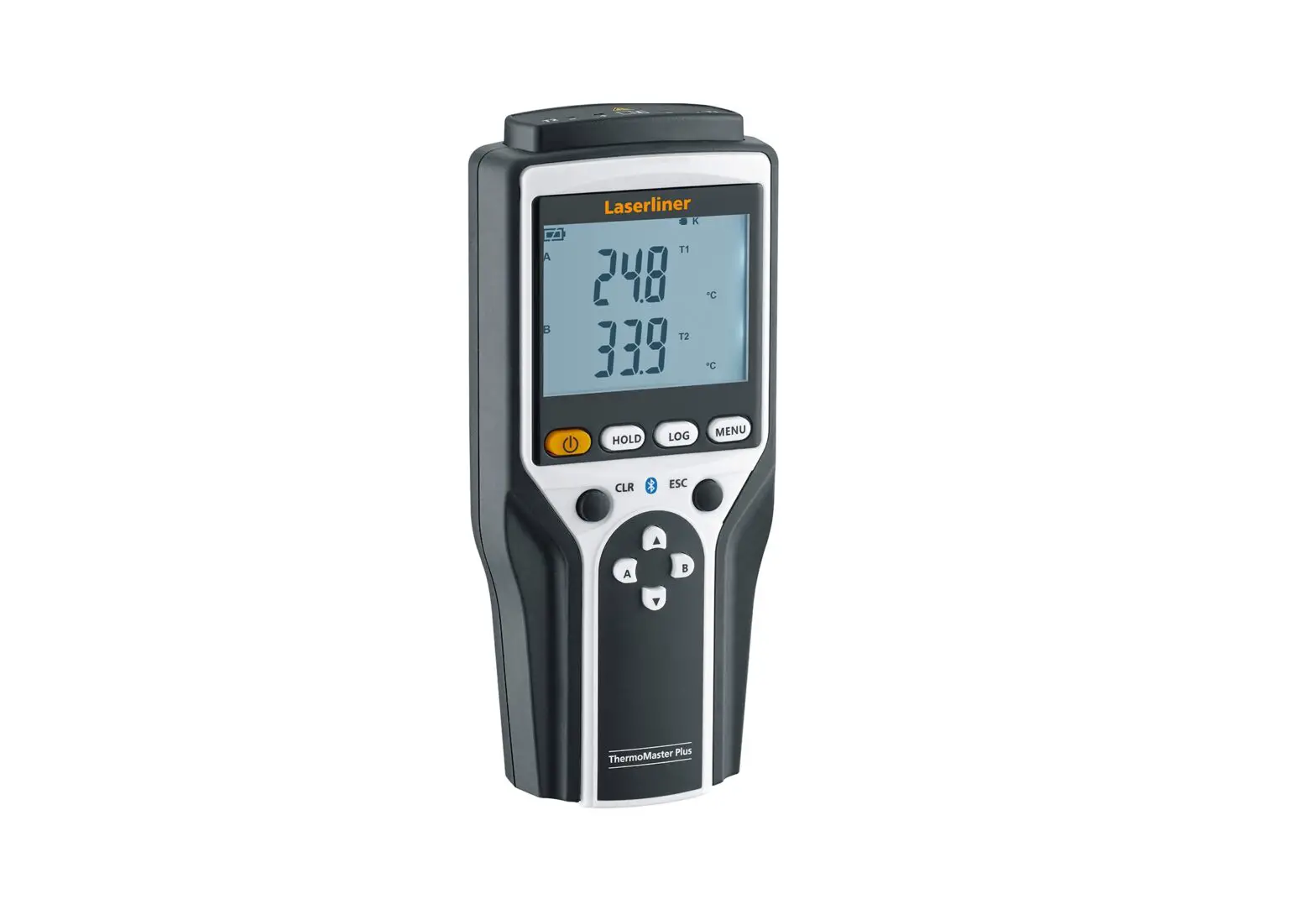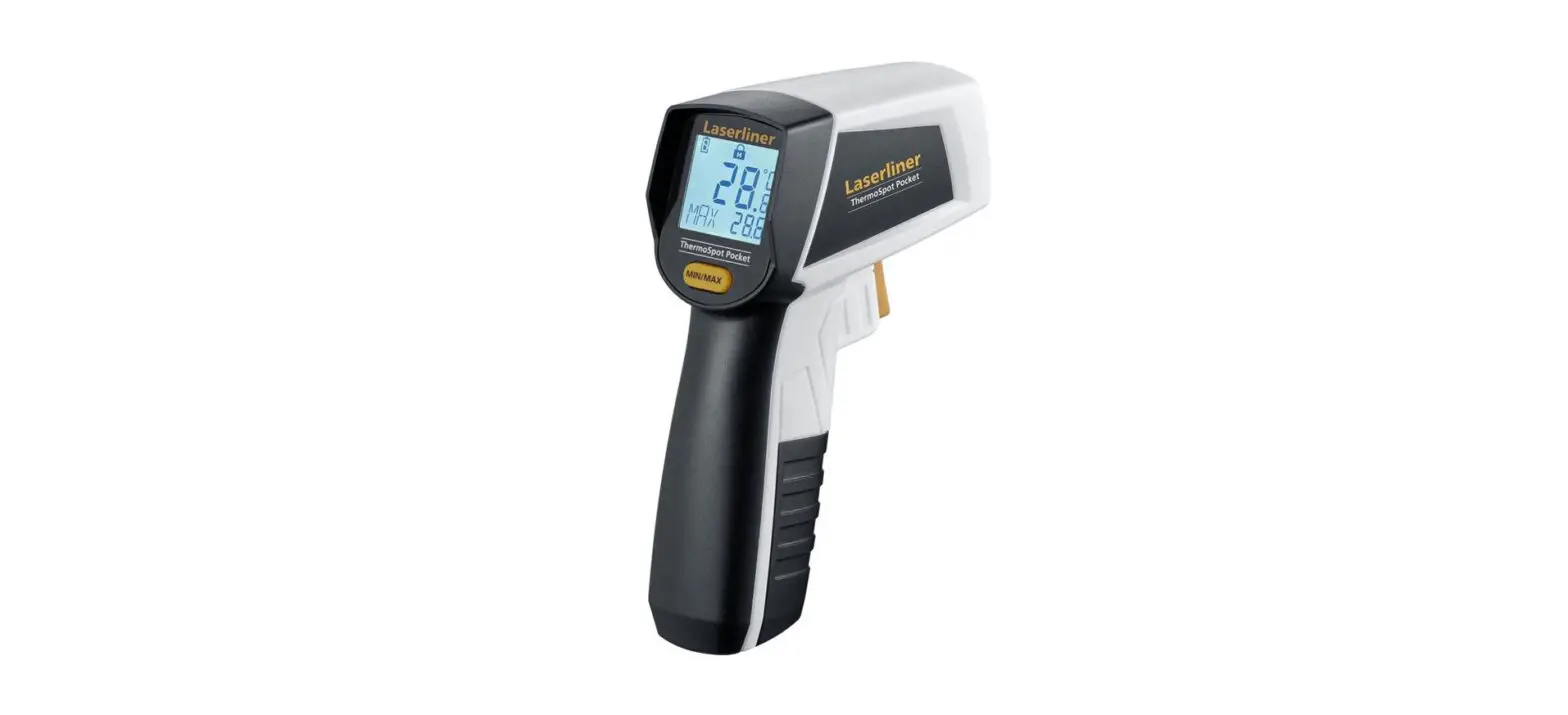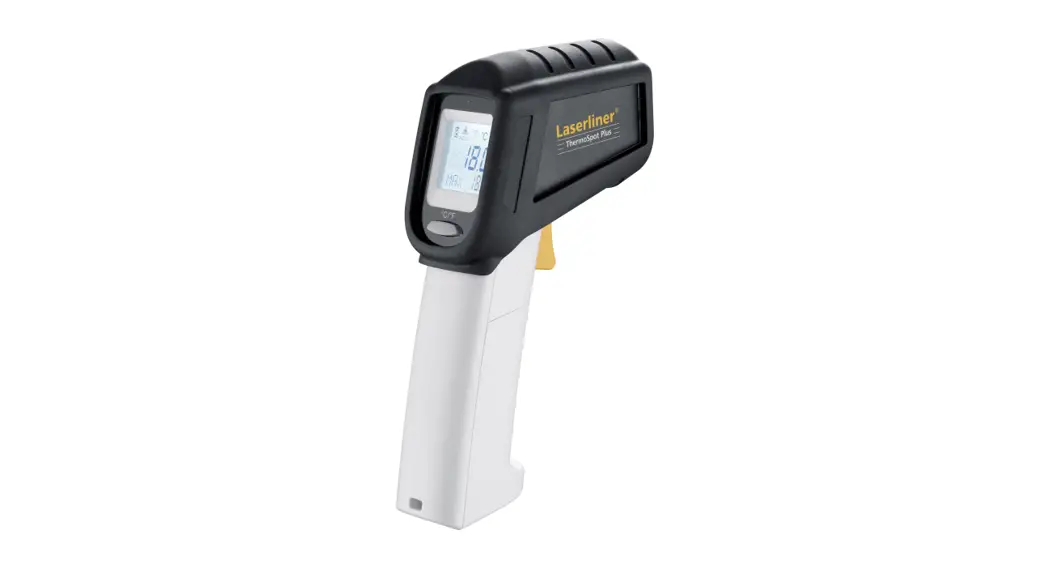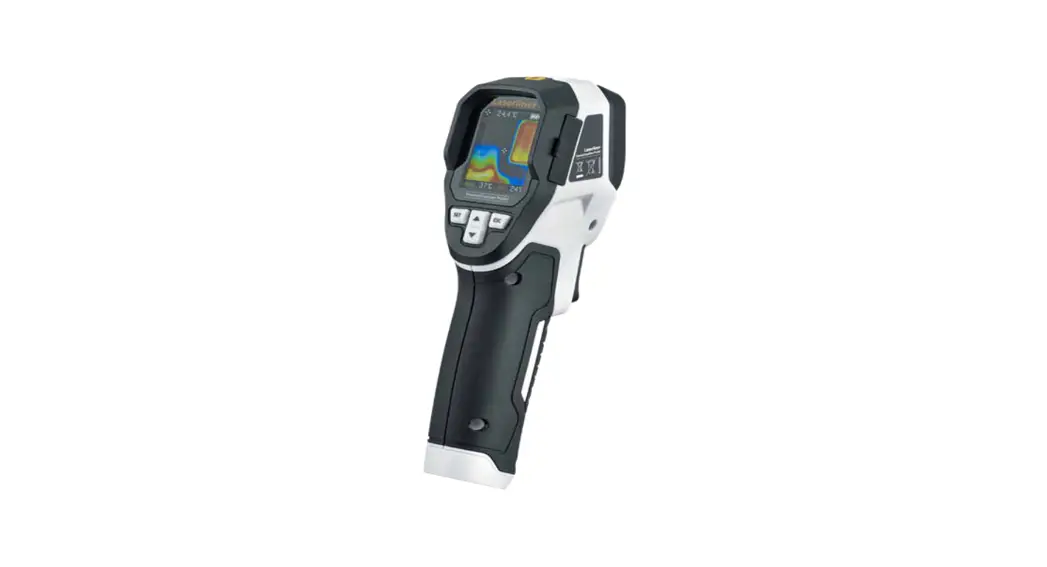
 ThermoVisualizer Pocket Thermal Imaging Camera
User Manual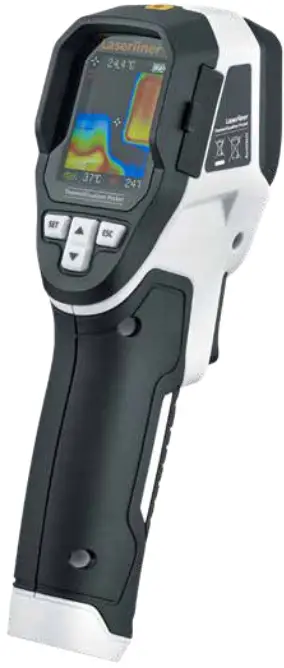
 Completely read through the operating instructions, the „Warranty and Additional Information“ booklet as well as the latest information under the internet link at the end of these instructions. Follow the instructions they contain. This document must be kept in a safe place and passed on together with the device.
Function / Application
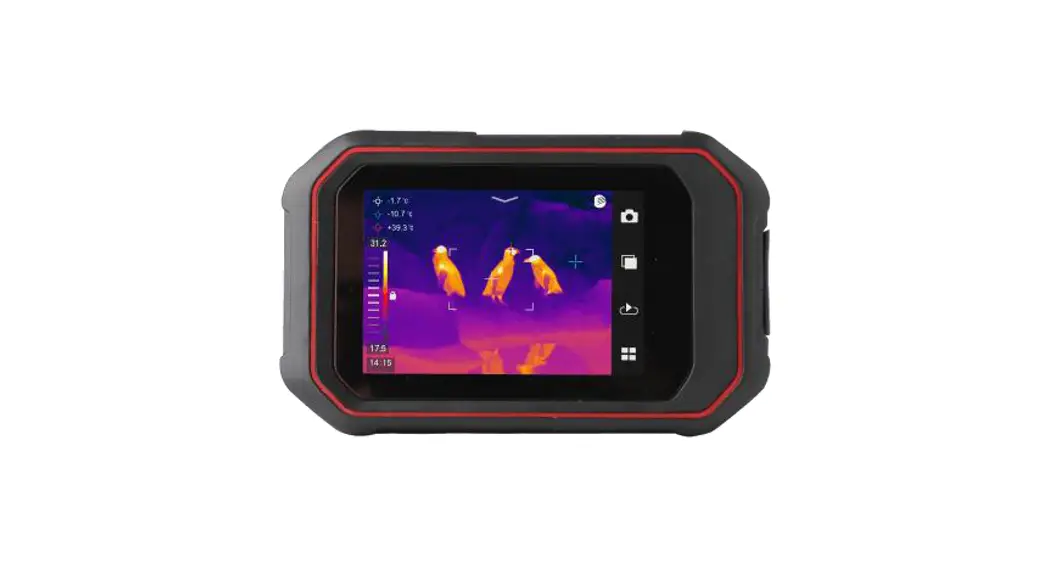
The thermal imaging camera provides visualization of temperature curves, energy losses, thermal bridges, electrical overloads, and moisture build-up. The infrared image, digital image, and mixed image allow the user to have a flexible illustration of the area under inspection. Images are stored on exchangeable Micro-SD cards. The device features a USB interface and a high-contrast, color TFT display.
General safety instructions
- The device must only be used in accordance with its intended purpose and within the scope of the specifications.
- The measuring tools and accessories are not toys. Keep out of reach of children.
- Modifications or changes to the device are not permitted, this will otherwise invalidate the approval and safety specifications.
- Do not expose the device to mechanical stress, extreme temperatures, moisture, or significant vibration.
- The device must no longer be used if one or more of its functions fail or the battery charge is weak.
Safety instructions
Dealing with electromagnetic radiation
- The measuring device complies with electromagnetic compatibility regulations and limits values in accordance with EMC-Directive 2014/30/EU.
- Local operating restrictions – for example, in hospitals, aircraft, petrol stations, or in the vicinity of people with pacemakers – may apply. Electronic devices can potentially cause hazards or interference or be subject to hazards or interference.
- The measuring accuracy may be affected when working close to high voltages or high electromagnetic alternating fields.
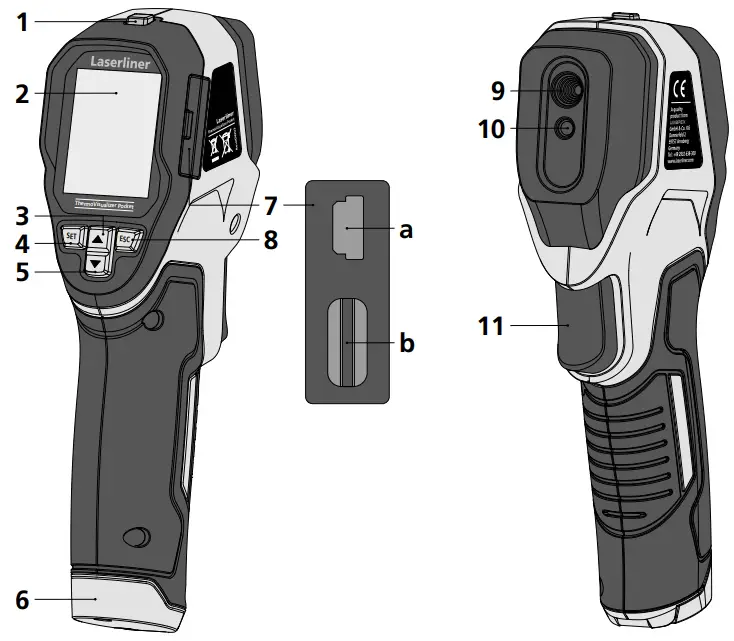
| 1. ON/OFF 2. 1,8“color display 3. Menu navigation/select digital image, overlay infrared / digital image 4. Menu/Control menu (Confirmation) 5. Menu navigation/select digital image, overlay infrared / digital image 6. Battery compartment | 7. Shaft a. Mini USB interface b. Micro-SD card slot 8. Control menu (cancel / back) 9. Infrared sensor 10. Digital camera 11. Trigger: save the image |
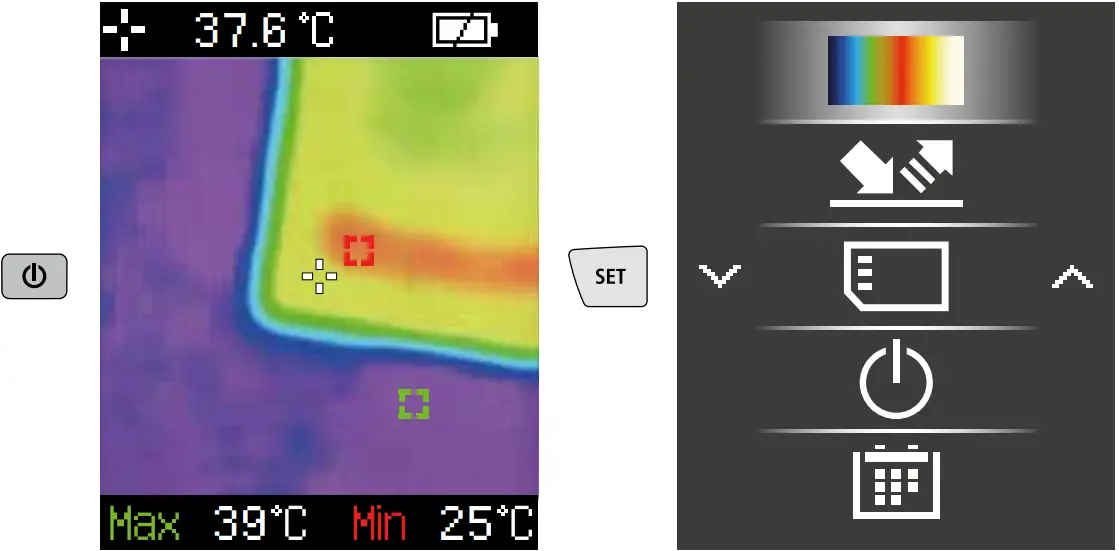
Standard measurement view
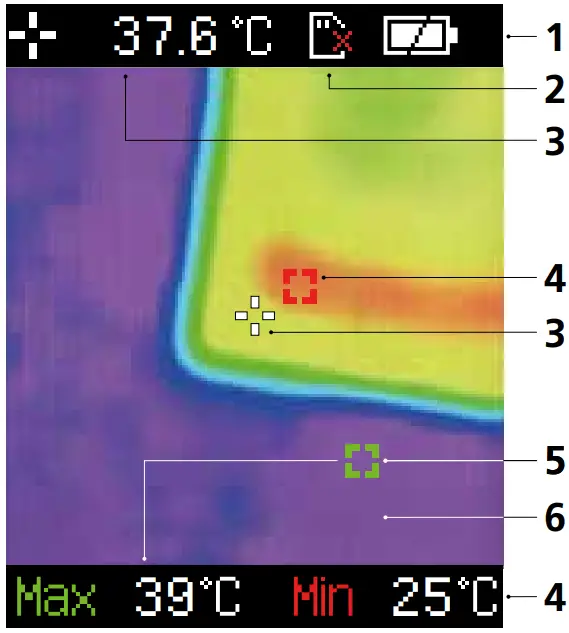
- Battery charge indicator
- Micro-SD card not inserted
- The temperature at the center of the image
- Min. temperature
- Max. temperature
- Thermography image
Main Menu
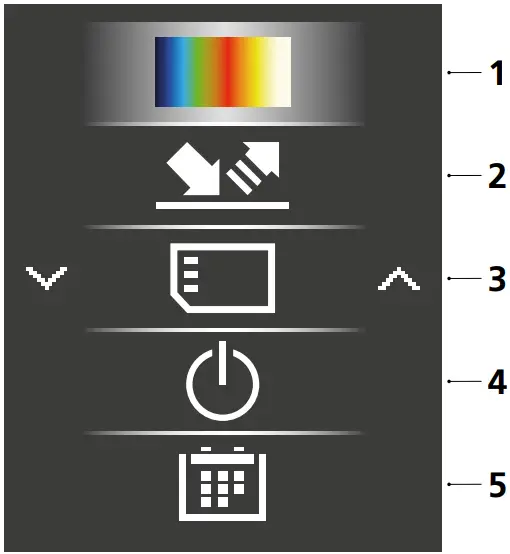
- Change color palette
- Set emissivity coefficient
- Open media gallery/Delete images from micro-SD card
- Auto shutdown
- Set date/time
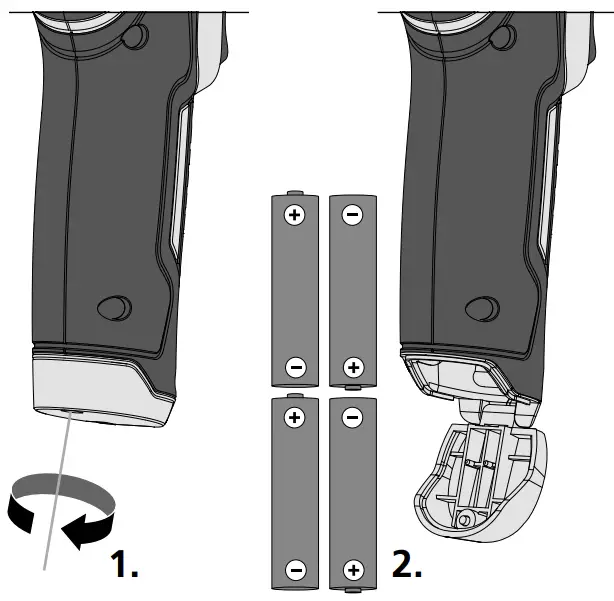
Inserting batteries
Open the battery compartment and insert batteries according to the symbols. Be sure to pay attention to polarity.
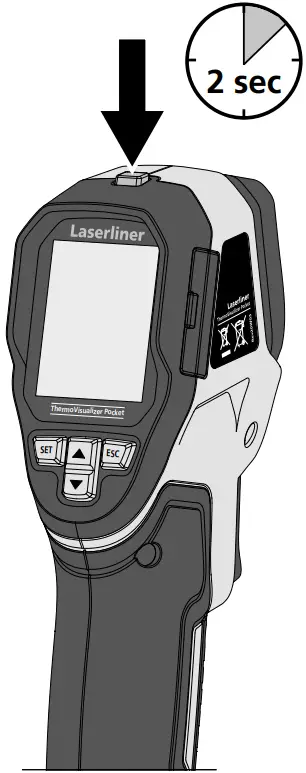
ON / OFF
Inserting micro-SD card
To insert a micro-SD card, first, open the rubber cover and then insert the memory card as illustrated. You cannot record anything without a storage medium.
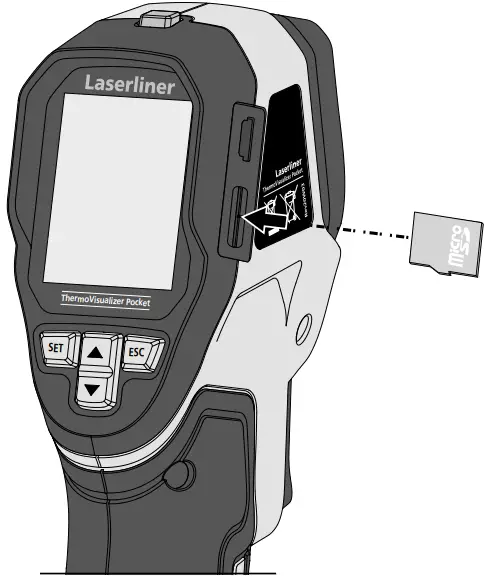 The device must be switched off before removing the micro-SD.
General and measurement-specific settings can be made in the main menu. The menu is controlled with four buttons (3, 4, 5, 8).
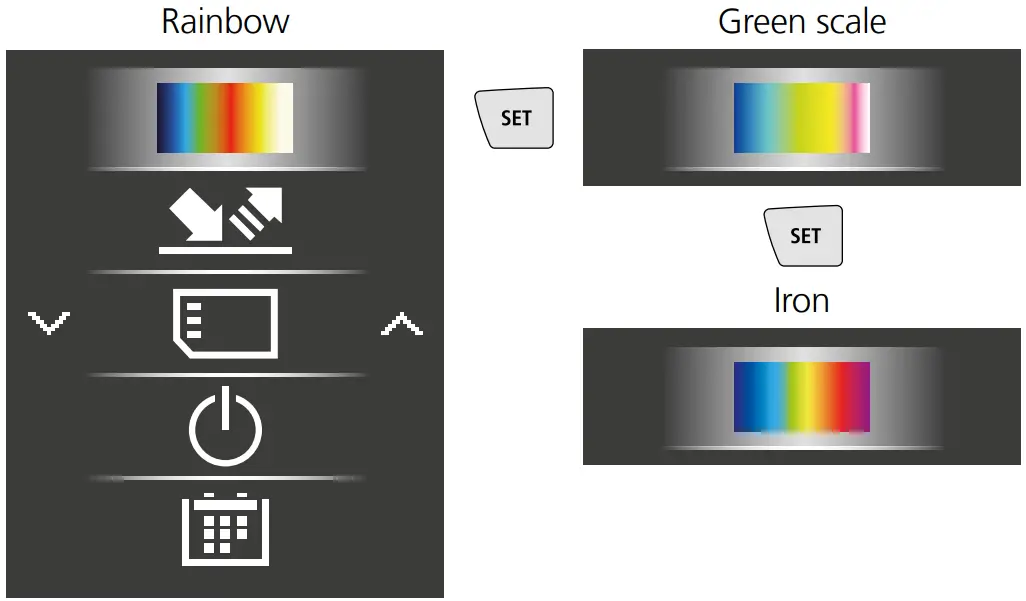
Colour ranges IR image
You can choose from several standard color ranges to represent the measured infrared temperatures. Depending on the color palette, the measured temperatures are adjusted within the current image section and displayed in the respective color space.
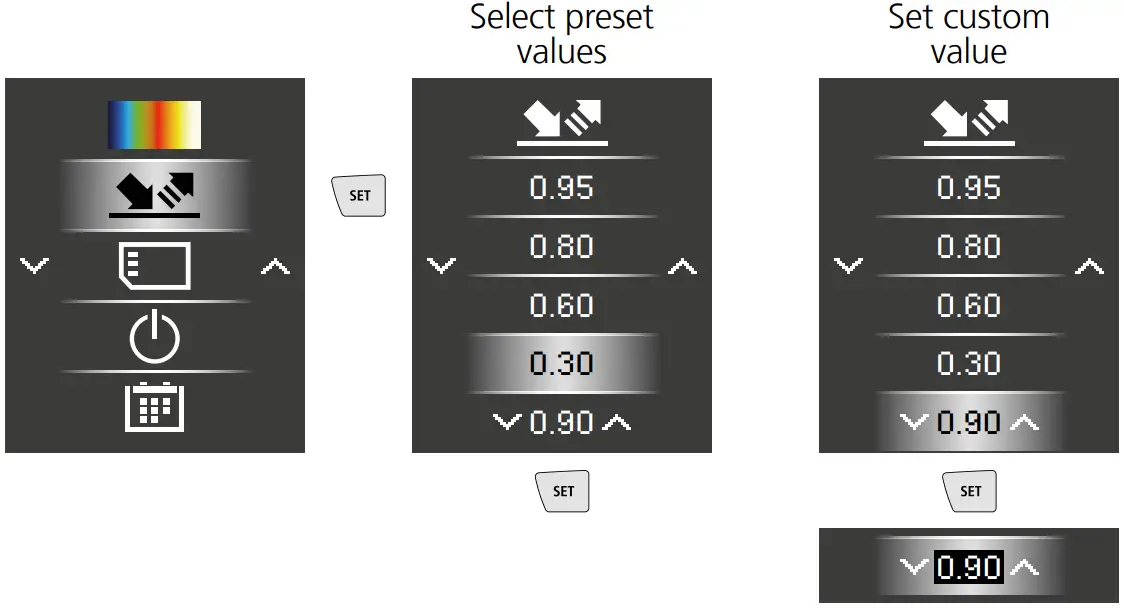
Emissivity coefficient
The level of infrared emissions given off by everything depends on the specific material and surface. This factor is determined by the emissivity coefficient (0.10 … 1.0). For accurate measurements, it is absolutely essential that the emissivity coefficient is set first. The emissivity coefficient can either be custom set or selected from the predefined emissivity coefficients from the list.
 | Confirmation |
 | Increase value |
 | Decrease value |
 | Cancel / back |
Emission coefficient tables Reference values with tolerances
| Metals | |||
| Alloy A3003 | Iron, forged | ||
| Oxidized | 0.20 | Matt | 0.90 |
| Roughened | 0.20 | Lead | |
| Aluminum | Rough | 0.40 | |
| Oxidized | 0.30 | Platinum | |
| Polished | 0.05 | Black | 0.90 |
| Brass | Steel | ||
| Polished | 0.30 | Cold rolled | 0.80 |
| Oxidized | 0.50 | Ground plate | 0.50 |
| Chromium oxide | 0.81 | Polished plate | 0.10 |
| Copper | Alloy (8% nickel, 18% chromium) | 0.35 | |
| Oxidized | 0.72 | Galvanised | 0.28 |
| Copper oxide | 0.78 | Oxidized | 0.80 |
| Inconel | Heavily oxidized | 0.88 | |
| Oxidized | 0.83 | Freshly rolled | 0.24 |
| Electropolished | 0.15 | Rough, flat surface | 0.96 |
| Iron | Rusty, red | 0.69 | |
| Oxidized | 0.75 | Sheet, nickel plated | 0.11 |
| With rust | 0.60 | Sheet rolled | 0.56 |
| Iron, cast | Stainless steel | 0.45 | |
| Non-oxidized | 0.20 | Zinc | |
| Molten mass | 0.25 | Oxidized | 0.10 |
| Nonmetals | |||
| Asbestos | 0.93 | Lime | 0.35 |
| Asphalt | 0.95 | Lime malm brick | 0.95 |
| Basalt | 0.70 | Limestone | 0.98 |
| Brick, red | 0.93 | Marble | |
| Carborundum | 0.90 | Black, dull finish | 0.94 |
| Cement | 0.95 | Greyish, polished | 0.93 |
| Ceramics | 0.95 | Masonry | 0.93 |
| China | Paint | ||
| Brilliant white | 0.73 | Black, matt | 0.97 |
| With glaze | 0.92 | Heat-resistant | 0.92 |
| Clay | 0.95 | White | 0.90 |
| Coal | Paper | ||
| Non-oxidized | 0.85 | All colors | 0.96 |
| Concrete, plaster, | 0.93 | Plastic | |
| Cotton | 0.77 | Translucent | 0.95 |
| Earthenware, matt | 0.93 | PE, P, PVC | 0.94 |
| Fabric | 0.95 | Quartz glass | 0.93 |
| Glass | 0.90 | Rubber | |
| Glass wool | 0.95 | Hard | 0.94 |
| Graphite | 0.75 | Soft, grey | 0.89 |
| Gravel | 0.95 | Sand | 0.95 |
| Grit | 0.95 | Screed | 0.93 |
| Gypsum | 0.88 | Snow | 0.80 |
| Gypsum cardboard | 0.95 | Soil | 0.94 |
| Heat sink | Tar | 0.82 | |
| Black, anodized | 0.98 | Tar paper | 0.92 |
| Human skin | 0.98 | Transformer paint | 0.94 |
| Ice | Wallpaper, light-colored | 0.89 | |
| Clear | 0.97 | Water | 0.93 |
| With heavy frost | 0.98 | Wood | |
| Laminate | 0.90 | Untreated | 0.88 |
| Beech, planed | 0.94 | ||
Media gallery/playback mode
All image data recorded with the ThermoVisualizer Pocket is available in the media gallery.
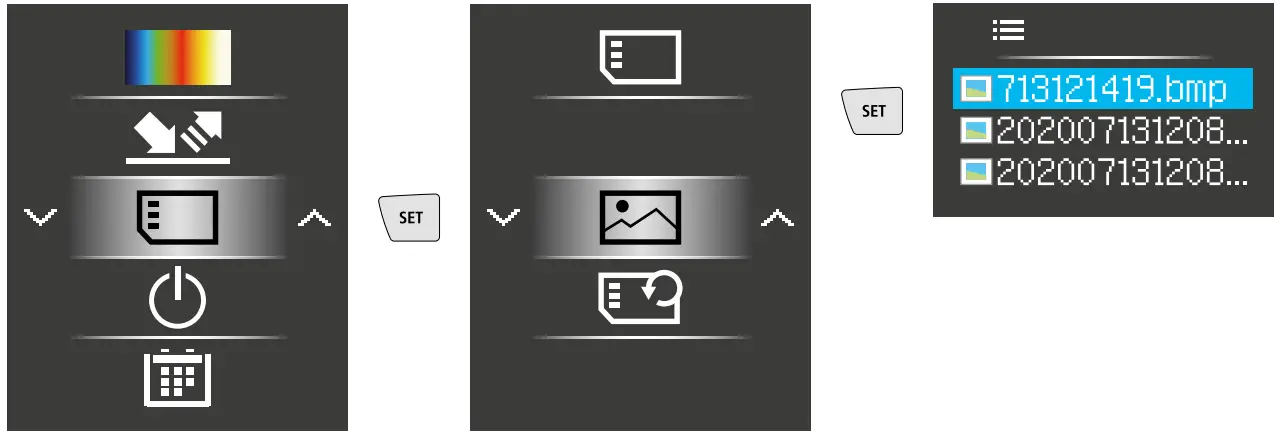
| Confirmation |
| Increase value |
| Next image |
| Cancel/back |
To delete recording
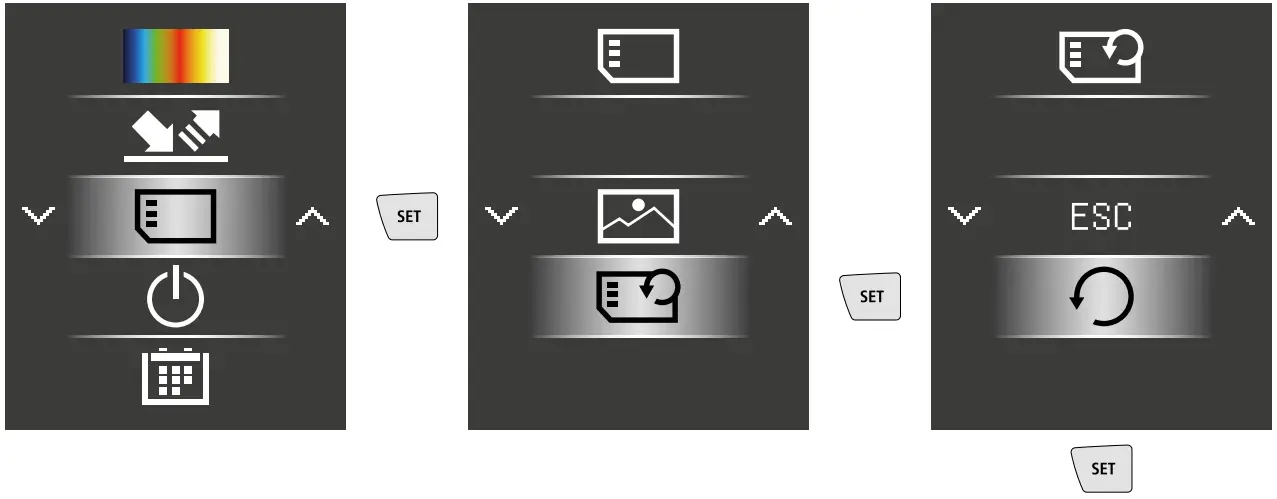
The files are deleted immediately.
There is no prompt to confirm the deletion.
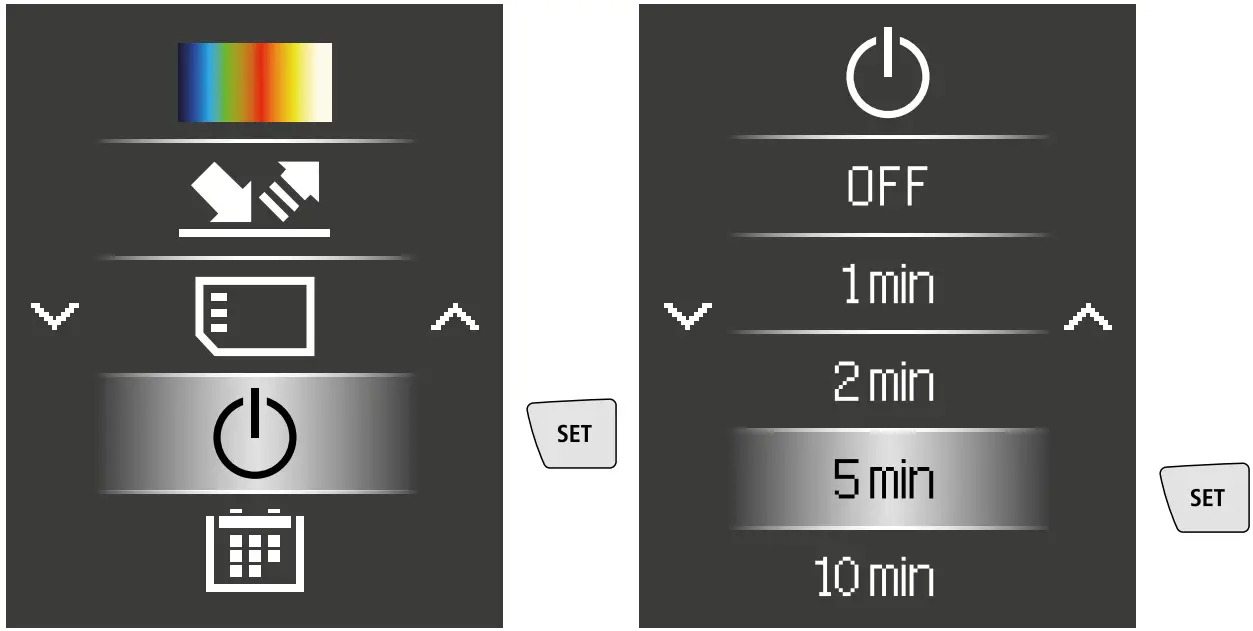
Auto power off
The device switches off automatically after a set period of inactivity.
Date / Time
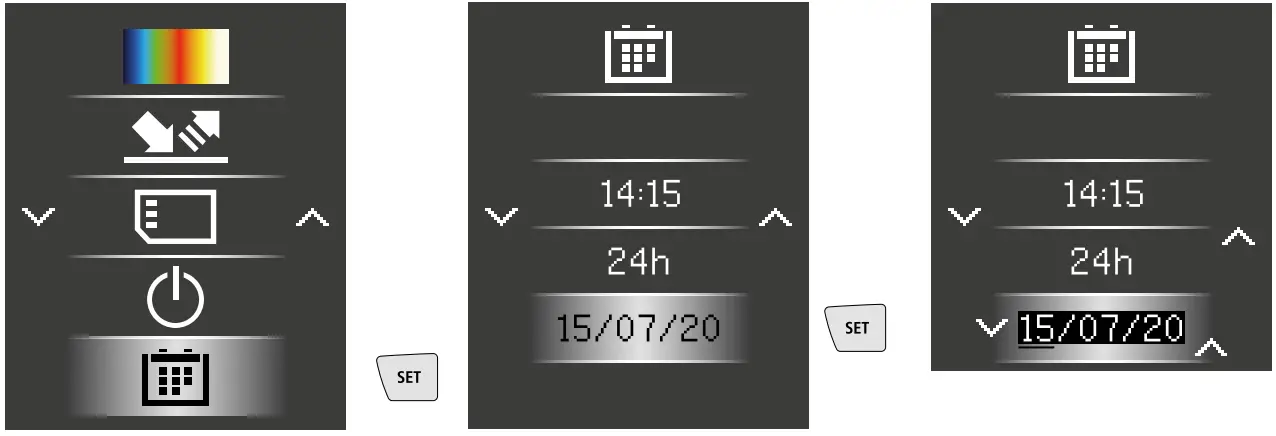
| Confirmation/next |
| Increase value |
| Decrease value |
| Cancel/back |
Image modes
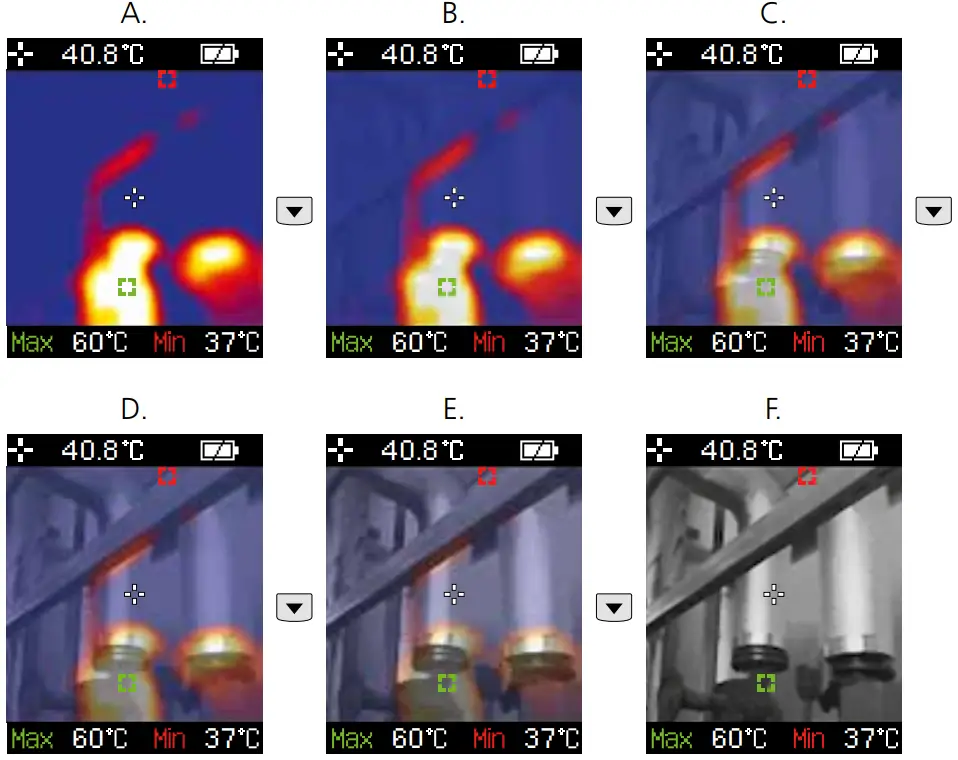
There are 6 image modes to choose from.
A. IR image (Thermal image)
B. – E. Digital image with IR image overlay (MIX), 4 stages
F. Digital image (black/white)
Data transfer
Data saved on the micro-SD card can be transferred to a PC either with a suitable card reader or via the mini-USB port. Please refer to the manual supplied with your card reader for information about connecting your card adapter or card reader to a PC.
Information on maintenance and care
Clean all components with a damp cloth and do not use cleaning agents, scouring agents, or solvents. Remove the battery(ies) before storing it for longer periods. Store the device in a clean and dry place.
Calibration
The measuring device must be calibrated and tested on a regular basis to ensure it is accurate and working properly. We recommend carrying out calibration once a year. Contact
your distributor or the UMAREX-LASER LINER service department.
| Technical data (Subject to technical changes without notice. Rev22W03) | |
| Measured variable | Infrared temperature |
| Spectral range | 8-14 µm |
| Therm. sensitivity (NETD) | 150 mK |
| Measuring range infrared temperature | -20°C … 650°C |
| Accuracy infrared temperature | ≤100°C (± 3°C) / >100°C (± 3%) |
| Infrared temperature resolution | 0.1°C |
| Screen type | 1.8″ color TFT |
| Display resolution | 128 x 160 pixels |
| Image format | BMP |
| Image frequency | 9 Hz |
| Digital camera resolution | 640 x 480 pixels |
| Field of view (FOV) | 33° |
| Memory | Micro-SD memory card up to 16 GB |
| Protection class | IP 54 |
| Sensor type | Thermoarray-Sensor |
| Power supply | 4 x 1.5V LR03 (AAA) |
| Operating time | approx. 100 hours |
| Operating conditions | 0°C … 50°C, max. humidity 20 … 85% RH, no condensation, max. working altitude 2000 m above sea level |
| Storage conditions | -10°C … 60°C, max. humidity 80% RH |
| Dimensions (W x H x D) | 70 x 180 x 46 mm |
| Weight | 175 g (incl. batteries) |
EU directives and disposal
This device complies with all necessary standards for the free movement of goods within the EU. This product is an electric device and must be collected separately for disposal according to the European Directive on waste electrical and electronic equipment.
Further safety and supplementary notices at: www.laserliner.com
SERVICE 
Umarex GmbH & Co. KG
– Laserliner –
Möhnestraße 149, 59755 Arnsberg, Germany
Tel.: +49 2932 638-300,
Fax: +49 2932 638-333
[email protected]
Umarex GmbH & Co. KG
Donnerfeld 2
59757 Arnsberg, Germany
Tel.: +49 2932 638-300,
Fax: -333
www.laserliner.com
Rev22W03
 Home
Home