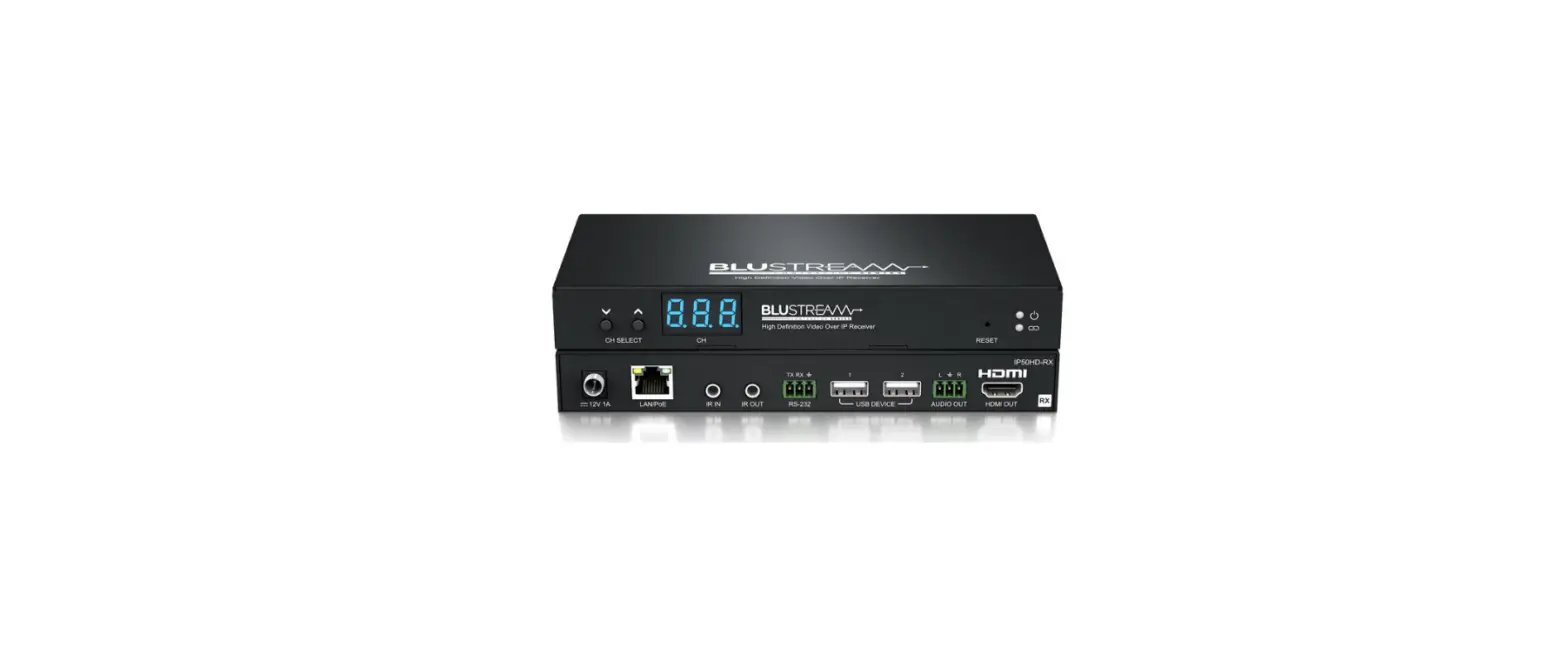

BLANKOM HDD-264 h.264 AVC Compatible Decoder
 The BLANKOM HDD-264 decoder is designed for the distribution of FullHD and SD TV/Video content through IP networks in digital quality. It serves as an IPTV receiver that can receive live video as an IP stream and display it on standard TV sets. The decoder features h.264 AVC compatible compression technology with low-latency and low bit rates for IPTV system reception. It can receive SD & HD TV channels through the IPTV/OTT network using state-of-art IP technology from almost any kind of video input.
Features
- Decodes FullHD and SD TV/Video content through IP networks
- Low-latency and low bit rates for IPTV system reception
- Can receive SD & HD TV channels through the IPTV/OTT network using state-of-art IP technology
- Monitoring of 4 streams in parallel on 1 TV set by a mosaic feature
- Excellent video and audio quality
- High reliability
- Web-Interface for easy setup and configuration
- No regular service and maintenance need during operation
Technical Specifications
| Function | h.264 (MPEG4 compatibel) Decoder and 4 pic Mosaic-viewer |
| SYSTEM | Embedded HiLinux System, stable and effective, 24/7 stability |
| INPUT | RJ45 GbEthernet up to 4 Streams (Mosaic), management by web browser, firmware upgrade by web |
| Protocol | HTTP / HLS / FLV / RTSP / RTMP* / UDP/RTP (Unicast/Multicast) |
| Data Rates | 100 kbps – 32 Mbps per stream* |
| Resolution max: | 1080p60, 720p and below to SD formats |
| Video Decoder | h.264 (AVC) in max. 1080p60, JPEG/MJPEG CBR or VBR baseline /main /high profile decoding |
| Audio Decoder | STEREO AAC/AAC+/AAC++/MP3/MP2 G711A&U |
| Audio sample rates | 8000/…/48000Hz |
| OSD | 4 Logo (bmp’s with or w/o transparent color) and Text Insertion as transparent overlays |
| Picture adjust | Brightness, Hue, Saturation, Contrast* |
| Profiles | H.264/AVC High/Main/Baseline Profile L4.2 |
| Audio output | HDMI embedded Audio in 48KHz ( And additional 3.5mm Stereo jack out for CVBS) |
| HDMI-max out format | 1080P@60/1080I@60/1080P@50/1080I@50 1080P30/1080P25/720P60/720P50/576P50&25/480P60 fps etc… |
| CVBS Output | PAL 720×576 & NTSC 720×480 |
| VGA-Out | 1080P@60/1080I@60/1080P@50/1080I@50 1080P30/1080P25/720P60/720P50/576P50/480P60 fps etc… |
| Maximum decoding Datarate’s @ HDMI | 1 Picture stream output: 1080@60fps @32mbps |
| Up to 4 Input streams for Mosaic picture: | 1080p@60fps bitrate can be up to 32mbps 1080p@60fps@10mbps max. for each stream 1080p@50fps@10mbps max. for each stream 1080p@30fps@20mbps max. for each stream |
| Relative Humidity | 5% to 90% non-condensing |
| Storage temperature | -20° to 80°C |
| Operating temperature | -10° to 70°C |
| Power supply | 5-12V DC, 1A |
| Dimensions | 155x120x30mm |
| Weight | 266 g / incl. Package and PSU: 0,7kg |
| Consumption | 5-10W |
Companion products:
- HDE-275/Q 4x-Encoder 4K/HDMI compatible to IP Streaming
- HDE-264/265 and SDE-265 boxed encoder series
- EMU-Encoder Streamer series
- GA-4400 / IGA-824 IP Stream Gateways/Converters
- BTR-6000 Transcoder
Usage Instructions
To use the BLANKOM HDD-264 decoder, follow these steps:
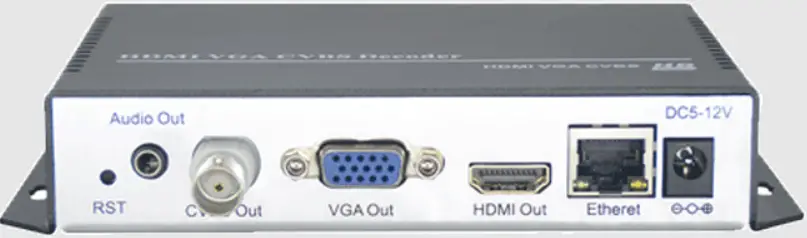
- Connect the decoder to your TV set using HDMI, VGA, or CVBS cables.
- Connect the decoder to your LAN or WAN network using an Ethernet cable.
- Set your computer IP address to the same range as the decoder’s default IP address (192.168.1.169).
- Open a web browser and enter the decoder’s IP address to access the web interface.
- Enter “admin” as the username and password to log in to the web interface.
- Configure the decoder’s IP settings, output settings, and mosaic settings as needed.
- Upload firmware updates as needed.
- Reset or reboot the decoder as needed.
Introduction
- Inputs: 1x UHD/HD/SD in h.264 compatible streams like from our Encoders (no MPEG2 support)
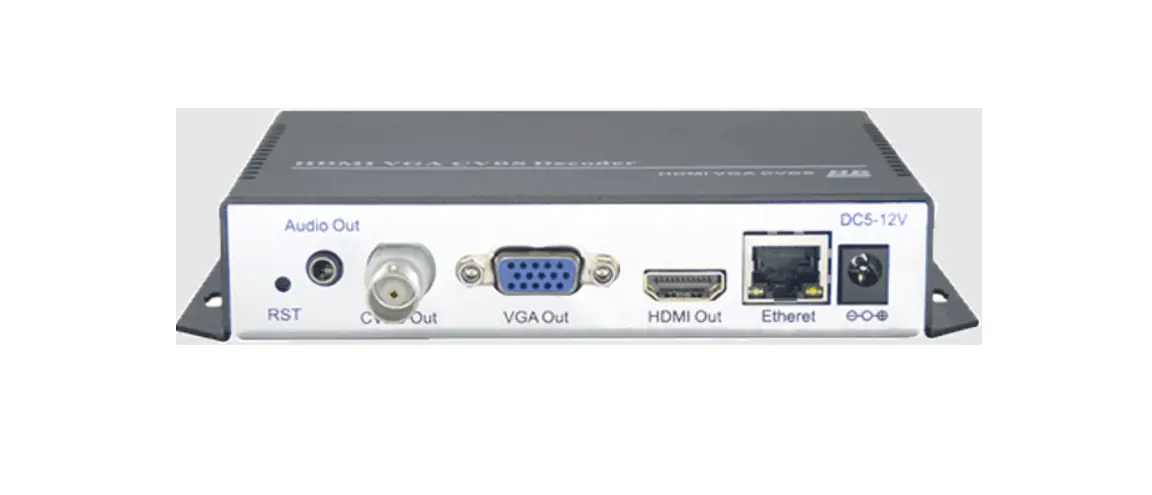
- Outputs HDMI, CVBS, VGA in parallel
- Stereo Audio embedded decoding of AAC and MP1L2, external Audio Output (3.5mm Stereo)
- FHD Resolution 1080p, 720p…. no interlaced
- IP Input: RTSP, UDP/RTP, HTTP, HLS, FLV, RTMPs
- Reception of Video Camera UHD/HD streams and other source content over LAN or WAN
- Inserting of Text, Logos and scrolling Text as Overlays
- Video-over IP applications (Signal distribution)
- Digital Signage applications
- Video conferencing, Camera streaming
- IPTV on LAN applications, Corporate IPTV for Broadcasters
- Monitoring up to 4 streams on one TV picture (4xMosaic)
- Remote management by an inbuilt Webserver-Interface.
BLANKOM HDD-264 decoder serves the distribution of FullHD and SD TV/Video content through IP networks in digital quality.
The live Video can be received by this decoder as an IP stream and dis plays it on to standard TV sets. Monitoring of 4 Streams in parallel on 1 TV set by a mosaic feature
BLANKOM HDD-264
- IPTV Decoder is designed for TV signal reception in excellent quality over LAN and WAN.
- The h.264 compatible compression technology features low-latency and low bit rates for IPTV system reception. The high-efficient decoding chip saves bandwidth cost through all its resolution range.
- Reception of SD & HD TV channels through the IPTV/OTT network using state-of-art IP technology from almost any kind of video input.
- Either 1 Stream in FullHD or for Monitoring up to 4 streams on one TV output as Mosaic picture can be displayed.
- Excellent video and audio quality.
- High reliability. Web-Interface.
- No regular service and maintenance need during operation.
Application Example
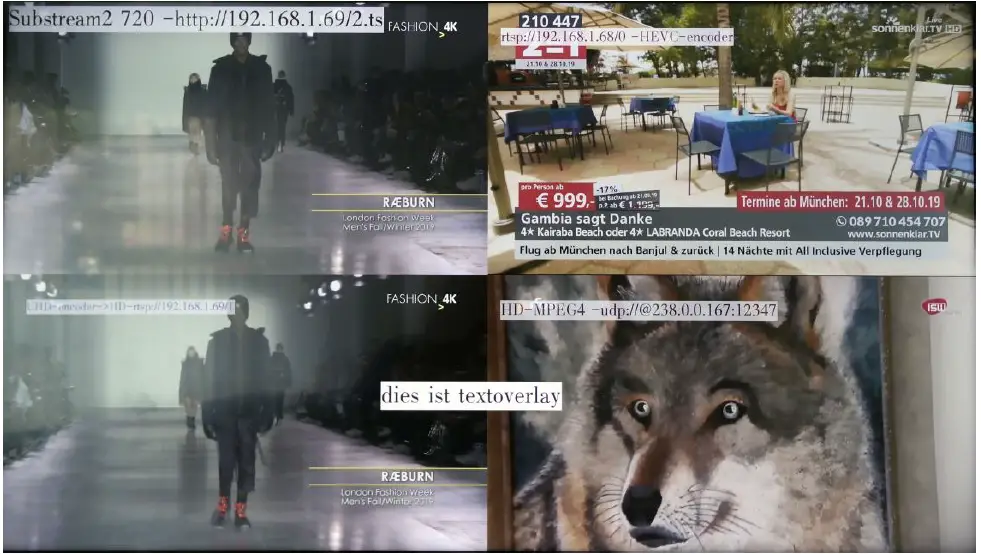 Example output of 4 different encoded streams with Text overlays inserted by the encoders & the decoder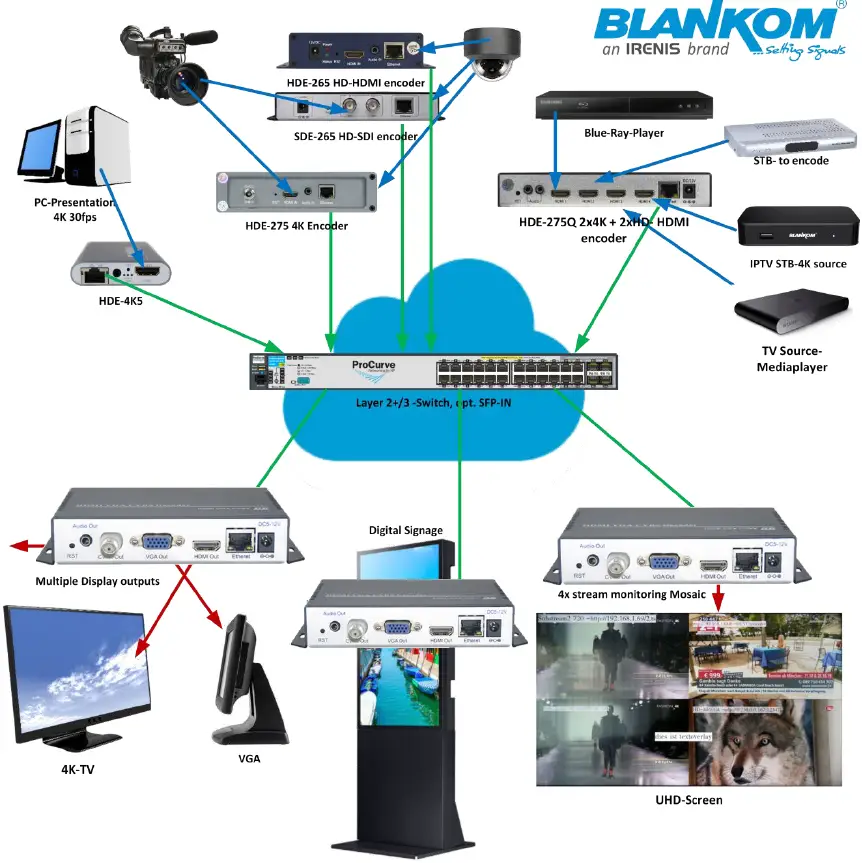
Quickstart:
Default IP address = 192.168.1.169
Please set your computer in the same range, open the webbrowser and insert its address. Than enter admin and admin as Username / PW. And you are in: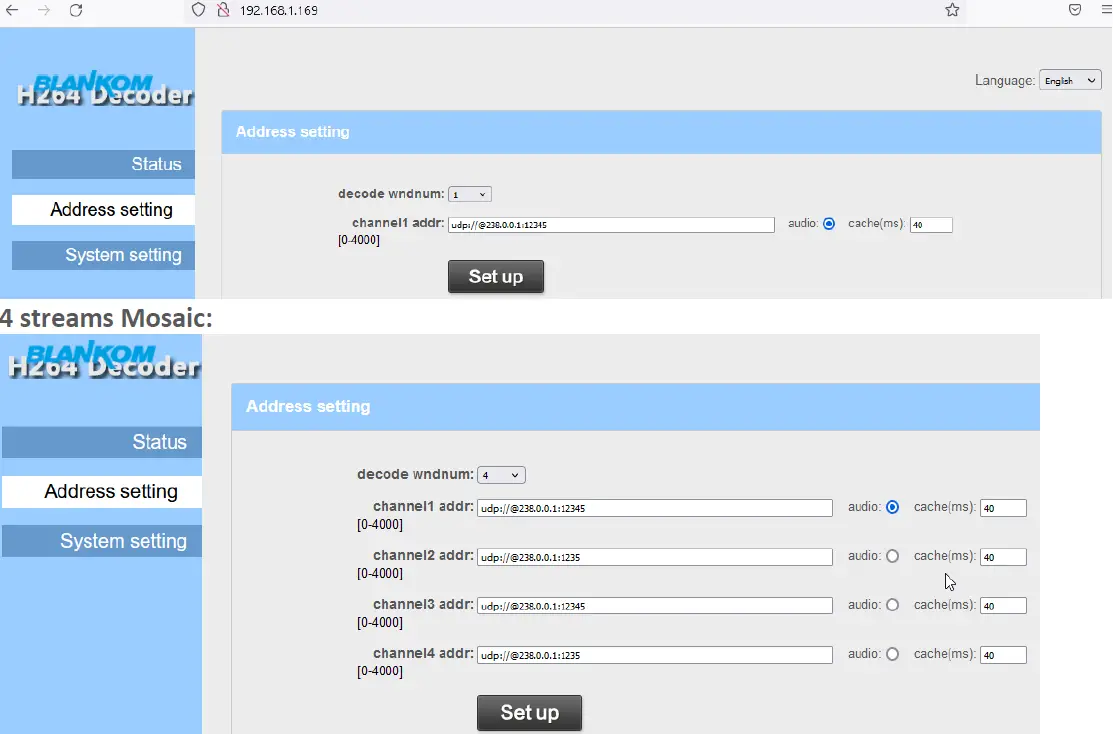 Only 1 Audio can be selected to output processing.
IP-Settings: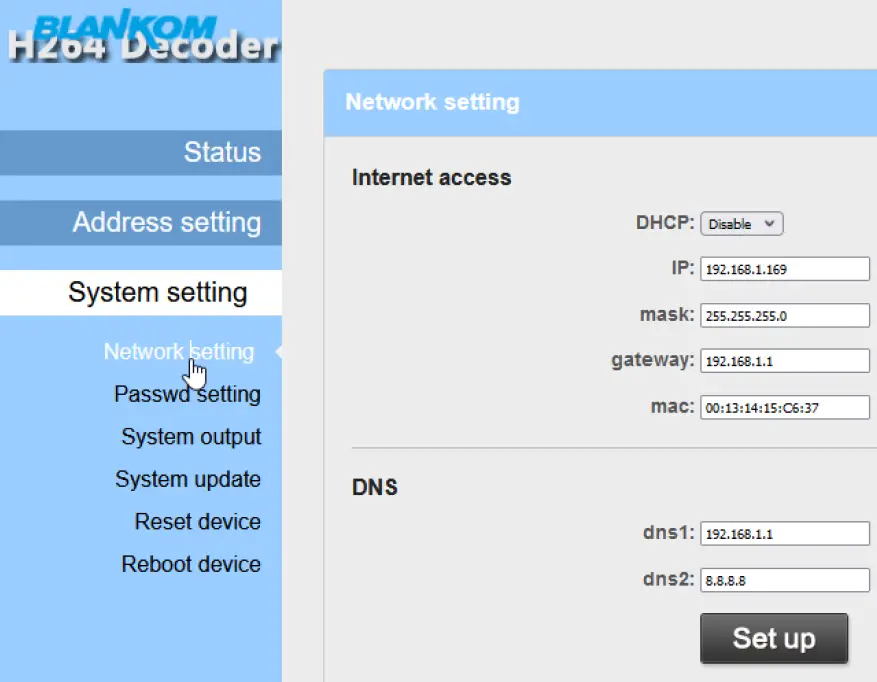 Output settings:
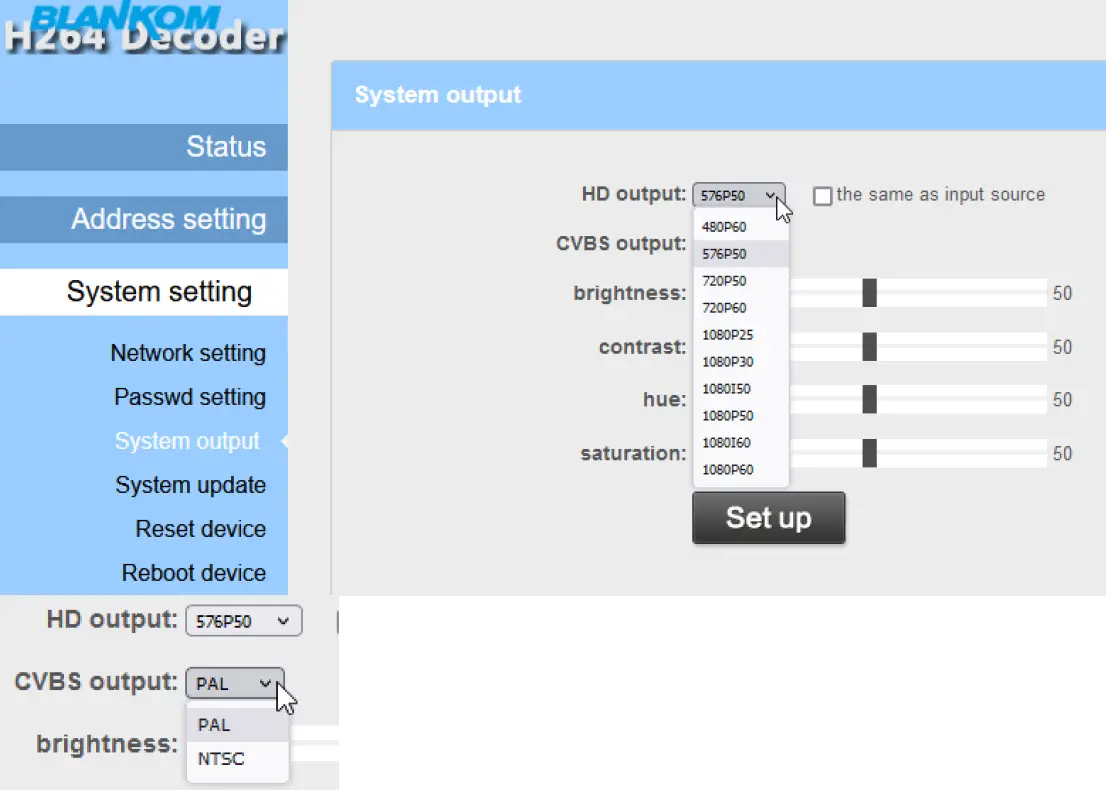 Updating: Select the proper sub-menu and chose the up.rar file for your decoder: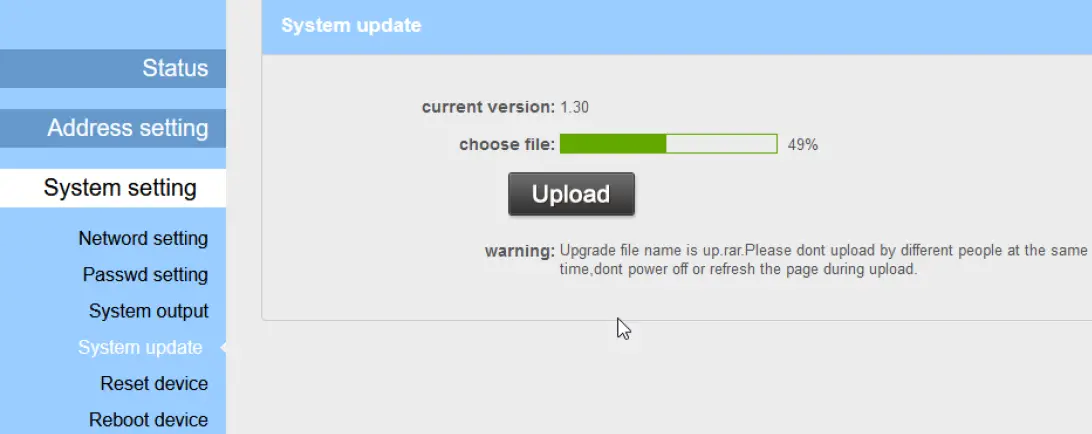
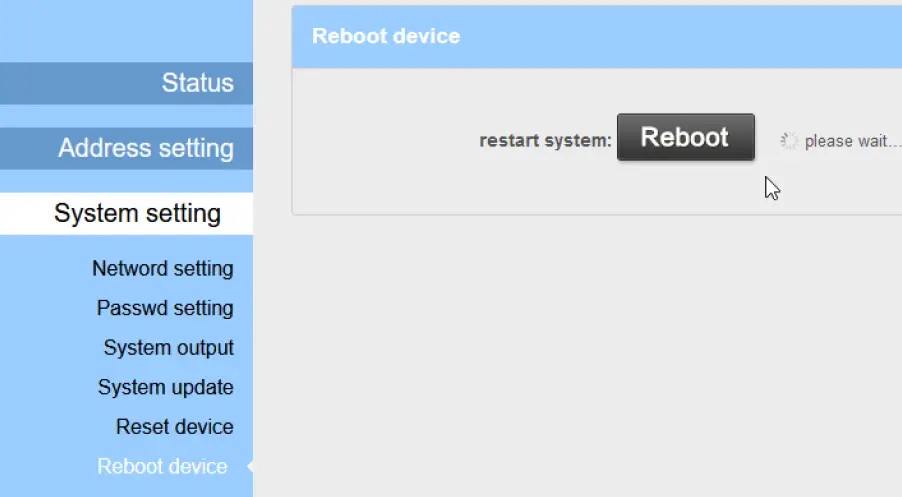 Then and Now:
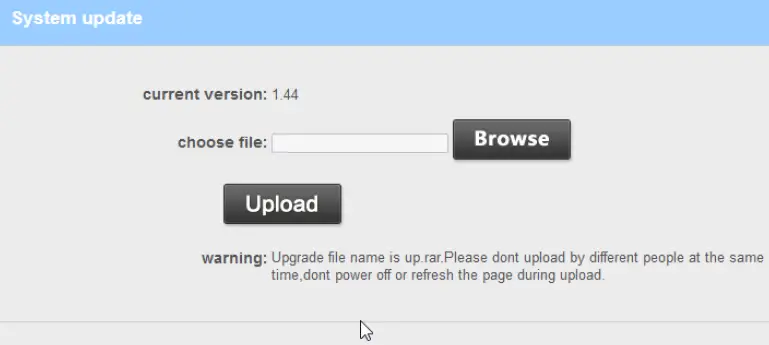 Reset: sets it back to facrtory defaults,
Reboot: do not need to be explained ?