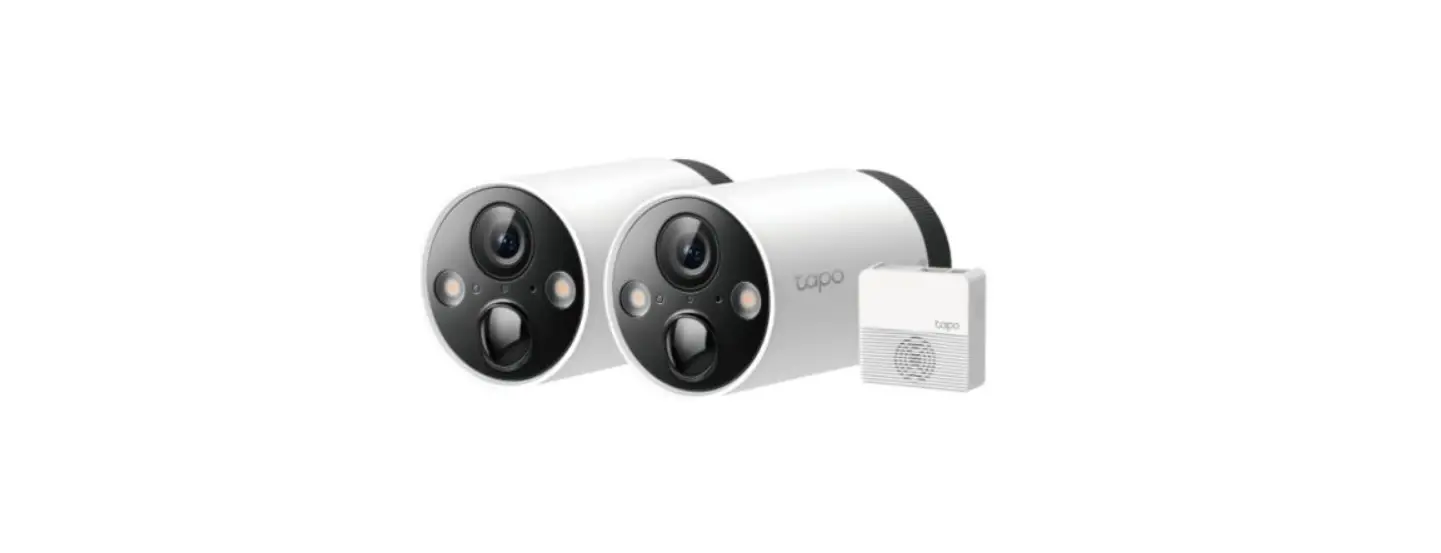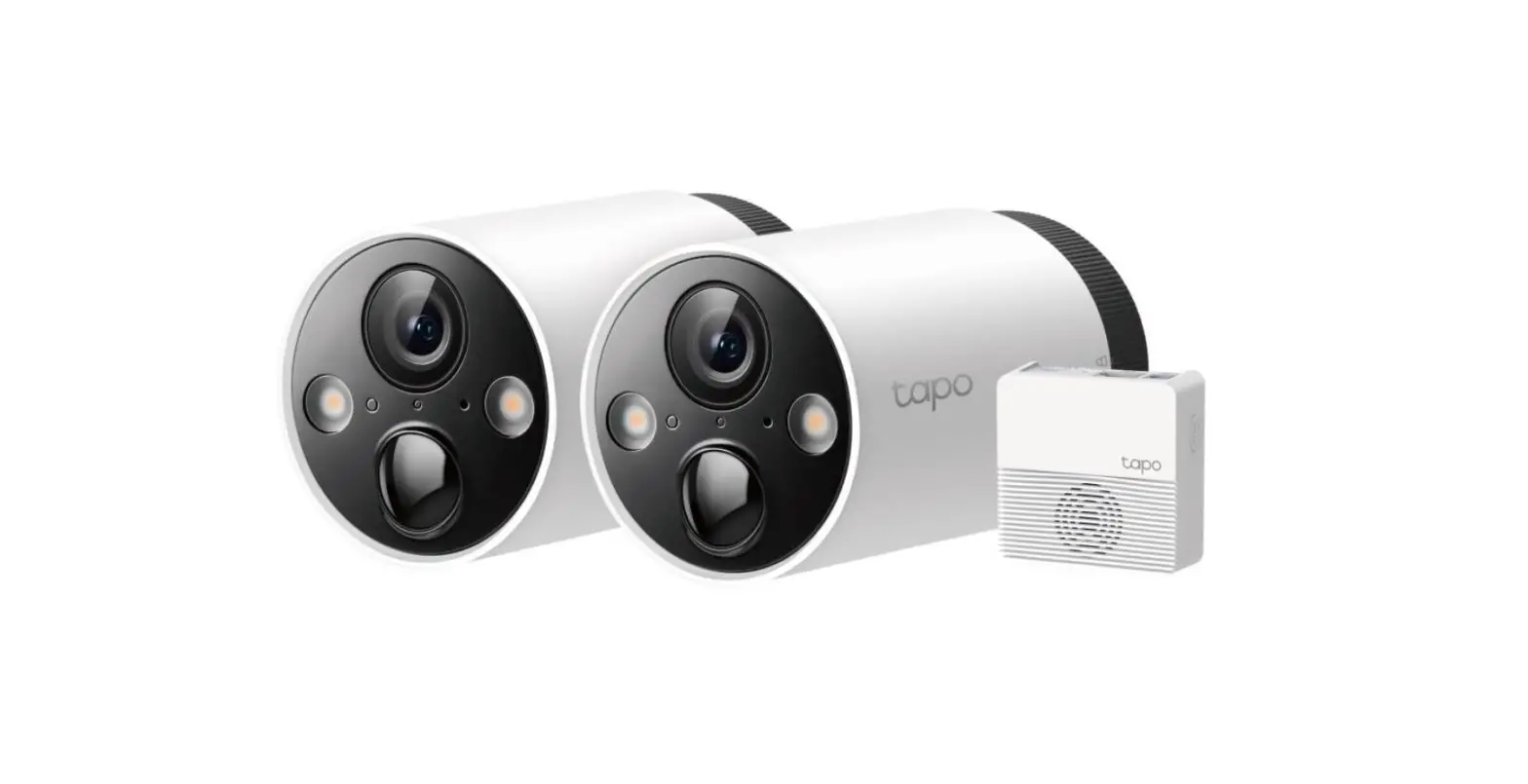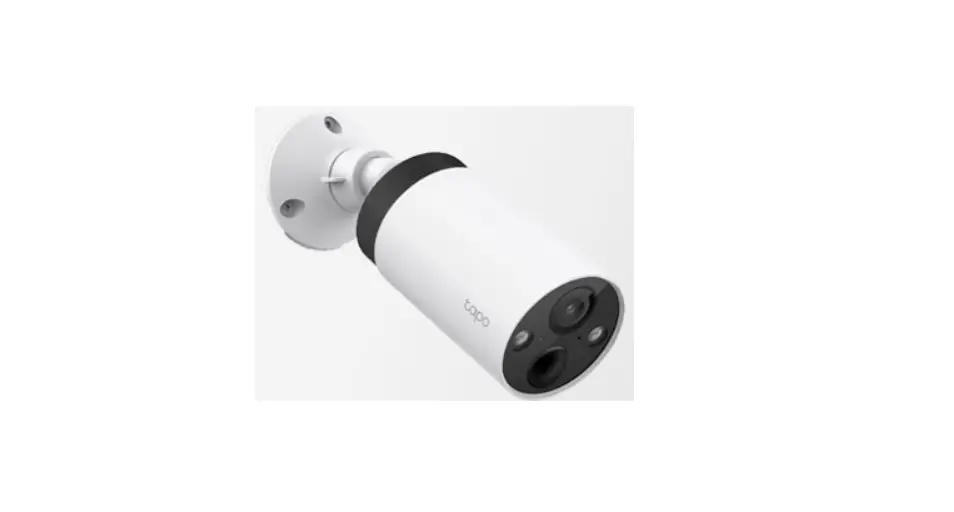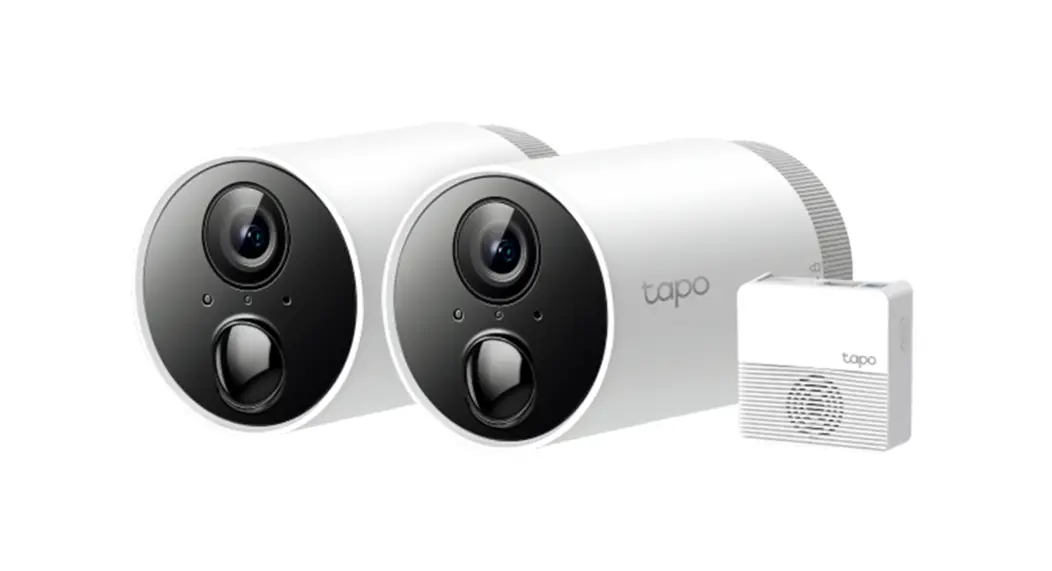
 C400S2 Smart Wire Free
Security Camera System
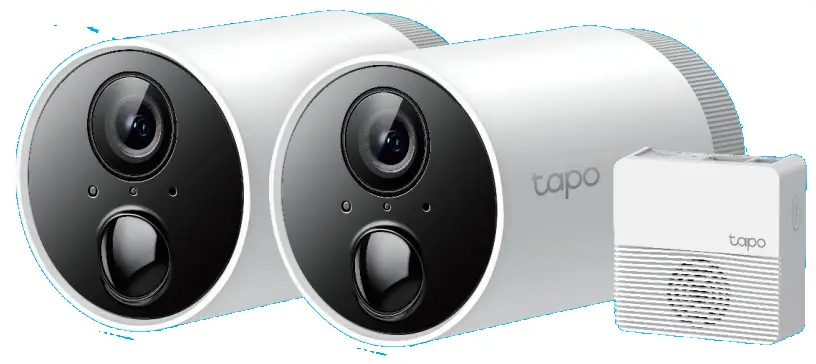 User Guide
About This Guide
This guide provides a brief introduction to the Smart Wire-Free Security Camera System and the Tapo app, as well as regulatory information.
Please note that features available in Tap may vary by model and software version. Tape availability may also vary by region. All images, steps, and descriptions in this guide are only examples and may not reflect your actual Topo Camera experience.
Conventions
In this guide, the following convention is used:
| Convention | Description |
| Blue | Key information appears in blue, including management page text such as menus, items, buttons and so on. |
| Underline | Hyperlinks are in blue and underlined. You can click to redirect to a website. |
| Note: | Ignoring this type of note might result in a malfunction or damage to the device. |
More Info
- Specifications can be found on the product page at https://www.tapo.com.
- Our Technical Support and troubleshooting information can be found at https://www.tapo.com/support/.
Introduction
Install anywhere with long battery life.
Tape Wire-Free Security Camera System is designed to be used outdoors. Its rechargeable and removable battery with a low-power protocol extends your usage. No wires means you can place the camera wherever you like.
- 1080p Full HD Live View – Check 24hrs clear live view through the Tape app.
- 180 Day Long Battery Life* – The rechargeable and removable battery with a low-power protocol extends your usage.
*180-day battery life is based on TP-Link’s laboratory testing with 10-20 triggered events per day. Actual battery life may vary based on device settings, use, and environmental factors. - Wire-Free Placement – No wires means you can place the cameras almost anywhere inside or outside – whatever works for you.
- Smart AI Detection – Detect multiple event types with smart AI algorithms. Adjust the sensitivity according to your needs.
- Sound Alarm – Trigger sound as an alarm when motion is detected.
- Motion Detection – Get instant notifications when your camera detects motion.
- Weatherproof – Helps Tapo cameras perform well even in harsh environments with rain and dust.
- Two-Way Audio – Communicate with others with the built-in microphone and speaker.
- Activity Zone – Notify you when activity is detected in your specific zone.
- Flexible Storage Choices – Save recorded videos on the hub-installed microSD* card (up to 256 GB) or by using Tapo Care** cloud storage services.
*microSD card needs to be purchased separately.
**Subscribe for cloud storage at https://www.tapo.com/tapocare/.
Appearance-Camera
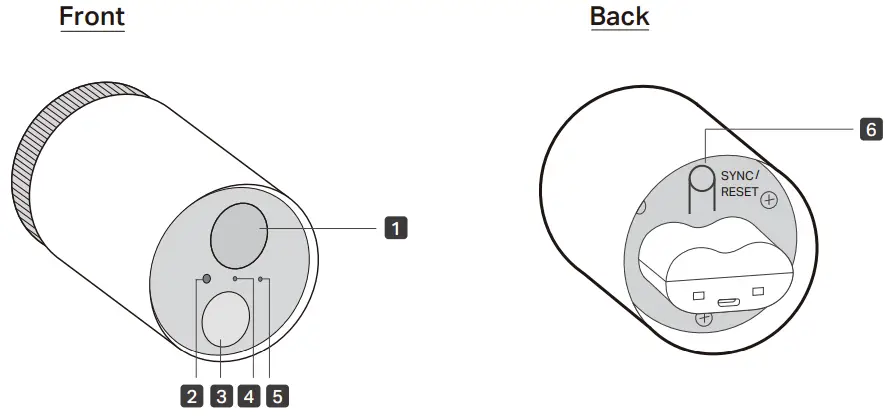
- Lens
- Light Sensor
- Motion Sensor
- Status LED
Indicate the status of your camera. - Microphone
- SYNC/RESET Button
While the camera is powered on:
Press for 1 second: Pair with the hub
Press and hold for at least 5 seconds: Reset the camera
Appearance-Hub
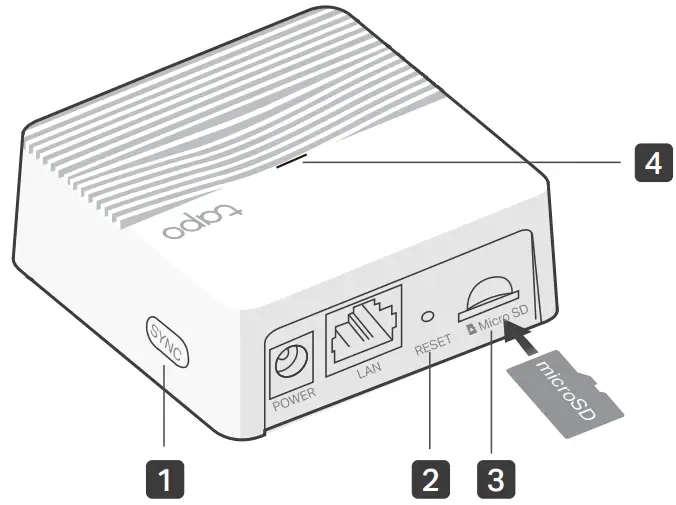
- SYNC
Press to pair with the camera, or silence the hub when it rings. - RESET
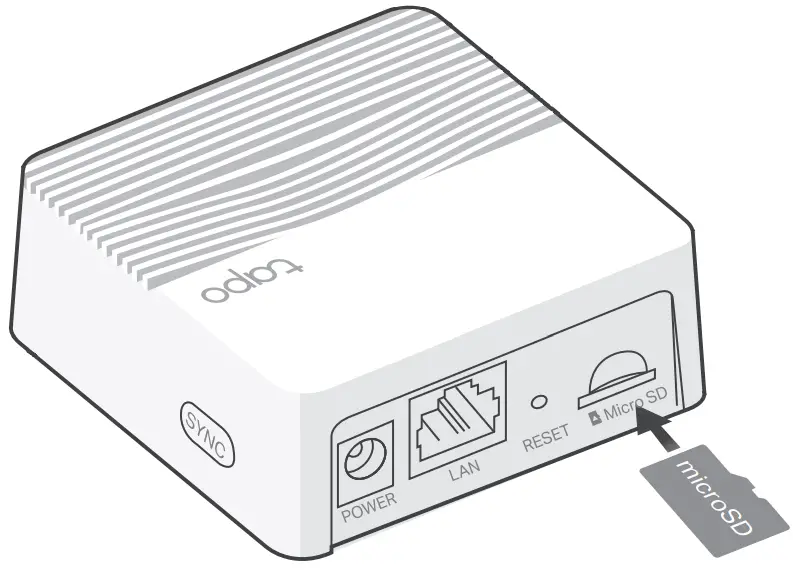
Press and hold for at least 5 seconds until the hub LED quickly blinks red to reset the hub. - microSD Card Slot
Insert a microSD card to record camera videos locally.
Initialize the microSD card within the Tape app first.
microSD card not included. - Status LED
Indicate the status of your hub.
Hub Status LED
| Solid red | Starting up |
| Blinking red and green | Ready for setup |
| Solid amber | Connected to router |
| Solid green | Connected to the cloud |
| Blinking green slowly | Pairing |
| Blinking red quickly | Hub resetting |
| Blinking green quickly | Hub updating |
Camera Status LED
| Solid Red | Starting up |
| Blinking red and green | Ready for pairing |
| Blinking green slowly | Pairing |
| Solid amber | Connected to the hub |
| Solid green | Connected to the cloud |
| Blinking red quickly | Camera resetting |
| Blinking green quickly | Camera updating |
| Blinking red once a minute | Low battery |
| Blinking red slowly | Offline |
Charge the Battery
Method 1:
Connect the battery to a power source.
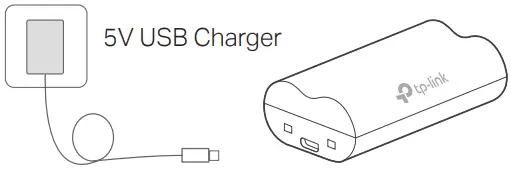
Charging: Solid amber
Fully charged: Solid green
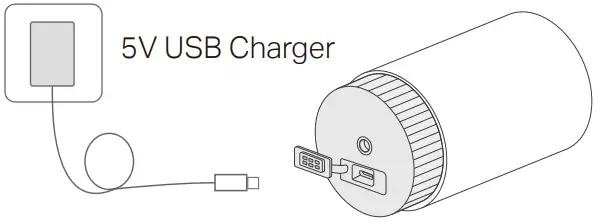
Method 2:
Insert the battery into the camera, and then connect the camera to a power source.
Set Up Your Camera
Follow the steps below to get started with your new hub and camera.
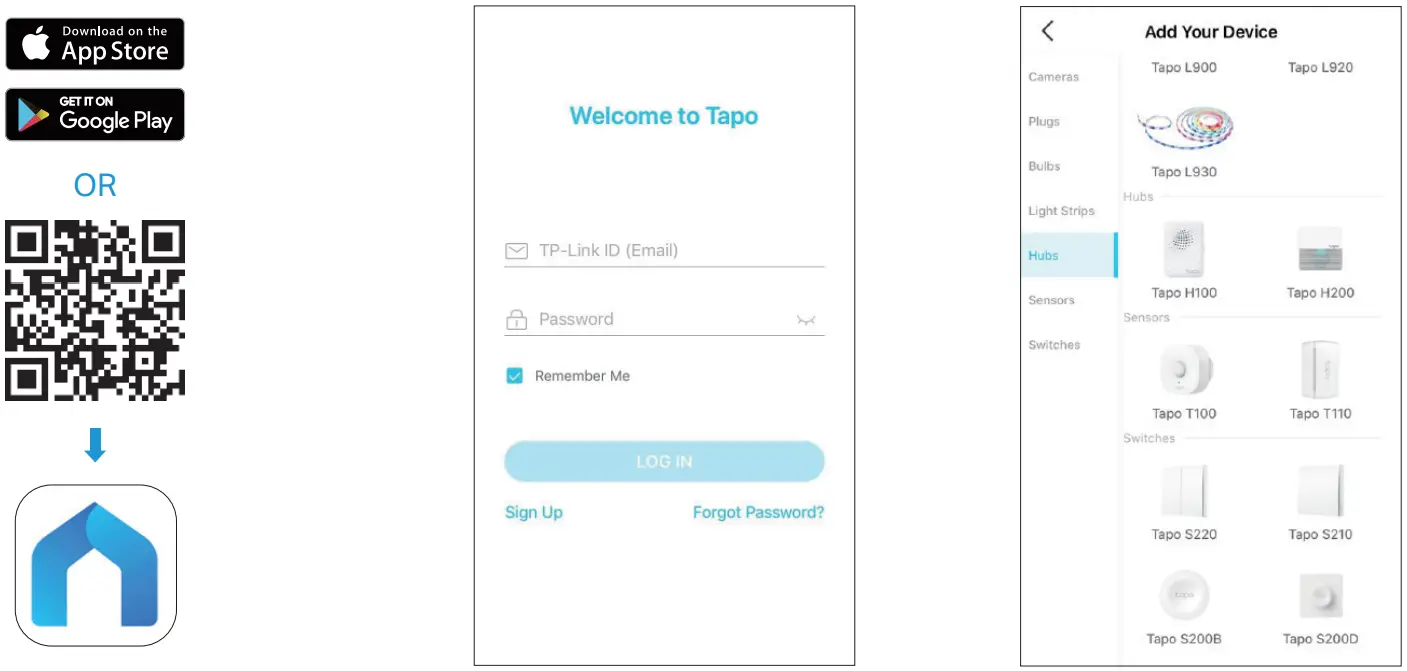
| Step 1. Download Tapo App Get the Tape app from the App Store or Google Play, or by scanning the QR code below. | Step 2. Log In Open the app, and log in with your TP-Link ID. If you don’t have an account, create one first. | Step 3. Add Your Hub First Tap the button in the app and select your model. Follow app instructions to set up your hub. |
 | ||
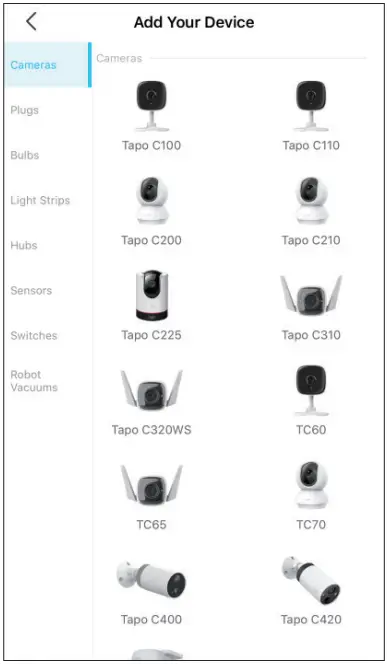
Step 4. Add Your Camera
Tap the button in the app and select your model. Follow app instructions to set up your camera.
Install a microSD Card
If you want the camera to record videos locally, insert a microSD card to your hub.
Initialize the microSD card within the Tapo app.
You can go to Camera Settings > microSD Card in the Tape app to check the card status or format your card.
Installation Options
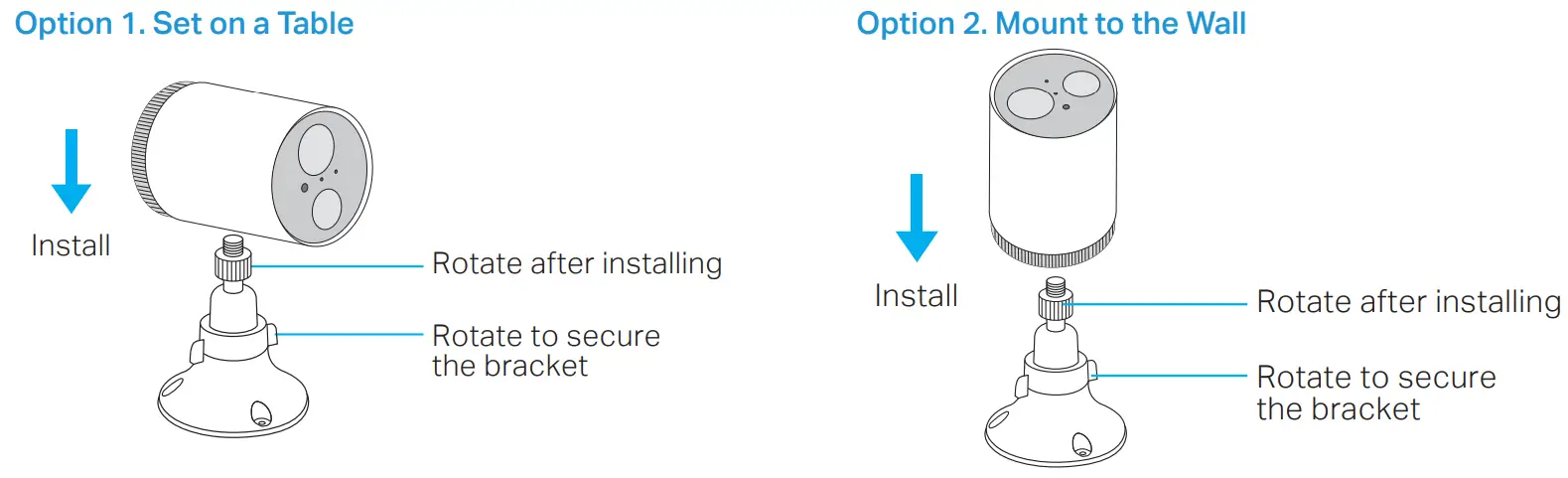
When you finish adding your camera in the Tapo app, you can place your camera on a flat surface, or mount it on a wall or ceiling with the provided mounting template and screws.
Mount Your Camera
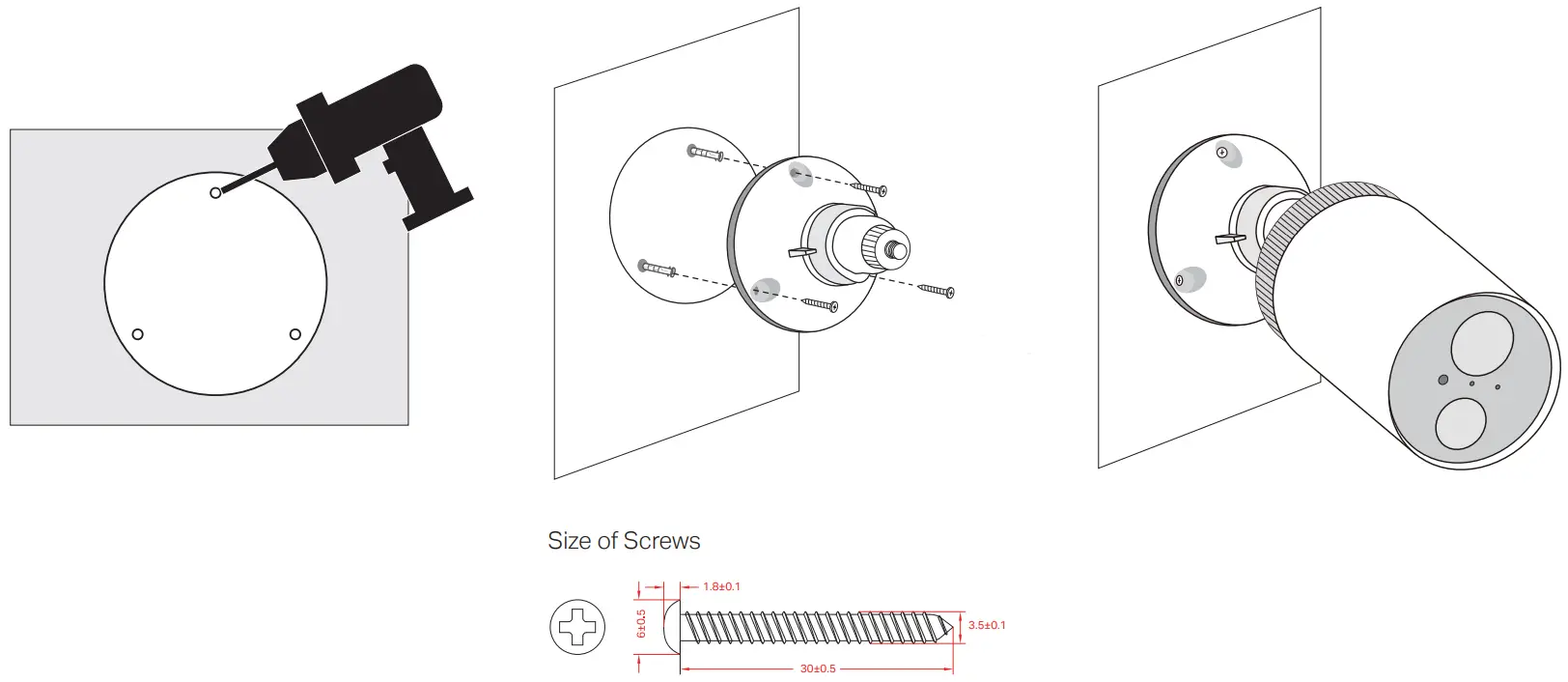
When you finish adding your camera in the Tapo app, you can place your camera on a flat surface, or mount it on a wall or ceiling with the provided mounting template and screws.
| Step 1. Drill Holes Stick the mounting template to the desired mounting place. Drill 3 screw holes according to the template. | Step 2. Install the Bracket Insert three anchors into the holes and use the screws to affix the bracket over the anchors. | Step 3. Mount Camera Install the camera to the mounting bracket, and adjust the camera angle. |
 | ||
Authentication
FCC compliance information statement
Product Name: Smart Wire-Free Security Camera System
Model Number: Tapo C400S2
| Component Name | Model |
| I.T.E. Power Supply | T090085-2B1 |
| USB ADAPTER | A8-501000 |
| Rechargeable Lithium-ion Battery | Topo A100-INT |
Responsible Party:
TP-Link USA Corporation
Address: 10 Mauchly, Irvine, CA 926181
Website: http://www.tp-link.com/us/
Tel: +1 626 333 0234
Fax: +1 909 527 6804
E-mail: [email protected]
This equipment has been tested and found to comply with the limits for a Class B digital device, pursuant to part 15 of the FCC Rules. These limits are designed to provide reasonable protection against harmful interference in a residential installation. This equipment generates, uses and can radiate radio frequency energy and, if not installed and used in accordance with the instructions, may cause harmful interference to radio communications.
However, there is no guarantee that interference will not occur in a particular installation. If this equipment does cause harmful interference to radio or television reception, which can be determined by turning the equipment off and on, the user is encouraged to try to correct the interference by one or more of the following measures:
- Reorient or relocate the receiving antenna.
- Increase the separation between the equipment and receiver.
- Connect the equipment into an outlet on a circuit different from that to which the receiver is connected.
- Consult the dealer or an experienced radio/ TV technician for help.
This device complies with part 15 of the FCC Rules. Operation is subject to the following two conditions:
- This device may not cause harmful interference.
- This device must accept any interference received, including interference that may cause undesired operation.
Any changes or modifications not expressly approved by the party responsible for compliance could void the user’s authority to operate the equipment.
Note: The manufacturer is not responsible for any radio or TV interference caused by unauthorized modifications to this equipment. Such modifications could void the user’s authority to operate the equipment.
FCC RF Radiation Exposure Statement
This equipment complies with FCC RF radiation exposure limits set forth for an uncontrolled environment. This device and its antenna must not be co-located or operating in conjunction with any other antenna or transmitter.
“To comply with FCC RF exposure compliance requirements, this grant is applicable to only Mobile Configurations. The antennas used for this transmitter must be installed to provide a separation distance of at least 20 cm from all persons and must not be co-located or operating in conjunction with any other antenna or transmitter.”
We, TP-Link USA Corporation, has determined that the equipment shown as above has been shown to comply with the applicable technical standards, FCC part 15. There is no unauthorized change is made in the equipment and the equipment is properly maintained and operated.
FCC compliance information statement
Product Name: I.T.E. Power Supply
Model Number: T090085-2B1
Product Name: USB ADAPTER
Model Number: A8-501000
Product Name: Rechargeable Lithium-ion Battery
Model Number: Tapo A100-INT
Responsible Party:
TP-Link USA Corporation
Address: 10 Mauchly, Irvine, CA 926181
Website: http://www.tp-link.com/us/
Tel: +1 626 333 0234
Fax: +1 909 527 6804
E-mail: [email protected]
This equipment has been tested and found to comply with the limits for a Class B digital device, pursuant to part 15 of the FCC Rules. These limits are designed to provide reasonable protection against harmful interference in a residential installation. This equipment generates, uses and can radiate radio frequency energy and, if not installed and used in accordance with the instructions, may cause harmful interference to radio communications. However, there is no guarantee that interference will not occur in a particular installation. If this equipment does cause harmful interference to radio or television reception, which can be determined by turning the equipment off and on, the user is encouraged to try to correct the interference by one or more of the following measures:
- Increase the separation between the equipment and receiver.
- Connect the equipment into an outlet on a circuit different from that to which the receiver is connected.
- Consult the dealer or an experienced radio/ TV technician for help.
This device complies with part 15 of the FCC Rules. Operation is subject to the following two conditions:
- This device may not cause harmful interference.
- This device must accept any interference received, including interference that may cause undesired operation.
Any changes or modifications not expressly approved by the party responsible for compliance could void the user’s authority to operate the equipment.
We, TP-Link USA Corporation, has determined that the equipment shown as above has been shown to comply with the applicable technical standards, FCC part 15. There is no unauthorized change is made in the equipment and the equipment is properly maintained and operated.
CE Mark Warning
This is a class B product. In a domestic environment, this product may cause radio interference, in which case the user may be required to take adequate measures.
OPERATING FREQUENCY (the maximum transmitted power)
2412MHz—2472MHz (20dBm)
EU Declaration of Conformity
TP-Link hereby declares that the device is in compliance with the essential requirements and other relevant provisions of directives 2014/53/EU, 2009/125/EC, 2011/65/EU and (EU)2015/863.
The original EU declaration of conformity may be found at https://www.tapo.com/en/support/ce/
RF Exposure Information
This device meets the EU requirements (2014/53/EU Article 3.1a) on the limitation of exposure of the general public to electromagnetic fields by way of health protection.
The device complies with RF specifications when the device used at 20 cm from your body.

UK Declaration of Conformity
TP-Link hereby declares that the device is in compliance with the essential requirements and other relevant provisions of the Radio Equipment Regulations 2017.
The original UK declaration of conformity may be found at https://www.tapo.com/support/ukca/
Canadian Compliance Statement
This device contains license-exempt transmitter(s)/receiver(s) that comply with Innovation, Science and Economic Development Canada’s licenceexempt RSS(s).
Operation is subject to the following two conditions:
- This device may not cause interference.
- This device must accept any interference, including interference that may cause undesired operation of the device.
Radiation Exposure Statement:
This equipment complies with IC radiation exposure limits set forth for an uncontrolled environment. This equipment should be installed and operated with minimum distance 20cm between the radiator & your body.
Industry Canada Statement
CAN ICES-3 (B)/NMB-3(B)
 Korea Warning Statements:
Safety Information
- Do not use damaged charger or USB cable to charge the device.
- Do not use any other chargers than those recommended.
- Do not use the device where wireless devices are not allowed.
- Adapter shall be easily accessible.
- Do not disassemble, repair or modify the product.
- Use only power supplies which are provided by manufacturer and in the original packing of this product. If you have any questions, please don’t hesitate to contact us.
- This product can be powered only by power supplies that comply with Power Source Class 2 (PS2) or Limited Power Source(LPS) of IEC 62368-1.
- This product uses radios and other components that emit electromagnetic fields. Electromagnetic fields and magnets may interfere with pacemakers and other implanted medical devices. Always keep the product and its power adapter more than 15 cm (6 inches) away from any pacemakers or other implanted medical devices. If you suspect your product is interfering with your pacemaker or any other implanted medical device, turn off your product and consult your physician for information specific to your medical device.
CAUTION!
Risk of fire or explosion if the battery is replaced by an incorrect type
CAUTION!
Avoid replacement of a battery with an incorrect type that can defeat a safeguard.
Avoid disposal of a battery into fire or a hot oven, or mechanically crushing or cutting of a battery, that can result in an explosion.
Do not leave a battery in an extremely high temperature surrounding environment that can result in an explosion or the leakage of flammable liquid or gas; Do not leave a battery subjected to extremely low air pressure that may result in an explosion or the leakage of flammable liquid or gas.
For Camera:
- Adapter should be used indoors where the ambient temperature is lower than or equal to 40℃.
- Keep the device away from fire or hot environments. DO NOT immerse in water or any other liquid.
- Camera Operating Temperature: -20 °C ~ 45°C (-4°F ~ 113°F) For Hub:
- Keep the device away from water, fire, humidity or hot environments.
- Hub Operating Temperature: 0 °C ~ 40°C (32°F ~ 104°F)
Please read and follow the above safety information when operating the device. We cannot guarantee that no accidents or damage will occur due to improper use of the device. Please use this product with care and operate at your own risk.
Explanation of the symbols on the product label
| Symbol | Explanation |
 | Alternating current |
 | DC voltage |
 | Caution |
 | Operator’s manual |
 | Class II equipment |
 | Polarity of output terminals |
 | Energy efficiency Marking |
 | Indoor use only |
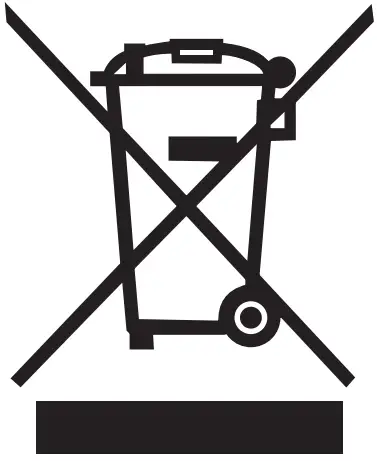 | RECYCLING This product bears the selective sorting symbol for Waste electrical and electronic equipment (WEEE). This means that this product must be handled pursuant to European directive 2012/19/EU in order to be recycled or dismantled to minimize its impact on the environment. User has the choice to give his product to a competent recycling organization or to the retailer when he buys a new electrical or electronic equipment. |
 Link: Simple, secure one-click payments
 WiFi Networking Equipment for Home & Business | TP-Link
 Tapo Smart | Smart Devices for Smart Living