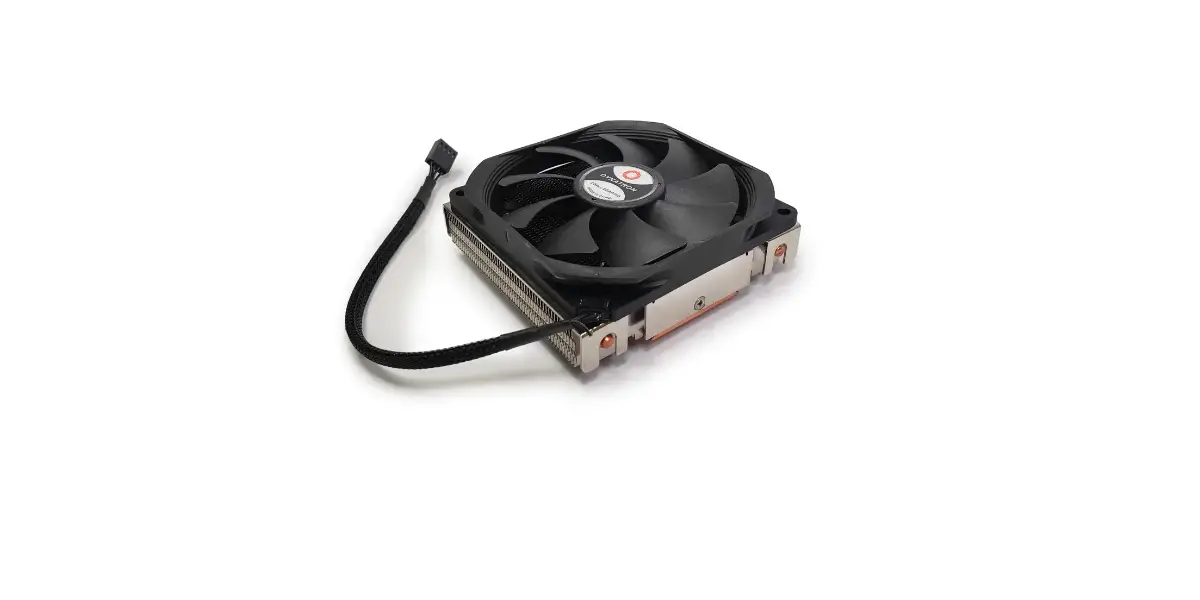
Dynatron U8/U10 Installation Guide

U8/U10
Intel LGA 1700/1200/115X
AMD Socket AM5/AM4
Intel Components & Tool
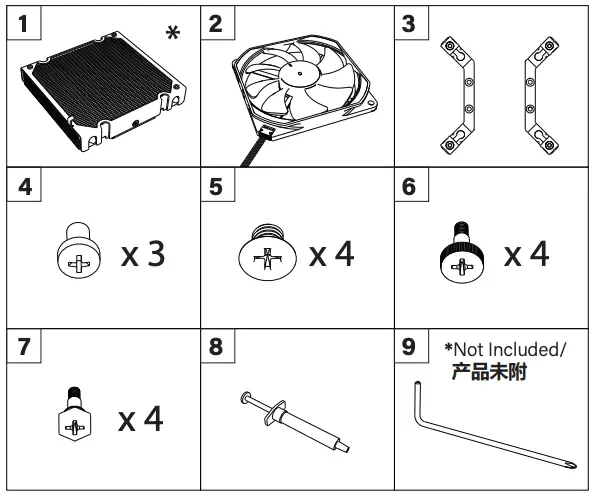
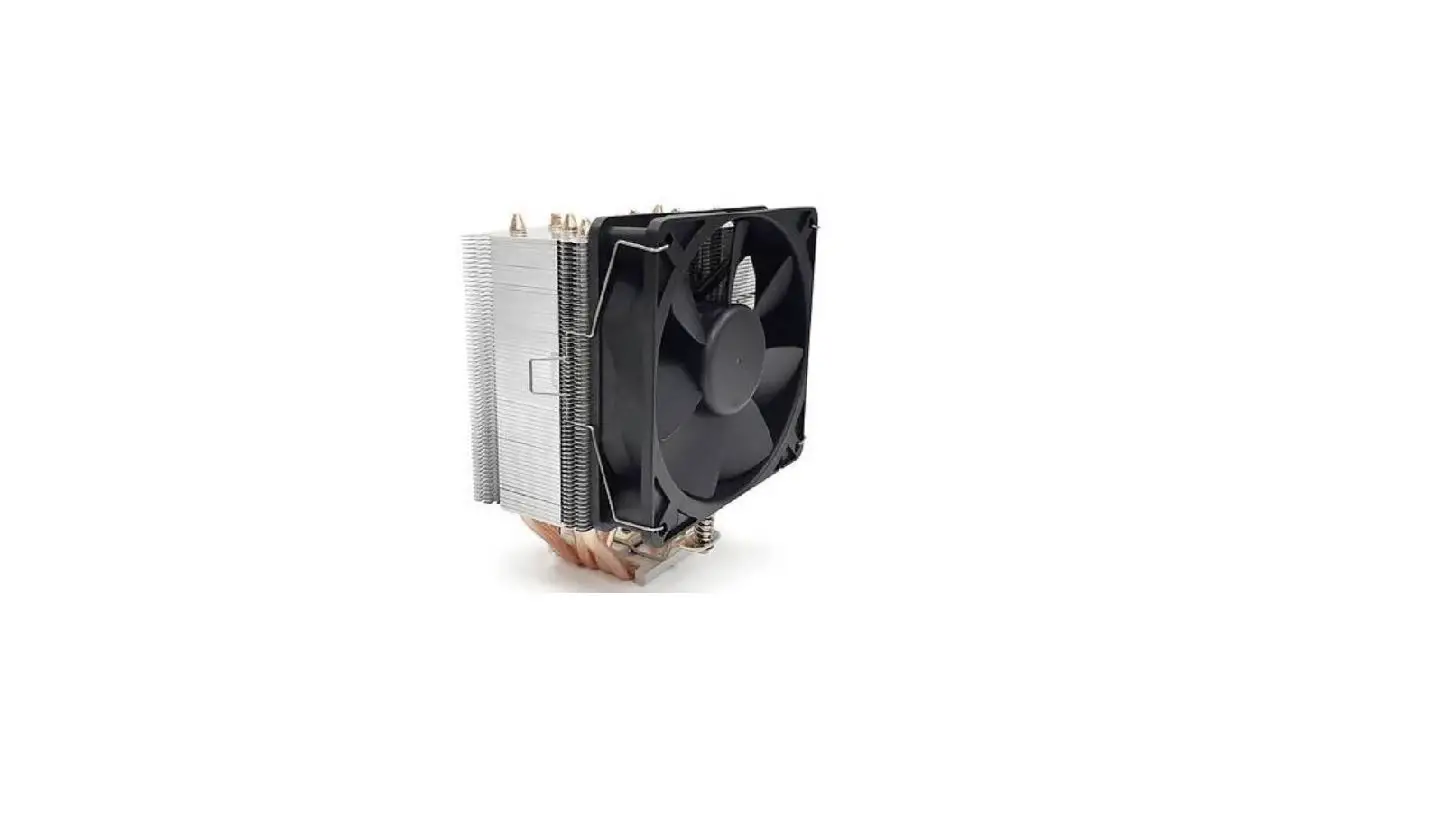
- Cooler*
- Fan
- Intel Retention Bracket Pair
- Fan Installation Screws
- Retention Bracket Installation Screws
- LGA1700 Screws
- LGA1200/115X Screws
- Thermal grease
- Philips Head Screw Driver (Not Included)

Intel GA 1700/1200/115X Installation
Step 1:
Install the Intel retention bracket
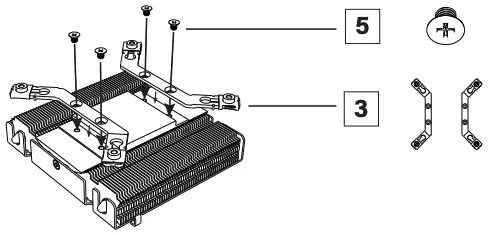
Step 2:
Install the fan
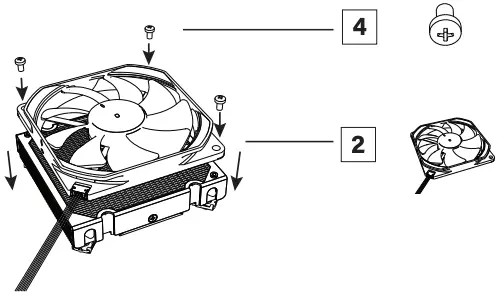
Step 3:
Slide the threaded holes to adjust the mounting pitch for Socket 1700 or Socket 1200/115X
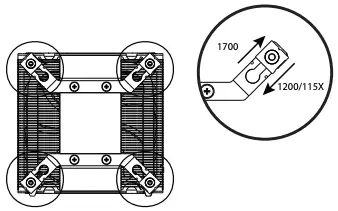
Step 4:
Apply the thermal grease
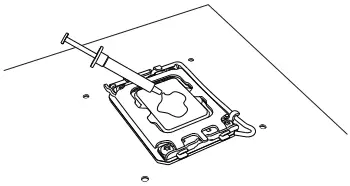
Step 5:
Remove the cooler protect sticker and install the cooler on the CPU. Tighten the screw until stop
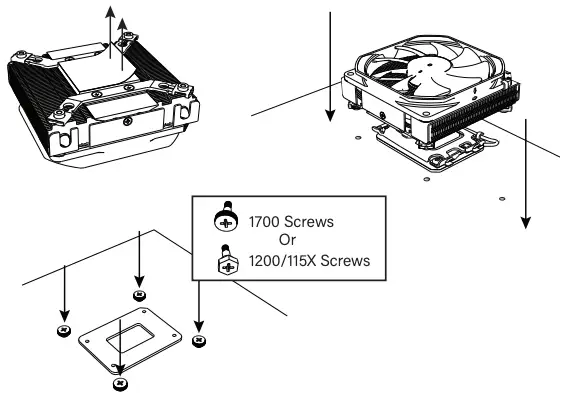
Step 6:
Connect the 4 Pin fan connector to the motherboard
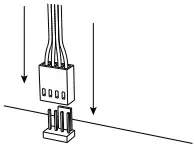
AMD Components & Tool
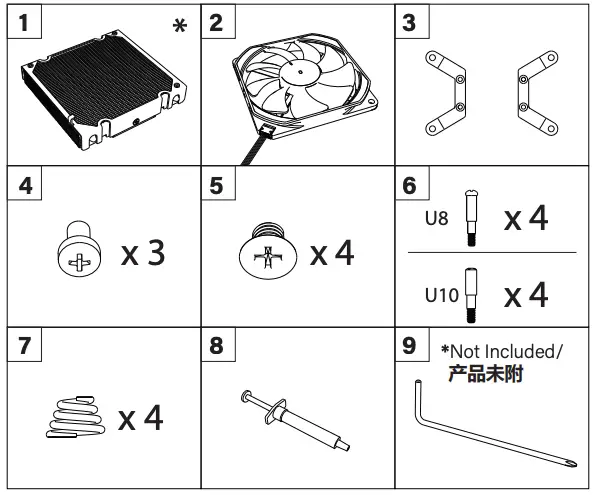
- Cooler*
- Fan
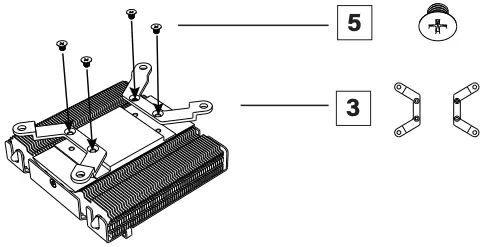
- AMD Retention Bracket Pair
- Fan Installation Screws
- Retention Bracket Installation Screws
- AMD Heatsink Installation Screws
- AMD Heatsink Installation Spring
- Thermal grease
- Philips Head Screw Driver (Not Included)

AMD AM5/AM4 Installation
Step 1:
Install the MD retention bracket
Step 2:
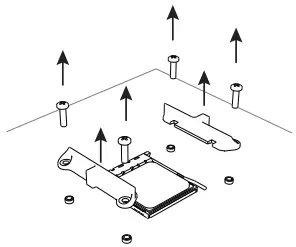
Remove AM Bracket Base from the Motherboard
Step 3:
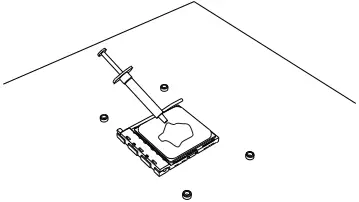
Apply the thermal grease
Step 4:
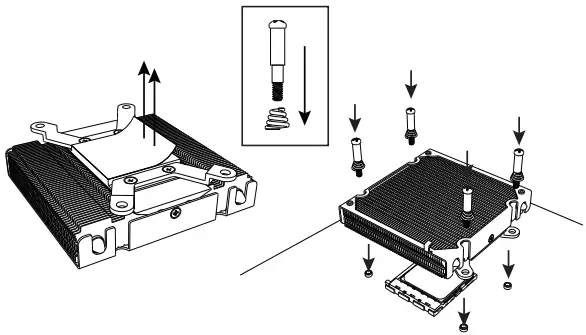
Remove the cooler protect sticker and install the cooler.
Tighten the screw until stop
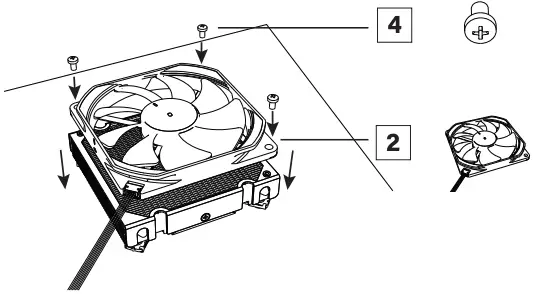
Step 5:
Install the fan
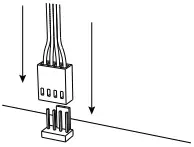
Step 6:
Connect the 4 Pin fan connector to the motherboard
www.dynatron.co
© 2022 by Dynatron Corporation.