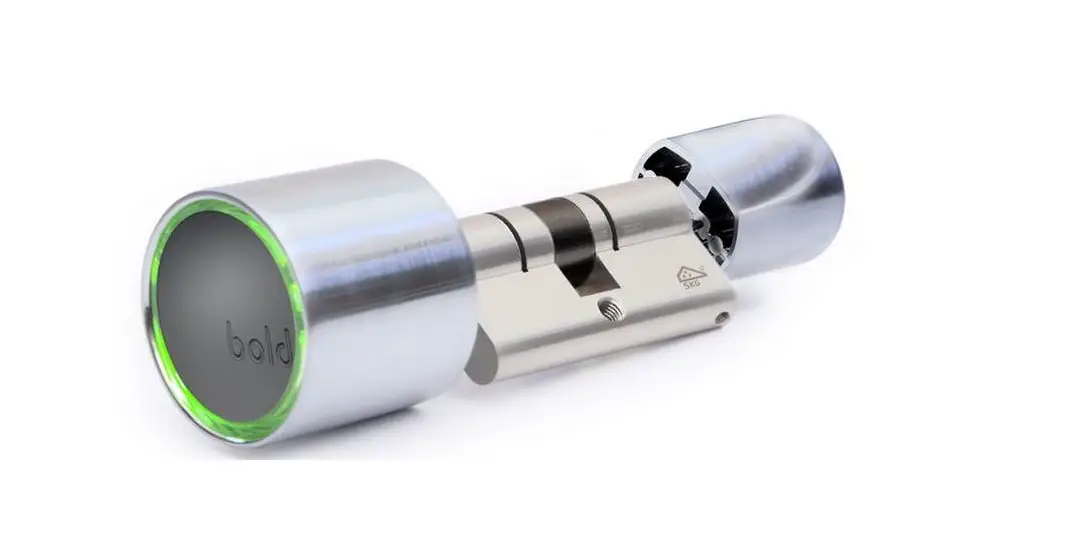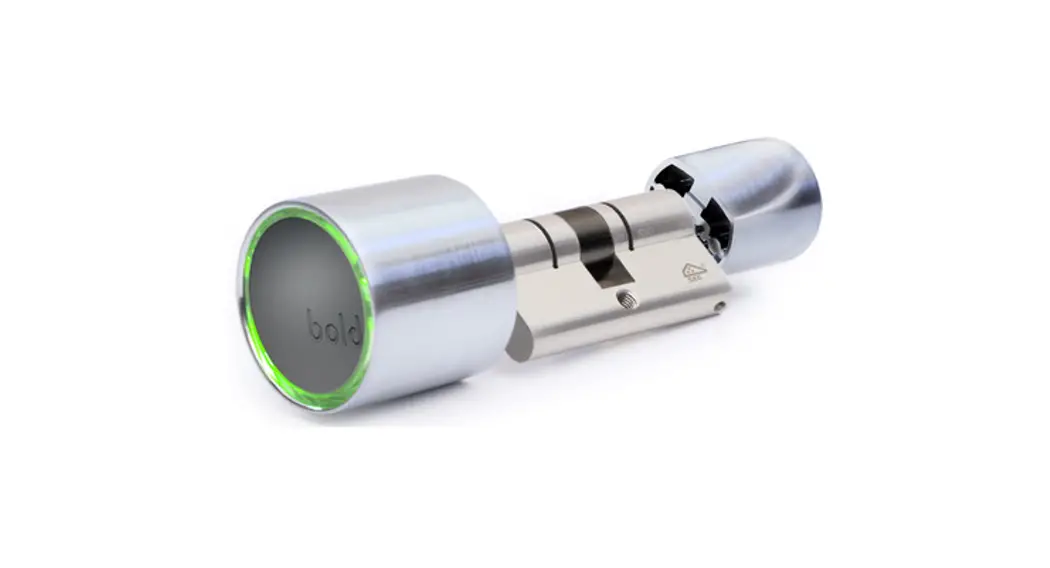


BOLD SMART LOCK
SX SERIES
Installation Manual
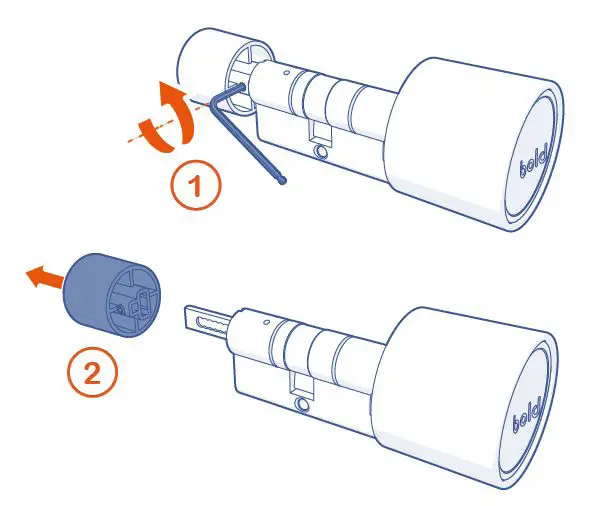
- Use the Allen key supplied to loosen the Allen bolt of the outside knob.
- Remove the outside knob from the lock.


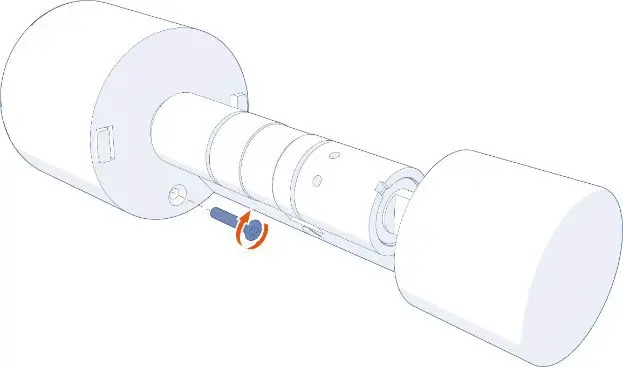
Optional: The interior is locked so that it cannot be unwantedly removed.
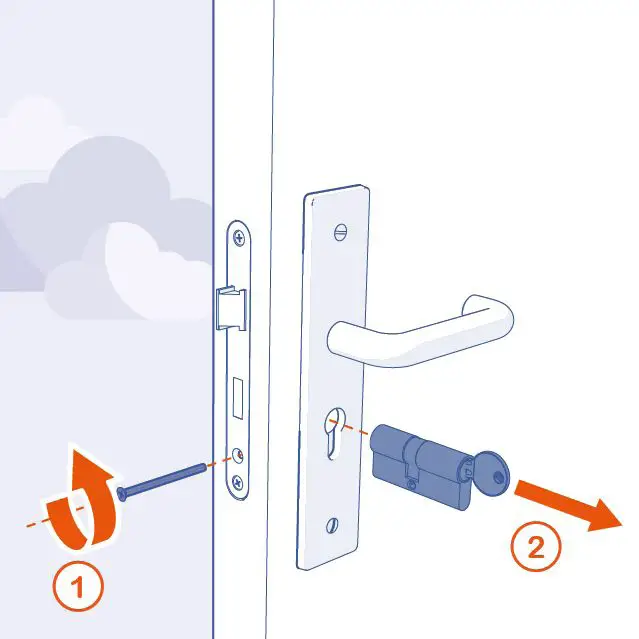
Tighten the locking screw on the inside with the supplied Allen key. - Use a screwdriver to loosen the locking pin of the old cylinder lock.

- Remove the old cylinder lock.
 Check with the old cylinder lock that the length of the central hole to the inside and outside of the Bold cylinder is the same. Extend cylinder if necessary.
- Insert the lock into the cylinder opening.
- Use a screwdriver to tighten the cylinder locking bolt of the lock.
- Do not over-tighten the cylinder locking bolt. This may adversely affect the function of the lock.

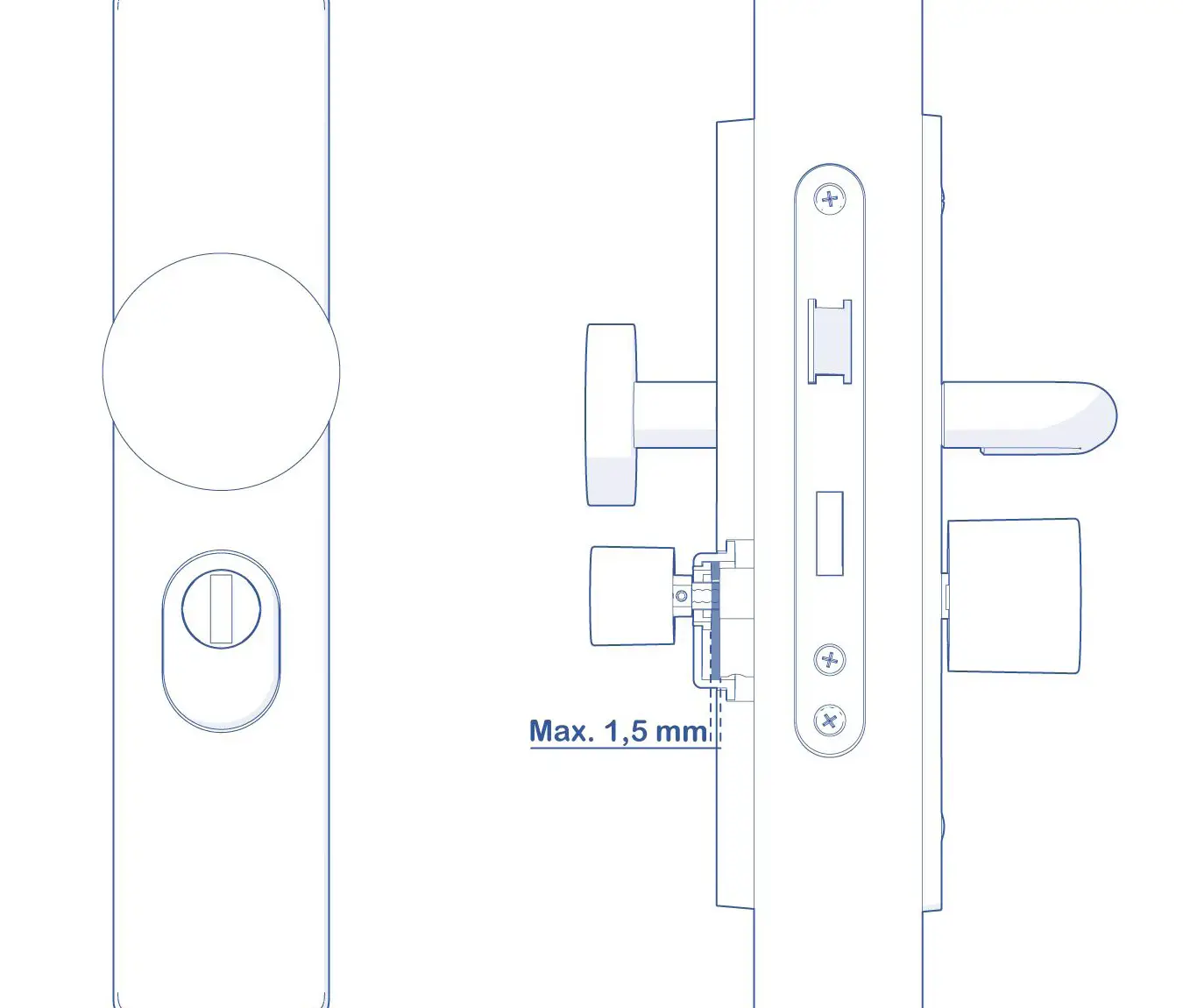
For a door element with anti-core pulling fittings, there is a maximum overrun of the cylinder of 1.5 mm. Use one of the supplied adapters to adjust the length of the lock. Always consult the manual of the anti-corrosion fitting before fitting the lock.
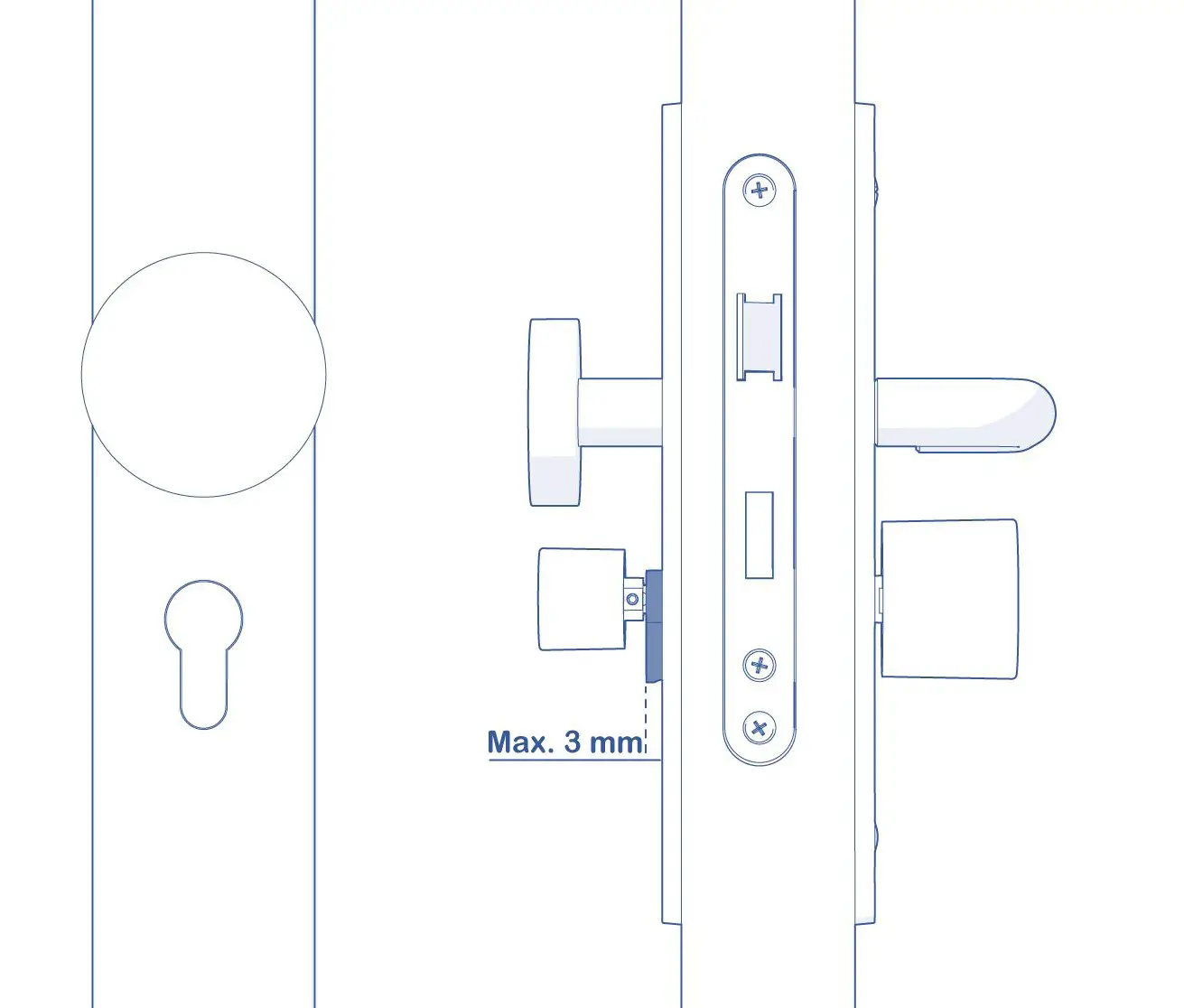
For a door element with a normal fitting, a maximum overrun of the cylinder of 3 mm applies. Use one of the supplied adapters to adjust the length of the lock.
- Put the outside button back on the lock.
- Use the included bus key to secure the locks in the bus bolt.
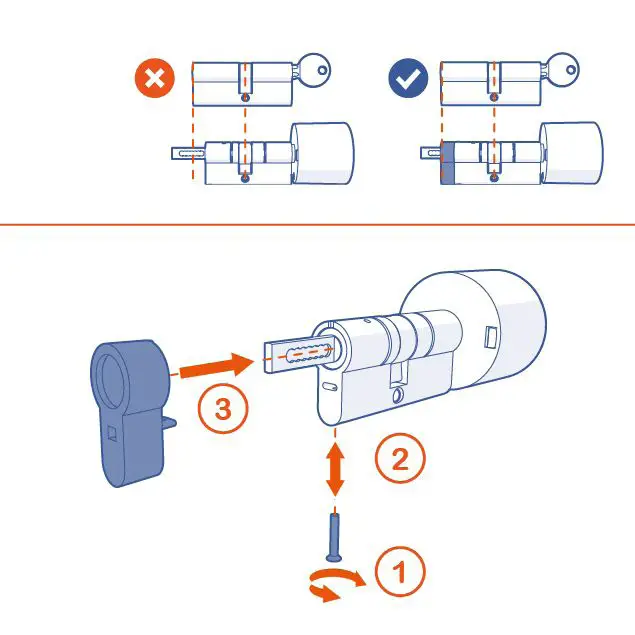 Check with the old cylinder lock that the length of the central hole to the inside and outside of the Bold cylinder is the same. Extend cylinder if necessary.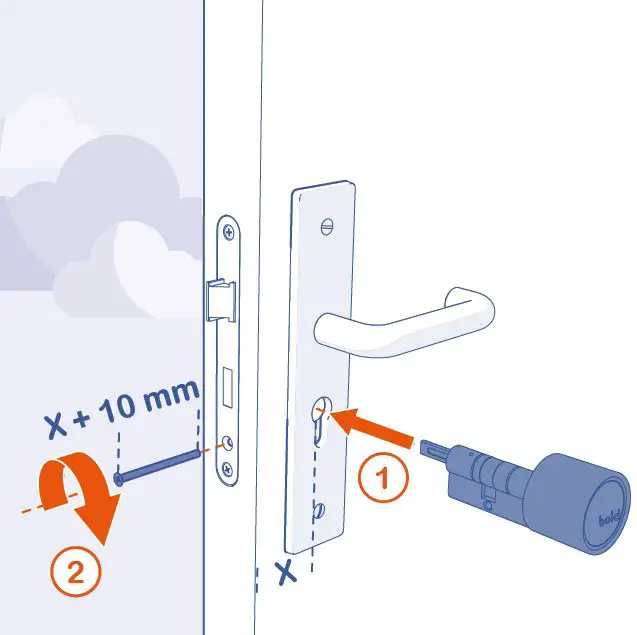
How to replace the battery
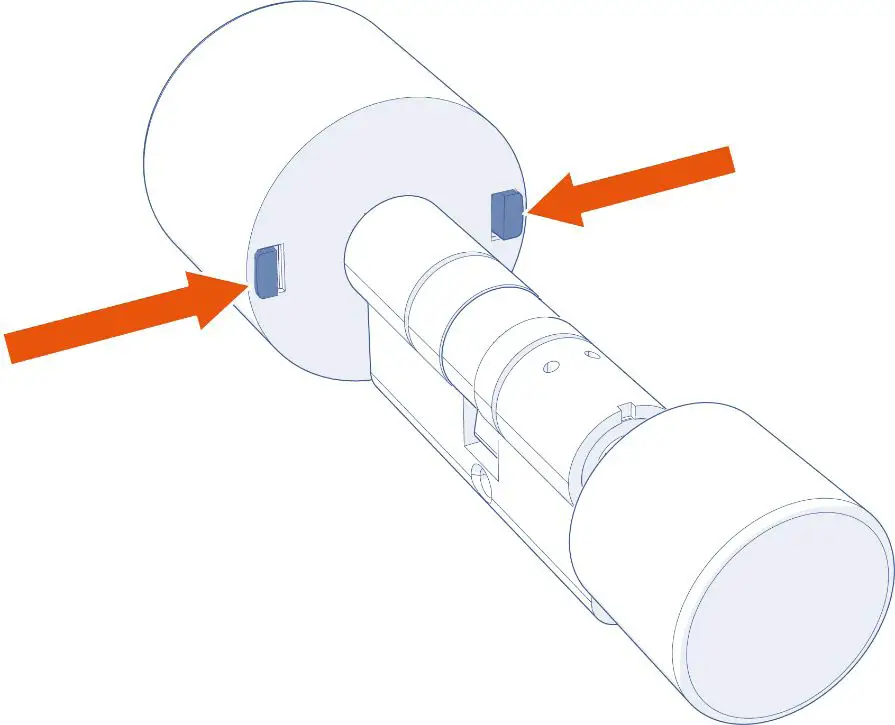
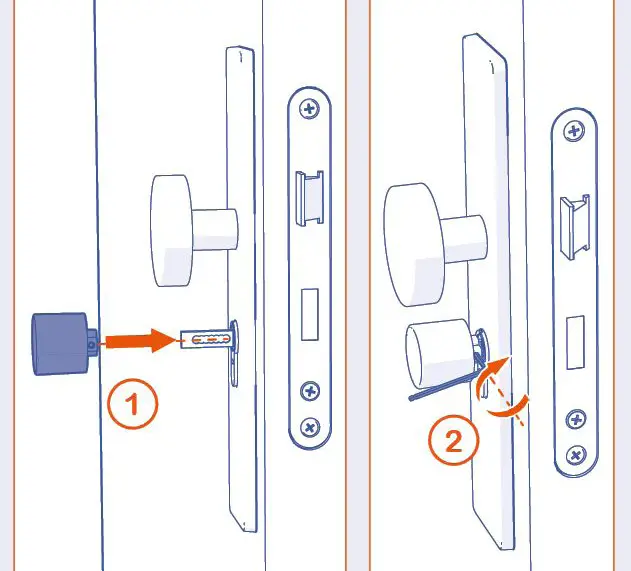
Push the two pins inwards to remove the inside.
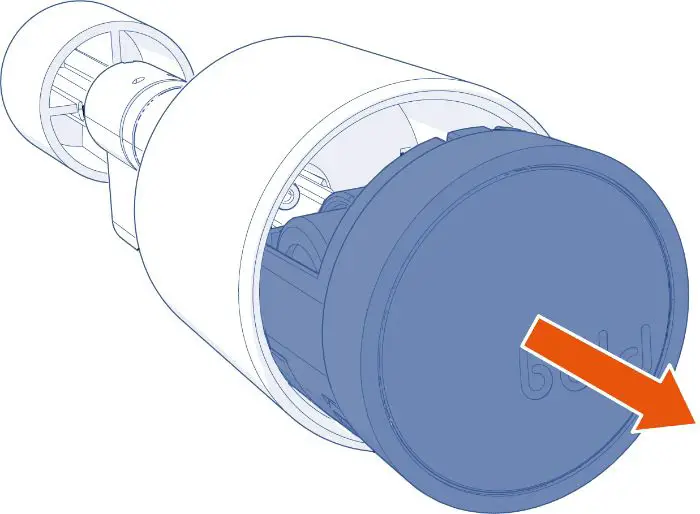
Remove the inside of the housing of the inside knob
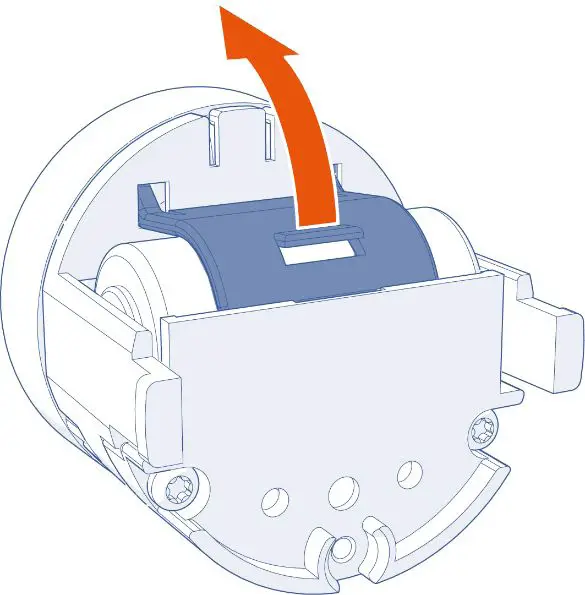
Open the battery compartment
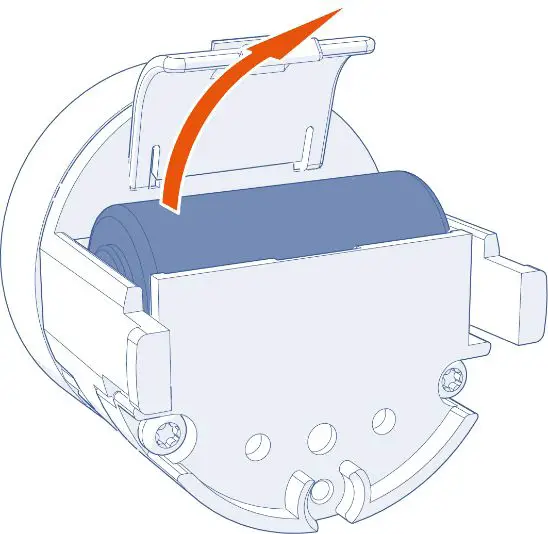
Remove the battery from the battery compartment
Insert a new battery and put the inside back into the housing of the inside knob. Reinstall the lock on your door.