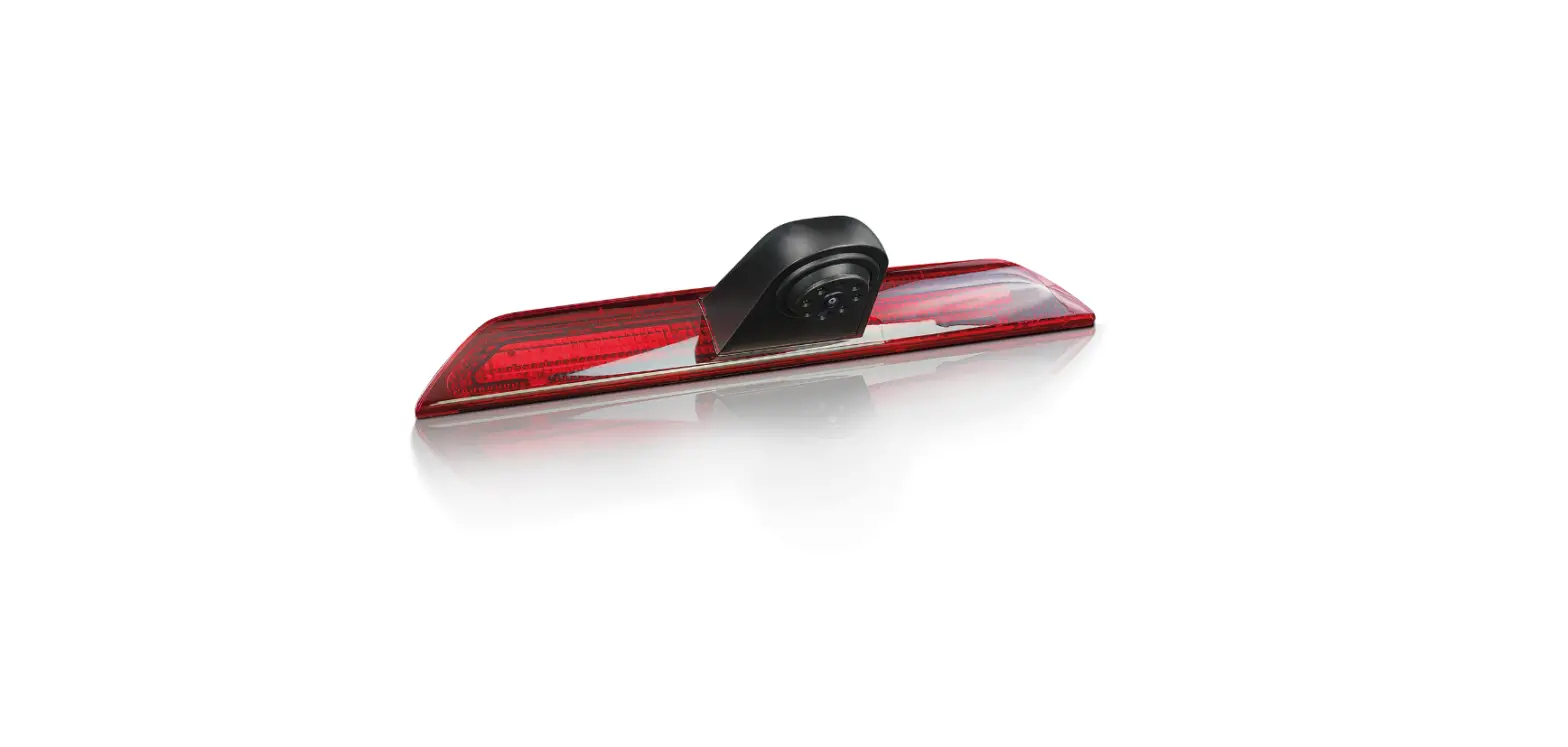

FordEcat 7842528 Video Camera
Edge
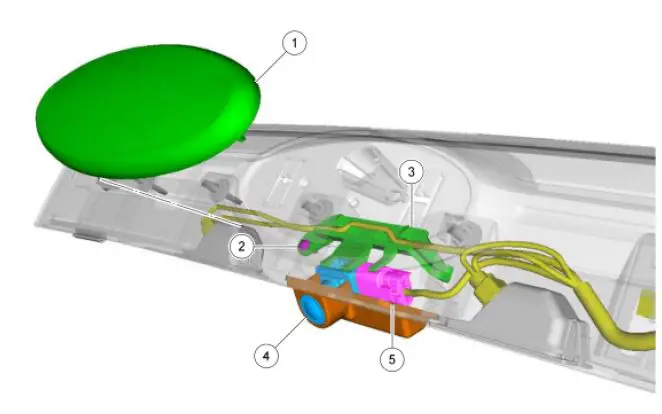
| Item | Part Number | Description |
| 1 | 7842528 | Name plate |
| 2 | — | Rear video camera bracket screw |
| 3 | — | Rear video camera bracket |
| 4 | 19G490 | Rear video camera |
| 5 | — | Rear video camera electrical connector (part of 14A583) |
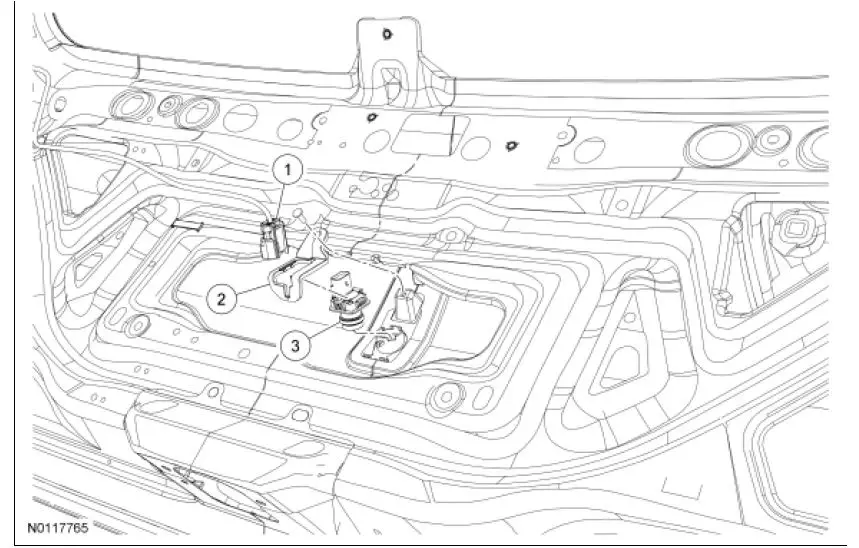
| Item | Part Number | Description |
| 1 | — | Rear video camera electrical connector (part of 14A583) |
| 2 | — | Rear video camera bracket |
| 3 | 19G490 | Rear video camera |
Removal Edge
- Remove the rear liftgate applique. For additional information, refer to Section 501-08.
- Carefully remove the name plate from the rear liftgate applique and discard.
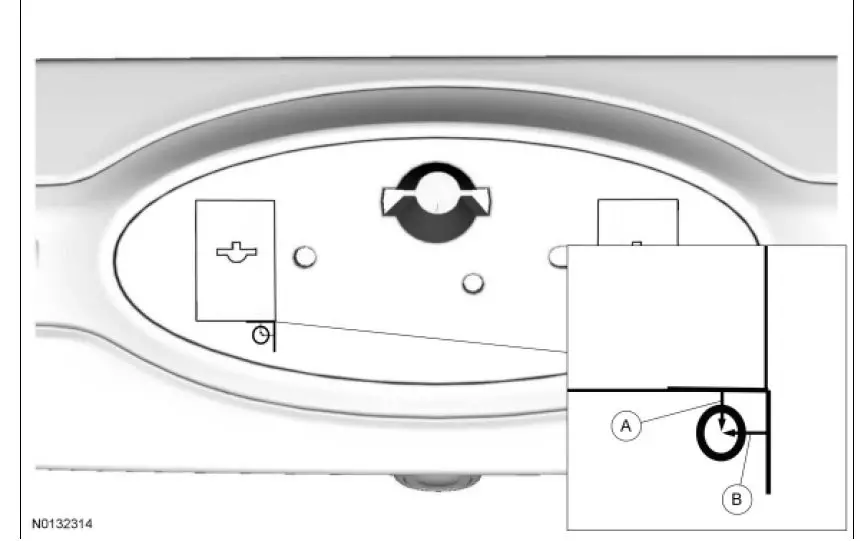
- Drill a 6.35 mm (0.25 in) hole through the rear lift gate applique as indicated.
- A: measure down 3.175 mm (0.125 in) from the left side embossed edge.
- B: measure over 6.35 mm (0.25 in) from the left side embossed edge.

- Loosen the rear video camera bracket screw (T-20) through the access hole.
- Remove the rear video camera bracket and the rear video camera.
- Disconnect the electrical connector.
MKX
- Disconnect the electrical connector.
- Remove the rear liftgate trim panel. For additional information, refer to Section 501-05.
- Remove the rear video camera bracket screw.
- Remove the rear video camera and bracket.
- Disconnect the electrical connector.
Installation Edge
- Install the rear video camera and install the rear video camera bracket.
- Connect the electrical connector.
- Tighten the rear video camera bracket screw through the access hole.
- Cut a piece of mylar tape (19E523) 12.7 mm (0.5 in) long and cover the access hole.
- Install a new name plate onto the rear liftgate applique.
- Install the rear liftgate applique. For additional information, refer to Section 501-08.
- NOTE: If the camera was replaced, the rear video camera guidelines will not display if the rear video camera is not configured. Configure the rear video camera following the instructions on the scan tool.
- Install the rear video camera and install the rear video camera bracket. Connect the electrical connector.
- Install the rear video camera bracket screw.
- Install the rear liftgate trim panel. For additional information, refer to Section 501-05.
- NOTE: If the camera was replaced, the rear video camera guidelines will not display if the rear video camera is not configured. Configure the rear video camera following the instructions on the scan tool.
413-13 Parking Aid
REMOVAL AND INSTALLATION
2011 Edge, MKX
Procedure revision date: 07/11/2012
https://www.fordtechservice.dealerconnection.com
 Working...