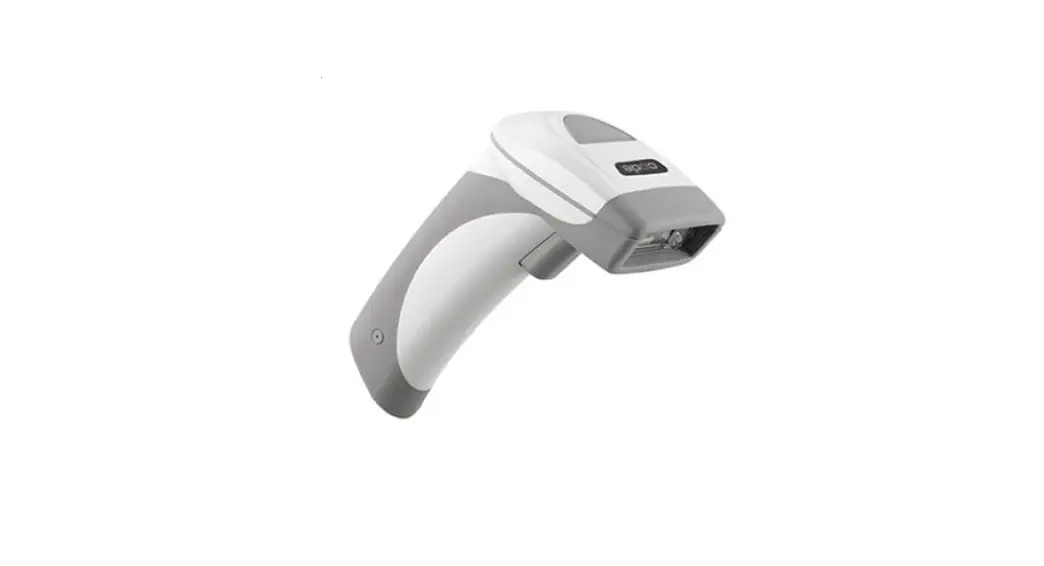
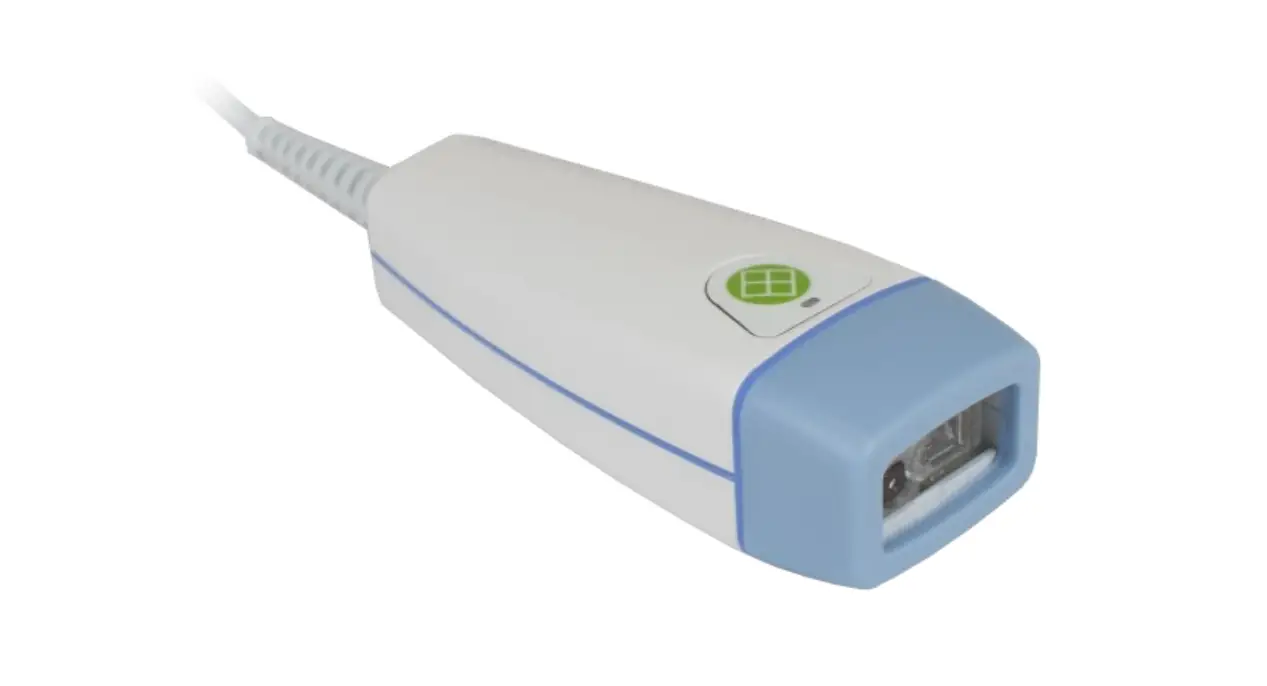
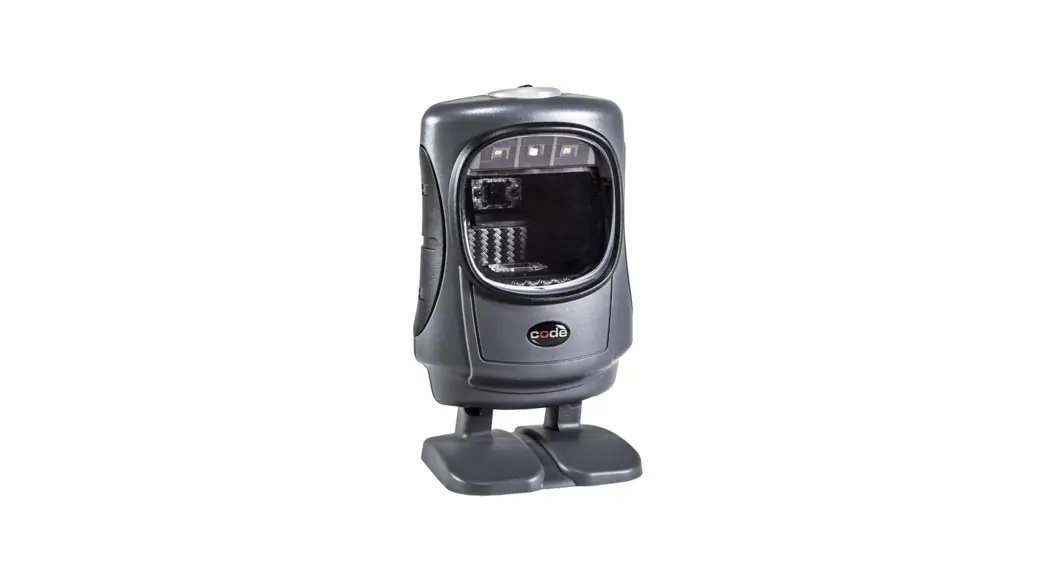
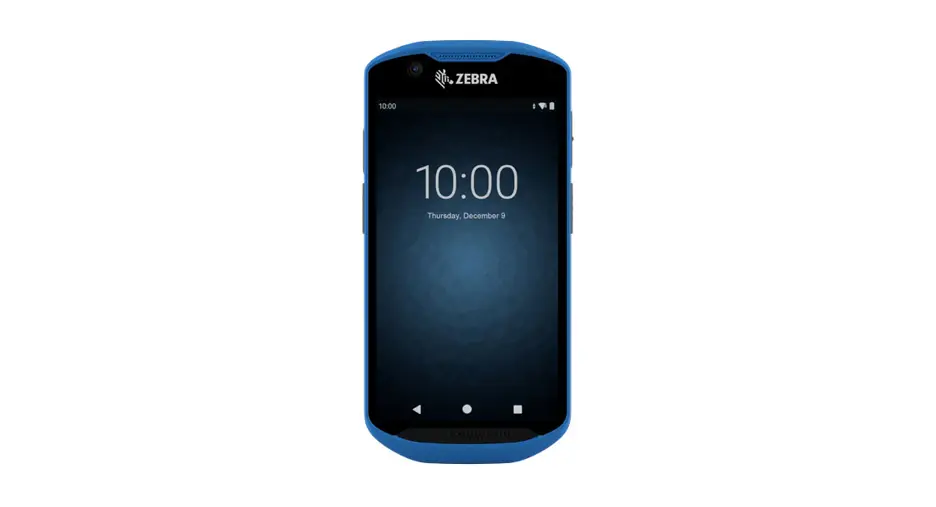
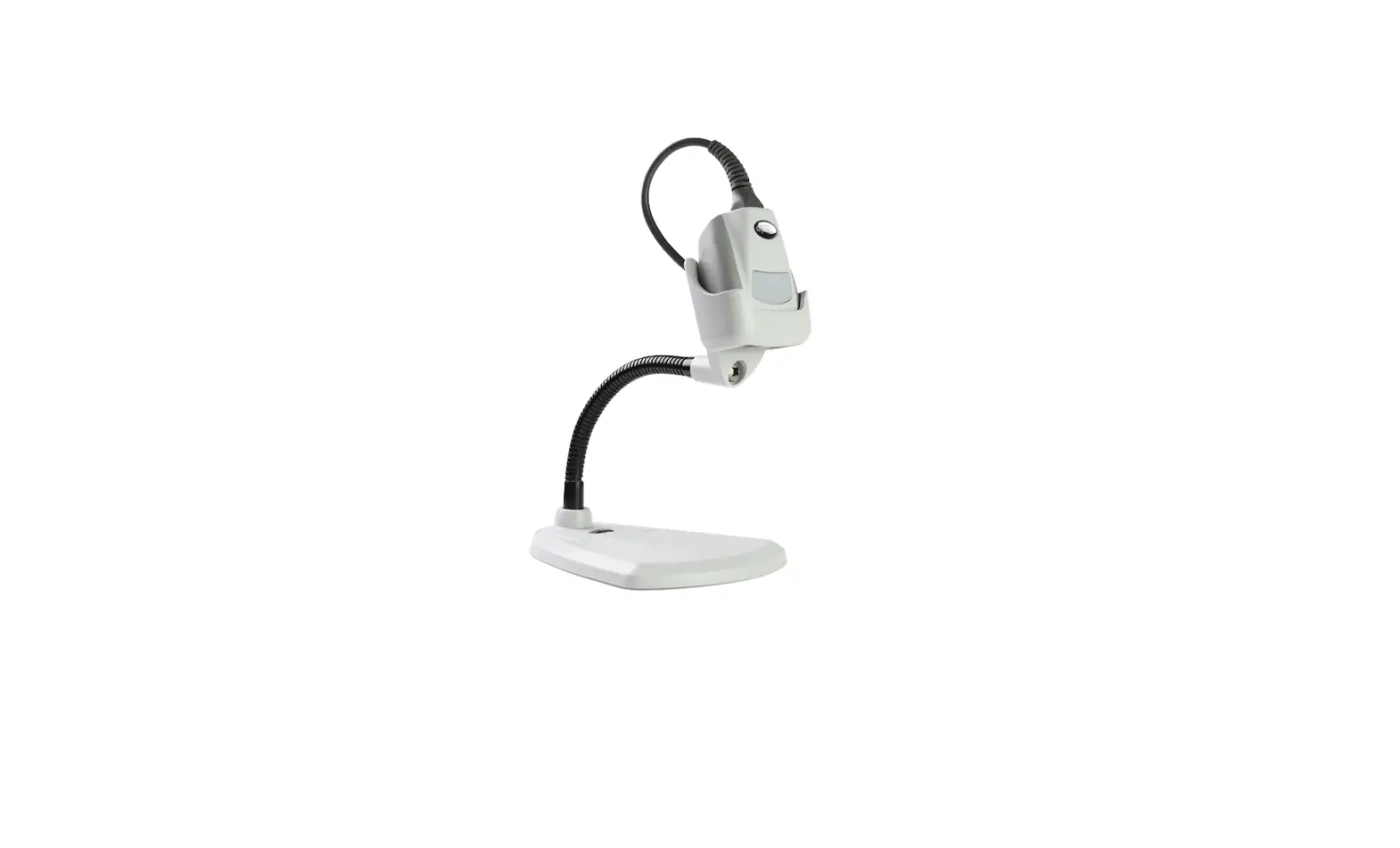
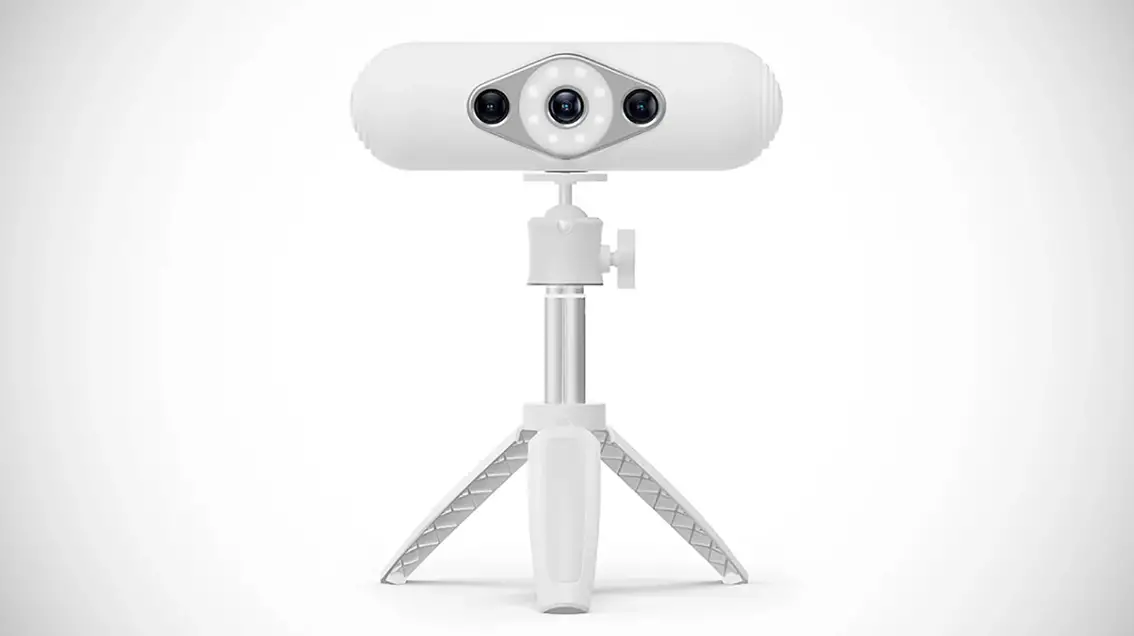
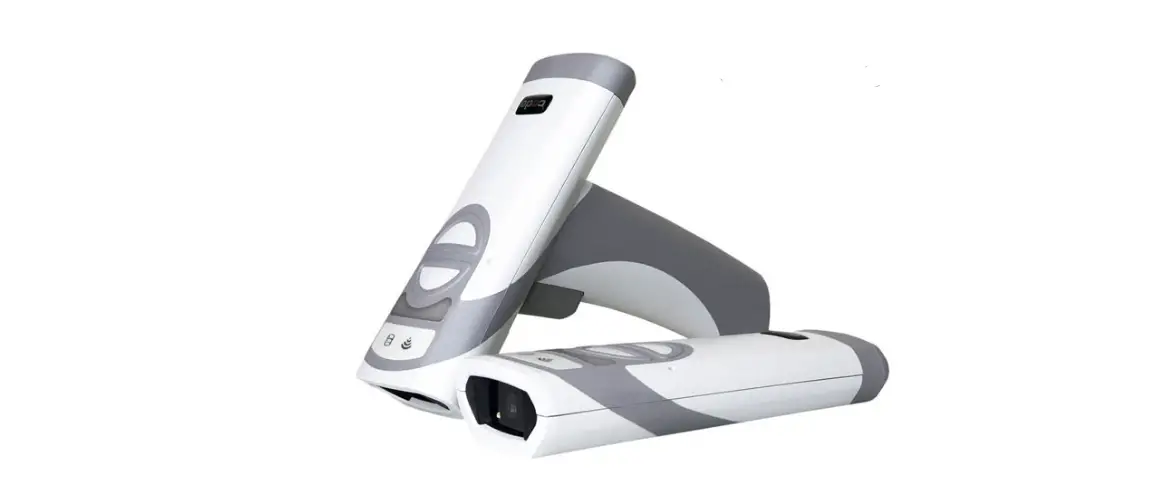
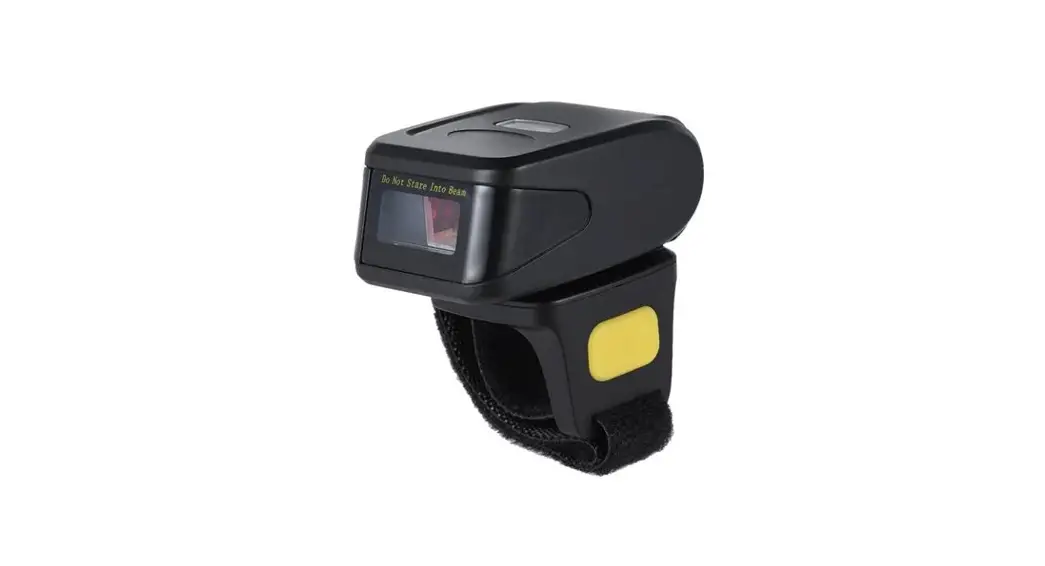
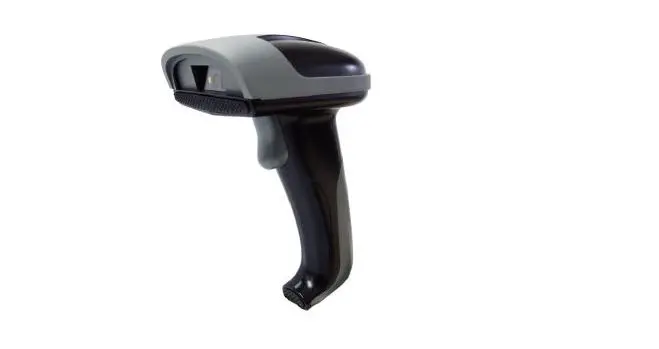
CR1500 2D Healthcare Scanner
Product Information: CR1500 Barcode Scanner Configuration
Guide
The CR1500 Barcode Scanner is a high-performance scanning device
designed for use in various industries such as retail, logistics,
and healthcare. It comes with a configuration guide that provides
detailed information on how to use the scanner and customize its
settings to suit your business needs. The guide contains a list of
QR codes for individual features, including reset, clear, and save
reader settings, reader feedback settings, scan delay settings,
direct part mark reading mode settings, RS232 settings, keyboard
language settings, and more.
Product Usage Instructions
To use the CR1500 Barcode Scanner, follow these steps:
- Power on the scanner and connect it to your computer or mobile
device using the appropriate cable. - Scan the appropriate QR code from the configuration guide to
access the desired feature setting. - Follow the instructions provided in the guide to customize the
scanner’s settings. - Test the scanner to ensure that it is functioning
properly. - If necessary, repeat steps 2-4 to configure additional features
or settings. - Save all reader settings by scanning the appropriate QR code
from the configuration guide. - You can now use the scanner for your desired application.
Note: It is important to refer to the product manual for
information on how to properly configure the scanner’s settings. In
addition, Code Corporation provides customer support via phone or
email for any questions or concerns regarding the CR1500 Barcode
Scanner.
BARCODE SCANNING
configuration guide
CR1500
30th November 2021
1/63
Corporate Office 434 West Ascension Way Suite 300 Salt Lake City, UT 84123, USA
Phone: 801-495-2200 Fax: 801-495-2202 Salt Lake City | Boston | Amsterdam
CR1500
Welcome To Your Configuration Guide
Thank you for using our MCode Configuration Generator for your devices. We are continually working to improve our scanner capabilities and software. It is possible that these codes could change or be adjusted over time. If, for some reason, the customized configuration code that you have created does not work the way you anticipate, please try scanning the individual codes on the following pages or contact our customer support team. They will be happy to assist with you with any issues you may be experiencing.
You Can Reach Us Anytime At
https://codecorp.com/contact (801) 495-2200
[email protected]
30th November 2021
2/63
Corporate Office 434 West Ascension Way Suite 300 Salt Lake City, UT 84123, USA
Phone: 801-495-2200 Fax: 801-495-2202 Salt Lake City | Boston | Amsterdam
CR1500
List of QR’s for Individual Features.
Reset, Clear, Save Reader Settings
M20111.1
M20335.1
M20345.1
Reset To Factory Defaults
Save All Reader Settings
Reader Feedback Settings
Scan Delay Settings
M20227.3
M20228.4
Reboot Reader
M20229.1
Motion Detection in stand Duplicate Scan Delay 0 ms
Motion Detection in stand Duplicate Scan Delay 500 ms
M20230.1
M20231.1
Disable Duplicate Scan Delay
M20232.1
30th November 2021
3/63
Corporate Office 434 West Ascension Way Suite 300 Salt Lake City, UT 84123, USA
Phone: 801-495-2200 Fax: 801-495-2202 Salt Lake City | Boston | Amsterdam
CR1500
Set Duplicate Scan delay to 1 Second Set Duplicate Scan delay to 2 Seconds Set Duplicate Scan delay to 3 Seconds
M20233.1
M20234.1
M20235.1
Set Duplicate Scan delay to 5 Seconds Set Duplicate Scan delay to 10 Seconds Set Duplicate Scan delay to 30 Seconds
M20236.1
M20237.1
Set Duplicate Scan delay to 1 hour
Set Duplicate Scan delay to 1 day
Direct Part Mark Reading Mode Settings
RS232 Settings
M20115.1
M20160.1
M20161.1
30th November 2021
4/63
Corporate Office 434 West Ascension Way Suite 300 Salt Lake City, UT 84123, USA
Phone: 801-495-2200 Fax: 801-495-2202 Salt Lake City | Boston | Amsterdam
CR1500
Enable Serial Communications, Raw commands & Echo commands
M20162.1
RS232 Interface 1200 Baud Rate
M20163.1
RS232 Interface 2400 Baud Rate
M20164.1
RS232 Interface 4800 Baud Rate
M20165.1
RS232 Interface 9600 Baud Rate
M20166.1
RS232 Interface 19200 Baud Rate
M20167.1
RS232 Interface 38400 Baud Rate
M20168.1
RS232 Interface 57600 Baud Rate
M20169.1
RS232 Interface 115200 Baud Rate
M20170.1
RS232 Interface 7 Data Bits
M20171.1
RS232 Interface 8 Data Bits
M20172.1
RS232 Interface 1 Stop Bit
M20173.1
30th November 2021
5/63
Corporate Office 434 West Ascension Way Suite 300 Salt Lake City, UT 84123, USA
Phone: 801-495-2200 Fax: 801-495-2202 Salt Lake City | Boston | Amsterdam
CR1500
RS232 Interface 2 Stop Bits
M20174.1
RS232 Interface Even Parity
M20175.1
RS232 Interface No Parity
M20176.1
RS232 Interface Odd Parity
M20308.2
RS232 Interface Flow Control – On
RS232 Interface Flow Control – Off
Enable Serial OPOS/JPOS Mode
Keyboard Language Settings
M20179.1
M20180.1
M20181.1
30th November 2021
6/63
Corporate Office 434 West Ascension Way Suite 300 Salt Lake City, UT 84123, USA
Phone: 801-495-2200 Fax: 801-495-2202 Salt Lake City | Boston | Amsterdam
CR1500
Get Active Language
M20182.1
List Installed Languages
M20184.1
Set Belgian French for Windows as active language
M20185.1
Set US English for Windows as active Set English for Apple as active language language
Set French for Windows as active language
M20186.1
M20187.1
M20188.1
Set French for Apple as active language Set German for Apple as active language Set German for Windows as active language
M20189.1
M20190.1
M20191.1
Set Swiss German for Apple as active Set Swiss German for Windows as active Set Italian for Apple as active language
language
language
30th November 2021
7/63
Corporate Office 434 West Ascension Way Suite 300 Salt Lake City, UT 84123, USA
Phone: 801-495-2200 Fax: 801-495-2202 Salt Lake City | Boston | Amsterdam
CR1500
M20192.1
M20193.1
M20194.1
Set Japanese for Windows as active Set Latin American Spanish for Windows Set Russian for Windows as active
language
as active language
language
M20195.1
M20196.1
M20197.1
Set Spanish for Windows as active Set Spanish for Apple as active language Set UK English for Windows as active
language
language
M20198.1
M20203.1
M20204.1
Set International English (Universal) for Data Encoding: Raw ASCII to Keyboard Data Encoding: UTF8 to Unicode
Windows as active language
XML File Lookup
Codepoint – Alt Sequences for Windows
M20350.1
M20351.1
M20352.1
30th November 2021
8/63
Corporate Office 434 West Ascension Way Suite 300 Salt Lake City, UT 84123, USA
Phone: 801-495-2200 Fax: 801-495-2202 Salt Lake City | Boston | Amsterdam
CR1500
Control Character Input – Language Default – Default
M20353.1
Control Character Input – Ctrl + Character
M20359.1
Control Character Input – Alt + Keypad
M20362.1
Control Character Input -Alt + Leading Data Encoding: Shift JIS to Shift JIS Alt
Zero
Sequences
M20363.1
M20364.1
Enable UTF-8 Chinese Barcodes
M20421.1
Set Italian for Windows as active language
M20422.1
Set Portuguese for Windows as active Set Hid-Keyboard Inter Character Delay
language
to 0 ms
M20423.1
Set Hid-Keyboard Inter Character Delay Set Hid-Keyboard Inter Character Delay
to 20 ms
to 40 ms
30th November 2021
9/63
Corporate Office 434 West Ascension Way Suite 300 Salt Lake City, UT 84123, USA
Phone: 801-495-2200 Fax: 801-495-2202 Salt Lake City | Boston | Amsterdam
CR1500
Bluetooth Settings
Miscellaneous Settings
Communication Mode Settings
M20238.1
M20239.1
M20429.1
Enable Packet Mode
Enable Raw Mode
Custom Terminal Settings
M20293.3
M20310.2
Enable IBM surePOS mode
M20311.2
Set VeriFone Defaults and enable parameter to set VeriFone communication
M20312.1
Enable Gilbarco
M20313.1
Disable Gilbarco
M20314.1
30th November 2021
10/63
Corporate Office 434 West Ascension Way Suite 300 Salt Lake City, UT 84123, USA
Phone: 801-495-2200 Fax: 801-495-2202 Salt Lake City | Boston | Amsterdam
CR1500
Enable NCR
M20315.1
Disable NCR
M20316.1
Enable NCR2
M20317.1
Disable NCR2
Disable WINCNIX
General Modem Settings
FK Category1
USB Settings
M20177.1
M20225.1
Enable WINCNIX
M20226.1
USB HID Vendor Mode
M20250.1
Enable HID POS Mode
M20307.2
Enable CDC VCOM Mode
M20346.1
30th November 2021
11/63
Corporate Office 434 West Ascension Way Suite 300 Salt Lake City, UT 84123, USA
Phone: 801-495-2200 Fax: 801-495-2202 Salt Lake City | Boston | Amsterdam
CR1500
Enable VCOM mode
M20347.1
Enable USB OPOS/JPOS Mode
USB Virtual COM Multiple Ports
USB Virtual COM Common Ports
General Reading Mode Settings
M20199.1
M20200.1
M20240.3
Enable Motion Detection
M20241.2
Disable Motion Detection/Continuous Enable Cell phone reading enhancement Scan
M20242.1
M20243.1
30th November 2021
12/63
Corporate Office 434 West Ascension Way Suite 300 Salt Lake City, UT 84123, USA
Phone: 801-495-2200 Fax: 801-495-2202 Salt Lake City | Boston | Amsterdam
CR1500
Disable Cell phone reading enhancement
M20244.1
Enable Upload Image Mode
M20245.1
Disable Upload Image Mode
M20246.1
Set motion detect maximum brightness Set motion detect maximum brightness Set motion detect maximum brightness
to 100%
to 75%
to 50%
M20247.1
M20294.1
M20295.1
Set motion detect maximum brightness Enable target Led during image capture Disable target Led during image capture to 25%
M20296.2
M20297.2
M20303.1
Set in stand behavior triggered scan
Set in stand behavior motion detect
M20325.1
M20326.1
Disable stand detection
M20329.1
30th November 2021
13/63
Corporate Office 434 West Ascension Way Suite 300 Salt Lake City, UT 84123, USA
Phone: 801-495-2200 Fax: 801-495-2202 Salt Lake City | Boston | Amsterdam
CR1500
Reader Text Commands Off (Raw Commands)
M20330.1
Reader Text Commands On (Raw Commands)
M20331.1
Beep On Vibrate On
M20332.1
Beep Off Vibrate On
M20333.2
Beep On Vibrate Off
M20334.2
Beep Off Vibrate Off
M20339.1
Enable Targeting-Always-On
M20340.1
Disable Targeting-Always-On
M20341.1
Beep Volume 0%
M20342.1
Beep Volume 33%
M20430.1
Beep Volume 67%
M20458.1
Beep Volume 100%
M20459.1
30th November 2021
14/63
Corporate Office 434 West Ascension Way Suite 300 Salt Lake City, UT 84123, USA
Phone: 801-495-2200 Fax: 801-495-2202 Salt Lake City | Boston | Amsterdam
CR1500
Enable alternate cellphone reading mode
M20460.1
Disable DPM Basic Etch
M20461.1
Enable DPM Basic Etch
M20462.1
Disable DPM Basic Dots
M20463.1
Enable DPM Basic Dots
M20464.1
Disable DPM Dot Peen DL
M20465.1
Enable DPM Dot Peen DL
M20466.1
Disable DPM Dot Peen LD
M20467.1
Enable DPM Dot Peen LD
M20468.1
Disable DPM Laser Chem
M20469.1
Enable DPM Laser Chem
M20470.1
Disable DPM Dot Peen 2LD
M20471.1
30th November 2021
15/63
Corporate Office 434 West Ascension Way Suite 300 Salt Lake City, UT 84123, USA
Phone: 801-495-2200 Fax: 801-495-2202 Salt Lake City | Boston | Amsterdam
CR1500
Enable DPM Dot Peen 2LD
M20472.1
Disable DPM Basic Inkjet
M20473.1
Enable DPM Basic Inkjet
M20474.1
Disable DPM Basic Handheld
M20475.1
Enable DPM Basic Handheld
Disable DPM Small Mirrored
Enable DPM Small Mirrored
Symbology Settings
M20000.1
M20001.1
M20002.1
30th November 2021
16/63
Corporate Office 434 West Ascension Way Suite 300 Salt Lake City, UT 84123, USA
Phone: 801-495-2200 Fax: 801-495-2202 Salt Lake City | Boston | Amsterdam
CR1500
Symbology: Australian Post -Enable
M20003.1
Symbology: Australian Post – Off
M20004.1
Symbology: Aztec – On
M20005.1
Symbology: Aztec – Off
M20006.1
Symbology: Aztec – Inverse and Normal On
M20007.1
Symbology: Aztec – Inverse Off
M20008.1
Symbology: BC412 – On
M20009.1
Symbology: BC412 – Off
M20010.1
Symbology: Canada Post – On
M20011.1
Symbology: Canada Post – Off
M20012.1
Symbology: Codabar – On
M20013.1
Symbology: Codabar – Off
M20014.1
30th November 2021
17/63
Corporate Office 434 West Ascension Way Suite 300 Salt Lake City, UT 84123, USA
Phone: 801-495-2200 Fax: 801-495-2202 Salt Lake City | Boston | Amsterdam
CR1500
Symbology: Codabar – Require checksum Symbology: Codabar -Do Not Require Symbology: Codabar – Strip start/stop
checksum
chars
M20015.1
M20018.1
M20019.1
Symbology: Codabar -Do not strip start/stop chars
M20020.1
Symbology: Codablock F – On
M20021.1
Symbology: Codablock F – Off
M20022.1
Symbology: Code 11 – On
M20023.1
Symbology: Code 11 – Off
M20024.1
Symbology: Code 11 – Strip checksum
M20025.1
Symbology: Code 11 -Do not strip checksum
Symbology: Code 32 – On
Symbology: Code 32 – Off
30th November 2021
18/63
Corporate Office 434 West Ascension Way Suite 300 Salt Lake City, UT 84123, USA
Phone: 801-495-2200 Fax: 801-495-2202 Salt Lake City | Boston | Amsterdam
CR1500
M20026.1
M20027.1
M20028.1
Symbology: Code 39 – On
M20029.1
Symbology: Code 39 – Off
M20030.1
Symbology: Code 39 – Require checksum
M20031.1
Symbology: Code 39 -Do not require checksum
M20032.1
Symbology: Code 39 – Checksum Stripped from Result On
Symbology: Code 11 -Disable Checksum
M20033.1
M20034.1
Symbology: Code 11 -Enable 1-digit Checksum
M20035.1
Symbology: Code 11 -Enable 2-digit Checksum
M20036.1
Symbology: Code 128 – On
M20037.1
30th November 2021
19/63
Corporate Office 434 West Ascension Way Suite 300 Salt Lake City, UT 84123, USA
Phone: 801-495-2200 Fax: 801-495-2202 Salt Lake City | Boston | Amsterdam
CR1500
Symbology: Code 128 – Off
M20038.2
Symbology: Composite Codes – On
M20039.1
Symbology: Composite Codes – Off
M20040.1
Symbology: Data Matrix – On
M20041.1
Symbology: Data Matrix – Off
M20042.1
Symbology: Data Matrix – Inverse and Normal On
M20043.1
Symbology: Data Matrix – Inverse Off Symbology: Data Matrix – Mirror On Symbology: Data Matrix – Mirror Off
M20044.1
M20045.1
M20046.1
Symbology: Data Matrix – Rectangular Symbology: Data Matrix – Rectangular Symbology: Data Matrix – Rectangular
On
Off
Extended On
M20047.1
M20048.1
M20049.1
30th November 2021
20/63
Corporate Office 434 West Ascension Way Suite 300 Salt Lake City, UT 84123, USA
Phone: 801-495-2200 Fax: 801-495-2202 Salt Lake City | Boston | Amsterdam
CR1500
Symbology: Data Matrix – Rectangular Extended Off
M20050.2
Symbology: Grid Matrix – On
M20051.2
Symbology: Grid Matrix – Off
M20052.1
Symbology: Enable GS1 DataBar Omnidirectional and GS1 DataBar
Truncated
M20053.1
Symbology: Disable GS1 DataBar Omnidirectional and GS1 DataBar
Truncated
M20054.1
Symbology: Han Xin – On
M20055.1
Symbology: Han Xin – Off
M20056.1
Symbology: Han Xin – Inverse – On
M20057.1
Symbology: Han Xin – Inverse – Off
M20058.1
Symbology: Han Xin – Mirror – On
Symbology: Han Xin – Mirror – Off
Symbology: Hong Kong 2 of 5 – On
30th November 2021
21/63
Corporate Office 434 West Ascension Way Suite 300 Salt Lake City, UT 84123, USA
Phone: 801-495-2200 Fax: 801-495-2202 Salt Lake City | Boston | Amsterdam
CR1500
M20059.1
M20060.1
M20061.1
Symbology: Hong Kong 2 of 5 – Off
M20062.1
Symbology: Interleaved 2 of 5 – On
M20063.1
Symbology: Interleaved 2 of 5 – Off
M20064.1
Symbology: Interleaved 2 of 5 – Require Symbology: Interleaved 2 of 5 – Require Symbology: Interleaved 2 of 5 – Strip
Checksum – On
Checksum – Off
Checksum Character – On
M20065.1
M20066.1
M20067.1
Symbology: Japan Post – On
M20068.1
Symbology: Japan Post – Off
M20069.1
Symbology: KIX (Dutch Post) – On
M20070.1
Symbology: KIX (Dutch Post) – Off
M20071.1
Symbology: Korean Post – On
M20072.1
Symbology: Korean Post – Off
M20073.1
30th November 2021
22/63
Corporate Office 434 West Ascension Way Suite 300 Salt Lake City, UT 84123, USA
Phone: 801-495-2200 Fax: 801-495-2202 Salt Lake City | Boston | Amsterdam
CR1500
Symbology: Matrix 2 of 5 – On
M20074.1
Symbology: Matrix 2 of 5 – Off
M20075.1
Symbology: Maxicode – On
M20076.1
Symbology: Maxicode – Off
M20077.1
Symbology: MSI Plessey – On
M20078.1
Symbology: MSI Plessey – Off
M20079.1
Symbology: Interleaved 2 of 5 -Do Not Symbology: MSI Plessey -Do Not Require Symbology: MSI Plessey – Require Mod
Strip Checksum Character
Checksum
10 Checksum
M20080.2
M20081.2
M20082.1
Symbology: MSI Plessey – Require Mod Symbology: MSI Plessey – Require Mod
10/10 Checksum
11/10 Checksum
M20083.1
M20084.1
Symbology: MSI Plessey – Strip Checksum
M20085.1
30th November 2021
23/63
Corporate Office 434 West Ascension Way Suite 300 Salt Lake City, UT 84123, USA
Phone: 801-495-2200 Fax: 801-495-2202 Salt Lake City | Boston | Amsterdam
CR1500
Symbology: MSI Plessey -Do Not Strip Checksum
M20086.1
Symbology: NEC 2 of 5 – On
M20087.1
Symbology: NEC 2 of 5 – Off
M20088.1
Symbology: NEC 2 of 5 – Require Checksum
Symbology: NEC 2 of 5 – Do Not Require Checksum
M20089.1
M20090.1
Symbology: PDF417 – On
M20091.1
Symbology: PDF417 – Off
M20092.1
Symbology: Micro PDF417 – On
M20093.1
Symbology: Micro PDF417 – Off
M20094.1
Symbology: Pharma Code – On
Symbology: Pharma Code – Off
Symbology: Pharma Code – Reverse Decode – On
30th November 2021
24/63
Corporate Office 434 West Ascension Way Suite 300 Salt Lake City, UT 84123, USA
Phone: 801-495-2200 Fax: 801-495-2202 Salt Lake City | Boston | Amsterdam
CR1500
M20095.1
M20096.1
M20097.1
Symbology: Pharma Code – Reverse Decode – Off
M20098.1
Symbology: QR Code – On
M20099.1
Symbology: QR Code – Off
M20100.1
Symbology: QR Code – Normal Only
M20101.1
Symbology: QR Code – Inverse Only
M20102.1
Symbology: QR Code – Inverse And Normal
M20103.1
Symbology: QR Code – Mirror On
M20104.1
Symbology: QR Code – Mirror Off Symbology: QR Code – MicroQR Code On
M20105.1
M20106.1
30th November 2021
25/63
Corporate Office 434 West Ascension Way Suite 300 Salt Lake City, UT 84123, USA
Phone: 801-495-2200 Fax: 801-495-2202 Salt Lake City | Boston | Amsterdam
CR1500
Symbology: QR Code – MicroQR Code Off Symbology: QR Code – Mode 1 QR Code Symbology: QR Code – Mode 1 QR Code
On
Off
M20107.1
M20108.1
M20109.1
Symbology: Straight 2 of 5 – On
M20110.1
Symbology: Straight 2 of 5 – Off
M20116.1
Symbology: Telepen – On
M20117.1
Symbology: Telepen – Off
M20118.1
Output Telepen as ASCII
M20119.1
Output Telepen as Numeric
M20120.1
Trioptic – On
M20121.1
30th November 2021
Trioptic – Off
M20122.1
Reverse Trioptic – On
M20123.1
26/63
Corporate Office 434 West Ascension Way Suite 300 Salt Lake City, UT 84123, USA
Phone: 801-495-2200 Fax: 801-495-2202 Salt Lake City | Boston | Amsterdam
CR1500
Reverse Trioptic – Off
M20124.1
Trioptic – Transmit Start/Stop Characters Trioptic – Transmit Start/Stop Characters
– On
– Off
M20125.1
M20126.1
UK Royal Mail – On
M20127.1
UK Royal Mail – Off
M20128.1
UPC/EAN – On
M20129.1
UPC/EAN – Off
M20130.1
UPC Supplemental – On
M20131.1
UPC Supplemental – Off
M20132.1
Expand EAN-8 toEAN-13
M20133.1
Do Not Expand EAN-8 to EAN-13
M20134.1
Expand UPC-E to UPC-A
M20135.1
30th November 2021
27/63
Corporate Office 434 West Ascension Way Suite 300 Salt Lake City, UT 84123, USA
Phone: 801-495-2200 Fax: 801-495-2202 Salt Lake City | Boston | Amsterdam
CR1500
Do Not Expand UPC-E to UPC-A
M20136.1
Expand UPC-A toEAN-13
M20137.1
Do Not Expand UPC-A to EAN-13
M20138.1
Convert Bookland EAN-13 to ISBN
M20139.1
Do Not Convert Bookland EAN-13 to ISBN
M20140.1
Convert Bookland EAN-13 to ISSN
M20141.1
Do Not Convert Bookland EAN-13 to ISSN
M20142.1
Transmit UPC-A Checksum
M20143.1
Do Not Transmit UPC-A Checksum
M20144.1
Transmit UPC-A Number System Do Not Transmit UPC-A Number System
M20145.1
M20146.1
Transmit UPC-E Checksum
M20147.1
30th November 2021
28/63
Corporate Office 434 West Ascension Way Suite 300 Salt Lake City, UT 84123, USA
Phone: 801-495-2200 Fax: 801-495-2202 Salt Lake City | Boston | Amsterdam
CR1500
Do Not Transmit UPC-E Checksum
M20148.1
Transmit UPC-E Number System Do Not Transmit UPC-E Number System
M20149.1
M20150.1
Transmit EAN-8 Checksum
M20151.1
Do Not Transmit EAN-8 Checksum
M20152.1
Transmit EAN-13 Checksum
M20153.1
Do Not Transmit EAN-13 Checksum
M20154.1
UPU ID Tags – On
M20155.1
UPU ID Tags – Off
M20156.1
USPS Intelligent Mail – On
M20157.1
USPS Intelligent Mail – Off
M20158.1
USPS Planet – On
M20159.1
30th November 2021
29/63
Corporate Office 434 West Ascension Way Suite 300 Salt Lake City, UT 84123, USA
Phone: 801-495-2200 Fax: 801-495-2202 Salt Lake City | Boston | Amsterdam
CR1500
USPS Planet – Off
M20259.2
USPS Postnet – On
M20260.2
USPS Postnet – Off
M20261.2
Enable BC412 – Disabled BC412 Revers Disable BC412 – Disable BC412 Reverse Enable BC412 – Enable BC412 Reverse
M20262.2
M20263.1
M20264.1
Disable BC412 Reverse
M20265.1
Enable CODE49
M20266.1
Disable CODE49
M20271.1
Enable CODE93
M20272.1
30th November 2021
Disable CODE93
M20273.1
Enable GS1 DataBar Stacked and GS1 DataBar Stacked Omnidirectional
M20274.1
30/63
Corporate Office 434 West Ascension Way Suite 300 Salt Lake City, UT 84123, USA
Phone: 801-495-2200 Fax: 801-495-2202 Salt Lake City | Boston | Amsterdam
CR1500
Disable GS1 DataBar Stacked and GS1 DataBar Stacked Omnidirectional
M20275.1
Enable GS1 DataBar Expanded
M20276.1
Disable GS1 DataBar Expanded
M20277.1
Enable GS1 DataBar Expanded Stacked Disable GS1 DataBar Expanded Stacked
M20278.1
M20281.1
Enable GS1 DataBar Limited
M20282.1
Disable GS1 DataBar Limited
M20283.2
Enable Grid matrix reverse polarity
M20284.2
Disable Grid matrix reverse polarity
M20285.1
Enable Grid matrix mirrored
M20286.1
Disable Grid matrix mirrored
M20287.1
Enable Royal Mail require check character
M20288.1
30th November 2021
31/63
Corporate Office 434 West Ascension Way Suite 300 Salt Lake City, UT 84123, USA
Phone: 801-495-2200 Fax: 801-495-2202 Salt Lake City | Boston | Amsterdam
CR1500
Disable Royal Mail require check character
M20289.1
Symbology: Plessey – On
M20290.1
Symbology: Plessey – Off
M20291.1
Enable Pharmacode color bars
M20292.1
Disable Pharmacode color bars
M20304.1
Enable QR custom
M20318.1
Disable QR custom
M20319.1
Symbology: Han Xin – Inverse and Normal polarity
M20320.2
Aztec mirrored on
M20321.2
Aztec mirrored off
M20357.1
30th November 2021
Code 39 Extended Full ASCII Off
Code 39 Extended Full ASCII On
32/63
Corporate Office 434 West Ascension Way Suite 300 Salt Lake City, UT 84123, USA
Phone: 801-495-2200 Fax: 801-495-2202 Salt Lake City | Boston | Amsterdam
CR1500
Enable GoCode & GoCode Mirror Decoding
Operating System Settings
M20305.1
Turn on alternate OS
Data Formatting (Prefix/Suffix) Settings
M20207.1
M20208.1
M20209.1
Erase Prefix data
M20210.1
Erase Suffix data
M20211.1
Prefix comma
M20212.1
30th November 2021
33/63
Corporate Office 434 West Ascension Way Suite 300 Salt Lake City, UT 84123, USA
Phone: 801-495-2200 Fax: 801-495-2202 Salt Lake City | Boston | Amsterdam
CR1500
Prefix space
M20213.1
Prefix tab
M20214.1
Suffix CR
M20215.1
Suffix CRLF
M20216.1
Suffix LF
M20217.1
Suffix comma
M20218.2
Suffix space
M20219.2
Suffix tab
M20220.2
Prefix tab (USB Kb)
M20221.1
Suffix Enter (USB Kb)
M20222.1
Suffix tab (USB Kb)
M20223.2
Convert Barcode Data to Uppercase
M20255.2
30th November 2021
34/63
Corporate Office 434 West Ascension Way Suite 300 Salt Lake City, UT 84123, USA
Phone: 801-495-2200 Fax: 801-495-2202 Salt Lake City | Boston | Amsterdam
CR1500
Convert Barcode Data to Lowercase
M20256.2
Disable Data Formatting
M20257.2
Data Format Enable bracketed hex output
M20258.2
Enable UDI/HIBC Validation
M20322.1
Enable ISO15434 Validation
M20343.1
Enable ISO15434 & ISO15418 Validation
M20344.1
Erase Prefix & Suffix Data
Prefix AIM ID Off
Reader/Modem Command Settings
M20113.1
M20114.1
Prefix AIM ID On
M20361.2
30th November 2021
35/63
Corporate Office 434 West Ascension Way Suite 300 Salt Lake City, UT 84123, USA
Phone: 801-495-2200 Fax: 801-495-2202 Salt Lake City | Boston | Amsterdam
CR1500
Output Reader Configuration
Get Reader Parameters
Reader Information Limited
30th November 2021
36/63
Corporate Office 434 West Ascension Way Suite 300 Salt Lake City, UT 84123, USA
Phone: 801-495-2200 Fax: 801-495-2202 Salt Lake City | Boston | Amsterdam
CR1500
CR1500 Configuration Guide …………………………………………………………………………………………………. 1
Welcome To Your Configuration Guide ………………………………………………………………………………………… 2 Welcome message and instructions ……………………………………………………………………………………………. 2 Website Address ………………………………………………………………………………………………………………………. 2 Contact Number ………………………………………………………………………………………………………………………. 2 Company Email ……………………………………………………………………………………………………………………….. 2 List of QR’s for Individual Features. ……………………………………………………………………………………… 3 Reset, Clear, Save Reader Settings …………………………………………………………………………………………….. 3 M20111.1: Reset To Factory Defaults ………………………………………………………………………………………….. 3 2 MCODE: M20111 …………………………………………………………………………………………………………………… 3 3 Reset To Factory Defaults ………………………………………………………………………………………………………. 3 M20335.1: Save All Reader Settings …………………………………………………………………………………………… 3 2 MCODE: M20335 …………………………………………………………………………………………………………………… 3 3 Save All Reader Settings ………………………………………………………………………………………………………… 3 M20345.1: Reboot Reader …………………………………………………………………………………………………………. 3 2 MCODE: M20345 …………………………………………………………………………………………………………………… 3 3 Reboot Reader ………………………………………………………………………………………………………………………. 3 Reader Feedback Settings …………………………………………………………………………………………………………. 3 Scan Delay Settings …………………………………………………………………………………………………………………. 3 M20227.3: Motion Detection in stand Duplicate Scan Delay 0 ms …………………………………………………… 3 2 MCODE: M20227 …………………………………………………………………………………………………………………… 3 3 Motion Detection in stand Duplicate Scan Delay 0 ms ………………………………………………………………… 3 M20228.4: Motion Detection in stand Duplicate Scan Delay 500 ms ……………………………………………….. 3 2 MCODE: M20228 …………………………………………………………………………………………………………………… 3 3 Motion Detection in stand Duplicate Scan Delay 500 ms …………………………………………………………….. 3 M20229.1: Disable Duplicate Scan Delay …………………………………………………………………………………….. 3 2 MCODE: M20229 …………………………………………………………………………………………………………………… 3 3 Disable Duplicate Scan Delay ………………………………………………………………………………………………….. 3 M20230.1: Set Duplicate Scan delay to 1 Second …………………………………………………………………………. 3 2 MCODE: M20230 …………………………………………………………………………………………………………………… 3 3 Set Duplicate Scan delay to 1 Second ………………………………………………………………………………………. 4 M20231.1: Set Duplicate Scan delay to 2 Seconds ……………………………………………………………………….. 3 2 MCODE: M20231 …………………………………………………………………………………………………………………… 3 3 Set Duplicate Scan delay to 2 Seconds …………………………………………………………………………………….. 4 M20232.1: Set Duplicate Scan delay to 3 Seconds ……………………………………………………………………….. 3 2 MCODE: M20232 …………………………………………………………………………………………………………………… 3 3 Set Duplicate Scan delay to 3 Seconds …………………………………………………………………………………….. 4 M20233.1: Set Duplicate Scan delay to 5 Seconds ……………………………………………………………………….. 4 2 MCODE: M20233 …………………………………………………………………………………………………………………… 4 3 Set Duplicate Scan delay to 5 Seconds …………………………………………………………………………………….. 4 M20234.1: Set Duplicate Scan delay to 10 Seconds ……………………………………………………………………… 4 2 MCODE: M20234 …………………………………………………………………………………………………………………… 4
30th November 2021
37/63
Corporate Office 434 West Ascension Way Suite 300 Salt Lake City, UT 84123, USA
Phone: 801-495-2200 Fax: 801-495-2202 Salt Lake City | Boston | Amsterdam
CR1500
3 Set Duplicate Scan delay to 10 Seconds …………………………………………………………………………………… 4 M20235.1: Set Duplicate Scan delay to 30 Seconds ……………………………………………………………………… 4 2 MCODE: M20235 …………………………………………………………………………………………………………………… 4 3 Set Duplicate Scan delay to 30 Seconds …………………………………………………………………………………… 4 M20236.1: Set Duplicate Scan delay to 1 hour …………………………………………………………………………….. 4 2 MCODE: M20236 …………………………………………………………………………………………………………………… 4 3 Set Duplicate Scan delay to 1 hour ………………………………………………………………………………………….. 4 M20237.1: Set Duplicate Scan delay to 1 day ………………………………………………………………………………. 4 2 MCODE: M20237 …………………………………………………………………………………………………………………… 4 3 Set Duplicate Scan delay to 1 day ……………………………………………………………………………………………. 4 Direct Part Mark Reading Mode Settings ……………………………………………………………………………………… 4 RS232 Settings ………………………………………………………………………………………………………………………… 4 M20115.1: Enable Serial Communications, Raw commands & Echo commands ………………………………… 4 2 MCODE: M20115 …………………………………………………………………………………………………………………… 4 3 Enable Serial Communications, Raw commands & Echo commands ……………………………………………… 5 M20160.1: RS232 Interface 1200 Baud Rate ………………………………………………………………………………… 4 2 MCODE: M20160 …………………………………………………………………………………………………………………… 4 3 RS232 Interface 1200 Baud Rate …………………………………………………………………………………………….. 5 M20161.1: RS232 Interface 2400 Baud Rate ………………………………………………………………………………… 4 2 MCODE: M20161 …………………………………………………………………………………………………………………… 4 3 RS232 Interface 2400 Baud Rate …………………………………………………………………………………………….. 5 M20162.1: RS232 Interface 4800 Baud Rate ………………………………………………………………………………… 5 2 MCODE: M20162 …………………………………………………………………………………………………………………… 5 3 RS232 Interface 4800 Baud Rate …………………………………………………………………………………………….. 5 M20163.1: RS232 Interface 9600 Baud Rate ………………………………………………………………………………… 5 2 MCODE: M20163 …………………………………………………………………………………………………………………… 5 3 RS232 Interface 9600 Baud Rate …………………………………………………………………………………………….. 5 M20164.1: RS232 Interface 19200 Baud Rate ………………………………………………………………………………. 5 2 MCODE: M20164 …………………………………………………………………………………………………………………… 5 3 RS232 Interface 19200 Baud Rate …………………………………………………………………………………………… 5 M20165.1: RS232 Interface 38400 Baud Rate ………………………………………………………………………………. 5 2 MCODE: M20165 …………………………………………………………………………………………………………………… 5 3 RS232 Interface 38400 Baud Rate …………………………………………………………………………………………… 5 M20166.1: RS232 Interface 57600 Baud Rate ………………………………………………………………………………. 5 2 MCODE: M20166 …………………………………………………………………………………………………………………… 5 3 RS232 Interface 57600 Baud Rate …………………………………………………………………………………………… 5 M20167.1: RS232 Interface 115200 Baud Rate …………………………………………………………………………….. 5 2 MCODE: M20167 …………………………………………………………………………………………………………………… 5 3 RS232 Interface 115200 Baud Rate …………………………………………………………………………………………. 5 M20168.1: RS232 Interface 7 Data Bits ……………………………………………………………………………………….. 5 2 MCODE: M20168 …………………………………………………………………………………………………………………… 5 3 RS232 Interface 7 Data Bits ……………………………………………………………………………………………………. 5
30th November 2021
38/63
Corporate Office 434 West Ascension Way Suite 300 Salt Lake City, UT 84123, USA
Phone: 801-495-2200 Fax: 801-495-2202 Salt Lake City | Boston | Amsterdam
CR1500
M20169.1: RS232 Interface 8 Data Bits ……………………………………………………………………………………….. 5 2 MCODE: M20169 …………………………………………………………………………………………………………………… 5 3 RS232 Interface 8 Data Bits ……………………………………………………………………………………………………. 5 M20170.1: RS232 Interface 1 Stop Bit …………………………………………………………………………………………. 5 2 MCODE: M20170 …………………………………………………………………………………………………………………… 5 3 RS232 Interface 1 Stop Bit ……………………………………………………………………………………………………… 5 M20171.1: RS232 Interface 2 Stop Bits ……………………………………………………………………………………….. 5 2 MCODE: M20171 …………………………………………………………………………………………………………………… 5 3 RS232 Interface 2 Stop Bits …………………………………………………………………………………………………….. 6 M20172.1: RS232 Interface Even Parity ………………………………………………………………………………………. 5 2 MCODE: M20172 …………………………………………………………………………………………………………………… 5 3 RS232 Interface Even Parity ……………………………………………………………………………………………………. 6 M20173.1: RS232 Interface No Parity ………………………………………………………………………………………….. 5 2 MCODE: M20173 …………………………………………………………………………………………………………………… 5 3 RS232 Interface No Parity ………………………………………………………………………………………………………. 6 M20174.1: RS232 Interface Odd Parity ……………………………………………………………………………………….. 6 2 MCODE: M20174 …………………………………………………………………………………………………………………… 6 3 RS232 Interface Odd Parity …………………………………………………………………………………………………….. 6 M20175.1: RS232 Interface Flow Control – On ………………………………………………………………………………. 6 2 MCODE: M20175 …………………………………………………………………………………………………………………… 6 3 RS232 Interface Flow Control – On ……………………………………………………………………………………………. 6 M20176.1: RS232 Interface Flow Control – Off ………………………………………………………………………………. 6 2 MCODE: M20176 …………………………………………………………………………………………………………………… 6 3 RS232 Interface Flow Control – Off …………………………………………………………………………………………… 6 M20308.2: Enable Serial OPOS/JPOS Mode …………………………………………………………………………………… 6 2 MCODE: M20308 …………………………………………………………………………………………………………………… 6 3 Enable Serial OPOS/JPOS Mode ………………………………………………………………………………………………… 6 Keyboard Language Settings ……………………………………………………………………………………………………… 6 M20179.1: Get Active Language ………………………………………………………………………………………………… 6 2 MCODE: M20179 …………………………………………………………………………………………………………………… 6 3 Get Active Language ……………………………………………………………………………………………………………… 7 M20180.1: List Installed Languages ……………………………………………………………………………………………. 6 2 MCODE: M20180 …………………………………………………………………………………………………………………… 6 3 List Installed Languages …………………………………………………………………………………………………………. 7 M20181.1: Set Belgian French for Windows as active language ……………………………………………………… 6 2 MCODE: M20181 …………………………………………………………………………………………………………………… 6 3 Set Belgian French for Windows as active language …………………………………………………………………… 7 M20182.1: Set US English for Windows as active language ……………………………………………………………. 7 2 MCODE: M20182 …………………………………………………………………………………………………………………… 7 3 Set US English for Windows as active language …………………………………………………………………………. 7 M20184.1: Set English for Apple as active language ……………………………………………………………………… 7 2 MCODE: M20184 …………………………………………………………………………………………………………………… 7
30th November 2021
39/63
Corporate Office 434 West Ascension Way Suite 300 Salt Lake City, UT 84123, USA
Phone: 801-495-2200 Fax: 801-495-2202 Salt Lake City | Boston | Amsterdam
CR1500
3 Set English for Apple as active language ………………………………………………………………………………….. 7 M20185.1: Set French for Windows as active language …………………………………………………………………. 7 2 MCODE: M20185 …………………………………………………………………………………………………………………… 7 3 Set French for Windows as active language ………………………………………………………………………………. 7 M20186.1: Set French for Apple as active language ……………………………………………………………………… 7 2 MCODE: M20186 …………………………………………………………………………………………………………………… 7 3 Set French for Apple as active language …………………………………………………………………………………… 7 M20187.1: Set German for Apple as active language ……………………………………………………………………. 7 2 MCODE: M20187 …………………………………………………………………………………………………………………… 7 3 Set German for Apple as active language …………………………………………………………………………………. 7 M20188.1: Set German for Windows as active language ……………………………………………………………….. 7 2 MCODE: M20188 …………………………………………………………………………………………………………………… 7 3 Set German for Windows as active language …………………………………………………………………………….. 7 M20189.1: Set Swiss German for Apple as active language ……………………………………………………………. 7 2 MCODE: M20189 …………………………………………………………………………………………………………………… 7 3 Set Swiss German for Apple as active language ………………………………………………………………………… 7 M20190.1: Set Swiss German for Windows as active language ………………………………………………………. 7 2 MCODE: M20190 …………………………………………………………………………………………………………………… 7 3 Set Swiss German for Windows as active language ……………………………………………………………………. 7 M20191.1: Set Italian for Apple as active language ………………………………………………………………………. 7 2 MCODE: M20191 …………………………………………………………………………………………………………………… 7 3 Set Italian for Apple as active language ……………………………………………………………………………………. 7 M20192.1: Set Japanese for Windows as active language ………………………………………………………………. 8 2 MCODE: M20192 …………………………………………………………………………………………………………………… 8 3 Set Japanese for Windows as active language …………………………………………………………………………… 8 M20193.1: Set Latin American Spanish for Windows as active language ………………………………………….. 8 2 MCODE: M20193 …………………………………………………………………………………………………………………… 8 3 Set Latin American Spanish for Windows as active language ………………………………………………………. 8 M20194.1: Set Russian for Windows as active language ………………………………………………………………… 8 2 MCODE: M20194 …………………………………………………………………………………………………………………… 8 3 Set Russian for Windows as active language …………………………………………………………………………….. 8 M20195.1: Set Spanish for Windows as active language ……………………………………………………………….. 8 2 MCODE: M20195 …………………………………………………………………………………………………………………… 8 3 Set Spanish for Windows as active language …………………………………………………………………………….. 8 M20196.1: Set Spanish for Apple as active language …………………………………………………………………….. 8 2 MCODE: M20196 …………………………………………………………………………………………………………………… 8 3 Set Spanish for Apple as active language …………………………………………………………………………………. 8 M20197.1: Set UK English for Windows as active language ……………………………………………………………. 8 2 MCODE: M20197 …………………………………………………………………………………………………………………… 8 3 Set UK English for Windows as active language …………………………………………………………………………. 8 M20198.1: Set International English (Universal) for Windows as active language ……………………………… 8 2 MCODE: M20198 …………………………………………………………………………………………………………………… 8
30th November 2021
40/63
Corporate Office 434 West Ascension Way Suite 300 Salt Lake City, UT 84123, USA
Phone: 801-495-2200 Fax: 801-495-2202 Salt Lake City | Boston | Amsterdam
CR1500
3 Set International English (Universal) for Windows as active language …………………………………………… 8 M20203.1: Data Encoding: Raw ASCII to Keyboard XML File Lookup ………………………………………………… 8 2 MCODE: M20203 …………………………………………………………………………………………………………………… 8 3 Data Encoding: Raw ASCII to Keyboard XML File Lookup …………………………………………………………….. 8 M20204.1: Data Encoding: UTF8 to Unicode Codepoint – Alt Sequences for Windows ………………………… 8 2 MCODE: M20204 …………………………………………………………………………………………………………………… 8 3 Data Encoding: UTF8 to Unicode Codepoint – Alt Sequences for Windows ……………………………………… 8 M20350.1: Control Character Input – Language Default – Default ……………………………………………………. 8 2 MCODE: M20350 …………………………………………………………………………………………………………………… 8 3 Control Character Input – Language Default – Default …………………………………………………………………. 9 M20351.1: Control Character Input – Ctrl + Character …………………………………………………………………… 8 2 MCODE: M20351 …………………………………………………………………………………………………………………… 8 3 Control Character Input – Ctrl + Character ………………………………………………………………………………… 9 M20352.1: Control Character Input – Alt + Keypad ……………………………………………………………………….. 8 2 MCODE: M20352 …………………………………………………………………………………………………………………… 8 3 Control Character Input – Alt + Keypad …………………………………………………………………………………….. 9 M20353.1: Control Character Input -Alt + Leading Zero ………………………………………………………………… 9 2 MCODE: M20353 …………………………………………………………………………………………………………………… 9 3 Control Character Input -Alt + Leading Zero ……………………………………………………………………………… 9 M20359.1: Data Encoding: Shift JIS to Shift JIS Alt Sequences ………………………………………………………… 9 2 MCODE: M20359 …………………………………………………………………………………………………………………… 9 3 Data Encoding: Shift JIS to Shift JIS Alt Sequences ……………………………………………………………………… 9 M20362.1: Enable UTF-8 Chinese Barcodes …………………………………………………………………………………. 9 2 MCODE: M20362 …………………………………………………………………………………………………………………… 9 3 Enable UTF-8 Chinese Barcodes ………………………………………………………………………………………………. 9 M20363.1: Set Italian for Windows as active language ………………………………………………………………….. 9 2 MCODE: M20363 …………………………………………………………………………………………………………………… 9 3 Set Italian for Windows as active language ……………………………………………………………………………….. 9 M20364.1: Set Portuguese for Windows as active language …………………………………………………………… 9 2 MCODE: M20364 …………………………………………………………………………………………………………………… 9 3 Set Portuguese for Windows as active language ………………………………………………………………………… 9 M20421.1: Set Hid-Keyboard Inter Character Delay to 0 ms …………………………………………………………… 9 2 MCODE: M20421 …………………………………………………………………………………………………………………… 9 3 Set Hid-Keyboard Inter Character Delay to 0 ms ………………………………………………………………………… 9 M20422.1: Set Hid-Keyboard Inter Character Delay to 20 ms …………………………………………………………. 9 2 MCODE: M20422 …………………………………………………………………………………………………………………… 9 3 Set Hid-Keyboard Inter Character Delay to 20 ms ………………………………………………………………………. 9 M20423.1: Set Hid-Keyboard Inter Character Delay to 40 ms …………………………………………………………. 9 2 MCODE: M20423 …………………………………………………………………………………………………………………… 9 3 Set Hid-Keyboard Inter Character Delay to 40 ms ………………………………………………………………………. 9 Bluetooth Settings ………………………………………………………………………………………………………………….. 10 Miscellaneous Settings ……………………………………………………………………………………………………………. 10
30th November 2021
41/63
Corporate Office 434 West Ascension Way Suite 300 Salt Lake City, UT 84123, USA
Phone: 801-495-2200 Fax: 801-495-2202 Salt Lake City | Boston | Amsterdam
CR1500
Communication Mode Settings …………………………………………………………………………………………………. 10 M20238.1: Enable Packet Mode ……………………………………………………………………………………………….. 10 2 MCODE: M20238 …………………………………………………………………………………………………………………. 10 3 Enable Packet Mode …………………………………………………………………………………………………………….. 10 M20239.1: Enable Raw Mode …………………………………………………………………………………………………… 10 2 MCODE: M20239 …………………………………………………………………………………………………………………. 10 3 Enable Raw Mode ………………………………………………………………………………………………………………… 10 M20429.1: Enable IBM surePOS mode ……………………………………………………………………………………….. 10 2 MCODE: M20429 …………………………………………………………………………………………………………………. 10 3 Enable IBM surePOS mode ……………………………………………………………………………………………………. 10 Custom Terminal Settings ……………………………………………………………………………………………………….. 10 M20293.3: Set VeriFone Defaults and enable parameter to set VeriFone communication …………………. 10 2 MCODE: M20293 …………………………………………………………………………………………………………………. 10 3 Set VeriFone Defaults and enable parameter to set VeriFone communication ……………………………… 10 M20310.2: Enable Gilbarco ……………………………………………………………………………………………………… 10 2 MCODE: M20310 …………………………………………………………………………………………………………………. 10 3 Enable Gilbarco …………………………………………………………………………………………………………………… 10 M20311.2: Disable Gilbarco ……………………………………………………………………………………………………… 10 2 MCODE: M20311 …………………………………………………………………………………………………………………. 10 3 Disable Gilbarco ………………………………………………………………………………………………………………….. 10 M20312.1: Enable NCR ……………………………………………………………………………………………………………. 10 2 MCODE: M20312 …………………………………………………………………………………………………………………. 10 3 Enable NCR …………………………………………………………………………………………………………………………. 11 M20313.1: Disable NCR …………………………………………………………………………………………………………… 10 2 MCODE: M20313 …………………………………………………………………………………………………………………. 10 3 Disable NCR ………………………………………………………………………………………………………………………… 11 M20314.1: Enable NCR2 ………………………………………………………………………………………………………….. 10 2 MCODE: M20314 …………………………………………………………………………………………………………………. 10 3 Enable NCR2 ……………………………………………………………………………………………………………………….. 11 M20315.1: Disable NCR2 …………………………………………………………………………………………………………. 11 2 MCODE: M20315 …………………………………………………………………………………………………………………. 11 3 Disable NCR2 ………………………………………………………………………………………………………………………. 11 M20316.1: Disable WINCNIX …………………………………………………………………………………………………….. 11 2 MCODE: M20316 …………………………………………………………………………………………………………………. 11 3 Disable WINCNIX …………………………………………………………………………………………………………………. 11 M20317.1: Enable WINCNIX …………………………………………………………………………………………………….. 11 2 MCODE: M20317 …………………………………………………………………………………………………………………. 11 3 Enable WINCNIX ………………………………………………………………………………………………………………….. 11 General Modem Settings …………………………………………………………………………………………………………. 11 FK Category1 …………………………………………………………………………………………………………………………. 11 USB Settings ………………………………………………………………………………………………………………………….. 11 M20177.1: USB HID Vendor Mode …………………………………………………………………………………………….. 11
30th November 2021
42/63
Corporate Office 434 West Ascension Way Suite 300 Salt Lake City, UT 84123, USA
Phone: 801-495-2200 Fax: 801-495-2202 Salt Lake City | Boston | Amsterdam
CR1500
2 MCODE: M20177 …………………………………………………………………………………………………………………. 11 3 USB HID Vendor Mode ………………………………………………………………………………………………………….. 11 M20225.1: Enable HID POS Mode ……………………………………………………………………………………………… 11 2 MCODE: M20225 …………………………………………………………………………………………………………………. 11 3 Enable HID POS Mode …………………………………………………………………………………………………………… 11 M20226.1: Enable CDC VCOM Mode ………………………………………………………………………………………….. 11 2 MCODE: M20226 …………………………………………………………………………………………………………………. 11 3 Enable CDC VCOM Mode ………………………………………………………………………………………………………. 11 M20250.1: Enable VCOM mode ………………………………………………………………………………………………… 11 2 MCODE: M20250 …………………………………………………………………………………………………………………. 11 3 Enable VCOM mode ……………………………………………………………………………………………………………… 12 M20307.2: Enable USB OPOS/JPOS Mode …………………………………………………………………………………… 11 2 MCODE: M20307 …………………………………………………………………………………………………………………. 11 3 Enable USB OPOS/JPOS Mode ………………………………………………………………………………………………… 12 M20346.1: USB Virtual COM Multiple Ports …………………………………………………………………………………. 11 2 MCODE: M20346 …………………………………………………………………………………………………………………. 11 3 USB Virtual COM Multiple Ports ……………………………………………………………………………………………… 12 M20347.1: USB Virtual COM Common Ports ……………………………………………………………………………….. 12 2 MCODE: M20347 …………………………………………………………………………………………………………………. 12 3 USB Virtual COM Common Ports …………………………………………………………………………………………….. 12 General Reading Mode Settings ……………………………………………………………………………………………….. 12 M20199.1: Enable Motion Detection ………………………………………………………………………………………….. 12 2 MCODE: M20199 …………………………………………………………………………………………………………………. 12 3 Enable Motion Detection ………………………………………………………………………………………………………. 12 M20200.1: Disable Motion Detection/Continuous Scan ………………………………………………………………… 12 2 MCODE: M20200 …………………………………………………………………………………………………………………. 12 3 Disable Motion Detection/Continuous Scan ……………………………………………………………………………… 12 M20240.3: Enable Cell phone reading enhancement …………………………………………………………………… 12 2 MCODE: M20240 …………………………………………………………………………………………………………………. 12 3 Enable Cell phone reading enhancement ………………………………………………………………………………… 12 M20241.2: Disable Cell phone reading enhancement ………………………………………………………………….. 12 2 MCODE: M20241 …………………………………………………………………………………………………………………. 12 3 Disable Cell phone reading enhancement ……………………………………………………………………………….. 13 M20242.1: Enable Upload Image Mode ……………………………………………………………………………………… 12 2 MCODE: M20242 …………………………………………………………………………………………………………………. 12 3 Enable Upload Image Mode …………………………………………………………………………………………………… 13 M20243.1: Disable Upload Image Mode …………………………………………………………………………………….. 12 2 MCODE: M20243 …………………………………………………………………………………………………………………. 12 3 Disable Upload Image Mode ………………………………………………………………………………………………….. 13 M20244.1: Set motion detect maximum brightness to 100% ……………………………………………………….. 13 2 MCODE: M20244 …………………………………………………………………………………………………………………. 13 3 Set motion detect maximum brightness to 100% …………………………………………………………………….. 13
30th November 2021
43/63
Corporate Office 434 West Ascension Way Suite 300 Salt Lake City, UT 84123, USA
Phone: 801-495-2200 Fax: 801-495-2202 Salt Lake City | Boston | Amsterdam
CR1500
M20245.1: Set motion detect maximum brightness to 75% …………………………………………………………. 13 2 MCODE: M20245 …………………………………………………………………………………………………………………. 13 3 Set motion detect maximum brightness to 75% ………………………………………………………………………. 13 M20246.1: Set motion detect maximum brightness to 50% …………………………………………………………. 13 2 MCODE: M20246 …………………………………………………………………………………………………………………. 13 3 Set motion detect maximum brightness to 50% ………………………………………………………………………. 13 M20247.1: Set motion detect maximum brightness to 25% …………………………………………………………. 13 2 MCODE: M20247 …………………………………………………………………………………………………………………. 13 3 Set motion detect maximum brightness to 25% ………………………………………………………………………. 13 M20294.1: Enable target Led during image capture ……………………………………………………………………. 13 2 MCODE: M20294 …………………………………………………………………………………………………………………. 13 3 Enable target Led during image capture …………………………………………………………………………………. 13 M20295.1: Disable target Led during image capture …………………………………………………………………… 13 2 MCODE: M20295 …………………………………………………………………………………………………………………. 13 3 Disable target Led during image capture ………………………………………………………………………………… 13 M20296.2: Set in stand behavior triggered scan …………………………………………………………………………. 13 2 MCODE: M20296 …………………………………………………………………………………………………………………. 13 3 Set in stand behavior triggered scan ………………………………………………………………………………………. 13 M20297.2: Set in stand behavior motion detect ………………………………………………………………………….. 13 2 MCODE: M20297 …………………………………………………………………………………………………………………. 13 3 Set in stand behavior motion detect ………………………………………………………………………………………. 13 M20303.1: Disable stand detection …………………………………………………………………………………………… 13 2 MCODE: M20303 …………………………………………………………………………………………………………………. 13 3 Disable stand detection ………………………………………………………………………………………………………… 13 M20325.1: Reader Text Commands Off (Raw Commands) ……………………………………………………………. 13 2 MCODE: M20325 …………………………………………………………………………………………………………………. 13 3 Reader Text Commands Off (Raw Commands) ………………………………………………………………………… 14 M20326.1: Reader Text Commands On (Raw Commands) ……………………………………………………………. 13 2 MCODE: M20326 …………………………………………………………………………………………………………………. 13 3 Reader Text Commands On (Raw Commands) …………………………………………………………………………. 14 M20329.1: Beep On Vibrate On ………………………………………………………………………………………………… 13 2 MCODE: M20329 …………………………………………………………………………………………………………………. 13 3 Beep On Vibrate On ……………………………………………………………………………………………………………… 14 M20330.1: Beep Off Vibrate On ………………………………………………………………………………………………… 14 2 MCODE: M20330 …………………………………………………………………………………………………………………. 14 3 Beep Off Vibrate On …………………………………………………………………………………………………………….. 14 M20331.1: Beep On Vibrate Off ………………………………………………………………………………………………… 14 2 MCODE: M20331 …………………………………………………………………………………………………………………. 14 3 Beep On Vibrate Off …………………………………………………………………………………………………………….. 14 M20332.1: Beep Off Vibrate Off ………………………………………………………………………………………………… 14 2 MCODE: M20332 …………………………………………………………………………………………………………………. 14 3 Beep Off Vibrate Off …………………………………………………………………………………………………………….. 14
30th November 2021
44/63
Corporate Office 434 West Ascension Way Suite 300 Salt Lake City, UT 84123, USA
Phone: 801-495-2200 Fax: 801-495-2202 Salt Lake City | Boston | Amsterdam
CR1500
M20333.2: Enable Targeting-Always-On …………………………………………………………………………………….. 14 2 MCODE: M20333 …………………………………………………………………………………………………………………. 14 3 Enable Targeting-Always-On …………………………………………………………………………………………………. 14 M20334.2: Disable Targeting-Always-On ……………………………………………………………………………………. 14 2 MCODE: M20334 …………………………………………………………………………………………………………………. 14 3 Disable Targeting-Always-On ………………………………………………………………………………………………… 14 M20339.1: Beep Volume 0% ……………………………………………………………………………………………………. 14 2 MCODE: M20339 …………………………………………………………………………………………………………………. 14 3 Beep Volume 0% …………………………………………………………………………………………………………………. 14 M20340.1: Beep Volume 33% ………………………………………………………………………………………………….. 14 2 MCODE: M20340 …………………………………………………………………………………………………………………. 14 3 Beep Volume 33% ……………………………………………………………………………………………………………….. 14 M20341.1: Beep Volume 67% ………………………………………………………………………………………………….. 14 2 MCODE: M20341 …………………………………………………………………………………………………………………. 14 3 Beep Volume 67% ……………………………………………………………………………………………………………….. 14 M20342.1: Beep Volume 100% ………………………………………………………………………………………………… 14 2 MCODE: M20342 …………………………………………………………………………………………………………………. 14 3 Beep Volume 100% ……………………………………………………………………………………………………………… 14 M20430.1: Enable alternate cellphone reading mode ………………………………………………………………….. 14 2 MCODE: M20430 …………………………………………………………………………………………………………………. 14 3 Enable alternate cellphone reading mode ……………………………………………………………………………….. 15 M20458.1: Disable DPM Basic Etch …………………………………………………………………………………………… 14 2 MCODE: M20458 …………………………………………………………………………………………………………………. 14 3 Disable DPM Basic Etch ………………………………………………………………………………………………………… 15 M20459.1: Enable DPM Basic Etch ……………………………………………………………………………………………. 14 2 MCODE: M20459 …………………………………………………………………………………………………………………. 14 3 Enable DPM Basic Etch …………………………………………………………………………………………………………. 15 M20460.1: Disable DPM Basic Dots …………………………………………………………………………………………… 15 2 MCODE: M20460 …………………………………………………………………………………………………………………. 15 3 Disable DPM Basic Dots ………………………………………………………………………………………………………… 15 M20461.1: Enable DPM Basic Dots ……………………………………………………………………………………………. 15 2 MCODE: M20461 …………………………………………………………………………………………………………………. 15 3 Enable DPM Basic Dots …………………………………………………………………………………………………………. 15 M20462.1: Disable DPM Dot Peen DL ………………………………………………………………………………………… 15 2 MCODE: M20462 …………………………………………………………………………………………………………………. 15 3 Disable DPM Dot Peen DL ……………………………………………………………………………………………………… 15 M20463.1: Enable DPM Dot Peen DL …………………………………………………………………………………………. 15 2 MCODE: M20463 …………………………………………………………………………………………………………………. 15 3 Enable DPM Dot Peen DL ………………………………………………………………………………………………………. 15 M20464.1: Disable DPM Dot Peen LD ………………………………………………………………………………………… 15 2 MCODE: M20464 …………………………………………………………………………………………………………………. 15 3 Disable DPM Dot Peen LD ……………………………………………………………………………………………………… 15
30th November 2021
45/63
Corporate Office 434 West Ascension Way Suite 300 Salt Lake City, UT 84123, USA
Phone: 801-495-2200 Fax: 801-495-2202 Salt Lake City | Boston | Amsterdam
CR1500
M20465.1: Enable DPM Dot Peen LD …………………………………………………………………………………………. 15 2 MCODE: M20465 …………………………………………………………………………………………………………………. 15 3 Enable DPM Dot Peen LD ………………………………………………………………………………………………………. 15 M20466.1: Disable DPM Laser Chem …………………………………………………………………………………………. 15 2 MCODE: M20466 …………………………………………………………………………………………………………………. 15 3 Disable DPM Laser Chem ………………………………………………………………………………………………………. 15 M20467.1: Enable DPM Laser Chem ………………………………………………………………………………………….. 15 2 MCODE: M20467 …………………………………………………………………………………………………………………. 15 3 Enable DPM Laser Chem ……………………………………………………………………………………………………….. 15 M20468.1: Disable DPM Dot Peen 2LD ………………………………………………………………………………………. 15 2 MCODE: M20468 …………………………………………………………………………………………………………………. 15 3 Disable DPM Dot Peen 2LD ……………………………………………………………………………………………………. 15 M20469.1: Enable DPM Dot Peen 2LD ……………………………………………………………………………………….. 15 2 MCODE: M20469 …………………………………………………………………………………………………………………. 15 3 Enable DPM Dot Peen 2LD …………………………………………………………………………………………………….. 16 M20470.1: Disable DPM Basic Inkjet …………………………………………………………………………………………. 15 2 MCODE: M20470 …………………………………………………………………………………………………………………. 15 3 Disable DPM Basic Inkjet ………………………………………………………………………………………………………. 16 M20471.1: Enable DPM Basic Inkjet ………………………………………………………………………………………….. 15 2 MCODE: M20471 …………………………………………………………………………………………………………………. 15 3 Enable DPM Basic Inkjet ……………………………………………………………………………………………………….. 16 M20472.1: Disable DPM Basic Handheld ……………………………………………………………………………………. 16 2 MCODE: M20472 …………………………………………………………………………………………………………………. 16 3 Disable DPM Basic Handheld …………………………………………………………………………………………………. 16 M20473.1: Enable DPM Basic Handheld …………………………………………………………………………………….. 16 2 MCODE: M20473 …………………………………………………………………………………………………………………. 16 3 Enable DPM Basic Handheld ………………………………………………………………………………………………….. 16 M20474.1: Disable DPM Small Mirrored …………………………………………………………………………………….. 16 2 MCODE: M20474 …………………………………………………………………………………………………………………. 16 3 Disable DPM Small Mirrored ………………………………………………………………………………………………….. 16 M20475.1: Enable DPM Small Mirrored ……………………………………………………………………………………… 16 2 MCODE: M20475 …………………………………………………………………………………………………………………. 16 3 Enable DPM Small Mirrored …………………………………………………………………………………………………… 16 Symbology Settings ………………………………………………………………………………………………………………… 16 M20000.1: Symbology: Australian Post -Enable ………………………………………………………………………….. 16 2 MCODE: M20000 …………………………………………………………………………………………………………………. 16 3 Symbology: Australian Post -Enable ……………………………………………………………………………………….. 17 M20001.1: Symbology: Australian Post – Off ………………………………………………………………………………. 16 2 MCODE: M20001 …………………………………………………………………………………………………………………. 16 3 Symbology: Australian Post – Off ……………………………………………………………………………………………. 17 M20002.1: Symbology: Aztec – On ……………………………………………………………………………………………. 16 2 MCODE: M20002 …………………………………………………………………………………………………………………. 16
30th November 2021
46/63
Corporate Office 434 West Ascension Way Suite 300 Salt Lake City, UT 84123, USA
Phone: 801-495-2200 Fax: 801-495-2202 Salt Lake City | Boston | Amsterdam
CR1500
3 Symbology: Aztec – On …………………………………………………………………………………………………………. 17 M20003.1: Symbology: Aztec – Off ……………………………………………………………………………………………. 17 2 MCODE: M20003 …………………………………………………………………………………………………………………. 17 3 Symbology: Aztec – Off …………………………………………………………………………………………………………. 17 M20004.1: Symbology: Aztec – Inverse and Normal On ……………………………………………………………….. 17 2 MCODE: M20004 …………………………………………………………………………………………………………………. 17 3 Symbology: Aztec – Inverse and Normal On …………………………………………………………………………….. 17 M20005.1: Symbology: Aztec – Inverse Off …………………………………………………………………………………. 17 2 MCODE: M20005 …………………………………………………………………………………………………………………. 17 3 Symbology: Aztec – Inverse Off ……………………………………………………………………………………………… 17 M20006.1: Symbology: BC412 – On …………………………………………………………………………………………… 17 2 MCODE: M20006 …………………………………………………………………………………………………………………. 17 3 Symbology: BC412 – On ……………………………………………………………………………………………………….. 17 M20007.1: Symbology: BC412 – Off …………………………………………………………………………………………… 17 2 MCODE: M20007 …………………………………………………………………………………………………………………. 17 3 Symbology: BC412 – Off ……………………………………………………………………………………………………….. 17 M20008.1: Symbology: Canada Post – On ………………………………………………………………………………….. 17 2 MCODE: M20008 …………………………………………………………………………………………………………………. 17 3 Symbology: Canada Post – On ……………………………………………………………………………………………….. 17 M20009.1: Symbology: Canada Post – Off ………………………………………………………………………………….. 17 2 MCODE: M20009 …………………………………………………………………………………………………………………. 17 3 Symbology: Canada Post – Off ……………………………………………………………………………………………….. 17 M20010.1: Symbology: Codabar – On ………………………………………………………………………………………… 17 2 MCODE: M20010 …………………………………………………………………………………………………………………. 17 3 Symbology: Codabar – On ……………………………………………………………………………………………………… 17 M20011.1: Symbology: Codabar – Off ………………………………………………………………………………………… 17 2 MCODE: M20011 …………………………………………………………………………………………………………………. 17 3 Symbology: Codabar – Off …………………………………………………………………………………………………….. 17 M20012.1: Symbology: Codabar – Require checksum ………………………………………………………………….. 17 2 MCODE: M20012 …………………………………………………………………………………………………………………. 17 3 Symbology: Codabar – Require checksum ……………………………………………………………………………….. 18 M20013.1: Symbology: Codabar -Do Not Require checksum ………………………………………………………… 17 2 MCODE: M20013 …………………………………………………………………………………………………………………. 17 3 Symbology: Codabar -Do Not Require checksum ……………………………………………………………………… 18 M20014.1: Symbology: Codabar – Strip start/stop chars ………………………………………………………………. 17 2 MCODE: M20014 …………………………………………………………………………………………………………………. 17 3 Symbology: Codabar – Strip start/stop chars ……………………………………………………………………………. 18 M20015.1: Symbology: Codabar -Do not strip start/stop chars ……………………………………………………… 18 2 MCODE: M20015 …………………………………………………………………………………………………………………. 18 3 Symbology: Codabar -Do not strip start/stop chars …………………………………………………………………… 18 M20018.1: Symbology: Codablock F – On …………………………………………………………………………………… 18 2 MCODE: M20018 …………………………………………………………………………………………………………………. 18
30th November 2021
47/63
Corporate Office 434 West Ascension Way Suite 300 Salt Lake City, UT 84123, USA
Phone: 801-495-2200 Fax: 801-495-2202 Salt Lake City | Boston | Amsterdam
CR1500
3 Symbology: Codablock F – On ………………………………………………………………………………………………… 18 M20019.1: Symbology: Codablock F – Off …………………………………………………………………………………… 18 2 MCODE: M20019 …………………………………………………………………………………………………………………. 18 3 Symbology: Codablock F – Off ……………………………………………………………………………………………….. 18 M20020.1: Symbology: Code 11 – On ………………………………………………………………………………………… 18 2 MCODE: M20020 …………………………………………………………………………………………………………………. 18 3 Symbology: Code 11 – On ……………………………………………………………………………………………………… 18 M20021.1: Symbology: Code 11 – Off ………………………………………………………………………………………… 18 2 MCODE: M20021 …………………………………………………………………………………………………………………. 18 3 Symbology: Code 11 – Off ……………………………………………………………………………………………………… 18 M20022.1: Symbology: Code 11 – Strip checksum ………………………………………………………………………. 18 2 MCODE: M20022 …………………………………………………………………………………………………………………. 18 3 Symbology: Code 11 – Strip checksum ……………………………………………………………………………………. 18 M20023.1: Symbology: Code 11 -Do not strip checksum ……………………………………………………………… 18 2 MCODE: M20023 …………………………………………………………………………………………………………………. 18 3 Symbology: Code 11 -Do not strip checksum …………………………………………………………………………… 18 M20024.1: Symbology: Code 32 – On ………………………………………………………………………………………… 18 2 MCODE: M20024 …………………………………………………………………………………………………………………. 18 3 Symbology: Code 32 – On ……………………………………………………………………………………………………… 18 M20025.1: Symbology: Code 32 – Off ………………………………………………………………………………………… 18 2 MCODE: M20025 …………………………………………………………………………………………………………………. 18 3 Symbology: Code 32 – Off ……………………………………………………………………………………………………… 18 M20026.1: Symbology: Code 39 – On ………………………………………………………………………………………… 19 2 MCODE: M20026 …………………………………………………………………………………………………………………. 19 3 Symbology: Code 39 – On ……………………………………………………………………………………………………… 19 M20027.1: Symbology: Code 39 – Off ………………………………………………………………………………………… 19 2 MCODE: M20027 …………………………………………………………………………………………………………………. 19 3 Symbology: Code 39 – Off ……………………………………………………………………………………………………… 19 M20028.1: Symbology: Code 39 – Require checksum ………………………………………………………………….. 19 2 MCODE: M20028 …………………………………………………………………………………………………………………. 19 3 Symbology: Code 39 – Require checksum ……………………………………………………………………………….. 19 M20029.1: Symbology: Code 39 -Do not require checksum ………………………………………………………….. 19 2 MCODE: M20029 …………………………………………………………………………………………………………………. 19 3 Symbology: Code 39 -Do not require checksum ……………………………………………………………………….. 19 M20030.1: Symbology: Code 39 – Checksum Stripped from Result On …………………………………………… 19 2 MCODE: M20030 …………………………………………………………………………………………………………………. 19 3 Symbology: Code 39 – Checksum Stripped from Result On ………………………………………………………… 19 M20031.1: Symbology: Code 11 -Disable Checksum …………………………………………………………………… 19 2 MCODE: M20031 …………………………………………………………………………………………………………………. 19 3 Symbology: Code 11 -Disable Checksum ………………………………………………………………………………… 19 M20032.1: Symbology: Code 11 -Enable 1-digit Checksum ………………………………………………………….. 19 2 MCODE: M20032 …………………………………………………………………………………………………………………. 19
30th November 2021
48/63
Corporate Office 434 West Ascension Way Suite 300 Salt Lake City, UT 84123, USA
Phone: 801-495-2200 Fax: 801-495-2202 Salt Lake City | Boston | Amsterdam
CR1500
3 Symbology: Code 11 -Enable 1-digit Checksum ……………………………………………………………………….. 19 M20033.1: Symbology: Code 11 -Enable 2-digit Checksum ………………………………………………………….. 19 2 MCODE: M20033 …………………………………………………………………………………………………………………. 19 3 Symbology: Code 11 -Enable 2-digit Checksum ……………………………………………………………………….. 19 M20034.1: Symbology: Code 128 – On ………………………………………………………………………………………. 19 2 MCODE: M20034 …………………………………………………………………………………………………………………. 19 3 Symbology: Code 128 – On ……………………………………………………………………………………………………. 19 M20035.1: Symbology: Code 128 – Off ………………………………………………………………………………………. 19 2 MCODE: M20035 …………………………………………………………………………………………………………………. 19 3 Symbology: Code 128 – Off ……………………………………………………………………………………………………. 20 M20036.1: Symbology: Composite Codes – On ……………………………………………………………………………. 19 2 MCODE: M20036 …………………………………………………………………………………………………………………. 19 3 Symbology: Composite Codes – On ………………………………………………………………………………………… 20 M20037.1: Symbology: Composite Codes – Off …………………………………………………………………………… 19 2 MCODE: M20037 …………………………………………………………………………………………………………………. 19 3 Symbology: Composite Codes – Off ………………………………………………………………………………………… 20 M20038.2: Symbology: Data Matrix – On ……………………………………………………………………………………. 20 2 MCODE: M20038 …………………………………………………………………………………………………………………. 20 3 Symbology: Data Matrix – On ………………………………………………………………………………………………… 20 M20039.1: Symbology: Data Matrix – Off …………………………………………………………………………………… 20 2 MCODE: M20039 …………………………………………………………………………………………………………………. 20 3 Symbology: Data Matrix – Off ………………………………………………………………………………………………… 20 M20040.1: Symbology: Data Matrix – Inverse and Normal On ……………………………………………………….. 20 2 MCODE: M20040 …………………………………………………………………………………………………………………. 20 3 Symbology: Data Matrix – Inverse and Normal On ……………………………………………………………………. 20 M20041.1: Symbology: Data Matrix – Inverse Off ………………………………………………………………………… 20 2 MCODE: M20041 …………………………………………………………………………………………………………………. 20 3 Symbology: Data Matrix – Inverse Off ……………………………………………………………………………………… 20 M20042.1: Symbology: Data Matrix – Mirror On ………………………………………………………………………….. 20 2 MCODE: M20042 …………………………………………………………………………………………………………………. 20 3 Symbology: Data Matrix – Mirror On ……………………………………………………………………………………….. 20 M20043.1: Symbology: Data Matrix – Mirror Off ………………………………………………………………………….. 20 2 MCODE: M20043 …………………………………………………………………………………………………………………. 20 3 Symbology: Data Matrix – Mirror Off ……………………………………………………………………………………….. 20 M20044.1: Symbology: Data Matrix – Rectangular On ………………………………………………………………….. 20 2 MCODE: M20044 …………………………………………………………………………………………………………………. 20 3 Symbology: Data Matrix – Rectangular On ………………………………………………………………………………. 20 M20045.1: Symbology: Data Matrix – Rectangular Off …………………………………………………………………. 20 2 MCODE: M20045 …………………………………………………………………………………………………………………. 20 3 Symbology: Data Matrix – Rectangular Off ………………………………………………………………………………. 20 M20046.1: Symbology: Data Matrix – Rectangular Extended On ……………………………………………………. 20 2 MCODE: M20046 …………………………………………………………………………………………………………………. 20
30th November 2021
49/63
Corporate Office 434 West Ascension Way Suite 300 Salt Lake City, UT 84123, USA
Phone: 801-495-2200 Fax: 801-495-2202 Salt Lake City | Boston | Amsterdam
CR1500
3 Symbology: Data Matrix – Rectangular Extended On ………………………………………………………………… 20 M20047.1: Symbology: Data Matrix – Rectangular Extended Off …………………………………………………… 20 2 MCODE: M20047 …………………………………………………………………………………………………………………. 20 3 Symbology: Data Matrix – Rectangular Extended Off ………………………………………………………………… 21 M20048.1: Symbology: Grid Matrix – On …………………………………………………………………………………….. 20 2 MCODE: M20048 …………………………………………………………………………………………………………………. 20 3 Symbology: Grid Matrix – On …………………………………………………………………………………………………. 21 M20049.1: Symbology: Grid Matrix – Off ……………………………………………………………………………………. 20 2 MCODE: M20049 …………………………………………………………………………………………………………………. 20 3 Symbology: Grid Matrix – Off …………………………………………………………………………………………………. 21 M20050.2: Symbology: Enable GS1 DataBar Omnidirectional and GS1 DataBar Truncated ………………. 21 2 MCODE: M20050 …………………………………………………………………………………………………………………. 21 3 Symbology: Enable GS1 DataBar Omnidirectional and GS1 DataBar Truncated ……………………………. 21 M20051.2: Symbology: Disable GS1 DataBar Omnidirectional and GS1 DataBar Truncated ……………… 21 2 MCODE: M20051 …………………………………………………………………………………………………………………. 21 3 Symbology: Disable GS1 DataBar Omnidirectional and GS1 DataBar Truncated …………………………… 21 M20052.1: Symbology: Han Xin – On …………………………………………………………………………………………. 21 2 MCODE: M20052 …………………………………………………………………………………………………………………. 21 3 Symbology: Han Xin – On ………………………………………………………………………………………………………. 21 M20053.1: Symbology: Han Xin – Off …………………………………………………………………………………………. 21 2 MCODE: M20053 …………………………………………………………………………………………………………………. 21 3 Symbology: Han Xin – Off ……………………………………………………………………………………………………… 21 M20054.1: Symbology: Han Xin – Inverse – On ……………………………………………………………………………. 21 2 MCODE: M20054 …………………………………………………………………………………………………………………. 21 3 Symbology: Han Xin – Inverse – On …………………………………………………………………………………………. 21 M20055.1: Symbology: Han Xin – Inverse – Off ……………………………………………………………………………. 21 2 MCODE: M20055 …………………………………………………………………………………………………………………. 21 3 Symbology: Han Xin – Inverse – Off …………………………………………………………………………………………. 21 M20056.1: Symbology: Han Xin – Mirror – On ……………………………………………………………………………… 21 2 MCODE: M20056 …………………………………………………………………………………………………………………. 21 3 Symbology: Han Xin – Mirror – On …………………………………………………………………………………………… 21 M20057.1: Symbology: Han Xin – Mirror – Off ……………………………………………………………………………… 21 2 MCODE: M20057 …………………………………………………………………………………………………………………. 21 3 Symbology: Han Xin – Mirror – Off …………………………………………………………………………………………… 21 M20058.1: Symbology: Hong Kong 2 of 5 – On ……………………………………………………………………………. 21 2 MCODE: M20058 …………………………………………………………………………………………………………………. 21 3 Symbology: Hong Kong 2 of 5 – On …………………………………………………………………………………………. 21 M20059.1: Symbology: Hong Kong 2 of 5 – Off ……………………………………………………………………………. 22 2 MCODE: M20059 …………………………………………………………………………………………………………………. 22 3 Symbology: Hong Kong 2 of 5 – Off ………………………………………………………………………………………… 22 M20060.1: Symbology: Interleaved 2 of 5 – On …………………………………………………………………………… 22 2 MCODE: M20060 …………………………………………………………………………………………………………………. 22
30th November 2021
50/63
Corporate Office 434 West Ascension Way Suite 300 Salt Lake City, UT 84123, USA
Phone: 801-495-2200 Fax: 801-495-2202 Salt Lake City | Boston | Amsterdam
CR1500
3 Symbology: Interleaved 2 of 5 – On ………………………………………………………………………………………… 22 M20061.1: Symbology: Interleaved 2 of 5 – Off …………………………………………………………………………… 22 2 MCODE: M20061 …………………………………………………………………………………………………………………. 22 3 Symbology: Interleaved 2 of 5 – Off ………………………………………………………………………………………… 22 M20062.1: Symbology: Interleaved 2 of 5 – Require Checksum – On ……………………………………………… 22 2 MCODE: M20062 …………………………………………………………………………………………………………………. 22 3 Symbology: Interleaved 2 of 5 – Require Checksum – On …………………………………………………………… 22 M20063.1: Symbology: Interleaved 2 of 5 – Require Checksum – Off ……………………………………………… 22 2 MCODE: M20063 …………………………………………………………………………………………………………………. 22 3 Symbology: Interleaved 2 of 5 – Require Checksum – Off …………………………………………………………… 22 M20064.1: Symbology: Interleaved 2 of 5 – Strip Checksum Character – On ……………………………………. 22 2 MCODE: M20064 …………………………………………………………………………………………………………………. 22 3 Symbology: Interleaved 2 of 5 – Strip Checksum Character – On ………………………………………………… 22 M20065.1: Symbology: Japan Post – On ……………………………………………………………………………………… 22 2 MCODE: M20065 …………………………………………………………………………………………………………………. 22 3 Symbology: Japan Post – On ………………………………………………………………………………………………….. 22 M20066.1: Symbology: Japan Post – Off …………………………………………………………………………………….. 22 2 MCODE: M20066 …………………………………………………………………………………………………………………. 22 3 Symbology: Japan Post – Off ………………………………………………………………………………………………….. 22 M20067.1: Symbology: KIX (Dutch Post) – On …………………………………………………………………………….. 22 2 MCODE: M20067 …………………………………………………………………………………………………………………. 22 3 Symbology: KIX (Dutch Post) – On ………………………………………………………………………………………….. 22 M20068.1: Symbology: KIX (Dutch Post) – Off …………………………………………………………………………….. 22 2 MCODE: M20068 …………………………………………………………………………………………………………………. 22 3 Symbology: KIX (Dutch Post) – Off ………………………………………………………………………………………….. 22 M20069.1: Symbology: Korean Post – On …………………………………………………………………………………… 22 2 MCODE: M20069 …………………………………………………………………………………………………………………. 22 3 Symbology: Korean Post – On ………………………………………………………………………………………………… 22 M20070.1: Symbology: Korean Post – Off …………………………………………………………………………………… 22 2 MCODE: M20070 …………………………………………………………………………………………………………………. 22 3 Symbology: Korean Post – Off ………………………………………………………………………………………………… 22 M20071.1: Symbology: Matrix 2 of 5 – On ………………………………………………………………………………….. 22 2 MCODE: M20071 …………………………………………………………………………………………………………………. 22 3 Symbology: Matrix 2 of 5 – On ……………………………………………………………………………………………….. 23 M20072.1: Symbology: Matrix 2 of 5 – Off ………………………………………………………………………………….. 22 2 MCODE: M20072 …………………………………………………………………………………………………………………. 22 3 Symbology: Matrix 2 of 5 – Off ……………………………………………………………………………………………….. 23 M20073.1: Symbology: Maxicode – On ………………………………………………………………………………………. 22 2 MCODE: M20073 …………………………………………………………………………………………………………………. 22 3 Symbology: Maxicode – On ……………………………………………………………………………………………………. 23 M20074.1: Symbology: Maxicode – Off ………………………………………………………………………………………. 23 2 MCODE: M20074 …………………………………………………………………………………………………………………. 23
30th November 2021
51/63
Corporate Office 434 West Ascension Way Suite 300 Salt Lake City, UT 84123, USA
Phone: 801-495-2200 Fax: 801-495-2202 Salt Lake City | Boston | Amsterdam
CR1500
3 Symbology: Maxicode – Off ……………………………………………………………………………………………………. 23 M20075.1: Symbology: MSI Plessey – On ……………………………………………………………………………………. 23 2 MCODE: M20075 …………………………………………………………………………………………………………………. 23 3 Symbology: MSI Plessey – On ………………………………………………………………………………………………… 23 M20076.1: Symbology: MSI Plessey – Off …………………………………………………………………………………… 23 2 MCODE: M20076 …………………………………………………………………………………………………………………. 23 3 Symbology: MSI Plessey – Off ………………………………………………………………………………………………… 23 M20077.1: Symbology: Interleaved 2 of 5 -Do Not Strip Checksum Character ………………………………… 23 2 MCODE: M20077 …………………………………………………………………………………………………………………. 23 3 Symbology: Interleaved 2 of 5 -Do Not Strip Checksum Character ……………………………………………… 23 M20078.1: Symbology: MSI Plessey -Do Not Require Checksum ……………………………………………………. 23 2 MCODE: M20078 …………………………………………………………………………………………………………………. 23 3 Symbology: MSI Plessey -Do Not Require Checksum ………………………………………………………………… 23 M20079.1: Symbology: MSI Plessey – Require Mod 10 Checksum ………………………………………………….. 23 2 MCODE: M20079 …………………………………………………………………………………………………………………. 23 3 Symbology: MSI Plessey – Require Mod 10 Checksum ……………………………………………………………….. 23 M20080.2: Symbology: MSI Plessey – Require Mod 10/10 Checksum ……………………………………………… 23 2 MCODE: M20080 …………………………………………………………………………………………………………………. 23 3 Symbology: MSI Plessey – Require Mod 10/10 Checksum …………………………………………………………… 23 M20081.2: Symbology: MSI Plessey – Require Mod 11/10 Checksum ……………………………………………… 23 2 MCODE: M20081 …………………………………………………………………………………………………………………. 23 3 Symbology: MSI Plessey – Require Mod 11/10 Checksum …………………………………………………………… 23 M20082.1: Symbology: MSI Plessey – Strip Checksum …………………………………………………………………. 23 2 MCODE: M20082 …………………………………………………………………………………………………………………. 23 3 Symbology: MSI Plessey – Strip Checksum ………………………………………………………………………………. 23 M20083.1: Symbology: MSI Plessey -Do Not Strip Checksum ……………………………………………………….. 23 2 MCODE: M20083 …………………………………………………………………………………………………………………. 23 3 Symbology: MSI Plessey -Do Not Strip Checksum …………………………………………………………………….. 24 M20084.1: Symbology: NEC 2 of 5 – On ……………………………………………………………………………………… 23 2 MCODE: M20084 …………………………………………………………………………………………………………………. 23 3 Symbology: NEC 2 of 5 – On ………………………………………………………………………………………………….. 24 M20085.1: Symbology: NEC 2 of 5 – Off …………………………………………………………………………………….. 23 2 MCODE: M20085 …………………………………………………………………………………………………………………. 23 3 Symbology: NEC 2 of 5 – Off ………………………………………………………………………………………………….. 24 M20086.1: Symbology: NEC 2 of 5 – Require Checksum ………………………………………………………………. 24 2 MCODE: M20086 …………………………………………………………………………………………………………………. 24 3 Symbology: NEC 2 of 5 – Require Checksum ……………………………………………………………………………. 24 M20087.1: Symbology: NEC 2 of 5 – Do Not Require Checksum …………………………………………………….. 24 2 MCODE: M20087 …………………………………………………………………………………………………………………. 24 3 Symbology: NEC 2 of 5 – Do Not Require Checksum …………………………………………………………………. 24 M20088.1: Symbology: PDF417 – On …………………………………………………………………………………………. 24 2 MCODE: M20088 …………………………………………………………………………………………………………………. 24
30th November 2021
52/63
Corporate Office 434 West Ascension Way Suite 300 Salt Lake City, UT 84123, USA
Phone: 801-495-2200 Fax: 801-495-2202 Salt Lake City | Boston | Amsterdam
CR1500
3 Symbology: PDF417 – On ………………………………………………………………………………………………………. 24 M20089.1: Symbology: PDF417 – Off …………………………………………………………………………………………. 24 2 MCODE: M20089 …………………………………………………………………………………………………………………. 24 3 Symbology: PDF417 – Off ………………………………………………………………………………………………………. 24 M20090.1: Symbology: Micro PDF417 – On ………………………………………………………………………………… 24 2 MCODE: M20090 …………………………………………………………………………………………………………………. 24 3 Symbology: Micro PDF417 – On ……………………………………………………………………………………………… 24 M20091.1: Symbology: Micro PDF417 – Off ………………………………………………………………………………… 24 2 MCODE: M20091 …………………………………………………………………………………………………………………. 24 3 Symbology: Micro PDF417 – Off ……………………………………………………………………………………………… 24 M20092.1: Symbology: Pharma Code – On …………………………………………………………………………………. 24 2 MCODE: M20092 …………………………………………………………………………………………………………………. 24 3 Symbology: Pharma Code – On ………………………………………………………………………………………………. 24 M20093.1: Symbology: Pharma Code – Off …………………………………………………………………………………. 24 2 MCODE: M20093 …………………………………………………………………………………………………………………. 24 3 Symbology: Pharma Code – Off ………………………………………………………………………………………………. 24 M20094.1: Symbology: Pharma Code – Reverse Decode – On ……………………………………………………….. 24 2 MCODE: M20094 …………………………………………………………………………………………………………………. 24 3 Symbology: Pharma Code – Reverse Decode – On …………………………………………………………………….. 24 M20095.1: Symbology: Pharma Code – Reverse Decode – Off ……………………………………………………….. 25 2 MCODE: M20095 …………………………………………………………………………………………………………………. 25 3 Symbology: Pharma Code – Reverse Decode – Off …………………………………………………………………….. 25 M20096.1: Symbology: QR Code – On ……………………………………………………………………………………….. 25 2 MCODE: M20096 …………………………………………………………………………………………………………………. 25 3 Symbology: QR Code – On …………………………………………………………………………………………………….. 25 M20097.1: Symbology: QR Code – Off ……………………………………………………………………………………….. 25 2 MCODE: M20097 …………………………………………………………………………………………………………………. 25 3 Symbology: QR Code – Off …………………………………………………………………………………………………….. 25 M20098.1: Symbology: QR Code – Normal Only ………………………………………………………………………….. 25 2 MCODE: M20098 …………………………………………………………………………………………………………………. 25 3 Symbology: QR Code – Normal Only ……………………………………………………………………………………….. 25 M20099.1: Symbology: QR Code – Inverse Only ………………………………………………………………………….. 25 2 MCODE: M20099 …………………………………………………………………………………………………………………. 25 3 Symbology: QR Code – Inverse Only ……………………………………………………………………………………….. 25 M20100.1: Symbology: QR Code – Inverse And Normal ………………………………………………………………… 25 2 MCODE: M20100 …………………………………………………………………………………………………………………. 25 3 Symbology: QR Code – Inverse And Normal …………………………………………………………………………….. 25 M20101.1: Symbology: QR Code – Mirror On ………………………………………………………………………………. 25 2 MCODE: M20101 …………………………………………………………………………………………………………………. 25 3 Symbology: QR Code – Mirror On ……………………………………………………………………………………………. 25 M20102.1: Symbology: QR Code – Mirror Off ………………………………………………………………………………. 25 2 MCODE: M20102 …………………………………………………………………………………………………………………. 25
30th November 2021
53/63
Corporate Office 434 West Ascension Way Suite 300 Salt Lake City, UT 84123, USA
Phone: 801-495-2200 Fax: 801-495-2202 Salt Lake City | Boston | Amsterdam
CR1500
3 Symbology: QR Code – Mirror Off ……………………………………………………………………………………………. 25 M20103.1: Symbology: QR Code – MicroQR Code On …………………………………………………………………… 25 2 MCODE: M20103 …………………………………………………………………………………………………………………. 25 3 Symbology: QR Code – MicroQR Code On ………………………………………………………………………………… 25 M20104.1: Symbology: QR Code – MicroQR Code Off …………………………………………………………………… 25 2 MCODE: M20104 …………………………………………………………………………………………………………………. 25 3 Symbology: QR Code – MicroQR Code Off ………………………………………………………………………………… 26 M20105.1: Symbology: QR Code – Mode 1 QR Code On ……………………………………………………………….. 25 2 MCODE: M20105 …………………………………………………………………………………………………………………. 25 3 Symbology: QR Code – Mode 1 QR Code On …………………………………………………………………………….. 26 M20106.1: Symbology: QR Code – Mode 1 QR Code Off ……………………………………………………………….. 25 2 MCODE: M20106 …………………………………………………………………………………………………………………. 25 3 Symbology: QR Code – Mode 1 QR Code Off …………………………………………………………………………….. 26 M20107.1: Symbology: Straight 2 of 5 – On ……………………………………………………………………………….. 26 2 MCODE: M20107 …………………………………………………………………………………………………………………. 26 3 Symbology: Straight 2 of 5 – On …………………………………………………………………………………………….. 26 M20108.1: Symbology: Straight 2 of 5 – Off ……………………………………………………………………………….. 26 2 MCODE: M20108 …………………………………………………………………………………………………………………. 26 3 Symbology: Straight 2 of 5 – Off …………………………………………………………………………………………….. 26 M20109.1: Symbology: Telepen – On ………………………………………………………………………………………… 26 2 MCODE: M20109 …………………………………………………………………………………………………………………. 26 3 Symbology: Telepen – On ……………………………………………………………………………………………………… 26 M20110.1: Symbology: Telepen – Off ………………………………………………………………………………………… 26 2 MCODE: M20110 …………………………………………………………………………………………………………………. 26 3 Symbology: Telepen – Off ……………………………………………………………………………………………………… 26 M20116.1: Output Telepen as ASCII ………………………………………………..