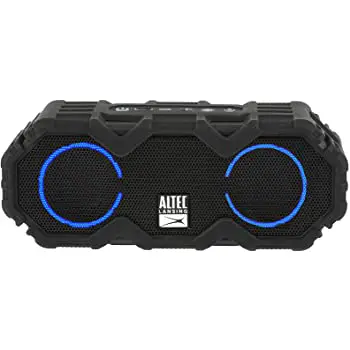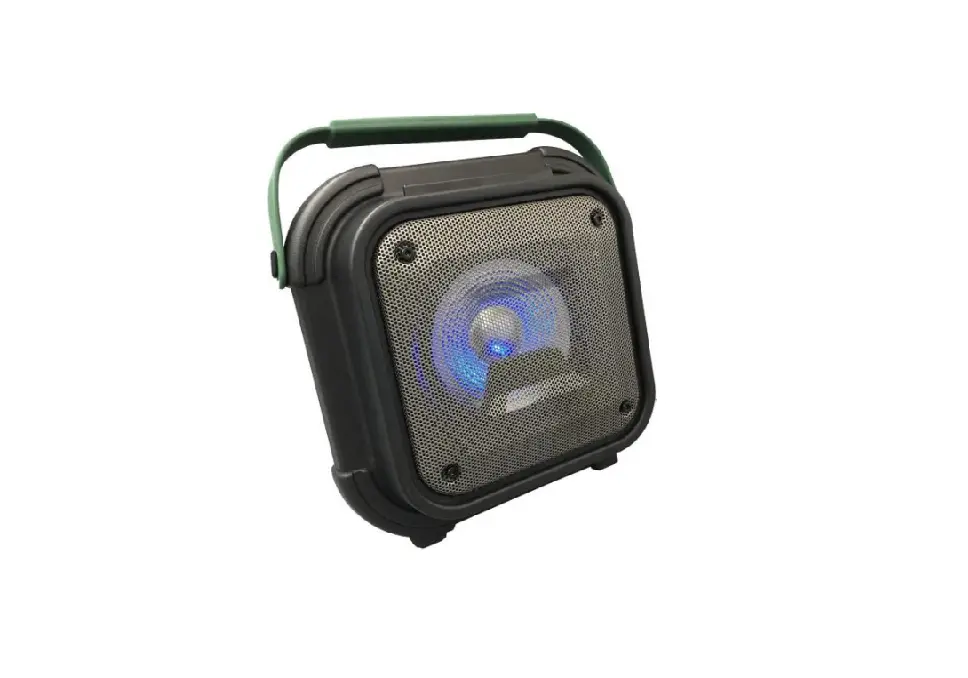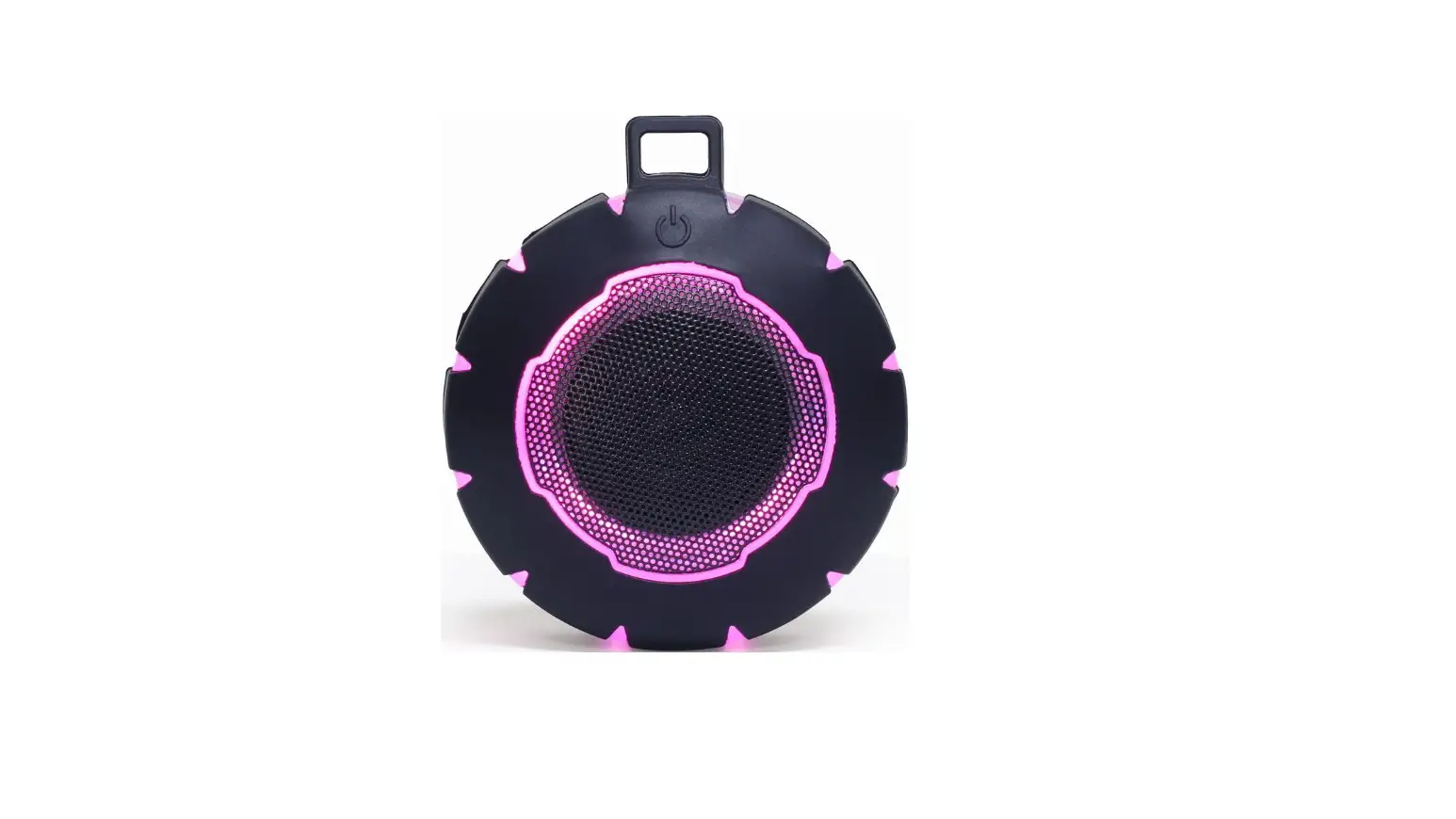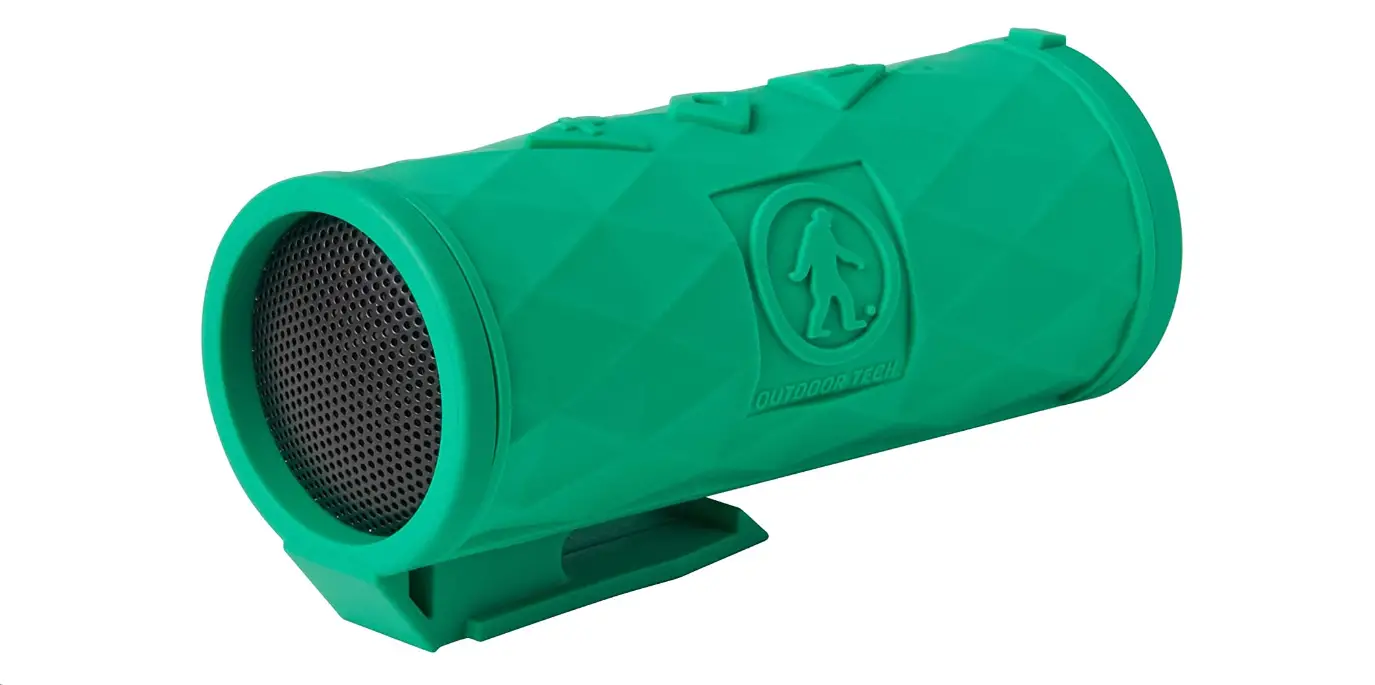

Outdoor Tech Buckshot 2.0 Rugged Bluetooth Speaker
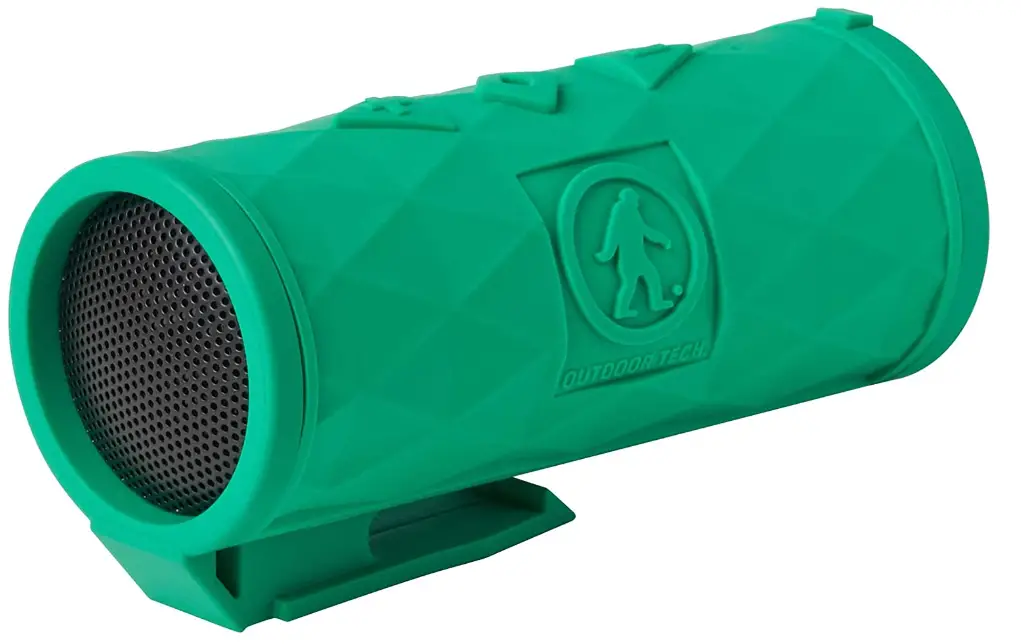
Good call on picking up the Outdoor Tech.
Buckshot 2.0 Rugged Wireless Speaker. Your experience of the outdoor world (especially on your bike) will be fully covered by this little dude.
This manual exists to help make sure you can use ’em to the fullest potential. So sit back, put your feet up, and flip through this to get to know your Buckshot 2.0.
Kisses,
WHAT’S INSIDE 
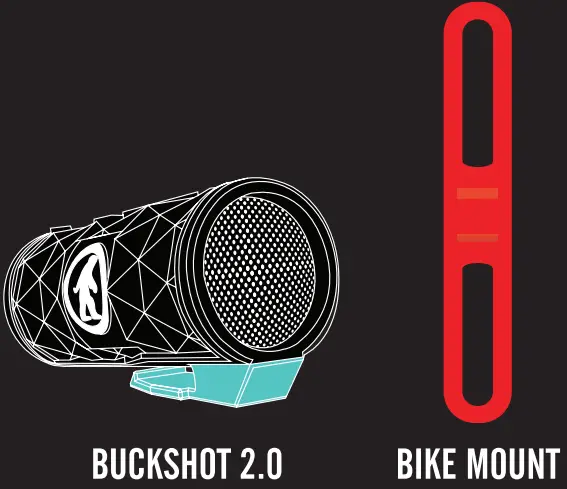
Micro USB Cord and instructional manual are also included in the packaging.
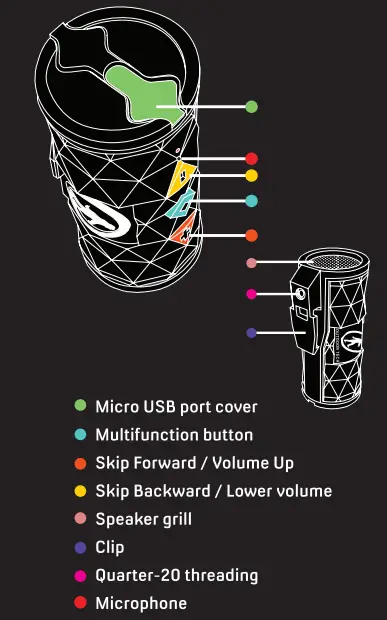
ANATOMY
POWER UP
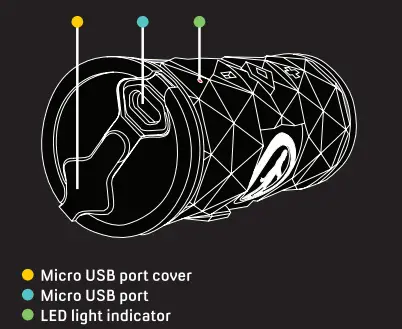
TO CHARGE
- Connect the included Micro USB cord to a power source and the charging port on the Buckshot 2.0. When charging, the red LED light will stay activated. ***Full charge time is about 4-5 hours.
- When the Buckshot 2.0’s is fully charged, the RED light will turn off.
The displayed battery meter is supported for Apple products.
The Buckshot 2.0’s Bluetooth and music functions can still operate while charging.
PAIRING MOOD
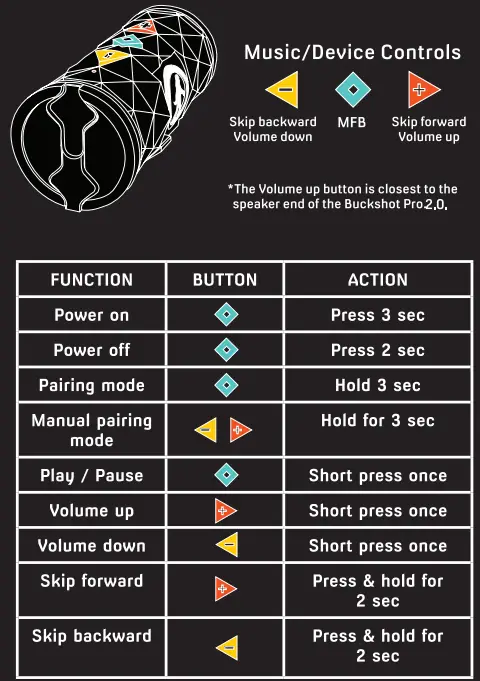
Power On / Off
ON: Hold the MFB for 2-3 seconds or until the LED light flashes blue and the voice prompt states “Power on”
OFF: Hold the MFB for 3-4 seconds or until the LED light turns red and the voice prompt states “Power off”
Enter Pairing Mode
When powered on, it will enter into pairing mode automatically. Hold the MFB for 2-3 seconds or until you see the LED light flash red/blue and the
voice prompts states “Power on, Pairing.” The LED lights will then flash red and blue alternately.
Pairing Buckshot 2.0 to Device
Open the Bluetooth settings on your device. If you have put your Buckshot 2.0 into pairing mode, it should be listed as “ODT Buckshot 2.0” as an available device to pair. Connect with the Buckshot 2.0. The voice prompt will state “Connected” if the Buckshot 2.0 and your device are connected. The blue LED light will flash for as long as the device is connected and on.
MUSIC FUNCTION 
PHONE FUNCTION 
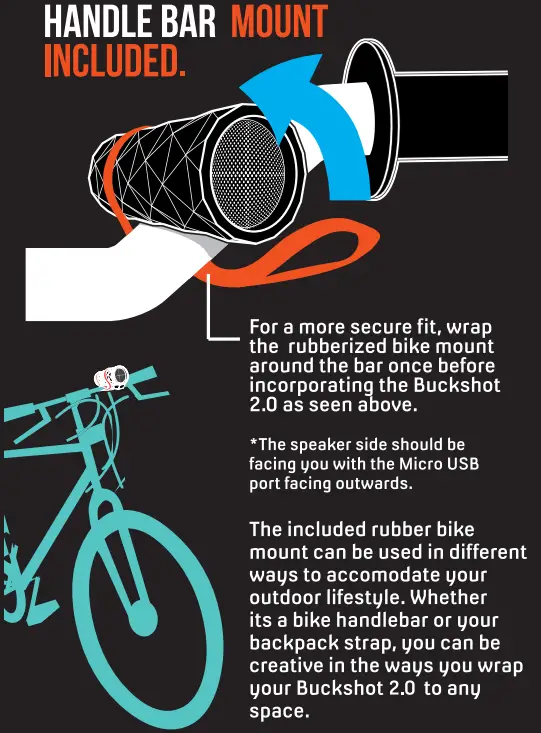
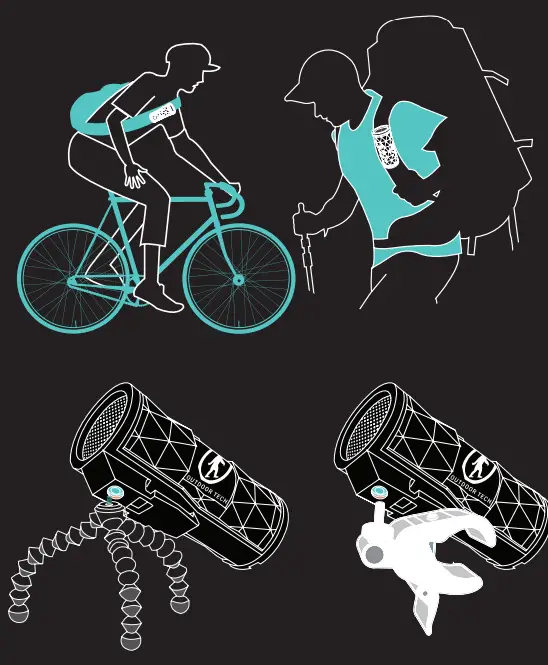
MOUNTING OPTIONS

SPECIFICATION
- Rating: IPx6
- Bluetooth v 3.0
- Bluetooth Profiles: HFP. A2DP, AVRCP
- Compatibility: Bluetooth v 1.1 and above
- Operating range: 60 ft
- Device name: 0DT Buckshot 2.0
- Power source: Lithium-ion rechargeable battery cell
- Battery capacity: 1500 mAh
- Playing Time: Up to 20 hrs
- Operating Temperature: 0-45° C
- Storage Temperature: -20-60°C
- RoHS: Fully RoHS compliant
CARE & MAINTENANCE
- Do not access the input/output simultaneously.
It may affect the product’s performance and not charge properly. - Use a soft, dry cloth to wipe the surface.
Do not use intensive chemical products or detergents to clean the product. - Charge the product at least once every three months, to prevent the batteries from drying out.
- It is normal for the battery to heat up during its charge. The temperature should be below 45° & does not affect the Buckshot 2.0s performance.
- For best performance, fully charge the Buckshot 2.0 before charging other devices.
- All products have passed the strict quality inspection, Do not use the battery/device if it gives off an odor, generates heat, becomes deformed, abrasion, damaged or appears abnormal in any way
DON’T BE SO ANTISOCIAL 

Facebook.com/outdoortech
Twitter & Instagram: @outdoortech
Questions, comments, complaints, secret desires,
or just to say what’s up: email [email protected]
K bye.
FREQUENTLY ASKED QUESTION
How does a Bluetooth speaker for the outside operate?
This is a more recent product category in which a conventional pair of waterproof outdoor speakers has amplifiers and a Bluetooth receiver integrated in. These work just like a single Bluetooth speaker: Start streaming music by simply pairing your phone or tablet with the infrastructure.
A Bluetooth receiver and amplifier are integrated into a conventional pair of waterproof outdoor speakers in this more recent product category. These function identically as a single Bluetooth speaker: To begin streaming music, just connect your phone or tablet to the system.
Hold your phone or another Bluetooth-enabled device within three feet of your speaker, press and hold the Play/Pause button for three seconds, and the system will enter pairing mode. The indicator light should start blinking blue and red at this point.
Full-range audio can be brought into any room of your house with Bluetooth speakers, and they don’t cost much money or take up much room. The most adaptable speaker you can own is a Bluetooth speaker, hands down. You have a quick and efficient way to get music whenever and wherever you need it.
Yes, the majority of wireless speakers plug into standard power outlets or power strips using AC adaptors.
To connect, turn on Bluetooth on your device, search for Bluetooth devices, and then choose “onn. Rugged LG GRY.” The speaker can be connected to another audio source with a 3.5mm connection (not included). To get the desired volume, press Play on the gadget and then adjust the volume there.
ASSESSING PRODUCT Please utilise the USB port on the speaker’s side to charge any device. Any smart phone or tablet that requires an output of up to 1 a can be charged using the tough speaker. A 4000 mah rechargeable Li-Ion battery powers the speaker. Any smart phone device may often be fully charged by a speaker one time.
The device you’re trying to pair with Bluetooth frequently doesn’t appear in the list when your phone searches for Bluetooth devices. The device’s own Bluetooth is typically either off or not in pairing mode when this happens. To find out how to activate pairing mode and make it discoverable, consult the user handbook.
Make sure Bluetooth is turned on by going to Settings -> Bluetooth to accomplish this. Then, locate and choose the Bluetooth speaker you wish to connect to. You should then be able to stream audio from your Android mobile to the Bluetooth speaker after it has connected to it.
Installing software updates, replacing the battery, purchasing a new cable, repairing a cracked solder joint, replacing the charging port, and replacing the charging circuit are all necessary fixes for a Bluetooth speaker that won’t charge.
You can use an aux cable to connect the device if it supports aux. You will need to purchase a Bluetooth adapter and attach it straight to this port if your other devices use USB ports. Connect it to the speaker you already have.
Instead of an internet connection, short-range radio waves are how Bluetooth operates.
It can pass through barriers and uses little electricity. Its range is superior to that of infrared communication. Since the Bluetooth SIG is in charge of managing it, large companies’ products are available, and there is no problem with interoperability between various Bluetooth vendor products.