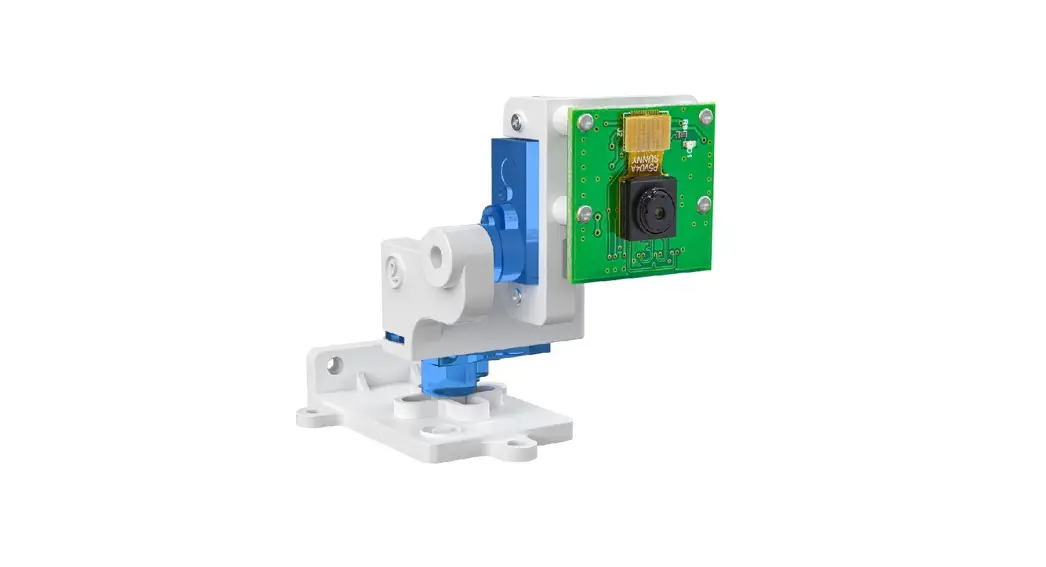
 B0399B0283 Pan-Tilt Kit
User Guide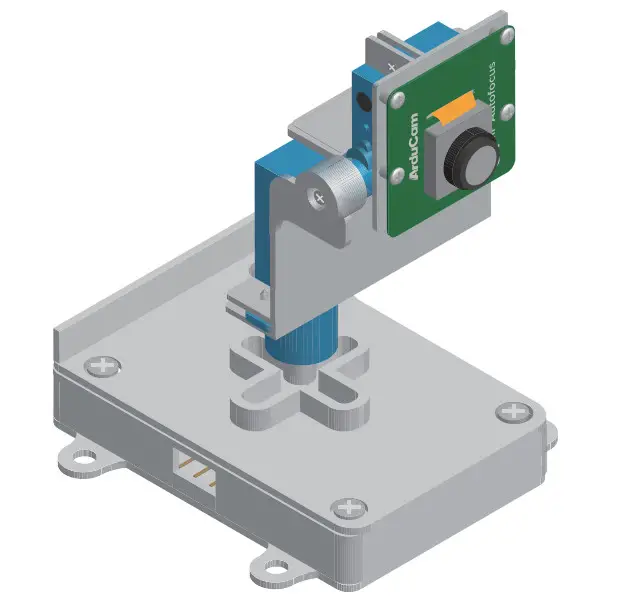
Published in June 2022
by ARDUCAM TECHNOLOGY CO., LIMITED
Packing List
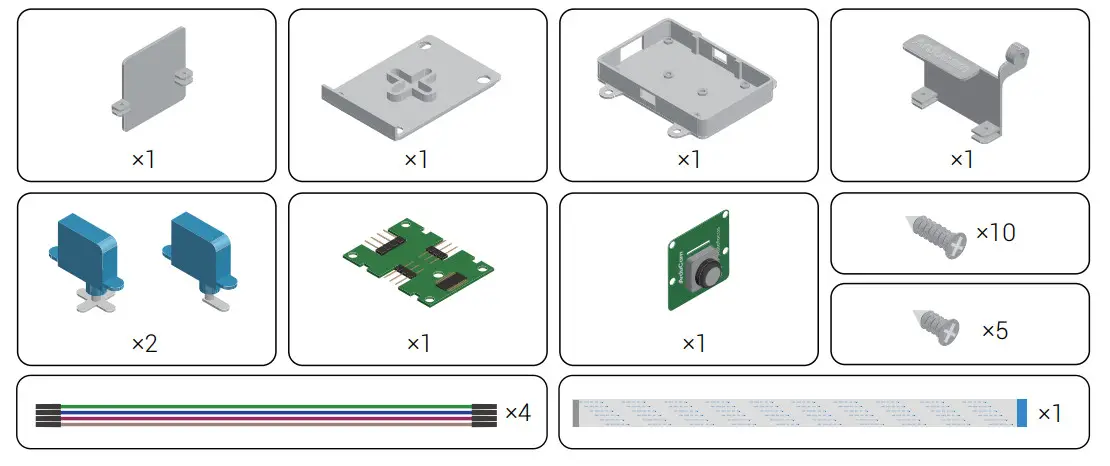
Installation

- The kit is compatible with the official camera module V1, V2, HQ, and Arducam Pi cameras with the same form factors.
- Keep the servo arms in the original position so no further calibration is required.
- Turn off your Raspberry Pi and disconnect the power supply.
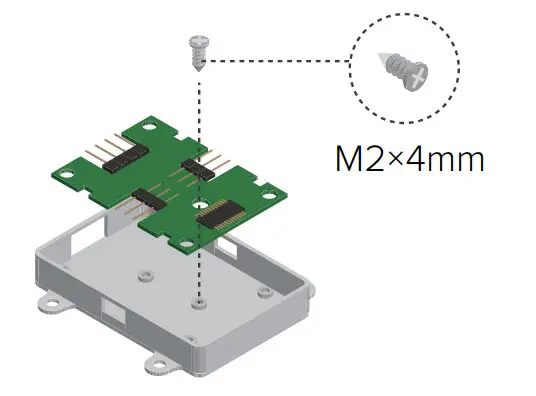
Install the controller board.
Install the pre-assembled pan servo.
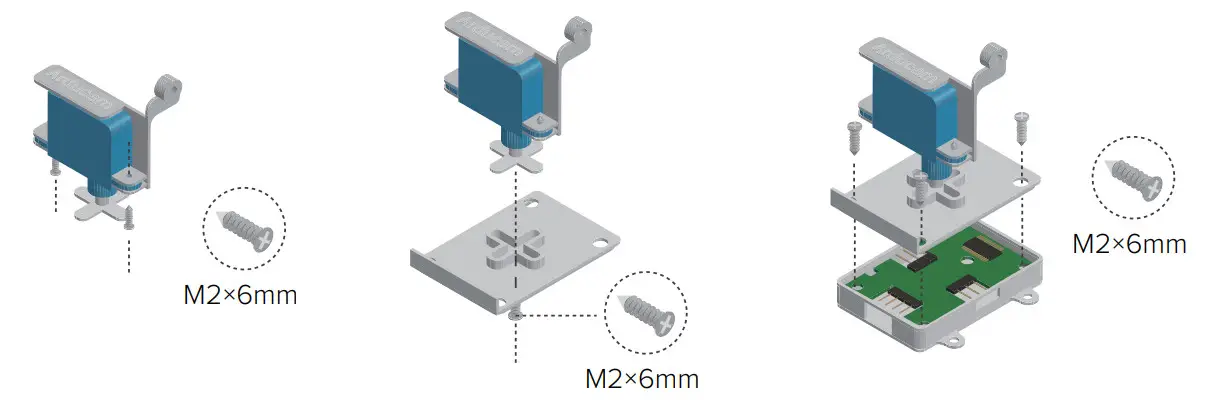
Pan-Tilt Kit for Raspberry Pi Cameras
Install the pre-assembled tilt servo.
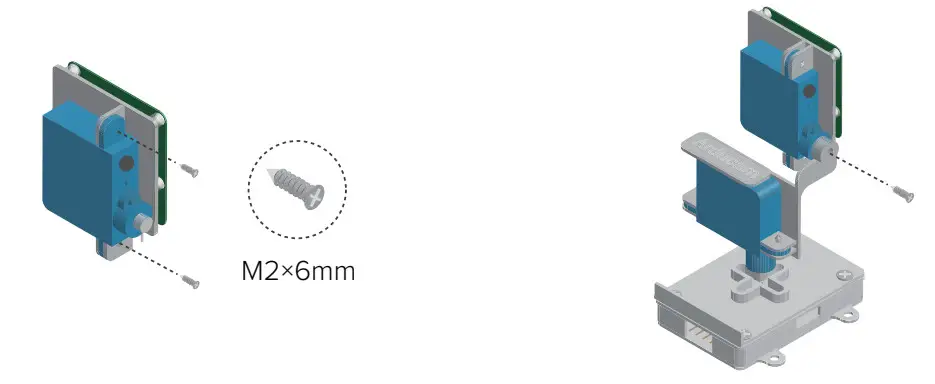
Connect the servos to the controller board.
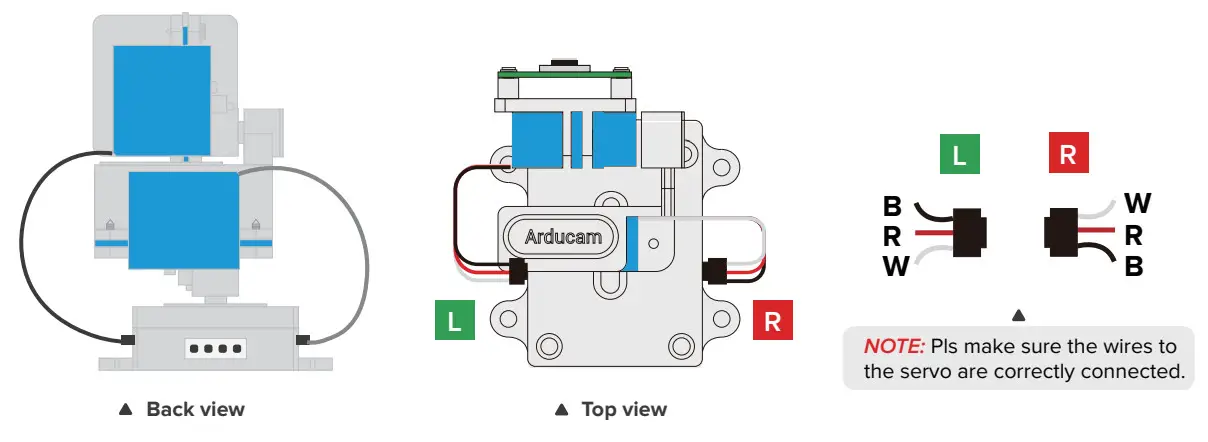
Connect the pan-tilt kit to your Raspberry Pi.Follow the servo motors’ wire colors but not the jumper wires’. The colors of the jumper wires are used to distinguish between each other only and do not need to be matched in a real wire connection to the Raspberry Pi.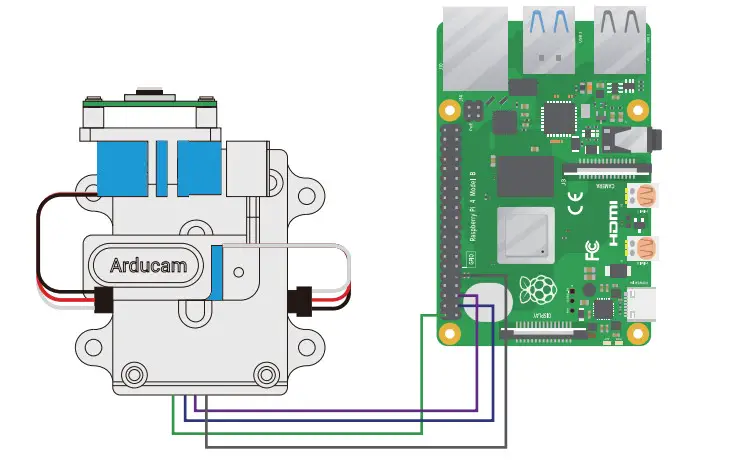
Pan-Tilt Kit for Raspberry Pi Cameras
Operating the Pan-Tilt Kit
- Clone demo code
git clone https://github.com/ArduCAM/PCA9685.git - Enter the target directory
cd PCA9685/ - Compile the code
make - Run the demo
sudo./RunServoDem
Use the arrow keys on the keyboard to control the camera pan and tilt direction.
Vist us at
www.arducam.com
Raspberry Pi and the Raspberry Pi logo are trademarks of the Raspberry Pi Foundation
 Simplifying embedded vision for all. - Arducam
 GitHub - ArduCAM/PCA9685: This library is used for Arducam Pan Tilt Camera for Raspberry Pi