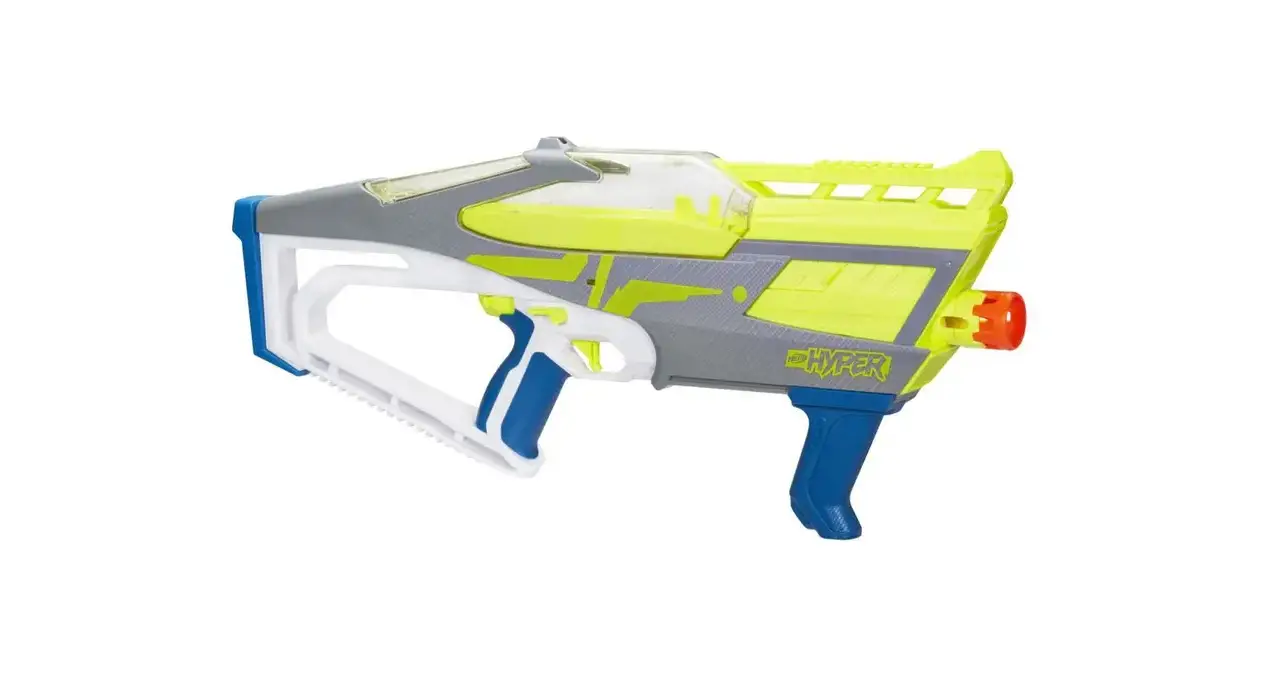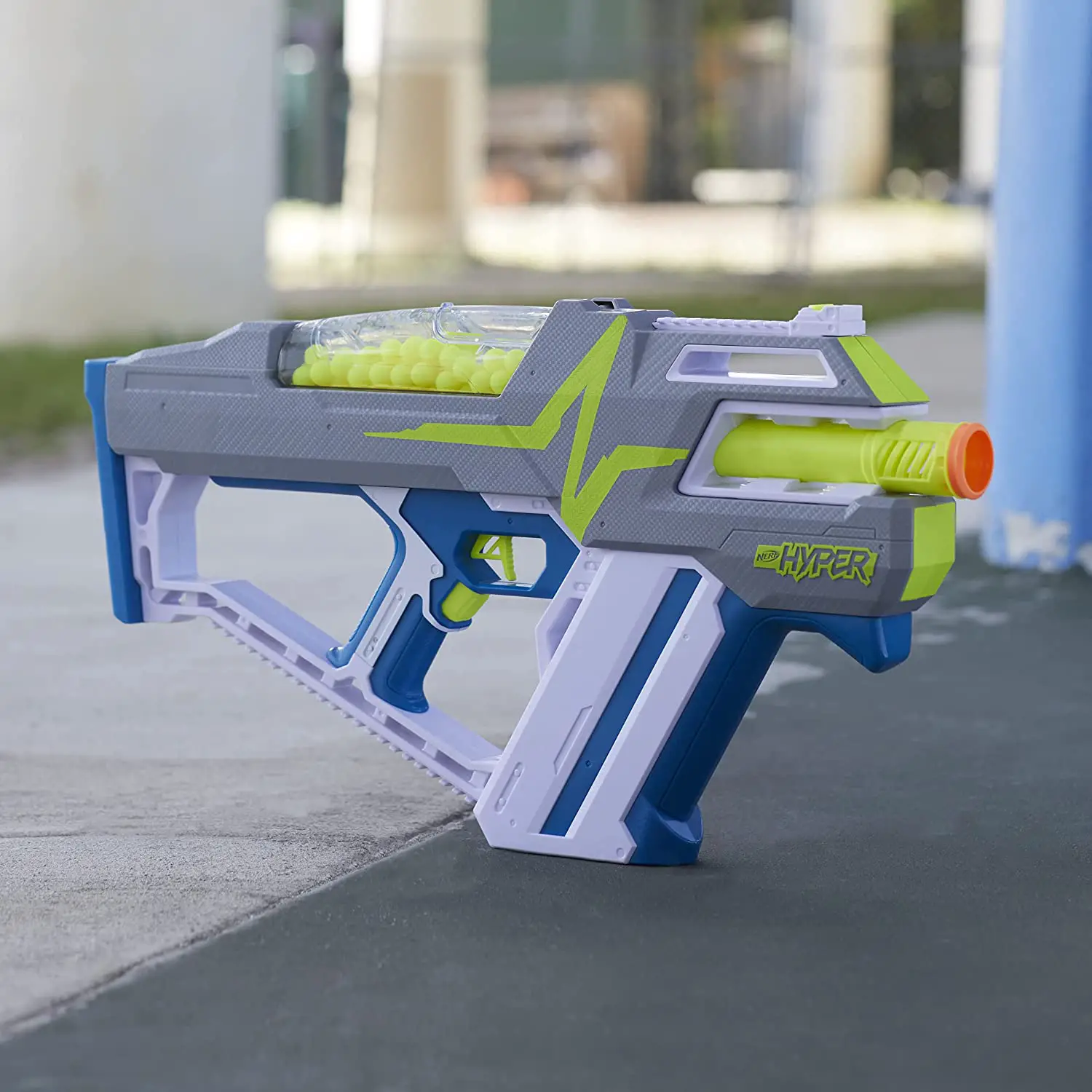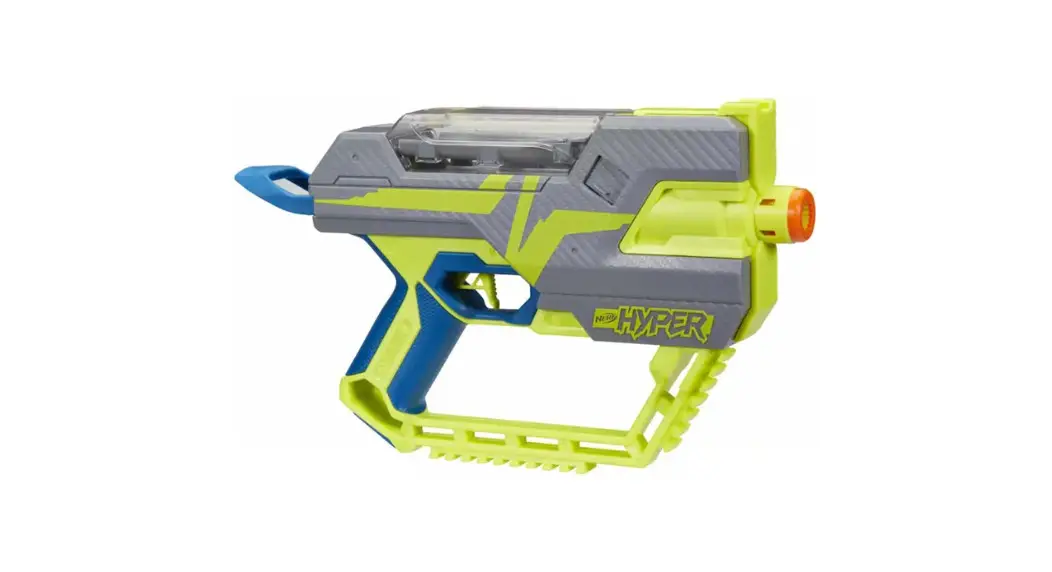

 FUEL-20 Fuel-20 Blaster
Instruction Manual
FUEL-20 Nerf Hyper Fuel-20 Blaster
14+ TO AVOID EYE INJURY: WARNING:
Do not aim at eyes or face. Use of eyewear required for players and people within range. Use only official Hyper rounds. Do not modify rounds or blaster. Ages 14 and up.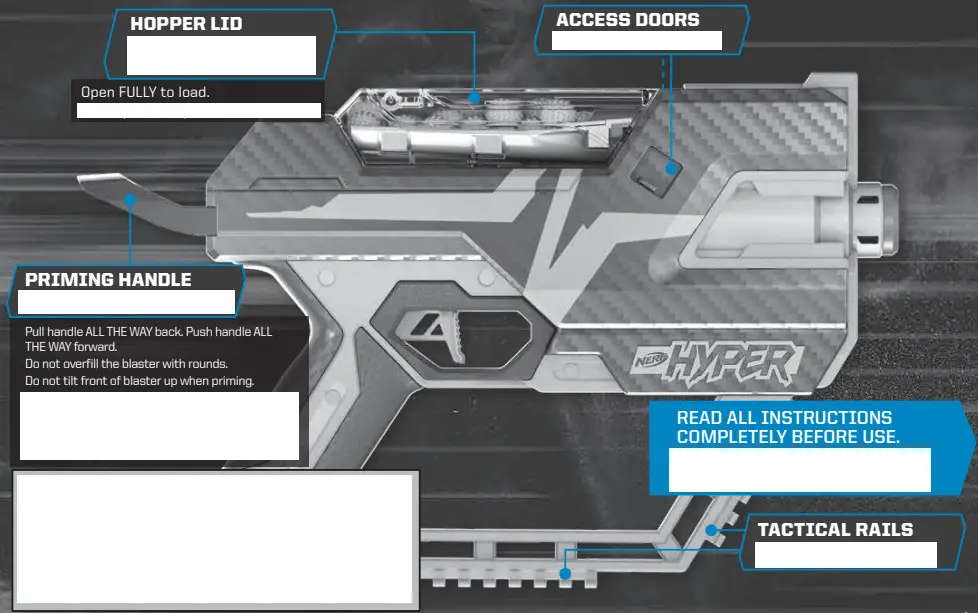 F16490890_INST_NER_HYPER_Fuel_20_FAR.indd 2-3
CREATIVE DEVELOPMENT STUDIOS // CREATIVE COMMUNICATIONS
TRIGGER LOCK
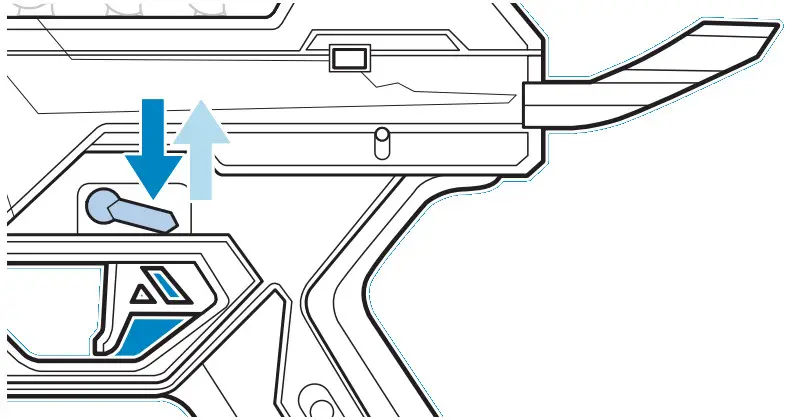 On side of blaster, move trigger lock down to lock trigger and up to unlock. Always put the trigger lock in locked position when blaster is not in use and when storing blaster.
LOAD CHARGER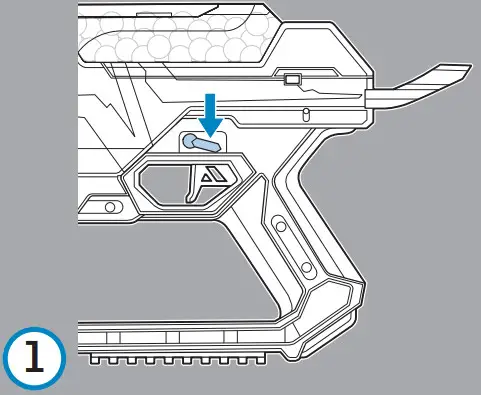 Make sure trigger lock is locked.
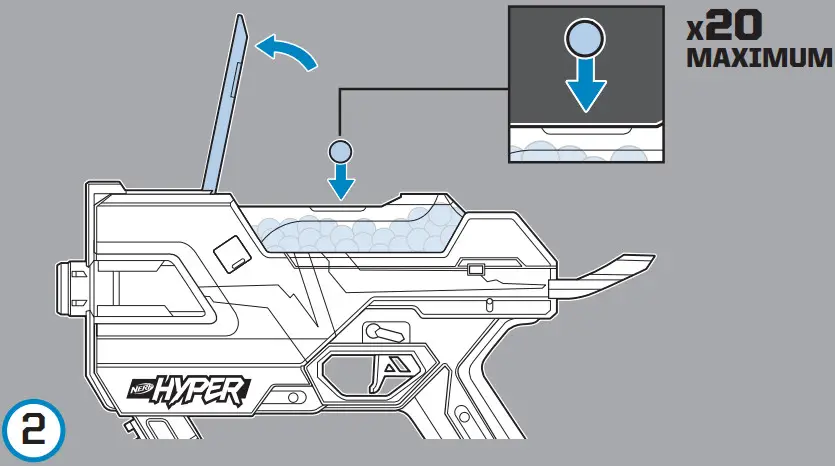 Lift hopper lid. Add rounds to hopper. DO NOT OVERFILL.
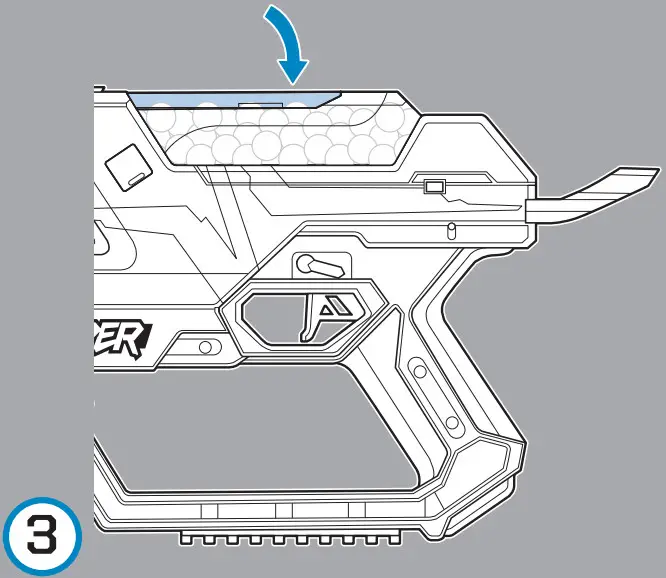 Close lid.
FIRE TIRER
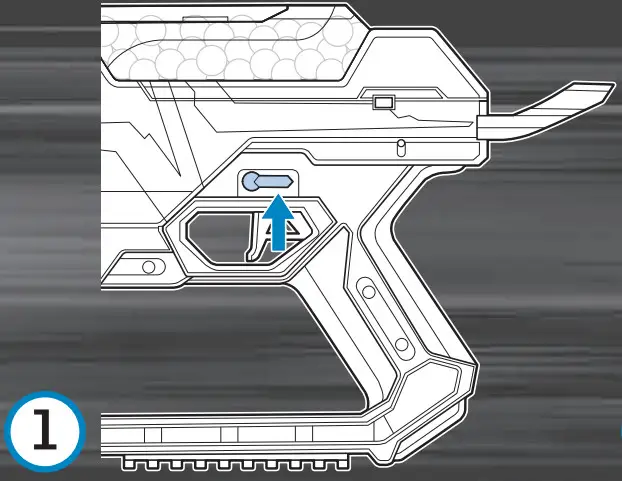 Move trigger lock to unlocked position.
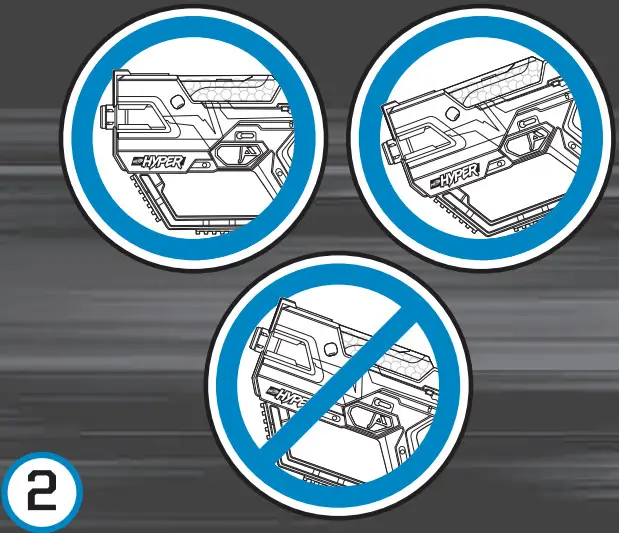 | 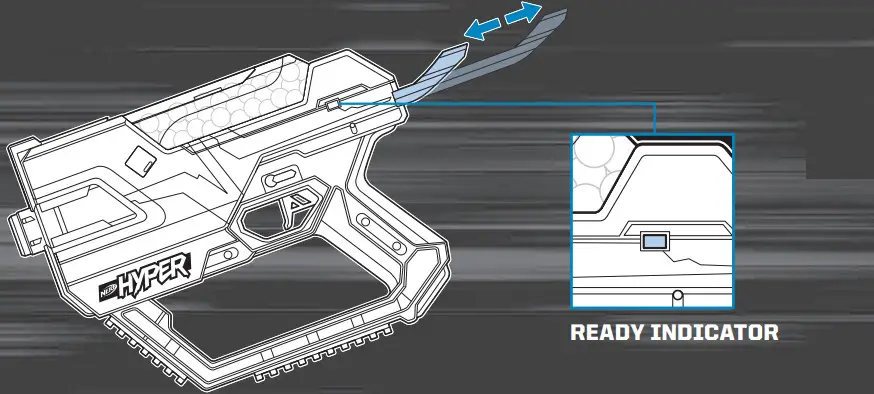 |
Point front of blaster level or tilt it down — DO NOT TILT IT UP. Tilting blaster up when priming may not allow the gravity-fed loading system to feed a round into the chamber. PULL PRIMING HANDLE ALL THE WAY BACK THEN PUSH PRIMING HANDLE ALL THE WAY FORWARD. Ready indicator will appear on side of blaster. Blaster is primed when ready indicator is visible.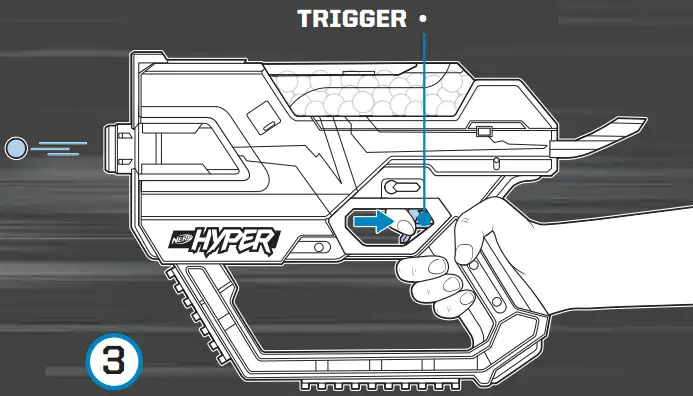 Adjust blaster to aim it toward your target.
Press trigger.
CLEARING A JAM
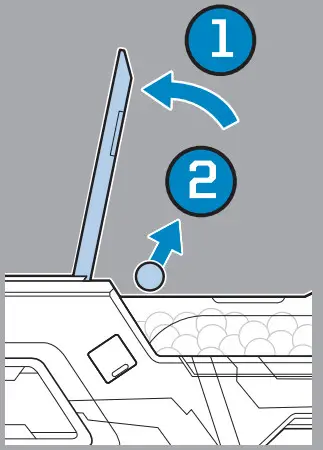 Open hopper lid to remove any jammed rounds.
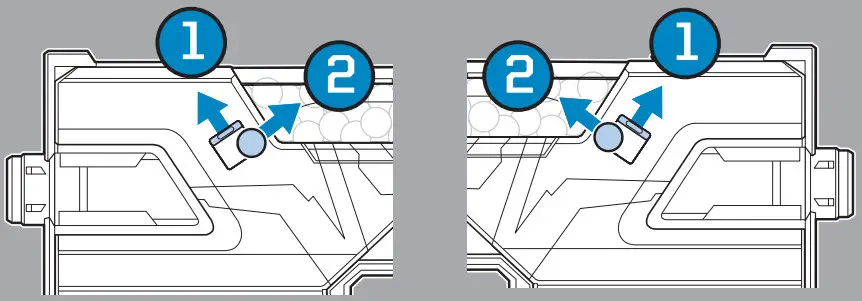 Open either access door and remove any jammed rounds.
Close door.
Make sure you aim the blaster away from you and anyone else while releasing jammed rounds.
RESET SWITCH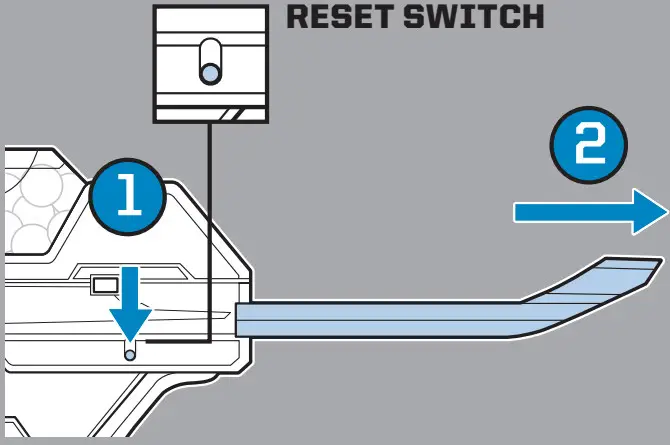 If you cannot move the handle, pull down and hold reset switch and pull priming handle all the way back.
MISFIRE
Occasionally a round may not fire due to the gravity-fed loading system. If that happens, shake the blaster and try firing another round.
TACTICAL RAILS
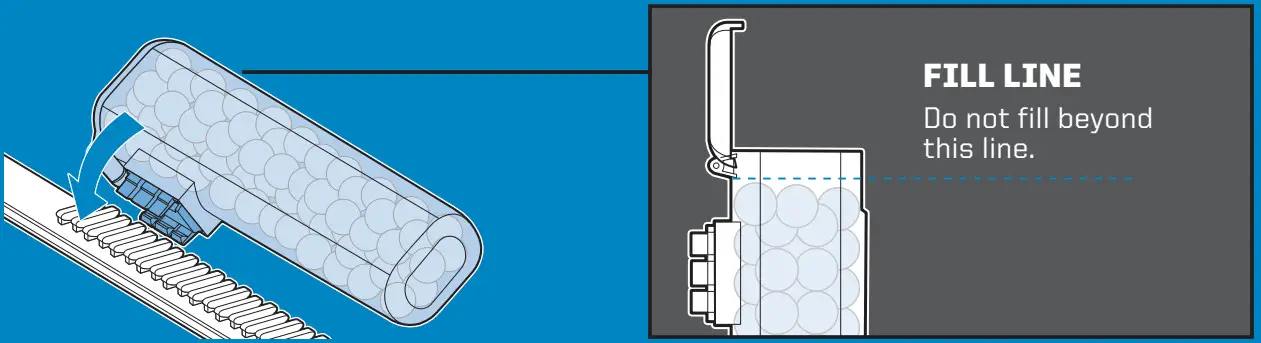 Attach Nerf Hyper canisters to rails for additional firepower. (Canisters not included.)
 Nerf Hyper rounds are compatible only with Nerf Hyper blasters.
STORING YOUR BLASTER
Do not store blaster primed and ready to fire.
NERF.com
Hey NERF Nation!
Join us online and keep up with the latest and greatest NERF news!
NERF and HASBRO and all related trademarks and logos are trademarks of Hasbro, Inc. © 2022 Hasbro.
Hasbro, Pawtucket, RI 02861-1059 USA. HASBRO CANADA, LONGUEUIL, QC, CANADA J4G 1G2.
US/CANADA TEL. 1-800-255-5516.
U.S. Pat. Pend.
F1649 PN00076505