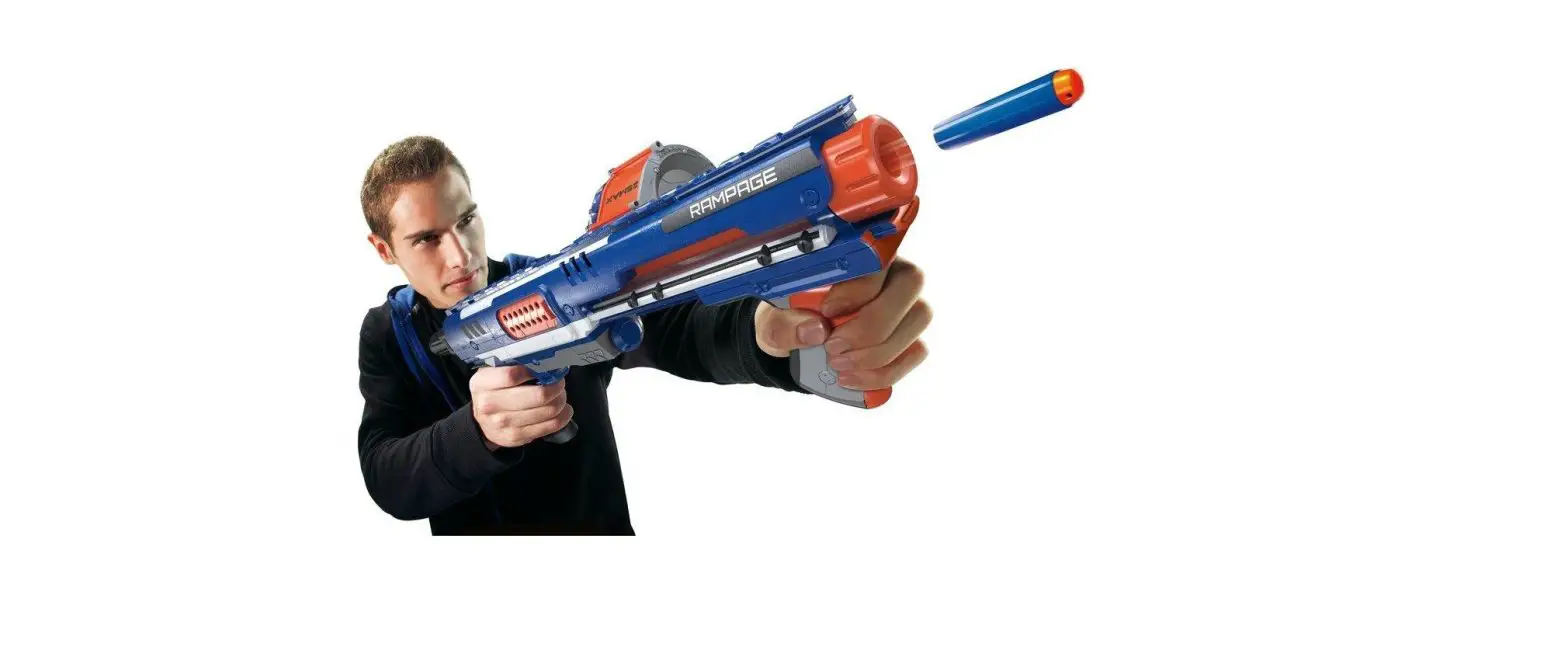
98697 NERF N-Strike Elite Rampage
Product Information: NERF Rampage Blaster
The NERF Rampage Blaster is a toy gun that can fire up to 25
darts in rapid succession. It comes with a drum clip that can hold
up to 25 official NERF darts. The blaster also features a tactical
rail and a priming handle that can be used to load and fire the
darts.
Warnings and Safety Guidelines
To avoid eye injury, do not aim at eyes or face. It is
recommended to use eyewear when playing with the blaster or when
anyone is within range. Only use official NERF darts as other darts
may not meet safety standards. Do not modify darts or blaster.
Product Usage Instructions
Clearing a Jam
If the blaster seems stuck, follow these steps:
- Try pulling the trigger first.
- Check the barrel by pulling the priming handle all the way
back. Open the access door and remove any jammed darts. Close the
door. Note: The door must be fully closed for the blaster to
fire. - If the jam persists, check the drum magazine by pulling the
priming handle all the way back. Press the clip release button and
remove the drum clip. Press the jam release knob on the drum clip
and turn it left and right to reposition the dart. If the blaster
is still jammed, remove darts from the drum clip to remove any
jammed darts. - Once the jam is cleared, replace the drum magazine in the
blaster and push the priming handle all the way forward. This
should load another dart.
Assembly
To assemble the blaster, attach the drum connector to the
blaster until it clicks into place. Make sure the clip release
button faces the rear of the blaster. Note: The blaster will not
work if the drum connector isn’t connected properly.
Loading and Firing
To load and fire the blaster, follow these steps:
- Load darts into the drum clip.
- Pull the priming handle all the way back.
- Insert the drum clip into the blaster, making sure the “FRONT”
on the drum clip faces the front of the blaster. - Push the priming handle all the way forward.
- Pull the trigger to fire one dart.
- To fire another dart, move the priming handle all the way back
and all the way forward, and pull the trigger.
Slam Fire
To use the slam fire feature, hold down the trigger and keep
moving the priming handle all the way back and all the way forward
to fire all the darts in rapid succession.
Reloading
To reload, pull the priming handle all the way back and press
the clip release button to remove the drum clip.
Storage
Do not store the blaster primed and ready to fire. For best
performance, do not store darts in the drum clip.
CLEARING A JAM
If blaster seems stuck: 1. Try pulling the trigger first.
2
ACCESS DOOR
1
2. Check barrel: Pull priming handle all the way back. Open access door and remove any jammed darts. Close door. NOTE: Door must be FULLY CLOSED for blaster to fire.
2
1
3a. Check drum magazine: Pull priming handle all the way back. Press clip release button and remove drum clip.
2
1
3b. Press jam release knob on drum clip, and turn it left and right to reposition dart.
TACTICAL RAIL
8+
TO AVOID EYE INJURY:
WARNING: Do not aim at eyes or face.
Use of eyewear recommended for players and people within range. Use only official NERF darts. Other darts may not meet safety standards. Do not modify darts or blaster.
DRUM CONNECTOR
TRIGGER
3c. If blaster is still jammed, remove darts from drum clip to remove any jammed darts.
4. Once jam is cleared, replace drum magazine in blaster and push priming handle all the way forward. This should load another dart.
STORAGE
Do not store blaster primed and ready to fire. For best performance, do not store darts in drum clip.
NERF and Hasbro and all related trademarks and logos are trademarks of Hasbro, Inc. ©2022 Hasbro. Hasbro, Pawtucket, RI 02861-1059 USA. HASBRO CANADA, LONGUEUIL, QC, CANADA J4G 1G2. US/CANADA TEL. 1-800-255-5516. U.S. Pat. Nos. 8387605, 8402958 & 8021208, Reg. Des. Nos. EC001334866-0003 & BR 30 2012 001775-0 98697 PN00074405
Hey NERF Nation! Join us online and keep up with the latest and greatest NERF news!
Ask a parent before going online.
PRIMING HANDLE
DRUM CLIP
RAMPAGE
ASSEMBLY
FIRE
CLIP RELEASE BUTTON
Attach drum connector to blaster until it clicks into place. Make sure clip release button faces rear of blaster.
NOTE: Blaster will not work if drum connector isn’t connected properly.
LOAD
1. Pull trigger to fire 1 dart.
SLAM FIRE
Slam Fire
2. To fire another dart, move priming handle all the way back and all the way forward, and pull trigger.
25x MAXIMUM
1. Load darts into drum clip.
2. Pull priming handle all the way back.
3. Insert drump clip into blaster, making sure “FRONT” on drum clip faces front of blaster.
4. Push priming h andle all the way forward.
1 2
Hold down trigger and keep moving priming handle all the way back and all the way forward to fire all the darts in rapid succession.
RELOAD
1. Pull priming handle all the way back.
2 1
CLIP RELEASE BUTTON
2. Press clip release and remove drum clip.